
DraftBridge: From Doc/Docx to Blog Post
| 开发者 | vinaypatidar730 |
|---|---|
| 更新时间 | 2026年10月13日 01:43 |
| PHP版本: | 7.4 及以上 |
| WordPress版本: | 7.1 |
| 版权: | GPLv2 or later |
| 版权网址: | 版权信息 |
详情介绍:
- Title and headings: the doc's Title (or first Heading 1) becomes the post title; Heading 2-6 become H2-H6.
- Formatting: bold, italic, strikethrough, superscript, subscript and links.
- Lists: bullet and numbered lists, including nested lists.
- Tables: with header rows and merged cells.
- Images: uploaded to the Media Library with their alt text and SEO-friendly file names. The first image can become the featured image.
- Image links: put an image URL on its own line (optionally followed by
| alt text) and it is downloaded into the Media Library.
- SEO fields from the doc: lines like
Meta Title:,Meta Description:,Focus Keyword:,Slug:,Category:,Tags:andExcerpt:are filled into Rank Math, Yoast SEO or SEOPress and removed from the post body. - FAQ schema: if the doc has an "FAQs" section, FAQPage structured data is added to the page and stays in sync when you edit the FAQs later. Search engines decide whether to show it as a rich result.
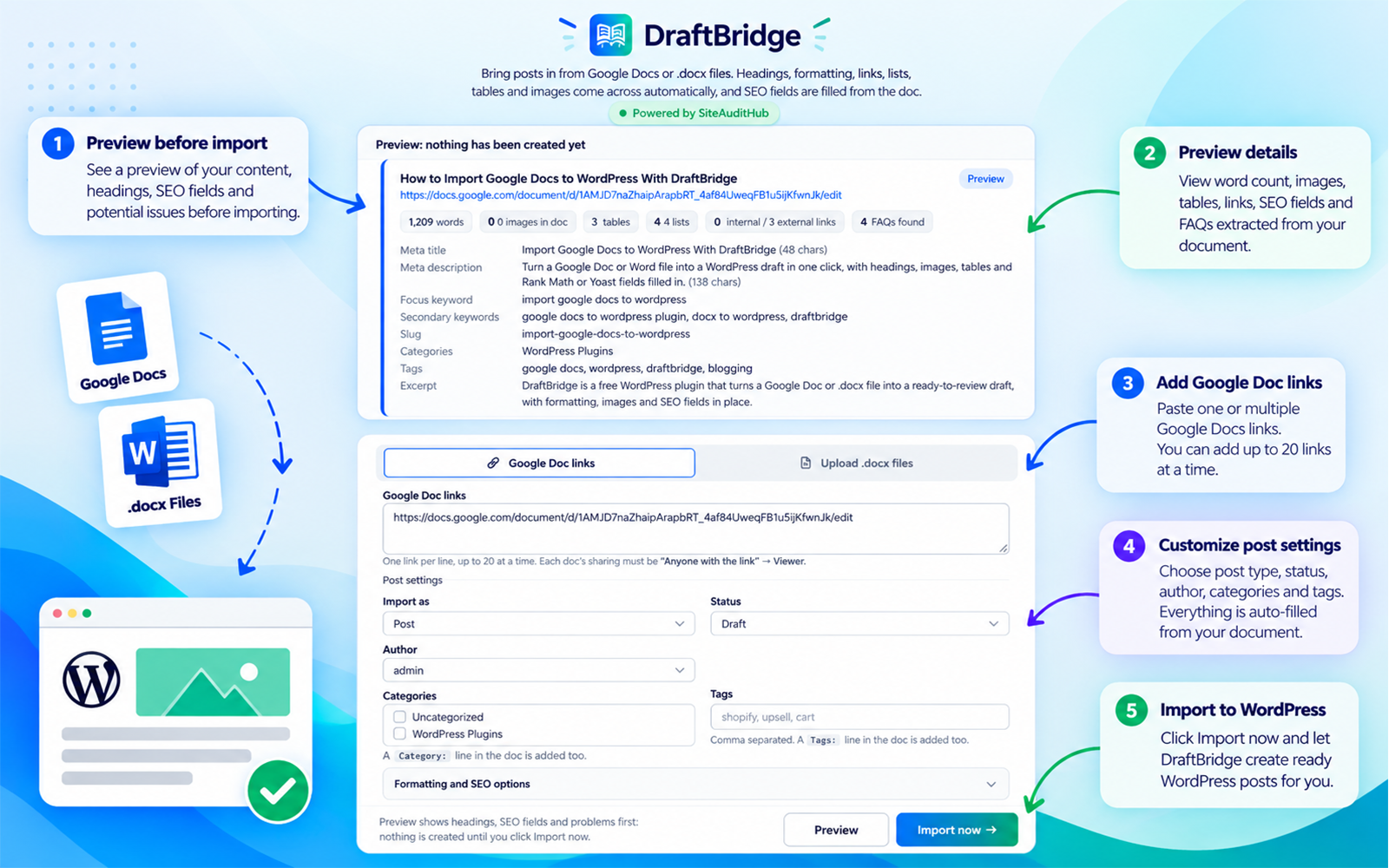
- Preview before import: see the heading outline, word count, links, SEO fields and warnings (missing alt text, no H2, long meta description) before anything is created.
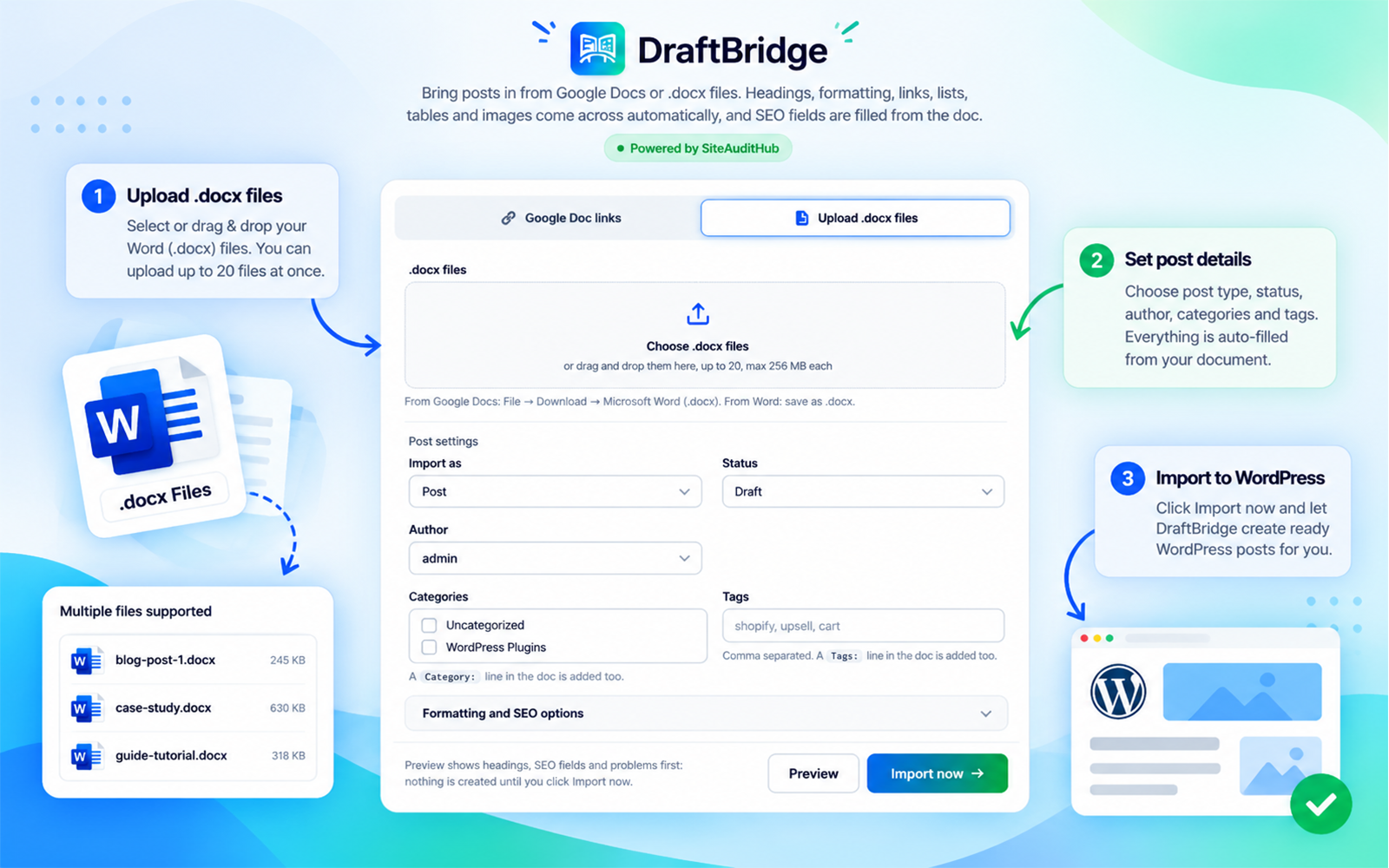
- Bulk import: up to 20 Google Doc links or .docx files at once.
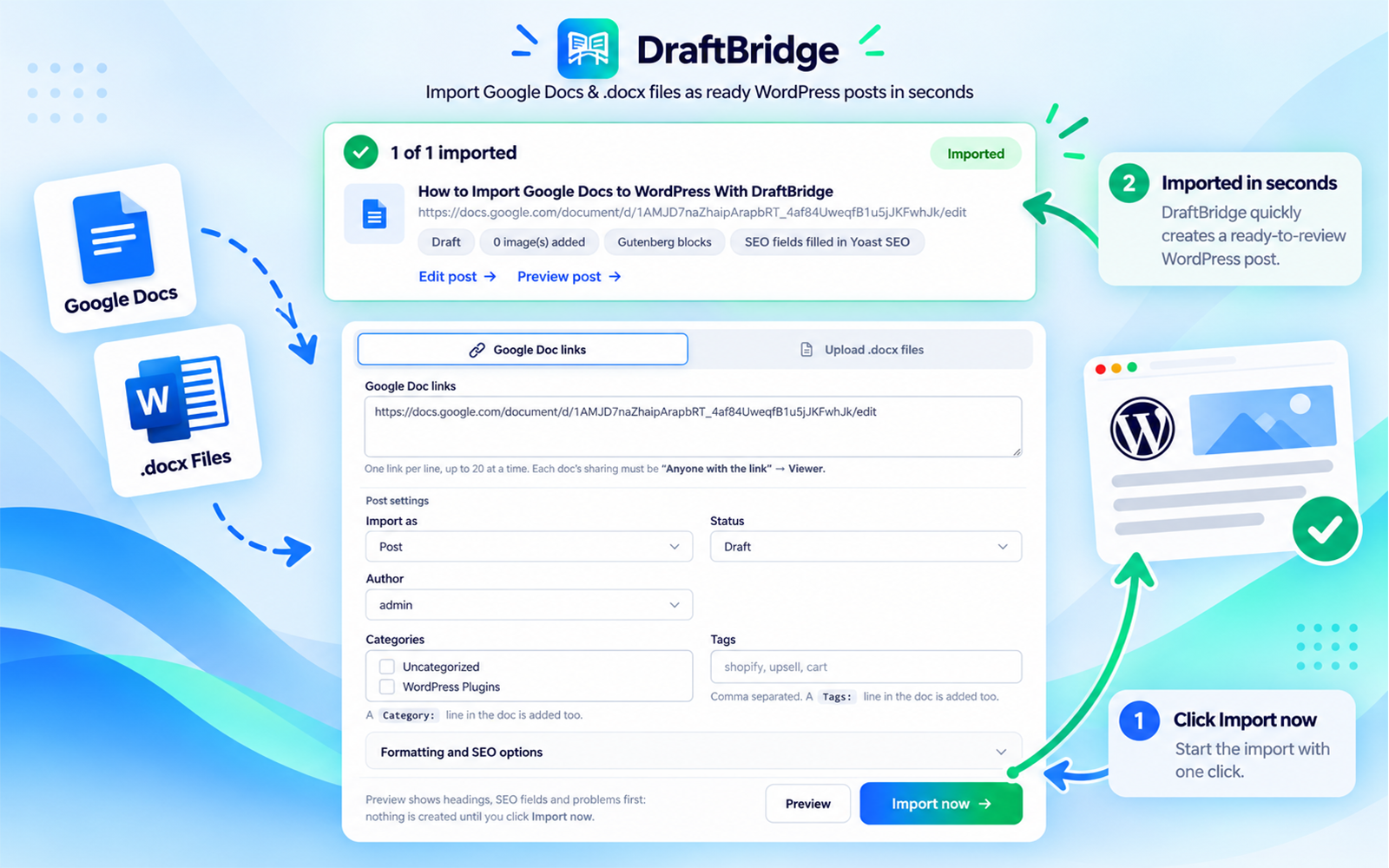
- Real Gutenberg blocks: every heading, paragraph, list, image and table becomes its own editable block. Classic Editor sites get clean HTML instead.
- Safe by default: posts are saved as drafts, duplicates are skipped, and user roles are respected (for example, Contributors' imports are saved as "Pending review").
安装:
- Upload the plugin from Plugins → Add New → Upload Plugin, or install it from the plugin directory.
- Activate DraftBridge.
- Go to DraftBridge in the admin menu.
- For Google Docs, set the document's sharing to "Anyone with the link" (Viewer) and paste the link. Or upload .docx files.
屏幕截图:
常见问题:
Why do my headings import as normal text?
DraftBridge reads the paragraph style, not the font size. In Google Docs, choose "Heading 2", "Heading 3" and so on from the style dropdown ("Normal text"). Text that is only bold and large imports as a paragraph.
Why does my Google Doc link fail?
Google only allows the download when the doc's sharing is set to "Anyone with the link". Private docs send back a sign-in page, and DraftBridge will tell you when that happens. "Publish to the web" links cannot be used. Use the normal share link instead.
Which SEO plugins are supported?
Rank Math, Yoast SEO and SEOPress. With All in One SEO or no SEO plugin, the SEO lines are shown in the preview but not saved.
Is my document stored anywhere?
No. Documents are downloaded or uploaded to a temporary folder on your own server, read, and deleted straight away. Files kept between Preview and Import are deleted after import or within a few hours.
Can I import pages?
Yes, choose "Page" under "Import as" (requires permission to edit pages).
更新日志:
- New plugin name: DraftBridge: From Doc/Docx to Blog Post.
- The step-by-step guide link in the description is now a text link.
- Tidier description layout.
- The DraftBridge logo now appears at the top of the plugin screen.
- Added a link to the step-by-step guide on the plugin screen and in the description.
- New interface icons designed for DraftBridge.
- New: Gutenberg block output, tables, nested and numbered lists.
- New: SEO fields from the doc (Rank Math, Yoast SEO, SEOPress), FAQ schema, image links.
- New: Preview, bulk import, categories, tags, author, status and scheduling.
- Fixed: special characters in titles, bold text that was switched off, private Google Doc message, permissions for Authors and Contributors.
- First release.