
Drag and Drop File Upload for Elementor Forms
| 开发者 |
wpformsaddons
rednumber addonsorg |
|---|---|
| 更新时间 | 2026年9月11日 18:40 |
| PHP版本: | 5.2 及以上 |
| WordPress版本: | 7.1 |
| 版权: | GPLv2 or later |
| 版权网址: | 版权信息 |
详情介绍:
[youtube https://www.youtube.com/watch?v=5JPfFuSDpSM]
DEMO: https://demo.add-ons.org/demo-drag-and-drop-fields/
Download Pro Version: https://add-ons.org/plugin/drag-and-drop-file-upload-for-elementor-forms-pro/
Document: https://add-ons.org/document-elementor-drag-and-drop-multiple-file-upload/
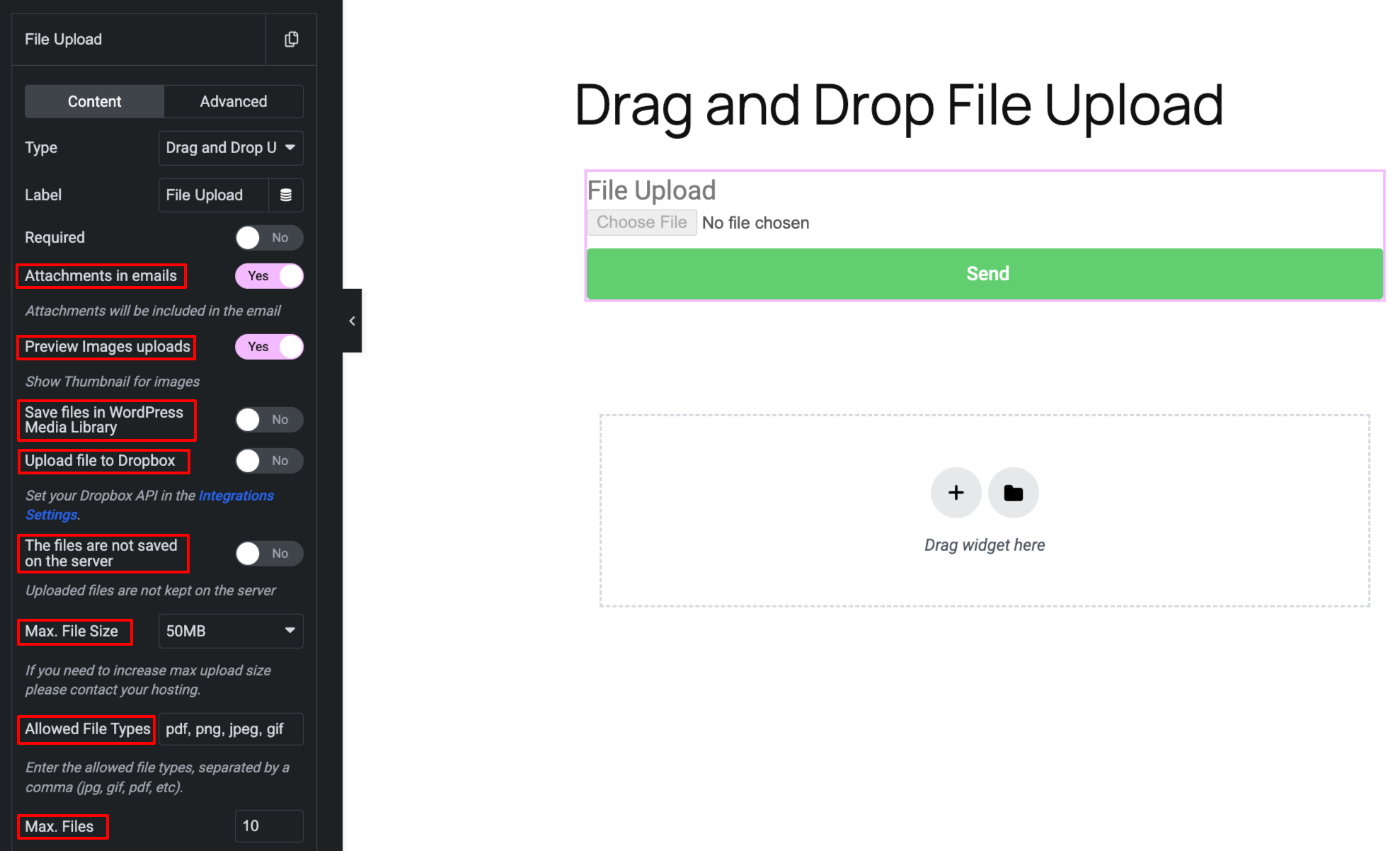
Drag and Drop File Upload for Elementor Forms is a powerful, lightweight, and user-friendly add-on designed to enhance the default Elementor form capabilities. If you are looking for an intuitive way to collect files, documents, or images from your users, this plugin provides a robust multiple file upload area completely integrated with the native Elementor Forms builder.
Enhance your user experience by allowing visitors to effortlessly drag and drop files or use the traditional browse button. With full control over file size limits, allowed file types, and upload quantity, you can securely and effectively collect the exact assets you need without cluttering your inbox.
Whether you are collecting resumes, user-generated content, portfolio submissions, or support documents, this plugin offers premium functionality including direct integration with Dropbox and the WordPress Media Library.
安装:
Normal installation
- Download the drag-and-drop-file-upload-for-elementor-forms.zip file to your computer.
- Unzip the file.
- Upload the
drag-and-drop-file-upload-for-elementor-formsdirectory to your/wp-content/plugins/directory. - Activate the plugin through the 'Plugins' menu in WordPress.
- Document: https://add-ons.org/document-elementor-drag-and-drop-multiple-file-upload/
屏幕截图:
更新日志:
1.6.0
- Fixed: Create a temporary upload directory and automatically delete its contents daily to prevent unnecessary files from accumulating on the server.
- Fixed: After success submission, the file upload field is not reset
- Changed: move_uploaded_file to wp_handle_upload
- Changed: Hide style on mobile
- Fixed: Security hole
- Fixed: Remove files
- Changed: Hide style on mobile
- Fixed: Save files to Dropbox
- Fixed: small problem
- Added: Save files to Dropbox
- Added: Save files in WordPress Media Library
- Fixed: Popup Forms
- Fixed: Change style overwritten
- Fixed: Attachments email
- Added: Supports Elementor Pro versions older than 3.21
- Added: Keep the names of uploaded files intact
- Version 1.0 Initial Release