Dragwyb Click to Chat - AI Chatbot & Social Messaging
| 开发者 | dragwyb |
|---|---|
| 更新时间 | 2026年9月18日 04:14 |
| PHP版本: | 7.4 及以上 |
| WordPress版本: | 7.1 |
| 版权: | GPLv2 or later |
| 版权网址: | 版权信息 |
详情介绍:
安装:
- Upload the plugin files to the
/wp-content/plugins/dragwyb-click-to-chatdirectory, or install it through the WordPress Plugins screen. - Activate the plugin through the Plugins menu.
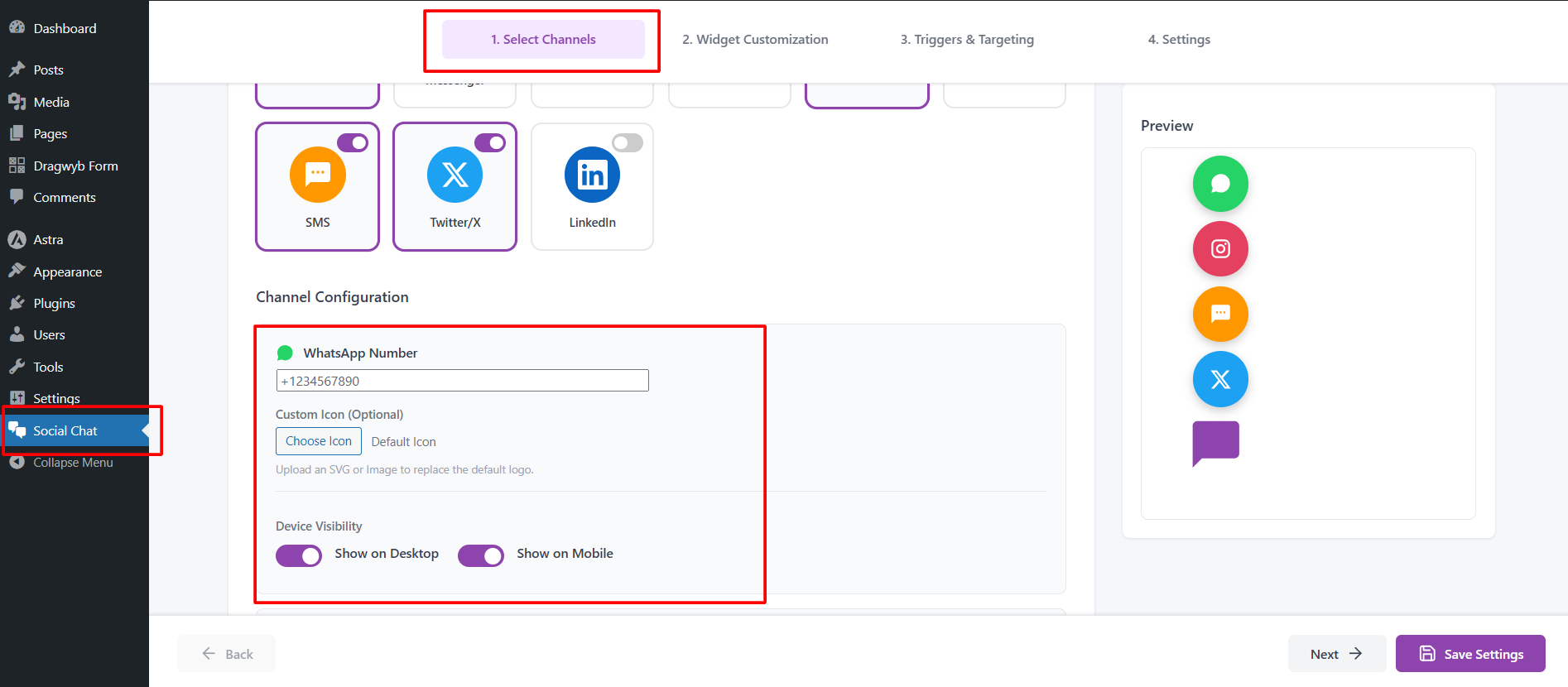
- Open Click to Chat from the WordPress admin menu.
- Enable your AI Chatbot, configure your preferred social chat channels, and customize the widget.
屏幕截图:


常见问题:
What is the AI Chatbot feature?
The AI Chatbot is an automated assistant inside your chat widget. It can greet visitors and answer common queries natively on your website without requiring the user to switch apps.
Can I use both the AI Chatbot and the social media buttons?
Yes. The widget is designed to be an all-in-one hub. You can feature the AI Chatbot as the primary support method while keeping social redirect buttons available in the expandable menu.
What is a click to chat widget?
A click to chat widget is a floating button that lets website visitors contact you via various social messaging apps, email, or phone.
Does this plugin support multiple chat platforms?
Yes. The plugin allows you to add several different social and contact redirect buttons in one widget.
Does this plugin store or track user data?
The social redirect functionality does not store cookies or collect analytics. The AI chatbot processes queries strictly to generate responses, sending the prompt data to the respective API provider as outlined in the External Services section.
Is this plugin suitable for eCommerce?
Yes. It can be used for businesses, online stores, agencies, and service providers looking for an omnichannel contact and automated support solution.
Is this plugin suitable for business websites and eCommerce?
Yes. It is ideal for businesses, online stores, agencies, freelancers, and service providers looking for an omnichannel contact and automated support solution.
Will this plugin slow down my website?
No. The plugin is lightweight, optimized for performance, and loads minimal assets to ensure fast page speeds.
更新日志:
- Fixed widget position veritcal alignment not working.
- Improve escaping & sanitization.
- Single social chat widgets can now be displayed directly without the floating button.
- Added the Show Floating Button option under Widget Customization > Widget Display to display social chat widgets directly without the floating button.
- Tested Up to WordPress 7.1
- Added Settings import/export for Channels and AI Assistant.
- Added custom icon upload for the AI Assistant floating button.
- Added Error logs options and tab for save and display error logs on admin side.
- Tweak improve review notice styling.
- Added the required "External services" section for APIs.
- Added the missing composer.json file.
- Added Error log table for ai assistant.
- Updated plugin name to follow WordPress guidelines.
- Removed marketing words from the description.
- Major Feature: Added an integrated AI Chatbot widget for native, automated on-site support.
- Updated plugin display name to include AI chatbot capabilities and align with directory branding rules.
- UI Enhancements: Redesigned the admin dashboard to cleanly separate AI settings and social channel configurations.
- Performance: Optimized asset loading for the new chatbot interface.
- Compliance: Added External Services documentation for required APIs.
- Fixed WhatsApp chat redirect issue.
- Fixed PCP plugin reported errors.
- Added channel chat widget and greeting message support.
- Added feedback & review notice.
- SEO optimization for multi-channel social chat features.
- Improved UI for the floating contact button menu.
- Official public release with social redirect support.
- Added support for professional networking and SMS channels.
- Refactored code for asset loading and performance.
- Initial release.