
DreamFast Commerce Float – Store Action Buttons for WooCommerce
| 开发者 | yosisah |
|---|---|
| 更新时间 | 2026年7月30日 05:11 |
| PHP版本: | 7.4 及以上 |
| WordPress版本: | 7.0 |
| 版权: | GPLv2 or later |
| 版权网址: | 版权信息 |
详情介绍:
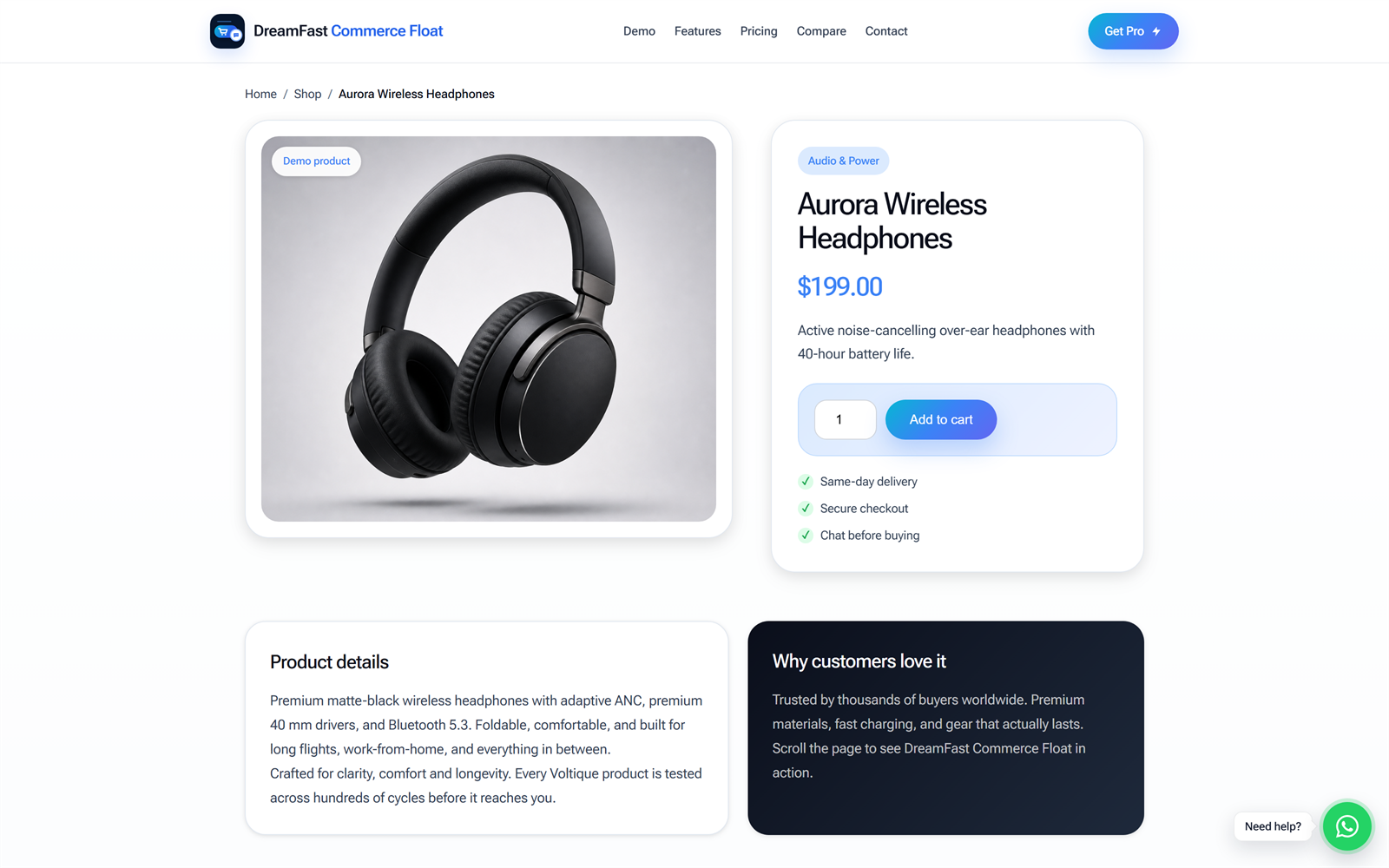
- Sticky add-to-cart bar for WooCommerce single product pages.
- Product image, product name, price, and an action button inside the sticky add-to-cart bar.
- Smart visibility trigger — the bar appears only after the original add-to-cart button leaves the viewport.
- Works with simple products by triggering the original WooCommerce add-to-cart button.
- Works with variable products by scrolling shoppers back to the variation form.
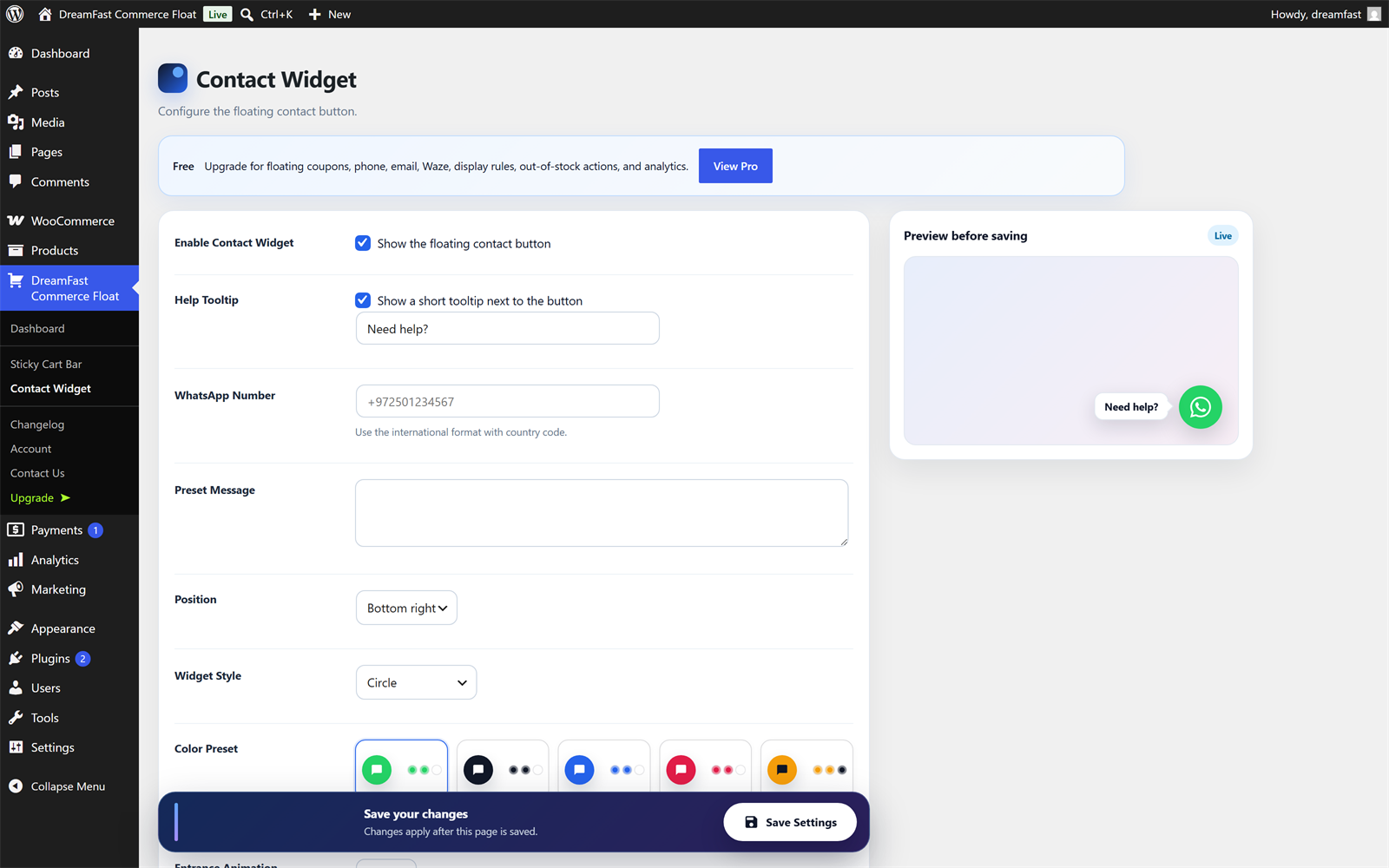
- Floating contact button (chat/messaging link) for quick customer questions.
- Optional contact tooltip text.
- Custom preset message.
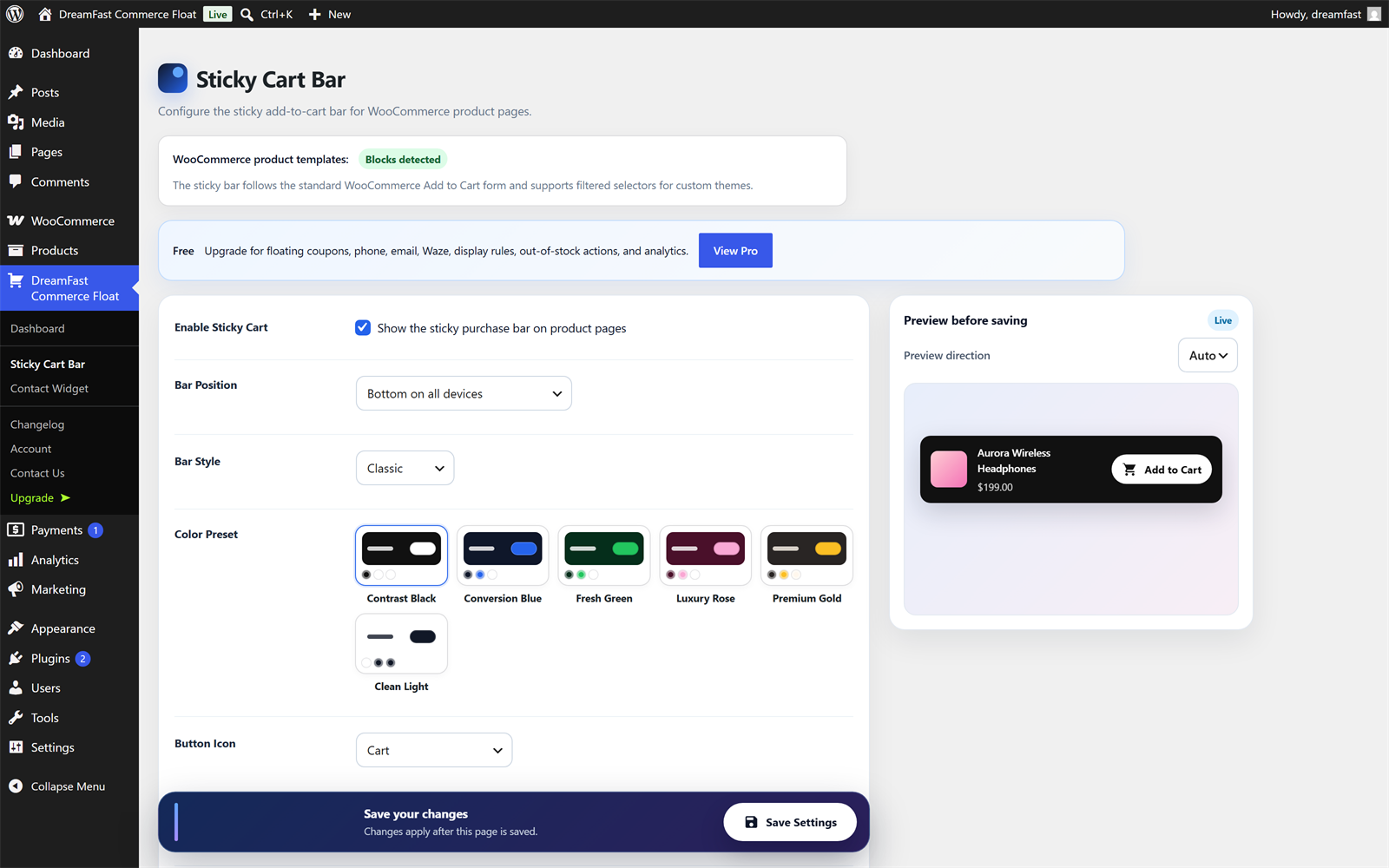
- Sticky add-to-cart bar position controls: auto, top, or bottom.
- Contact button position controls: bottom right or bottom left.
- Design presets for the add-to-cart bar and the contact button.
- Button icon, animation, and style options.
- Live preview in the admin settings.
- RTL and LTR support.
- Conditional asset loading for better performance.
- WooCommerce HPOS compatibility.
- Floating coupon bar.
- Exit-intent coupon reveal.
- More contact channels, including phone, email, and Waze.
- Device and product-category display rules.
- Out-of-stock actions.
- Industry presets and custom colors.
- Click counters.
安装:
- Install and activate DreamFast Commerce Float.
- Make sure WooCommerce is active for the sticky add-to-cart bar.
- Open DreamFast Commerce Float > Sticky Cart Bar.
- Choose the position, style, preset, and button icon.
- Open DreamFast Commerce Float > Contact Widget.
- Enter your contact number in international format and save.
- Test the widgets on a WooCommerce product page.
屏幕截图:
常见问题:
Does this plugin require WooCommerce?
The sticky add-to-cart bar requires WooCommerce and appears on single product pages. The floating contact button can work across the site when enabled and configured.
Where does the sticky add-to-cart bar appear?
It appears on WooCommerce single product pages after the original add-to-cart button scrolls out of view.
Does it replace my theme's add-to-cart button?
No. For simple products, the sticky add-to-cart bar triggers the original WooCommerce add-to-cart button. This helps preserve your theme and WooCommerce behavior.
Does it work with variable products?
Yes. For variable products, the button scrolls shoppers back to the variation form so they can choose the required options before adding the product to the cart.
Does the free version include coupons?
No. The coupon bar and exit-intent coupon are part of DreamFast Commerce Float Pro.
Which contact channels are included in the free version?
The free version includes a floating contact button that opens a chat/messaging link. Additional contact channels such as phone, email, and Waze are part of the Pro version.
Can I customize the design?
Yes. The free version includes style presets, color presets, icons, animation options, position controls, and live previews. Custom colors and additional options are part of the Pro version.
Does it support RTL sites?
Yes. DreamFast Commerce Float supports both RTL and LTR layouts.
Is it compatible with WooCommerce HPOS?
Yes. The plugin declares compatibility with WooCommerce High-Performance Order Storage.
Can I use the free and Pro versions together?
No. DreamFast Commerce Float Pro replaces the free version when installed.
Can developers customize the output with code?
Yes. Since version 1.1.0 the plugin ships a documented hook API, so you can customize everything from a child theme or a code snippets plugin without editing the plugin itself. Your changes then survive updates.
Show or hide each widget with your own rules:
add_filter( 'dreamfast_cf_show_sticky_cart', function ( $show ) { return $show && ! is_user_logged_in(); } );
Change the call-to-action text:
add_filter( 'dreamfast_cf_sticky_cart_button_text', function ( $text, $product ) { return __( 'Buy now', 'my-theme' ); }, 10, 2 );
Wrap or replace the markup:
add_filter( 'dreamfast_cf_sticky_cart_html', function ( $html, $args, $product ) { return '<div class="my-wrapper">' . $html . '</div>'; }, 10, 3 );
Available hooks include dreamfast_cf_show_sticky_cart, dreamfast_cf_show_contact, dreamfast_cf_sticky_cart_args, dreamfast_cf_contact_args, dreamfast_cf_sticky_cart_button_text, dreamfast_cf_contact_tooltip_text, dreamfast_cf_sticky_cart_html, dreamfast_cf_contact_html, dreamfast_cf_frontend_config, dreamfast_cf_cart_button_selectors, plus dreamfast_cf_before_* and dreamfast_cf_after_* actions around each widget. Pro adds the matching coupon bar hooks.
更新日志:
- Added a documented developer hook API so themes and snippets can customize the widgets without editing the plugin.
- Added visibility filters for the sticky cart bar and contact button, for custom display rules.
- Added filters for the widget data, button and tooltip texts, and the final markup of each widget.
- Added before/after actions around every widget, plus a filter for the frontend script configuration.
- No changes to default behavior or appearance.
- Refreshed admin wording (Contact Widget / floating contact button) and the WordPress.org listing (clearer external-services disclosure and a short setup call-to-action). No functional changes.
- Updated the WordPress.org listing title for trademark compliance. The product name remains DreamFast Commerce Float. No functional changes.
- Initial public release on WordPress.org.
- Sticky add-to-cart bar for WooCommerce single product pages.
- Floating contact button.
- Live preview controls for the add-to-cart bar and the contact button.
- RTL/LTR support, conditional asset loading, and WooCommerce HPOS compatibility.