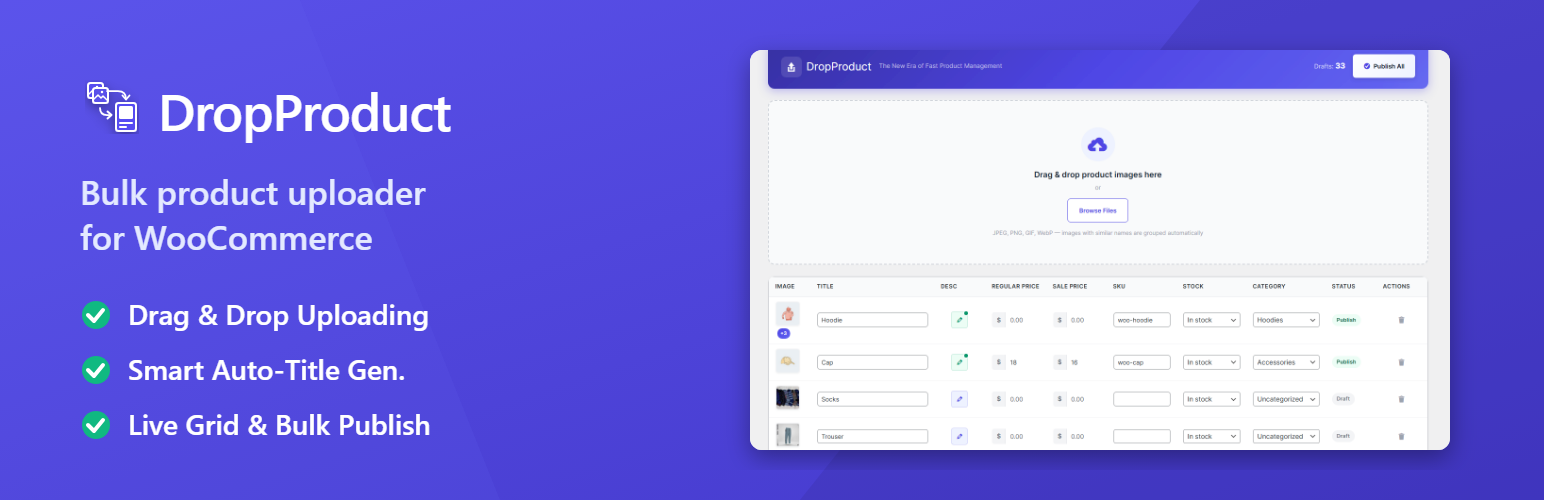
DropProduct – Bulk Product Uploader for WooCommerce
| 开发者 | codersajjad |
|---|---|
| 更新时间 | 2026年8月1日 14:23 |
| PHP版本: | 7.4 及以上 |
| WordPress版本: | 6.9 |
| 版权: | GPL-2.0-or-later |
| 版权网址: | 版权信息 |
详情介绍:
- Drag & drop your product images onto the upload zone
- Products are created automatically as drafts with smart titles from filenames
- Related images are grouped —
shoe-1.jpgandshoe-2.jpgbecome one product with a gallery - Edit inline — title, description, regular price, sale price, SKU, stock, and category
- Publish all valid products in one click
- New store owners building their first product catalog
- Dropshippers adding hundreds of products quickly
- Photographers & artists selling prints and digital products
- Wholesalers managing large inventories
- Anyone tired of WooCommerce's slow, one-at-a-time product creation
- Drag & Drop Bulk Upload — Upload unlimited product images at once (JPEG, PNG, GIF, WebP)
- Smart Title Generation — Filenames like
blue-cotton-hoodie.jpgbecome "Blue Cotton Hoodie" automatically - Gallery Grouping — Images sharing a base name merge into one product with a gallery
- Inline Grid Editor — Edit title, description, regular price, sale price, SKU, stock status, category, and cost price directly in the table
- Auto-Save — Every change saves instantly via AJAX — no save button needed
- Sale Price Validation — Warns you if the sale price is higher than the regular price
- Description Editor — Add product descriptions via a clean popup modal
- Hover Image Preview — Hover over any thumbnail to see the full-size image
- Batch Publish with Validation — Publish all drafts in one click; missing title or price fields are highlighted in red
- Individual Publish — Publish a single draft product directly from the grid row
- Draft Counter — See how many unpublished products you have at a glance
- HPOS Compatible — Fully compatible with WooCommerce High-Performance Order Storage
- Zero Bloat — Assets only load on the DropProduct page; no impact on the rest of your admin
- New dedicated admin submenu under DropProduct with modern analytics cards and charts
- Track total sales, orders, average order value, conversion rate, sales over time, top products, top countries, and traffic channels
- Date range filters and CSV export for quick reporting
- Apply a percentage or fixed-amount price increase/decrease to all selected products simultaneously
- Works on Regular Price, Sale Price, or both at once
- Toggle the Price Slasher bar on/off with a dedicated toolbar button
- Prices are updated via AJAX — no page reload
- Final prices are clamped to ≥ 0 and rounded to 2 decimal places
- Automatically generates and assigns SEO-friendly alt text to product images on upload
- Parses the filename: removes extension, replaces hyphens/underscores with spaces, converts to Title Case
- Only sets alt text when the field is currently empty — never overwrites manual work
- Add a "Cost Price" to any product row — stored privately as
_dropproduct_cost_price(never shown to customers) - Instant real-time calculation of Profit (= Selling Price − Cost) and Margin % (= Profit ÷ Selling Price × 100)
- Both values update live as you type — no AJAX round-trip needed for display
- Cost saved automatically via debounced AJAX; recalculates whenever the regular or sale price changes
- Profit and Margin display with colour coding: green (positive), red (negative), grey (no data)
- Full WooCommerce fraud protection engine — no external APIs
- Honeypot field — invisible to real users; filled by bots → immediate block
- Blacklist — block orders from specific names, phones, or email addresses
- Disposable email detection — 20+ known throwaway domains blocked by default; fully editable list
- IP velocity limiting — too many orders from the same IP within 1 hour scores +30 risk points
- IP / Billing country mismatch — uses WC Geolocation (no external API); adds risk score and private order note
- Card testing protection — excessive failed payment attempts trigger an immediate block
- Checkout speed check — orders submitted faster than a configurable threshold are scored as suspicious
- Configurable thresholds — separate block and review thresholds; force On-Hold instead of block if preferred
- Cash on Delivery restriction — automatically hide COD for high-risk customers
- Activity Log — every checkout check is logged with IP, email, risk score, triggered rules, and final action
- Admin settings panel — full control via DropProduct → 🛡️ Order Shield menu
- Select multiple products and set price, category, stock status, tax class, or shipping class for all of them at once
- Floating bulk bar appears when rows are selected — shows action buttons for each field
- Clean prompt modal lets you choose the new value before applying
- Upload sessions are tracked automatically — each batch of images is tagged with a unique session ID
- Filter the product grid by session to work on one batch at a time
- Session dropdown always shows the most recent 50 sessions
- Full audit trail of all create, publish, delete, and edit actions
- Filter by action type (upload, publish, delete, edit) and paginate through entries
- Clear individual entries or wipe the entire log from the admin panel
- Edit URL slugs, meta descriptions (Yoast + Rank Math compatible), and image ALT text inline
- SEO fields update via AJAX — no page reload needed
- Product Duplication — Clone any product row with one click
- Validation Dashboard — Pre-publish validation report with issue breakdown
- Variable Product Support — Auto-detect color/size variations from filenames
- Advanced Grouping Engine — Custom prefixes/suffixes for smarter image grouping
- Template Presets — Default category, stock, tax class auto-applied to every new product
- Performance Controls — Configurable batch size, safe mode, and auto-retry
blue-hoodie.jpg→ Blue Hoodie (1 product, 1 image)blue-hoodie-1.jpg,blue-hoodie-2.jpg→ Blue Hoodie (1 product, 2-image gallery)
-) or underscores (_) to separate words. Trailing numbers are stripped automatically.
🔒 Safe & Secure
- All products start as drafts — nothing goes live until you click Publish
- Every request is nonce-protected and capability-checked (
manage_woocommerce) - All inputs are sanitized and escaped
- Order Shield uses rule-based scoring — no external APIs, no third-party data sharing
安装:
- Upload the
DropProductfolder to/wp-content/plugins/ - Activate the plugin through the Plugins menu in WordPress
- Make sure WooCommerce is installed and active
- Navigate to DropProduct in the admin sidebar to start creating products
常见问题:
Does DropProduct require WooCommerce?
Yes. WooCommerce must be installed and active. DropProduct requires WooCommerce 6.0 or higher.
What fields can I edit in the grid?
You can edit: Title, Short Description, Regular Price, Sale Price, SKU, Stock Status, Category, and Cost Price (internal — not shown to customers).
How does the Order Shield fraud protection work?
Order Shield uses a rule-based scoring engine to assess risk at checkout. Each suspicious signal (disposable email, IP velocity, country mismatch, failed payments, checkout speed) adds risk points. If the total exceeds your "Block" threshold, the order is rejected; if it exceeds your "Review" threshold, the order is set to "On Hold". No external APIs are used.
Where is the Cost Price stored?
Cost prices are stored in wp_postmeta under the key _dropproduct_cost_price. They are private and never shown to customers.
Does DropProduct work with WooCommerce HPOS?
Yes. DropProduct is fully compatible with WooCommerce High-Performance Order Storage (HPOS).
Will this plugin slow down my admin?
No. DropProduct loads its CSS and JavaScript only on the DropProduct admin page.
更新日志:
- Every analytics query was invalid and always had been. The reports selected
product_id,quantityandtotalfromwc_woocommerce_order_items, a table which has none of those columns — it holds onlyorder_item_id,order_item_name,order_item_typeandorder_id. Every query raised a MySQL error, every result came back empty, and the dashboard reported zero sales on every install since the feature shipped in 1.1.0. - Rebuilt on WooCommerce's reporting lookup tables (
wc_order_product_lookup,wc_order_stats,wc_customer_lookup). These are indexed and pre-aggregated, so reports are also considerably faster than the original design would have been. - Added an automatic fallback for stores where those tables are absent or not yet backfilled (WooCommerce Analytics disabled, or a fresh install before the scheduler runs). The fallback aggregates order line items through
wc_get_orders()in a single pass. The response now includes adata_sourcefield indicating which path produced the figures. - Revenue is no longer double-counted. The old query multiplied the line total by the quantity, but a line total already accounts for quantity — so even if the query had run, a 3 × $75 line would have reported $675 instead of $225.
- Date ranges now use site time, not server time. Ranges were built with PHP's
date(), which ignores the WordPress timezone, so on many hosts the reporting window was shifted by hours against every other date shown in WooCommerce. - Removed fabricated sample data. "Sales by Channel", the device breakdown, and the conversion rate were hardcoded example figures shown to users as if they were their own store's numbers — one set of percentages even summed to 110%. WooCommerce does not record referral channel, device type, or impressions, so these widgets now show an honest empty state, and the conversion rate reads "—". Add-ons can supply real data through the new
dropproduct_analytics_sales_by_channelanddropproduct_analytics_conversion_metricsfilters. - Fixed a crash in the Analytics summary when a store has no DropProduct products. Missing growth values produced
NaNin the KPI cards.
- The shield was completely inert on the block-based Checkout — the WooCommerce default since 8.3. It hooked only
woocommerce_checkout_processandwoocommerce_checkout_before_customer_details, neither of which the Checkout block fires. Not a single rule was evaluated, while the admin screen continued to display "🛡 Protected". Order Shield now hooks the Store API equivalents, so blacklist, disposable email, IP velocity, repeated contact, IP/country mismatch, failed payments and card-testing detection all apply to block checkouts. Blocked orders are rejected with a proper Store API error. - The honeypot and checkout-speed rules cannot run on the block checkout — both depend on hidden fields only the classic form renders. Rather than let this be silently misleading, the Order Shield settings screen now detects a block-based checkout and states plainly which two rules are inactive and which seven are running.
- The plugin declared HPOS compatibility it did not have. Under High-Performance Order Storage, orders move out of
wp_posts/wp_postmetainto dedicated tables, but Order Shield still queriedpost_type = 'shop_order'and_billing_email/_customer_ip_addresspost meta directly. Those queries matched nothing, so the IP velocity and repeated phone/email rules silently never fired on any HPOS store. All order lookups now go throughwc_get_orders(), which routes to whichever data store is active. - Visitor IP addresses could be spoofed to defeat every IP-based rule.
X-Forwarded-For,Client-IPandCF-Connecting-IPare supplied by the client and were trusted unconditionally. An attacker could send a different value on each request to walk past IP velocity limits, failed-payment counting and the COD restriction — or reuse someone else's address to inflate their counters and get them blocked. Forwarded headers are now only honoured when the store is explicitly configured as sitting behind a reverse proxy, and only when the connecting address matches the trusted-proxy allowlist. New "Network & Proxy" settings section, disabled by default, with an optional allowlist of proxy IPs and CIDR ranges (IPv4 and IPv6). - Order Shield could permanently lock itself out of its own settings screen. The admin AJAX endpoints were registered inside the "is the shield enabled?" check, so saving the shield as disabled removed the very endpoint needed to switch it back on. The settings form is no longer recoverable only via a database edit.
- "Hold suspicious orders" mode now actually holds orders. The logic ran on
woocommerce_checkout_create_order, before the order had an ID — so the on-hold status was overwritten by the payment gateway moments later, and the explanatory order notes were silently discarded. It now runs onwoocommerce_checkout_order_processed, where the order is saved. Flagged orders are held, and the risk score and triggered rules are recorded as private order notes. - Cash-on-Delivery restriction now applies on block checkouts too. It was gated behind
is_checkout(), which is always false during a Store API request. - Scoring, thresholds and action mode are now shared by both checkout types through a single decision path, so the two can no longer drift apart.
- The Dashboard no longer reports Order Shield as inactive when it is running — it was reading a settings key that never existed.
- Bulk Price Adjuster now respects product ownership. Every other write endpoint already limited itself to DropProduct-managed products; the price adjuster did not, so a crafted request could rewrite prices on any product in the catalogue. It now skips unmanaged products and reports how many were skipped.
- CSV export hardened against formula injection. Product and country names beginning with
=,+,-,@, TAB or CR are now neutralised, so a malicious product title can no longer execute when the exported report is opened in Excel, LibreOffice, or Google Sheets. Fields are now properly quoted and escaped, and a UTF-8 BOM is added so accented product names open correctly. - Removed the double-
prepare()in the Activity Log query. A prepared fragment was being nested inside a secondprepare()call, which double-escapes and triggers_doing_it_wrong()on WordPress 6.2+. Each query is now prepared exactly once. - Chart.js is now bundled with the plugin instead of loaded from a public CDN. This removes a third-party supply-chain dependency, stops admin IP addresses being sent to an external host (GDPR), and lets the Analytics page work on offline and intranet installs.
- Stock quantity is now saved when edited in the grid. The field posted
stock_quantity, which the server had no handler for, so the value was silently dropped while the UI still flashed "Saved". Editing it now enables stock management, stores the quantity, and keeps the stock status column in sync. - Fixed double-escaped text on the Dashboard. Customer names, product titles, and emails were escaped on the server and again in JavaScript, so names appeared as
O'Brien. Escaping now happens once, at the point of output.
- DropProduct now explains itself instead of failing quietly. Activating DropProduct without WooCommerce previously showed a bare red error reading "DropProduct requires WooCommerce to be installed and active" — on every admin page, with no way to act on it and no way to dismiss it. It now shows a single soft notice with a one-click button that resolves the problem.
- The notice knows which of four situations you are actually in and adapts:
- WooCommerce not installed → Install WooCommerce
- Installed but deactivated → Activate WooCommerce
- Active but older than the required 6.0 → Update WooCommerce
- Active and supported → no notice; the plugin simply runs.
- A "Remind me later" option hides the notice for a week. It always reappears on the Plugins screen, so it can never be lost entirely. Duration is filterable via
dropproduct_wc_notice_snooze_period. - A corrective link is added to DropProduct's own row on the Plugins screen, since that is where people land after activating and finding no DropProduct menu.
- The notice is only shown to users who can act on it. Subscribers, customers, and other low-privilege roles no longer see a message about plugins they cannot install.
- Activation no longer needs WooCommerce to succeed. Blocking activation would produce WordPress's opaque "Plugin could not be activated" screen; DropProduct instead installs cleanly, stays dormant, and tells you what it needs.
- Added a minimum WooCommerce version check (6.0). The plugin header has always declared this requirement but nothing enforced it, so older WooCommerce installs could load DropProduct and hit fatal errors on missing APIs.
- WooCommerce detection now tests for the
WC()function rather than theWooCommerceclass, and WooCommerce installed to a non-standard directory is now detected correctly.
- The activity log table is no longer rebuilt on every request.
dbDelta()— which issues aDESCRIBEfor every column — ran unguarded on each page load, including every front-end view. It is now guarded by a stored schema version, matching how the fraud log table already worked. - The Analytics product lookup is cached and bounded. It loaded every DropProduct product ID with no limit and re-ran the query for each of the five analytics sub-reports. It is now memoised per request, cached for 5 minutes, and capped, and the cache is cleared automatically when products are created, published, or deleted.
- The editing grid loads a bounded number of products (200 by default) instead of hydrating every product the plugin has ever created into a single AJAX response. Adjustable via the new
dropproduct_grid_limitfilter; return-1for the previous behaviour.
- Third-party admin notices are hidden on DropProduct pages, but WordPress's own are not. DropProduct pages previously called
remove_all_actions()on all four notice hooks, which also swallowed core update warnings, recovery-mode alerts, paused-plugin notices and the default-password nag. Suppression is now selective: theme registration nags, plugin-recommendation blocks, review prompts and license reminders are unhooked, while WordPress core notices continue to display. - Uninstall now removes everything the plugin created. Previously only a single option was deleted, leaving behind two custom database tables, several options, dashboard transients, the Order Shield rate-limit transients, and all
_dropproduct_*post meta. Uninstall is multisite-aware. Product posts are deliberately left untouched. - Order Shield hooks register correctly regardless of plugin load order relative to WooCommerce.
- Updated the "WC tested up to" header to 10.9 and corrected
Tested up toin the plugin readme (it referenced a WordPress version that does not exist).
dropproduct_analytics_sales_by_channel— supply real channel attribution data.dropproduct_analytics_conversion_metrics— supply real device/conversion data.dropproduct_grid_limit— control how many products the editing grid loads.dropproduct_suppress_admin_notices— opt out of third-party notice hiding.dropproduct_allowed_admin_notices— keep specific notice callbacks visible.dropproduct_trust_proxy_headers— control proxy-header trust per request.dropproduct_trusted_proxies— supply the trusted proxy allowlist programmatically.dropproduct_wc_notice_snooze_period— control how long the WooCommerce dependency notice stays snoozed.
- Resolved an edge-case where Price Slasher could clear price fields after bulk apply.
- Fixed CSV export encoding for Sales Analytics to ensure UTF-8 compatibility.
- Minor UI tweaks and accessibility improvements in the admin grid and modals.
- Updated capability checks and sanitization for improved security.
- Optimized AJAX response payloads to reduce admin page load time.
- Prepared translations for recent strings.
- Sales Analytics Dashboard — New DropProduct → 📈 Sales Analytics submenu with a Freemius-style dashboard layout, summary cards, responsive charts, top products, top countries, and device/channel breakdowns.
- Date Range Filtering — Quickly switch between 7, 30, 90, and 365-day reporting windows.
- CSV Export — Export the current analytics view for reporting and record keeping.
- Cost-to-Profit Tracker — New "Cost Price" grid column. Profit and Margin % calculated in real-time on the client side; cost auto-saved via debounced AJAX to
_dropproduct_cost_pricepost meta. Colour-coded display: green (profitable), red (loss), grey (no data). - Ultimate Order Shield — Complete WooCommerce fraud protection. Rule-based risk scoring (disposable emails +40, IP velocity +30, repeated data +25, country mismatch +20, failed payments +25, checkout speed +20). Honeypot + blacklist instant-block pre-checks. Configurable block/review thresholds, COD restriction, full activity log. New admin submenu: DropProduct → 🛡️ Order Shield. Custom DB table
{prefix}dropproduct_fraud_log. - Quick Bulk Price Adjuster (Price Slasher) — New bulk pricing feature for selected products. Open the Price Slasher bar via toolbar toggle and apply % or fixed price adjustments to Regular, Sale, or both prices simultaneously.
- Smart SEO Alt-Text Automator — Auto-generates Title Case alt text from filenames on upload. Toggle in Settings. Only sets alt when the field is currently empty.
- Individual Publish — Per-row publish button for publishing a single draft without affecting others.
- Custom Delete Modal — Replaced browser
confirm()with a styled modal popup for delete confirmations.
- Added a dedicated analytics service and AJAX endpoint for loading dashboard data without leaving the admin page.
- Updated the admin navigation to surface Sales Analytics alongside Upload, Settings, Dashboard, and Order Shield.
- Price Slasher bar redesigned from dark indigo theme to a clean light theme — white background, indigo left-border accent, full-contrast inputs and labels.
handle_bulk_price_adjust()AJAX response refactored: returns flat{id, regular_price, sale_price}per product instead of nestedfields[]array — eliminates the "price disappears after apply" bug.- Profit and Margin auto-recalculate whenever Regular Price or Sale Price is edited in the grid.
- Regular price inputs no longer lose their values after a Price Slasher bulk adjustment is applied.
- Initial release
- Drag & drop multi-image upload with real-time progress bar
- Smart filename-to-title conversion with automatic gallery grouping
- SPA-style inline editable product grid
- Auto-save on blur/change with visual saving/saved/error states
- Sale price validation with tooltip warning
- Hover image preview, description popup, batch publish with validation
- HPOS compatibility declared; extension hooks for Pro integration