
Duplicate Page and Post
| 开发者 |
arjunthakur
efficientninja |
|---|---|
| 更新时间 | 2026年9月26日 05:37 |
| PHP版本: | 5.6 及以上 |
| WordPress版本: | 7.1 |
| 版权: | GPLv2 or later |
| 版权网址: | 版权信息 |
详情介绍:
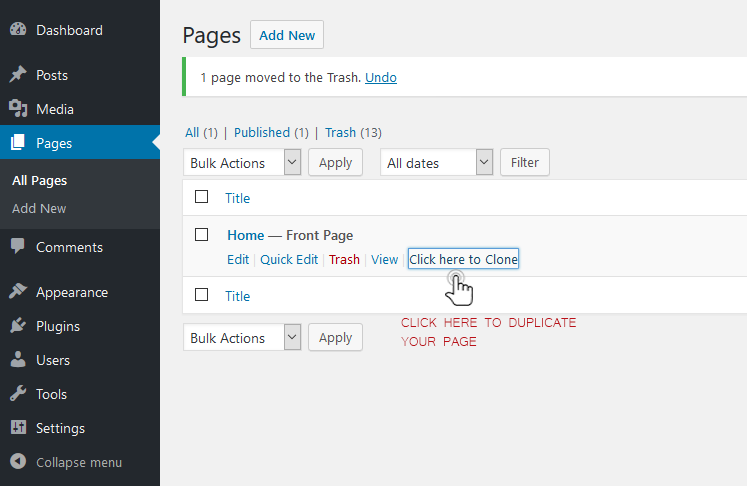
- Create a clone of a particular page.
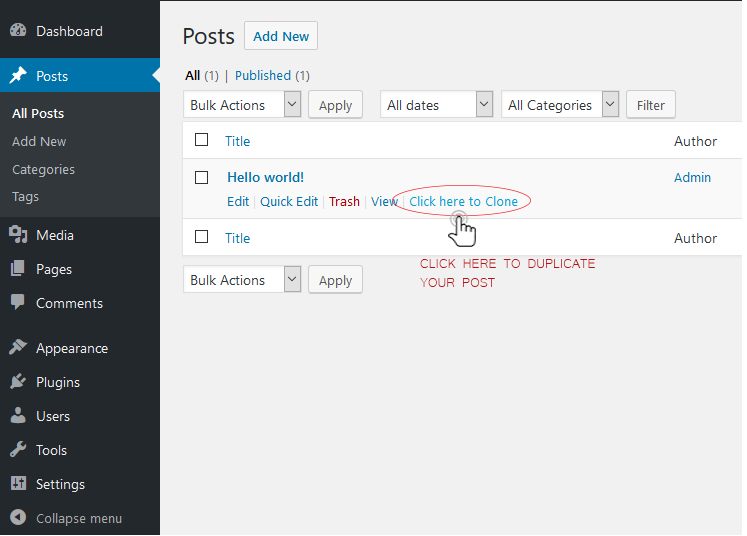
- Create a clone of a particular post.
- Create a clone of a particular custom post type (CPT).
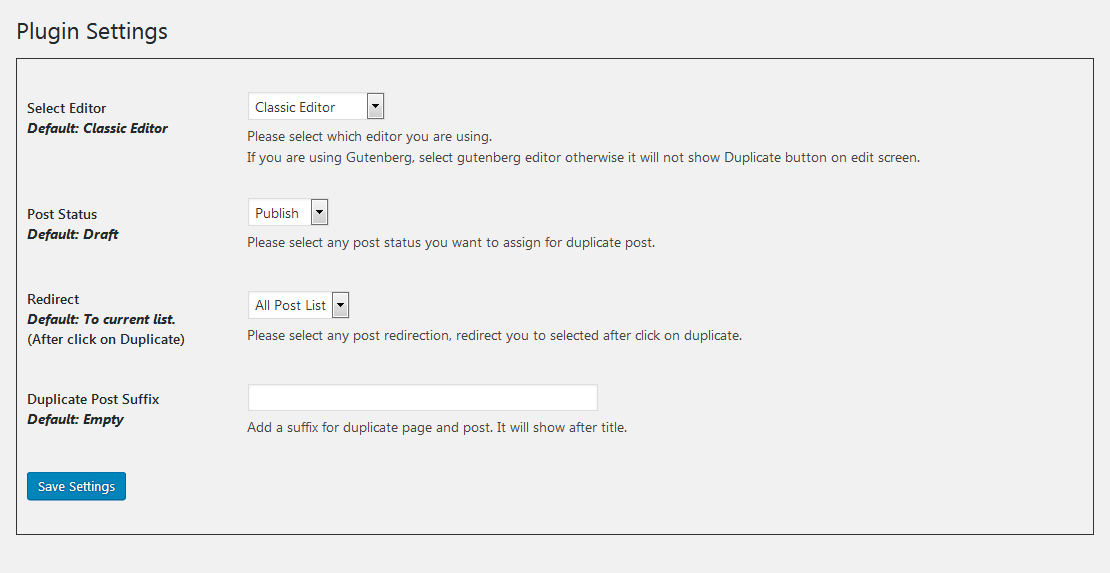
- Option to select editor (Classic and Gutenberg).
- Option to add text before and after duplicated post and page titles.
- Option to customize the text shown for the Duplicate action.
- Option to select the status of duplicated posts.
- Option to select the redirect behavior after duplication.
安装:
- Download duplicate-wp-page-post.zip
- Unzip
- Upload the duplicate-wp-page-post directory to your /wp-content/plugins directory
- Go to the Plugins menu in WordPress and activate the plugin
屏幕截图:
常见问题:
How do I duplicate a page or post?
After activating the plugin, go to the Pages or Posts list. Use the Duplicate action for the content you want to copy. The duplicated content will be created using the status and redirect options selected in the plugin settings.
Can I customize the title of duplicated content?
Yes. You can use Duplicate Post Prefix and Duplicate Post Suffix to customize the title of duplicated content. For example:
- Prefix:
Copy of→Copy of About Us - Suffix:
Copy→About Us -- Copy
Can I duplicate custom post types?
Yes. Duplicate Page and Post supports duplicating posts, pages, and supported custom post types. The available content types depend on the post types registered by your WordPress site and the plugin configuration.
Why don't I see the Duplicate button in the Gutenberg editor?
If you are using the WordPress block editor (Gutenberg), go to Settings → Duplicate Page and Post and select Gutenberg Editor under Select Editor. This allows the Duplicate action to appear correctly on the edit screen.
更新日志:
- Added an option to add a prefix to duplicated post and page titles.
- Refreshed the plugin settings page with a more compact WordPress-native layout, clearer descriptions, and plugin branding.
- Improved security through stronger input validation, nonce verification, and output escaping.
- Improved compatibility with supported WordPress versions.
- Updated the plugin text domain to match the WordPress.org plugin slug.
- Improved internationalization support with translator comments for strings containing placeholders.
- Security fixes for SQL injection vulnerabilities.
- Improved authorization checks when duplicating posts, pages and custom post types.
- Improved input validation and output escaping.
- Fixed an activation warning on fresh installations.
- Preserved existing plugin settings during activation and upgrades.
- Preserved existing option keys and values when saving plugin settings.
- Improved post metadata and taxonomy duplication.
- Added error handling for failed post creation.
- Improved compatibility with current WordPress versions.
- Maintained PHP 5.6-compatible plugin code syntax.