DKI Dynamic Location Inserter
| 开发者 |
farukhkhan
Farukhkhan |
|---|---|
| 更新时间 | 2026年10月13日 17:39 |
| PHP版本: | 7.4 及以上 |
| WordPress版本: | 7.1 |
| 版权: | GPLv2 or later |
| 版权网址: | 版权信息 |
详情介绍:
- Dynamic Location Shortcode: Use
[dki_location default="Your Area"]anywhere on your site. - 7 Built-In US Cities: Ready to use out of the box. Includes major Google Ads Geo Targets like New York, Los Angeles, Chicago, Houston, and more.
- Page Builder Support: Works seamlessly with the standard WordPress editor, Elementor, Bricks Builder, and more.
- Zero Configuration: No databases to upload or API keys to configure. Just install and use the shortcode.
- Dynamic Location Shortcode: Use
[dki_location default="Your Area"]anywhere on your site. - 7 Built-In US Cities: Ready to use out of the box. Includes major Google Ads Geo Targets like New York, Los Angeles, Chicago, Houston, and more.
- Page Builder Support: Works seamlessly with the standard WordPress editor, Elementor, Bricks Builder, and more.
- Zero Configuration: No databases to upload or API keys to configure. Just install and use the shortcode.
- Dynamic Keyword Insertion: Unlock the
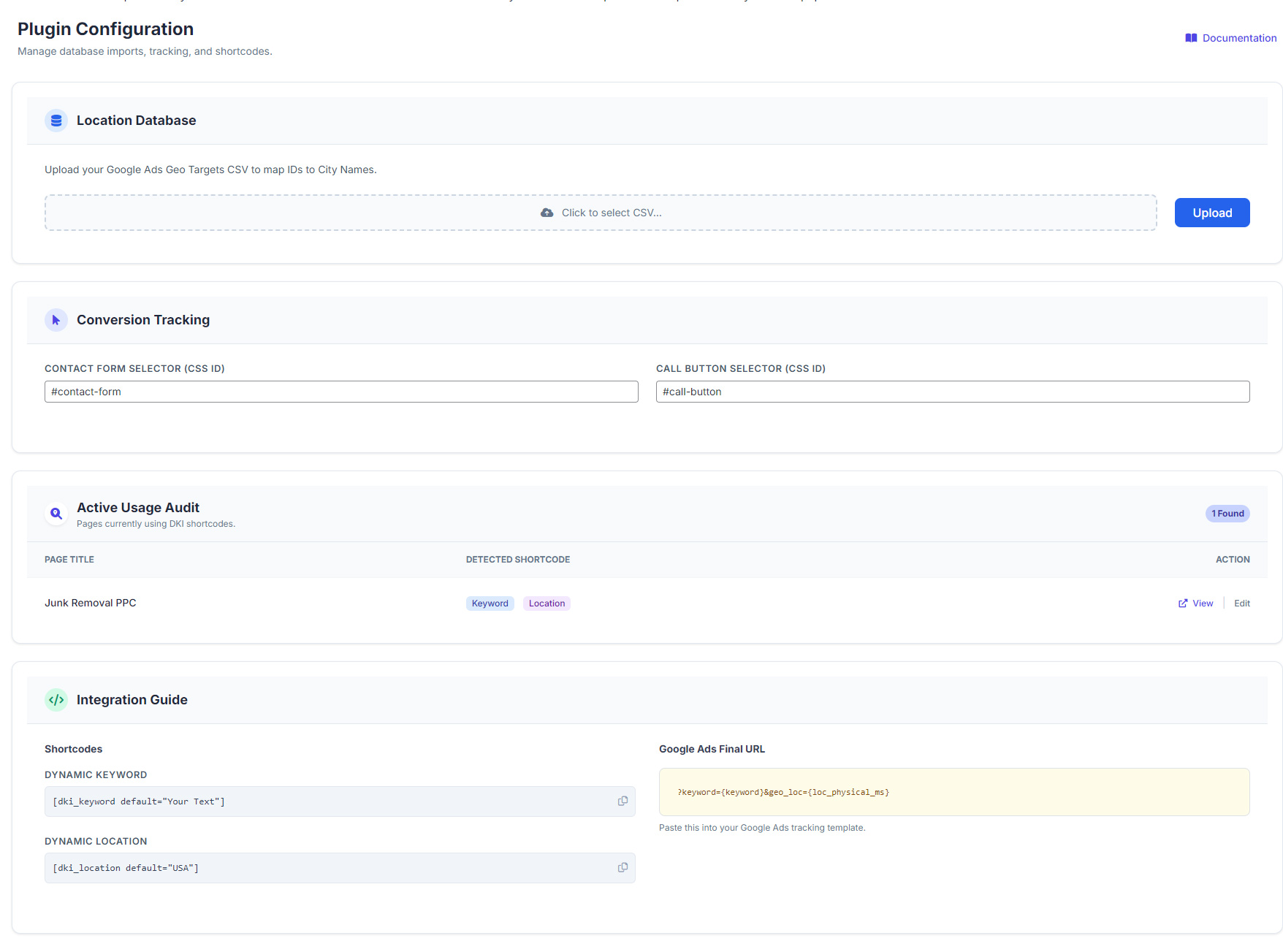
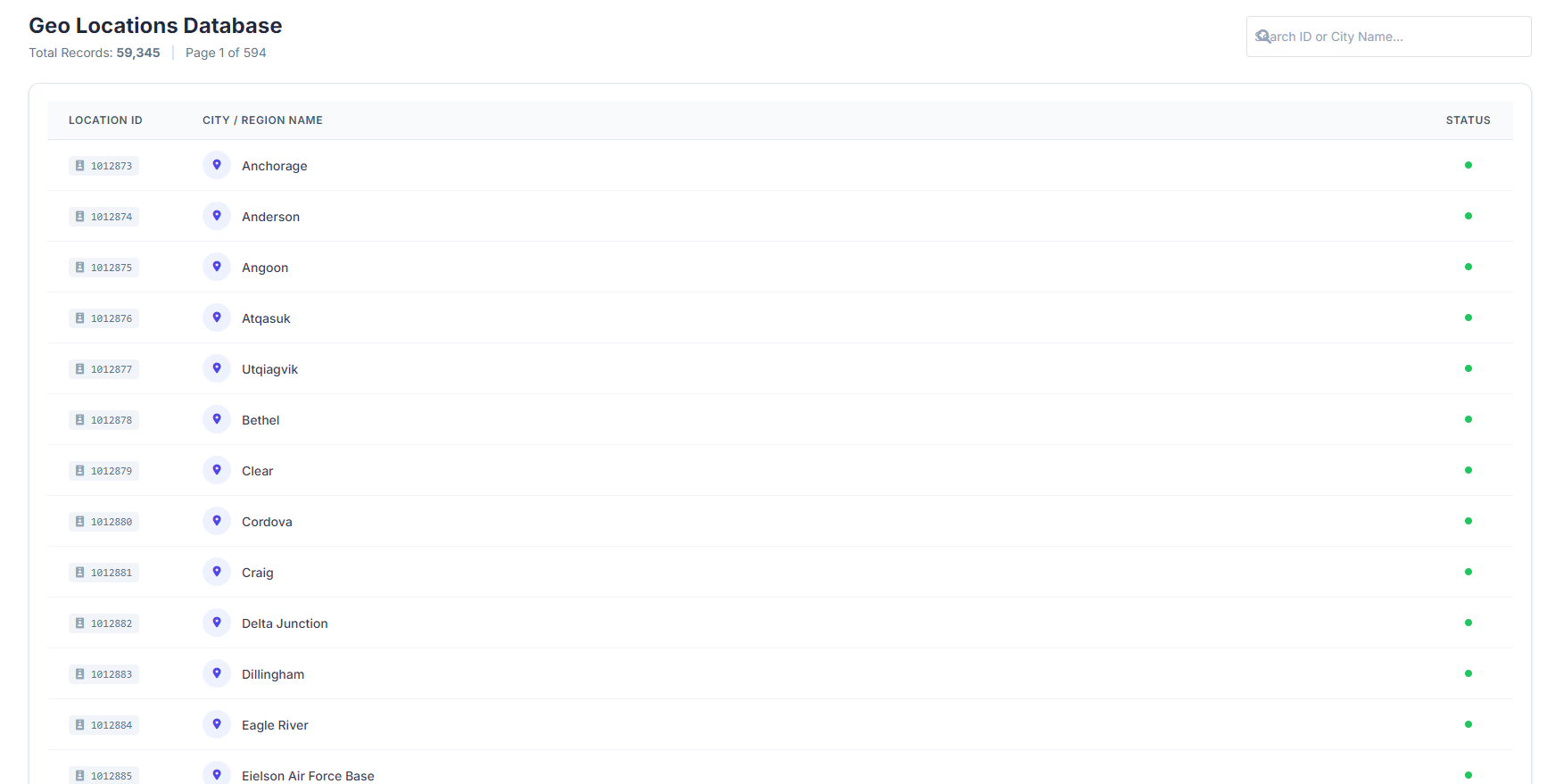
[dki_keyword]shortcode to dynamically insert the exact search term the user typed into Google. - Global Geo Database: Upload Google's official CSV to support over 100,000+ global cities, regions, and zip codes.
- Conversion Tracking Dashboard: A beautiful, real-time analytics dashboard tracking exactly which locations are converting.
- User Action Logs: Track form submissions (CF7, Elementor, Bricks) and "Click to Call" button presses with exact visitor IP and location data.
- Active Usage Audit: Automatically scan your entire website to find exactly which pages are actively using your shortcodes.
- Shortcode Automation: Automatically replace keyword and location which are added in the automation settings don't need to put shortcode manually on pages.
- Add/Update/Edit Locations: If Your required location doesn't exists? No Worries you can add your own GEO location.
- **Full plugin support / installation / setup:24/7 Plugin support if you stuck anywhere we are here yo help you :) Get PRO Today!
安装:
- Upload the
dynamic-keyword-insertion-litefolder to the/wp-content/plugins/directory, or install directly through the WordPress plugins screen. - Activate the plugin through the 'Plugins' screen in WordPress.
- Use the shortcode
[dki_location default="Your City"]on any landing page. - Set up your Google Ads tracking template with:
?geo_loc={loc_physical_ms} - That's it! When users click your ad, their city name will dynamically populate.
屏幕截图:
常见问题:
Does this work with Elementor or Bricks Builder?
Yes! The shortcodes are processed using standard WordPress rendering, meaning they will work perfectly inside Text, Heading, and HTML modules in modern page builders like Elementor and Bricks Builder.
What cities are included in the Lite version?
The Lite version includes the top 7 US Google Ads Geo Targets (e.g., New York, Los Angeles, Chicago, Dallas, Miami, etc.). If a user visits from a location not in this list, the shortcode will safely display your fallback text (e.g., "Your City"). To unlock all 100,000+ global locations, upgrade to PRO.
How do I pass the location from Google Ads?
In your Google Ads campaign settings, locate the "Tracking template" or "Final URL suffix" field and append ?geo_loc={loc_physical_ms}. Google will automatically swap {loc_physical_ms} with the user's actual location ID when they click your ad.
How do I track conversions?
Conversion tracking, dashboard analytics, and user action logs are exclusive features of PRO.
更新日志:
- Supports Latest WordPress Version
- Name change compliance and minor bug fixes.
- Initial release of Dynamic Keyword Insertion Lite.
- Included top 7 US Geo Targets.
- Added
[dki_location]shortcode with fallback support.