
DynamiCard – Personalized Gift Cards for WooCommerce & SureCart
| 开发者 |
shabti
dynamiapps |
|---|---|
| 更新时间 | 2026年11月10日 23:30 |
| PHP版本: | 7.4 及以上 |
| WordPress版本: | 7.2 |
| 版权: | GPLv2 or later |
| 版权网址: | 版权信息 |
详情介绍:
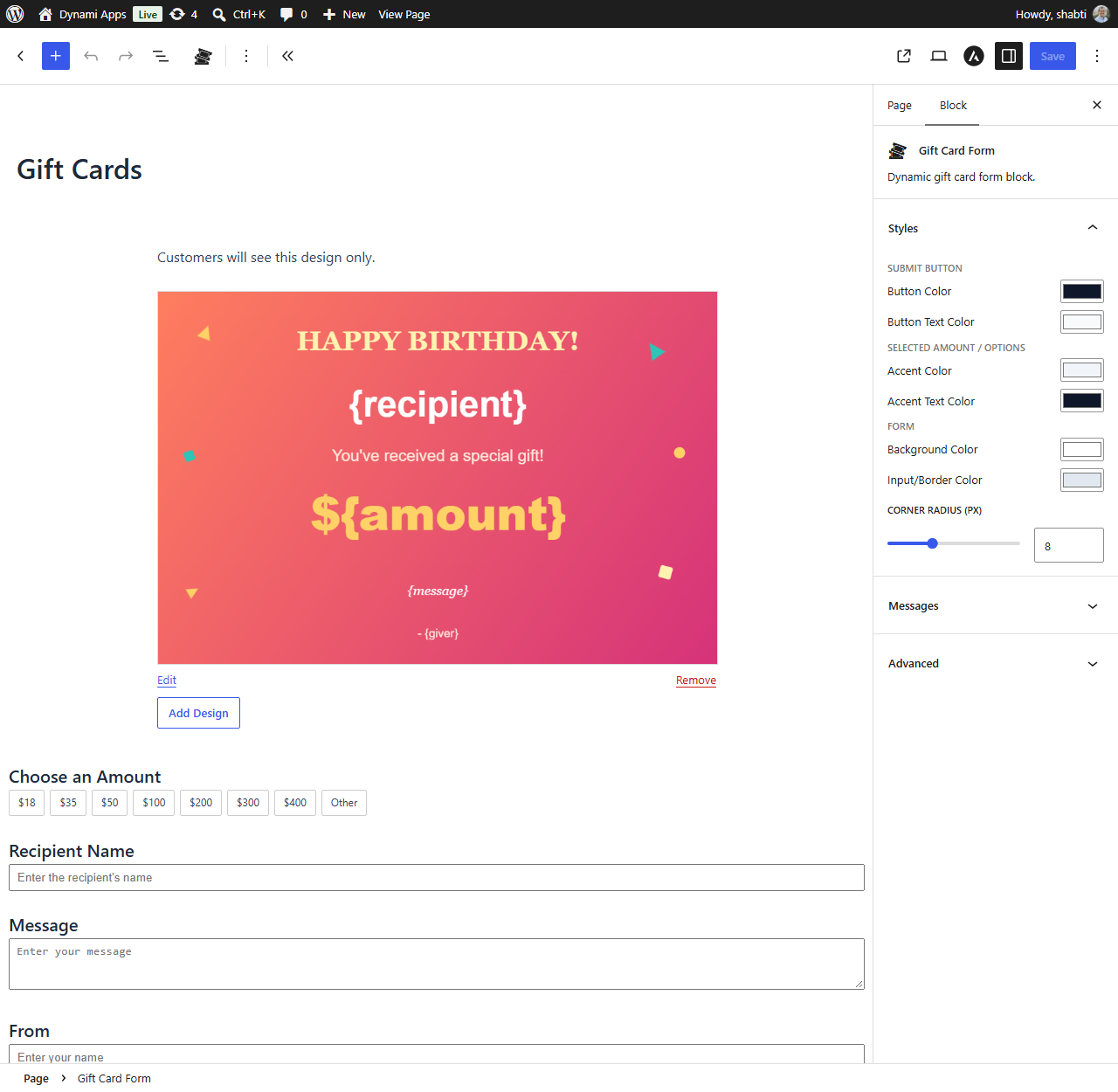
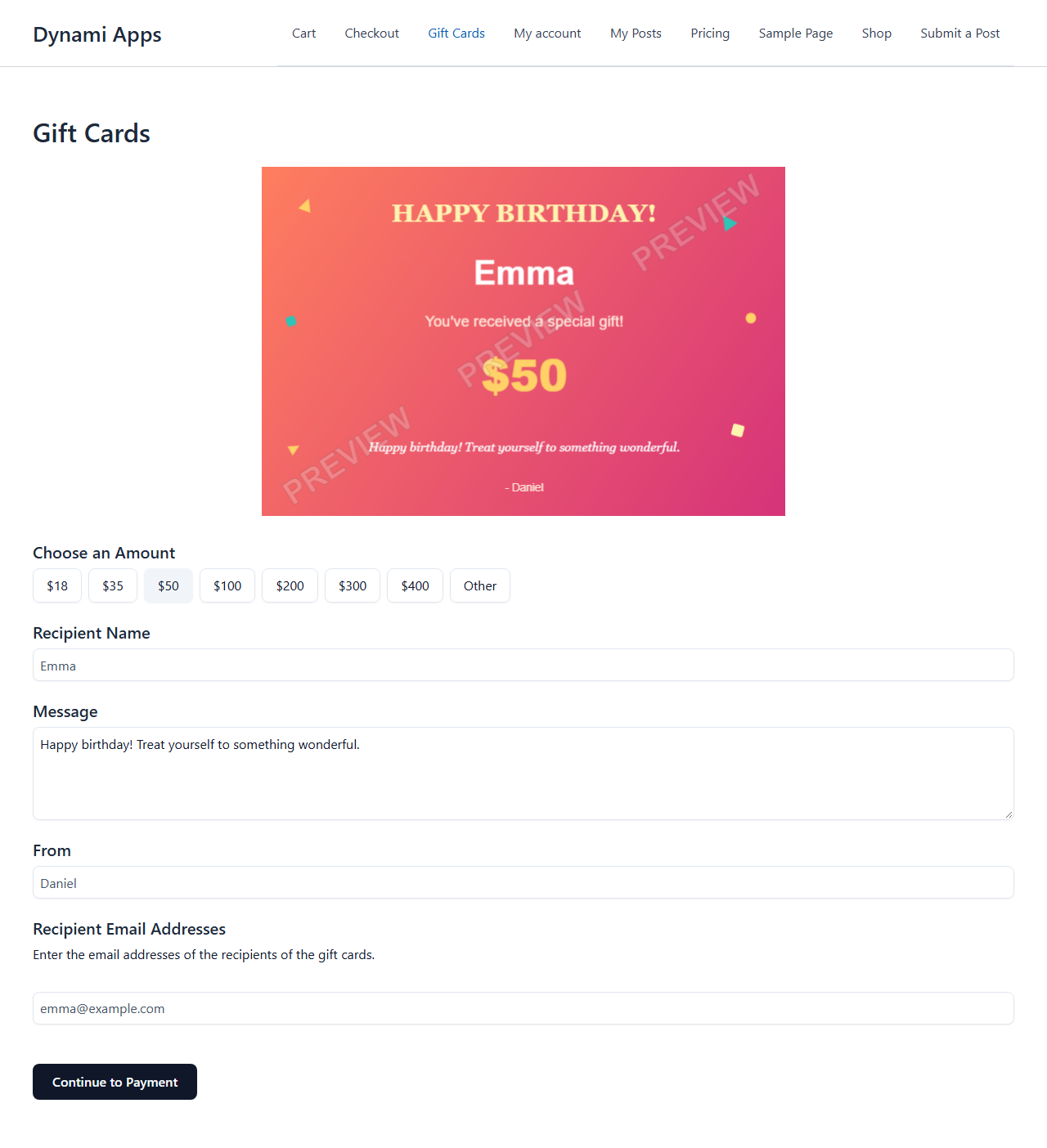
- Gutenberg block-based gift card form (design picker + configurable fields + submit button)
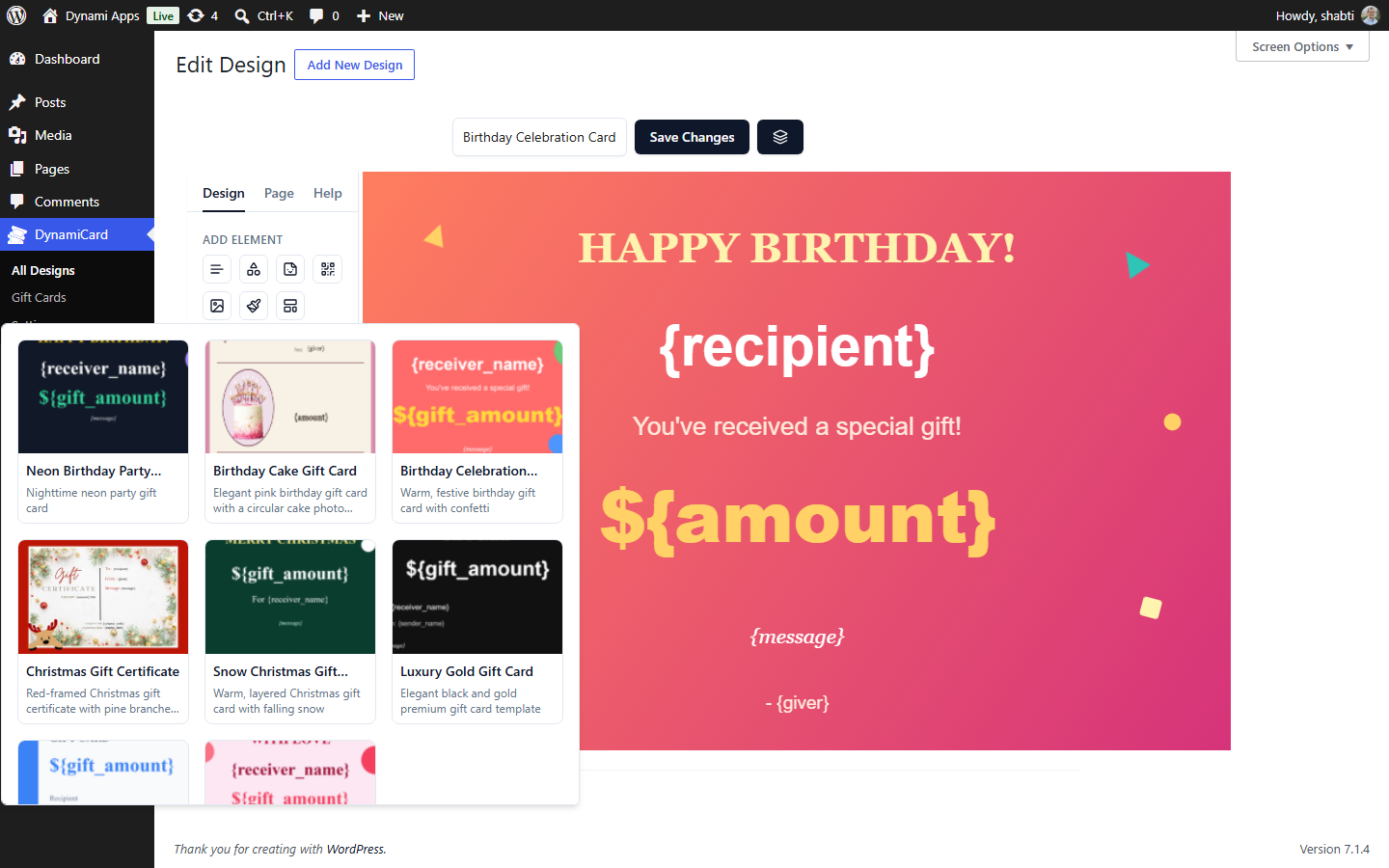
- Drag-and-drop card design editor - text, images, QR codes, shapes, freehand drawing, alignment guides, undo/redo, layers
- Text, textarea, email, and fixed-amount field types
- Dynamic
{field}tokens - anything a customer types can appear live on the card design - Full WooCommerce or SureCart checkout integration (a "Gift Card" product is created automatically)
- Thank-you page card display for designs with no recipient-email field
- Every customer-facing message and label is fully configurable - nothing hardcoded
- Sell a specific WooCommerce product (including variations) or SureCart product through the form instead of a set amount
- Multi-recipient email repeater - one purchase, sent to a whole list of people
- Customer photo upload field
- Customer-entered custom ("other") amount
- Per-field style overrides (accent colors)
- Real, auto-generated coupon codes and expiration dates (a WooCommerce coupon or a SureCart promotion code, matching whichever store you use), baked into the card design right after payment
- A native Elementor widget - build the same form visually in Elementor, not just Gutenberg
安装:
- Install DynamiCard from the Plugins screen (Plugins → Add New → search "DynamiCard"), or upload the plugin folder to
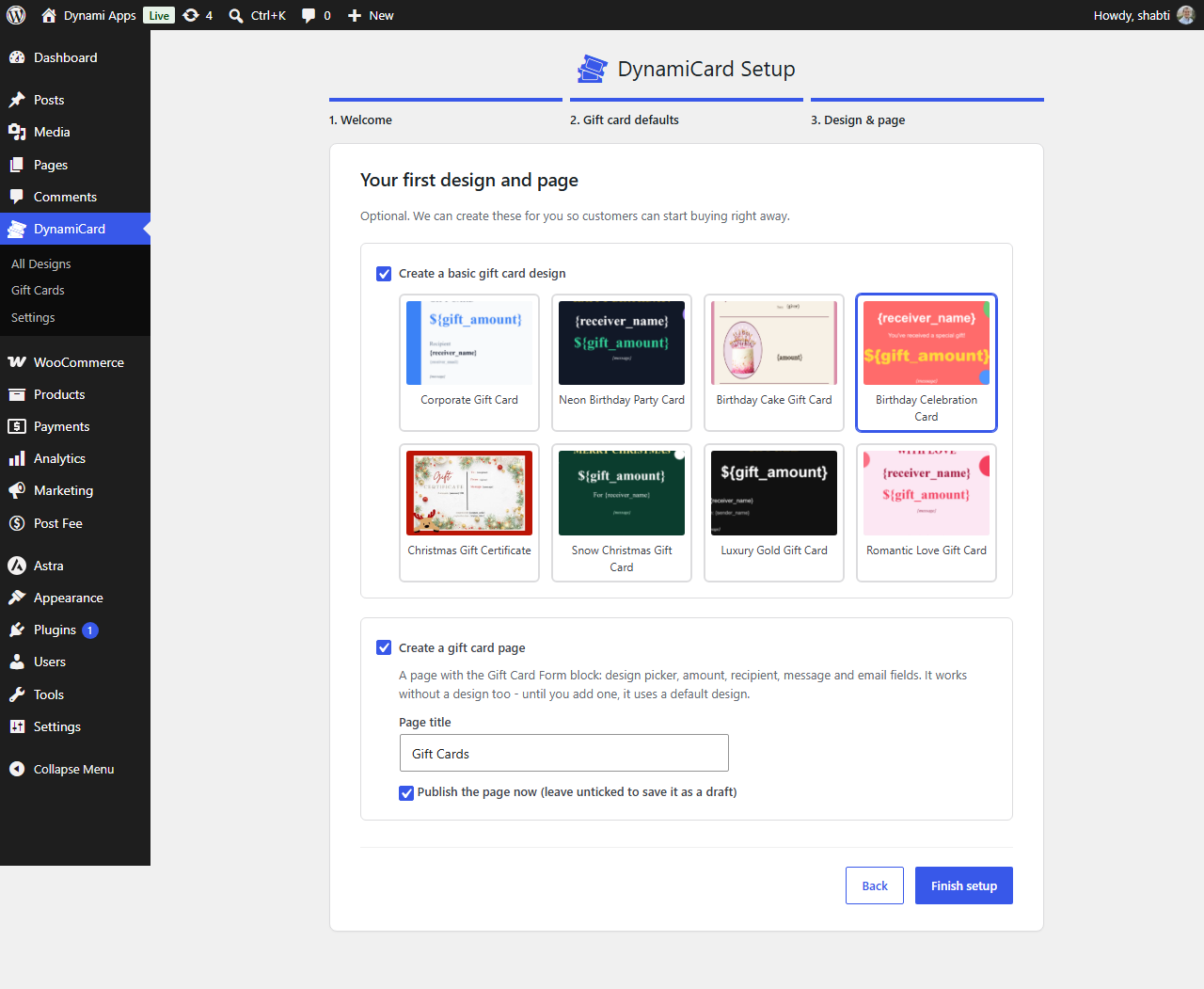
/wp-content/plugins/. - Activate it. The setup wizard opens automatically: set your currency, gift card expiration and minimum amount, and optionally create a ready-made gift card design and a "Gift Cards" page in one click.
- Make sure WooCommerce or SureCart is installed and active - payments go through their normal checkout. A "Gift Card" product is created for you automatically.
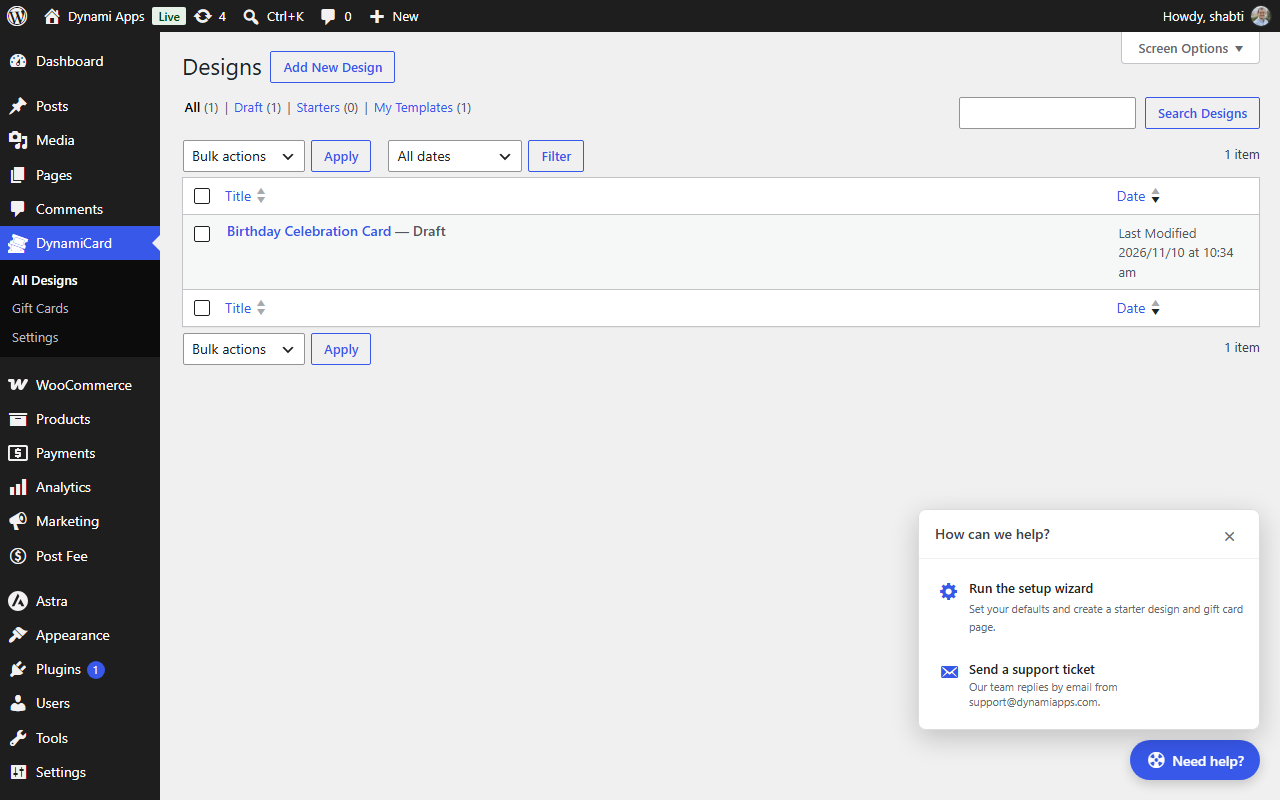
- That's it - visit your new Gift Cards page. To customize, edit designs under DynamiCard → Designs, and edit the page to rearrange the Gift Card Form block's fields.
屏幕截图:
常见问题:
How do I get started?
Activate the plugin and follow the setup wizard - it can create a starter gift card design and a page with the Gift Card Form block for you, so you can start selling within a minute. You can rerun it at any time from the "Need help?" button on any DynamiCard admin screen.
Does DynamiCard require WooCommerce or SureCart?
Yes, one of the two. Gift cards are sold through your store's normal cart and checkout, so every payment gateway you already use (Stripe, PayPal, etc.) works automatically. If both plugins are active, choose which one to use under DynamiCard → Settings → Checkout Provider.
How does the recipient receive the gift card?
With DynamiCard Pro, the personalized card image is emailed to each recipient automatically once the order is paid - one purchase can be sent to a whole list of people. In the free version (or any form without a recipient-email field), the finished card is shown to the buyer on the order's thank-you page, ready to save, print or forward.
Can the gift card be redeemed in my store?
Yes, with DynamiCard Pro. Each paid gift card gets a real, unique coupon code - a WooCommerce coupon or a SureCart promotion code - worth the amount paid, and the code is printed right on the card design. The free version creates the personalized card, but not a redeemable code.
When do gift cards expire?
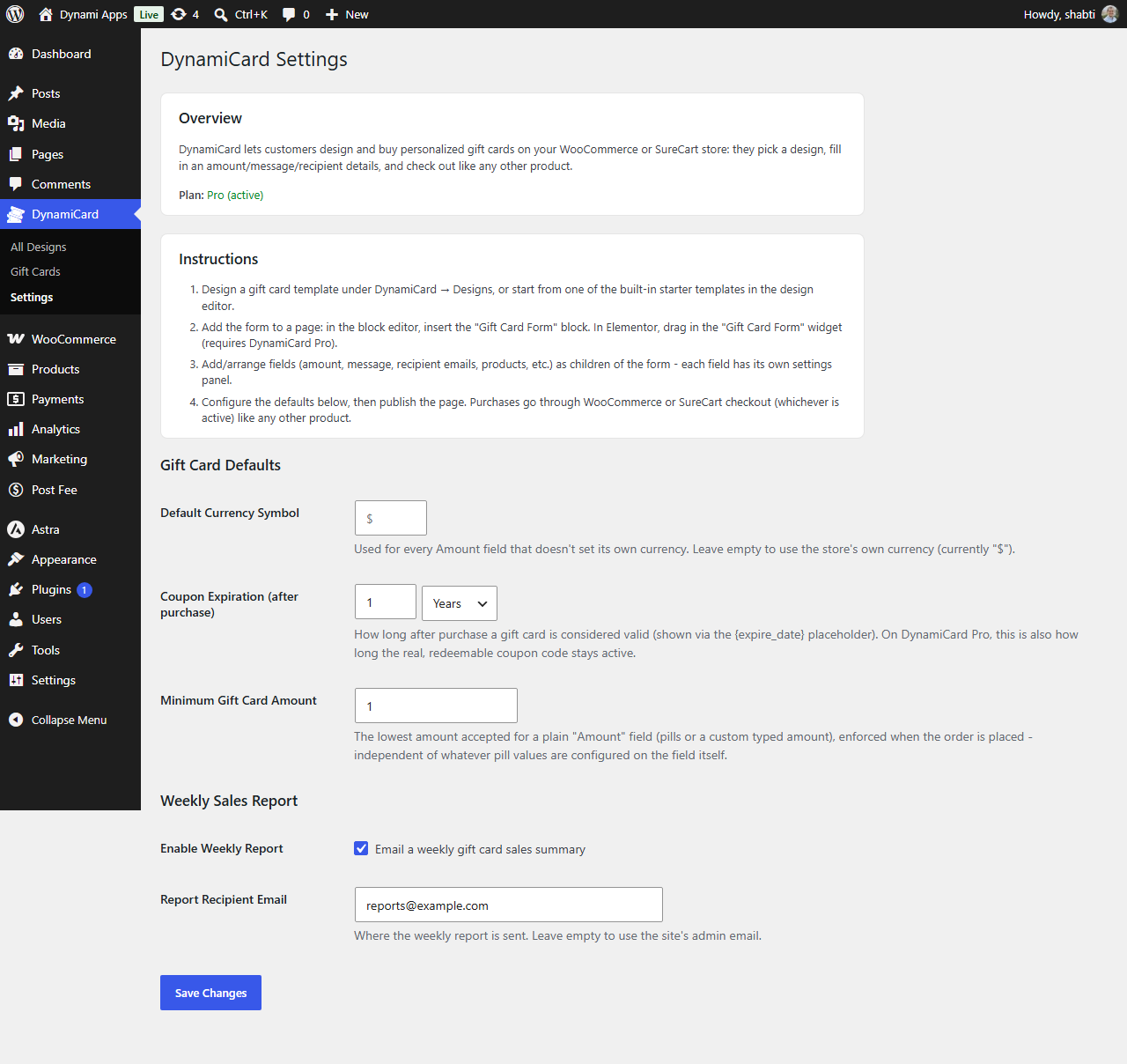
You choose: under DynamiCard → Settings, set how long a card stays valid after purchase, in days, months or years (1 year by default). Add the {expire_date} token to a design to print the date on the card. With Pro, the coupon code expires on the same date.
Can customers choose their own gift card amount?
You can offer a set of fixed amounts (e.g. $25, $50, $100) in the free version. DynamiCard Pro adds a custom "Other" amount the customer can type in. A minimum amount, set under DynamiCard → Settings, is enforced at checkout either way.
Can customers buy a specific product as a gift instead of a dollar amount?
Yes, with DynamiCard Pro's Products field - customers pick a specific WooCommerce product (including variations and add-ons) or SureCart product, and it appears on the card in place of an amount.
Can I design my own gift cards?
Yes. The drag-and-drop design editor lets you add text, images, QR codes, shapes, clipart and freehand drawing, with layers, alignment guides and undo/redo. Start from one of the built-in templates (birthday, Christmas, holiday, romantic, luxury, corporate) or from a blank canvas. Add tokens like {recipient}, {message} or {amount} and whatever the customer types appears live on the card as they fill in the form.
Which currencies are supported?
Any currency your WooCommerce or SureCart store uses - the gift card form shows your store's currency symbol automatically. You can override the symbol under DynamiCard → Settings.
Does it work with my theme and page builder?
The Gift Card Form is a regular block, so it works on any page with any theme that supports the block editor (Gutenberg), including classic and block themes. DynamiCard Pro adds a native Elementor widget with the same options.
Is DynamiCard translated?
Yes. It ships with German, Spanish, French, Hebrew, Italian, Japanese, Dutch, Brazilian Portuguese and Russian translations, and right-to-left languages are fully supported. Every customer-facing label and message can also be edited directly on the form.
Where can I see the gift cards customers have bought?
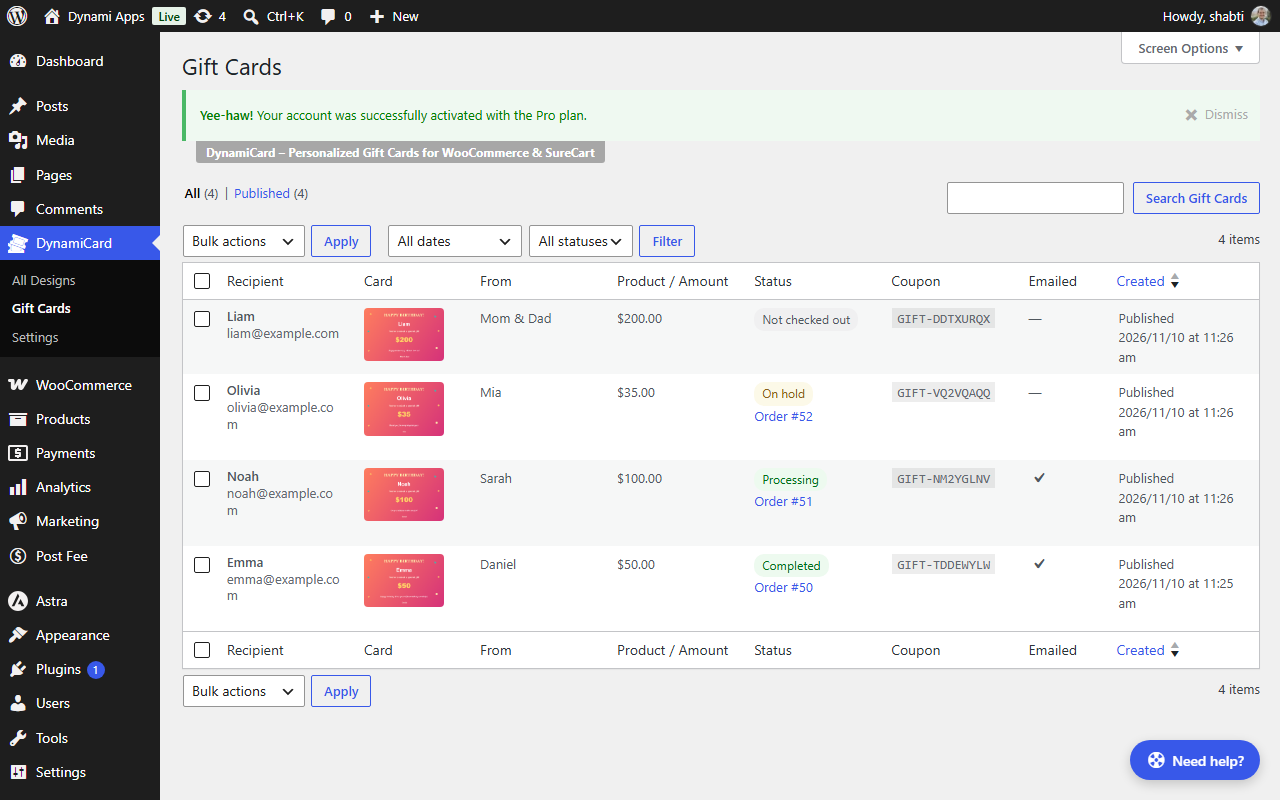
Under DynamiCard → Gift Cards, with each card's recipient, amount, payment status, coupon and whether it was emailed. You can also get a weekly sales summary by email - turn it on under DynamiCard → Settings.
I use SureCart - is there anything extra to set up?
No setup is needed for checkout - DynamiCard creates and manages its own "Gift Card" product and price in your SureCart account. For forms without a recipient-email field (where the card is shown on the thank-you page), add the [dcgc_thankyou_card] shortcode to the page you've set as that checkout form's Thank You page.
What happens to Pro features if my license expires?
Nothing breaks. Pro-only fields (Products, Recipient Emails, Image Upload) and settings (custom amount, per-field colors, real coupon codes) fall back to free-version behavior instead of causing errors. Renewing your license restores them instantly, with nothing to reconfigure.
How do I get help?
Click the "Need help?" button on any DynamiCard admin screen to send a support ticket straight from your dashboard (it can include your site's WordPress, PHP and plugin versions to speed things up), or email support@dynamiapps.com. You can also post in the plugin's support forum on WordPress.org.
更新日志:
- New setup wizard: opens after activation to set your gift card defaults, and can create a ready-made design and a "Gift Cards" page in one click
- New "Need help?" button on DynamiCard screens: rerun the setup wizard or send a support ticket from your dashboard
- Gift card forms now work even before you add a design - they fall back to a default design instead of showing an error
- Faster-feeling forms: fields appear immediately, with a loading placeholder only on the card design while it draws
- Added the missing preview image for the "Birthday Cake" starter template
- Fixed the "Pro (active)" plan label showing above the Settings overview box instead of inside it
- Translations updated for all 9 bundled languages
- Added a "Christmas Gift Certificate" starter design
- The Gift Card Form block now offers a starting layout when added: card beside fields, or stacked
- Field Group columns now set their own width ("Column width" on each column group), replacing the row-level column widths setting
- "Card beside fields" puts the card in its own column (60%) beside the fields (40%)
- Added a "Column widths" setting to side-by-side Field Groups (presets or custom percentages)
- The release zip now installs into a single dynamicard folder
- Added a Gift Cards admin list showing purchased and not-yet-paid cards, with their order status
- Field Group: fixed fields disappearing after saving, and added a layout picker ("Card beside fields", two columns, side by side, stacked)
- Fixed large gaps between fields in stacked groups, and widened forms that have side-by-side columns
- Fixed the card preview being cropped on desktop
- Long words now wrap onto the next line on the card instead of stretching the text box
- Made the preview watermark more subtle
- Added a "PREVIEW" watermark to the live card preview (not on the purchased card)
- {product} on the card now shows the pre-selected product as soon as the page loads
- Added a "Placeholder on Card" setting to the Products field
- Fixed designs saved before 1.0.39 not loading (blank card) and older gift cards losing their details
- Fixed product add-on and variation choices being cleared when clicking their dropdowns
- {product} on the card now shows the product name with the chosen variation or add-on option
- Added a "Show Add-On Prices" setting to the Products field
- Fixed dynamic tagsnot updating after purchase
- Added public source repo
- Initial release.