
{eac}SoftwareRegistry Distribution SDK
| 开发者 |
kevinburkholder
KevinBurkholder |
|---|---|
| 更新时间 | 2026年8月31日 05:17 |
| 捐献地址: | 去捐款 |
| PHP版本: | 8.1 及以上 |
| WordPress版本: | 7.1 |
| 版权: | GPLv3 or later |
| 版权网址: | 版权信息 |
详情介绍:
{eac}SoftwareRegistry Distribution SDK is an extension plugin to {eac}SoftwareRegistry Software Registration Server.
The Software Registry Distribution SDK is used to generate a custom PHP package that you can include in your software project to register your product with your registration server and manage that registration.
A custom version of this document is included in the generated SDK package.
The SDK provides most of the PHP code you will need to implement the Application Program Interface with your Software Registration Server.
Included with the Software Registration SDK package...
(your_productid)_registration.(wordpress_or_filebased).trait.php(your_productid)_registration.includes.php(your_productid)_registration.interface.php(your_productid)_registration.interface.trait.php(your_productid)_registration.refresh.php(your_productid)_registration.readme.md
(your_productid)_registration.zip file, move the (your_productid)_registration folder to your project.
In your project or class file, include (your_productid)_registration/(your_productid)_registration.includes.php to load the required interface and traits.
Your class file must then:
- implement
\(your_namespace)\Interfaces\(your_productid)_registration - use
\(your_namespace)\Traits\(your_productid)_registration_(wordpress_or_filebased)
If setting registry_transid, the recommended (not required) format is {id}|{source}|{suffix} where {id} is the transaction id, {source} indicates the source of the transaction, and {suffix} may be used as needed.
Any additional fields passed wil be saved as custom fields.
Although typically set by the Software Registry server, with the proper option setting, the API may override:
[
'registry_status' => 'status', // 'pending', 'trial', 'active', 'inactive', 'expired', 'terminated'
'registry_effective' => 'DD-MMM-YYYY', // Effective date
'registry_expires' => 'DD-MMM-YYYY', // Expiration date or term ('30 days', '1 year',... added to effective date)
];
Payment information may be posted with:
[
'registry_paydue' => float, // amount to be paid/billed,
'registry_payamount' => float, // amount paid,
'registry_paydate' => 'DD-MMM-YYYY', // date paid
'registry_payid' => 'payment id' // transaction id/check #, etc.
'registry_nextpay' => 'DD-MMM-YYYY', // next payment/renewal date
];
API Requests
Create/request a new registration...
$response = $this->registryApiRequest('create',$apiParams);
Activate an existing registration...
$response = $this->registryApiRequest('activate',['registry_key' => '']);
Activate and Update an existing registration...
$response = $this->registryApiRequest('activate',$apiParams);
Deactivate an existing registration...
$response = $this->registryApiRequest('deactivate',['registry_key' => '']);
Verify or Refresh an existing registration...
$response = $this->registryApiRequest('verify',['registry_key' => '']);
$response = $this->registryApiRequest('refresh',$apiParams);
Revise an existing registration...
$response = $this->registryApiRequest('revise',$apiParams);
API Response
The API response is a standard object. status->code is an http status, 200 indicating success.
status ->
(
code -> 200, // HTTP status code
message -> '(action) ok' // (action) = 'create', 'activate', 'deactivate', 'verify', 'revise'
),
registration ->
(
registry_key -> string // UUID,
registry_status -> string, // 'pending', 'trial', 'active', 'inactive', 'expired', 'terminated', 'invalid'
registry_effective -> string, // DD-MMM-YYYY effective date
registry_expires -> string, // DD-MMM-YYYY expiration date
registry_name -> string,
registry_email -> string,
registry_company -> string,
registry_address -> string,
registry_phone -> string,
registry_product -> string,
registry_title -> string,
registry_description -> string,
registry_version -> string,
registry_license -> string,
registry_count -> int,
registry_variations -> array,
registry_options -> array,
registry_domains -> array,
registry_sites -> array,
registry_transid -> string,
registry_timezone -> string,
registry_locale -> string,
registry_valid -> bool,
),
registrar ->
(
contact -> object(
name -> string // Registrar Name
email -> string // Registrar Support Email
phone -> string // Registrar Telephone
web -> string // Registrar Web Address
),
timezone -> string, // standard timezone string
locale -> string, // WordPress locale
cacheTime -> int, // in seconds, time to cache the registration response (Default Cache Time)
refreshInterval -> int, // in seconds, time before refreshing the registration (Default Refresh Time)
refreshSchedule -> string, // 'hourly', 'twicedaily', 'daily', 'twiceweekly', 'weekly', 'twicemonthly', 'monthly' - corresponding to refreshInterval
options -> array( // from settings page, registrar_options (Allow API to...)
'allow_set_key',
'allow_set_status',
'allow_set_effective',
'allow_set_expiration',
'allow_activation_update'
),
licenseCodes -> object( // may be changed by filter on registration server
L1 -> 'Lite'
L2 -> 'Basic'
L3 -> 'Standard'
L4 -> 'Professional'
L5 -> 'Enterprise'
LD -> 'Developer'
LU -> 'Unlimited'
),
notices -> object(
info -> string, // information message text
warning -> string, // warning message text
error -> string, // error message text
success -> string, // success message text
),
message -> string, // html message
),
registryHtml -> string, // html (table) of human-readable registration values
supplemental -> mixed, // supplemental data/html assigned via filters (developer's discretion).
On a successful response (status->code = 200), the SDK will automatically cache the registration data and schedule the next refresh event (you do not have to do this).
notices may be set (according to severity) to indicate an expiration or pending expiration and should be displayed to the user. Typically, only one notice will be set but they can be set via the eacSoftwareRegistry_api_registration_notices filter.
message is set via the eacSoftwareRegistry_api_registration_message filter.
supplemental is set via the eacSoftwareRegistry_api_registration_supplemental filter.
On an error response, an additional element is included:
error ->
(
code -> 'error_code',
message -> 'error message'
),
error->message may be more informative than status->message.
Errors may be handled with something like:
if ($this->is_api_error($response))
{
echo "
Error ".$response->error->code." : ".$response->error->message."";
}
Methods, Hooks, and Callbacks
Useful methods built into the SDK...
$this->isValidRegistration();
// Returns boolean
if ( $this->isValidRegistration() ) {...}
$this->getRegistrationKey();
// Returns the current registration key
$registrationKey = $this->getRegistrationKey();
$this->getCurrentRegistration();
// Returns the current registration object (above response object)
$currentRegistration = $this->getCurrentRegistration();
$this->isRegistryValue($keyName);
// Returns the value of a specific registry key
$regStatus = $this->isRegistryValue( 'status ');
$this->isRegistryValue($keyName, $value, $test);
// Returns boolean comparison of the value of a registry key ($test is '=|eq' (default), '<|lt', '>|gt', '<=|le', '>=|ge')
if ( $this->isRegistryValue('license', 'L3', '>=') ) {...}
Several hooks are available to customize or react to registration events.
In WordPresss, there are several actions and filters, for file based projects there are corresponding callback methods...
filter/callback: (your_productid)_api_remote_request( $request, $endpoint )
@param array $request ['method'=>, 'timeout'=>, 'redirection'=>, 'sslverify'=>, 'headers'=>, 'body'=>]
@param string $endpoint create, activate, deactivate, verify, refresh, revise
@return array request body
action/callback: (your_productid)_api_remote_response( $body, $request, $endpoint )
@param array $body response body
@param array $request ['method'=>, 'timeout'=>, 'redirection'=>, 'sslverify'=>, 'headers'=>, 'body'=>]
@param string $endpoint create, activate, deactivate, verify, refresh, revise
action/callback: (your_productid)api_remote$endpoint( $body, $request, $endpoint )
@param array $body response body
@param array $request ['method'=>, 'timeout'=>, 'redirection'=>, 'sslverify'=>, 'headers'=>, 'body'=>]
@param string $endpoint create, activate, deactivate, verify, refresh, revise
action/callback: (your_productid)_api_remote_error( $error, $request, $endpoint )
@param object $error {status:{}, error: {}}
@param array $request ['method'=>, 'timeout'=>, 'redirection'=>, 'sslverify'=>, 'headers'=>, 'body'=>]
@param string $endpoint create, activate, deactivate, verify, refresh, revise
action/callback: (your_productid)_update_registration($registration)
@param array $registration registration object
action/callback: (your_productid)_purge_registration()
What You Need To Do
For WordPress Projects
In your class constructor/initialization, add an action to fulfill the registration refresh scheduled by the scheduleRegistryRefresh() method in (your_productid).wordpress.trait.php
\add_action( '(your_productid)_registry_refresh', array($this, 'refreshRegistration') );
You can add this and other hooks with:
$this->addSoftwareRegistryHooks();
The addSoftwareRegistryHooks() method adds:
\add_action( '(your_productid)_registry_refresh', array($this, 'refreshRegistration') );
\add_filter( '(your_productid)_is_registered', array($this, 'isValidRegistration') );
\add_filter( '(your_productid)_registration_key', array($this, 'getRegistrationKey') );
\add_filter( '(your_productid)_registration', array($this, 'getCurrentRegistration') );
\add_filter( '(your_productid)_registry_value', array($this, 'isRegistryValue'), 10, 4 );
Example:
include "(your_productid)_registration/(your_productid)_registration.includes.php";
class implements (your_namespace)\Interfaces(your_productid)_registration
{
use (your_namespace)\Traits(your_productid)_registration_wordpress;
...
public function __construct()
{
$this->addSoftwareRegistryHooks();
}
}
Note:
If your primary plugin file name is not the same as the product id, edit your (your_productid).interface.tpl file and change the SOFTWARE_REGISTRY_FILENAME constant.
const SOFTWARE_REGISTRY_FILENAME = 'myPluginName';
For Other File Based Projects
The scheduleRegistryRefresh() method in (your_productid)_registration.filebased.trait.php is called to schedule the next registration refresh. This method can be modified to schedule a cron event to execute the refresh at a future time. The scheduled event may run (your_productid)_registration.refresh.php <registrationKeyValue> from the command line to refresh the registration.
When left as is, the checkRegistryRefreshEvent() method uses the key file to check for a needed registration refresh.
In your class constructor or destructor add:
$this->checkRegistryRefreshEvent();
to trigger the refresh check.
Example:
include "(your_productid)_registration/(your_productid)_registration.includes.php";
class implements (your_namespace)\Interfaces(your_productid)_registration
{
use (your_namespace)\Traits(your_productid)_registration_filebased;
...
public function __destruct()
{
/ if necessary, set HOME/USERPROFILE and/or TMP/TMPDIR/TEMP directories /
// putenv('HOME={your home directory}'); // where the registration key is stored, otherwise use $_SERVER['DOCUMENT_ROOT']
// putenv('TMP={your temp directory}'); // where the registration data is stored, otherwise use sys_get_temp_dir()
$this->checkRegistryRefreshEvent();
}
}
User Interface
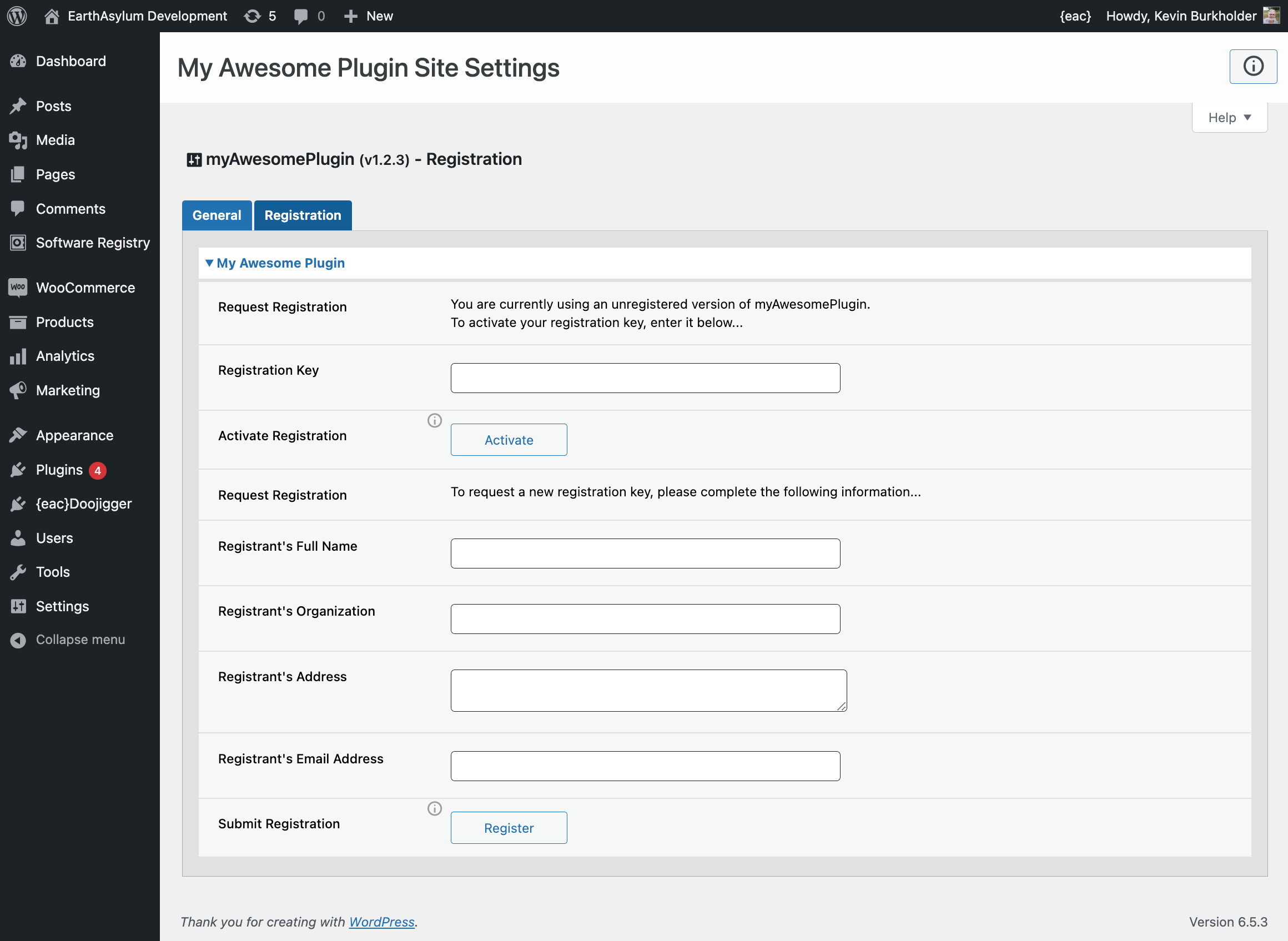
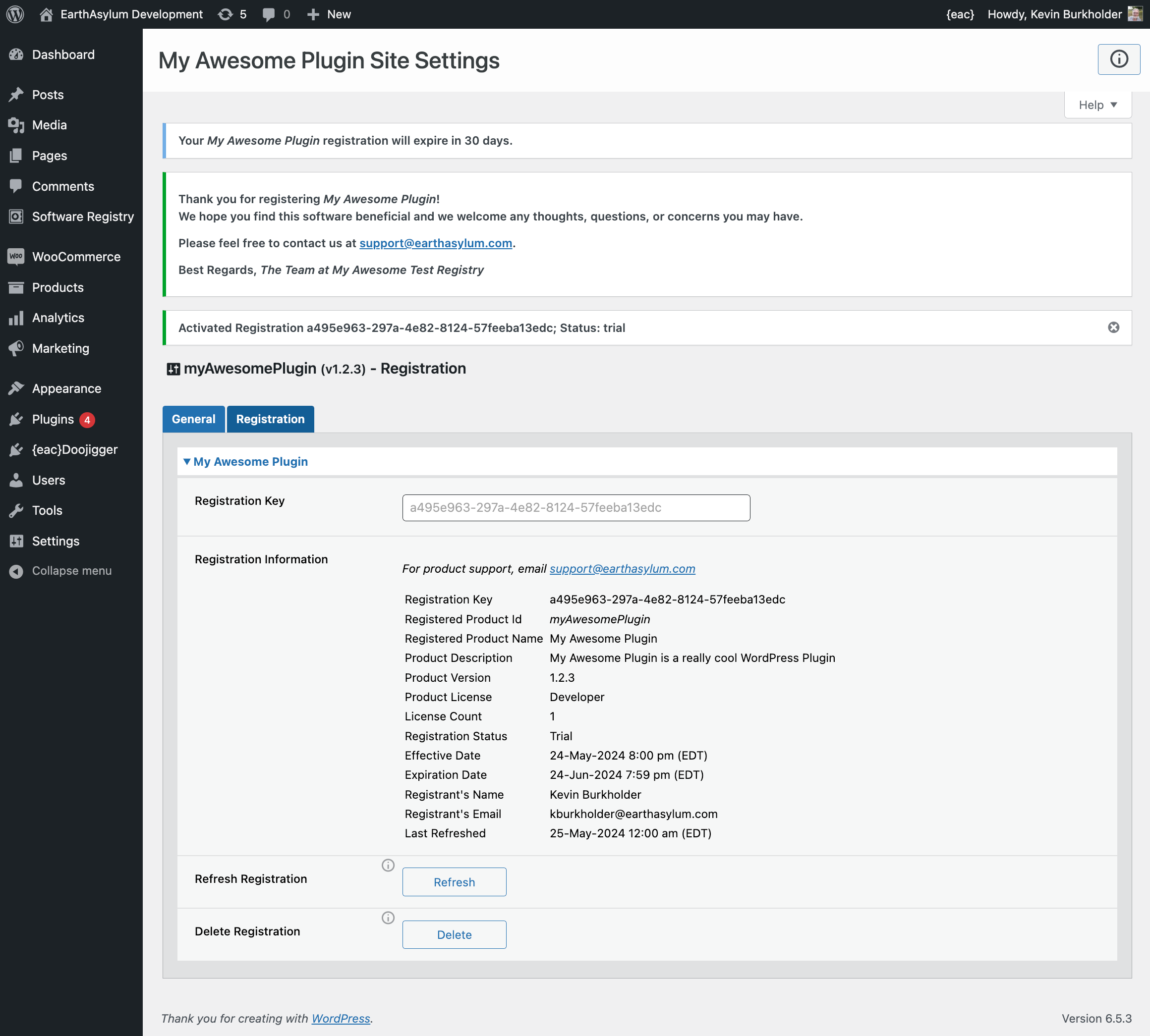
Of course, the user interface is up to you, the developer, but you may look at (and maybe use) the registration UI trait included with {eac}Doojigger and used by {eac}SoftwareRegistry as an example.
see:
- .../Traits/swRegistrationUI.trait.php in the eacDoojigger folder.
- .../Extensions/class.eacSoftwareRegistry_registration.extension.php in the eacSoftwareRegistry folder.
安装:
{eac}SoftwareRegistry Distribution SDK is an extension plugin to and requires installation and registration of {eac}SoftwareRegistry.*
Automatic Plugin Installation
This plugin is available from the WordPress Plugin Repository and can be installed from the WordPress Dashboard » Plugins » Add New page. Search for 'EarthAsylum', click the plugin's [Install] button and, once installed, click [Activate].
See Managing Plugins -> Automatic Plugin Installation
Upload via WordPress Dashboard
Installation of this plugin can be managed from the WordPress Dashboard » Plugins » Add New page. Click the [Upload Plugin] button, then select the eacsoftwareregistry-distribution-sdk.zip file from your computer.
See Managing Plugins -> Upload via WordPress Admin
Manual Plugin Installation
You can install the plugin manually by extracting the eacsoftwareregistry-distribution-sdk.zip file and uploading the 'eacsoftwareregistry-distribution-sdk' folder to the 'wp-content/plugins' folder on your WordPress server.
See Managing Plugins -> Manual Plugin Installation
Settings
Options for this extension will be added to the Software Registry » Settings » Distribution tab.
屏幕截图:
其他记录:
更新日志:
Version 1.1.5 – August 30, 2026
- Compatible with WordPress 7.1.
- Admin notification on missing required plugin.
- Aesthetic/Nonstructural changes...
- WP plugins page links.
- Plugin DocBlocks, readme headers, etc.
- Compatible with WordPress 7.0.
- Added
SOFTWARE_REGISTRY_FILENAMEin softwareregistry.interface. - Defaults to
SOFTWARE_REGISTRY_PRODUCTID. - Manually change if plugin file name is not the same as the product id.
- Date formats documented as
DD-MMM-YYYY. - Use
registrar->timezonewhen comparing dates (effective, expires). - Add timestamp to download link (cache buster).
- Compatible with WordPress 6.8+
- Fix bug when creating zip file.
- Use wp_filesystem when creating SDK (note that zip_archive does not).
- Addition of
supplementalkey in registry api response data. - SDK output has not changed and it is not necessary to recreate SDKs.
- Compatible with WordPress 6.7+
- Removed unnecessary plugin_update_notice trait.
- Added 'refresh' api call like 'verify', with update parameters.
- Retains current registration if api call fails (non-200 status).
- Fixed encoding of response error message in api call traits.
- Updated for {eac}SoftwareRegistry v1.2 and {eac}Doojigger v2.0.
- Uses 'options_settings_page' action to register options.
- Moved plugin_action_links_ hook to eacSoftwareRegistry_load_extensions filter.
- Improved plugin loader and updater.
- Fixed slug name in WordPress trait.
- Fix potential PHP notice in interface.trait on registry api error.
- Lowered API timeout to 6 seconds.
- Added API retry on http status 408.
- Fixed potential PHP notice on load (plugin_action_links_).
- Added upgrade notice trait for plugins page.
- Fixed pattern attribute.
- Fix validation attributes on input fields.
- Updated to / Requires {eac}Doojigger 1.2.0
- Added 'Settings', 'Docs' and 'Support' links on plugins page.
- Cosmetic changes for WordPress submission.
- Renamed SDK .php files to .tpl to prevent SVN pre-compile errors.
- Initial public release.