Easy Actions Scheduler Cleaner
| 开发者 |
fernandot
ayudawp |
|---|---|
| 更新时间 | 2026年3月28日 03:26 |
| PHP版本: | 7.4 及以上 |
| WordPress版本: | 7.0 |
| 版权: | GPL v2 or later |
| 版权网址: | 版权信息 |
详情介绍:
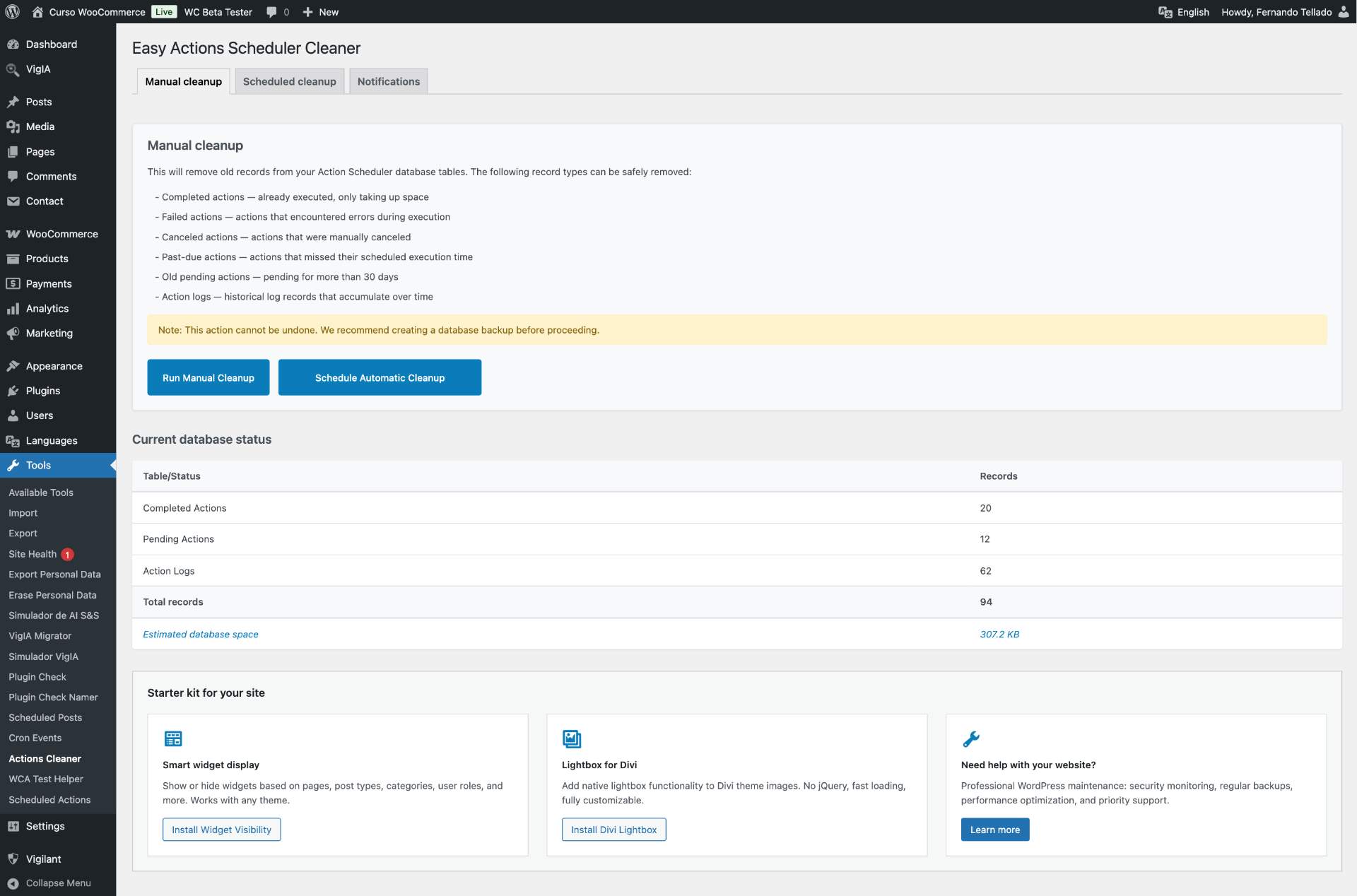
- Delete completed actions - Actions that have already been executed successfully
- Delete failed actions - Actions that encountered errors during execution
- Delete canceled actions - Actions that were manually canceled
- Delete past-due actions - Actions that missed their scheduled execution time
- Delete old pending actions - Pending actions older than 30 days
- Delete action logs - Historical log records that accumulate over time
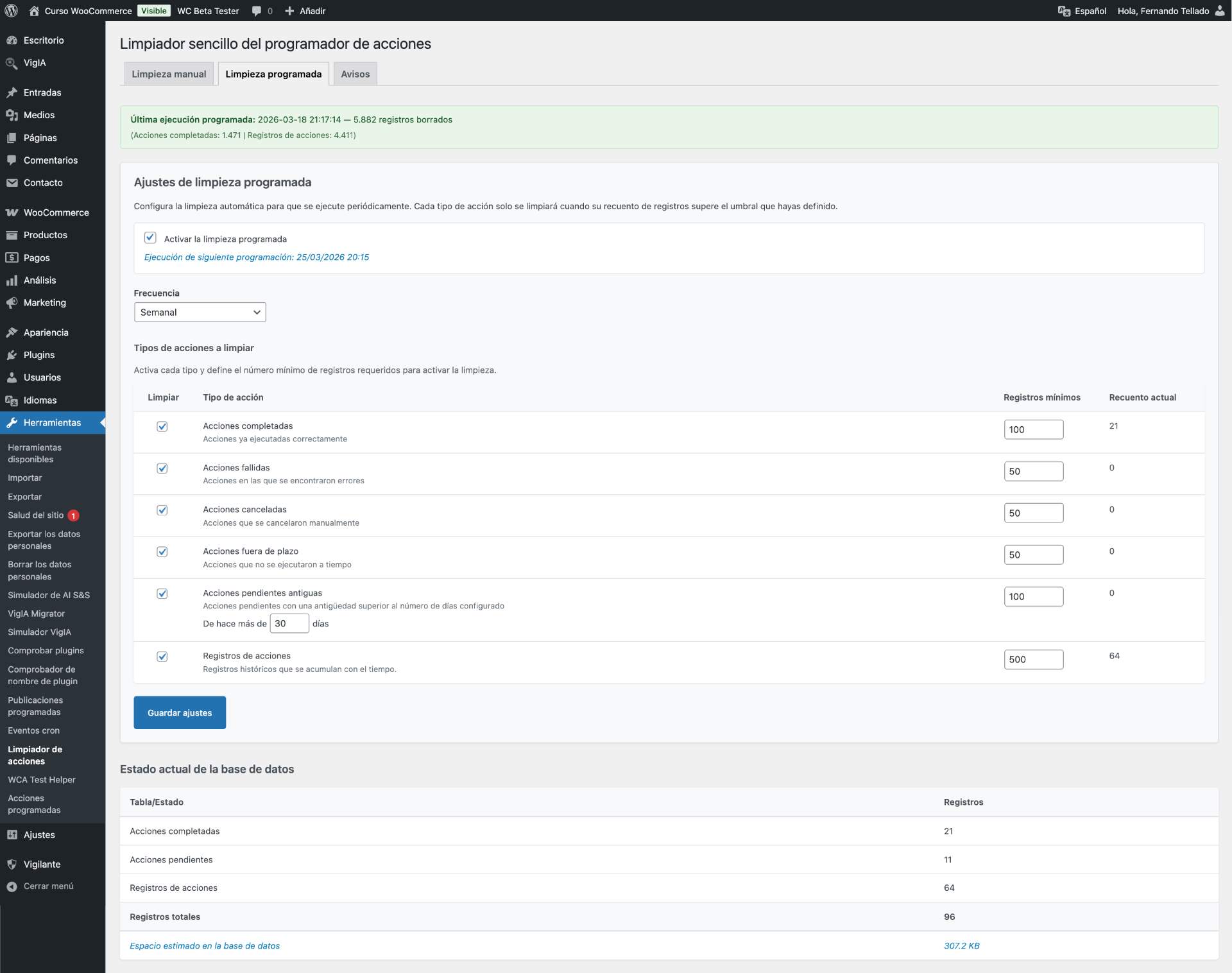
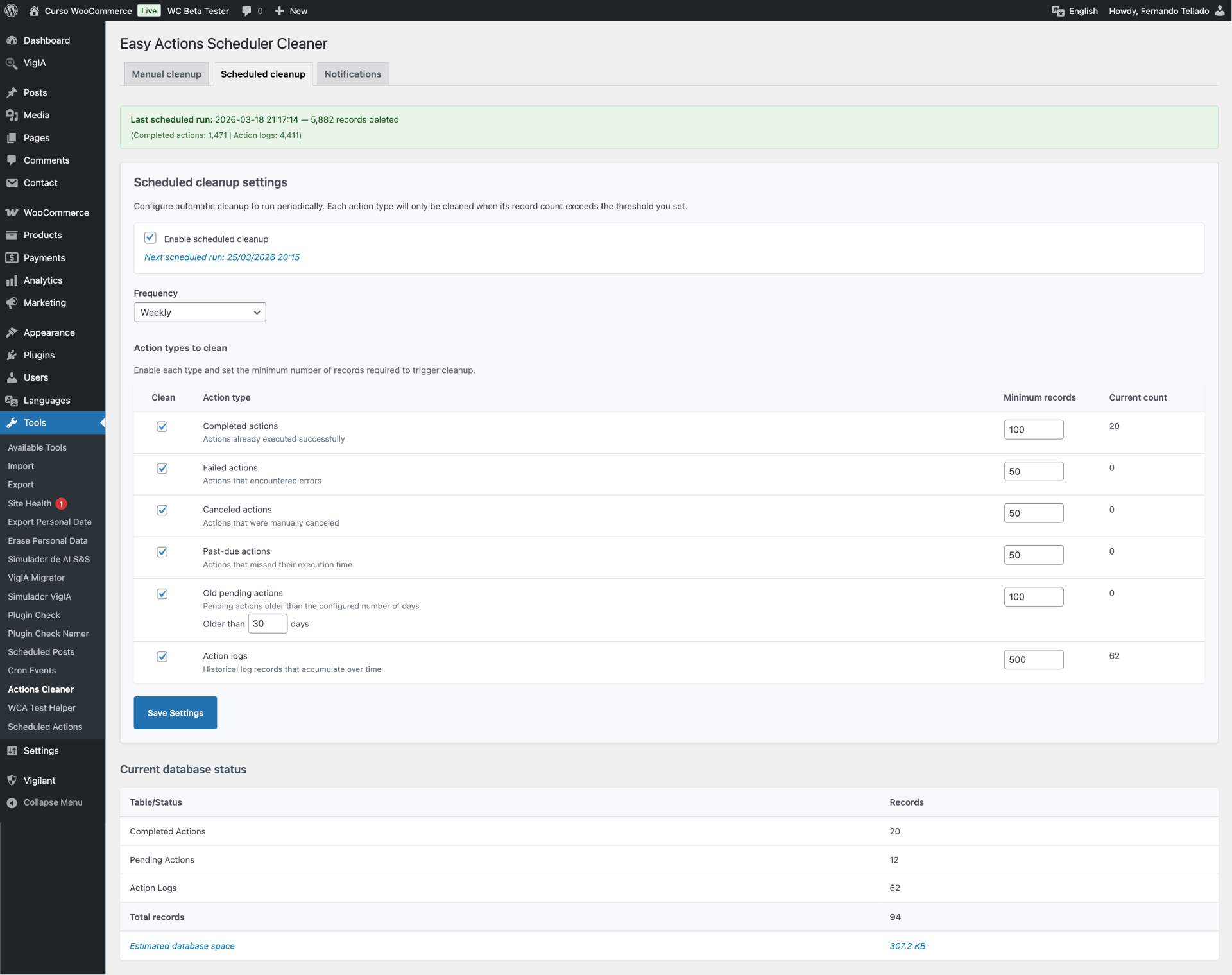
- Flexible frequency - Daily, weekly, biweekly, or monthly
- Per-type configuration - Enable/disable cleanup for each action type independently
- Threshold system - Only clean when records exceed your configured minimum (e.g., clean completed actions only when there are more than 100)
- Configurable pending age - Set custom age for old pending actions (7 to 365 days)
- Last run reporting - See results from the last scheduled cleanup
- Periodic reports - Receive daily, weekly, or monthly reports with database status, cleanup results, and estimated space savings
- Accumulation alerts - Get notified when records pile up without an active scheduled cleanup
- Missed cleanup alerts - Detect when WP-Cron fails to execute a scheduled cleanup
- Separate recipient lists - Configure different email addresses for management reports and technical alerts
- HTML formatted emails - Clean, readable email reports
- Test emails - Send test report or alert emails directly from the settings page to verify delivery
- Two cleanup modes - Manual one-time cleanup or scheduled automatic cleanup
- Smart thresholds - Scheduled cleanup only runs when record counts justify it
- Database space estimation - See how much space your Action Scheduler tables are using
- Email notifications - Periodic reports, accumulation alerts, and missed cleanup warnings
- Batch processing - Handles large datasets efficiently (10,000 records per batch)
- Detailed reporting - Shows exactly how many records were deleted by type and estimated space freed
- Orphaned data cleanup - Also removes related orphaned groups
- Complete logs cleanup - Removes all action logs that accumulate over time
- WooCommerce integration - Seamlessly works with WooCommerce's Action Scheduler
- Slow down your website performance
- Increase database size unnecessarily
- Make database backups larger and slower
- Impact Actions Scheduler's own performance
actionscheduler_logs) is particularly problematic as it records detailed information about every action execution and can grow exponentially on busy sites.
Important notes
- Cleanup is irreversible - Always backup your database before use
- Scheduled cleanup respects thresholds - Only cleans when record counts exceed your minimums
- You choose the mode - Use manual for one-time cleanup or scheduled for ongoing maintenance
- E-commerce sites with large Action Scheduler tables
- Sites with millions of action log records
- Database maintenance and optimization
- Before major WooCommerce updates
- Preparing for site migrations
- Regular automated maintenance
安装:
- Upload the plugin files to the
/wp-content/plugins/easy-actions-scheduler-cleaner-ayudawpdirectory, or install the plugin through the WordPress plugins screen directly. - Activate the plugin through the 'Plugins' screen in WordPress.
- The plugin will automatically redirect you to Tools > Actions Cleaner.
- Choose between manual cleanup, scheduled cleanup, or notifications tabs.
- For manual: Review the information and click "Run Manual Cleanup".
- For scheduled: Enable scheduled cleanup, configure frequency and thresholds, and save.
- For notifications: Enable periodic reports and/or technical alerts to stay informed.
屏幕截图:
常见问题:
Is this safe to use?
Yes, but like any database operation, you should always backup your database first. The plugin only removes historical records that are no longer needed.
Will this break my WooCommerce store?
No. The plugin only removes completed, failed, canceled, past-due, and old pending actions, plus action logs. It preserves all active and recent pending actions that WooCommerce still needs.
How does scheduled cleanup work?
Scheduled cleanup uses WP-Cron to run at your chosen frequency (daily, weekly, biweekly, or monthly). Each action type has a threshold: cleanup only happens when the record count exceeds that minimum. For example, if you set completed actions threshold to 100, they will only be cleaned when there are 100 or more completed actions.
What are thresholds?
Thresholds prevent unnecessary cleanup runs. If your site only has 20 completed actions and the threshold is 100, those 20 records will be left alone until they accumulate past the threshold. This is especially useful for low-traffic sites.
How do email notifications work?
You can configure three types of notifications: periodic reports (daily/weekly/monthly summaries), accumulation alerts (when records pile up without scheduled cleanup), and missed cleanup alerts (when WP-Cron fails). Report emails and alert emails can be sent to different recipients. You can also send test emails from the settings page to verify everything is working correctly.
Can I send reports and alerts to different people?
Yes. The Notifications tab has separate recipient fields for management reports and technical alerts. By default both use the site admin email, but you can customize each independently.
Can I use both manual and scheduled cleanup?
Yes. You can run a manual cleanup first to clear everything, then enable scheduled cleanup to keep things clean going forward.
Can I undo the cleanup?
No, cleanup is irreversible. That's why we strongly recommend creating a database backup before using it.
Will deleting action logs affect my store?
No. Action logs are purely historical records used for debugging and monitoring. Deleting them does not affect store functionality but can significantly reduce database size.
How is database space estimated?
The plugin queries MySQL's information_schema.tables to get the actual disk usage (data + indexes) of the Action Scheduler tables. The "space freed" value compares table sizes before and after cleanup.
Does this work with Actions Scheduler Pro plugin?
This plugin works with the standard Action Scheduler that comes with WooCommerce and many other WordPress plugins. Compatibility with Action Scheduler Pro plugin has not been tested.
更新日志:
- Fix: Fixed promotional banner button alignment on WordPress 7.0 due to core CSS specificity changes
- Tested up to WordPress 7.0
- Improved: Cleaner admin UI - removed notice-style left borders from setting boxes
- Improved: Added new plugin recommendation
- New: Email notifications system with three notification types
- New: Periodic reports (daily, weekly, monthly) with database status and cleanup results
- New: Accumulation alerts when records exceed threshold without active schedule
- New: Missed cleanup alerts when WP-Cron fails to execute
- New: Separate recipient configuration for reports (management) and alerts (technical)
- New: Database space estimation showing MB used by Action Scheduler tables
- New: Estimated space freed shown in cleanup results
- New: "Schedule Cleanup" action link in plugins list screen
- New: Test email buttons to verify report and alert delivery from settings
- Improved: Softer, less intimidating UI for manual cleanup page
- Improved: Removed unnecessary deactivation buttons from cleanup flow
- Improved: Shorter submenu name for better admin navigation
- Improved: HTML formatted email templates
- New: Scheduled cleanup with WP-Cron support
- New: Configurable frequency (daily, weekly, biweekly, monthly)
- New: Per-type thresholds for smart automatic cleanup
- New: Configurable age for old pending actions (7-365 days)
- New: Tab-based admin interface (Manual cleanup / Scheduled cleanup)
- New: Last scheduled run reporting
- New: Post-cleanup option to schedule automatic cleanup instead of just deactivating
- New: AyudaWP plugin recommendations banner
- Tested up to WordPress 6.9
- Tested up to WooCommerce 10.3.x
- Removed WooCommerce as required dependency
- Plugin now works with any plugin using Action Scheduler
- Added settings link in plugins list for quick access
- Improved activation checks to verify Action Scheduler tables only
- Updated plugin descriptions and documentation
- Initial release
- Support for cleaning completed, failed, canceled, and past-due actions
- Support for cleaning old pending actions (30+ days)
- Support for cleaning action logs
- Batch processing for large datasets
- Orphaned data cleanup
- Detailed reporting
- Safety warnings and confirmations
- Automatic plugin deactivation