Easy File Upload & Approval – A Simple File Submission & Review System
| 开发者 | glenwpcoder |
|---|---|
| 更新时间 | 2026年6月30日 15:20 |
| PHP版本: | 6.0 及以上 |
| WordPress版本: | 7.0 |
| 版权: | GPLv2 or later |
| 版权网址: | 版权信息 |
详情介绍:
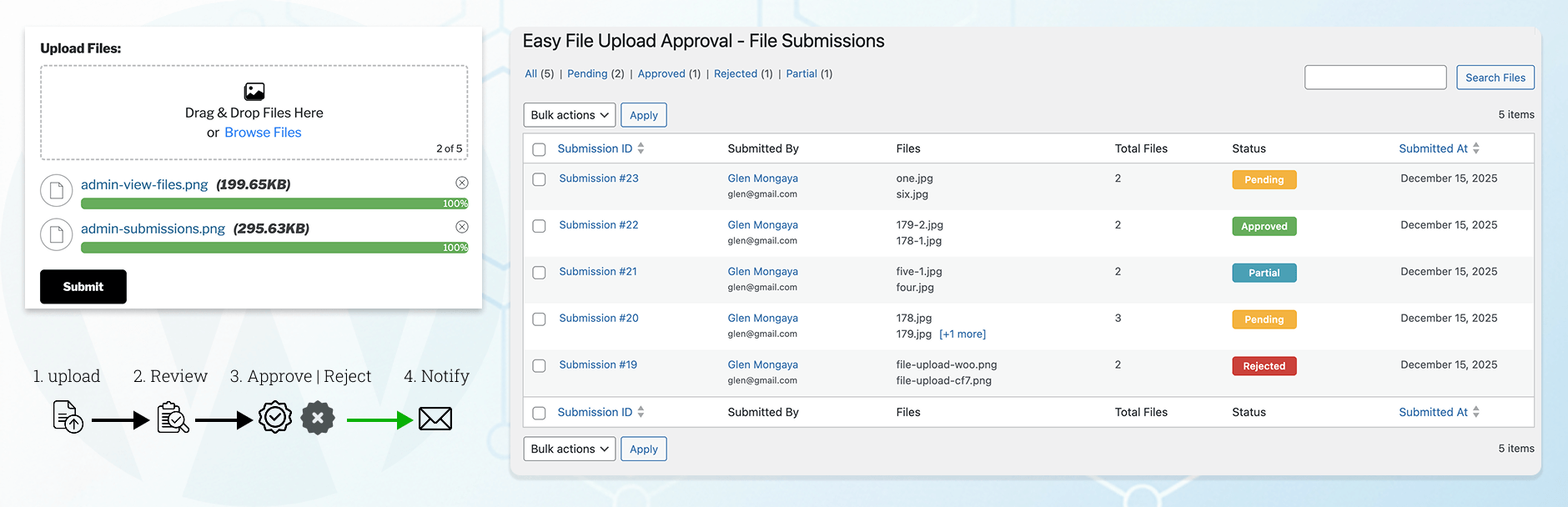
- Drag & drop uploader or standard “Browse” upload option.
- Multiple file selection with the ability to delete or re-add files before submission.
- Role-based uploader visibility control.
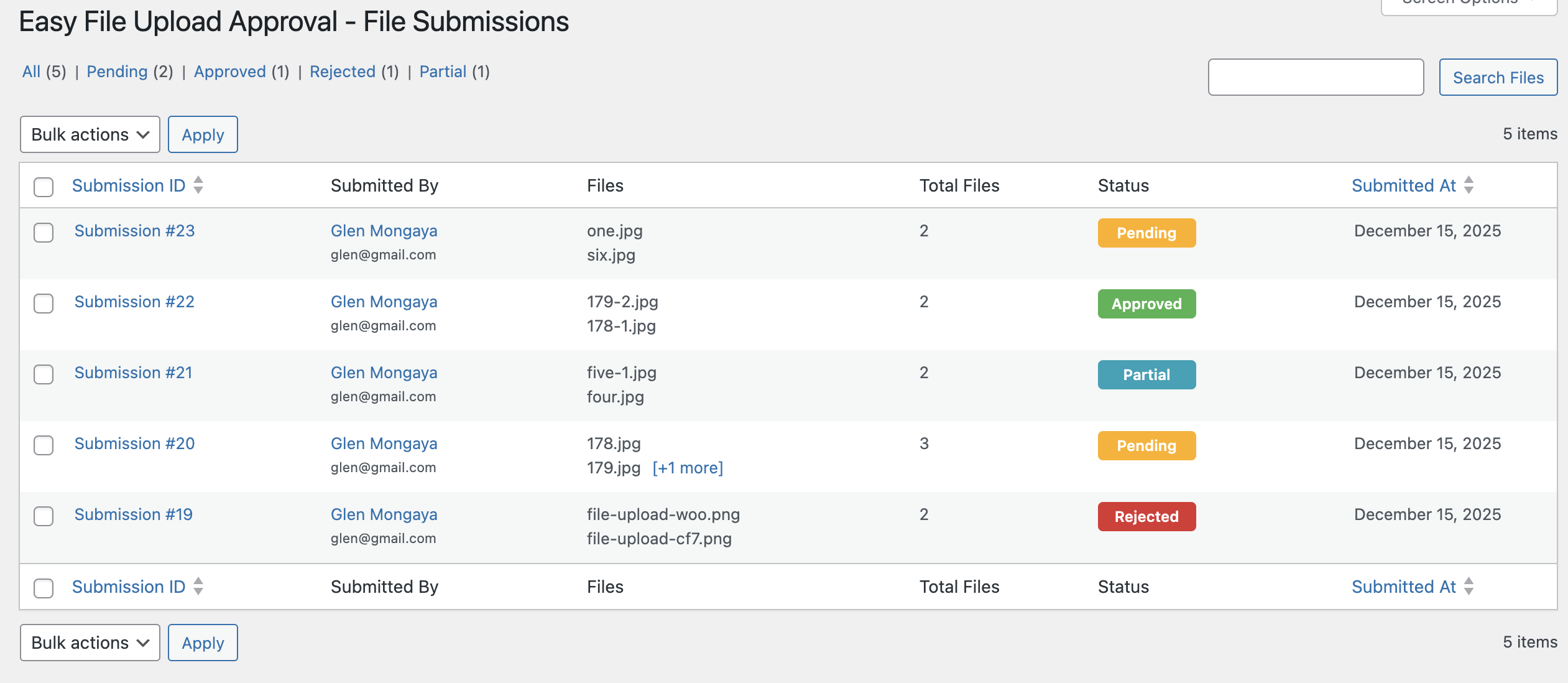
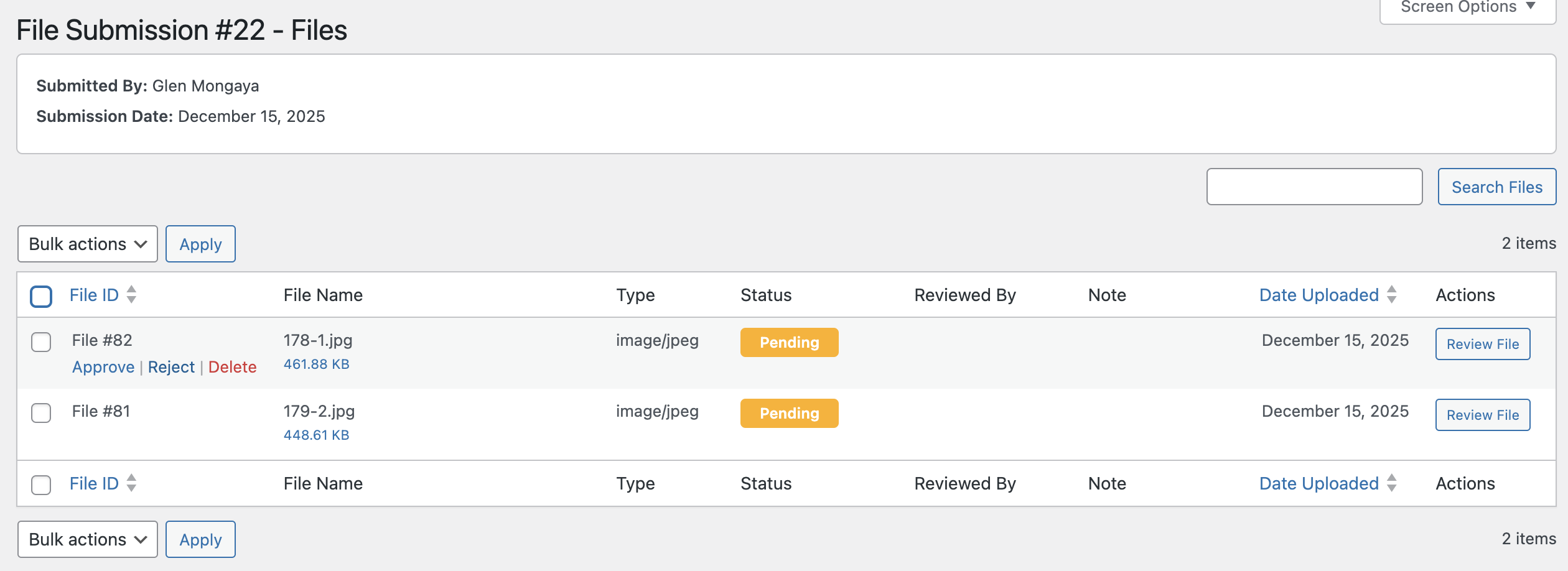
- Manual file approval or rejection.
- Display the uploader on specific pages (via settings), Gutenberg blocks, or using the [easyfua_upload] shortcode.
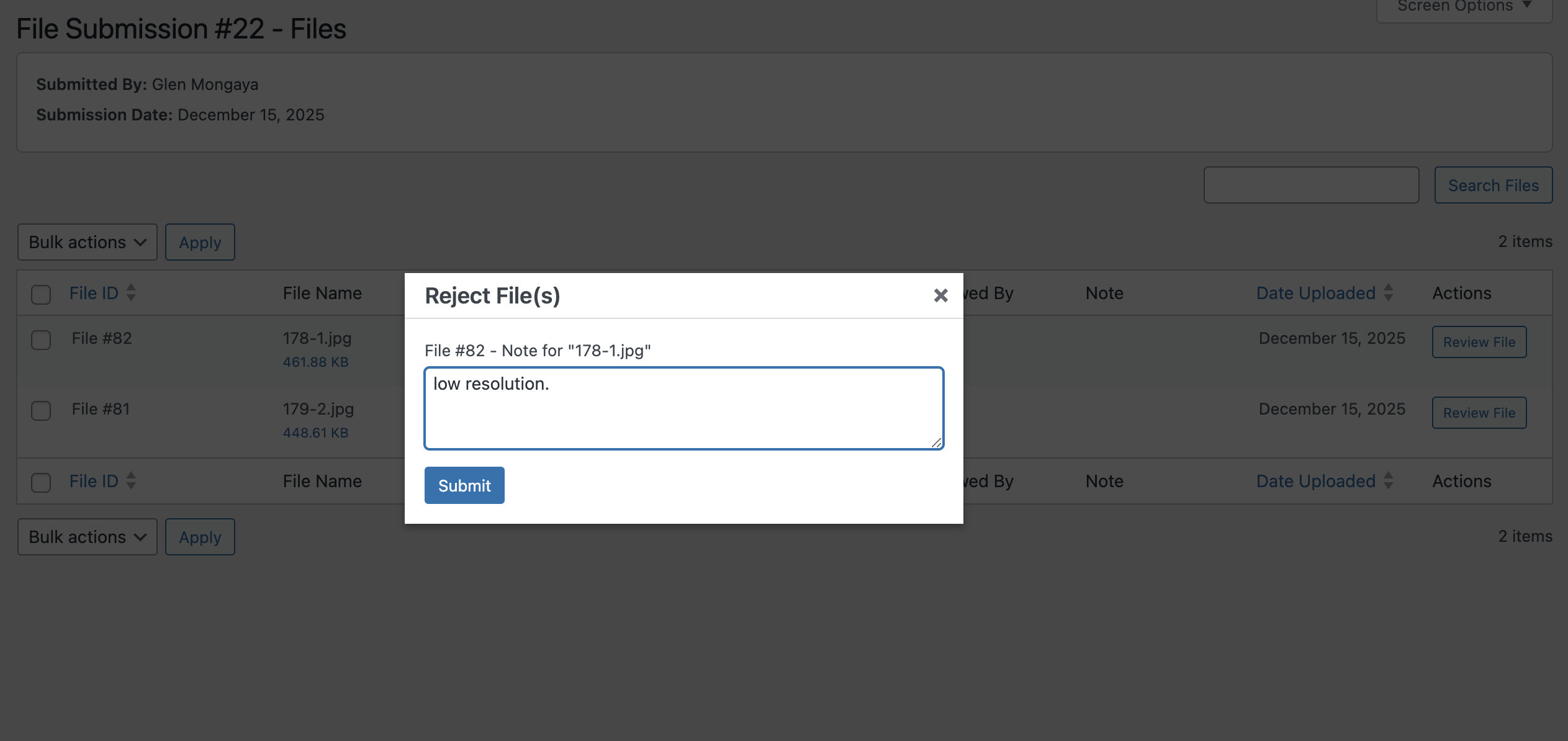
- Allow reviewers or admins to leave notes upon rejection.
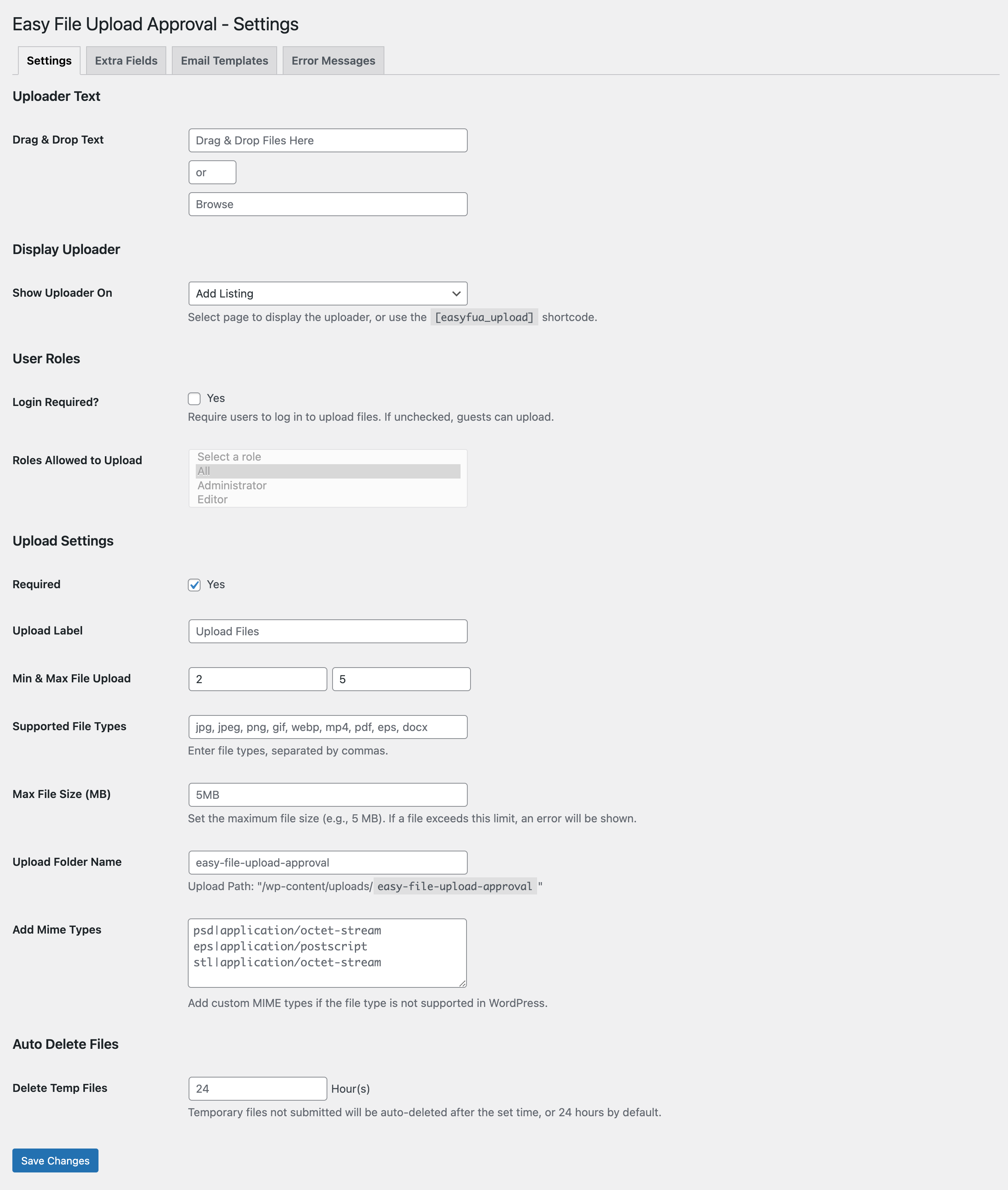
- Define custom allowed file types or extensions.
- Set minimum and maximum file upload limits.
- Limit the total number of files that can be uploaded.
- Restrict the maximum file size for each upload.
- Bulk download approved files as a ZIP archive (ie: submission-122.zip).
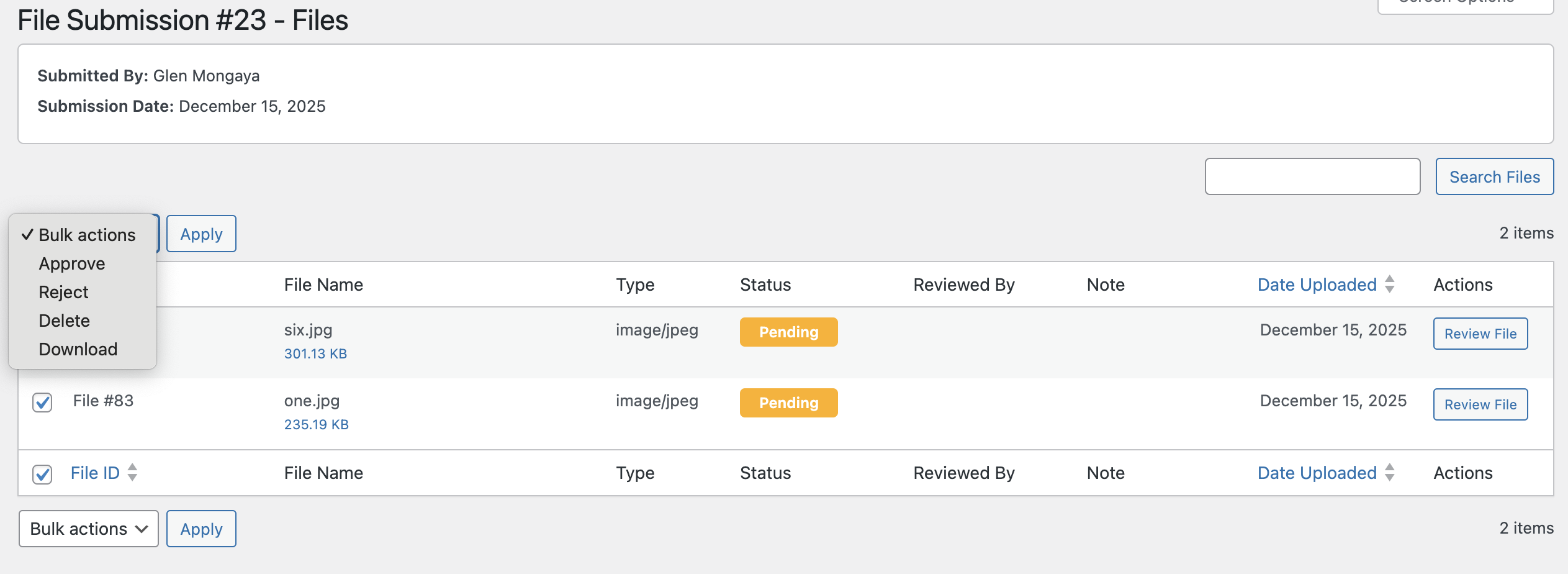
- Bulk "approve", "reject", "delete", or "download" files.
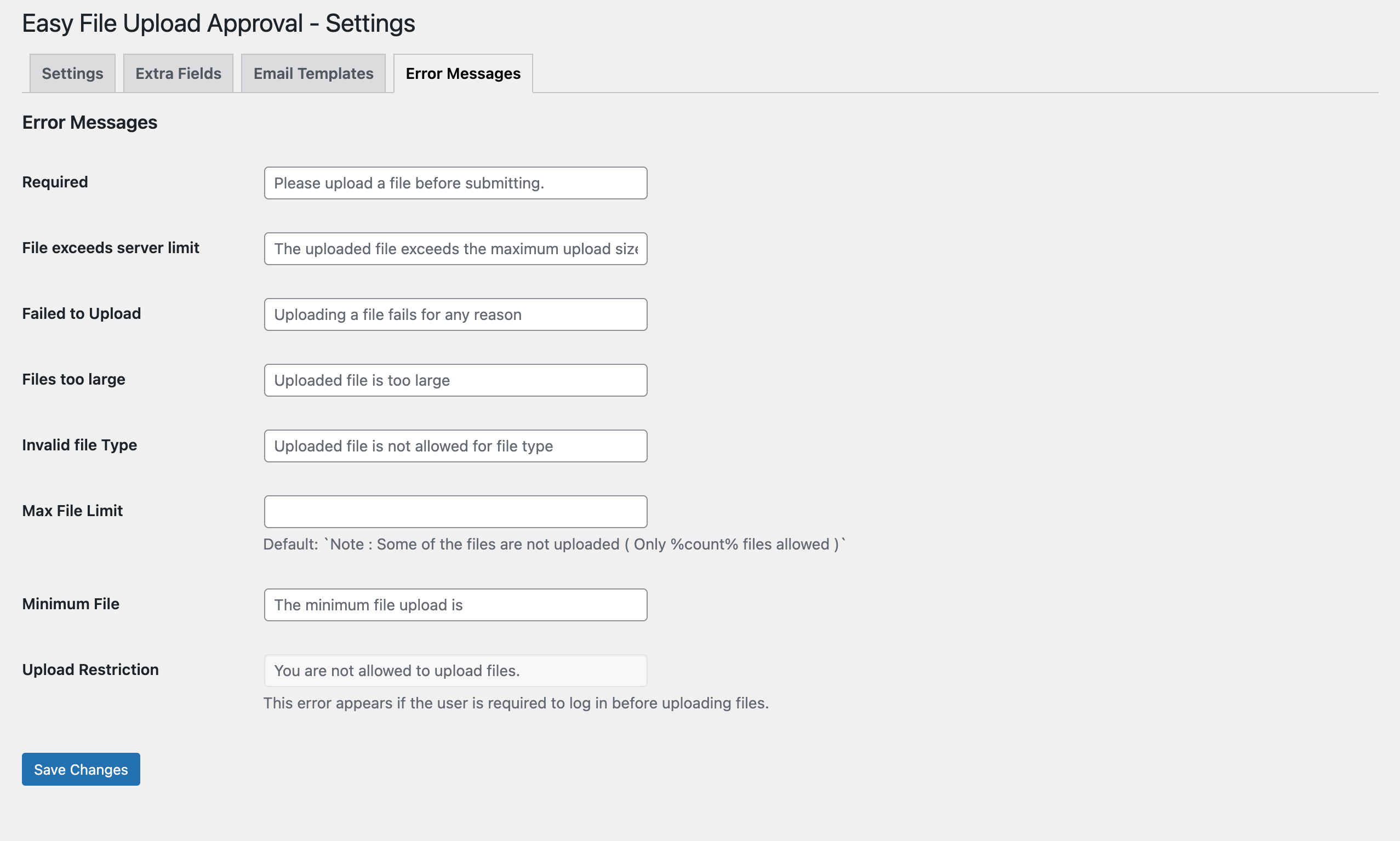
- Customizable error and validation messages.
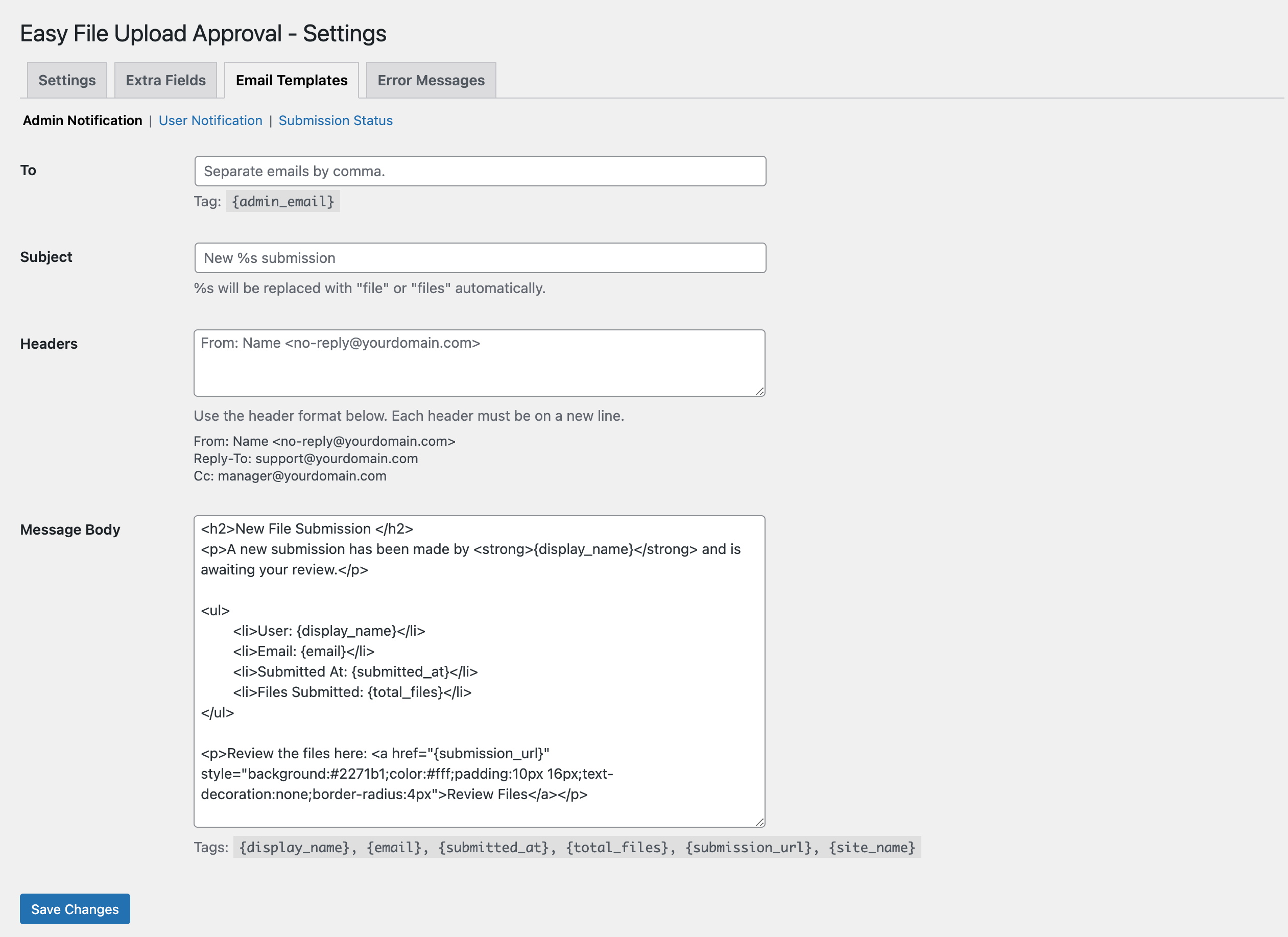
- Notify admins of new file submissions.
- Notify users via email when files are submitted, approved, or rejected.
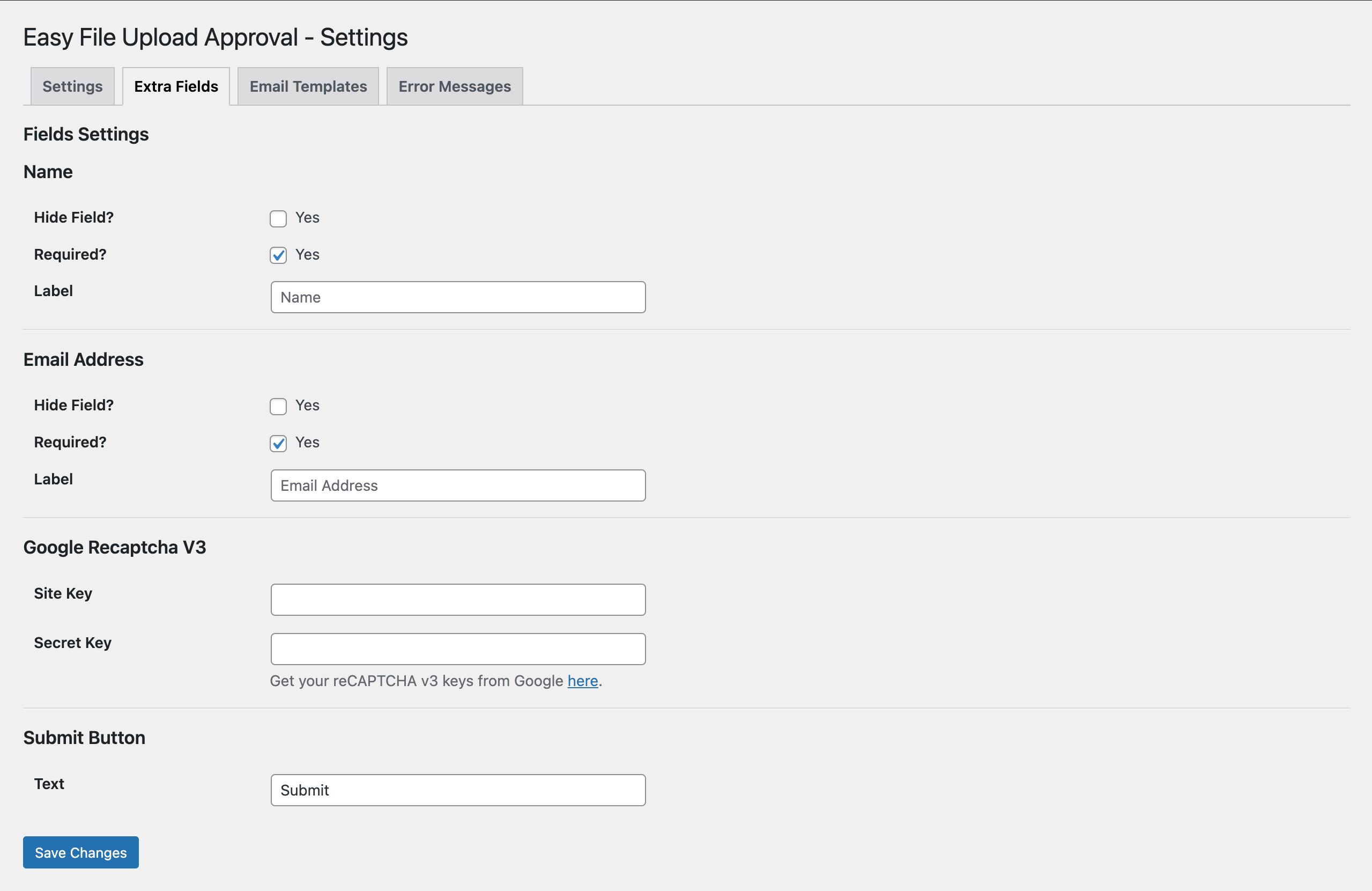
- Option to enable or disable “Name” and “Email Address” fields for users.
- Google reCAPTCHA v3 ready for spam protection.
- Customizable email templates for both admin and user notifications.
- Automatically "delete temporary" files after 24 hours.
- Define a custom upload folder name. (ie: /wp-content/uploads/{custom_folder})
- AJAX-powered uploader for smooth, reload-free submissions.
- Supports multiple languages (WPML & Polylang compatible).
- Fully mobile-responsive design.
安装:
- Upload the plugin folder to
/wp-content/plugins/. - Activate WP Easy File Upload & Approval through the Plugins screen.
- Go to Easy File Upload ▸ Settings to configure the plugin.
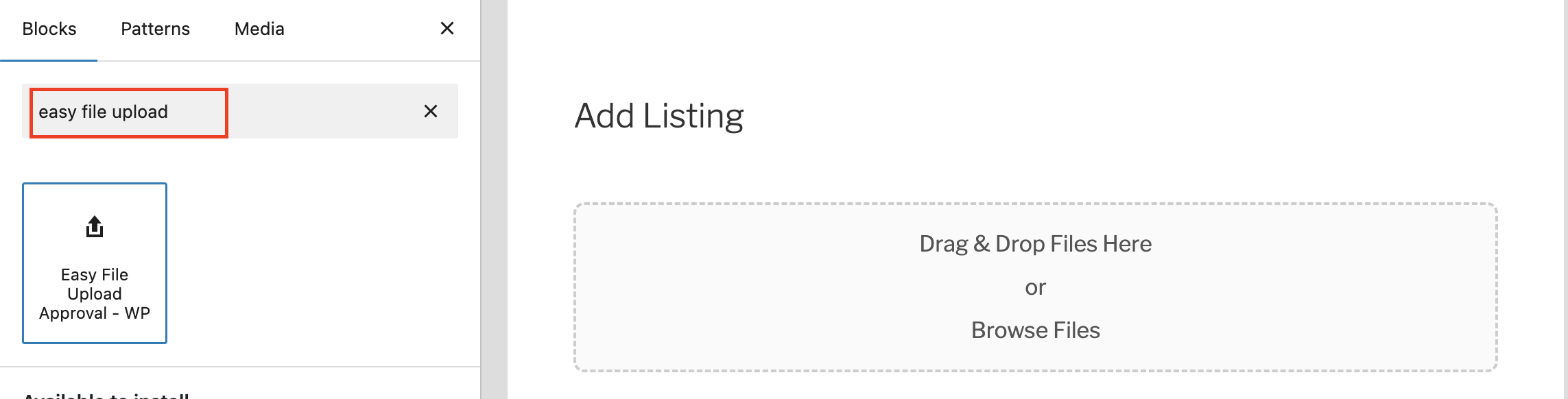
- Select the “Show Uploader On” option and choose the page where you want the uploader to appear. Alternatively, you can insert the
[easyfua_upload]shortcode on any page. You may also use the Gutenberg block—just search for “Easy File Upload.”
屏幕截图:
常见问题:
How do I display the upload form on my site?
You can easily add the uploader using the [easyfua_upload] shortcode or via upload settings. The plugin also includes a Gutenberg block for easy placement.
Can I restrict who can upload files?
Yes. You can limit access by user role or make the uploader available to everyone, including guest users.
Do users need to be logged in to upload files?
No — uploads are open to everyone. Both guests and registered users can submit files.
What file types are supported?
You can define your own list of allowed file types in the plugin settings. Common formats such as PDF, JPG, PNG, and DOCX are supported by default.
Will users be notified after their files are approved or rejected?
Yes. The plugin automatically sends customizable email notifications to users and administrators for each submission and approval/rejection event.
Does it support multiple languages?
Yes. The plugin supports WPML and Polylang, making it fully translatable.
Can I bulk approve or download files?
Yes. The admin dashboard allows bulk approval, rejection, deletion, or download of submissions as a ZIP archive.
Are temporary files automatically cleaned up?
Yes. Temporary uploads are automatically deleted after 24 hours to keep your site optimized.
Does it work with Google reCAPTCHA?
Yes. The plugin supports Google reCAPTCHA v3 to protect against spam and unwanted submissions.
How do I limit file size or number of uploads?
Go to Easy File Upload → Settings → Upload Settings. You can: • Set the Max File Size (MB) allowed per file (e.g., 10MB). • Define Min & Max File Upload upload limits to fit your workflow.
How do I change folder name?
Go to Easy File Upload → Settings → Upload Settings. On the settings find "Upload Folder Name" option and add your desired folder name.
更新日志:
- Bug Fix - Fixed duplicate validation error message.
- Improvement - Improve css and validation
- Initial public release. [Dec 16, 2025]