
Easy Form Builder Data Tools
| 开发者 |
whitestudio
hassantafreshi |
|---|---|
| 更新时间 | 2026年8月18日 19:08 |
| PHP版本: | 7.4 及以上 |
| WordPress版本: | 7.0 |
| 版权: | GPLv2 or later |
| 版权网址: | 版权信息 |
详情介绍:
- Import — restore or migrate Easy Form Builder data.
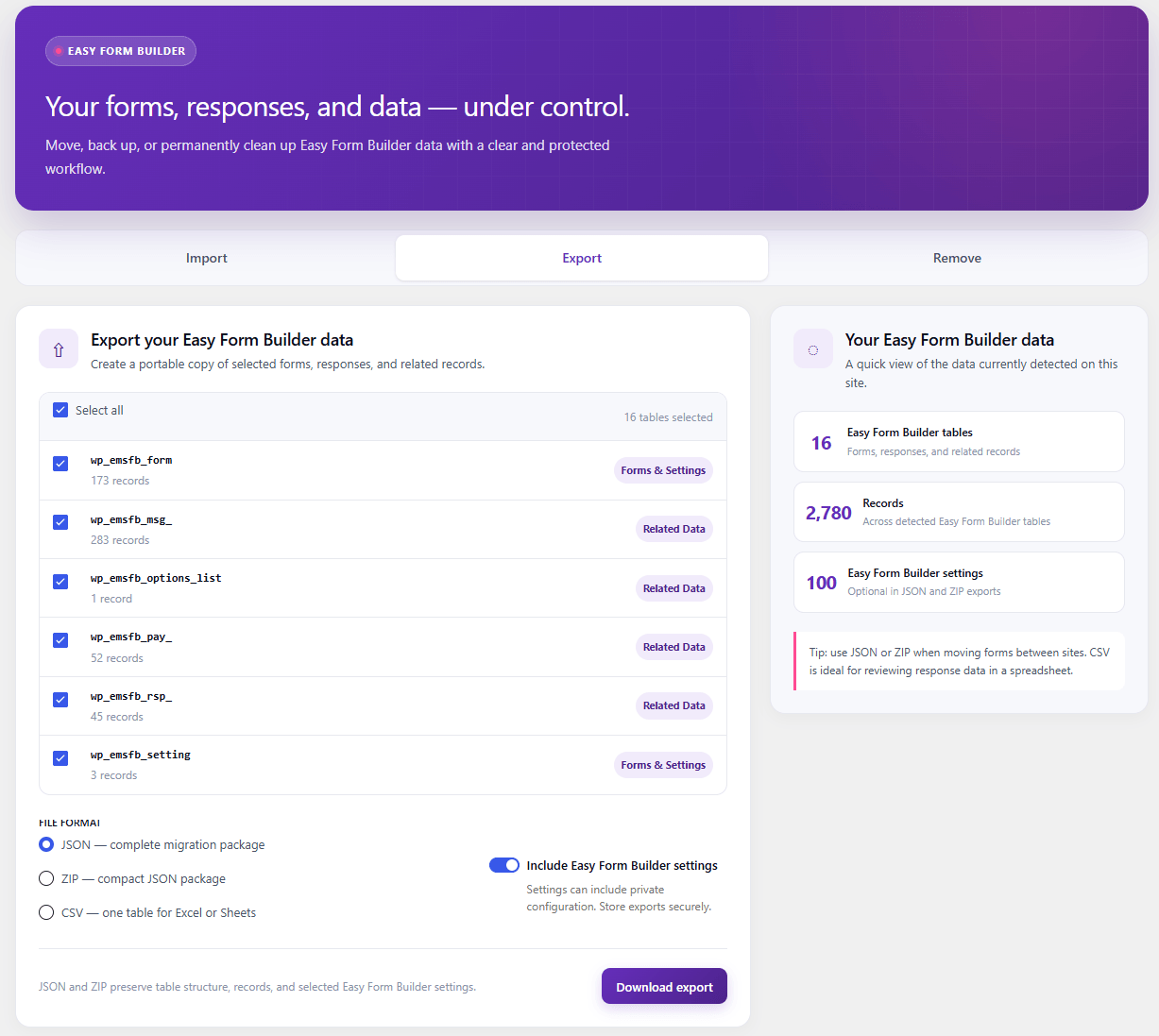
- Export — create portable backups and migration packages.
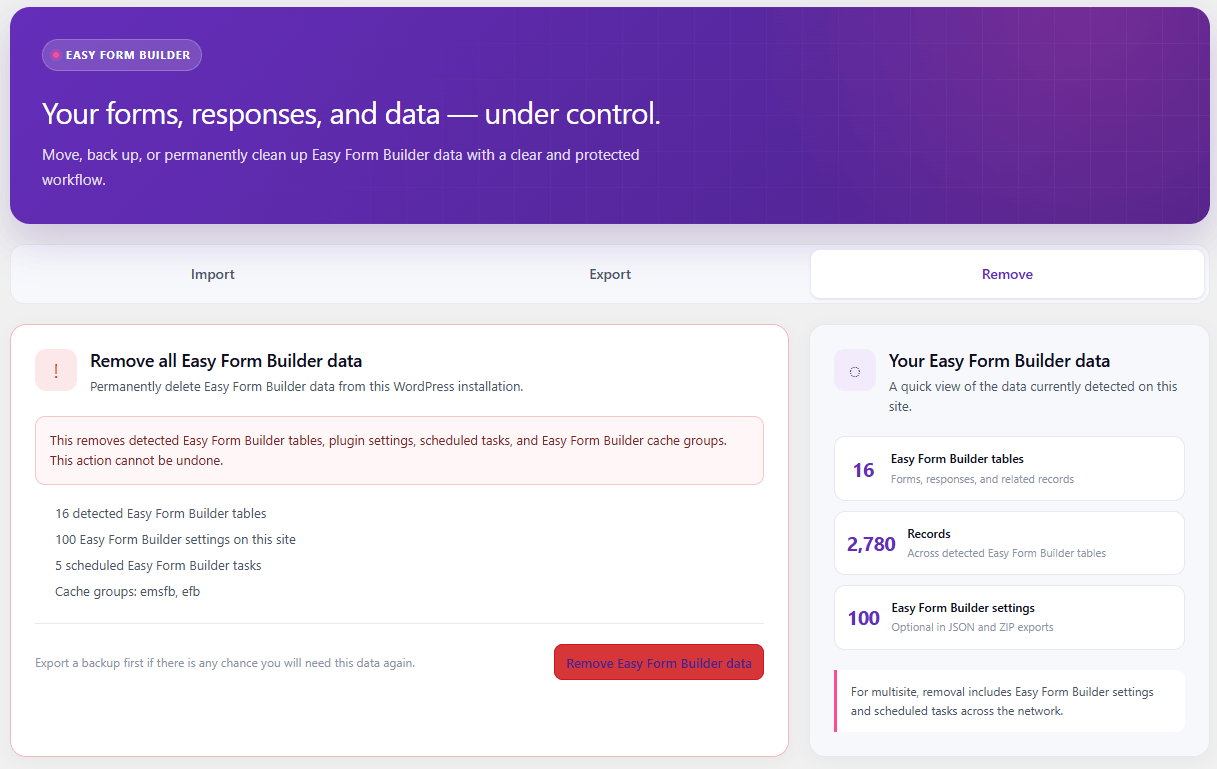
- Remove — safely remove supported Easy Form Builder data when it is no longer required.
- Export selected Easy Form Builder data as JSON, ZIP, or CSV.
- Create portable backups of forms, responses, settings, and related data.
- Import JSON, ZIP, and compatible single-table CSV exports.
- Migrate Easy Form Builder data between compatible WordPress installations.
- Choose whether imported data replaces matching records or is added to existing data.
- Validate table names, schemas, indexes, columns, and rows before writing data to the database.
- Preserve SQL
NULLvalues correctly in CSV exports and imports. - Create missing supported tables when restoring JSON or ZIP migration packages.
- Export individual database tables to spreadsheet-friendly CSV files.
- Remove detected form tables, settings, scheduled tasks, network settings, and supported cache groups.
- Require explicit typed confirmation before destructive cleanup operations.
- Provide a responsive WordPress-components administration interface.
- Include accessible controls, notices, loading states, and destructive-action safeguards.
- Support WordPress Multisite with network-administrator permissions for shared data.
- Keep interface labels, notices, and action messages translation-ready.
- Explain what to do when Easy Form Builder is not installed or active.
- Explain what to do when no supported form tables have been created yet.
- Keep form data processing inside the WordPress installation without requiring a remote migration service.
安装:
- Install Easy Form Builder Data Tools from the WordPress Plugin Directory, or upload the
easy-form-builder-data-toolsfolder to/wp-content/plugins/. - Activate Easy Form Builder Data Tools from the WordPress Plugins screen.
- Go to Tools > Form Data Tools.
- Choose Import, Export, or Remove.
- Create a JSON or ZIP backup before changing or permanently removing production data.
屏幕截图:
常见问题:
Is Easy Form Builder Data Tools free?
Yes. Easy Form Builder Data Tools is free to use and does not require a paid subscription, account, license key, API key, or external migration service.
What is Easy Form Builder Data Tools used for?
The plugin provides dedicated tools for backing up, exporting, importing, migrating, restoring, and removing supported Easy Form Builder data.
Can I migrate Easy Form Builder forms to another WordPress website?
Yes. Use a JSON or ZIP migration package when moving supported Easy Form Builder data between compatible WordPress installations. These formats preserve selected table structure and records together.
Which format should I use to move form data to another website?
Use JSON or ZIP for a complete migration. Both formats preserve supported table structure and records together. ZIP contains the same portable JSON migration package in compressed form.
Can I create a backup before updating my WordPress site?
Yes. Creating a JSON or ZIP export before major WordPress, plugin, database, or server changes provides a portable backup of the selected supported Easy Form Builder data.
Can I export form data to Excel or Google Sheets?
Yes. Choose CSV when you want to export one supported table for viewing or processing in spreadsheet applications such as Microsoft Excel or Google Sheets.
Why is CSV limited to one table?
CSV is a flat spreadsheet format. It cannot reliably preserve relationships, complete schemas, and database indexes across several related tables. Use JSON or ZIP when creating a full Easy Form Builder backup or migration package.
Does the plugin send my form data to an external server?
Easy Form Builder Data Tools performs its migration and data-management operations inside your WordPress installation and does not require an external Easy Form Builder Data Tools migration service.
Does the plugin require an API key?
No. No API key, cloud account, or external migration account is required to use Easy Form Builder Data Tools.
What happens when I use Remove?
The Remove workflow can delete detected Easy Form Builder tables, relevant settings, scheduled tasks, supported network settings, and supported object-cache groups. The action requires typed confirmation and cannot be undone. Create a backup before using Remove.
Does deleting Easy Form Builder Data Tools delete my forms?
No. Uninstalling Easy Form Builder Data Tools does not automatically remove Easy Form Builder form data. Data removal is a separate, explicit action available under Tools > Form Data Tools and requires confirmation.
Do I need Easy Form Builder installed?
Easy Form Builder is required when working with its active forms and live data. Easy Form Builder Data Tools also detects supported data and provides appropriate administration information when Easy Form Builder is unavailable or when supported tables have not yet been created.
Does it support WordPress Multisite?
Yes. Supported shared-data operations can be performed in WordPress Multisite with the appropriate network-administrator permissions.
Where can I learn more about Easy Form Builder?
Visit Easy Form Builder on WordPress.org to learn more about the main form builder plugin. For official product information, documentation, and support, visit WhiteStudio – WordPress form builder plugin developer.
更新日志:
- Added a "Manage Form Data" link to the plugin row on the Plugins screen, so the tools are one click away instead of hidden under the Tools menu.
- Added the link to the network Plugins screen as well, where it opens the tools on the main site.
- Added translator comments to every translatable string that contains a placeholder, so translators can see what each placeholder stands for.
- Initial release.