
Easy Lead Distribution Forms
| 开发者 | easyleaddistribution |
|---|---|
| 更新时间 | 2026年9月21日 13:40 |
| PHP版本: | 7.2 及以上 |
| WordPress版本: | 7.0 |
| 版权: | GPLv2 or later |
| 版权网址: | 版权信息 |
详情介绍:
- Live Preview Form Editor - Build forms in a two-pane editor — drag fields on the left, see the form update in real time on the right
- Smart Phone Field - Country flag selector with per-country formatting, auto-detects visitor's country
- Multi-Step Forms - Split long forms into pages with progress indicator and per-step validation
- Conditional Logic - Show or hide fields based on answers to other fields
- Popup & Sticky Bar - Display your form as an overlay or announcement bar, with exit-intent, scroll, and time-delay triggers
- Full-Page Forms - Each form gets a clean direct URL (/forms/your-slug) — perfect for ad campaigns and link-in-bio
- Hidden Tracking Fields - Automatically capture UTM parameters, gclid, fbclid, referrer, and custom URL parameters with every lead
- Conversion Tracking - Fire Google Ads, Meta Pixel, or dataLayer events on submit, or redirect to a thank-you page
- Anti-Spam Protection - Invisible honeypot + minimum fill-time check blocks bots without making visitors solve a CAPTCHA
- Email Notifications - Send a copy of every lead to an inbox alongside ELD distribution
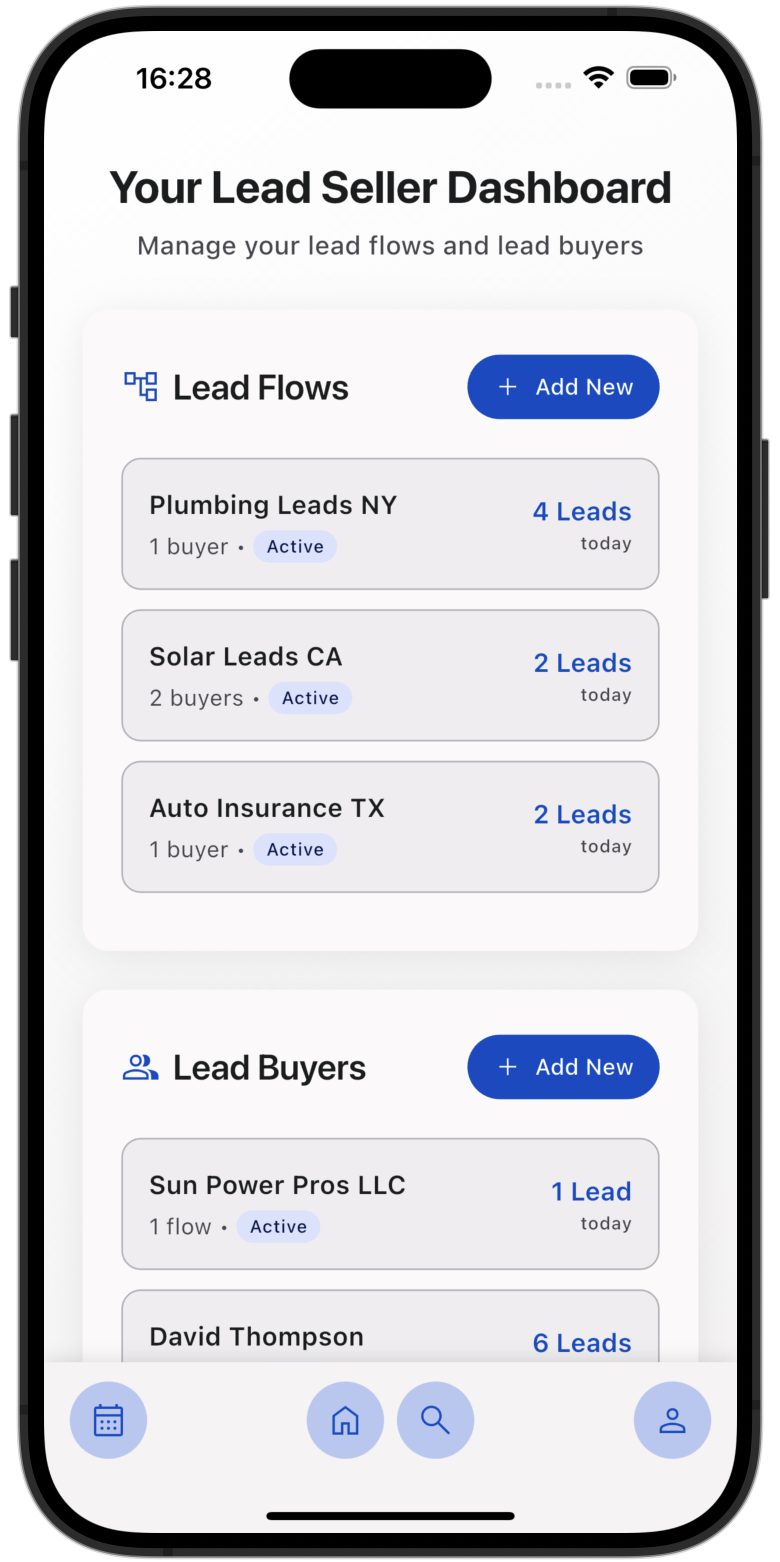
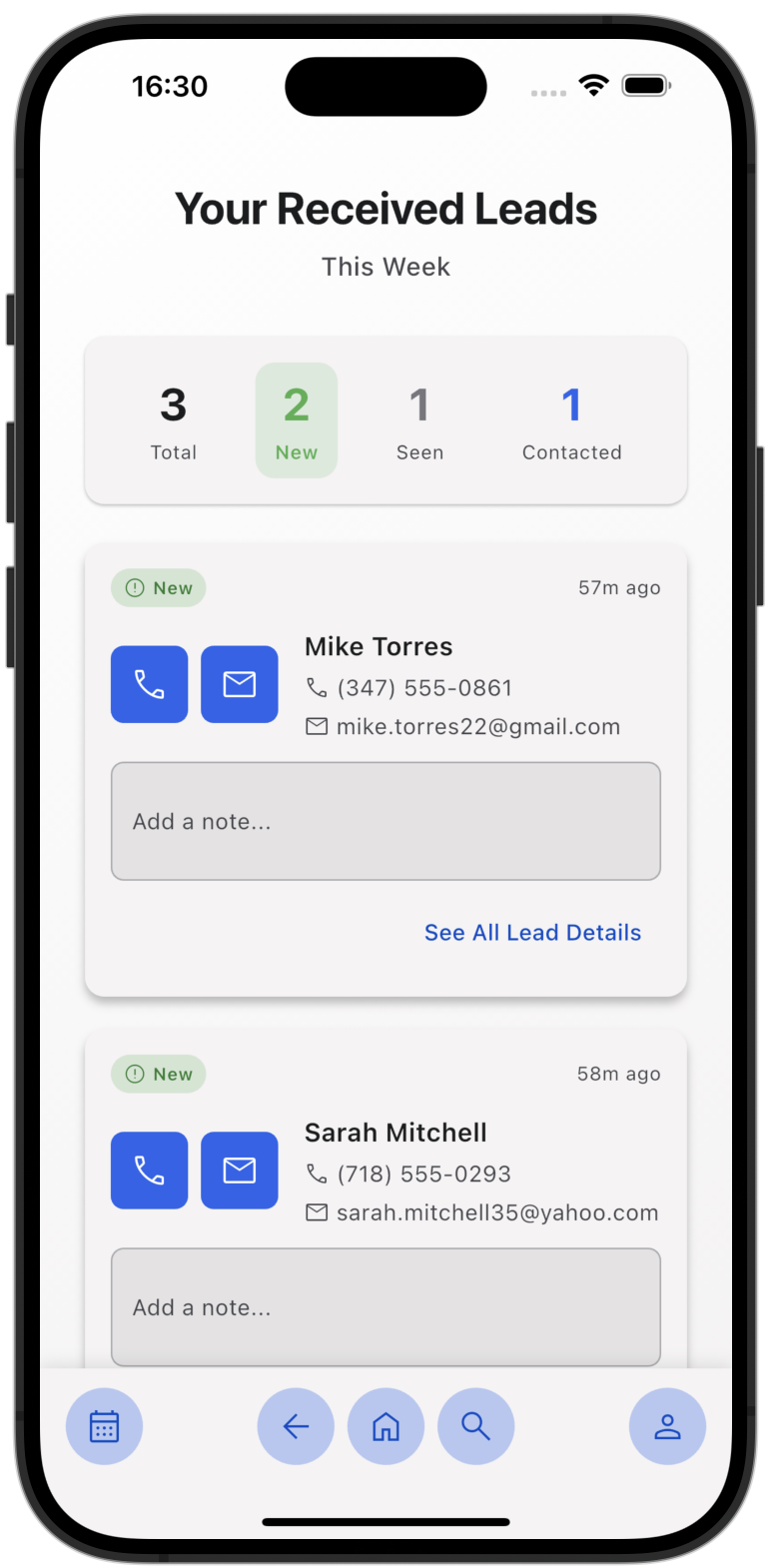
- Instant Lead Delivery - Connect any form to an ELD Lead Flow and leads reach your lead buyers' phones in seconds
- Automatic Field Detection - Fields sync with your ELD app the moment you connect
- Works Without ELD Too - Forms capture and store submissions locally, so you can test before connecting
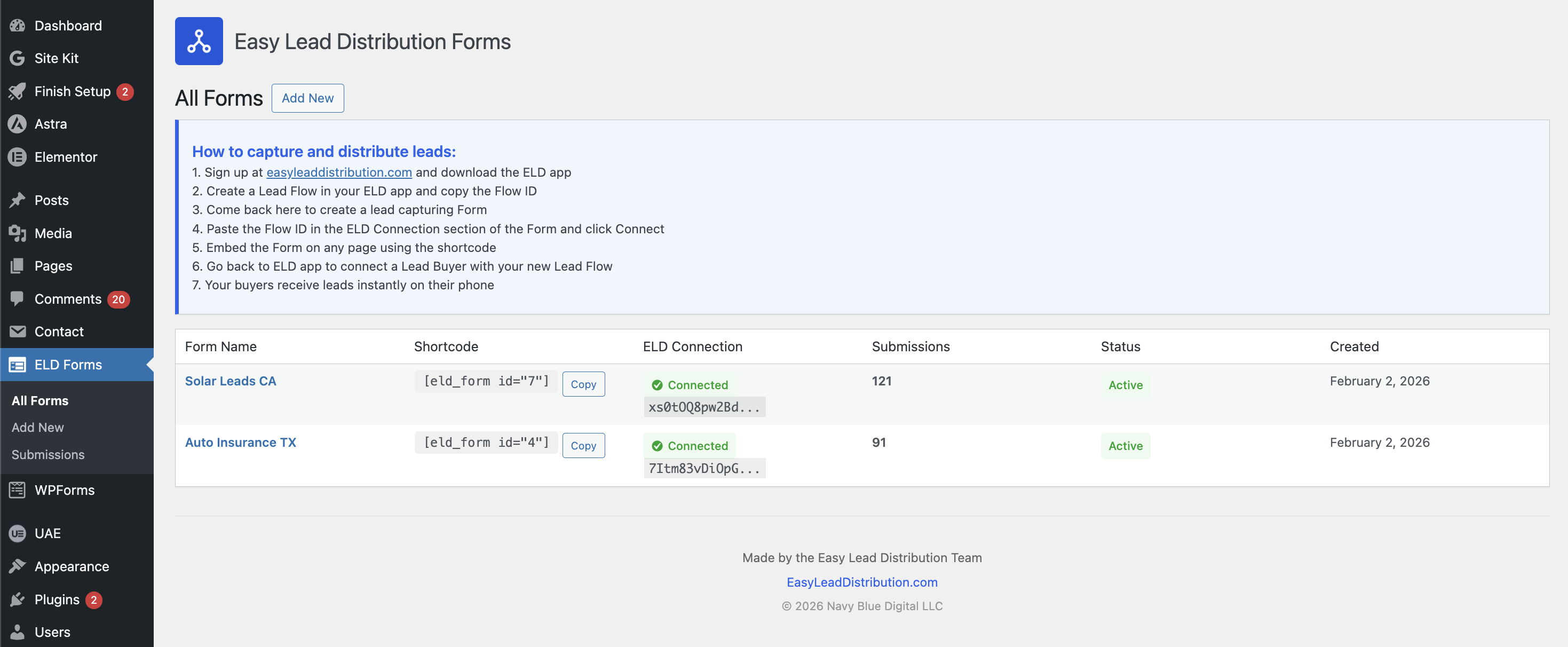
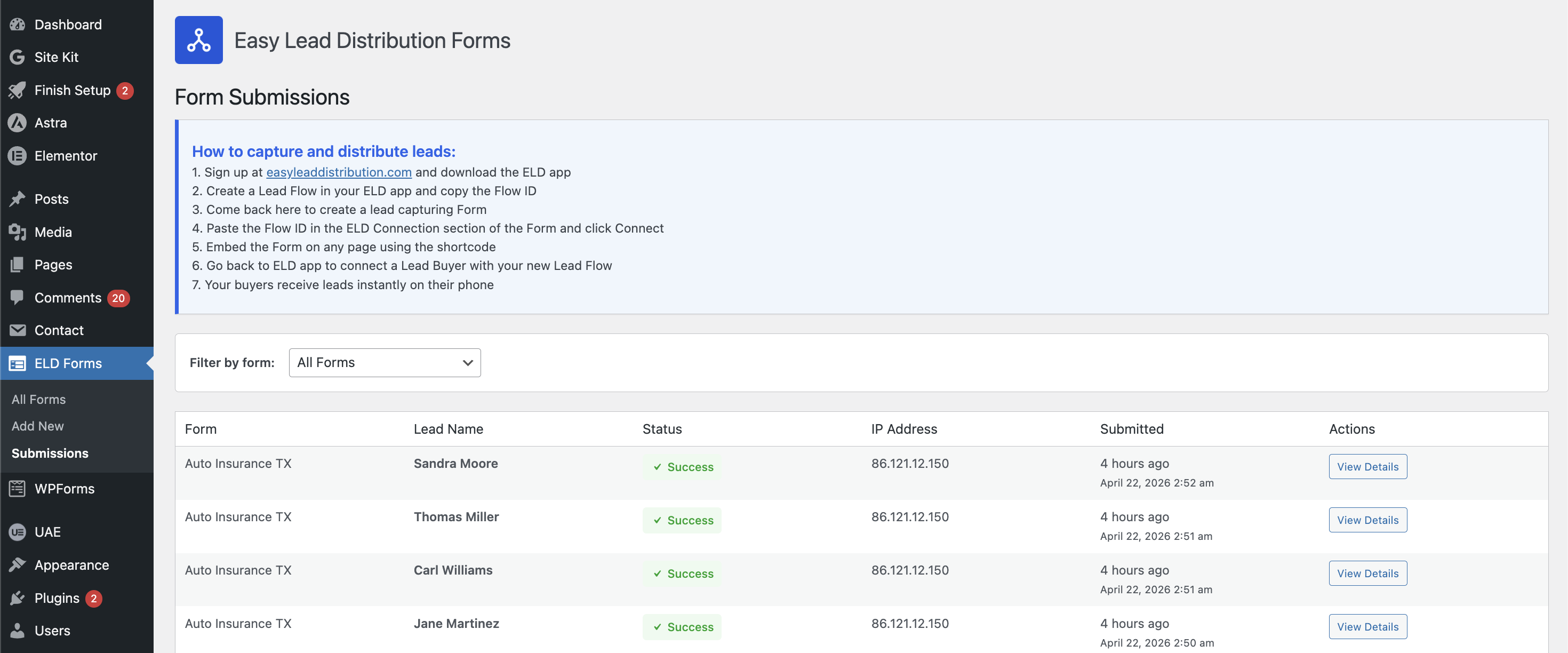
- Lead Tracking - See every submission, delivery status, and lead details from your WordPress admin
- Works With All Page Builders - Embed forms anywhere with a simple shortcode — Elementor, Divi, Gutenberg, and more
- Install and activate the plugin
- Go to ELD Forms → Add New in your WordPress admin
- Add fields and customize the form in the live preview editor
- Set delivery — email, ELD app, or both — under Routing & delivery
- Embed with the shortcode, enable as a popup or bar, or share the full-page URL
- Leads are delivered instantly to your inbox and your lead buyers' phones
- WordPress 5.0 or higher
- An ELD account with an active Lead Flow (optional — forms work standalone)
- PHP 7.2 or higher
安装:
- Log in to your WordPress admin dashboard
- Navigate to Plugins → Add New
- Search for "Easy Lead Distribution Forms"
- Click "Install Now" and then "Activate"
- Download the plugin ZIP file
- Log in to your WordPress admin dashboard
- Navigate to Plugins → Add New
- Click "Upload Plugin" at the top
- Choose the ZIP file and click "Install Now"
- Activate the plugin after installation
屏幕截图:


常见问题:
Do I need an ELD account to use this plugin?
No! The forms work without ELD — you can collect submissions, deliver leads via email, and manage everything in WordPress. To automatically distribute leads to buyers' phones and for advanced lead routing features, you'll need an ELD seller account.
Can I use multiple forms on my site?
Yes! Create unlimited forms and use them anywhere. Each form can have its own delivery settings — email, ELD, or both — and connect to a different ELD Lead Flow.
How do I display a form?
Use the shortcode [eld_form id="1"] (replace 1 with your form ID) on any page, post, or widget area. You can also enable it as a popup or sticky bar under Where it appears, or share the form via its full-page URL at /forms/your-slug.
What happens to form submissions?
Every submission is logged in WordPress under ELD Forms → Submissions. If you've enabled email notifications, a copy of each lead is delivered to the address you configured. If connected to ELD, leads are also sent in real-time to your buyers' phones.
How long are submissions kept?
Submissions older than 90 days are automatically deleted by a daily cleanup task. This keeps the database lean and aligns with typical lead-data retention practices. If you're using ELD or email delivery, your leads have already been forwarded — the local copies are just a recent-history convenience.
Does it work with page builders?
Yes! The shortcode works with all major page builders including Elementor, Divi, Beaver Builder, and Gutenberg.
更新日志:
- Updated: Plugin description on WordPress.org
- Updated: Full-page form wording in the editor and readme (was "hosted")
- Updated: ELD app call-to-action wording in the admin banner
- New: Direct URL column in the All Forms list — see each form's hosted page at a glance and open it in one click
- New: "View form" button in the editor save bar for one-click testing of published forms
- Improved: ZIP code field is labeled "ZIP code (US)" in the builder to clarify it validates US format only
- Improved: Forms list status now reads Published / Draft, matching the editor's Status toggle
- Fixed: ELD lead distribution toggle could appear checked after being blocked by missing required fields
- Fixed: Hosted form URLs in the editor now resolve correctly on WordPress installs in a subdirectory
- Improved: Field names sent to the ELD app are now derived from field labels, so connected flows show readable field names instead of generic ones like radio_2. Existing connected forms are unaffected.
- Fixed: Empty forms list redirect now works correctly using admin_init hook
- Improved: Empty forms list now redirects to Add New for a smoother first-run experience
- Updated: FAQ answers to reflect email delivery and new display options
- New: Live preview form editor — two-pane interface with real-time preview as you build
- New: Smart phone field with country flag selector, per-country formatting, and auto-detection
- New: Multi-step forms with progress indicator and per-step validation
- New: Conditional logic — show or hide fields based on answers to other fields
- New: Popup and sticky bar display modes with exit-intent, scroll, time-delay, and click triggers
- New: Per-surface URL targeting — control which pages a popup or bar appears on
- New: Hosted form pages — each form gets a direct URL at /forms/your-slug
- New: Hidden tracking fields — capture UTM parameters, gclid, fbclid, referrer, and custom URL parameters
- New: Conversion tracking — fire Google Ads, Meta Pixel, or dataLayer events on submit, or redirect to a thank-you page
- New: Anti-spam protection — invisible honeypot and minimum fill-time check
- New: Email notifications — send a copy of every lead to a configured inbox
- New: Auto-save in the form editor with status indicator
- New: REST API for the admin editor
- New: Daily submission cleanup — submissions older than 90 days are automatically deleted
- New: Slug auto-generation from form name with uniqueness enforcement
- New: Display frequency cap for popups (once per session, once per day, etc.)
- New: Inline validation on blur for email, phone, ZIP, and required fields
- New: Schema migration system for seamless upgrades from v1
- Improved: Form fields now have stable IDs for reliable conditional logic references
- Improved: All visitor-facing form rendering rebuilt with Preact for better performance and visual quality
- Fixed: Removed inline script from submissions page, JS now properly enqueued via wp_enqueue_script
- Fixed: Form fields and settings POST data now sanitized with recursive sanitization after json_decode
- Fixed: Replaced stripslashes with wp_unslash for WordPress standard unslashing
- Fixed: Submission data passed to JavaScript safely via wp_localize_script instead of json_encode
- Updated: Support link and privacy policy text
- Updated: Support link and privacy policy text
- Fixed: External services section reformatted per WordPress.org review requirements
- Fixed: Submissions query now uses wpdb->prepare() for proper SQL preparation
- Fixed: Escaped admin_url(), form IDs, human_time_diff(), and date_i18n() output
- Fixed: Replaced rmdir() with WP_Filesystem in uninstall.php
- Fixed: Escaping and text domain in field-item.php partial template
- Fixed: Text domain updated to match WordPress.org slug format
- Fixed: All output now properly escaped (esc_html_e, wp_kses, esc_html__)
- Fixed: Input sanitization with wp_unslash() for $_SERVER variables
- Fixed: Removed non-existent Domain Path header and Plugin URI
- Fixed: Added translators comments for sprintf placeholders
- Removed: Settings page (reCAPTCHA integration not yet available)
- Added: Plugin footer with branding and copyright info on all admin pages
- Added: ELD logo in admin dashboard header
- Added: "Lead Name" column in submissions table
- Added: "See Details" modal for viewing full lead data
- Improved: Admin dashboard UI consistency and styling
- Improved: Admin dashboard layout and styling refinements
- Fixed: Minor CSS and UI polish across admin screens
- Fixed: Form submissions no longer show error when connected lead flow is paused
- Added: "Paused Lead Flow" status in submissions table with amber styling
- Changed: Cloud Function returns success with paused flag instead of error for paused flows
- Fixed: Name field not displaying on frontend due to missing field properties
- Added: Proper field-specific options (dropdown options, number min/max, file types) to JavaScript field creation
- Improved: JavaScript field creation now matches PHP template functionality
- Changed: Field names are now auto-generated from field labels instead of predefined type names
- Added: Field names automatically update when labels are edited
- Added: Ability to manually edit field names by clicking on them
- Fixed: Field naming to use semantic names instead of timestamps
- Improved: Field names auto-increment with suffixes when multiple fields of same type are added
- Initial release
- Drag & drop form builder with 15 field types
- ELD native integration
- AJAX form submission
- Mobile responsive design
- Submission management and logging