Easy Secure Login - Google One Tap & Sign-In
| 开发者 | hardtoskip |
|---|---|
| 更新时间 | 2026年8月2日 18:35 |
| 捐献地址: | 去捐款 |
| PHP版本: | 7.4 及以上 |
| WordPress版本: | 7.0 |
| 版权: | GPL v2 or later |
| 版权网址: | 版权信息 |
详情介绍:
- Optional Passwordless Security: Ability to completely disable standard password logins, forcing all users to authenticate via Google's secure OAuth 2.0.
- Role-Based Redirects: Define custom landing pages for different user roles. Redirect subscribers to your homepage or a custom dashboard while keeping admins in wp-admin.
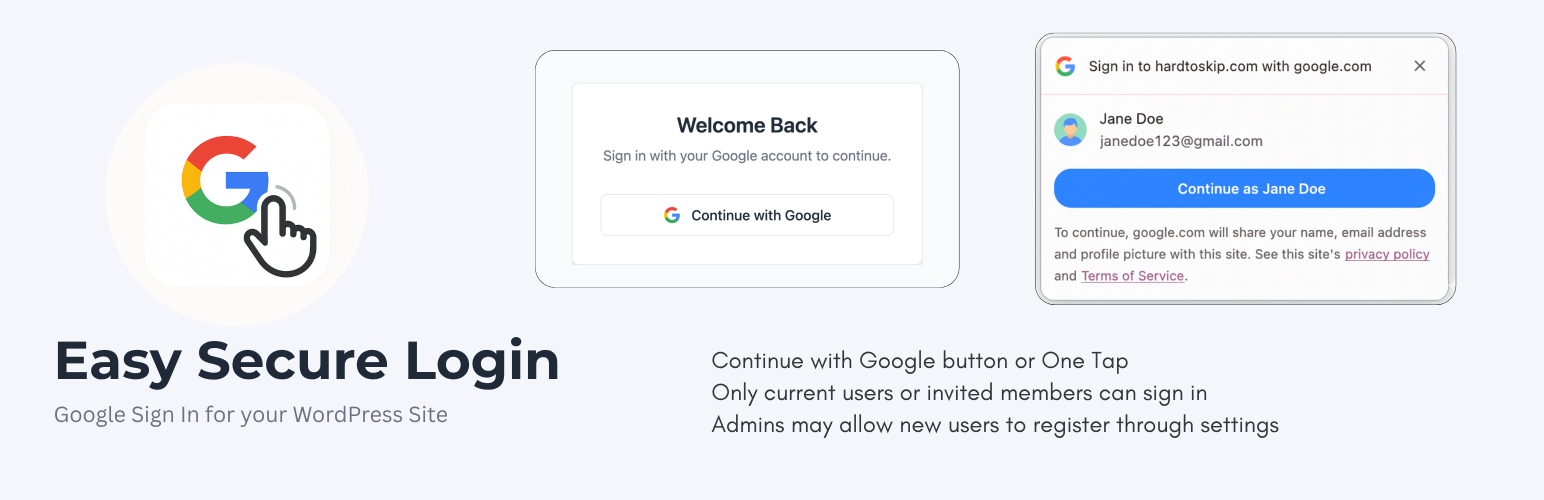
- Google Sign-In Button: A clean, modern "Continue with Google" button on the default login page or any custom login page through a shortcode.
- WooCommerce and Custom Login Pages: Add
[easy_secure_login]to page content, a shortcode block, or a custom PHP template withecho do_shortcode('[easy_secure_login]');. - Optional One Tap on Custom Pages: Use
[easy_secure_login one_tap="yes"]to show the button and request the Google One Tap prompt on a custom login page. - Google One Tap: Allows logged-in Google users to sign in instantly with a single click via a non-intrusive pop-up.
- Complete User Management: Whitelist specific Google accounts and assign roles, or allow open registration for any Google user.
- Google Profile Picture Sync: Automatically syncs and displays Google profile pictures as user avatars in WordPress.
- Built-in Security Hardening:
- Disable XML-RPC to prevent common attacks.
- Disable the plugin and theme file editor.
- Hide your WordPress version number.
- Restrict REST API access to logged-in users.
- Block direct access to sensitive core files.
- User-Friendly Setup Wizard: A clean, multi-step guide to get your Google Cloud credentials configured in minutes.
- Actively Maintained for the latest WordPress versions. This plugin strengthens login security while improving the user experience.
安装:
- Upload the plugin folder to
/wp-content/plugins/or install via Plugins → Add New in WordPress. - Activate the plugin through the Plugins menu.
- Go to Easy Secure Login in the WordPress admin sidebar to launch the setup wizard.
- Follow the setup wizard:
- Create a Google Cloud project and configure OAuth credentials.
- Add the "Authorized redirect URIs" and "Authorized JavaScript origins" provided by the wizard to your Google project.
- Enter your Google Client ID and Client Secret into the plugin settings.
- Configure authorized users or enable public sign-ups with a default role.
- Enable optional Google One Tap on your homepage.
- Review and enable additional security enhancements.
- Test the login flow on your WordPress login page.
[easy_secure_login]
To place the button in a PHP template, including a custom WooCommerce My Account login template, use:
<?php echo do_shortcode('[easy_secure_login]'); ?>
For example, place that line immediately after wc_get_template('myaccount/form-login-only.php'); in your custom template. The shortcode loads its own Google Sign-In script and styling, and it outputs nothing for users who are already logged in.
To also enable the Google One Tap prompt on that custom page, use:
<?php echo do_shortcode('[easy_secure_login one_tap="yes"]'); ?>
One Tap remains opt-in for shortcode pages, so adding the standard shortcode does not unexpectedly prompt visitors.
Exclude custom login pages containing this shortcode from full-page caches. Authentication state is unique to each browser and must not be served from a shared cached HTML response.
That’s it! Your site is now enhanced with Google's secure authentication.常见问题:
Does this completely replace WordPress password login?
You can choose. By default, the plugin adds Google Sign-In as an alternative to the standard password login. For maximum security, you can enable the "Disable Password Login" option in the plugin's security settings. When enabled, all password-related functionality is disabled, including the login form, password reset, and standard registration forms. This protects you from brute-force and password-guessing attacks.
Can I allow only specific users?
Yes. In the "Users" step of the wizard, you can build a whitelist of authorized Google email addresses and assign a specific WordPress role to each.
What if I want to allow any Google user to register?
You can enable the "Allow New User Sign-Ups" option. Any user who authenticates with a Google account will have an account created for them with your chosen default role (Subscriber is recommended for safety).
How does Google One Tap work?
Google One Tap is automatically enabled on the login page. If a user is already signed into their Google account in their browser, a small pop-up will appear, allowing them to log in to your site with a single click, without ever leaving the page. You can also choose to enable this on your homepage.
What happens to existing WordPress users?
They can log in seamlessly using the Google account that matches their existing WordPress user email address. Their account will be linked automatically.
Is this plugin compatible with other login or security plugins?
Because it can completely replace the core WordPress authentication flow, it may conflict with other plugins that modify the login process (like other social logins, 2FA, or login page customizers) if you enable the "Disable Password Login" option. It is designed to be an all-in-one solution for login security.
Can I show the button on a custom or WooCommerce login page?
Yes. Add [easy_secure_login] to page content or a Shortcode block. In a PHP template, use <?php echo do_shortcode('[easy_secure_login]'); ?>. This works alongside custom WooCommerce login templates such as wc_get_template('myaccount/form-login-only.php');.
Can I enable Google One Tap on a custom login page?
Yes. Use [easy_secure_login one_tap="yes"] in page content, a Shortcode block, or do_shortcode() in your PHP template. This adds the Continue with Google button and enables the One Tap prompt for logged-out visitors on that page.
How secure is this?
The authentication process is handled by Google's OAuth 2.0 servers. The plugin validates browser-bound, single-use state tokens, verifies requests server-side with Google, requires verified email addresses, sanitizes submitted data, and escapes rendered data. No software can guarantee complete security, so WordPress, this plugin, themes, and other plugins should always be kept updated.
Should a shortcode login page be cached?
No. Exclude pages containing [easy_secure_login] from full-page caching in caching plugins, CDNs, and reverse proxies. Cached authentication markup can contain expired or browser-specific state and prevent a secure login.
更新日志:
- New Feature: Added the
one_tap="yes"shortcode option for enabling Google One Tap on custom and WooCommerce login pages. - Security: Require a matching browser cookie and single-use server state for both OAuth and One Tap callbacks, reject unverified Google email addresses, prevent forged state preparation requests, and enforce non-privileged roles for public registration.
- Compliance: Removed unsolicited public-facing credits and crawlable promotional links in accordance with WordPress.org plugin guidelines.
- New Feature: Added the
[easy_secure_login]shortcode for custom login pages and PHP templates. - Compatibility: Added support for displaying the Google Sign-In button alongside custom WooCommerce My Account login templates.
- Enhancement: Updated frontend asset loading and CSRF state preparation so shortcode-based Google authentication works outside the default WordPress login page.
- Fix: Made the full "Continue with Google" OAuth button flow more reliable when browsers do not return the temporary state cookie after Google's redirect.
- Fix: Added clearer setup wizard save failure notices when Google OAuth credentials fail validation.
- Fix: Improved setup wizard redirects so failed saves stay on the current step and successful saves advance only after WordPress processes the settings update.
- Fix: Improved setup wizard saves so each step reliably persists the intended settings before continuing.
- Fix: Ensured the Google login page always receives the required CSRF state token before initiating sign-in.
- Compatibility: Tested with WordPress 7.0.
- Fix: Resolved a persistent Google OAuth setup notice showing even when valid credentials were already configured.
- Maintenance: Confirmed removal of development-only
combined_contents.txtfrom distributable plugin files.
- Improvement: Intermediary page on both button as well as one tap signup
- Improvement: Removed the "Login Expereince by HardToSkip" footer from public facing pages
- Improvement: Made the "Login Expereince by HardToSkip" footer non-sticky
- Improvement: Only show the Login Expereince by HardToSkip on homepage
- Hotfix: Added subdomain/external host whitelisting for custom login redirects. This fixes the issue where redirects to subdomains (like app.example.com) were being blocked by WordPress security filters.
- New Feature: Added Role-Based Login Redirects. You can now configure custom landing pages (like the homepage) for specific user roles instead of the default
/wp-adminredirect. - Enhancement: Improved settings sanitization for URL fields to ensure security while maintaining query parameter integrity.
- Security: Enforced
wp_safe_redirectfor all login flows to prevent Open Redirect vulnerabilities.
- Fatal Error Fix: Resolved a fatal error (
Call to undefined function is_user_logged_in()) caused by the plugin loading before the WordPress core was fully initialized. - "Headers Already Sent" Fix: Eliminated PHP warnings by moving all cookie-setting operations to appropriate early-loading hooks (
template_redirectandlogin_init), preventing conflicts with themes and other plugins. - Code Refactoring: Improved the reliability of the authentication flow by refactoring how the CSRF and OAuth state tokens are generated and handled.
- Feature: Added an option to disable standard WordPress password-based authentication, allowing administrators to enforce a Google-only login policy for enhanced security.
- Enhancement: The login page UI now adapts based on whether password login is disabled, ensuring a seamless user experience.
- Enhancement: Updated plugin description and FAQ to reflect the new optional passwordless functionality.
- Security: Hardened security by adding nonce verification to the login error display and One Tap callback handlers to prevent Cross-Site Request Forgery (CSRF) vulnerabilities.
- Security: Implemented the recommended OAuth 2.0
stateparameter validation during the standard Google Sign-In flow to protect against CSRF attacks. - Security: Improved data sanitization on the admin settings page to ensure redirect URLs are handled securely.
- Fix: Corrected a bug where the "Please configure your Google OAuth credentials" admin notice would persist even after the plugin was fully configured.
- Enhancement: Updated the readme.txt to include a comprehensive "External Services" section, clearly documenting the use of Google APIs as required by WordPress plugin guidelines.