
Send Data from any wp form to Google Sheets, Mailchimp, Notion, Slack & More - EasyLink Automations
| 开发者 | niloy122 |
|---|---|
| 更新时间 | 2026年9月22日 18:22 |
| PHP版本: | 8.0 及以上 |
| WordPress版本: | 7.1 |
| 版权: | GPL-2.0-or-later |
详情介绍:
- Website — documentation, guides, and pro add-on
- Upgrade to Pro — unlock the full trigger and action library
- Community — join the Facebook group for support and discussion
- Source Code — contribute on GitHub
- Unlock 519 additional triggers across 95 platforms
- Unlock 782 additional actions across 51 integrations
- Build deeper workflows for WooCommerce extensions, LMS plugins, memberships, communities, CRMs, email marketing, support, and project management
- Connect major CRM and sales platforms including HubSpot, Salesforce, Pipedrive, Zoho CRM, Microsoft Dynamics CRM, HighLevel, Affinity, Copper CRM, Keap, and Monica CRM
- Enrich and sync contact data with Clearbit, Dropcontact, and Ortto (formerly Autopilot)
- Incoming Webhook — trigger automations from any external service via a unique URL WordPress (17):
- Post Published, Post Updated, Post Status Changed, Post Moved to Trash, Post of Type Set to Status, User Views a Post
- User Registered, User Login, User Resets Password, User Meta Key Updated, User Profile Field Updated
- Role Added to User, Role Removed from User, User Role Changed, User Role Updated
- Comment Added, Comment Approved WooCommerce (5):
- Product Purchased, Order Paid, Order Status Changed, Order Note Added, Customer Created Academy LMS (2):
- Course Completed, Enrolled in Course LearnDash (2):
- Course Completed, Lesson Completed LearnPress (1):
- Course Completed Tutor LMS (1):
- User Enrolled in Course Form Triggers (30 triggers across 20 form plugins):
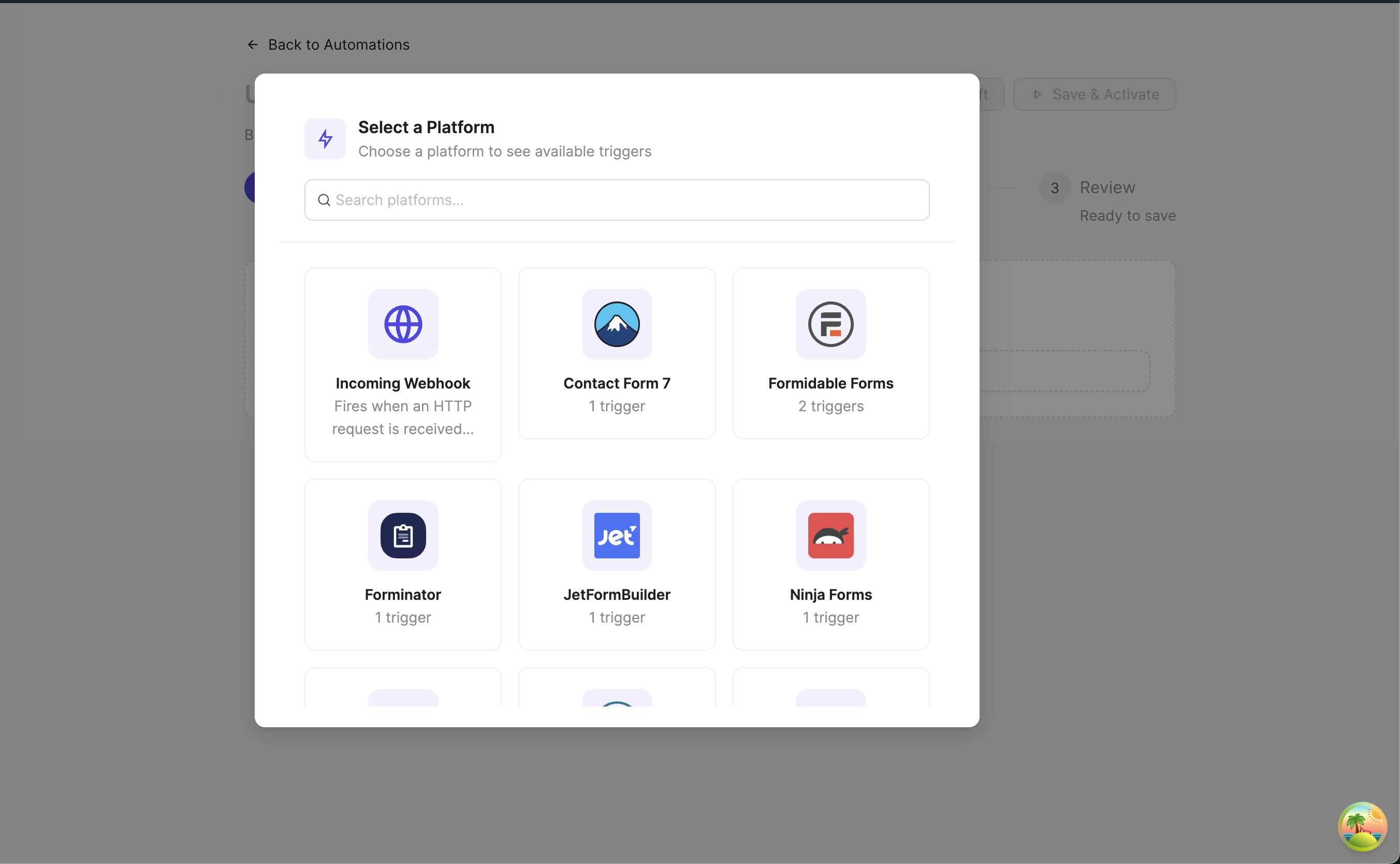
- Elementor Pro (4), Gravity Forms (5), Fluent Forms (2), Formidable Forms (2), WPForms (2), Contact Form 7 (1), Forminator (1), Ninja Forms (1), Bricks Builder (1), Beaver Builder (1), Divi Builder (1), Convert Pro (1), JetFormBuilder (1), Kadence Forms (1), MetForm (1), HappyForms (1), Pie Forms (1), SureForms (1), WS Form (1), Ultimate Addons for Gutenberg (1)
- WooCommerce (9 additional), WooCommerce Subscriptions (8), WooCommerce Memberships (4), WooCommerce Bookings (2), WooCommerce ShipStation (3) [PRO]
- Fluent Cart (20), Easy Digital Downloads (15), CartFlows (10), StoreEngine (1) [PRO] CRM & Email Marketing:
- FluentCRM (19), JetpackCRM (10), MailerPress (9) [PRO]
- Groundhogg (2), MailPoet (1), Mail Mint (3), Newsletter (1), Fluent SMTP (1), SureMail (3) [PRO] LMS & Courses:
- LearnDash (17 additional), Tutor LMS (8 additional), LifterLMS (8), Sensei LMS (7), MasterStudy LMS (5), Masteriyo (4), Academy LMS (3 additional), LearnPress (2 additional), WPLMS (1), Thrive Apprentice (9), SureDash (10) [PRO] Membership & Access:
- MemberPress (5), MemberPress Courses (2), PaidMembershipsPro (5), Restrict Content (3), Ultimate Member (4), WishList Member (2), SureMembers (3) [PRO] Community & Forums:
- BuddyBoss (14), BuddyPress (16), PeepSo (8), Asgaros Forum (2), wpForo (2), BBPress (2), Better Messages (1) [PRO]
- FluentCommunity (17), ProfileGrid (11) [PRO] Affiliate & Referral:
- AffiliateWP (9), FluentAffiliate (13), Easy Affiliate (3), SliceWP (4) [PRO] Booking & Appointments:
- Amelia (10), Fluent Booking (3), Appointment Hour Booking (2), JetAppointmentsBooking (4), Simply Schedule Appointments (3) [PRO] Events:
- The Events Calendar (4), Events Manager (4), Modern Events Calendar (5), WP Cafe (2) [PRO] Support & Help Desk:
- FluentSupport (9) [PRO] Directories & Listings:
- GeoDirectory (5) [PRO] Page Builders & Content:
- Voxel (44), JetEngine (1), Presto Player (2), Powerful Docs (1) [PRO]
- Advanced Custom Fields (3), Meta Box (3) [PRO] Gamification:
- GamiPress (4) [PRO] Donations:
- GiveWP (5) [PRO] Payments:
- Paymattic (2), WP Simple Pay (3) [PRO] SureCart Ecosystem:
- Services for SureCart (13), Support Portal for SureCart (6) [PRO] Marketing & Analytics:
- Thrive Leads (2), Thrive Ovation (1), RafflePress (2), Advanced Ads (2), Advanced Coupons (4) [PRO]
- ClickWhale (4), Pretty Links (1), WP Fusion (3) [PRO] User Management:
- WP User Manager (6), ProfilePress (2), New User Approve (1), WP Subscription (6) [PRO] Import & Sync:
- WP All Import (3) [PRO] Miscellaneous:
- Fluent Boards (4), FunnelKit Automations (4), GravityKit (2), Ninja Tables (2) [PRO]
- WP Job Manager (1), WP Polls (2), WP Travel Engine (4), TriggerButton (1), WPLoyalty (1), SureFeedback (formerly ProjectHuddle) (2) [PRO]
- Send Email — send custom emails with dynamic content
- Webhook — send data to any external URL WordPress (2):
- Create Post — create posts, pages, or custom post types
- Update User Meta — update user metadata fields Google Sheets (9):
- Append Row, Update Row, Append or Update Row — write data to a sheet
- Get Rows — read rows from a sheet, optionally filtered by a column value
- Clear Sheet, Delete Row — remove data from a sheet
- Create Spreadsheet, Create Sheet, Delete Sheet — manage spreadsheets and tabs
- All Google Sheets actions use the OAuth2 connection Mailchimp (3):
- Create Member, Update Member, Get Member (OAuth2) ActiveCampaign (2):
- Create Contact, Add Contact Tag Brevo (1): Create Contact MailerLite (1): Create Subscriber Notion (1): Create Database Page Slack (1): Send Message Telegram (1): Send Message Discord (1): Send Message Trello (1): Create Card Sendy (1): Subscribe to List Freshservice (1): Create Ticket Microsoft Teams (1): Send Channel Message CleverReach (2): Add or Update Subscriber, Send Double Opt-In Email rapidmail (1): Add Subscriber
- ActiveCampaign (37 additional), HubSpot (26), Salesforce (23), Pipedrive (30), Copper CRM (24), Freshworks CRM (19), Keap (17), AgileCRM (12), Monica CRM (52), Salesmate (15), Mautic (20) [PRO]
- Zoho CRM (24), Microsoft Dynamics CRM (5), HighLevel (18), Affinity (16) [PRO] Email Marketing:
- Brevo (14 additional), Mailchimp (4 additional), MailerLite (3 additional), GetResponse (5), ConvertKit (4), Lemlist (10), Customer.io (6), Ortto (formerly Autopilot) (11), Sendy (5 additional), CleverReach (23 additional), rapidmail (31 additional) [PRO] Email Delivery:
- SendGrid (10), Mailgun (1), Mailjet (3), Postmark (2), Mandrill (2) [PRO] Project Management:
- Trello (40 additional), Asana (15), Jira (12), Linear (7), ClickUp (13), GitHub (29) [PRO] Communication:
- Slack (26 additional), Discord (12 additional), Telegram (11 additional), Microsoft Teams (14 additional) [PRO] Productivity:
- Notion (12 additional), Airtable (6) [PRO] Help Desk:
- Zendesk (12), Freshdesk (8), Freshservice (71 additional), Intercom (12) [PRO] Marketing:
- Drift (4) [PRO] Data Enrichment:
- Clearbit (3), Dropcontact (2) [PRO] Flow Control:
- Delay (1) — pause a workflow for a set amount of time before continuing [PRO]
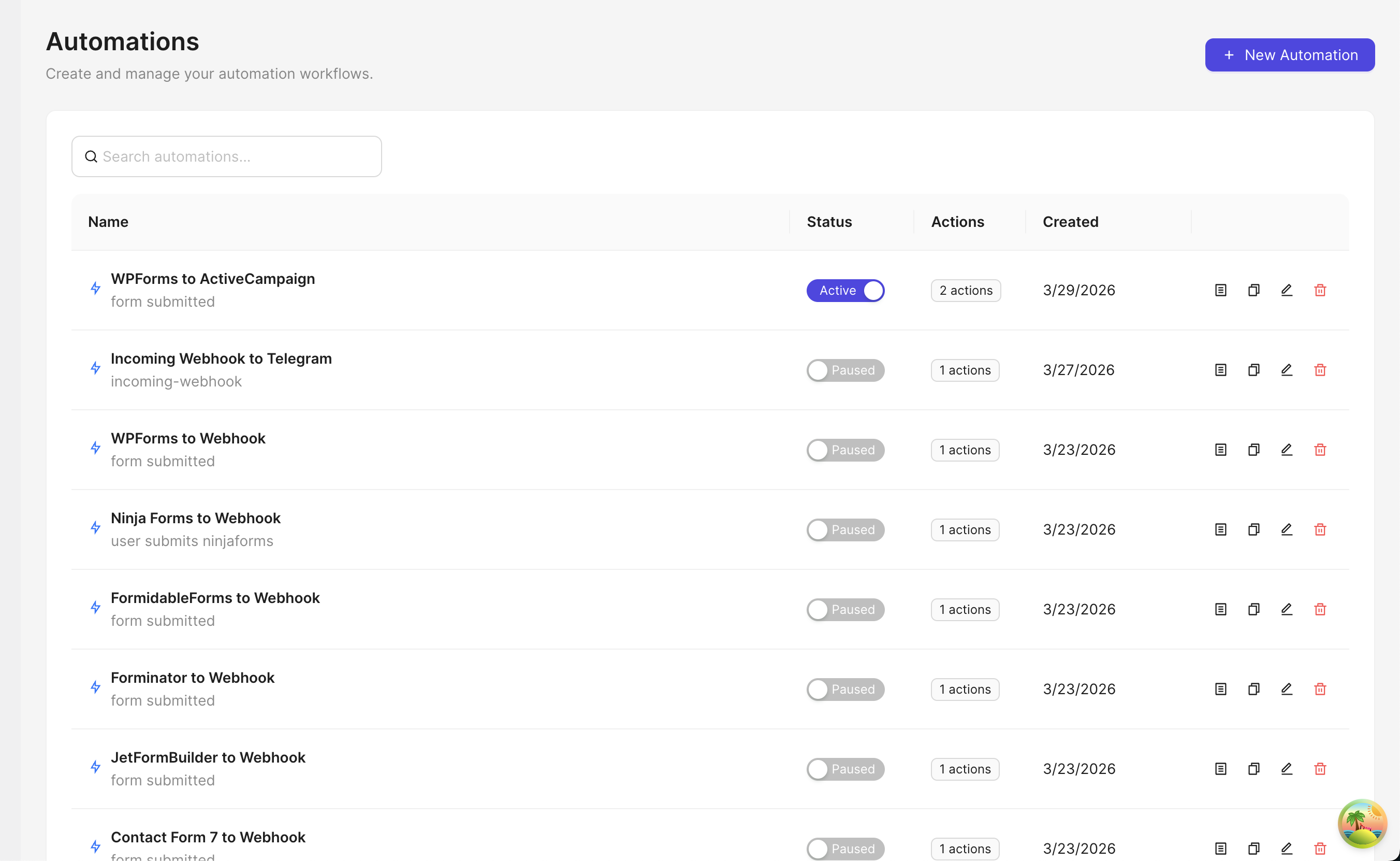
- Visual Automation Builder — design workflows with an intuitive interface
- Multi-Step Workflows — chain multiple actions in sequence with conditional delays
- Action-Level Conditional Logic — add conditions to any action so it only runs when specific criteria are met (supports AND/OR logic with 10 operators)
- Dynamic Field Mapping — use placeholders like
{{post_title}}to pass data between steps - Incoming & Outgoing Webhooks — send and receive data to/from external services
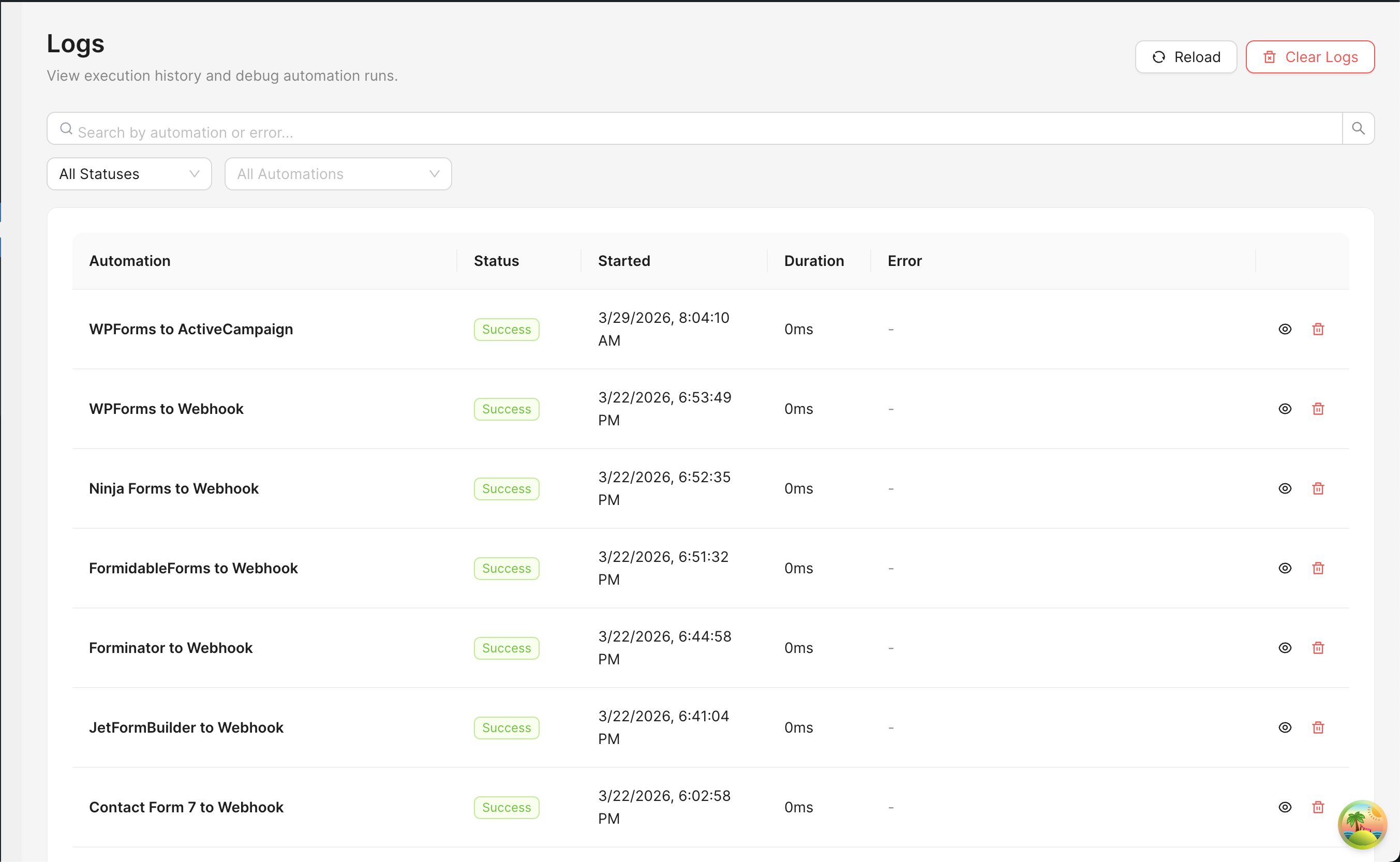
- Execution Logging — monitor automation runs, view results, and debug issues
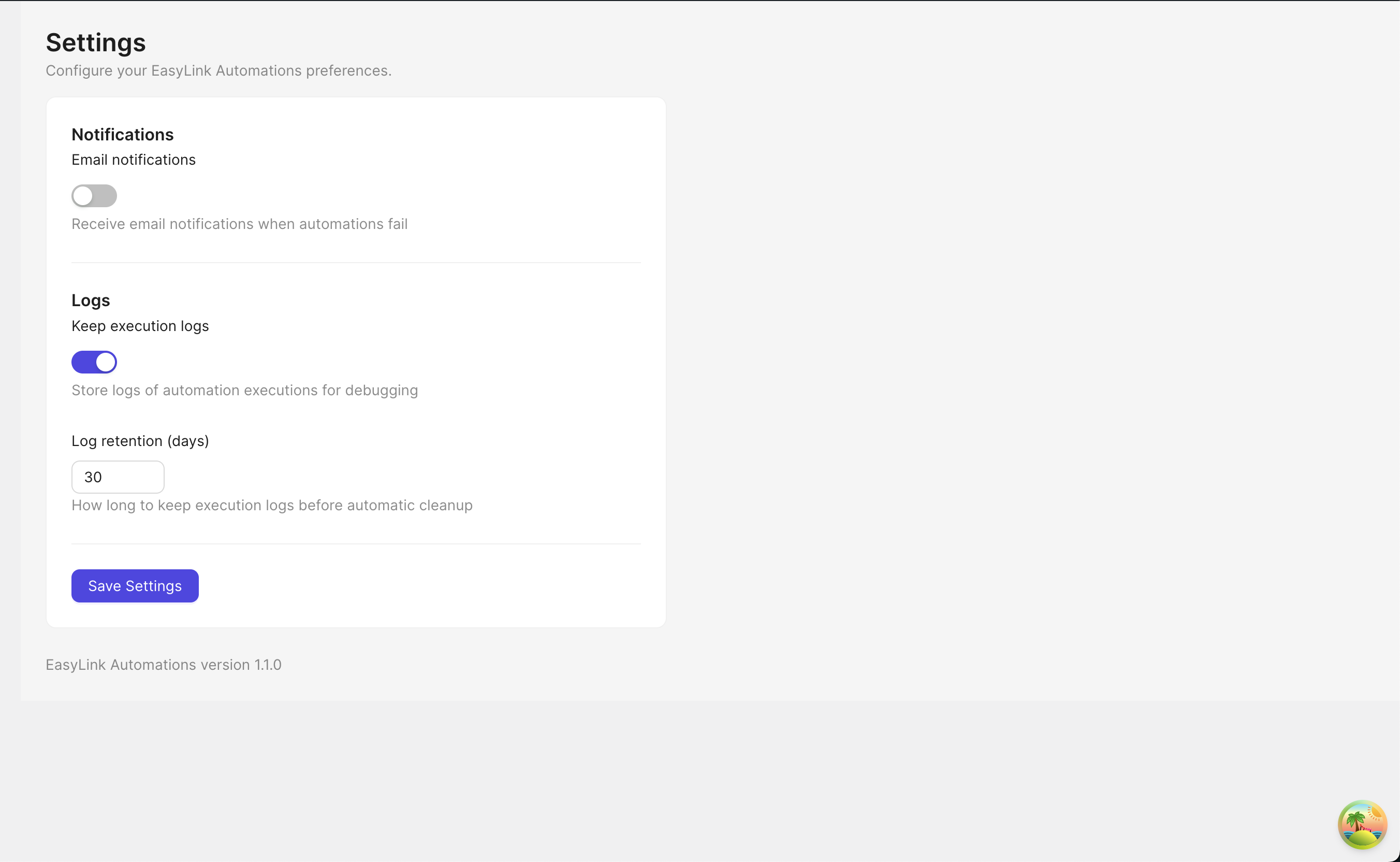
- Auto Log Cleanup — configurable retention with automatic daily cleanup
- Email Notifications — get notified when automations fail
- Connection Testing — automatically validates credentials before saving connections
- Pro Add-on — unlock 519 additional triggers and 728 additional actions
安装:
- Upload the plugin to the
/wp-content/plugins/easylink-automationsdirectory - Activate the plugin through the 'Plugins' menu in WordPress
- Navigate to EasyLink Automations in the admin sidebar to get started
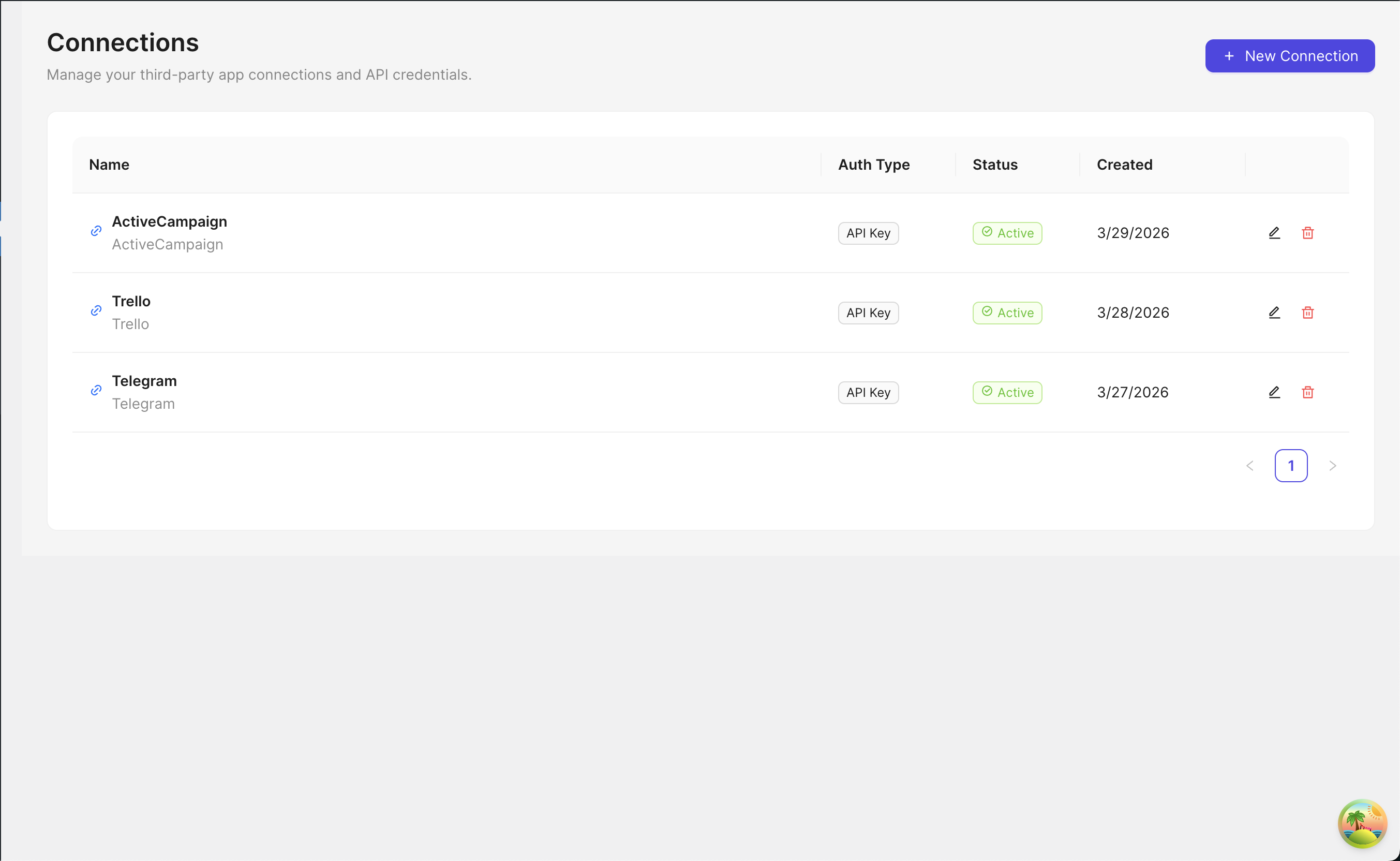
- Go to Connections to set up integrations with third-party services
- (Optional) Install the EasyLink Automations Pro add-on to unlock 519 triggers and 728 actions
屏幕截图:
常见问题:
What PHP version is required?
PHP 8.0 or higher is required.
Does it slow down my site?
No. Automations run asynchronously in the background without affecting page load times.
How do I connect to third-party services?
Go to EasyLink Automations > Connections, click "Add Connection", select the platform, and provide the required credentials. The plugin will automatically test the connection before saving.
Can I use dynamic data in actions?
Yes. Use placeholders like {{post_title}}, {{user_email}}, or {{field_name}} to map data from triggers to actions.
Is there a Pro version?
Yes. The EasyLink Automations Pro add-on extends the free plugin with 519 additional triggers across 95 platforms and 782 additional actions across 51 integrations. It requires the free plugin to be installed.
Which form plugins are supported?
The free version supports 20 form plugins: Elementor Pro, Gravity Forms, Fluent Forms, Formidable Forms, WPForms, Contact Form 7, Forminator, Ninja Forms, Bricks Builder, Beaver Builder, Divi Builder, Convert Pro, JetFormBuilder, Kadence Forms, MetForm, HappyForms, Pie Forms, SureForms, WS Form, and Ultimate Addons for Gutenberg.
What platforms does the Pro version add triggers for?
Pro adds triggers for 95 platforms including WooCommerce extensions (Subscriptions, Memberships, Bookings, ShipStation), FluentCRM, Fluent Cart, FluentSupport, BuddyBoss, BuddyPress, BBPress, MemberPress, WishList Member, SureMembers, SureMail, AffiliateWP, Amelia, GiveWP, GeoDirectory, Easy Digital Downloads, Voxel, and many more.
What actions does the Pro version add?
Pro adds 728 actions for CRM platforms (HubSpot, Salesforce, Pipedrive, Zoho CRM, Microsoft Dynamics CRM, HighLevel, Affinity, etc.), email marketing (SendGrid, Mailgun, ConvertKit, Ortto, Sendy, Mandrill, etc.), project management (Asana, Jira, Linear, ClickUp, GitHub), communication (Microsoft Teams, Slack, Discord, Telegram), help desks (Zendesk, Freshdesk, Freshservice, Intercom), data enrichment (Clearbit, Dropcontact), and more.
更新日志:
- [Free] Added Google Calendar OAuth authentication and Create Event, with live calendar selection
- [Pro] Added 5 Google Calendar actions for viewing, updating, deleting, and checking availability for events
- [Free] Added Google Contacts OAuth authentication and Create Contact
- [Pro] Added 4 Google Contacts actions for finding, updating, and deleting contacts
- [Free] Added Google Drive OAuth authentication and Create File from Text
- [Pro] Added 14 Google Drive actions for uploading, downloading, searching, sharing, moving, and managing files, folders, and shared drives
- [Free] Added WhatsApp Business Cloud authentication and Send Message
- [Pro] Added 15 WhatsApp Business Cloud actions for media, templates, interactive messages, locations, contacts, reactions, and read receipts
- [Free] Improved WhatsApp Business Cloud setup with a fixed Graph API version selector
- [Free] Added translations for the new integration action labels in all bundled languages
- [Free] Added CleverReach OAuth authentication with Add or Update Subscriber and Send Double Opt-In Email, plus live group and subscriber field selectors
- [Pro] Added 23 CleverReach actions for subscribers, groups, tags, blacklist, mailings, and reports
- [Free] Added rapidmail authentication and Add Subscriber, with live recipient list selection and double opt-in enabled by default
- [Pro] Added 31 rapidmail actions for subscribers, recipient lists, blacklist, mailings, mailing folders, and transaction emails
- [Free] Updated the documented action and platform catalog to match the current plugin
- [Free] Added Microsoft Teams OAuth authentication and Send Channel Message, with live team and channel selectors
- [Pro] Added 14 Microsoft Teams actions for channels, channel messages, chats, and Planner tasks
- [Free] Added Freshservice authentication and Create Ticket
- [Pro] Added 71 Freshservice actions for service-desk resources
- [Free] Added Sendy integration — connect a self-hosted Sendy installation with its URL and API key, and subscribe contacts with the new Subscribe to List action
- [Pro] Added 5 more Sendy actions — Unsubscribe from List, Delete Subscriber, Get Subscription Status, Get Active Subscriber Count, and Create Campaign
- [Pro] Added Mandrill (Mailchimp Transactional) authentication and 2 actions — Send Email and Send Template Email
- [Free] Added full internationalization support — the admin interface, trigger names, action names, and their descriptions are now translatable
- [Free] Added bundled translations for Spanish, French, German, Portuguese (Brazil), Italian, Dutch, Japanese, Russian, Hindi, and Bengali
- [Free] Added support for the WordPress per-user admin language, so the plugin follows each user's own profile setting rather than only the site language
- [Free] Improved date, time, and number formatting to follow the active admin language
- [Pro] Added internationalization support under its own text domain — all Pro trigger and action names and descriptions are now translatable (translation files not yet bundled)
- [Free] Updated the plugin logo
- [Free] Refreshed the EasyLink brand mark and logo across the dashboard, automation list, builder, and platform selection screens
- [Free] Improved OAuth connections with dynamic scope values, optional scope on token and refresh requests, and safer handling of account-specific base URLs
- [Free] Updated the documented trigger, action, and platform catalog to match the current plugin
- [Pro] Added HighLevel authentication and 18 actions for contacts, opportunities, tasks, and appointment booking
- [Pro] Added Microsoft Dynamics CRM authentication and 5 account actions for creating, retrieving, updating, and deleting accounts
- [Pro] Added Dropcontact authentication and 2 actions for contact enrichment and retrieving enrichment results
- [Pro] Normalized The Events Calendar trigger category so its triggers group consistently in the automation builder
- [Free] Improved OAuth connections with connector defaults, regional authorization routing, broader token exchange compatibility, and more reliable token refresh metadata
- [Free] Improved connection forms with select fields, default values, and clearer credential guidance
- [Free] Improved credential testing errors and refreshed the loading screen and execution log search layout
- [Pro] Added Affinity authentication and 16 actions for people, organizations, lists, and list entries
- [Pro] Added Ortto authentication and 11 actions for contacts, lists, and journeys through the legacy Autopilot API
- [Pro] Added Clearbit authentication and actions for company autocomplete and person and company enrichment
- [Pro] Improved Slack user-token refresh, Zendesk OAuth compatibility, Salesforce environment selection, Zoho CRM authentication, and credential testing across supported connectors
- [Free] Improved automation builder spacing and action configuration layout
- [Free] Hardened WordPress Create Post and Update User Meta field mapping and validation
- [Free] Improved OAuth connection testing, token refresh handling, and API key credential validation
- [Free] Added clearer Upgrade to Pro links throughout the plugin admin experience
- [Pro] Hardened API request and error handling across MailerLite, Mailgun, Mailjet, Mautic, Monica CRM, Notion, Pipedrive, Postmark, Salesforce, Salesmate, SendGrid, Slack, Telegram, Trello, Zendesk, and Zoho CRM actions
- [Pro] Improved OAuth and credential configuration for Customer.io, Drift, Freshdesk, Freshworks CRM, GetResponse, GitHub, HubSpot, Jira, Keap, Lemlist, and Zoho CRM
- [Pro] Added regional Zoho CRM OAuth and API endpoint support for non-US accounts
- [Pro] Improved Slack pagination and file uploads, Trello remote selectors, and SendGrid response handling
- [Free] Added Upgrade to Pro buttons and links across plugin admin pages, the Plugins page, and locked Pro item flows
- [Free] Added remote option refresh support for dynamic action configuration fields
- [Free] Improved action configuration UI behavior and API handling for dynamic remote fields
- [Free] Hardened Core Send Email and Webhook actions with better validation and request handling
- [Free] Improved Brevo, Discord, Google Sheets, and Mailchimp action API handling
- [Free] Fixed Google Sheets row append/update behavior and shared sheet metadata helpers
- [Free] Fixed Mailchimp OAuth metadata authentication, datacenter fallback, and campaign remote-select support
- [Free] Added missing automation icons and improved icon mapping for supported platforms
- [Free] Updated admin UI labels to use the configured plugin title dynamically
- [Pro] Improved license activation error handling and Pro update checking
- [Pro] Added release upload tooling for Pro package publishing
- [Pro] Audited and hardened action platforms: ActiveCampaign, AgileCRM, Airtable, Asana, Brevo, ClickUp, ConvertKit, Copper, Customer.io, Discord, Drift, Freshdesk, Freshworks CRM, GetResponse, GitHub, HubSpot, Intercom, Jira, Keap, Lemlist, Linear, and Mailchimp
- [Pro] Added shared request/error helpers across multiple action platforms for more consistent API failures
- [Pro] Improved remote selectors and field loading for action platforms including Asana, ClickUp, ConvertKit, Copper, GetResponse, HubSpot, Jira, Linear, and Mailchimp
- [Pro] Fixed HubSpot OAuth scopes and HubSpot CRM association/contact handling
- [Pro] Fixed Linear issue pagination, comments, priorities, states, and team-aware issue handling
- [Pro] Fixed Lemlist v2 API lead, campaign, activity, and unsubscribe handling
- [Pro] Fixed Keap contact tag, note, order, and product payload handling
- [Pro] Fixed Jira issue and issue-comment API behavior
- [Pro] Fixed MasterStudy LMS trigger availability and added course data to MasterStudy LMS trigger payloads
- [Pro] Normalized Tutor LMS and Events Manager category naming, and renamed ProjectHuddle display references to SureFeedback
- Expanded Google Sheets actions from 1 to 9 — added Update Row, Append or Update Row, Get Rows, Clear Sheet, Delete Row, Create Spreadsheet, Create Sheet, and Delete Sheet
- Update Row, Append or Update Row, and Delete Row locate rows by matching a lookup column value
- Get Rows reads rows into the automation for use by later steps, with optional column filtering
- All new Google Sheets actions support dynamic field mapping and use the existing OAuth2 connection
- Added action-level conditional logic — add conditions to any action to control whether it executes
- Supports AND/OR logic groups for combining multiple conditions
- 10 comparison operators: equals, not equals, contains, not contains, greater than, less than, is empty, is not empty, starts with, ends with
- Conditions support nested field access via dot notation (e.g.,
user.name) - Skipped actions are logged with a clear "conditions not met" status
- Visual condition indicator on action cards showing the number of active conditions
- Initial release
- 59 free triggers: WordPress (17), WooCommerce (5), LMS plugins (6), Form plugins (29), Incoming Webhook (1)
- 18 free actions: Core (2), WordPress (2), Google Sheets (1), Mailchimp (3), ActiveCampaign (2), Brevo (1), MailerLite (1), Notion (1), Slack (1), Telegram (1), Discord (1), Trello (1)
- Visual automation builder with drag-and-drop interface
- Multi-step workflows with conditional delays
- Dynamic field mapping with placeholder syntax
- Incoming and outgoing webhook support
- Execution logging with configurable retention and auto-cleanup
- Email notifications for failed automations
- Auto-discovery registration for triggers and actions
- Connection testing with automatic validation before saving
- Pro add-on support: 456+ additional triggers and 533+ additional actions across 92 trigger platforms and 38 action platforms