eaSYNC Booking – Hotels, Restaurants & Car Rentals
| 开发者 | Syntactics |
|---|---|
| 更新时间 | 2026年10月12日 13:32 |
| 捐献地址: | 去捐款 |
| PHP版本: | 7.2 及以上 |
| WordPress版本: | 7.1.2 |
| 版权: | GPLv2 or later |
| 版权网址: | 版权信息 |
标签
下载
详情介绍:
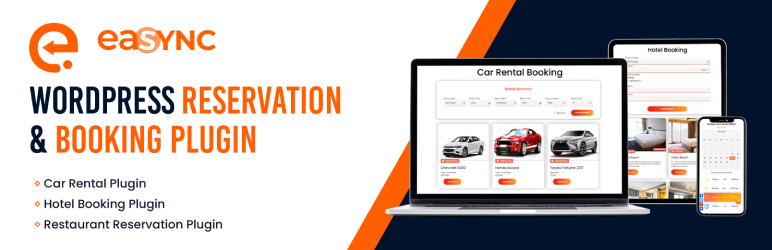
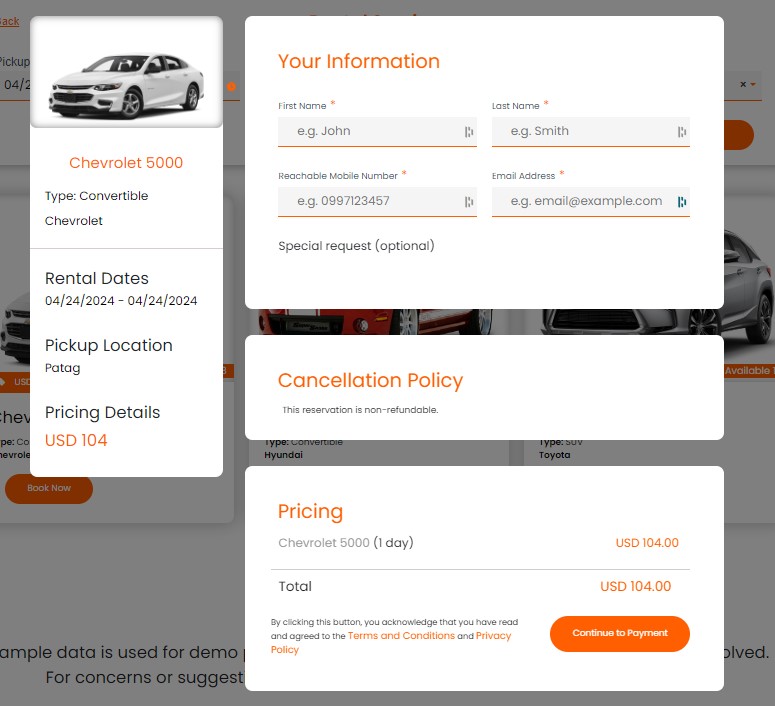
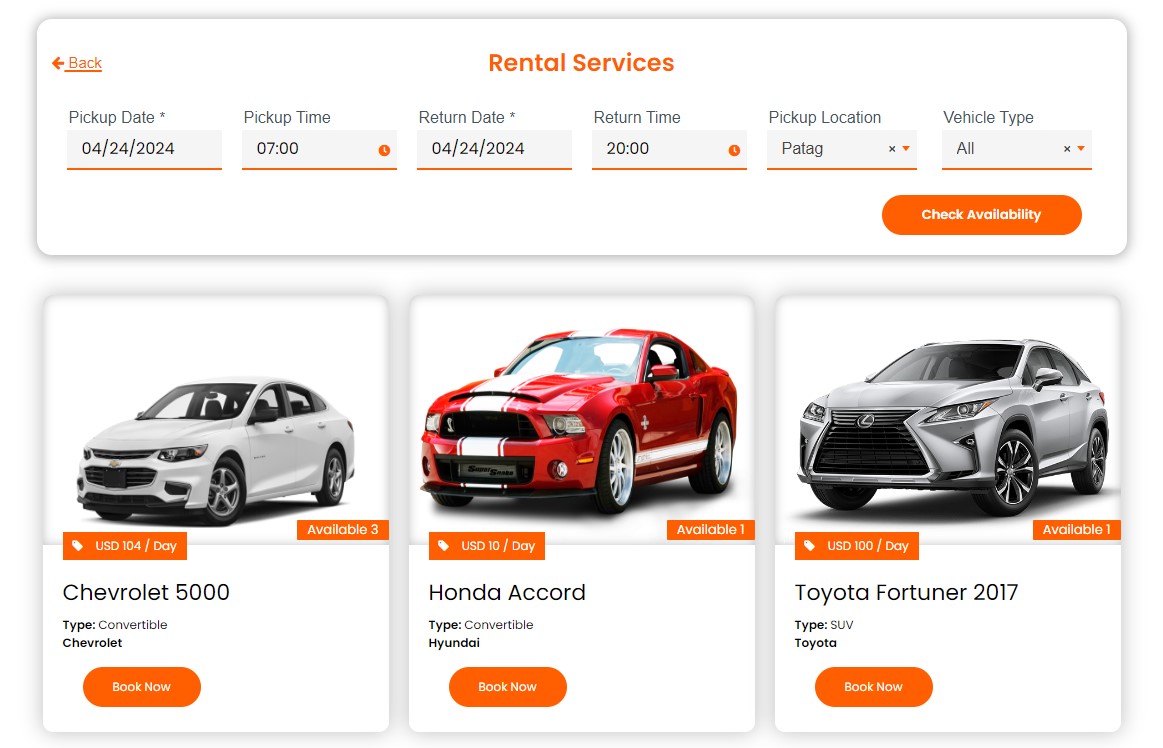
- Car Rentals: The car rental module simplifies management with a visual representation of available and rented vehicles, aiding in efficient fleet allocation and reducing the chances of overbooking or conflicts in reservations.
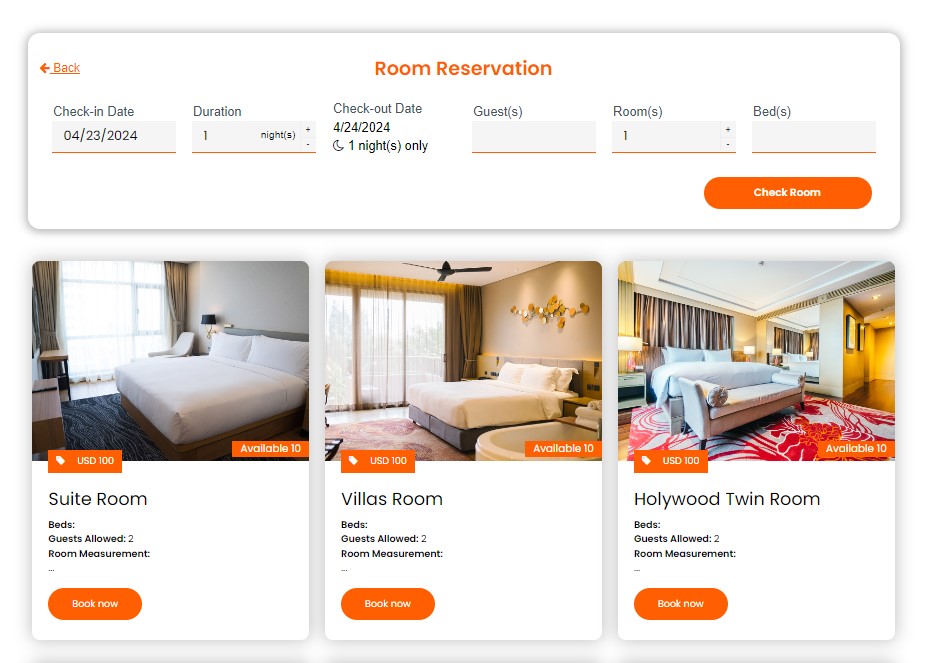
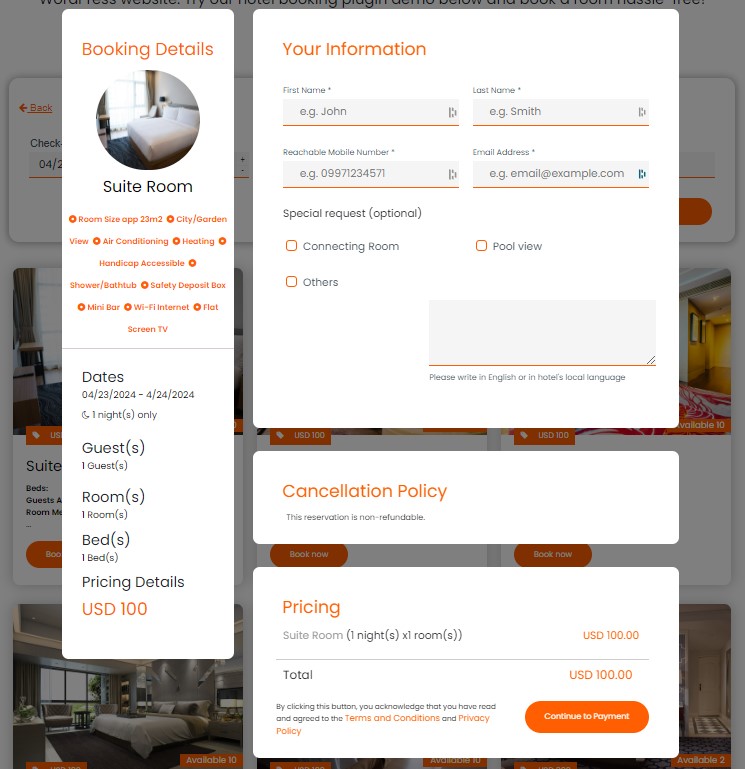
- Hotels: For hotels, the key benefit is the automation of check-in and check-out processes, allowing guests to easily find and book available rooms, which enhances the overall customer experience and operational efficiency.
- Restaurants: The restaurant module’s interactive calendar and time slot system streamline the booking process, ensuring diners can reserve a table at their convenience, thereby improving table turnover and customer satisfaction.
- Car Rentals: The car rental module simplifies management with a visual representation of available and rented vehicles, aiding in efficient fleet allocation and reducing the chances of overbooking or conflicts in reservations.
- Hotels: For hotels, the key benefit is the automation of check-in and check-out processes, allowing guests to easily find and book available rooms, which enhances the overall customer experience and operational efficiency.
- Restaurants: The restaurant module’s interactive calendar and time slot system streamline the booking process, ensuring diners can reserve a table at their convenience, thereby improving table turnover and customer satisfaction.
安装:
- Login to Wordpress admin panel
- Click on Plugins > Add New
- Find the plugin by typing 'eaSYNC Booking' on the search bar
- Click the 'Install Now' button
- After the successful installation, click on the Activate button to start using the plugin
- Login to Wordpress admin panel
- Click on Plugins > Add New
- Click on the 'Upload Plugin' button
- Once redirected to the plugin upload page, click the Choose File button and select the eaSYNC Booking plugin file
- Click on the ‘Install Now’ button
- After the successful installation, click on the Activate Plugin link to start using the plugin
- Create a full width page (optional)
- Copy and paste the shortcodes below
- Login to Wordpress admin panel
- Click on Plugins > Add New
- Find the plugin by typing 'eaSYNC Booking' on the search bar
- Click the 'Install Now' button
- After the successful installation, click on the Activate button to start using the plugin
- Login to Wordpress admin panel
- Click on Plugins > Add New
- Click on the 'Upload Plugin' button
- Once redirected to the plugin upload page, click the Choose File button and select the eaSYNC Booking plugin file
- Click on the ‘Install Now’ button
- After the successful installation, click on the Activate Plugin link to start using the plugin
- Create a full width page (optional)
- Copy and paste the shortcodes below
屏幕截图:
常见问题:
How can I embed eaSYNC Booking modules on a page or post?
To embed a specific eaSYNC module, such as Car Rental, go to Page or Post in the admin panel and use this shortcode: “[easync_car_code]” (minus the double quotes). Here are the other modules’ shortcodes: [easync_hotel_code] = Hotel Booking [easync_restau_code] = Restaurant Reservation
Will this WordPress booking system work for me?
We’re very sure it will! We made the eaSYNC Booking plugin as flexible as possible. You can use it to book hotel rooms, restaurant tables, and rental cars or vehicles. If you have multiple businesses, especially in line with hotels, restaurants, and car rentals, eaSYNC Booking is well-suited for your needs.
What payment methods does the plugin support?
The eaSYNC Booking plugin supports PayPal.
How will I know that a rental car has been returned?
Our plugin has a monitoring feature for overseeing expected car returns.
Why is the eaSYNC Booking plugin not working?
Your WordPress version may be one reason why our booking plugin isn’t working on your site. Our plugin runs on version 6.0 or higher, so upgrading your WordPress version might fix the issue. There may also be conflicts with eaSYNC Booking and your existing plugins. If you’re still experiencing errors, you can post a ticket on our support (https://wordpress.org/support/plugin/easync-booking) so we can address your concern accordingly.
Can you provide plugin installation services on my website?
Yes! You can email us at (inquiries@syntacticsinc.com) for a quotation on our installation services.
Will you add additional features to the plugin?
Yes, we will! Recently, we released version 2 of the free eaSYNC Booking plugin. In addition, we’ve also released a premium version! Stay tuned for more updates to our WordPress plugin.
Do you offer support?
Yes, we do! You can post a ticket via our support page (https://wordpress.org/support/plugin/easync-booking), and we’ll work to address your concern in a timely manner.
Are the forms GDPR compliant?
We comply with the Data Privacy Act and ensure that we keep our customers’ personal information confidential. Our Privacy Policy can be found here.
Frequently Asked Questions
How can I embed eaSYNC Booking modules on a page or post?
To embed a specific eaSYNC module, such as Car Rental, go to Page or Post in the admin panel and use this shortcode: “[easync_car_code]” (minus the double quotes). Here are the other modules’ shortcodes: [easync_hotel_code] = Hotel Booking [easync_restau_code] = Restaurant Reservation
Will this WordPress booking system work for me?
We’re very sure it will! We made the eaSYNC Booking plugin as flexible as possible. You can use it to book hotel rooms, restaurant tables, and rental cars or vehicles. If you have multiple businesses, especially in line with hotels, restaurants, and car rentals, eaSYNC Booking is well-suited for your needs.
What payment methods does the plugin support?
The eaSYNC Booking plugin supports PayPal.
How will I know that a rental car has been returned?
Our plugin has a monitoring feature for overseeing expected car returns.
Why is the eaSYNC Booking plugin not working?
Your WordPress version may be one reason why our booking plugin isn’t working on your site. Our plugin runs on version 6.0 or higher, so upgrading your WordPress version might fix the issue. There may also be conflicts with eaSYNC Booking and your existing plugins. If you’re still experiencing errors, you can post a ticket on our support (https://wordpress.org/support/plugin/easync-booking) so we can address your concern accordingly.
Can you provide plugin installation services on my website?
Yes! You can email us at (inquiries@syntacticsinc.com) for a quotation on our installation services.
Will you add additional features to the plugin?
Yes, we will! Recently, we released version 2 of the free eaSYNC Booking plugin. In addition, we’ve also released a premium version! Stay tuned for more updates to our WordPress plugin.
Do you offer support?
Yes, we do! You can post a ticket via our support page (https://wordpress.org/support/plugin/easync-booking), and we’ll work to address your concern in a timely manner.
Are the forms GDPR compliant?
We comply with the Data Privacy Act and ensure that we keep our customers’ personal information confidential. Our Privacy Policy can be found here.
更新日志:
- Improved security by limiting admin functions to admin users only. Removed the AJAX hooks that allowed non-admin users to trigger them.
- Added manage option capability check.
- Replaced book id with reference number as basis of ownership before a customer can cancel booking.
- Credits: Thanks to Enrico Marcolini, Claudio Marchesini and Dottor Marc for responsibly reporting these issues.
- Improved security by limiting admin functions to admin users only. Removed the AJAX hooks that allowed non-admin users to trigger them.
- Improved security by adding nonce checks to public functions that write data to the database.
- Credits: Thanks to Enrico Marcolini, Claudio Marchesini and Dottor Marc for responsibly reporting these issues.
- Updated plugin name, it contains unallowed trademarked term "Wordpress"
- Removed files that are not compatible with GPL License
- Updated plugin name
- Updated code to comply with wordpress guidelines
- code optimization
- Fix bug that counts rental days from dates only (time was not included)
- Removed a function that was added outside admin features that restricts non-logged in users
- Fixed Post Types not appearing and toggle on modules when using custom database prefixes
- Added supported currencies for payments
- Argentinian Peso (ARS)
- British Pound (GBP)
- Indian Rupee (INR)
- Taiwan New Dollar (TWD)
- Fixed icon issues on backend interface
- Remove not supported currency codes (backend)
- Update paypal express checkout in car rental payment
- Update paypal express checkout in restaurant payment
- Update paypal express checkout in hotel payment
- Fixed fontawesome conflict
- Target css with unique class and ID to avoid conflict in the future
- Split the css styles into 3 form css, backend css and responsive css
- Improve load time, load only necessary JS on a page (plugin backend)
- Add warning messages if setting is not configure in every modules in frontend pages
- Fixed room number availability
- Automatically adjust stay duration on date change
- Fixed data typographical errors (backend - entries/reservations)
- Fixed final calculation on checkout
- Allow book if higher number of rooms
- Bubble alert message
- Fixed printing of No Result Found upon attempt to Query for Cars with blank fields on Pick-up Location and Vehicle Type
- Fixed overlapping issue on hover to Car Booking Module
- Fixed alignment issue to menu on Restaurant Booking
- Fixed Time Format to Car Booking Module
- Fixed Reports of Amount Fixed
- Change path of menu icon (backend)
- Add capacity number of guest field (backend)
- Change Icon of every generated post type (backend)
- Full width all fields from generated post type (backend)
- Fixing bugs on error offset in return logs when car type or model is empty (backend)
- Initial release
- Improved security by limiting admin functions to admin users only. Removed the AJAX hooks that allowed non-admin users to trigger them.
- Improved security by adding nonce checks to public functions that write data to the database.
- Credits: Thanks to Enrico Marcolini, Claudio Marchesini and Dottor Marc for responsibly reporting these issues.
- Updated plugin name, it contains unallowed trademarked term "Wordpress"
- Removed files that are not compatible with GPL License
- Updated plugin name
- Updated code to comply with wordpress guidelines
- code optimization
- Fix bug that counts rental days from dates only (time was not included)
- Removed a function that was added outside admin features that restricts non-logged in users
- Fixed Post Types not appearing and toggle on modules when using custom database prefixes
- Added supported currencies for payments
- Argentinian Peso (ARS)
- British Pound (GBP)
- Indian Rupee (INR)
- Taiwan New Dollar (TWD)
- Fixed icon issues on backend interface
- Remove not supported currency codes (backend)
- Update paypal express checkout in car rental payment
- Update paypal express checkout in restaurant payment
- Update paypal express checkout in hotel payment
- Fixed fontawesome conflict
- Target css with unique class and ID to avoid conflict in the future
- Split the css styles into 3 form css, backend css and responsive css
- Improve load time, load only necessary JS on a page (plugin backend)
- Add warning messages if setting is not configure in every modules in frontend pages
- Fixed room number availability
- Automatically adjust stay duration on date change
- Fixed data typographical errors (backend - entries/reservations)
- Fixed final calculation on checkout
- Allow book if higher number of rooms
- Bubble alert message
- Fixed printing of No Result Found upon attempt to Query for Cars with blank fields on Pick-up Location and Vehicle Type
- Fixed overlapping issue on hover to Car Booking Module
- Fixed alignment issue to menu on Restaurant Booking
- Fixed Time Format to Car Booking Module
- Fixed Reports of Amount Fixed
- Change path of menu icon (backend)
- Add capacity number of guest field (backend)
- Change Icon of every generated post type (backend)
- Full width all fields from generated post type (backend)
- Fixing bugs on error offset in return logs when car type or model is empty (backend)
- Initial release