
ECHO SEO
| 开发者 | digitalstride |
|---|---|
| 更新时间 | 2026年10月3日 09:39 |
| PHP版本: | 8.0 及以上 |
| WordPress版本: | 7.1 |
| 版权: | GPLv2 or later |
| 版权网址: | 版权信息 |
详情介绍:
- Set your business identity, service area, hours, and social profiles once, and have them power schema.org structured data (JSON-LD) across your whole site — one linked graph per page, with your business, website, page and breadcrumb all pointing at each other.
- Add per-page custom schema and SEO title/meta description overrides from a tab right on the post/page editor screen. FAQPage schema is read from the page's own FAQ sections, so it never goes stale.
- Automatic business schema on every page, typed to your specific industry (contractor, HVAC, plumber, electrician, professional services, and dozens more).
- An inventory of what your site is missing: pages without an SEO title, meta description, or focus keyword, and images without alt text.
- Set a primary goal, your target keywords, and your services under Goals & Keywords, then build a keyword-to-page map: every page is scored against every keyword from what is already on it (how often the term appears, whether it is in the H1, the URL, and the opening paragraphs), and each keyword is assigned to one page so two of your pages never compete for the same term.
- The map flags competing pages and keywords no page covers yet. Nothing is written until you review the table and click Apply — and it only ever writes focus keywords, never your content.
- All of this is computed on your own site. There is an option to fetch each page over HTTP as a visitor sees it, so page-builder output is scored too; it is off by default, and it only requests your own URLs.
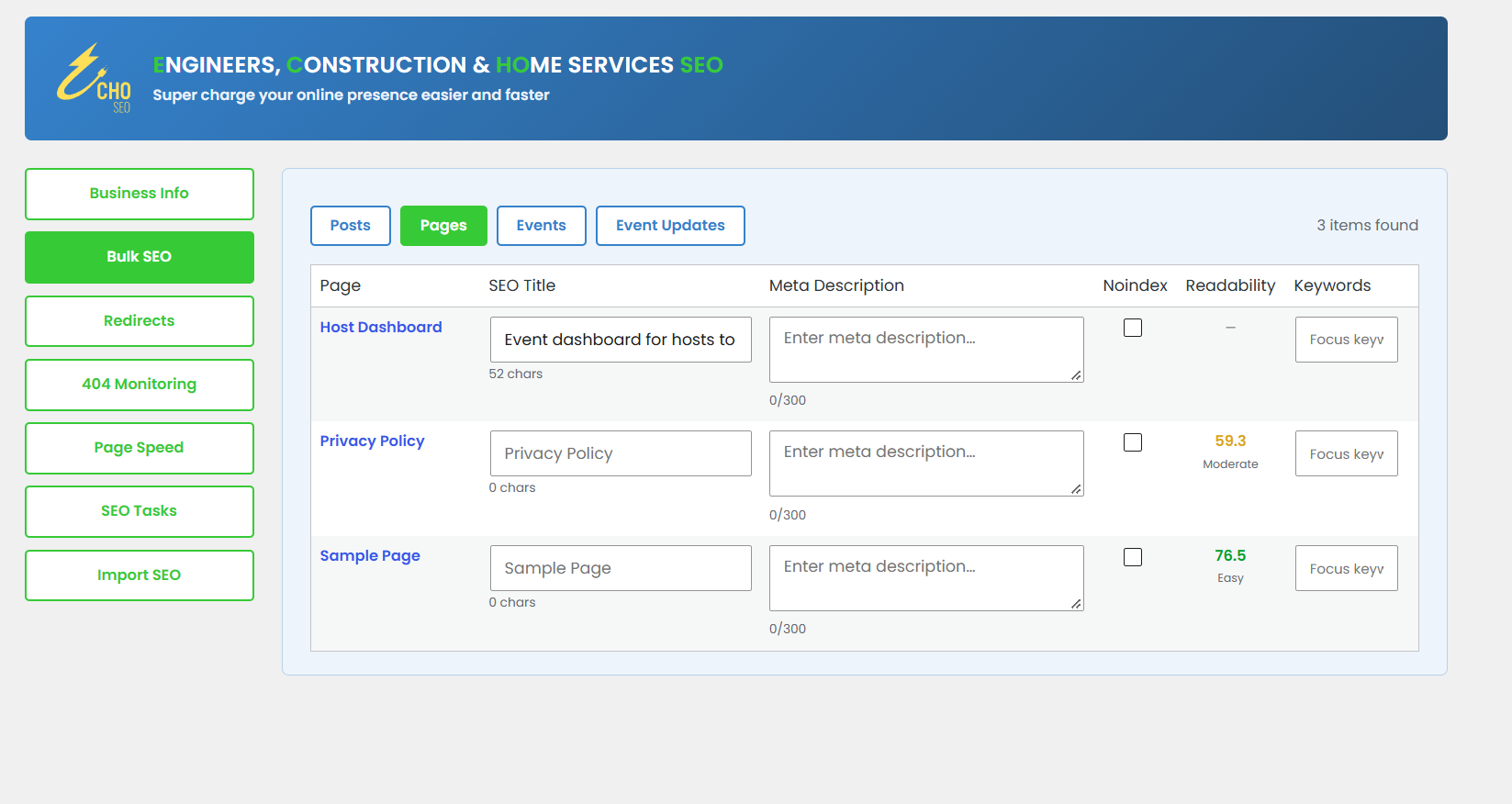
- Edit SEO titles, meta descriptions, noindex flags, and focus keywords for every public content type on your site — Pages, Posts, and any others (Products, portfolios, and so on) — from one screen, with live readability and keyword-density feedback.
- Install Google Tag Manager, the Facebook (Meta) Pixel, and the LinkedIn Insight Tag from the plugin settings — no code editing or extra plugins required. Each one loads only if you enter the corresponding ID (see "External services" below).
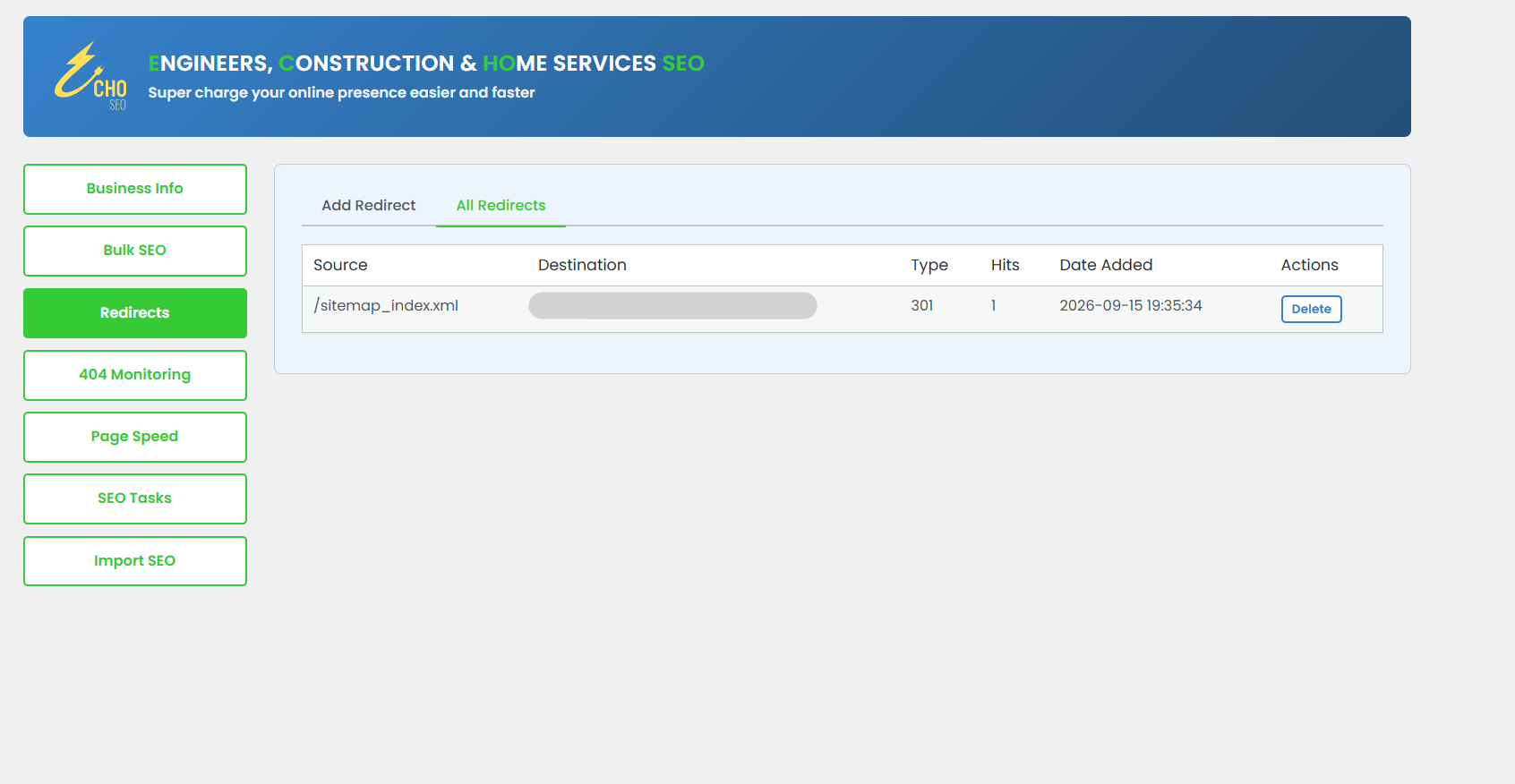
- Built-in redirect manager (301/302/307) with hit counts.
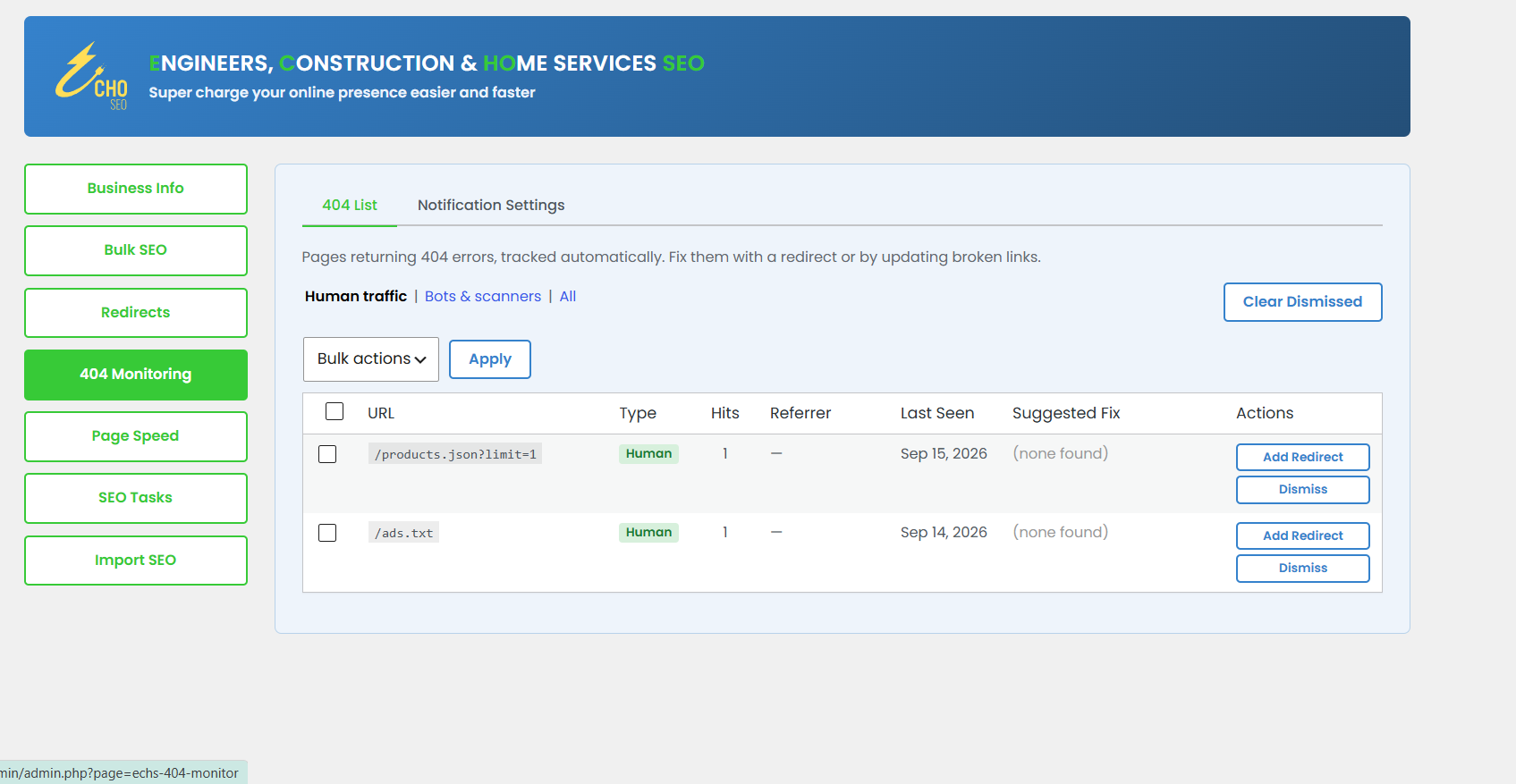
- Automatic 404 tracking that separates real visitor traffic from bot/scanner noise, with an optional daily email digest and one-click "create a redirect" from any logged 404.
- Automatic XML sitemap at
/sitemap.xml(a sitemap index with one sitemap per public post type), kept up to date as you publish. - Optional instant indexing: if you switch it on, publishing or updating content submits its URL via the IndexNow protocol so participating search engines (Bing, Yandex, Naver, Seznam.cz) hear about it right away. This is off by default — see "External services" below for exactly what gets sent.
- Run Google PageSpeed Insights checks (mobile and desktop) for any page on your site without leaving WordPress, with score history so you can see trends over time. Works out of the box, or add your own free API key for a dedicated quota.
- Serve a machine-readable
llms.txtdigest of your site (the emerging llmstxt.org convention) and optionally allow well-known AI assistant/answer-engine crawlers in your robots.txt. Off by default — whether AI crawlers may read your site stays your decision.
- A prioritized checklist of SEO improvements specific to your site.
- One-click import of titles, meta descriptions, and OG/Twitter data from Yoast SEO, so switching over doesn't mean starting from scratch.
- Automatic Product schema pulled from your WooCommerce catalog data.
安装:
- Upload the plugin folder to
/wp-content/plugins/, or install directly through the WordPress admin under Plugins → Add New. - Activate the plugin through the "Plugins" menu in WordPress. A short setup wizard walks you through your core business details — you can skip it and fill everything in later.
- Go to ECHO SEO → Business Info and complete your business identity, address, and hours — this powers the schema.org data shown to search engines.
- Visit the other sections in the left-hand menu (Bulk SEO, Redirects, 404 Monitoring, Page Speed, SEO Tasks, Import SEO) as needed.
屏幕截图:
常见问题:
Does this conflict with Yoast SEO or other SEO plugins?
No. If Yoast SEO, Rank Math, All in One SEO, SEOPress or The SEO Framework is active, ECHO SEO leaves the page title, meta tags, canonical, robots tag and schema to it rather than printing a second copy, and tells you so with an admin notice. Sitemaps, redirects, 404 monitoring, Bulk SEO and SEO Tasks keep working. To switch over, use the built-in Import SEO tool to bring your titles and descriptions across, then deactivate the other plugin.
What's the difference between the free and Premium versions?
The free version covers full LocalBusiness schema, per-page SEO, bulk-editing for every public content type (Pages, Posts, Products, and more), redirects, 404 monitoring, XML sitemaps with IndexNow, Page Speed checks, AI visibility (llms.txt), analytics tag installation, and SEO tasks. ECHO SEO Premium (a separate, paid add-on that is not hosted on WordPress.org) adds full Google Business Profile management (posting, reviews, Q&A) and a few extra tools.
Does this plugin send my data anywhere?
Only as described in "External services" above, and only after you have opted in to the feature concerned. The plugin does not track you or your visitors and collects no usage statistics. It makes no requests to Digital Stride's servers at all; the only thing that ever reaches us is the optional registration email on the last step of the setup wizard, which is sent — once — from your own site only if you tick a consent box there. Your business data (name, address, hours, etc.) is stored in your own WordPress database and is not sent to any third party by this plugin, except when you explicitly use the "Find Coordinates" address lookup. If you enable IndexNow, the addresses (URLs) of content you publish are shared with search engines; if you run a Page Speed check, that page's URL is sent to Google — that's what those features are for. Google Tag Manager, the Facebook Pixel, and the LinkedIn Insight Tag only load if you enter their IDs.
What does the 404 monitor store about my visitors?
For each 404 hit it stores the requested URL, the referrer, and the browser's user-agent string in your own WordPress database. It does not record IP addresses or any other personal information, and nothing from the 404 log is sent off your site (the optional daily digest goes to the email address you choose).
Do I need an API key for Page Speed checks?
No — checks work out of the box using Google's free shared quota. That shared quota can run out at busy times, so the Page Speed screen also lets you paste in your own free PageSpeed Insights API key for a dedicated quota.
What is llms.txt and will it change my site?
llms.txt is an emerging convention (llmstxt.org) for giving AI assistants a clean, machine-readable summary of your site. The plugin can serve one at /llms.txt and can optionally welcome well-known AI crawlers in your robots.txt. Both are off by default and never touch your pages' rendering.
What happens to my data if I delete the plugin?
Nothing is removed by default. Deactivating never deletes anything, and deleting the plugin from the Plugins screen also leaves your settings, per-page SEO fields, redirects, 404 log, and Page Speed history in the database — so reinstalling picks up exactly where you left off. If you would rather remove it all, tick "Delete all ECHO SEO data when the plugin is deleted" under Business Info → Organization Extras → Plugin Data before deleting. That runs a full cleanup: the plugin's options, its per-page meta, its three database tables, its cached data, and its scheduled event. It cannot be undone, and it never touches anything belonging to ECHO SEO Premium.
Will this slow down my site?
No. Schema output is lightweight, and no tracking script is loaded on your site's front end unless you've configured it (by entering a tracking ID).
更新日志:
- New: One-Click SEO screen — an inventory of pages missing an SEO title, meta description or focus keyword, and images missing alt text.
- New: Goals & Keywords tab on Business Info (and a matching setup wizard step) for your primary goal, target keywords, services, geographic focus, brand voice and industry.
- New: keyword map that assigns each target keyword to the page that best fits it, flags pages competing for the same keyword and keywords no page covers yet, and writes focus keywords only when you click Apply. Focus keywords you set by hand are kept.
- New: Bulk SEO Issues column listing each page's on-page problems (keyword placement and density, title and description length, heading structure, readability).
- New: when Yoast SEO is active, the setup wizard starts with an import step that brings over post SEO data and Yoast's business profile, then pre-fills the remaining steps.
- Improved: the page scan falls back to the post content when the site blocks requests to itself, and no longer triggers a PHP 8.2 deprecation notice.
- Improved: Social Profiles in the setup wizard are matched to the right network by URL.
- Improved: saving Business Info returns to the tab you were on; keyword and service lists start with three rows.
- Improved: ZIP code fields fit a ZIP+4.
- Improved: every admin string, including the importer screen and help tooltips, is now translatable.
- Tested with WordPress 7.1.2.
- FAQPage schema is now read from the page's own FAQ sections (headings, definition lists, details/summary, ACF repeaters and page-builder output) every time the page is viewed, so editing an FAQ updates the schema by itself. The entries typed into the meta box are only used when nothing can be read from the page.
- One robots tag and one canonical per page: noindex/nofollow now go through WordPress's own wp_robots filter, so "Discourage search engines" is never contradicted, and a canonical override replaces the URL in core's canonical link instead of adding a second one.
- All structured data is printed as a single linked graph: the business, website, page, breadcrumb, article and any page-level types share @ids and point at each other.
- The business is one node, typed by your Business Type setting. Nothing is assumed about your industry any more: a site that has not chosen a type is described as a generic Organization, and the SEO Tasks list asks you to choose one. The setup wizard and the Yoast import now set the same option the schema reads.
- Removed the aggregate star rating fields. A rating a business marks up about itself is "self-serving" review markup under Google's guidelines and is never shown as stars.
- Word counts, keyword checks, readability, the search preview's fallback description and the llms.txt digest now read the page as a visitor sees it — the last rendered scan, page-builder data (Elementor, Bricks, Beaver Builder, Oxygen, Breakdance) or shortcode text — instead of an empty post body.
- Open Graph tags carry og:type article on posts (with published and modified times), og:site_name, og:locale, image sizes and a description fallback from the excerpt or page text; front and archive pages get social tags too.
- When Yoast SEO, Rank Math, All in One SEO, SEOPress or The SEO Framework is active, ECHO SEO stops printing its own tags and schema so nothing is doubled up.
- Initial release. Google Business Profile management is available in the separately-sold ECHO SEO Premium add-on.