
EdgeUpload - Cloud Direct Upload for Forms
| 开发者 |
liuxiong
freemius |
|---|---|
| 更新时间 | 2026年10月12日 15:38 |
| PHP版本: | 7.4 及以上 |
| WordPress版本: | 7.0 |
| 版权: | GPLv2 or later |
| 版权网址: | 版权信息 |
详情介绍:
- Reduce file upload load on your WordPress hosting.
- Keep submitted files in your own cloud storage bucket.
- Avoid storing temporary form uploads on the WordPress server.
- Submit cloud file URLs with form entries instead of bulky local uploads.
- Use one upload workflow across popular WordPress form plugins.
- Elementor Forms
- Contact Form 7
- WPForms
- Gravity Forms
- Ninja Forms
- Fluent Forms
- Browser-to-cloud direct uploads for supported frontend form file fields.
- Amazon S3 storage provider.
- WordPress-generated signed upload authorization.
- File URL submission with the original form entry.
- Basic upload limits suitable for small forms.
- Optional form ID targeting.
- Admin connection test and browser CORS upload test.
- Tencent Cloud COS provider.
- Alibaba Cloud OSS provider.
- Azure Blob Storage provider.
- Google Cloud Storage provider.
- Optional CDN domain for submitted file URLs.
- Adjustable max files per upload.
- Adjustable max file size and total upload size.
- Adjustable retry count.
- Custom allowed file extensions.
- Contact forms that collect documents or screenshots.
- Quote request forms with attachments.
- Job application forms with resumes and portfolios.
- Support forms that accept diagnostic files.
- Membership, onboarding, and intake forms that need cloud-hosted uploads.
安装:
- Upload the plugin files to the
/wp-content/plugins/edgeuploaddirectory, or install the plugin through the WordPress Plugins screen. - Activate the plugin through the Plugins screen in WordPress.
- Open EdgeUpload from the WordPress admin menu.
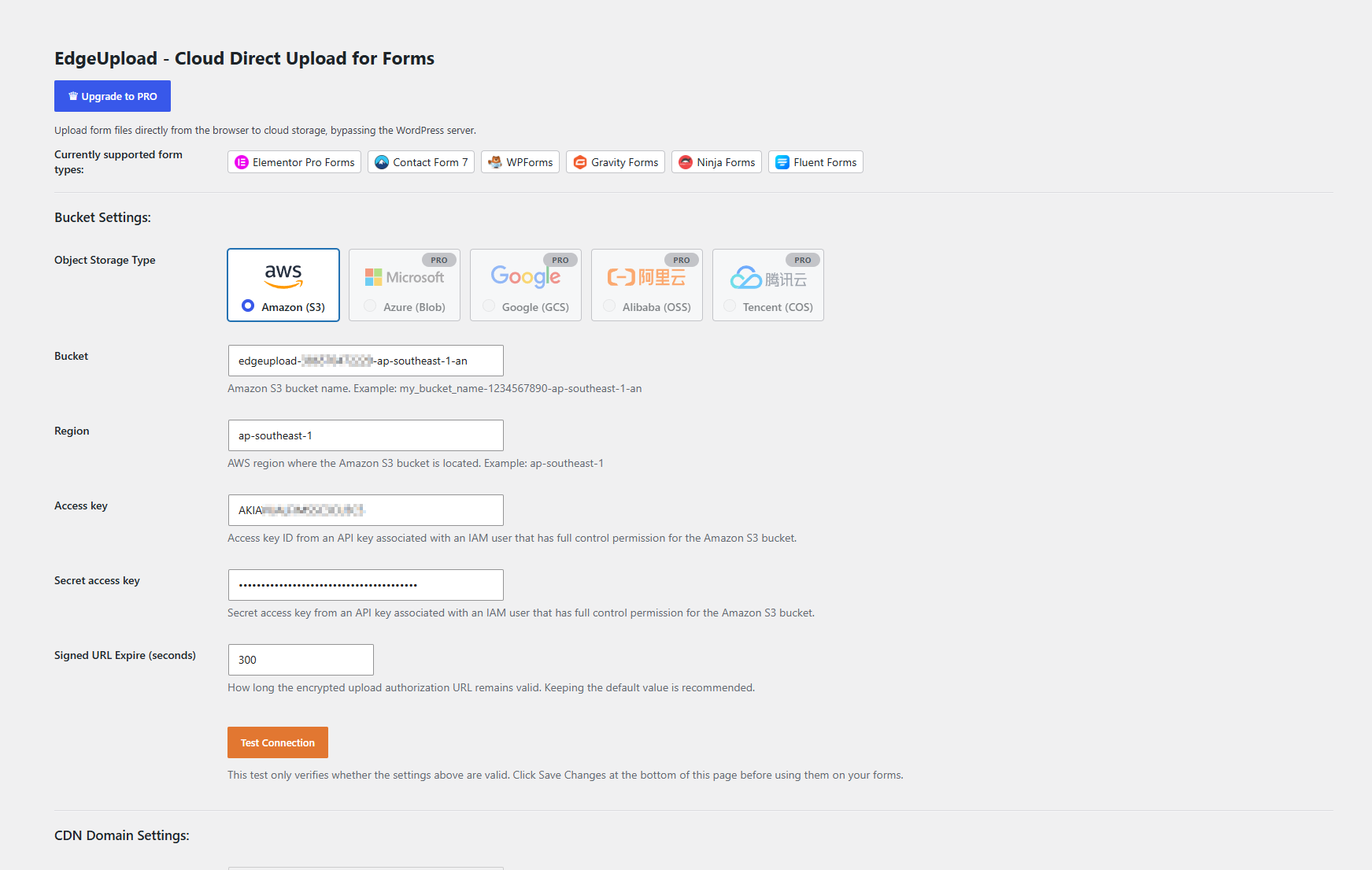
- Select a storage provider and enter your bucket credentials.
- Save the settings, then run the connection test.
- Configure CORS on your storage bucket so visitors can upload files directly from your site.
- Add or update a supported form with a file field.
屏幕截图:
常见问题:
Does EdgeUpload store uploaded files on my WordPress server?
No. EdgeUpload uploads files directly from the visitor's browser to your configured cloud storage bucket. The form submission receives the resulting cloud file URL.
Which provider is available in the free version?
The free version supports Amazon S3.
Which providers are available in Pro?
EdgeUpload Pro supports Tencent Cloud COS, Alibaba Cloud OSS, Azure Blob Storage, and Google Cloud Storage in addition to Amazon S3.
Do I need to configure CORS?
Yes. Your cloud storage bucket must allow browser uploads from your WordPress site origin. EdgeUpload includes a CORS test to help verify the configuration.
Does EdgeUpload replace my form plugin?
No. EdgeUpload works alongside supported form plugins. It focuses on the file upload flow while your form plugin continues to handle form layout, validation, notifications, and entries.
Can I limit EdgeUpload to specific forms?
Yes. You can optionally target specific form IDs. If left empty, EdgeUpload can handle supported file fields across the supported form plugins.
Do submitted file URLs require public access?
The submitted URLs must be accessible to the people who need to open them. You can use the storage bucket URL directly or configure a CDN domain in EdgeUpload Pro. Bucket permissions and CDN mapping are managed in your cloud provider account.
更新日志:
- Initial public release.