Editorial Workflow Manager
| 开发者 | vzisis |
|---|---|
| 更新时间 | 2026年4月3日 03:46 |
| PHP版本: | 7.4 及以上 |
| WordPress版本: | 6.9 |
| 版权: | GPLv2 or later |
| 版权网址: | 版权信息 |
详情介绍:
安装:
- Upload the
editorial-workflow-managerfolder to/wp-content/plugins/, or install via Plugins → Add New. - Activate the plugin in wp-admin.
- On activation, default checklist templates are created.
- On fresh installs, a Quickstart wizard opens to help you assign starter templates and launch the editor tour.
屏幕截图:
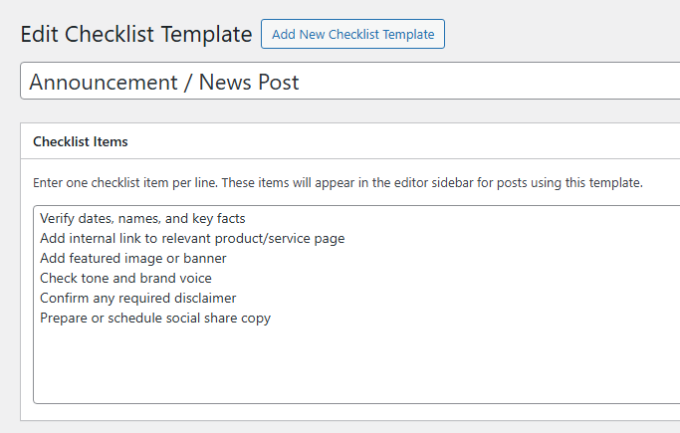
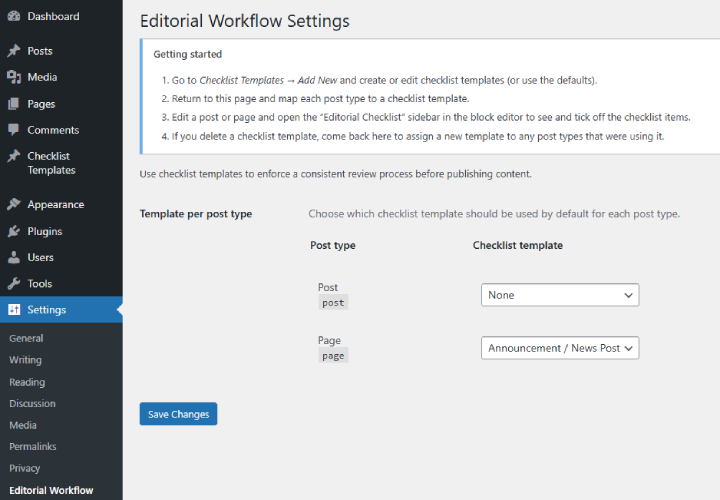
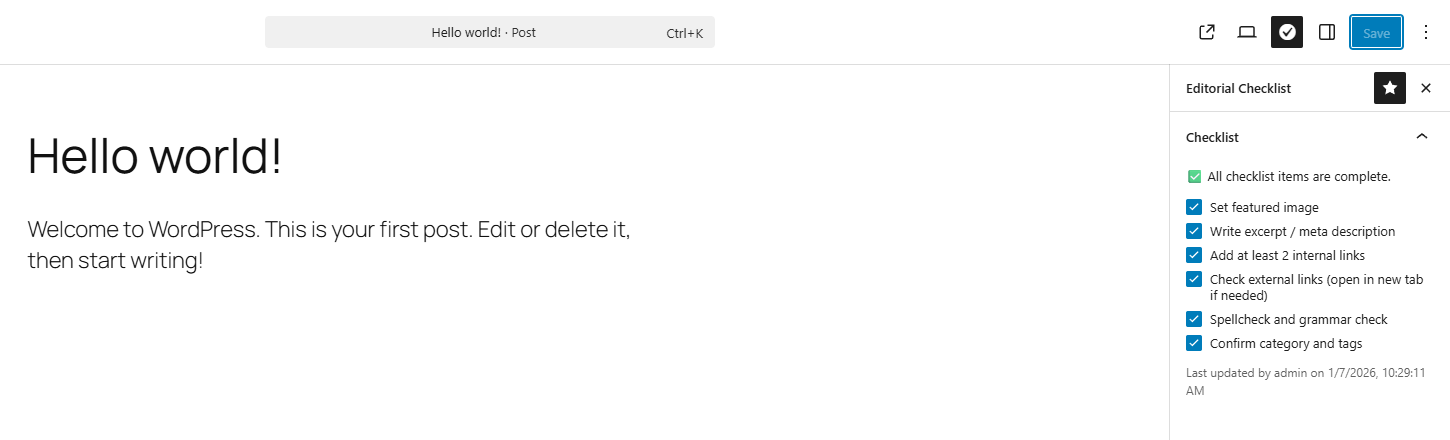
常见问题:
What does the Quickstart wizard do?
On fresh installs, the plugin can guide an administrator through choosing post types, assigning starter templates, and opening a post editor screen with the checklist sidebar highlighted.
Can I dismiss the quickstart or editor tour?
Yes. Dismissal is stored per user, so one admin can skip onboarding without affecting another admin's setup flow.
Does the plugin block publishing when required items are missing?
No. The pre-publish warning is non-blocking.
Does this work with Classic Editor?
No. The checklist UI is built for Gutenberg / the block editor only.
Can I use different checklists per post type?
Yes. Assign templates in Settings → Editorial Workflow.
Do optional items affect readiness?
No. Readiness is based on REQUIRED items only.
What happens to older templates/checklist data?
Legacy templates and label-based checked state remain supported. Templates are now stored in an upgraded v2 format with UUID-based item IDs for more stable matching. When a legacy template is edited and saved in the new editor, it is upgraded to v2 automatically. A compatibility meta mirror is still maintained for legacy support.
更新日志:
- Added a fresh-install Quickstart wizard for selecting post types and assigning starter templates.
- Added a lightweight one-time editor tour that auto-opens and highlights the Editorial Checklist sidebar.
- Stored quickstart and editor-tour dismissal state per user.
- Changed Checklist Template permissions to use WordPress page capabilities.
- Only Editors and Administrators can now manage Checklist Templates by default; Authors and Contributors may lose access.
- Added a one-time admin notice after update to warn site owners about the capability change.
- Added Required vs Optional checklist items.
- Added clearer readiness/progress indicators across the sidebar, post status panel, and pre-publish panel.
- Improved template editing UX with a row-based editor (add/remove/reorder, required/optional per item).
- Introduced UUID-based v2 template items and checked-state tracking for stable matching when labels change (after template upgrade).
- Hardened template saving against malformed/empty submissions to reduce accidental data loss.
- Kept backward compatibility by continuing to read/write legacy label-based meta.
- Various security improvements (better data validation and sanitization).
- Small syntax fix in uninstall.php.
- Added uninstall.php cleanup to remove plugin data when the plugin is deleted.
- Added non-blocking pre-publish checklist warning when checklists are incomplete.
- Added checklist activity hint ("Last updated by X on [date/time]").
- First public release.