
Edminboost - Admin white label, Menu Editor, theme, topbar shortcuts
| 开发者 | ashiquzzaman |
|---|---|
| 更新时间 | 2026年10月15日 03:42 |
| PHP版本: | 7.4 及以上 |
| WordPress版本: | 7.1 |
| 版权: | GPLv3 or later |
| 版权网址: | 版权信息 |
详情介绍:
functions.php hacks, or heavyweight admin themes that fight WordPress updates. EdminBoost stores every setting in your own database through the WordPress Options API. Nothing runs until you turn the plugin on and save — fresh installs keep wp-admin unchanged until you complete setup or save settings.
Built for Daily Admin Work, Designed for Clarity: EdminBoost ships a four-step Dashboard setup wizard, AJAX tab navigation across Command Center pages, and live previews on Theme, Top Bar, Menu Studio, Productivity, and Performance screens. Layout presets apply real top bar and sidebar configurations in one click; granular overrides stay on Top Bar and Menu Studio when you outgrow a preset.
Why Choose a WordPress-Native Admin Customizer?
- Own Your Admin Configuration: Keep layouts, themes, menu order, and feature toggles on your site. No third-party SaaS dashboard, hidden telemetry, or subscription lock-in for basic admin tweaks.
- Command Center in One Place: Dashboard, Layout Presets, Theme, Top Bar, Menu Studio, Productivity, Security, Performance, and Billing (plan comparison) live under EdminBoost in the admin sidebar — with in-page tabs so most changes save without full reloads.
- Modular, Opt-In Features: Hide notices, trim dashboard widgets, harden XML-RPC, control Heartbeat, disable emojis, and more — each tool respects the global enable switch and can stay off until you need it.
- Role-Aware Layout Library: Built-in by use case presets (Friend's Website, Family Member's Site, and additional scenarios on Pro) plus by role workflow presets aligned with WordPress roles on Users → Add New.
- Developer-Friendly: Standard WordPress hooks and filters (
edminboost_settings,edminboost_feature_classes,edminboost_command_center_partial_paths, and others) let agencies extend behavior without forking core plugin code.
- Install and Open Command Center: Activate EdminBoost and go to EdminBoost → Dashboard. Complete the setup wizard or enable tools from the tab navigation.
- Pick a Layout Preset: Choose a By use case or By role preset on the wizard or Layout Presets page — top bar links and sidebar shape update together; save custom layouts as named presets when you need a reusable starting point.
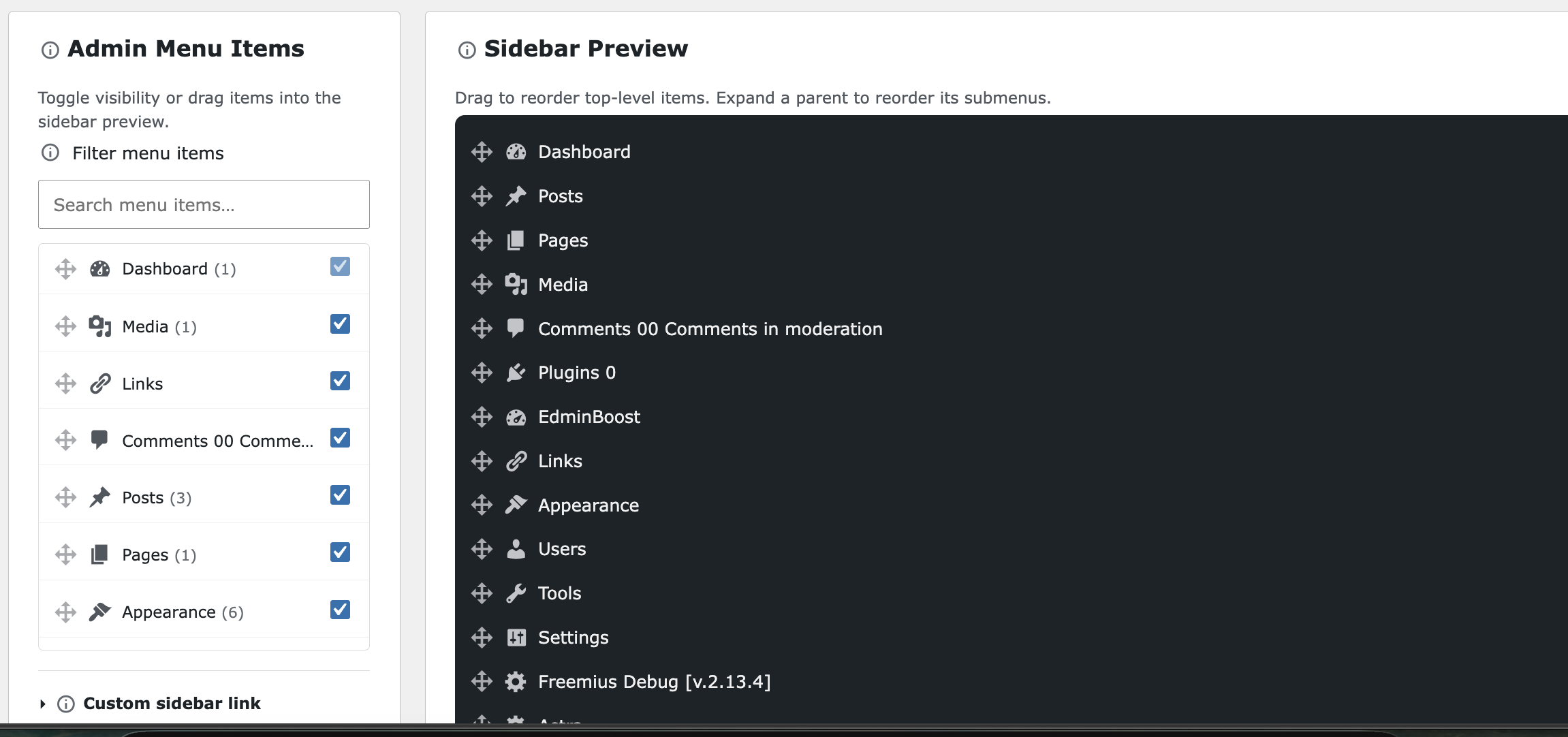
- Tune Theme and Menu Studio: On Theme, pick a visual skin, light/dark/auto mode, fonts, and appearance extras. On Menu Studio, reorder or hide sidebar items and preview the live admin menu.
- Enable Productivity Tools: Use Productivity, Security, and Performance tabs to turn on individual features with live previews where available — then save once from the shared form footer.
- For Site Owners: Reduce notice clutter, simplify the dashboard, and apply a cohesive admin color theme without touching code.
- For Content Teams: Use role-based presets so authors and editors see focused top bars and sidebars matched to their daily tasks.
- For WooCommerce Shops: Pro adds live badge counters on top bar shortcuts (orders, reviews, and related sources read local data only).
- For Freelancers and Agencies: White-label branding, JSON settings backup, role visibility matrices, and multi-site Agency licensing on the direct-download build help you ship consistent client admin experiences.
- For Developers: Extend presets, features, and Command Center partials via filters; badge and menu discovery respect WordPress capabilities.
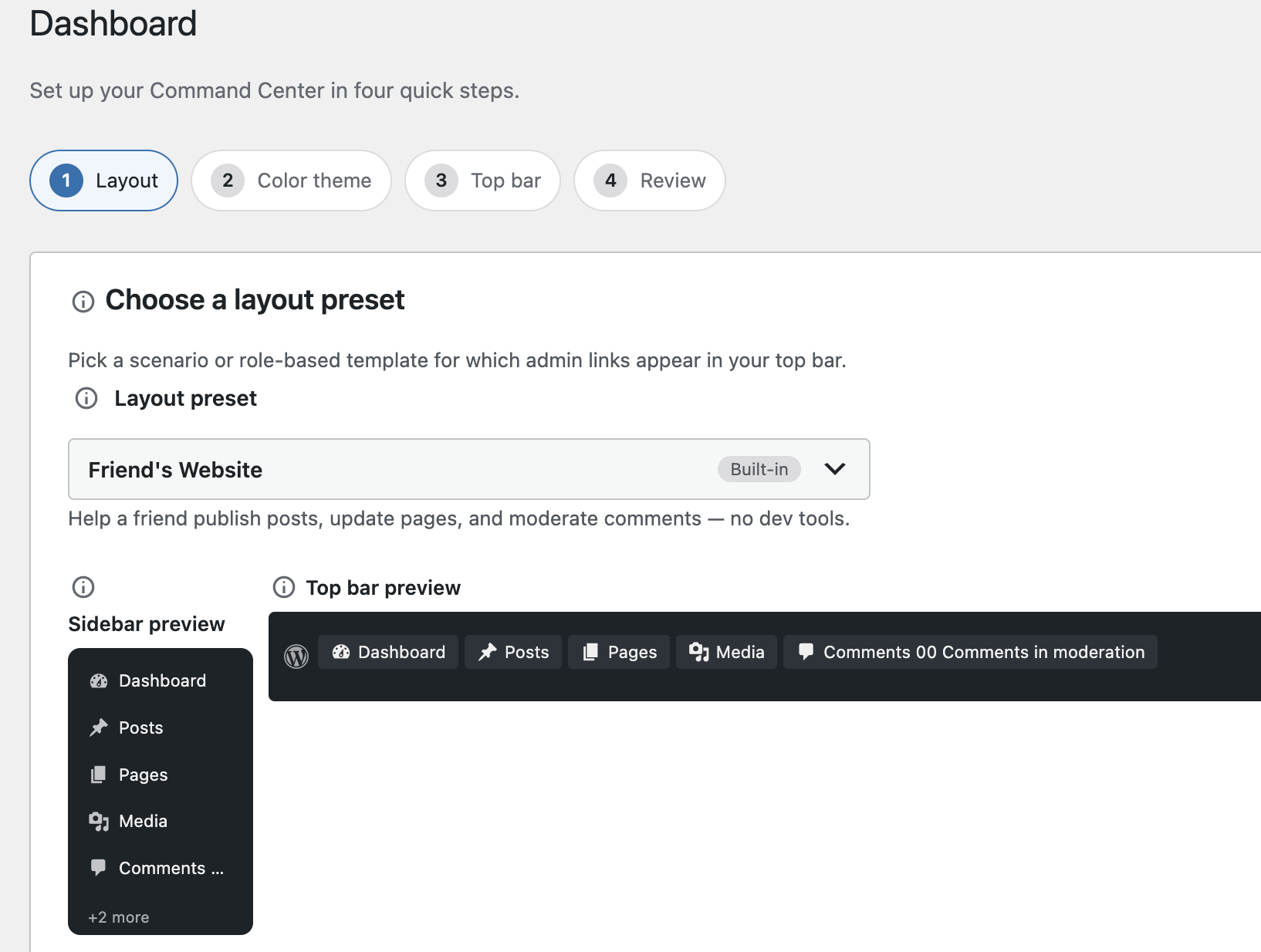
- Dashboard: First-run setup wizard (layout, theme, top bar review, save) and post-setup overview cards with compact layout, theme, and top bar previews.
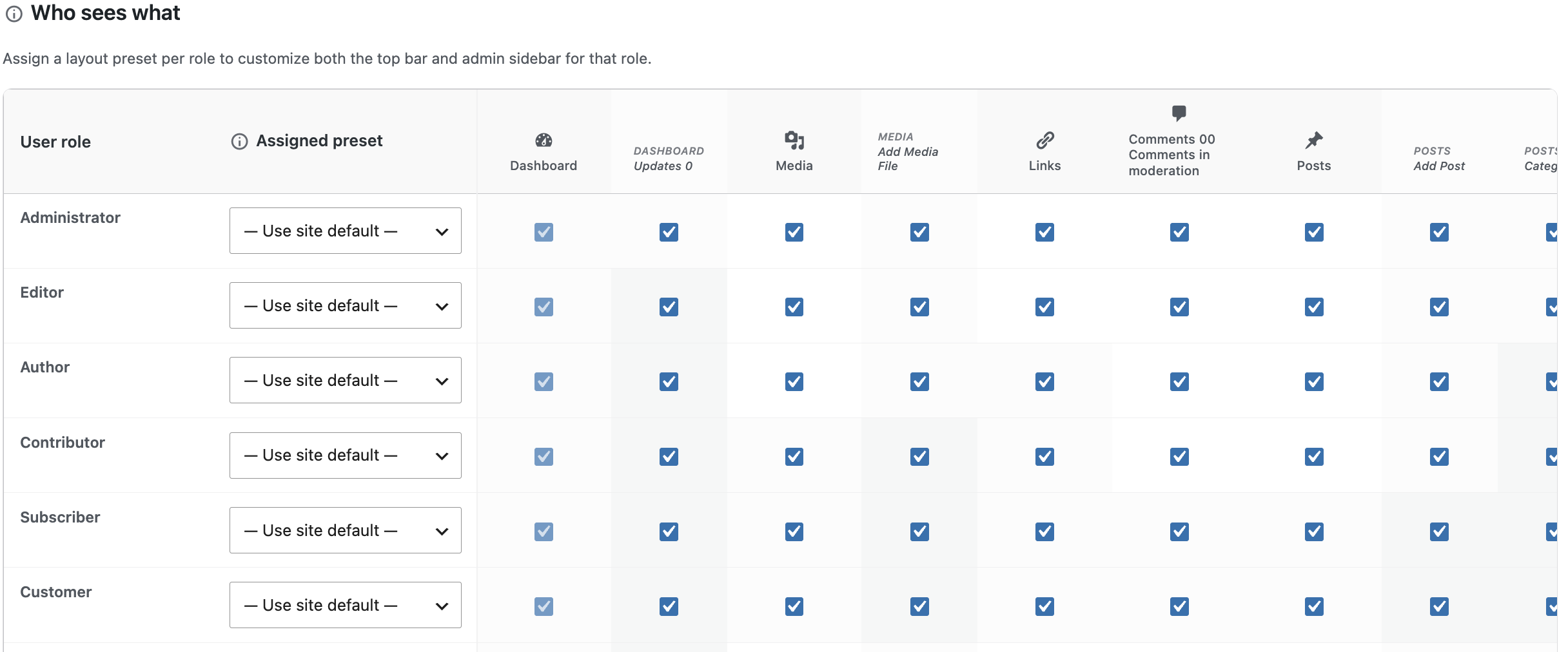
- Layout Presets: Grouped preset picker (by use case, by role, saved custom layouts); assign presets per role; save and rename custom presets (Pro: Who sees what role visibility matrix).
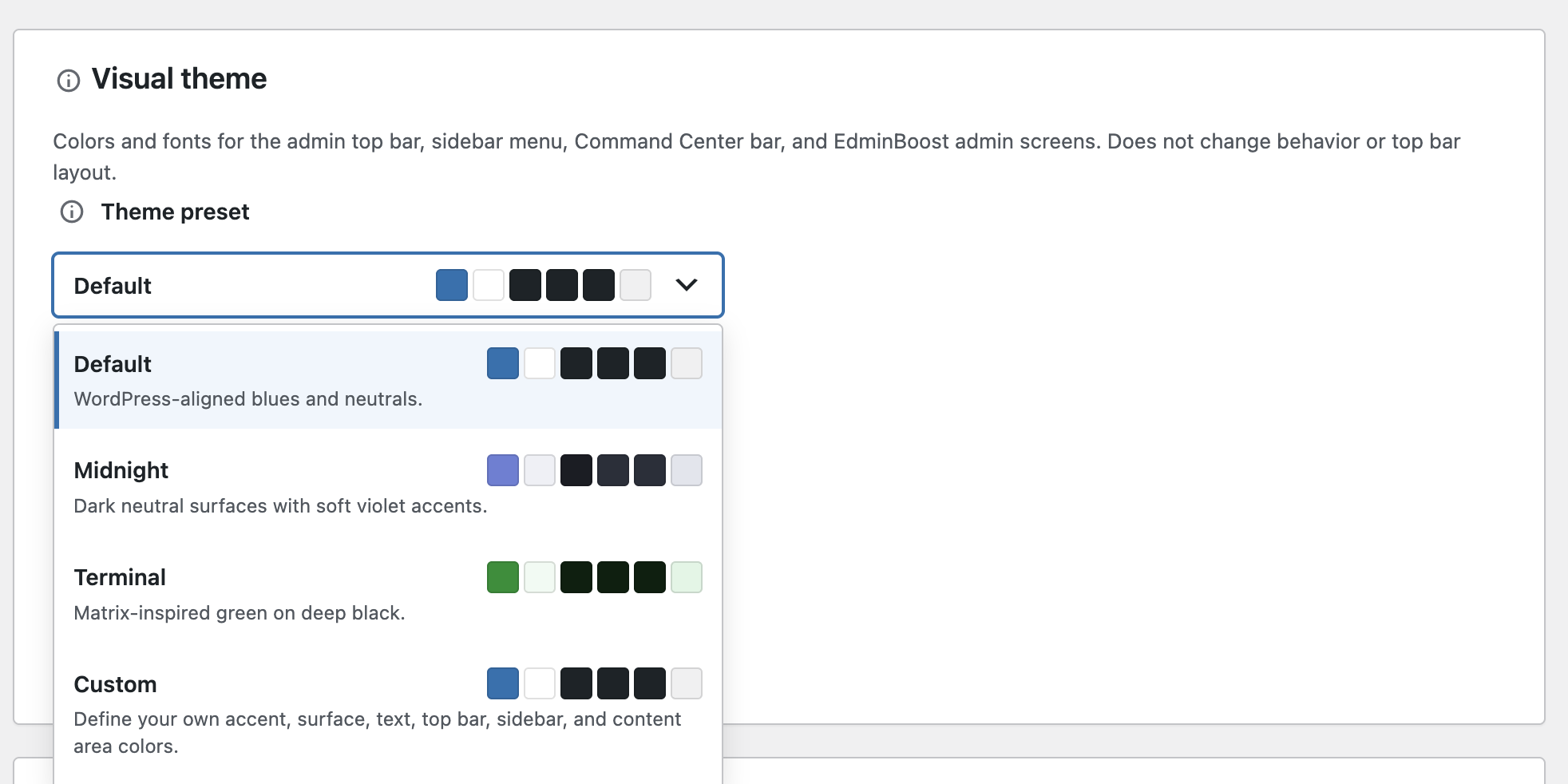
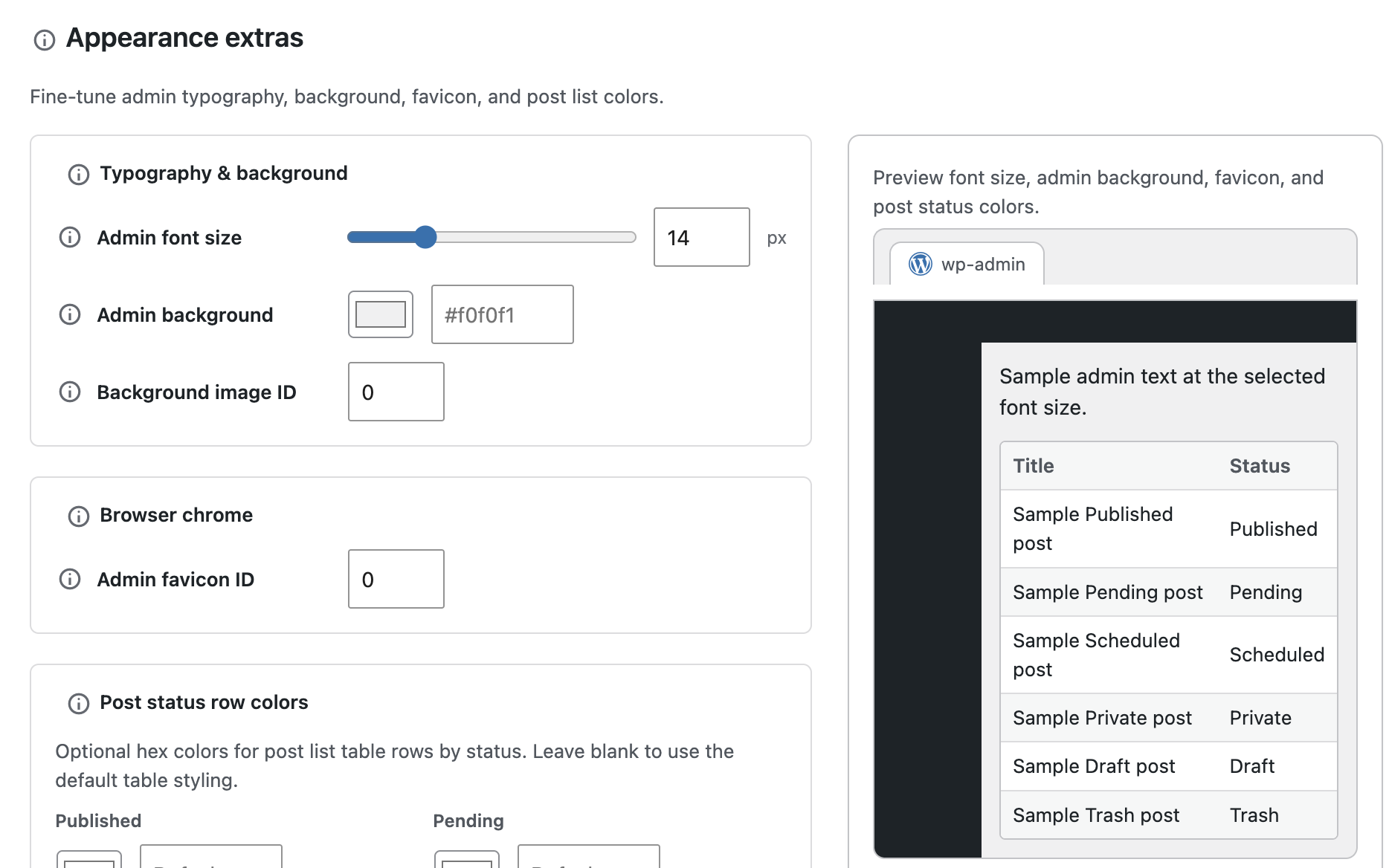
- Theme (Appearance): 20+ visual skins on Pro ( 3 bundled presets on the free WordPress.org package: Default, Midnight, Terminal), plus Custom colors, light/dark/auto mode, system font stacks, admin font size, favicon, background, post status row colors, and admin bar declutter toggles with preview (Pro: scheduled dark mode).
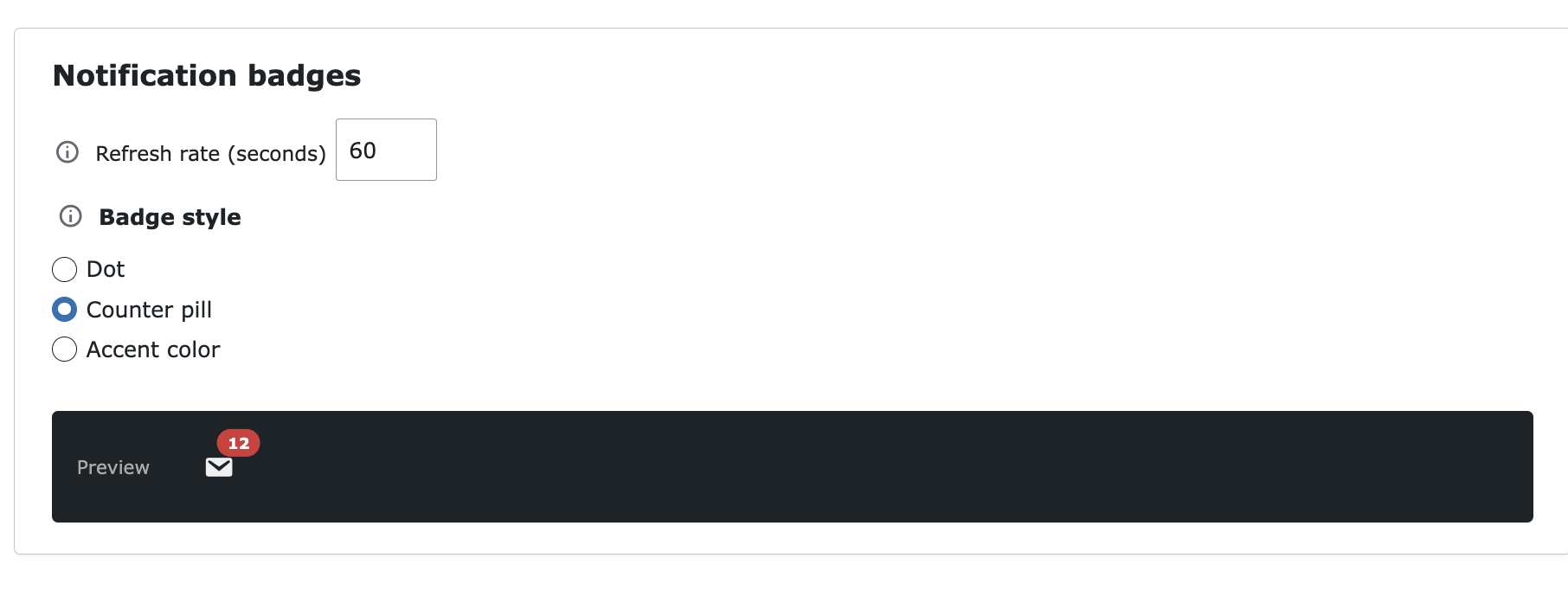
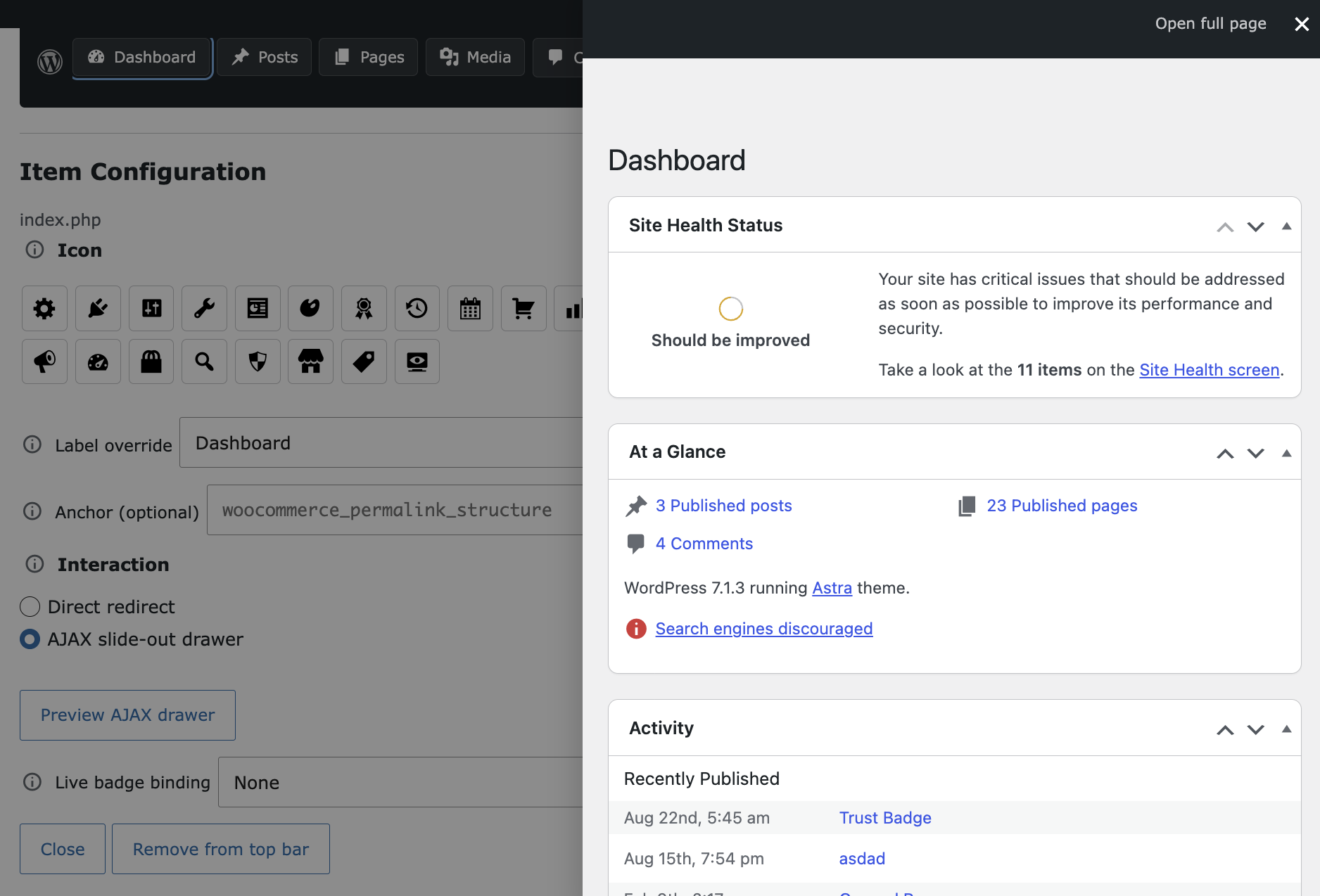
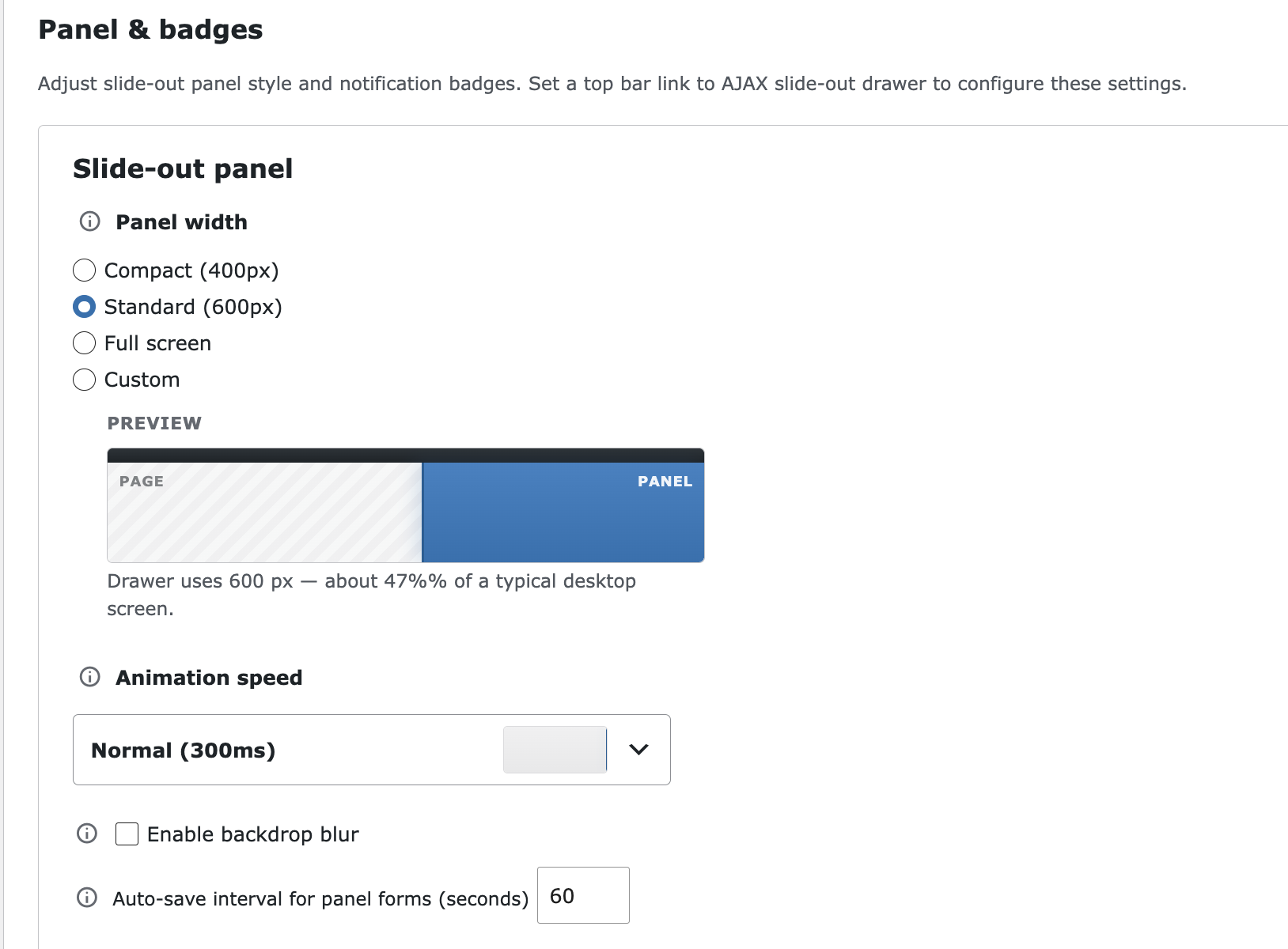
- Top Bar: Drag-and-drop builder over discovered admin pages; custom labels, dashicons, and anchors (Pro: AJAX slide-out drawer panels, live notification badges, drawer width, animation speed, badge style).
- Menu Studio: Reorder and hide wp-admin sidebar items; layout and typography controls; optional sidebar colors with live preview (Pro: custom sidebar links, icon/text display modes).
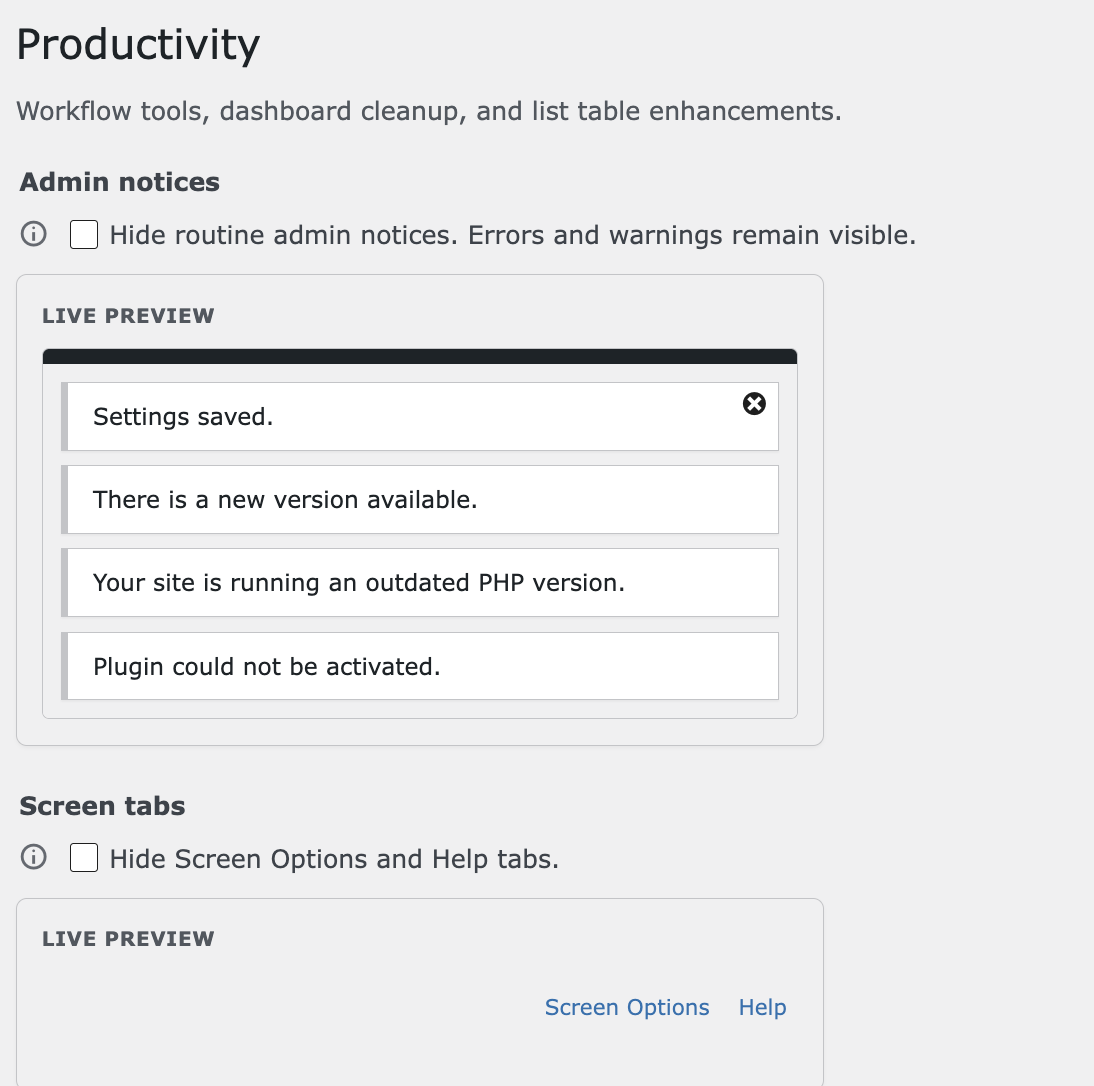
- Productivity: Hide admin notices (preserves errors/warnings), hide Screen Options/Help, dashboard widget control, custom admin footer, post duplicator, classic widgets, custom list columns, menu duplicator, manual post ordering — with live previews on key toggles.
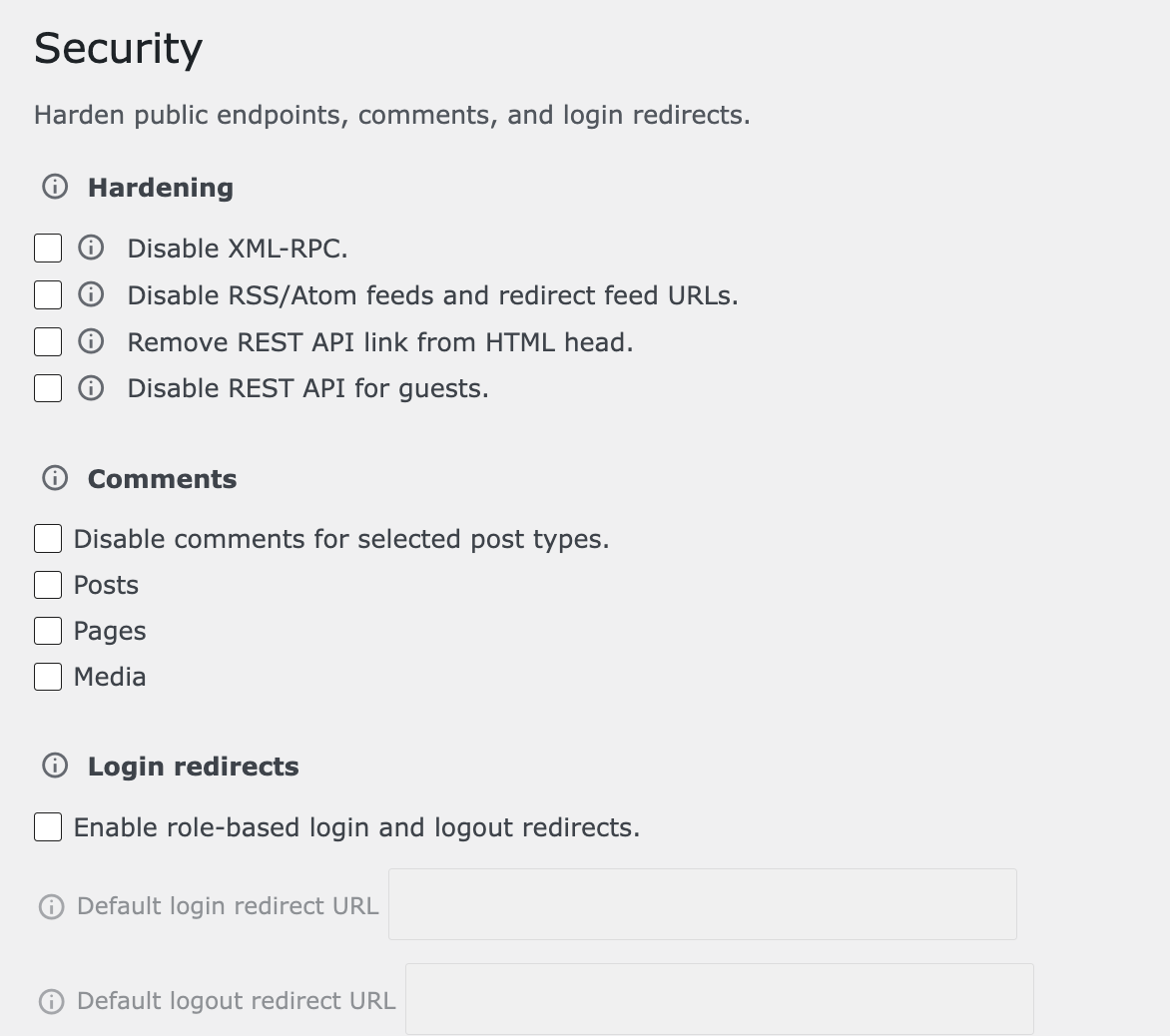
- Security: Disable XML-RPC, harden REST API, disable feeds, disable comments, and related hardening options (Pro: role-based login and logout redirects).
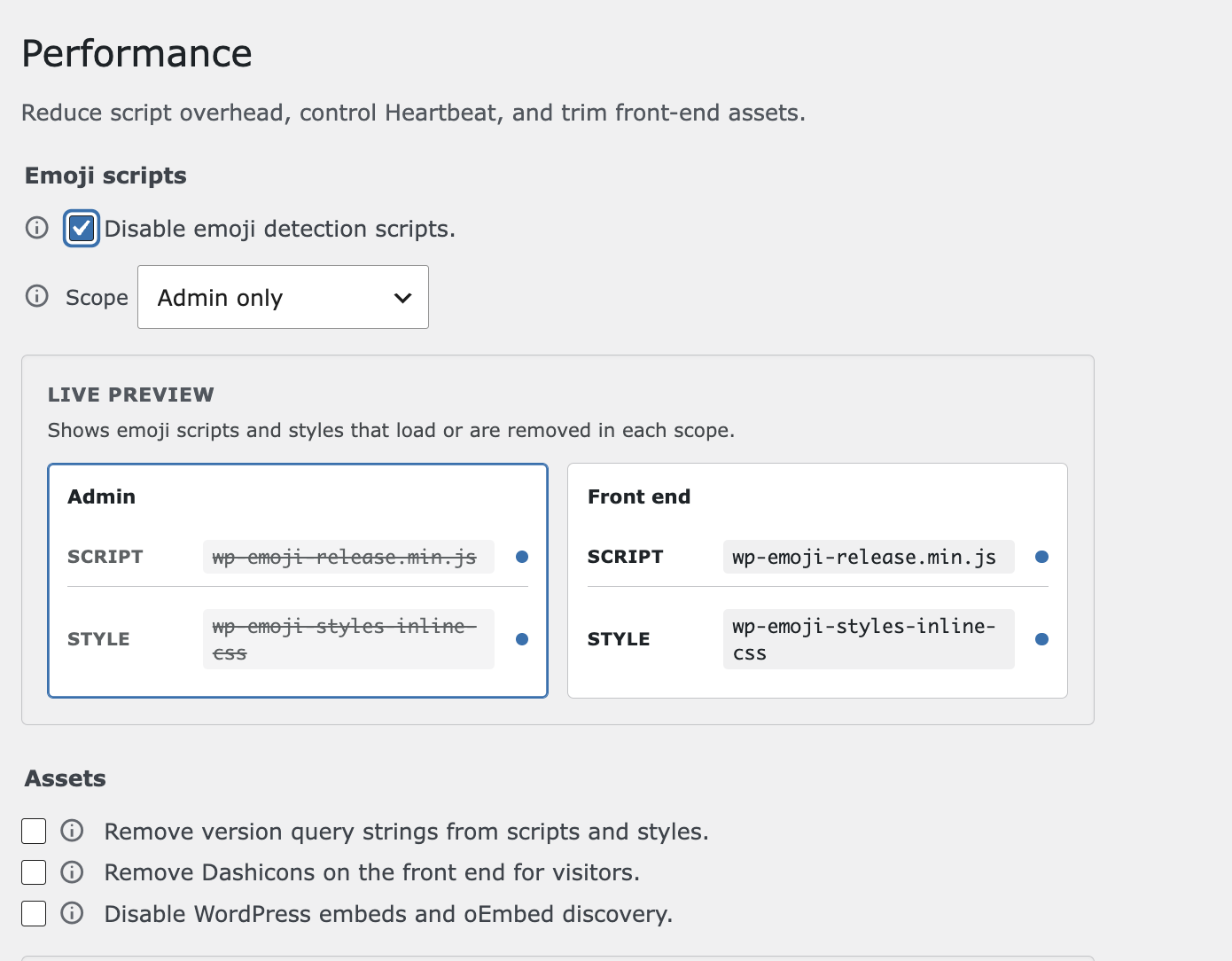
- Performance: Emoji scope toggle, remove asset query versions, optional front-end Dashicons removal, Heartbeat control, disable embeds — with scope previews.
- Billing: Static Free, Pro ($49 / 1 site), and Agency ($99 / 10 sites) plan cards and feature comparison with user-initiated external purchase links (no in-plugin checkout or license validation on WordPress.org).
- See Before You Save: Live previews on Theme extras, declutter toggles, Productivity notices, Performance emoji/assets, Menu Studio layout/colors, and White Label branding (Pro) cut guesswork.
- Presets That Match Real Roles: Apply Administrator, Editor, Author, and other role workflow layouts without hand-picking dozens of menu slugs every time.
- Stay on WordPress: Uses Settings API storage, admin AJAX saves with nonces and capability checks, and enqueued assets scoped to plugin screens (visual theme CSS loads on wp-admin when enabled; Command Center bar assets load when the bar is active).
- No Locked Ghost Controls on Free: The WordPress.org package omits Pro-only screens and fields entirely — what you see is fully usable. Upgrade paths are described on Billing with external links only when you choose to click.
- Uninstall-Safe Defaults: Deactivating does not wipe data; deleting the plugin removes
edminboost_settingsandedminboost_versionfrom the database.
- Command Center Dashboard with setup wizard and overview cards
- Top bar builder with redirect shortcuts to admin pages
- Friend's Website and Family Member's Site layout presets plus by role workflow presets
- Save, rename, and duplicate custom layout presets
- Default, Midnight, and Terminal visual theme presets plus Custom color tokens
- Light, dark, and auto (system) color modes; system font stacks; appearance extras (font size, favicon, admin background, post status colors)
- Menu Studio sidebar reorder and hide with layout/typography and optional menu colors
- Admin bar declutter toggles (hide WP logo, updates, comments, Howdy, and related items)
- Full Productivity, Security, and Performance modular toolsets shown in the free UI
- AJAX Command Center tab navigation and settings save without full page reload
- Static Billing page with plan comparison and external upgrade links (user-initiated only)
- Translation-ready; GPL-licensed; no tracking or background remote requests
- 8 additional by use case layout presets (Client's Website, Your Own Website, Small Business, Nonprofit / Community, Freelancer / Agency, Content Editor, Shop Manager, Power User)
- Unlimited saved custom layout presets
- Role visibility matrix — control which sidebar items each role sees beyond preset defaults
- 17 additional visual theme skins beyond Default, Midnight, and Terminal
- Scheduled dark mode with start/end times
- Slide-out drawer panels on the live admin top bar plus live badge counters (local WooCommerce orders/reviews, comments, updates, WPForms entries when plugins exist)
- Full-screen and custom drawer widths, badge style, animation speed, glassmorphism, and badge refresh controls
- Custom sidebar links and icon/text/both display modes in Menu Studio
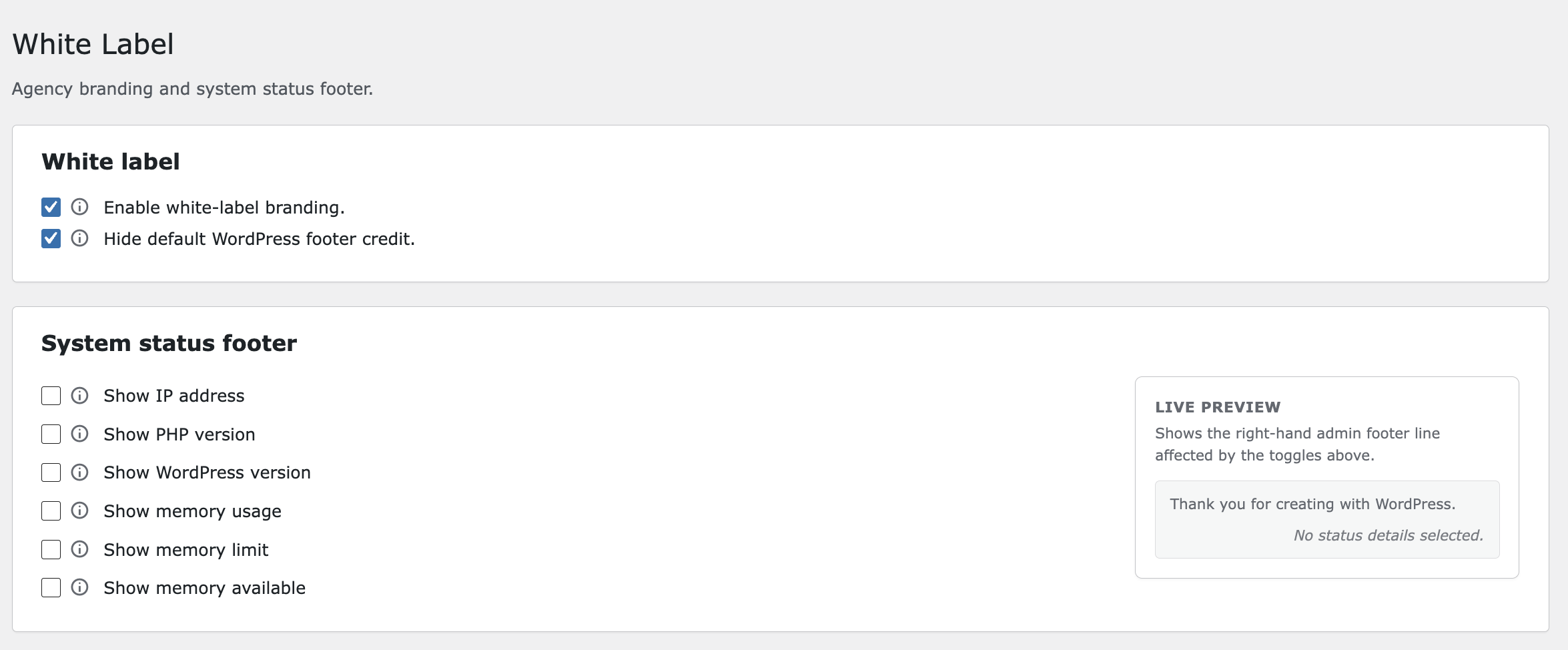
- White-label branding — plugin row, menu label, admin logos, system status footer toggles with live preview
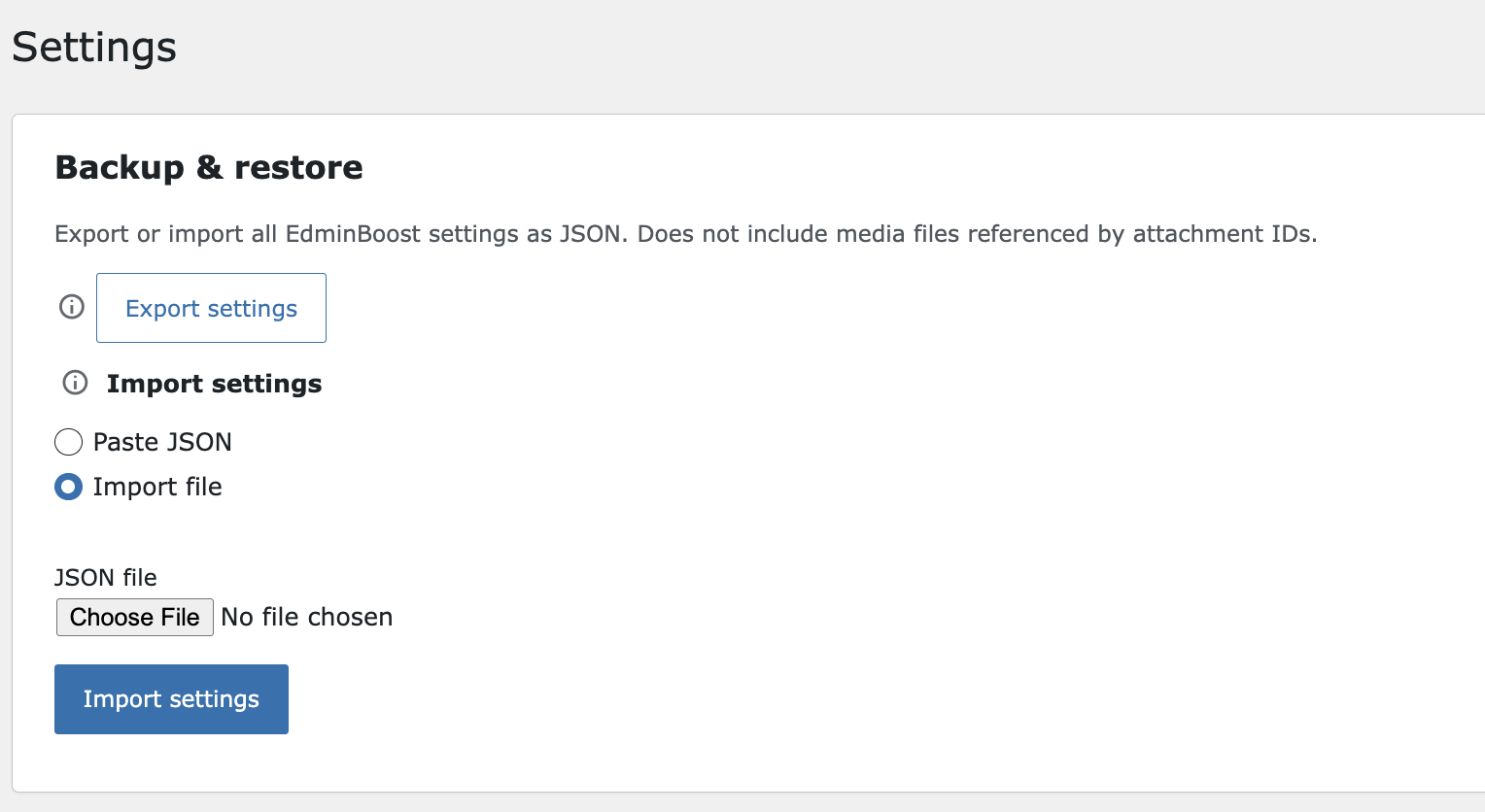
- Settings JSON export and import for backups and migrations
- Role-based login and logout redirects
- Open deep screens without leaving context: Map WooCommerce, plugins, or long admin pages to AJAX slide-out drawers from the top bar instead of losing your place in a maze of tabs.
- See workload at a glance: Attach live badges to shortcuts so pending orders, comments, or updates surface on the bar (local counts only — no external API).
- Standardize client handoffs: Hide dev-only menu items per role, assign presets by role, and rebrand the Plugins screen and admin menu from White Label.
- Move settings between sites: Export and import JSON backups after major layout or theme changes (Pro licensed UI).
- Upgrade without rebuilding: Install the premium package, activate your license, and keep stored options; compare Pro and Agency on EdminBoost → Billing before purchasing.
- Trustbadg – Trust Badges, Payment Icons & Secure Checkout Seals — Build trust badge and payment icon rows with Gutenberg blocks, shortcodes, and automatic e-commerce placements — server-rendered HTML with inline SVG icons.
- Rezicraft – Professional Resume & CV Builder — Create polished online resumes and CVs with Gutenberg-friendly layouts and sections for experience and skills.
- Resumee — A free WordPress resume and portfolio theme with flexible profile sections and a clean one-column layout.
- Complete Data Ownership & Privacy Settings live in your WordPress options table. The plugin does not track administrators or send site data to external servers. Billing upgrade links open the vendor pricing page in a new tab only when you click them.
- No Fake “Pro Locks” in wp-admin The free package omits Pro-only controls instead of showing disabled upsell placeholders — a clearer experience for directory users and clients alike.
- Capability-Aware Discovery Top bar and Menu Studio discovery respect WordPress menu capabilities; role matrices and preset assignments align with who can actually access each screen.
- Performance-Conscious Admin Scope Optional performance features target emoji scripts, asset versions, Heartbeat, embeds, and front-end Dashicons — without replacing your public theme. Visual theme and Command Center bar assets load only when those features are active.
- Maintainable for Review
Human-readable PHP, WPCS-oriented structure, sanitized settings, and privileged AJAX guarded by nonces and
manage_options— built to survive WordPress.org plugin review and long-term client maintenance.
target="_blank") with no background requests.
Performance
EdminBoost is built to keep optional admin optimizations under your control:
- Scoped asset loading: Plugin admin CSS and JavaScript enqueue on EdminBoost screens; visual theme CSS applies on wp-admin when enabled; Command Center bar CSS/JS load when the live bar or drawer is active (or on Top Bar for drawer preview).
- Opt-in front-end impact: Disable emojis, embeds, or front-end Dashicons only when you enable those performance features — defaults leave the public site unchanged.
- Local badge sources: Pro badge counts use guarded local queries (for example WooCommerce orders or WPForms entries when available) — no third-party count APIs.
- Options API storage: Settings use
edminboost_settings(not autoloaded by default) — no custom database tables. - Developer overrides: Filters such as
edminboost_settings,edminboost_is_feature_enabled, andedminboost_upgrade_urlallow tailored behavior without patching plugin files.
安装:
- In your WordPress admin dashboard, navigate to Plugins → Add New.
- Search for Edminboost - Admin white label, Menu Editor, theme, topbar shortcuts.
- Click Install Now, then click Activate.
- Open EdminBoost in the admin sidebar and follow the Dashboard setup wizard, or browse Command Center tabs to enable individual tools.
- Download the plugin archive and upload the
edminboost-admin-customizationfolder to the/wp-content/plugins/directory on your server. - Activate the plugin through the Plugins screen in WordPress.
- Go to EdminBoost → Dashboard to run setup, or open Layout Presets, Theme, Top Bar, and Menu Studio to customize wp-admin step by step.
屏幕截图:
常见问题:
Who is EdminBoost built for?
EdminBoost is built for WordPress administrators, site owners, freelancers, and agencies who want a cleaner, branded, and more efficient wp-admin experience — without maintaining custom code for every client site.
What does this plugin do?
EdminBoost provides a Command Center for layout presets, top bar shortcuts, Menu Studio sidebar control, visual admin themes, and modular productivity, security, and performance tools. Each feature can be enabled or disabled independently.
Who can access the plugin settings?
Only users with the manage_options capability (typically Administrators) can access EdminBoost settings.
Does this plugin modify WordPress core files?
No. EdminBoost uses standard WordPress hooks, the Options API, and admin UI — it does not edit core, theme, or unrelated plugin files.
Does this plugin send data to external servers?
No. EdminBoost does not track users or send site data to external servers. Optional Pro and Agency purchase links on the Billing page open the Asphalt Themes pricing site in a new tab only when you click them.
Are features locked behind a paid plan?
No locked controls in wp-admin on the WordPress.org package. The free download includes a fixed set of layout, theme, Menu Studio, and productivity tools — everything shown is fully usable. Pro and Agency add drawer panels, live badges, role visibility, additional presets and theme skins, White Label, settings backup/import, login redirects, custom sidebar links, and related options. Those Pro-only screens and settings are omitted from the free package; the Billing page describes plans and upgrade options.
Where are my settings stored?
All EdminBoost configuration is stored in the WordPress options table (edminboost_settings and edminboost_version). There are no custom database tables.
Are slide-out drawer panels and live badges available on Free?
AJAX slide-out drawer interaction, live badge counters, and related Top Bar advanced controls are Pro features. The WordPress.org build uses redirect top bar links. Compare capabilities under EdminBoost → Billing.
Is White Label or settings export/import available on Free?
White Label branding and JSON settings export/import are Pro features and are not included in the WordPress.org plugin UI. Productivity, Security, and Performance tools shown on the free build remain fully available.
What happens when I uninstall the plugin?
Deactivating EdminBoost does not remove your settings. Uninstalling ( deleting ) the plugin removes edminboost_settings and edminboost_version from the database.
How do I upgrade to Pro?
Compare plans under EdminBoost → Billing, then purchase Pro or Agency from the Asphalt Themes site via the external upgrade link. Install the premium package, activate your license on the direct-download build, and your stored layout and theme options remain in the database.
Is the plugin translation-ready?
Yes. User-facing strings use the edminboost-admin-customization text domain with language files under /languages.
更新日志:
- WordPress.org build: register a static Billing page with plan cards, comparison table, and external purchase links (no checkout or license logic in-plugin).
- Show Billing in Command Center sidebar and tab navigation on all builds; direct-download sites keep the premium Billing renderer when the pro package is loaded.
- Plugins screen: add Go Pro and Docs action links under the plugin name (
edminboost_show_plugin_go_pro_linkfilter to hide Go Pro when licensed). - Point the Docs link to the updated documentation URL on asphaltthemes.com.
- Readme: expanded product description, FAQ, and upgrade guidance aligned with WordPress.org best practices.
- Share billing page styles between WordPress.org and direct-download builds.
- Readme: expanded Command Center overview, Free vs Pro guidance, author product highlights, and clearer upgrade path following WordPress.org best practices.
- Add a static Billing page to the WordPress.org build with Free, Pro, and Agency plan cards, feature comparison, and external purchase links (no in-plugin checkout or license logic).
- Direct-download Billing page omits the redundant Current plan summary card; active plan is shown on plan cards and the comparison table.
- Dashboard setup wizard includes the Default layout preset in the layout dropdown and pre-selects it on fresh installs.
- Fix Layout Presets save on sites with large admin menus by syncing only hidden role-visibility items instead of every matrix checkbox.
- Fresh installs start with customization off so wp-admin stays unchanged until you save settings or complete setup.
- Menu Studio stays off by default after activation and when applying layout presets until you enable it on the Menu Studio screen.
- First-time activation no longer pre-applies a layout preset; top bar and Menu Studio order stay empty until you save or complete setup.
- Consolidate licensed Command Center partial hooks into a single
edminboost_command_center_partial_pathsfilter keyed by markup slot.
- WordPress.org release package excludes the repo
assets/directory (directory banners and icons upload via SVN assets, not the plugin zip). - Release packages exclude the repo
docs/directory (product Markdown for the external docs site, not runtime plugin code). - Free plugin core no longer loads premium bootstrap code; Pro features load only when the direct-download package defines
EDMINBOOST_PREMIUM_BUILDand shipsincludes/pro/. - Free build strips Pro-only stored settings (drawer/badges, role visibility, login redirects, white label, scheduled dark mode, Menu Studio custom links) on read and save.
- WordPress.org zip excludes Pro admin UI (
admin/partials/pro/). The free plugin shows only free-tier screens and fields—no locked Pro controls. Premium builds with an active Pro or Agency license load the pro admin package; plan limits remain enforced via settings read/sanitize.
- Align i18n with WordPress.org Plugin Check: rely on header Domain Path for translations and use literal text domain strings in feature labels.
- Free tier: omit Pro-only settings from the admin UI instead of showing locked controls; upgrades are described on the Billing page only.
- Fix Dashboard layout sidebar preview overlapping WordPress admin flyout submenus after setup completes.
- WordPress.org build: omit Appearance extras from the Dashboard setup wizard (step 2 keeps visual theme only); configure extras on the Theme page after setup.
- Gate scheduled dark mode as a Pro feature: omitted from WordPress.org and unlicensed builds; stripped on save and at runtime on the free tier.
- WordPress.org build: Free vs Pro gating aligned with the Billing page — omit Pro-only admin UI on the free package and enforce plan limits on save and at runtime.
- WordPress.org build: hide the Settings tab (JSON export/import) and the Plugins screen Settings shortcut; Pro and direct-download builds keep the Settings page.
- Fix Appearance extras live preview on the Dashboard setup wizard and Theme page so font size, admin background, and post status row colors update as you edit the fields.
- Add setting help info icons with tooltips on all Dashboard setup wizard controls (layout, theme, top bar review, and save summary).
- Replace inline script and style tags with WordPress enqueue APIs for menu duplication, theme overrides, drawer iframe chrome, and hide Screen Options/Help.
- Rename plugin to Edminboost - Admin white label, Menu Editor, theme, topbar shortcuts.
- Fix AJAX security check failures (tab navigation, settings export/import, drawer preview) returning JSON error messages instead of breaking admin JavaScript.
- Refresh Command Center navigation and drawer preview nonces after tab loads.
- Restore plugin text domain loading and clear the activation redirect transient on deactivate.
- Align plugin text domain with the WordPress.org slug (
edminboost-admin-customization) for Plugin Check and translation packages. - Harden post duplicator, login redirect, and white-label footer output handling.
- Align Billing plan comparison rows with the current Free vs Pro capability split documented in the FAQ.
- Save the current top bar and sidebar layout as a named custom preset from the Layout Presets page; rename saved presets inline from the preset actions row.
- Fix visual theme accent colors not applying to core wp-admin UI on the Plugins screen and other admin pages (active plugin rows, buttons, links, and form focus states now follow the selected theme).
- Fix Menu Studio sidebar colors staying active after Reset to defaults and Save when "Apply custom sidebar colors" is turned off.
- Remove the "Apply custom sidebar colors" toggle from Menu Studio; sidebar color fields are always available when Menu Studio is enabled.
- Add a live preview panel to Appearance extras for font size, admin background, favicon, post status colors, and scheduled dark mode.
- Restyle Appearance extras controls with grouped fields, range slider, color pickers, and a side-by-side preview layout.
- Move Panel & badges controls from Appearance to the Top Bar page, below the live canvas; keep that section disabled until at least one top bar link uses AJAX slide-out drawer interaction.
- Add Reset buttons beside Save on Command Center tabs (except Billing and Settings) to discard unsaved changes and reload the page.
- Fix Menu Studio custom sidebar links not appearing in the wp-admin sidebar (broken path validation regex).
- Preserve saved Menu Studio custom sidebar links when a layout preset is assigned to a user role.
- Add a Docs link on the Plugins screen after Visit plugin site.
- Add live previews on the Performance tab for emoji scripts and asset optimization checkboxes, with theme-aware colors and descriptive preview labels.
- Add live previews on the Productivity tab for hide admin notices and hide Screen Options/Help toggles, using native WordPress notice and screen tab markup.
- Add a live dashboard widgets preview on the Productivity tab that reflects the master toggle and per-widget removal checkboxes.
- Disable White Label system status footer and plugin rebranding fields until the master branding toggle is enabled.
- Remove the White Label lock setting that hid the page until plugin reactivation.
- Add a live preview to White Label system status footer toggles so IP, PHP, WordPress, and memory details appear as you enable them.
- Add a live preview to White Label plugin rebranding so name, description, author, URL, and menu label updates appear as you type.
- Remove login screen branding from White Label (logo and background color).
- Filter Layout Presets role visibility defaults by each user role's WordPress capabilities; restricted items start unchecked but can be enabled manually.
- Redesign the Layouts page “Who sees what” section: roles on the left, sidebar menu checkboxes on the right in a scrollable matrix with labeled column headers.
- Role visibility matrix now lists every sidebar menu item (top-level and submenu), even when Menu Studio hides items from the live admin sidebar.
- Role visibility checkboxes stay enabled when an item is outside the assigned preset; they start unchecked instead of being disabled.
- Add a Billing page with Free ($0), Pro ($49 / 1 site), and Agency ($99 / 10 sites) plans in the Command Center and EdminBoost sidebar menu.
- Fix top bar icons not rendering for plugin menus that use SVG or image sidebar icons.
- Theme the WordPress admin footer and wrap when a visual theme is active so no grey gap appears above the system status line.
- Dashboard color theme previews now respect the saved light/dark mode instead of always showing the dark palette.
- Add layout presets for every WordPress role shown on Users → Add New (Administrator, Editor, Author, etc.).
- Remove the Custom option from the layout preset dropdown; use Top Bar to edit layouts that do not match a preset.
- Fix Dashboard color theme picker not applying the live admin theme preview when a new preset is selected.
- Remove Productivity, Security, Performance, and White Label from the EdminBoost admin sidebar menu.
- Add Productivity, Security, Performance, and White Label Command Center pages.
- Add post duplicator, hide screen options/help, classic widgets, custom admin columns, and menu duplicator.
- Add security tools: disable XML-RPC, disable feeds, REST API hardening, login/logout redirects, and disable comments.
- Add performance tools: emoji scope toggle, remove asset versions, front-end Dashicons removal, Heartbeat control, and disable embeds.
- Add manual post ordering via list table Order column.
- Apply layout preset role assignments at runtime for the top bar.
- Layout presets now configure both the top bar and left sidebar menu; use Top Bar and Menu Studio for custom granular control.
- Consolidate admin bar cleanup toggles into Appearance (including New content and Customize).
- Extend visual theme with admin favicon, background, font size, post status colors, and schedule tokens.
- Extend Menu Studio with width, typography, padding tokens, and icon/text display modes.
- Add white-label branding, login customization, system status footer, and settings JSON export/import.
- Load Command Center tabs (Dashboard, Appearance, Top Bar, Layout Presets, Menu Studio, Settings) without a full page reload.
- Fix Top Bar and Menu Studio discovered admin page lists staying empty when a tab is loaded via AJAX navigation.
- Show Settings inside the Command Center tab navigation like other EdminBoost pages.
- Remove the duplicate Admin menu feature from Settings; use Menu Studio to hide, reorder, and style sidebar items instead.
- Add a four-step Dashboard setup wizard: layout preset, color theme, top bar review, and save.
- Replace layout preset card grids with a compact dropdown picker (description + top bar preview) on the setup wizard and Layout Presets page.
- Show layout preset, color theme, and top bar descriptions on Dashboard overview cards after setup.
- Add Default and Custom options at the top of the layout preset dropdown on Dashboard overview and Layout Presets pages.
- Add compact visual previews under each Dashboard overview card (layout top bar, theme colors, live top bar links).
- Redirect to the Dashboard wizard after plugin activation when setup is incomplete.
- Add a dedicated Appearance page for visual theme, panel behavior, badges, and admin bar cleanup.
- Rename Presets menu item to Layout Presets and add consistent Command Center navigation across pages.
- Fix setup completion so onboarding is only marked done when a top bar layout exists.
- Redirect legacy Behavior & Style URLs to Appearance instead of Dashboard.
- Add seven real-life scenario presets: Friend's Website, Family Member's Site, Client's Website, Your Own Website, Small Business Site, Nonprofit / Community, and Freelancer / Agency.
- Group the preset library by scenario, role, and saved layouts on the Presets page.
- Remove the Dashboard quick look skin cards (Clean, Focused, Full); use advanced look settings directly instead.
- Rename the Home admin page to Dashboard.
- Remove the Current setup status block from the Dashboard page.
- Add six inspired visual theme presets: Dracula, Nord, Solarized, Sakura, Ocean, and Forest.
- Apply the visual theme preset to the wp-admin top bar, sidebar menu, and main content background (Menu Studio custom colors still override sidebar when enabled).
- Add custom top bar, sidebar, and content area color overrides to the visual theme settings.
- Move visual theme preset selection to a color-swatch dropdown with short theme descriptions.
- Add a Custom visual theme preset that reveals Accent, Surface, Text, Top bar, Sidebar, and Content area color pickers.
- Expand visual theme font options with additional system font stacks.
- Fix unreadable sidebar submenu text on light visual theme presets (Neon Outrun, Vapor, and similar).
- Add Menu Studio page to reorder the wp-admin sidebar, add custom sidebar links, and style parent menu, submenu, and notification badge colors.
- Simplify admin navigation to Dashboard, Top Bar, Presets, and Settings.
- Replace the dashboard and onboarding flow with a Dashboard setup hub and quick look skins.
- Make built-in presets apply real top bar layouts in one click.
- Move advanced look settings (slide-out panel, badges, admin bar cleanup) to Dashboard.
- Redirect legacy Onboarding and Behavior & Style URLs to Dashboard.
- Fix Command Center drawer pages stuck on "Loading…" for async admin content (WooCommerce dashboard widgets, Site Health, Appearance, and similar screens).
- Fix plugin slug typo: admin page URLs now use edminboost-smart-admin-productivity-tool (was roductivity).
- Fix WordPress 6.9.1 script notice when loading admin pages inside the Command Center slide-out drawer iframe.
- Add custom AJAX slide-out drawer width option with a 400–800px slider on Behavior & Style.
- Save Command Center and Settings page changes without a full page reload.
- Setup wizard launch, preset apply/duplicate/save, and all other save buttons now stay on the page after saving.
- Fix Layout Studio drawer preview AJAX so preview works from admin-ajax requests.
- Fix Layout Studio discovered-item active state when canvas items use slug plus anchor pairs.
- Fix AJAX slide-out drawer for top bar items configured with drawer interaction in Layout Studio.
- Fix drawer iframe 404s by normalizing menu slugs and same-site admin URLs before building iframe targets.
- Restore horizontal padding for admin pages loaded inside the slide-out drawer.
- Fix admin bar drawer clicks by matching WordPress
wp-admin-bar-node IDs to drawer item config. - Add a Layout Studio "Preview AJAX drawer" button to test drawer interaction before saving.
- Improve Layout Studio layout: sticky scrollable sidebar, side-by-side item configuration panel, and collapsible custom link form.
- Add EdminBoost Command Center with four admin pages: Onboarding wizard, Layout Studio, Presets & Roles, and Behavior & Style.
- Add persona-based preset selector, top-bar mapper UI, role visibility matrix, and behavior styling controls.
- Render saved Layout Studio items on the live WordPress admin bar.
- Extend Layout Studio discovery to include submenu admin pages (e.g. taxonomy screens).
- Add a custom admin link control in Layout Studio for pages not auto-discovered.
- Add optional anchor support for top bar links to scroll to in-page sections.
- Fix Layout Studio save so removing all items clears the stored top bar layout.
- Extend settings with command_center option group and interactive admin assets.
- Correct plugin display name to EdminBoost - Smart Admin Productivity Tool throughout the admin UI.
- Hide admin notices feature now preserves error and warning notices.
- Disable emojis feature is scoped to admin hooks only.
- Harden settings sanitization and menu protection for EdminBoost screens.
- Add modular productivity features: hide notices, dashboard widgets, admin menu, footer, emojis, and admin bar controls.
- Add centralized settings class and feature registry.
- Expand settings page and dashboard with feature status overview.
- Initial release with plugin scaffold, dashboard, and settings page.