
eGift.be
| 开发者 |
egiftbv
sanderdesait |
|---|---|
| 更新时间 | 2026年11月10日 02:28 |
| PHP版本: | 7.4 及以上 |
| WordPress版本: | 7.1 |
| 版权: | GPLv2 or later |
| 版权网址: | 版权信息 |
详情介绍:
- the "Create a Gift voucher page" button under Settings > eGift, which publishes a page with the Widget, ready to add to your menu;
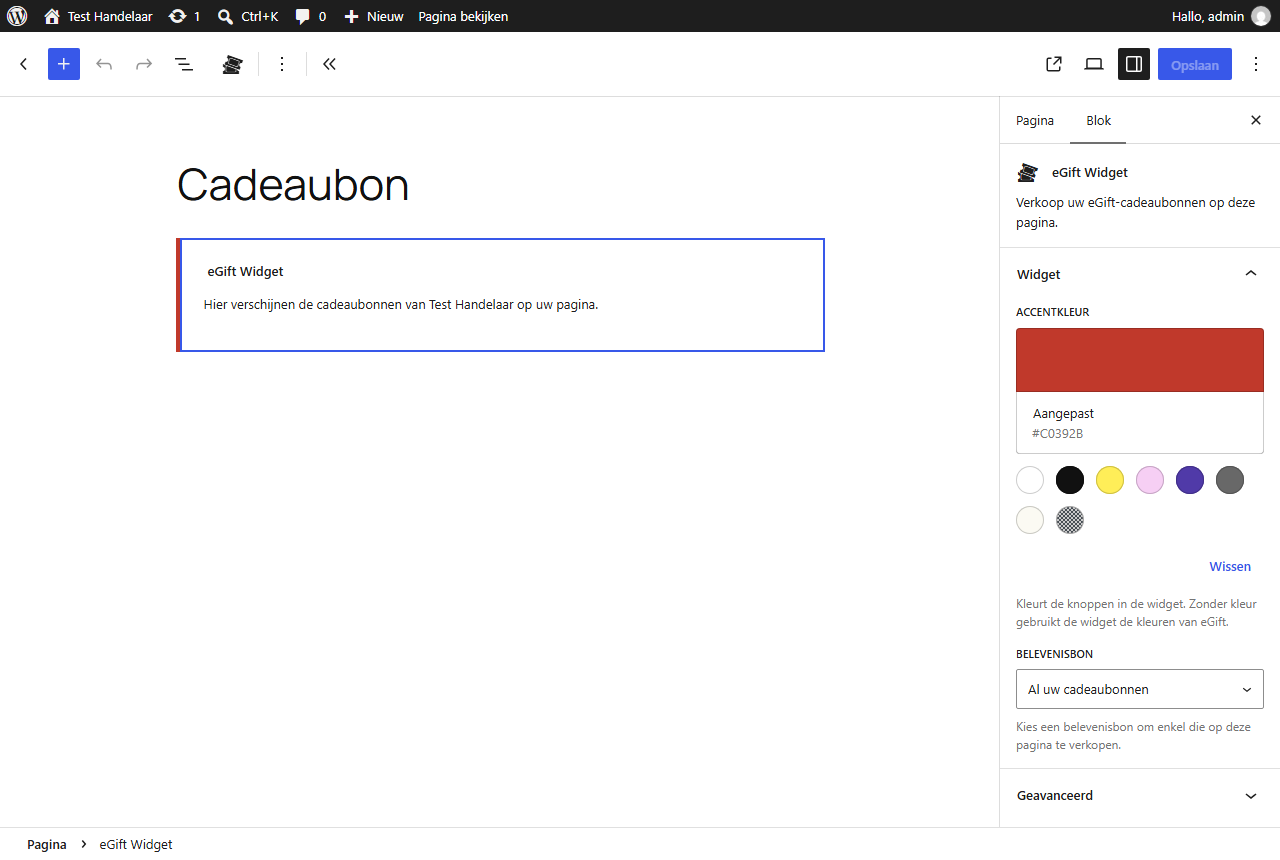
- the eGift Widget block in the block editor;
- the shortcode
[egift]in page builders without blocks, for example[egift accent="#c0392b" experience="12"].
安装:
- In WordPress, go to Plugins > Add Plugin, search for "eGift", then install and activate the plugin.
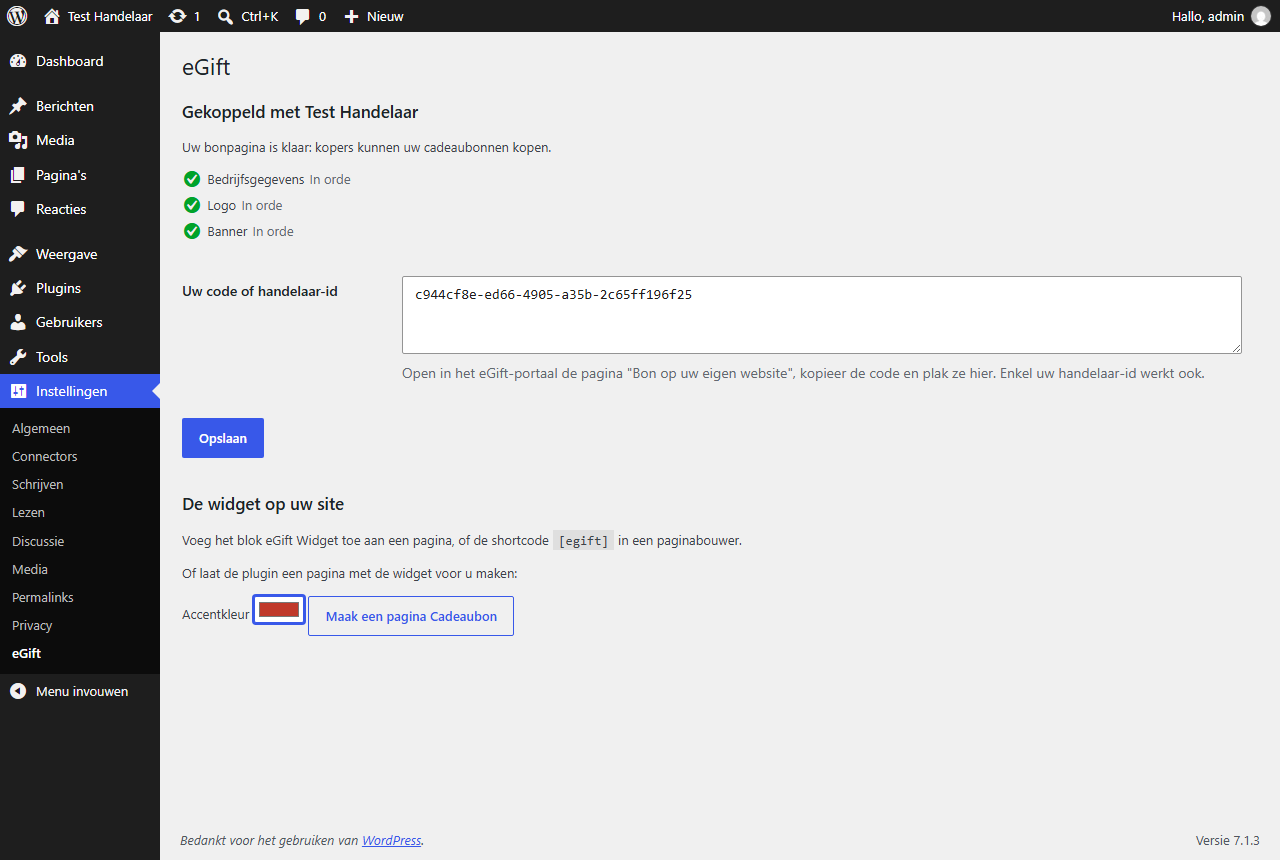
- Go to Settings > eGift. No eGift account yet? Click "Create a free account" there first.
- In the eGift portal, open "Bon op uw eigen website", copy the code and paste it under Settings > eGift. Your merchant ID alone works too. Click Save.
- Finish any steps the plugin lists as still missing, in the eGift portal.
- Click "Create a Gift voucher page" and add the page to your menu, or add the eGift Widget block to a page of your choice.
- WooCommerce shop? In the eGift portal, create an API-sleutel under Verkoop > API-sleutels and paste it under Settings > eGift, in the Webshop part.
屏幕截图:

常见问题:
Do I need an eGift account?
Yes. The plugin places the eGift Widget of your eGift account on your site. Creating an account is free: use the "Create a free account" link under Settings > eGift, or register at egift.be.
What does it cost?
The plugin is free. eGift charges its usual commission on each gift voucher sold through the Widget, exactly as for a sale on egift.be. See the eGift merchant terms.
Where do I find my code?
In the eGift portal, on "Bon op uw eigen website", under "Plak deze code op uw pagina". Your merchant ID alone works as well.
Does it work with my page builder?
Use the eGift Widget block in the block editor. In page builders without blocks, put the shortcode [egift] in a text or shortcode element.
Can I sell one experience voucher on a page of its own?
Yes. Choose it in the block's settings, or add its ID to the shortcode: [egift experience="12"]. The IDs are on the "Bon op uw eigen website" page in the eGift portal.
Where do buyers pay, and what does my site store?
Buyers choose and pay inside the Widget, which egift.be shows in a frame on your page. No payment or buyer data passes through your site. The plugin stores your merchant ID, your API-sleutel and which page it created, and nothing about your visitors.
Why does the Widget not show on my page?
Check Settings > eGift. If the site is not connected yet, logged-in administrators see a hint on the page and visitors see nothing. If steps are still missing in your eGift account, finish them in the eGift portal first.
What if a gift voucher has less credit left when the order is paid?
eGift takes what is left, and the order goes on hold with a note of the amount still to collect from the buyer.
Can a developer keep some products from being paid with a gift voucher?
Yes, with the egift_eligible_amount filter; there is no setting for it. It receives the part of the cart total that gift vouchers may pay (the whole total with shipping and taxes) and the cart, and can only lower that part. For example, to leave out the category "wine":
add_filter( 'egift_eligible_amount', function ( $eligible, $cart ) {
foreach ( $cart->get_cart() as $item ) {
if ( has_term( 'wine', 'product_cat', $item['product_id'] ) ) {
$eligible -= $item['line_total'] + $item['line_tax'];
}
}
return $eligible;
}, 10, 2 );
The buyer pays the rest with another payment method.
A gift voucher pays a different amount than I expect. How do I find out why?
Turn on the diagnostics mode under Settings > eGift. Logged-in administrators then see in the cart and the checkout each step from the cart total to the amount to pay, and the active plugins. A discount or pricing plugin is the usual cause. Buyers never see it.
更新日志:
- Says API-sleutel, like the eGift portal, and links to that page.
- Connect your site to your eGift account and place the eGift Widget with a block, the
[egift]shortcode or a ready-made "Gift voucher" page. - WooCommerce: buyers pay with their eGift gift vouchers in the cart and checkout, classic or block-based, several per order.
- The amount comes off the voucher once the order is paid, and goes back on it when you refund the order.
- A diagnostics mode, and the
egift_eligible_amountfilter for developers.