
e-iT Accessibility Tools
| 开发者 | t0nyblue |
|---|---|
| 更新时间 | 2026年11月3日 01:14 |
| PHP版本: | 7.4 及以上 |
| WordPress版本: | 7.1 |
| 版权: | GPLv2 or later |
| 版权网址: | 版权信息 |
详情介绍:
Give visitors practical display choices, then manage accessibility work from one clear WordPress screen.
Free visitor controls
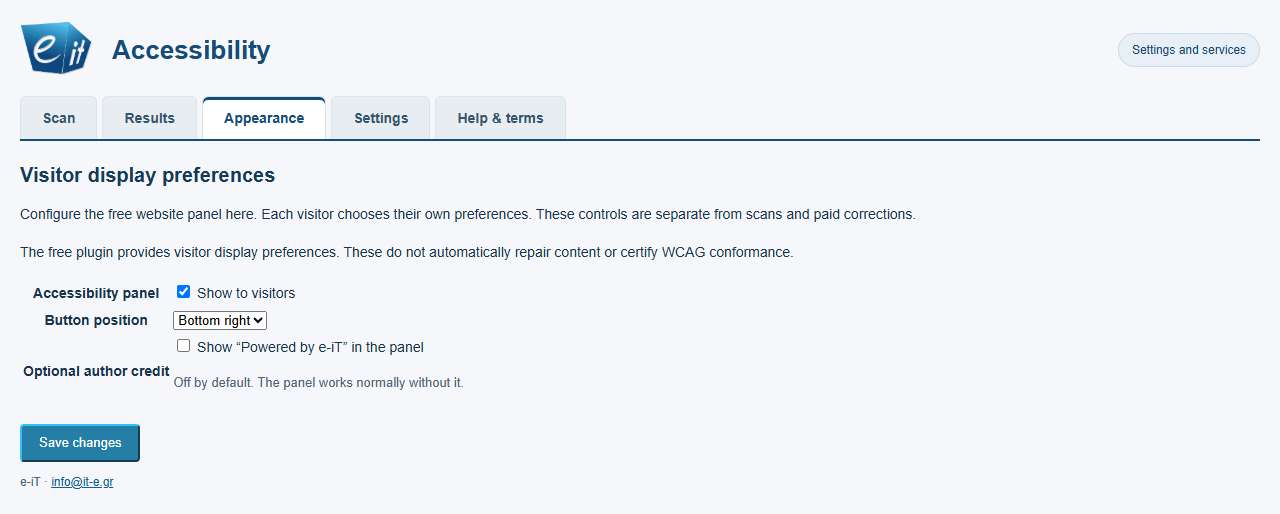
The floating panel lets each visitor adjust text size and line spacing, choose contrast and reading options, highlight links, change alignment, reduce motion and reset their preferences. These choices are stored in the visitor's browser. The panel and a local inventory of public pages work without payment.
Guided audit, when you need it
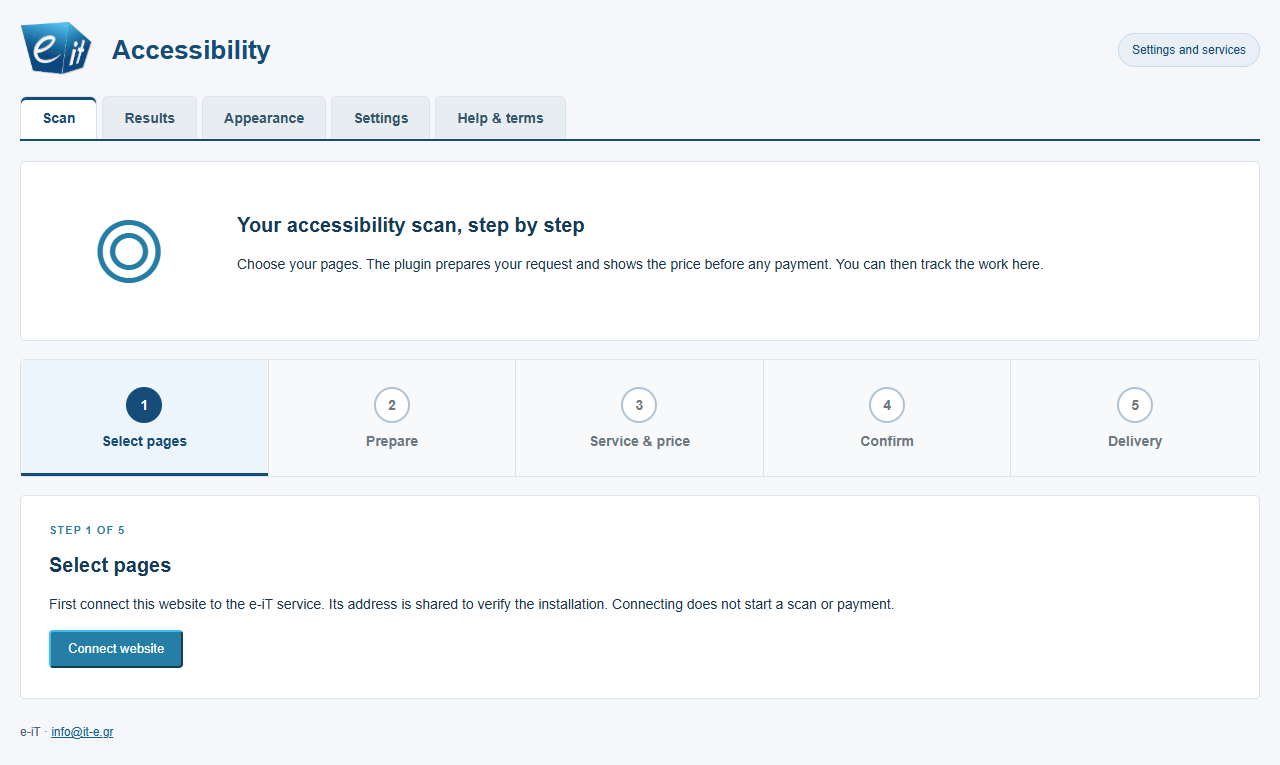
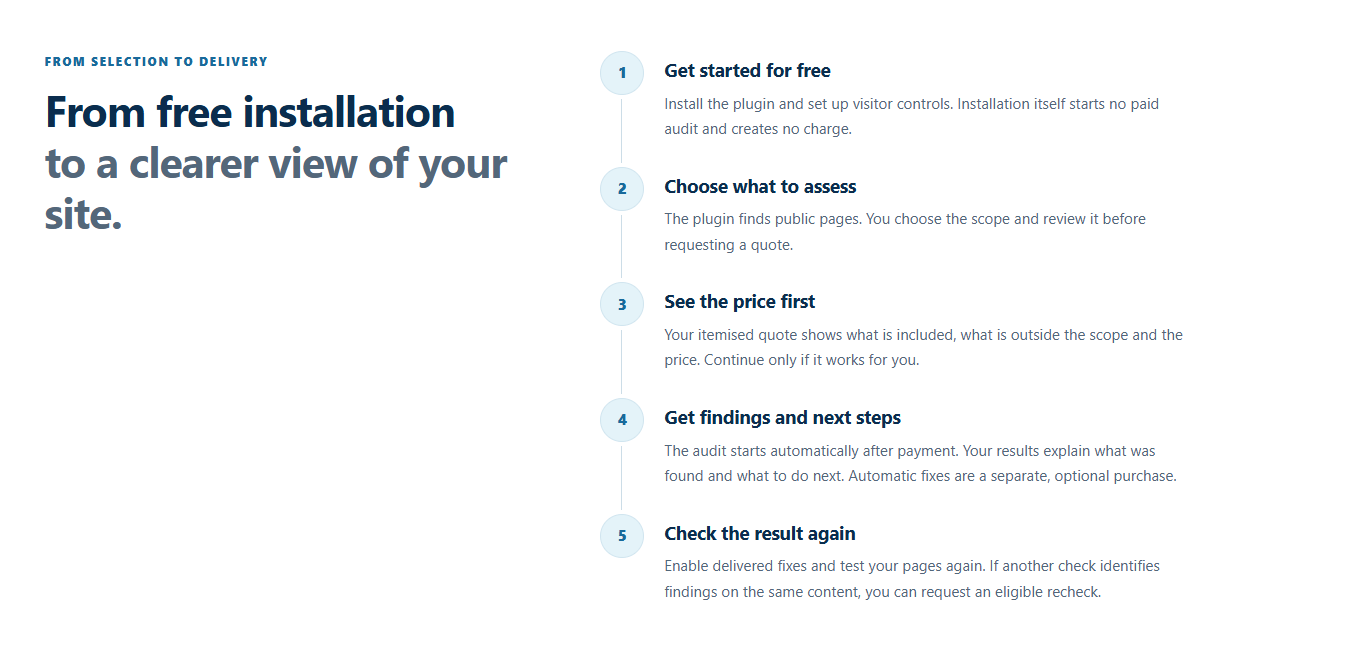
Open Settings > e-iT Accessibility and follow the five steps: select public pages, prepare the request, review the service and price, confirm, then track delivery. The price is shown before checkout. After a paid audit, review the findings and instructions in the Results tab to decide what to change yourself.
Optional automatic corrections
If you prefer assisted correction, request a separate site-specific quote from the same workspace. Supported corrections and any remaining items are reported after processing. Eligible follow-up checks are quoted separately. There is no required subscription.
The optional paid work is performed by the e-iT service. Its processing code and credentials are not distributed in this plugin. Automated checks and corrections cover a defined scope; they do not certify WCAG conformance or replace a human accessibility review.
Video walkthrough and manual
Watch the free visitor controls, the guided audit and the optional correction workflow:
Watch the video
Download the English user manual (PDF)
安装:
- In WordPress, open Plugins > Add New and search for "e-iT Accessibility Tools". Install and activate the plugin.
- Open Settings > e-iT Accessibility. In Appearance, choose whether to show the free visitor panel and set its position.
- Visit a public page to try the floating panel. Visitors can change their own display preferences without an account.
- To request an audit, open Scan, connect your website, select the public pages to inspect and follow the wizard. Connecting does not start a paid scan.
- Review the exact quote and terms before choosing checkout. Find delivered results and guidance in the Results tab.
屏幕截图:
常见问题:
Does the floating panel cost anything?
No. The visitor controls and local inventory of public pages are free.
Does connecting my site start an audit or charge me?
No. Connecting verifies the installation. The wizard displays the scope and price before you choose checkout.
Do I have to buy automatic corrections after an audit?
No. The audit provides findings and guidance you can act on yourself. Automatic corrections are a separate, optional purchase with their own quote.
Is a subscription required?
No. Each optional audit, correction job or eligible paid recheck is quoted separately before checkout.
Does installing the plugin make a site WCAG conformant?
No. Automated checks and fixes cover a stated scope and do not replace human assessment.
Is the Powered by credit required?
No. It is off by default and an administrator can opt in or turn it off.
更新日志:
0.3.11
- Restore the dashboard wizard's styling, tabs and step navigation on the active settings page.
- Restore existing site connections, quotes, paid results and display settings when updating from versions before 0.3.9.
- Inform administrators once that the service availability alert was resolved on 29 October 2026 and guide them to request a fresh quote for any interrupted attempt.
- Use distinct, plugin-specific prefixes for classes, hooks and stored data.
- Document external services and data transfers in the submitted readme.
- Validate and limit administrator recheck feedback before sending it.
- Validate the imported signed-profile container before signature checks.