
Elemance Addons for Elementor – Widgets, Templates, Header Footer & Popup Builder
| 开发者 | dotance |
|---|---|
| 更新时间 | 2026年10月4日 06:19 |
| PHP版本: | 8.0 及以上 |
| WordPress版本: | 7.1 |
| 版权: | GPLv2 or later |
| 版权网址: | 版权信息 |
详情介绍:
- Install and activate Elemance
- Complete the short setup wizard (widgets, theme check)
- Open any page in Elementor
- Click the ⚡ Elemance button next to the Add Template icon to browse templates
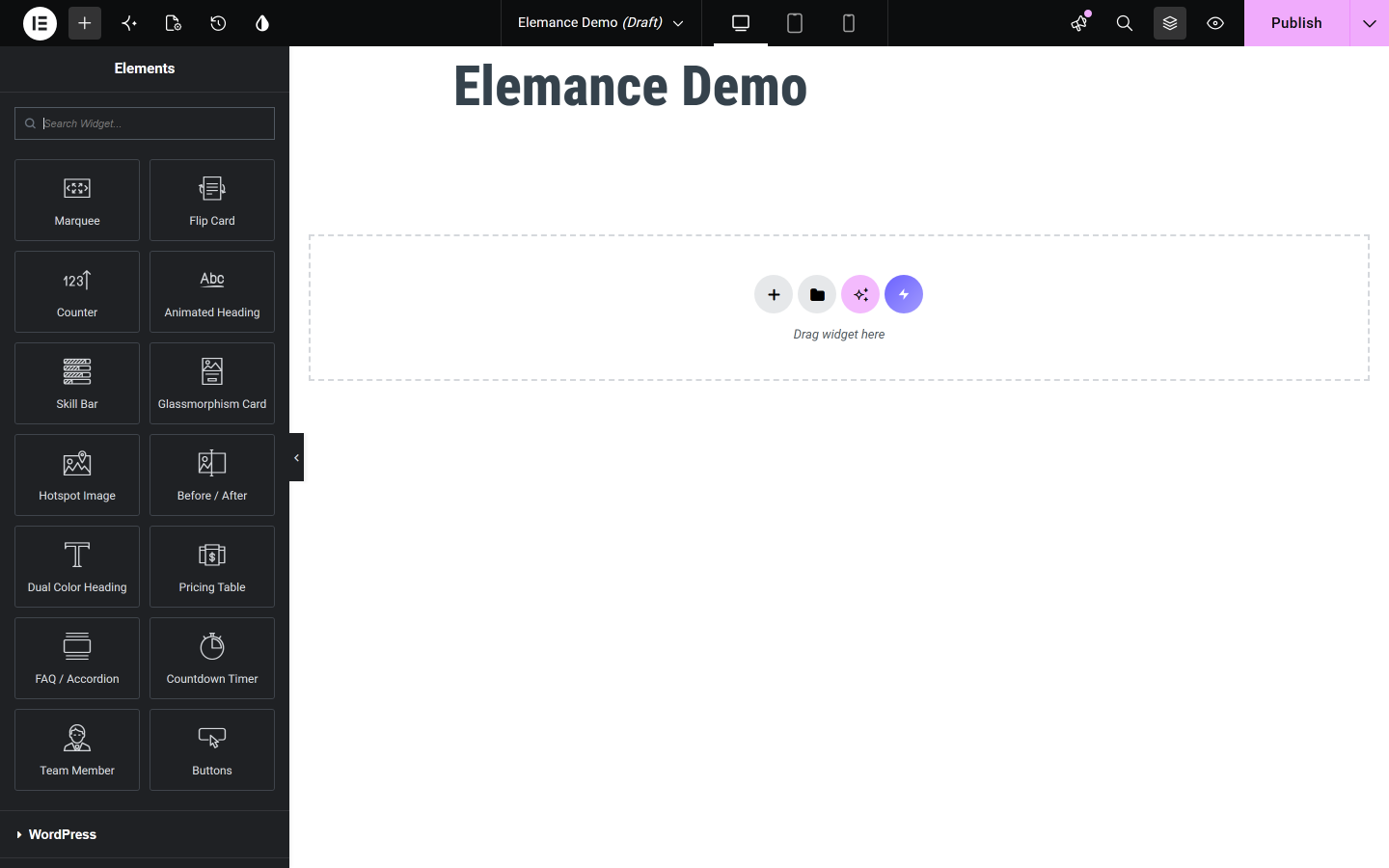
- Drag any Elemance widget from the left panel onto your page
- Build a header/footer or popup from the Elemance → Headers & Footers / Popups admin menu
- One plugin instead of three — widgets, templates, header/footer and popups together
- Works on Elementor Free, no Pro licence required
- Per-widget on/off control, so you only load what you actually use
- No account, no API key, no external service — everything runs on your own site
- Designs that look current rather than recycled from 2018
安装:
- Upload the
elemancefolder to/wp-content/plugins/ - Activate the plugin through the Plugins menu in WordPress
- Elementor must be installed and active
- Follow the setup wizard that appears automatically on first activation
- Open any page in Elementor and start building
屏幕截图:

常见问题:
Does this require Elementor Pro?
No. Elemance works fully with free Elementor, including the Header/Footer Builder and Popup Builder.
How do I use the templates?
Open the Elementor editor, click the purple ⚡ Elemance button next to the Add Template/+ icons, browse by category, and click Insert.
Will the setup wizard run again after I update the plugin?
No. The wizard runs only once, on first activation. You can re-run it manually anytime from Elemance → Re-run Setup Wizard in the dashboard.
Can I turn widgets off?
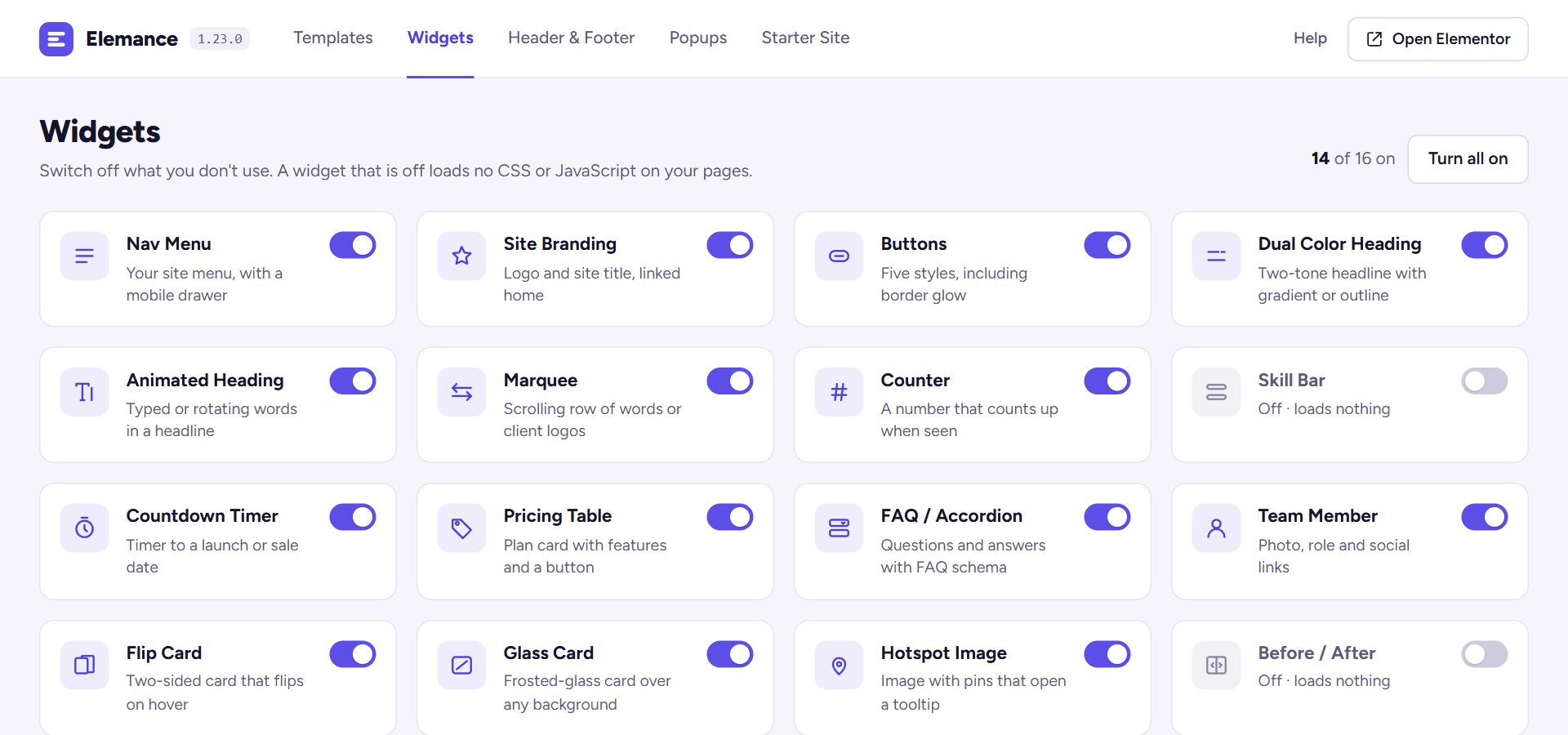
Yes. Go to Elemance → Widgets tab in the dashboard and toggle any widget off. Disabled widgets stop loading their CSS/JS and stop registering in Elementor entirely.
Does the Header/Footer Builder work with my theme?
It works out of the box with Hello Elementor, Astra, GeneratePress, OceanWP, Neve, and Storefront. Other themes get a universal fallback that hides the theme's native header/footer.
Is this free?
Yes, completely free. More widgets and templates are added with each update.
Where can I see what is inside before installing?
Screenshots, what is inside, the release history and answers to setup questions are on the Elemance page at dotance.com.
更新日志:
- New animated Elemance icon in the admin header and a new menu icon.
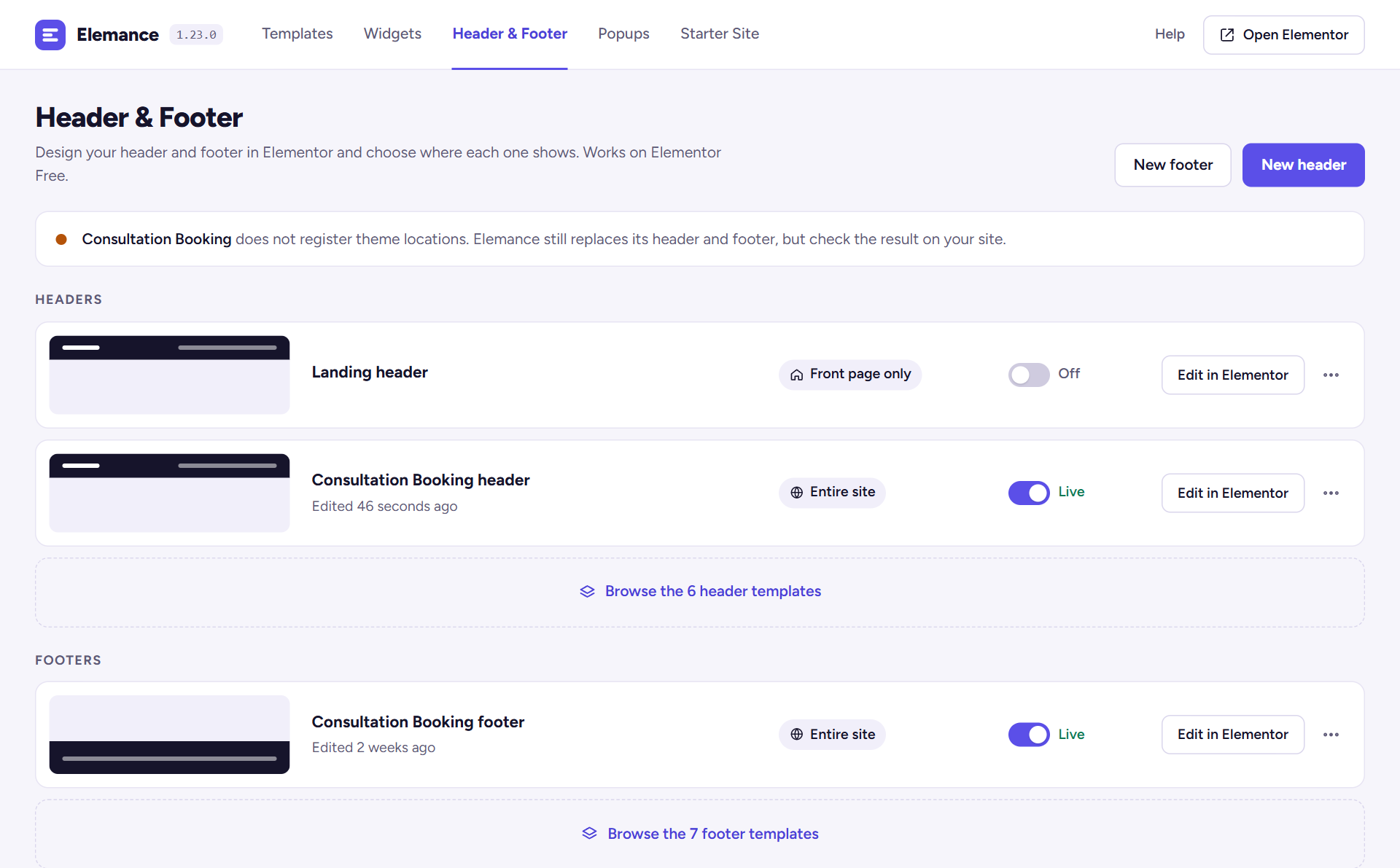
- New admin design: every Elemance screen now shares one bar with tabs for Templates, Widgets, Header & Footer, Popups and Starter Site.
- Templates: filter by category, search, preview a template full size and copy it to your Elementor library. Templates you have copied are marked "In library".
- Widgets: each widget has its own switch that saves at once. A widget that is off loads no CSS or JavaScript.
- Header & Footer: switch a header or footer live or off from the list, and see where each one shows.
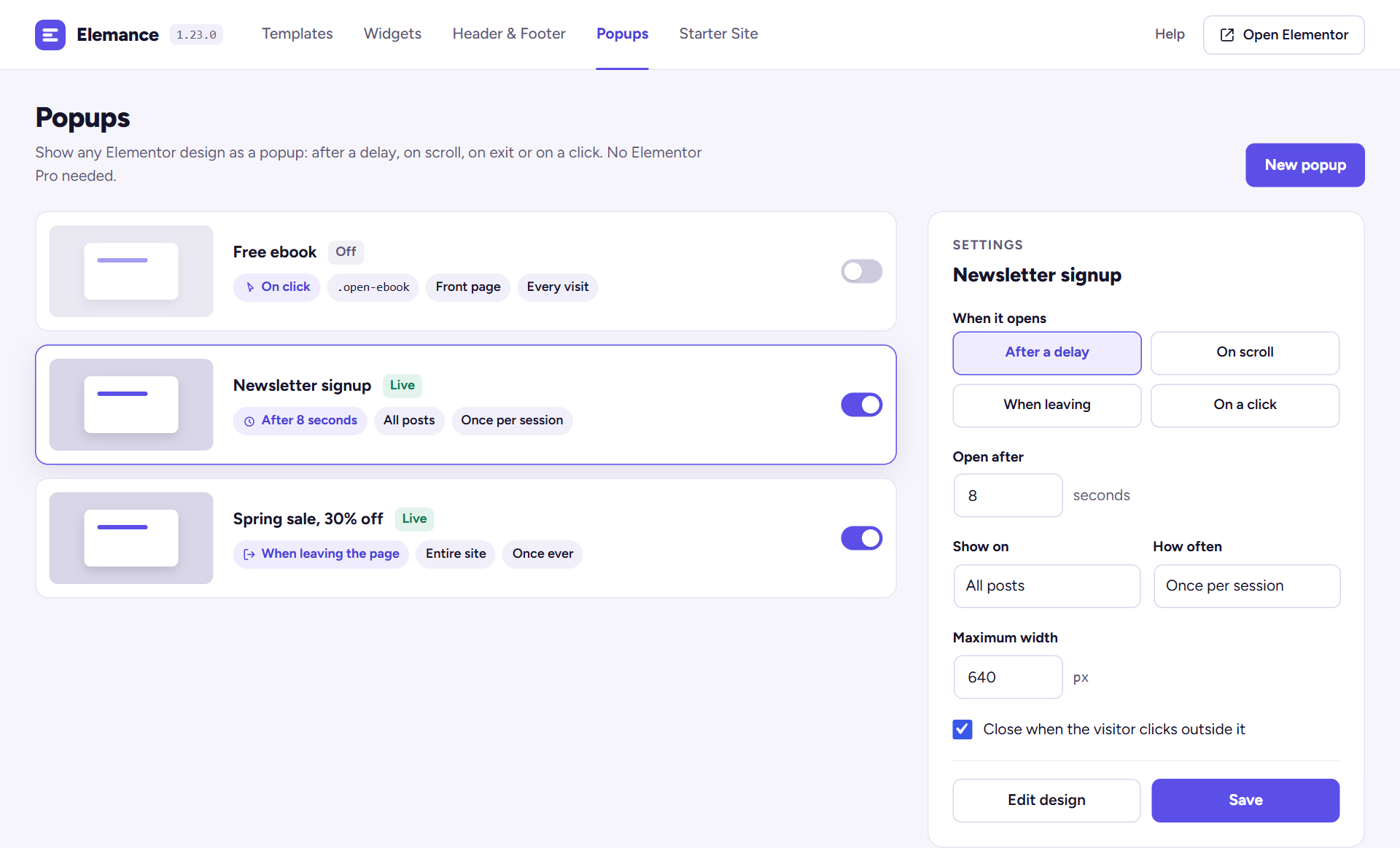
- Popups: change when a popup opens, where and how often straight from the list, without opening the editor.
- The setup wizard has a progress bar and a "Skip setup" link.
- The admin screens use the Figtree font, bundled with the plugin (SIL Open Font License).
- Security: the countdown widget's expired message is now printed as text, not as markup, so it cannot run script that someone typed into the widget.
- Security: the dual heading's underline style is taken from the list the control offers instead of from saved data, so it cannot break out of the style attribute.
- The "Elemance requires Elementor" notice is dismissible and only shows to users who can install plugins.
- Deleting the plugin now also removes the widget list and starter-site record it saved.
- New Nav Menu widget: put any WordPress menu in a header or footer template, with dropdown submenus that work on touch and keyboard and a hamburger toggle below the breakpoint you choose.
- New Site Branding widget: the logo from the Customizer and the site name from Settings, linked to your home page.
- Starter Site: a starter can now bring its own header and footer, imported into the Header & Footer builder with the menu already in place.
- Widgets added in an update are switched on for sites that had already chosen their widgets, instead of staying silently off.
- Header and footer templates now render as and , so they keep the landmarks the theme they replace used to provide.
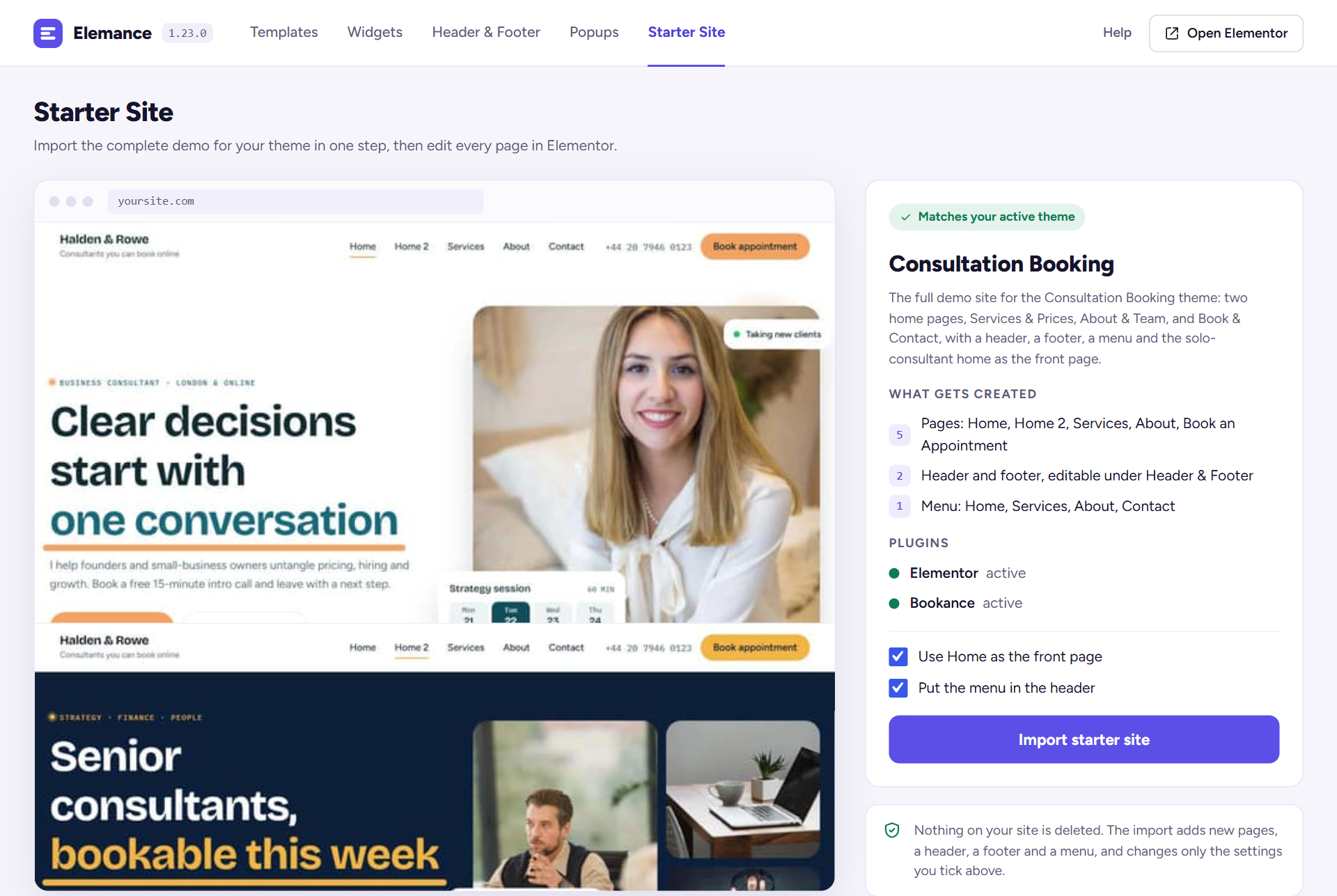
- Starter Site: when a supported theme is active (Consultation Booking), Elemance → Starter Site imports its whole demo in one click: every page, a menu, and the home page as your front page. It only creates new pages; your existing pages are not changed.
- Five full-page templates for the free Consultation Booking theme: two home pages (solo consultant and consultancy firm), Services & Prices, About & Team, and Book & Contact, with booking buttons and the Bookance booking form. They appear in the library only while that theme is active, because the theme supplies their styling.
- Faster pages: a widget's CSS and JavaScript now load only on pages that use that widget. Previously every enabled widget's files loaded on every Elementor page.
- Fixed: a console error ("Cannot read properties of undefined (reading 'addAction')") when a widget script ran before Elementor finished starting.
- Fixed: in the FAQ accordion, closed questions showed both the plus and the minus icon. Only the plus shows now; the minus shows on the open question.
- Nine new section templates — a second design for About, Services, Testimonial, Features, CTA, Pricing, FAQ, Contact and Stats. The library now has 41.
- Every template has a real preview image, in the Elemance dashboard and in the template panel inside the Elementor editor. Previously the cards showed two letters.
- Fixed: 19 of the 32 existing templates used layout settings Elementor does not recognise, so it ignored them. Card rows stacked instead of sitting side by side (Contact Info, Team Grid, FAQ Accordion) and the Stats Bar counters bunched to one side. Gaps, alignment and column widths now apply as designed.
- Demo content no longer contains our name, email address or a credit link. The FAQ template has general-purpose questions.
- Marquee: image items have an Alt Text field (falling back to the Media Library alt text), and the duplicated copy that makes the loop seamless is hidden from screen readers so each item is read once.
- Template category labels read CTA and FAQ instead of Cta and Faq.
- The plugin is named Elemance Addons for Elementor in the Plugins screen, matching its WordPress.org listing.
- The plugin is now listed as Elemance Addons for Elementor.
- Responsive controls across the widget library: spacing, sizes, radius, icon sizes and alignment can now be set separately for desktop, tablet and mobile. Marquee, Team Member and Animated Heading had none before.
- Marquee: the fade width is adjustable and narrower on phones by default, and Pill and Card items get padding and radius controls. Image height moved from an inline style to CSS so it can differ per device.
- Team Member: alignment, photo width and height, text padding, typography for the name, role and bio, and a new Social Icons style section.
- Animated Heading: a long rotating phrase now wraps on phones instead of running off the screen.
- A one-time, dismissible request for a WordPress.org review, shown on Elemance screens a week after install.
- Deleting the plugin now removes its settings. Headers, footers, popups and imported templates are left in place.
- Fixed: importing the Team Cards template caused a fatal error with current Elementor. Each card stored its width in a format Elementor no longer accepts; the widths now use Elementor's custom width setting.
- Removed every remote asset: the demo images in the Team Member, Hotspot and Before/After widgets and in ten section templates were loaded from an external placeholder service. They are now SVG files that ship with the plugin.
- Moved the last inline and blocks — the settings screen, the popup meta box and the theme header/footer suppression CSS — into enqueued files and wp_add_inline_style().
- Fixed: "Sync to Elementor Library" fired a second, duplicate request whose nonce was created for a different action, so it always failed the nonce check.
- Plugin URI now points at a page that exists.
- Documentation only: rewrote the description so it leads with what the plugin actually replaces — an addon pack, a header/footer plugin and a popup plugin — instead of listing features in no particular order.
- Fixed: the setup wizard is a complete HTML document, but it was printed from inside the admin page that WordPress had already opened — so the admin sidebar and toolbar sat alongside it instead of it filling the screen. It is now served at
admin_init, before any admin chrome is output.
- Fixed: the setup wizard's welcome screen still advertised "24+ Templates" and "9 Widgets" from an older release. Both counts are now read from the plugin itself, so they cannot go stale again. It also no longer claims full page templates, which the free plugin does not ship.
- Fixed: the Header & Footer Builder and Popup Builder screens rendered completely unstyled. The admin stylesheet was gated on the dashboard's hook suffix alone, so neither submenu ever loaded it — the pages worked, but looked like raw HTML.
- Added the
Requires Plugins: elementorheader, so WordPress itself now blocks activation without Elementor instead of leaving the plugin half-loaded. - Changed: the dashboard's sidebar card now points at the documentation. It previously advertised a Pro version that does not exist yet, which is not something a plugin should ship.
- Changed: readme tags no longer use another plugin's trademarked name.
- Fixed every issue reported by the official Plugin Check tool: all remaining unescaped output now escapes at the point it is printed (values escaped into a variable earlier were invisible to the checker and, in a couple of places, genuinely unescaped),
$_POST/$_GETinput is unslashed and sanitised inline, and the nonce values are sanitised before verification. - Changed: the setup wizard now registers its stylesheet and script through
wp_enqueue_style()/wp_enqueue_script()and passes its configuration viawp_localize_script(), instead of printing raw<link>,<script>and inline-JSON tags. - Removed:
load_plugin_textdomain()and the unusedDomain Pathheader. WordPress has loaded translations automatically since 4.6, and the plugin ships nolanguagesfolder.
- Security: links set to open in a new tab now also carry
rel="noopener". Without it, the page you open keeps a livewindow.openerreference back to yours. Affected Buttons, Flip Card, Glass Card, Pricing Table and Team Member — all six link sites now share one helper, so the two halves cannot drift apart again. - Fixed: Glass Card and Team Member ignored the link's nofollow setting entirely. They now honour it.
- Changed: the FAQ/Accordion demo content no longer advertises a Pro version. Default content ends up on real pages, so it should read as a usable example rather than an advert.
- Tested against WordPress 7.1.
- Fixed critical error: "Uncaught TypeError: Illegal offset type in isset or empty" in Elementor's CSS generator, which could crash the entire site (via Elementor Pro Theme Builder header/footer locations, on every page). Root cause: three SLIDER-type controls — Glass Card's Blur Amount, Accordion's Open/Close Speed, and Buttons' Glow Speed — declared a
selectorsCSS mapping without the requiredsize_unitskey, which Elementor's style renderer cannot safely process. All three now declaresize_unitscorrectly.
- Fixed: Buttons widget icon wasn't rendering — the icon class was being passed directly into Icons_Manager::render_icon() instead of onto a wrapping element, which is not how Elementor's icon renderer expects custom classes. Now wraps the icon in its own span, matching the same pattern used by Flip Card, Glass Card, and Team Member.
- New widget: Buttons — 5 distinct types: Solid, Outline, Gradient (animated shift on hover), Icon Slide (icon slides in on hover), and Border Glow (a light that continuously chases around all 4 sides of the border)
- Full control set: icon + position, size presets, alignment, full width, colors per type, hover states, border radius, padding, typography, shadow, and glow speed/colors
- New template: Buttons - Style Showcase (all 5 types side by side)
- Now 14 widgets and 32 templates
- Full widget audit — fixed 3 bugs and closed multiple missing-control gaps across the widget library
- Fixed: Countdown Timer's "Hide Widget When Expired" toggle had no effect — now actually hides the widget
- Fixed: Team Member's Overlay style rendered completely blank when no photo was set — now falls back to a normal info layout
- Fixed: Before/After had an unused, dead data attribute (no visible effect, cleaned up)
- Added: Glass Card — full Button style section (background/text/hover/typography/padding/radius)
- Added: Before/After — Label styling (background/text color/typography), Handle size controls, Show/Hide Handle toggle, custom Height control
- Added: Hotspot — Pin Size, Pulse Animation toggle, Tooltip Width, Tooltip Typography
- Added: Skill Bar — Bar Border Radius, responsive Bar Height and Gap
- Added: Animated Heading — Text Color on Highlight, Cursor Width, Cursor Blink Speed
- Added: Flip Card — Back Button Padding/Border Radius, nofollow support on the back button link
- New widget: Team Member — photo, name, role, bio, social icons; Card/Overlay/Horizontal/Minimal layouts, reveal-on-hover social icons over the photo
- New template: Team - Profile Cards (3-column, uses the new Team Member widget)
- Now 13 widgets and 31 templates
- New widget: Countdown Timer — Days/Hours/Minutes/Seconds to any date, Boxed/Circle/Minimal/Flip Card styles, custom expired message, responsive
- New templates: Countdown - Launch Hero, Contact - Info Cards, Team - Grid Cards, Stats - Number Bar (26 → 30 free templates)
- Added Countdown, Contact, Team, and Stats categories to the template library
- Added: FAQ/Accordion — Divider Color/Width/Style controls for Bordered and Minimal styles
- Added: FAQ/Accordion — full Item Box section for Boxed style (background, border color/width/radius, open-state background and border, horizontal padding)
- Added: FAQ/Accordion — full Icon section (closed/open background and color, size)
- Added: FAQ/Accordion — Open Item Background control for Bordered/Minimal styles
- Added: FAQ/Accordion — Open/Close Speed control
- Hardened: FAQ/Accordion now resets box-sizing and normalizes links/lists/headings/SVGs inside the answer area and the question button across all hover/focus/active states, so no Elementor-compatible theme's global button or typography styles can visually break it (the cause of the pink/crimson block some themes showed)
- Fixed: FAQ/Accordion question header could show a theme's default button background color (e.g. a pink/crimson block on hover/focus) because the question is a real element for accessibility — many themes style raw buttons globally. Now explicitly resets background/border/shadow on hover, focus, and active states so the widget's own styling always wins.
- Responsive: Counter and Pricing Table number font sizes are now responsive (smaller defaults on tablet/mobile to prevent overflow)
- Responsive: Hotspot tooltips no longer overflow the viewport on narrow screens
- Fixed: Before/After image could go out of alignment when resizing the browser or rotating a device — now re-syncs on resize
- Fixed: hardened widget JS (Counter, Skill Bar, Animated Heading, Hotspot, Before/After) against double-initialization that could cause flicker, double-animation, or duplicate event bindings depending on script load timing
- Added: Glass Card — Icon Size, Title/Description typography, and Card Padding are now controllable and responsive
- Fixed: FAQ/Accordion was completely non-functional on some sites — the script's DOMContentLoaded listener could register after that event had already fired (footer-loaded script + caching/minification), so it never initialized. It now runs immediately if the DOM is already ready.
- Added: FAQ/Accordion now outputs FAQPage JSON-LD schema automatically for SEO rich results, with an on/off toggle in case an SEO plugin already provides one
- Added: FAQ/Accordion — Question Hover Color, Question Padding, Icon Gap controls
- Fixed: Flip Card would get stuck flipped on mobile/tablet taps (CSS :hover doesn't release cleanly on touch) — now uses a tap-toggle on touch devices while keeping hover on desktop
- Added: Flip Card — Card Width control (px/%, responsive), independent of Card Height
- Fixed: Marquee "Gap Between Items" had no effect when using Pill or Card item style (a hardcoded !important padding was overriding it) — gap now uses margin so it works with every item style
- Added: Marquee — Fade Edge Color control to match the fade to any section background
- Added: Pricing Table — full independent style controls for every part: Badge (bg/text/typography), Price (color/size), Currency, Period, Original Price, Description, Features (text/icon colors/spacing), Button (bg/text/hover/typography/padding/radius), and Note text color
- Dashboard: moved Sync/Editor/Wizard buttons into a compact quick-actions row below the hero
- Dashboard: added hover/focus info popover on each Widget Manager card explaining what the widget does
- Marquee: Item Style option — Plain, Pill, Card with custom background
- Flip Card: Card Shape option — Default, Rounded, Circle
- Counter: Layout Style option — Centered, Inline (icon left), Stat Card (bordered)
- Skill Bar: New bar styles — Thin Line, Dotted Segments
- Glass Card: Card Variant option — Glass Dark, Glass Light, Neon Glow, Solid Card
- Hotspot: Pin Style option — Dot Pulse, Number Badge, Plus Sign
- Dual Heading: Underline decoration per part — Solid, Dashed, Wavy, Double
- FAQ/Accordion: Dark Mode, Icon Position (left/right), Number style (01 02 03)
- New widget: FAQ / Accordion — 3 styles (bordered/boxed/minimal), 3 icon types (+/chevron/arrow), smooth height animation, allow-multiple toggle, accessibility (aria-expanded)
- New template: FAQ – Clean Accordion (two-column layout: heading left, accordion right)
- Added FAQ category to template library
- New widget: Pricing Table — 3 card styles (light/dark/gradient), repeater features list, badge, original price strikethrough, featured highlight
- New template: Pricing – Three Column Cards (Starter / Pro / Business)
- Added Pricing category to template library with correct thumbnail color
- Widget on/off toggle now includes Pricing Table
- Fixed missing thumbnail styling for Popup category templates
- Cache-busting version bump for CSS/JS assets
- Added guided Setup Wizard (runs once on activation, never on update)
- Added Widget Manager — toggle individual widgets on/off from the dashboard
- Disabled widgets no longer register or enqueue any assets (performance)
- Added "Re-run Setup Wizard" link to the admin dashboard
- Added Header / Footer Builder (works with Elementor Free)
- Added Popup Builder with delay, scroll, exit-intent, and click triggers
- Added 3 header templates, 3 footer templates, 3 popup templates
- Expanded template library to 15 free templates
- Added marquee, testimonial, features, and CTA sections
- Initial release
- 9 custom Elementor widgets
- Starter template library
- Elementor template library integration
- Admin dashboard