
ElementsBoost – Elementor Asset Cleanup & Page Speed Optimizer
| 开发者 |
lmscrafter
mmubashirtaqi |
|---|---|
| 更新时间 | 2026年10月12日 02:50 |
| PHP版本: | 7.4 及以上 |
| WordPress版本: | 7.1 |
| 版权: | GPLv2 or later |
| 版权网址: | 版权信息 |
详情介绍:
- Scan your page. See practical suggestions for images, fonts, scripts, and page content.
- Find the right element. Use X-Ray to highlight supported findings on your page.
- Choose your changes. Apply supported fixes or adjust the settings yourself.
- Check your work. Scan again and visually review the page on desktop and mobile.
- Page checks inside Elementor: find image, layout, font, and content issues, with X-Ray highlighting for supported elements.
- Image dimensions: add missing width and height to supported Media Library images to help reduce layout shifts.
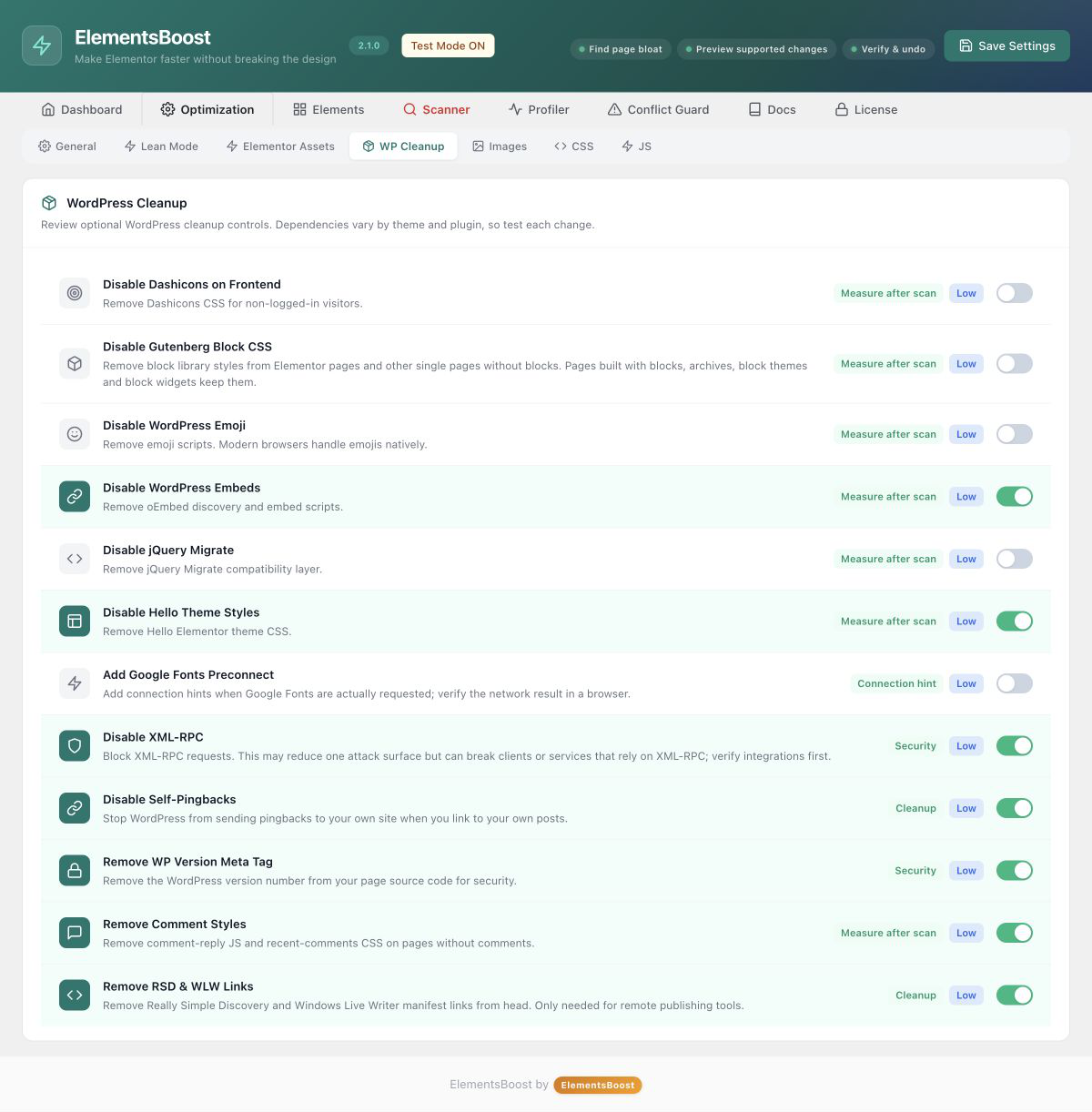
- Font and asset controls: manage supported Elementor styles, icons, animations, sliders, and WordPress extras.
- Local Google Fonts: download supported Google Fonts files and serve them from your website.
- Widget controls: turn off unused widgets while protecting widgets found in your saved content.
- Add-on insights: see which supported Elementor add-ons load files on your pages.
- Practical page fixes: review image alt-text suggestions, remove eligible empty containers, and apply supported YouTube lazy loading.
- Test Mode and Settings History: preview supported performance settings as an administrator and restore earlier settings.
- Auto-Revert: monitor supported settings changes for detectable problems.
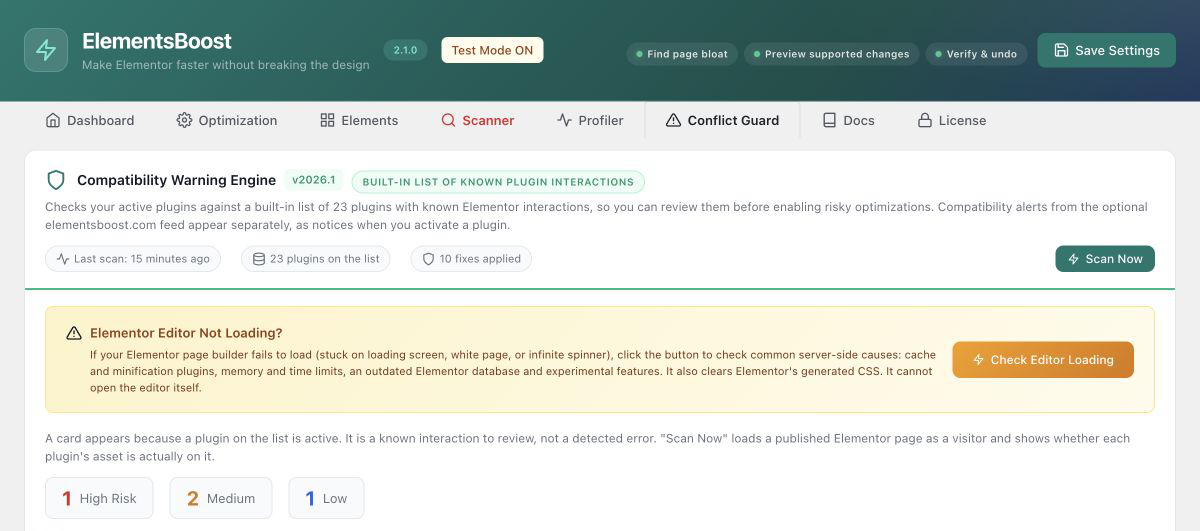
- Conflict Guard: review supported plugin interactions and available fixes.
- PageSpeed tests: run on-demand Google Lighthouse lab tests for your homepage or the page you are editing.
- Meta descriptions: write descriptions for posts and pages, with checks to avoid duplicating descriptions from supported SEO plugins.
- Optional visitor measurements: collect local LCP, CLS, and INP measurements when an administrator enables this feature.
- Compress images on your server: optimize Media Library images, create supported WebP or AVIF versions, process images in bulk, and restore backups.
- Control assets page by page: use Lean Mode to manage supported libraries where you need them.
- Preview before going live: inspect supported changes privately with Safe Preview.
- Prioritize visible content: generate mobile and desktop Critical CSS.
- Delay non-critical JavaScript: use delay and defer controls for supported scripts.
- Track progress: compare PageSpeed results, keep page history, and schedule monitoring.
- Improve page structure: use Deep Scan for heading and meta-description checks, with supported actions.
安装:
- Install and activate Elementor.
- Go to Plugins → Add New, search for ElementsBoost, and install it.
- Activate ElementsBoost and open its menu in WordPress.
- Follow the setup guide and review the suggested settings.
- Open a page in Elementor, open ElementsBoost, and run your first scan.
- Try a change, check the page, and scan again.
屏幕截图:
常见问题:
Do I need to know how to code?
No. You work with settings, page checks, and supported fixes inside WordPress and Elementor.
What is the difference between Free and Pro?
Free gives you page checks, site-wide controls, image-dimension support, supported fixes, and PageSpeed tests. Pro adds image compression and conversion, per-page asset control, Safe Preview, Critical CSS, JavaScript controls, and performance history.
Can I try changes before visitors see them?
Test Mode lets administrators preview supported frontend performance settings. Content edits and security settings have their own scope, so review the notice beside each action. Pro adds Safe Preview for supported per-page optimizations.
Can I undo a change?
Settings History stores up to 30 settings snapshots. Supported page actions have their own undo controls. Pro image optimization also supports restoring backed-up images.
Does the free plugin compress images?
Image compression and WebP/AVIF conversion are Pro features. Free helps with missing image dimensions and reviewable alt-text suggestions.
Will this improve my PageSpeed score?
Removing unnecessary work can help your pages load faster. Your results depend on your design, hosting, images, and other plugins. Compare the same page before and after a change, and check how it looks and works.
Which images can receive missing dimensions?
Images that WordPress can match to local Media Library files. Background images and externally hosted images may need adjustments in your page design.
Does ElementsBoost replace my cache or SEO plugin?
No. It works alongside them. Its focus is Elementor page optimization, practical fixes, and performance checks.
更新日志:
- Editor not loading? Check Editor Loading now shows the real cause: JavaScript errors and the plugin behind them, firewall blocks, HTTP 413 "request too large" limits, blocked previews and the memory the editor really gets, with a link to Elementor Safe Mode.
- The editor now explains a save that the server refuses as too large (HTTP 413).
- Safer asset controls: removing Swiper, Elementor Icons or animation CSS never strips files that other scripts depend on.
- Auto-Revert no longer switches settings off when a firewall or busy host blocks its check.
- Check Editor Loading no longer clears Elementor CSS; use the new Regenerate CSS & purge cache button.
- Elementor headers and footers from Astra, OceanWP, ElementsKit, JetThemeCore, Happy Addons and other site builders are protected.
- Scan drafts and Test Mode changes with private previews.
- Protect widgets used in your pages and keep saved settings consistent.
- Get clearer page checks and more helpful scan messages.
- Improve Google Fonts handling and carousel checks.
- Clear supported page caches after performance settings change.
- Move settings between sites with improved import and export.
- Choose whether to receive optional compatibility alerts.
- Improve translations, privacy controls, and everyday reliability.
- Add real-world performance examples and screenshots to the plugin listing.
- Make page results and the setup experience easier to understand.
- Improve Test Mode and settings guidance.
- Improve dashboard readability and clarify Free and Pro features.
- Improve settings, scheduled scans, and compatibility.
- Improve page scans and dashboard feedback.
- Introduce the updated Buraq page assistant, X-Ray controls, and supported fixes with undo.