
Elevated Comments
| 开发者 |
vernal
carlalexander ronalfy |
|---|---|
| 更新时间 | 2019年6月20日 21:48 |
| 捐献地址: | 去捐款 |
| PHP版本: | 4.4 及以上 |
| WordPress版本: | 5.2 |
| 版权: | GPLv2 |
详情介绍:
Comments can be the best part of a post. So why are they always buried?
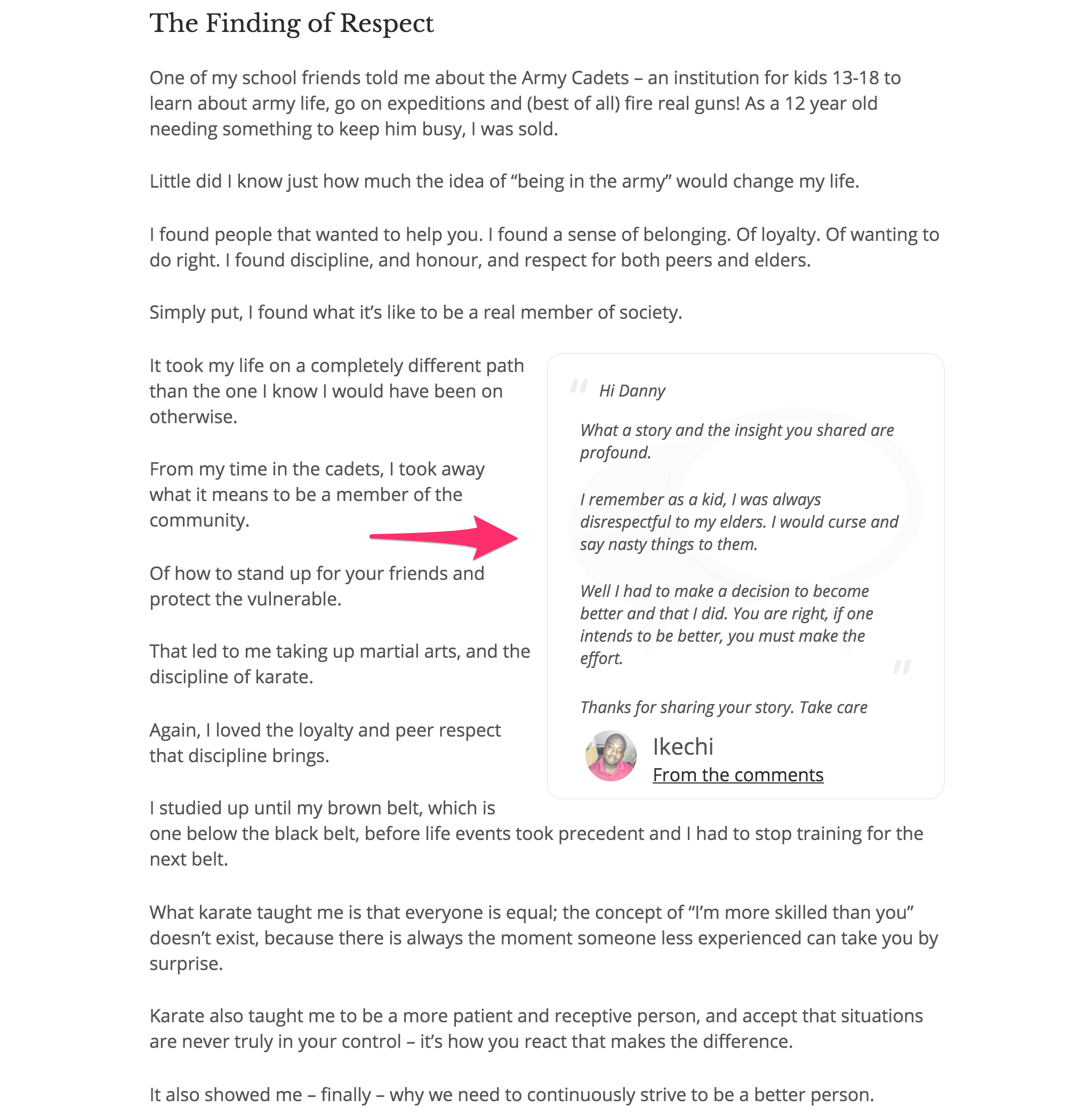
Elevated comments uses language analysis and machine learning to identify the most relevant and thoughtful comment on each of your posts. The comment is then automatically inserted near the top of the post as a simple sidebar pull quote.
Learn more on our site
Find out more about how Elevated Comments work at http://elevated.gopostmatic.com.
安装:
Elevated comments is quite simple. Once activated, it will run automatically. It does not affect your old posts, you will only notice it our new posts and comments moving forward.
After a new post receives more than three comments the best will automatically be chosen and displayed at about 1/3 of the way through the post.
An important consideration
The contents of your comments will be sent offsite for evaluation. Elevated Comments utilizes the Comment-IQ API for rating both your posts and comments. Please be sure you are adhering to your local privacy laws.
There are a few options available:
Enable or disable elevated comments
Visit Settings > Elevated Comments in order to set the default behaviour to insert elevated comments automatically or not.
Manually place the comment
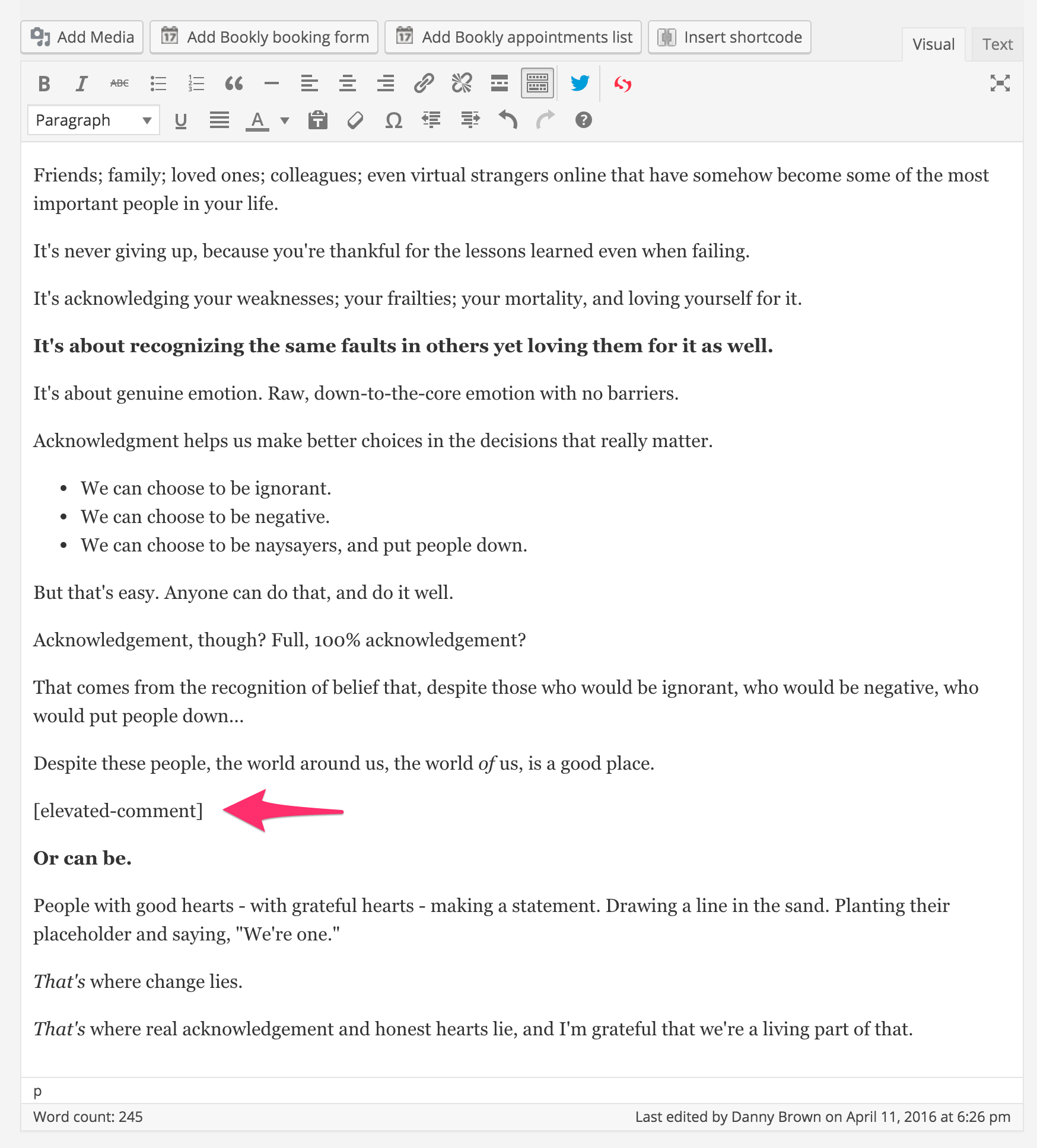
Comments can be manually placed on posts by using the following shortcode:
[elevated-comment]
Disable comment elevation per post
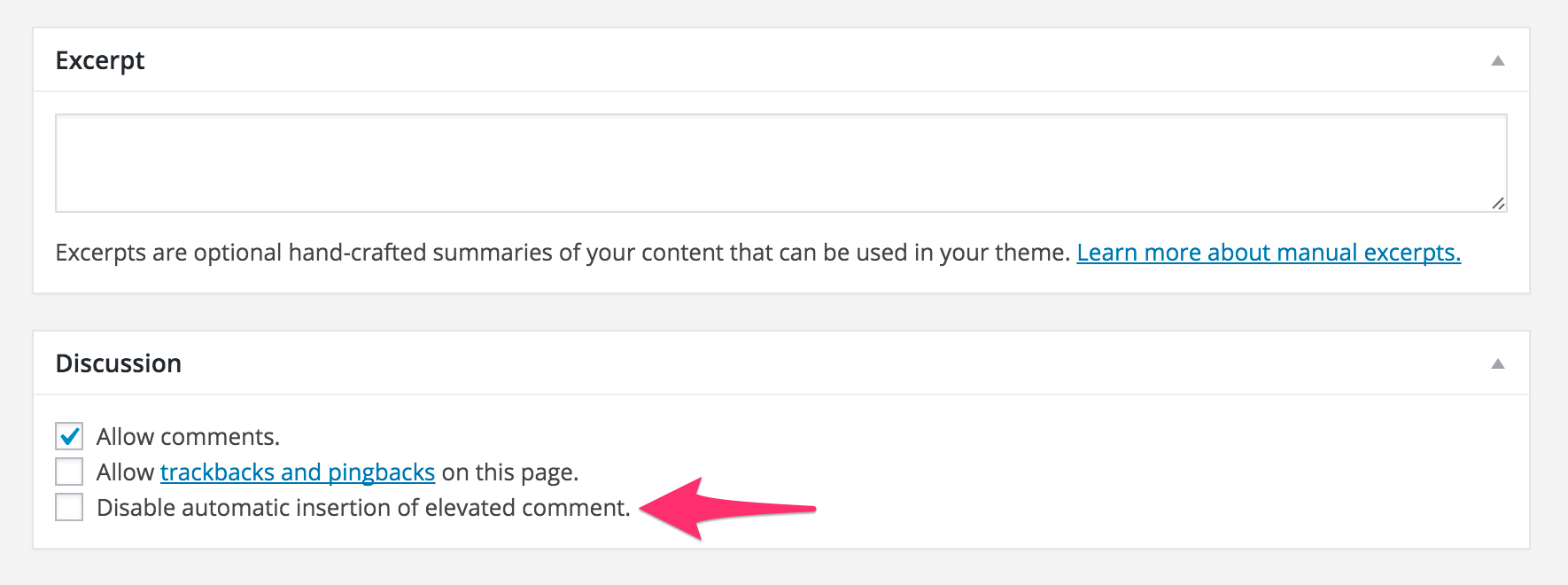
If you would like to disable comment elevation on a post you can do so using a checkbox on the Discussion Settings metabox on the Edit Post screen.
屏幕截图:
常见问题:
Will elevated comments show up on my old posts?
No. The plugin does not retroactively rate your old posts or comments. It will only affect new content moving forward.
Can I change the formatting or markup of the elevated comment?
Yes. There are a number of classes in place for modifying the styling. You can also override the default template by copying it to your theme directory.
Can I manually choose which comment gets elevated?
Not at this time.
How is comment relevance determined? Can my users vote?
Computers are so much better at this than humans. Trust us.
Can I have more than one elevated comment proposed?
Not yet. There is only one winner. The best comment.
更新日志:
1.1.7
- Released 2019-05-16
- Tested and compatible with WordPress 5.2
- Released 2017-05-08
- Bug Fix: Fixed divided by zero bug.
- Tweak: Removed the default background image from the elevated comment.
- New: Added filter to include comments by the post author, disabled them by default (elevated_allow_post_author)
- Released 2016-06-12
- Bug Fix: Fixing HTML being stripped out of content.
- Released 2016-05-26
- Bug Fix: Elevated Comments stripped out shortcodes.
- Released 2016-05-10
- Fixed bug where elevated comments aren't automatically showing.
- Released 2016-05-09
- New settings screen with universal option for enabling/disabling automatic elevation
- Better styling of elevated comments in Postmatic emailed posts
- Released 2016-04-28
- Switching to self-contained API for better reliability
- Filter to create your own API endpoint
- Add better support for nicknames/display names elevated comment
- Bug fix: Commenting on a post will now update the post and the comment with the API
- Bug fix: Changing comment insertion to wp_insert_comment to prevent conflicts
- CSS fixes
- Can now render in multiple contexts other than in the main query
- Released 2015-04-15
- Initial Release