ElPlan Kuchikomi Wall
| 开发者 | elplan |
|---|---|
| 更新时间 | 2026年5月24日 19:08 |
| PHP版本: | 7.4 及以上 |
| WordPress版本: | 6.9 |
| 版权: | GPLv2 or later |
| 版权网址: | 版权信息 |
详情介绍:
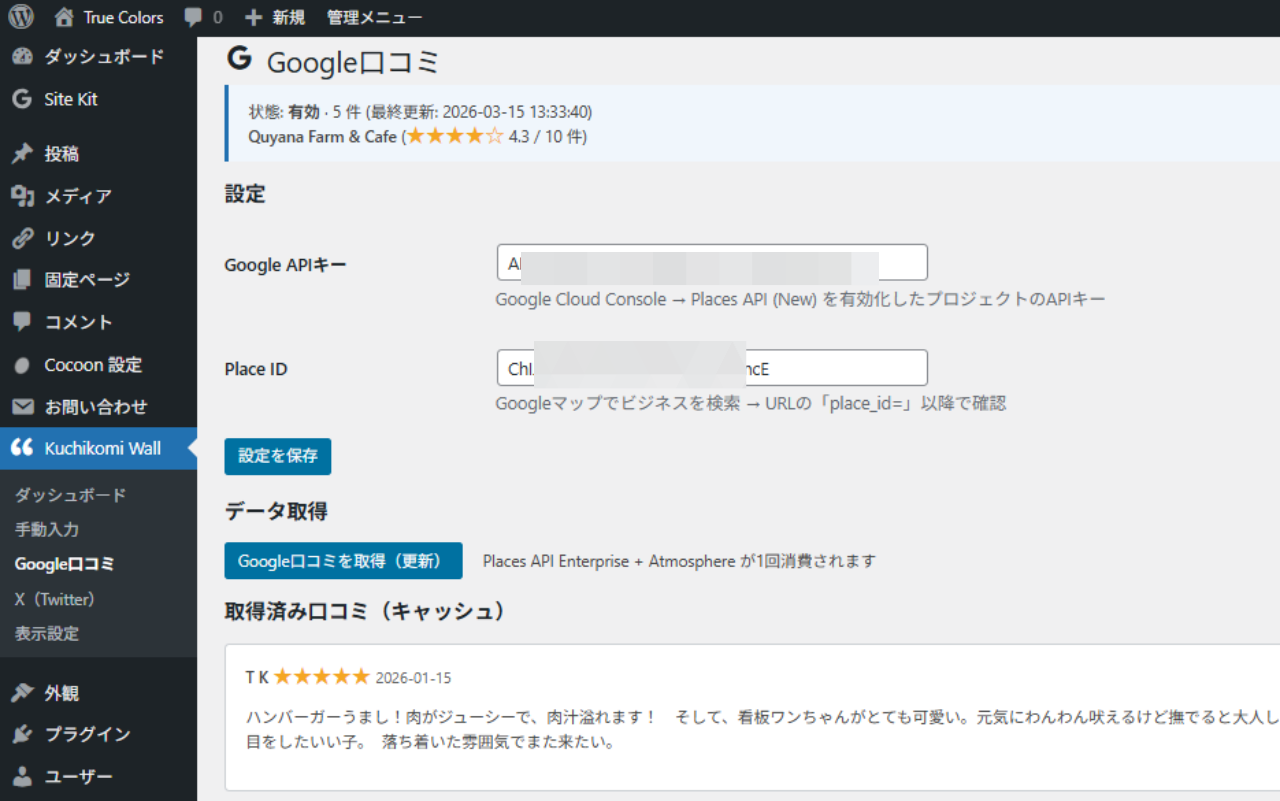
- Google Reviews Integration - Connect your Google Business Profile and display customer reviews automatically (cached for performance, Google API compliant)
- X (Twitter) Embeds - Add tweet URLs and display them as testimonial cards (no API key required)
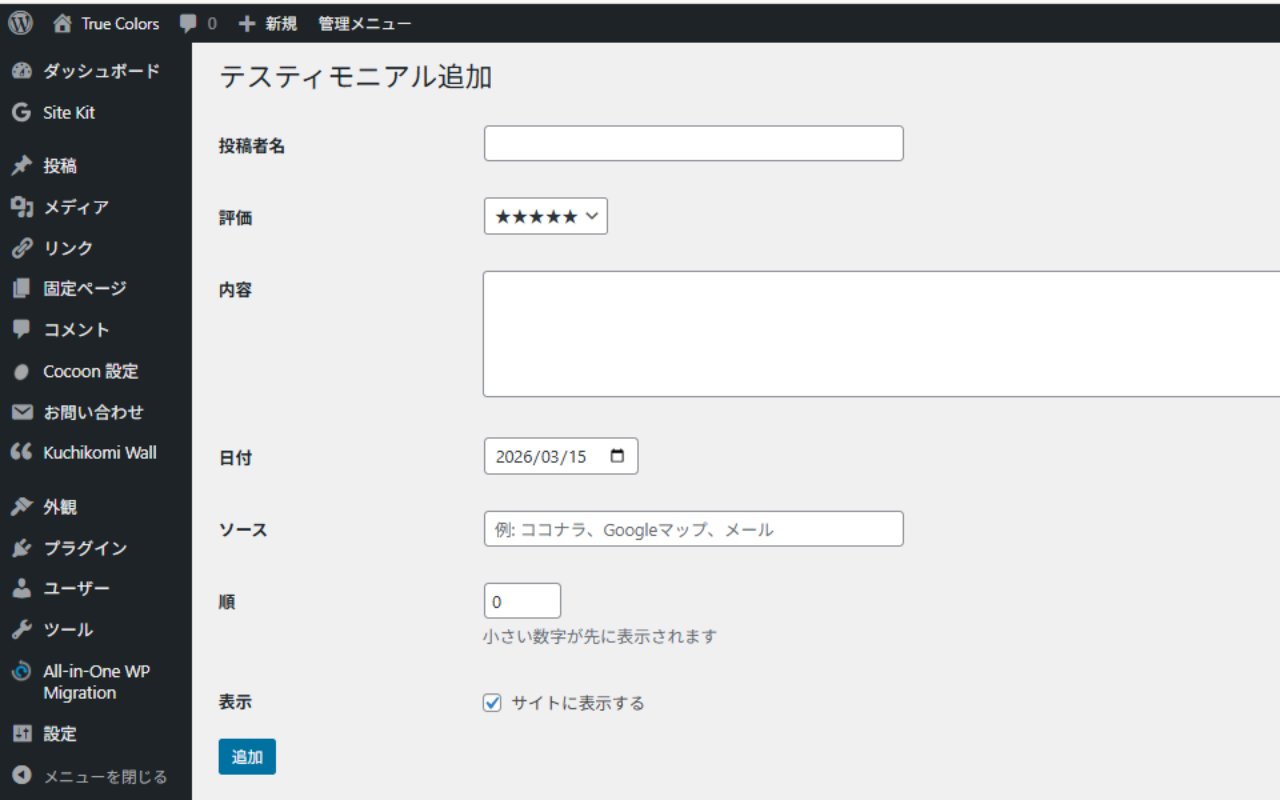
- Manual Testimonials - Add any testimonial manually from emails, Coconala, direct feedback, or any other source
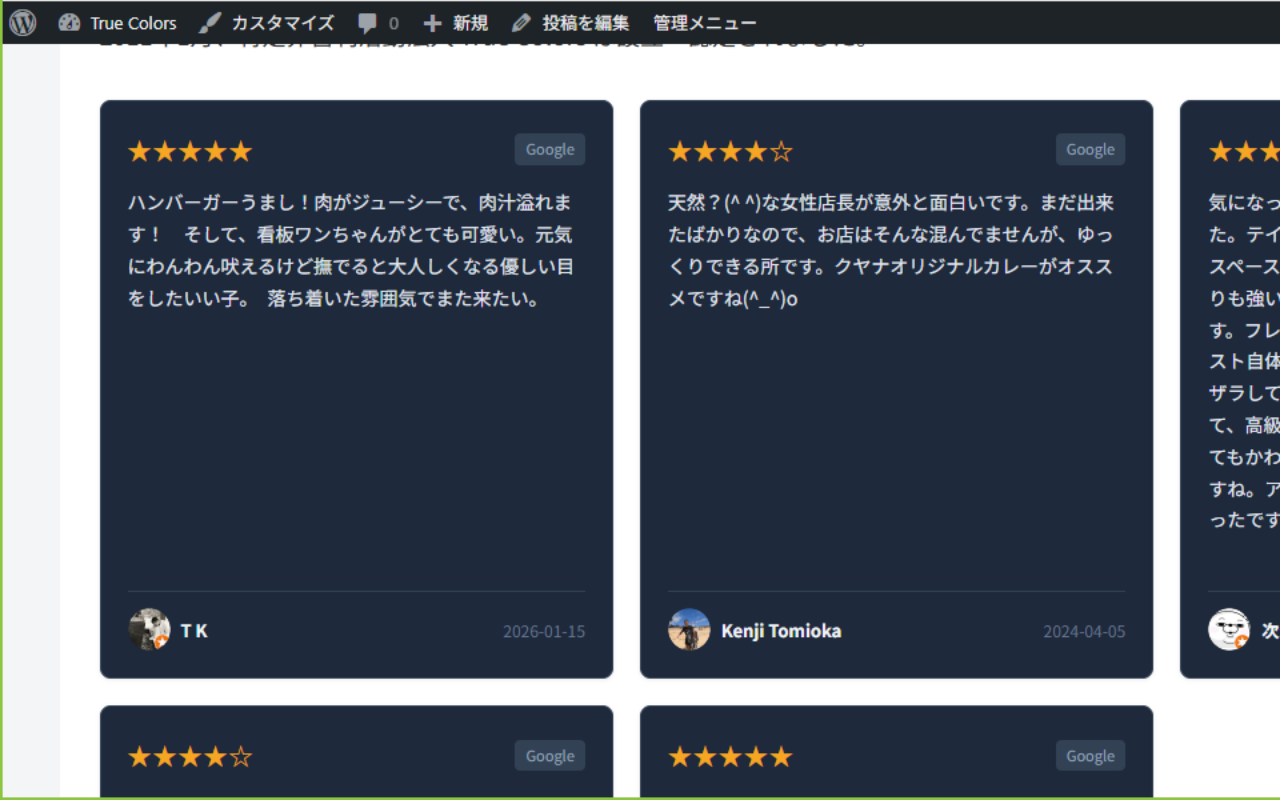
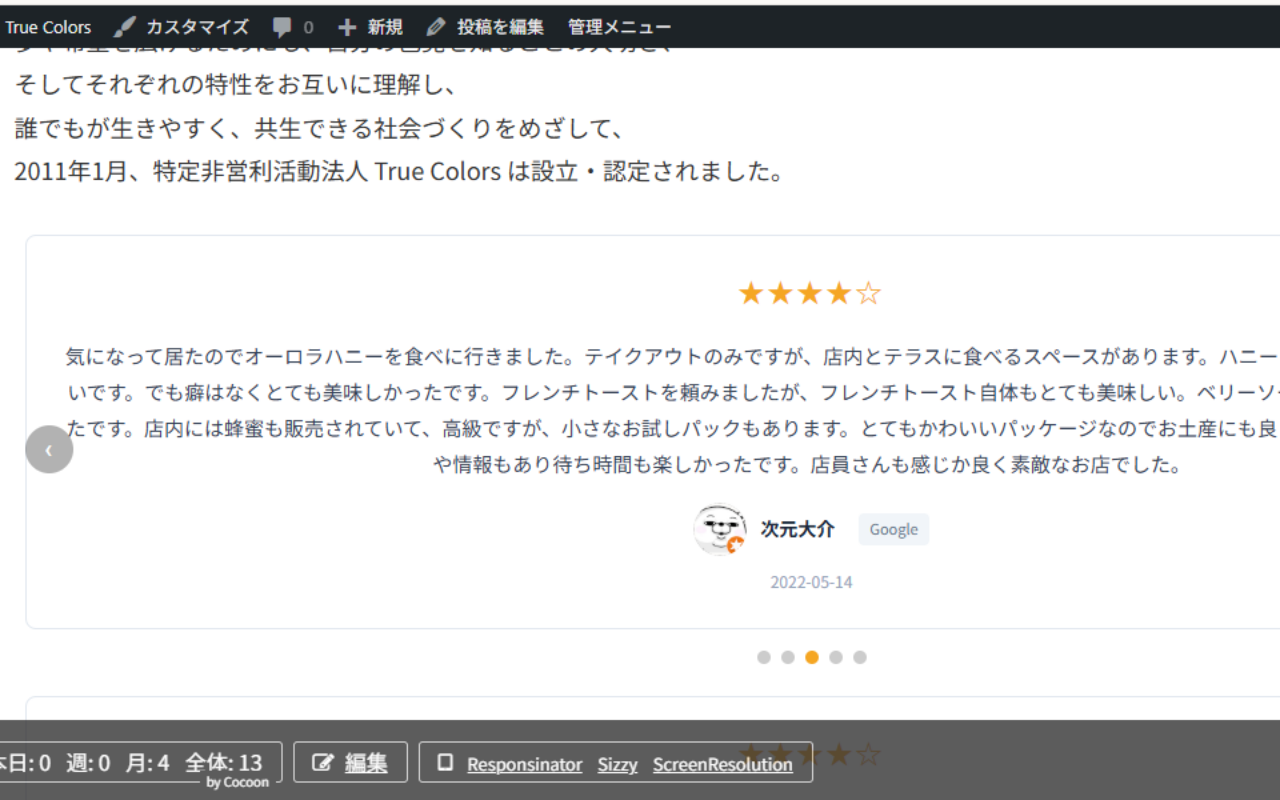
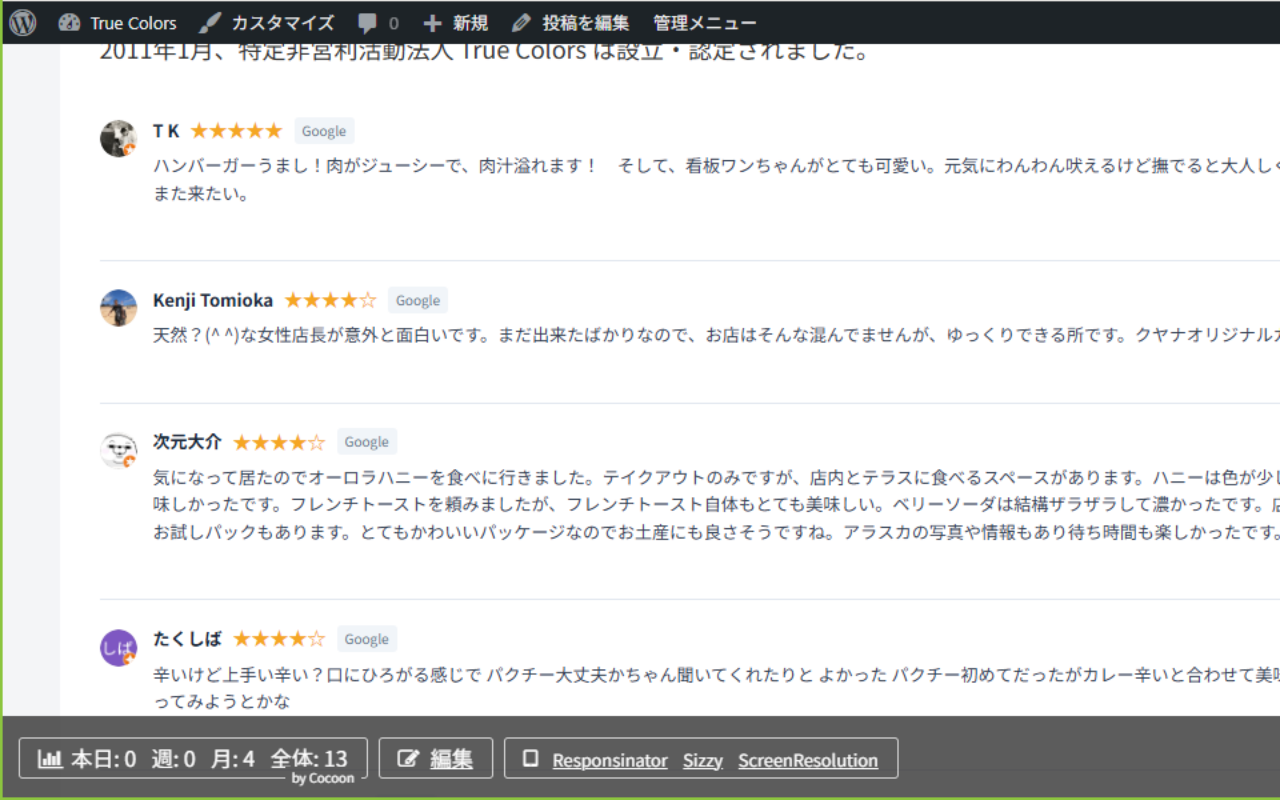
- 5 Display Templates - Card Grid, Slider/Carousel, Simple List, Badge, and Floating layouts
- 3 Color Schemes - Light, Dark, and Auto
- Unified Dashboard - Manage all review sources from a single admin interface
- Setup Wizard - Initial setup flow for API key, Place ID, and display style
- Live Preview - Preview display settings before embedding the widget
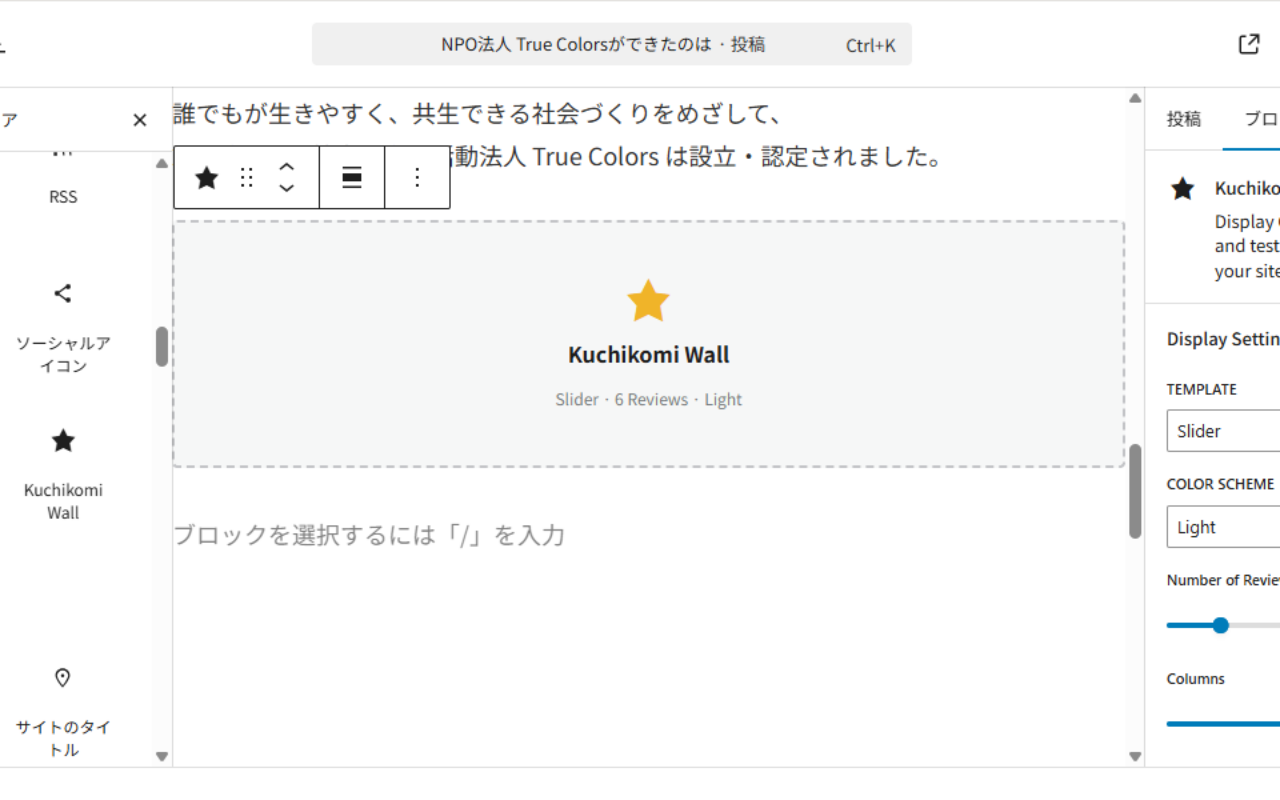
- Gutenberg Block - Native block included; search "Kuchikomi Wall" in the block inserter
- Shortcode Support - Embed anywhere with
[tmnl_kuchikomi_wall]
- Local businesses wanting to show Google Reviews on their website
- Freelancers and consultants showcasing client testimonials
- Salons, clinics, restaurants, and anyone who collects Google Reviews
- Web creators building client sites
[tmnl_kuchikomi_wall]
With options:
[tmnl_kuchikomi_wall limit="6" template="slider" color="dark" min_rating="4"]
Parameters:
limit- Number of reviews to display (default: 6)source-all,manual,google, orx_embed(default: all)template-card,slider,list,badge, orfloating(default: card)color-light,dark, orauto(default: light)min_rating- Minimum star rating to display, 1-5 (default: 1)
- Get a Google Places API key (free tier: 1,000 requests/month)
- Find your Google Place ID
- Enter both in Kuchikomi Wall > Google Reviews > Settings
- Reviews are cached for 30 days (Google API compliant)
- Google review text is not stored in your database (compliant with Google's Terms of Service)
- Only Place ID is saved permanently; review data is cached temporarily via WordPress Transients
- X (Twitter) embeds use the free oEmbed API; no authentication or API key required
ja) is included. Contributions for other languages are welcome.
Support
- Plugin homepage: https://www.el-plan.com/kuchikomi-wall/
- Google API key setup guide (English): https://www.el-plan.com/kuchikomi-wall/api-guide-en/
- Google API key setup guide (Japanese): https://www.el-plan.com/kuchikomi-wall/api-guide/
- Support forum: Use the WordPress.org support tab
安装:
- Upload the
elplan-kuchikomi-wallfolder to/wp-content/plugins/ - Activate the plugin through Plugins > Installed Plugins
- Go to Kuchikomi Wall in the admin menu
- Add your first testimonial manually, or connect Google Reviews
- Deactivate the free ElPlan Kuchikomi Wall plugin
- Upload the Premium ZIP file
- Activate ElPlan Kuchikomi Wall (Premium)
- Open the Kuchikomi Wall menu and confirm your settings are still available
屏幕截图:
常见问题:
Do I need a Google API key?
A Google API key is required only if you want to display Google Reviews. Manual testimonials and X (Twitter) embeds work without any API key. Google provides 1,000 free API calls per month, which is sufficient for most websites.
Does this plugin store Google review text in my database?
No. To comply with Google's Terms of Service, review text is cached temporarily (30 days) using WordPress Transients, not stored permanently. Only your Google Place ID is saved.
Can I use this without Google Reviews?
Yes. You can use manual testimonials and X (Twitter) embeds completely free, without any API key.
How many reviews can I display?
The free version supports unlimited manual testimonials. Google Reviews returns up to 5 reviews per API call (Google limitation). X (Twitter) embeds support as many tweet URLs as you add.
Is it compatible with page builders?
The shortcode [tmnl_kuchikomi_wall] works in any area that supports shortcodes, including Elementor, Divi, WPBakery, and the Classic Editor. A native Gutenberg block is also included; search for "Kuchikomi Wall" in the block inserter.
Is there a Pro version?
Yes. Kuchikomi Wall Pro ($3.50/month, billed $35/year) unlocks:
- Schema.org structured data (JSON-LD) - Automatically outputs structured data (LocalBusiness, AggregateRating) to help search engines understand your business information.
- Multiple locations - Connect up to 10 Google Business Profile locations. Perfect for chains, franchises, or agencies managing multiple clients.
- Review request QR code - Generate a QR code that links directly to your Google review page.
Do I need to remove the free version before installing Premium?
You do not need to delete it, but you must deactivate the free ElPlan Kuchikomi Wall plugin before activating ElPlan Kuchikomi Wall (Premium). Your existing settings and data are stored in WordPress and remain available after switching.
更新日志:
- Changed: Removed automatic Free/Premium switching guard; Premium installation now requires manually deactivating the free package first
- Added: Premium installation instructions to the readme
- Fixed: Keeps the free package admin menu available during normal plugin loading
- Fixed: Premium activation flow when the free package is already active
- Fixed: Prevents fatal errors when the free and Premium packages are active at the same time
- Fixed: Version metadata and Stable tag now match the release version
- Improved: readme.txt cleanup for current 2.1.x features and setup notes
- Added: Single-page admin dashboard with AJAX source management
- Added: Setup wizard and live preview
- Added: Badge and Floating display templates
- Added: Additional widget options for author photo, date, source label, and long text display
- Updated: Revised Pro feature descriptions to accurately reflect Schema.org structured data (JSON-LD) output capabilities
- Improved: readme.txt now prominently states that a Google Places API key is required for Google Reviews
- Added: Direct links to API key setup guides (English and Japanese) in the Description and Support sections
- Added: Freemius SDK integrated - Pro license activation and management
- Added: Pro feature: Multiple Place IDs (up to 10 stores)
- Added: Pro feature: Schema.org JSON-LD structured data (AggregateRating, LocalBusiness, Review)
- Added: Pro feature: QR code generation for Google review requests
- Added: Pro feature: SNS review collection workflow (X/Instagram/Facebook)
- Added: Free/Pro feature comparison table in the admin dashboard
- Added: "Upgrade to Pro" button with Freemius checkout popup
- Added: Japanese translation bundled (ja.mo/ja.po) with full i18n support
- Fixed: Hardcoded Japanese strings replaced with translatable equivalents
- Fixed:
load_plugin_textdomain()added to enable bundled translation files - Improved: API key guide link now automatically switches to the user's language
- Added: LP link and Freemius checkout JS to the admin dashboard
- Added: API key connection test button with instant feedback
- Added: "How to get an API key" guide link in Google Reviews settings
- Improved: WP.org directory description and FAQ updated
- Added: "Google API Key Setup Guide" link in the admin dashboard
- Added: "Upgrade to Pro" banner in the admin dashboard
- Added: "Plugin Homepage" and "Support Forum" quick-links in the admin dashboard
- Added: API key connection test button with instant validation in Google Reviews settings
- Added: "How to get an API key" link next to the API key field
- Fixed: All
$_POSTinputs now sanitized viaarray_map('sanitize_text_field', wp_unslash()) - Fixed:
embed_htmloutput wrapped withwp_kses_post()in all templates - Fixed:
wp_nonce_url()wrapped withesc_url()in X embed handling - Fixed: Removed unused
Domain Pathheader - Fixed:
Stable tagin readme.txt corrected
- Changed: Main plugin file renamed to
elplan-kuchikomi-wall.php - Changed: All shortcodes unified under
tmnl_prefix ([tmnl_kuchikomi_wall]) - Fixed: All
$_POST/$_GETinputs sanitized (13 locations) - Fixed: All
echooutputs escaped (19 locations) - Changed: Text domain updated to
elplan-kuchikomi-wall
- Rebranded as Kuchikomi Wall
- Added Source Adapter architecture - easily extendable for new review sources
- Added X (Twitter) oEmbed support (no API key required)
- New dashboard UI with per-source management
- Added Slider and List display templates
- Added Dark and Auto color schemes
- Expanded shortcode parameters:
template,color
- Initial release
- Google Reviews integration with 30-day cache
- Manual testimonial management (add/edit/delete)
- Card Grid display with responsive layout
- Shortcode
[tmnl_kuchikomi_wall]