Email Checker for Contact Form 7
| 开发者 | kalprajsolutions |
|---|---|
| 更新时间 | 2026年8月8日 14:52 |
| 捐献地址: | 去捐款 |
| PHP版本: | 7.2 及以上 |
| WordPress版本: | 7.0.3 |
| 版权: | GPLv2 or later |
| 版权网址: | 版权信息 |
详情介绍:
Email Checker for Contact Form 7 validates email addresses in real time using the Emails Checker API before accepting form submissions. This stops spam, promotional emails, and invalid contacts from reaching your inbox.
The plugin performs comprehensive email verification including:
- DNS validation, including MX record lookup
- Disposable email address detection in real time
- Misspelled domain detection
- Email syntax verification (IETF/RFC standard conformance)
- Mailbox existence checking
- Catch-all testing
- Greylisting detection
- SMTP connection and availability checking
安装:
Manual Installation
- Upload the
email-checker-for-contact-form-7folder to the/wp-content/plugins/directory. - Activate the Email Checker for Contact Form 7 plugin through the 'Plugins' menu in WordPress.
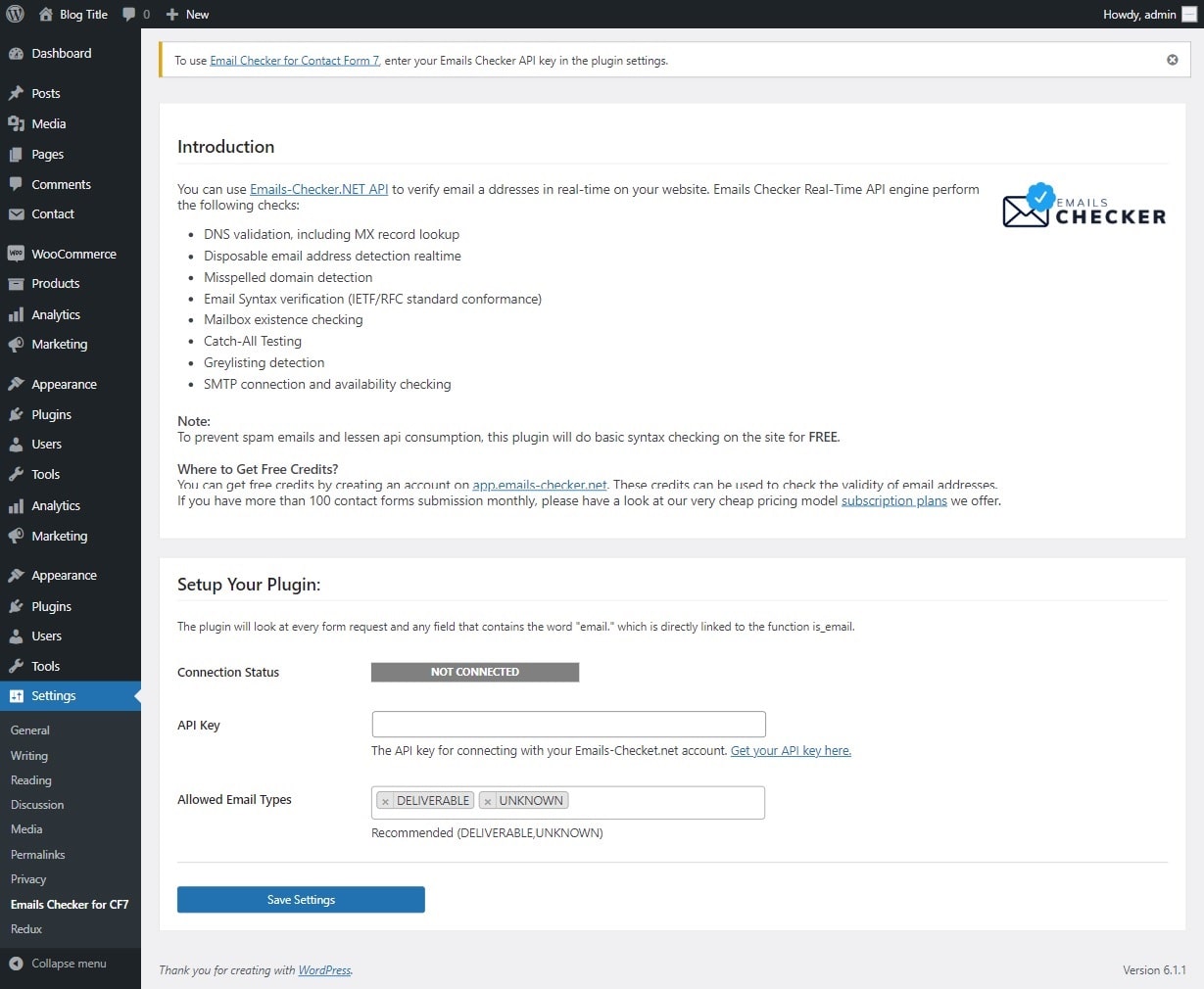
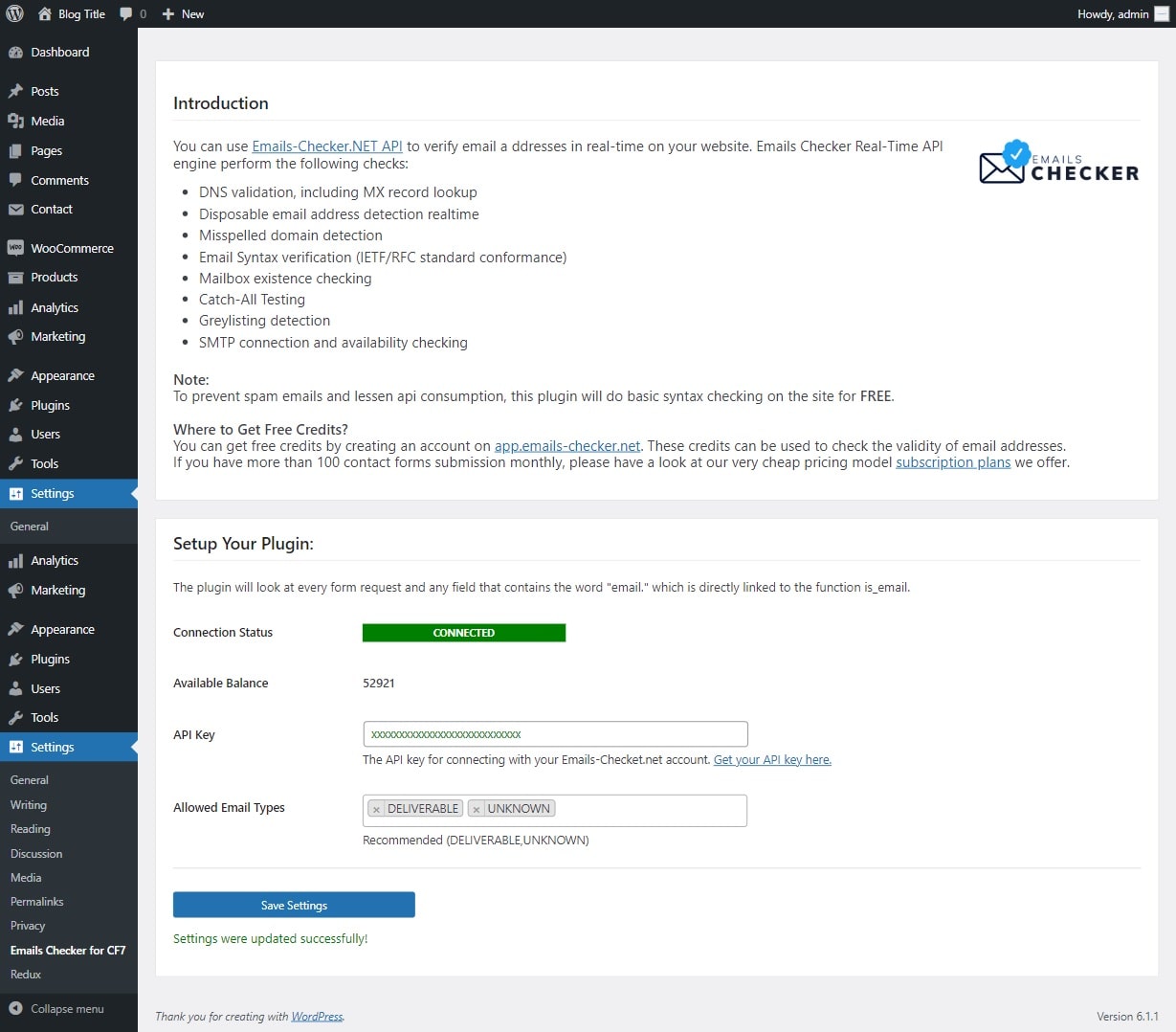
- Navigate to Settings > Emails Checker for CF7 to configure the plugin.
- Sign up for a free API key at app.emails-checker.net.
- Paste your API key into the settings page and save.
屏幕截图:
更新日志:
3.1
- Version bump to 3.1 with full backward compatibility to PHP 7.2
- Confirmed tested compatibility up to WordPress 7.0.3
- Added per-IP rate limiting to prevent abuse from bots with invalid API keys
- Added automatic API key blacklist with configurable cooldown when auth errors (HTTP 401/403) are detected
- Admin users with manage_options can bypass rate limiting for status checks on the settings page
- Rate limit transients are automatically cleared when settings are saved
- Fixed transient cleanup query to correctly clear all rate-limit and blacklist data
- Fixed error message propagation: specific errors (rate limit, invalid API key) are now displayed to users in form validation messages
- Added GDPR compliance: WordPress privacy data export and erasure support for IP-based transients
- Added privacy policy section to readme
- Added admin setting to control whether specific API error messages or generic messages are shown to end users
- Added admin notice and settings UI for rate limit configuration
- Added "Clear Block Now" button to manually reset blacklisted API keys
- Fixed "Clear Block Now" not working: admin status check on the settings page was immediately re-blacklisting the API key after it was cleared. Admin status checks no longer trigger blacklist when the API returns 401/403.
- Updated user-agent string for API requests
- Minor documentation and inline comment improvements
- Complete rewrite with MVC architecture
- WordPress Settings API integration for proper settings management
- REST API endpoints for external integrations
- AJAX support for async email verification
- Caching layer to reduce API calls and respect rate limits
- Improved security: nonces, capability checks, input sanitization, output escaping
- Proper internationalization support
- PHP 7.2+ minimum requirement
- WordPress 5.0+ minimum requirement
- Updated for newer WordPress version 6.6
- Improved contact form email field detection and validation
- Updated for newer WordPress version 6.4.2
- Fixed minor issues
- Updated for newer WordPress version 6.1.1
- Added option to allow specific email types
- Added option to block emails if out of credits
- Added more email catching abilities
- Minor updates
- API Updates
- Minor CSS and form security improved
- Added newer version of Emails Checker API
- api.emails-checker.net
- New block emails on errors option
- Fixed minor field issues
- Connectivity issue fixed
- Added more security factors
- Initial release