Email OTP Authenticator – Login, Register & 2FA
| 开发者 | ilvchandan |
|---|---|
| 更新时间 | 2026年10月11日 20:01 |
| PHP版本: | 7.3 及以上 |
| WordPress版本: | 7.1 |
| 版权: | GPLv2 or later |
| 版权网址: | 版权信息 |
详情介绍:
- OTP Login
- OTP Registration
- Session Verification
- Two-Step Verification
- Form and User Approval Zero Dependency:
- Lightweight architecture
- No external APIs required
- Self-hosted OTP validation
- Pure Vanilla JS Framework
- Self - contained operations Admin Friendly:
- Templates for Design
- Presets for Beginners
- Basic Mode for Skilled
- Advanced for the Experts
- Snippets for the Developers
安装:
- Upload the plugin folder to
/wp-content/plugins/ - Activate the plugin from WordPress dashboard
- Configure Email OTP Authenticator settings
- Add forms using shortcode or menu integration
屏幕截图:
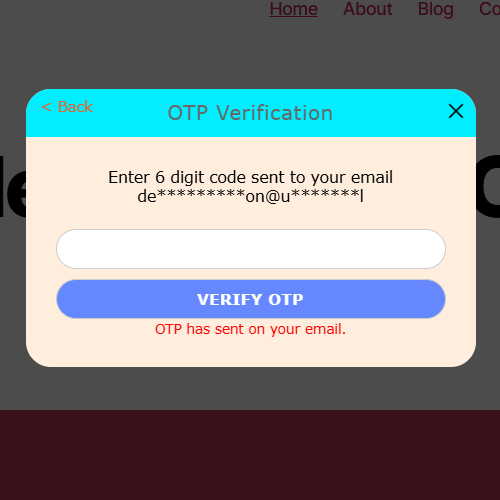
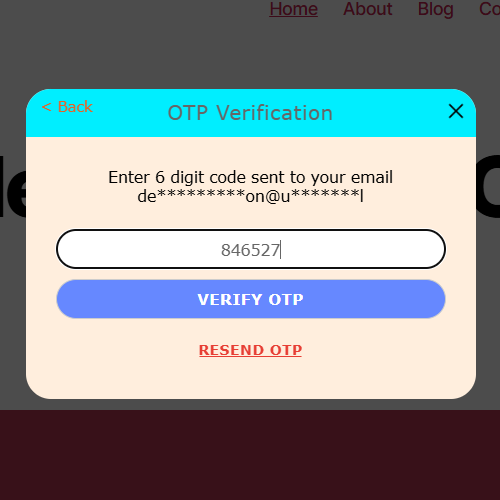
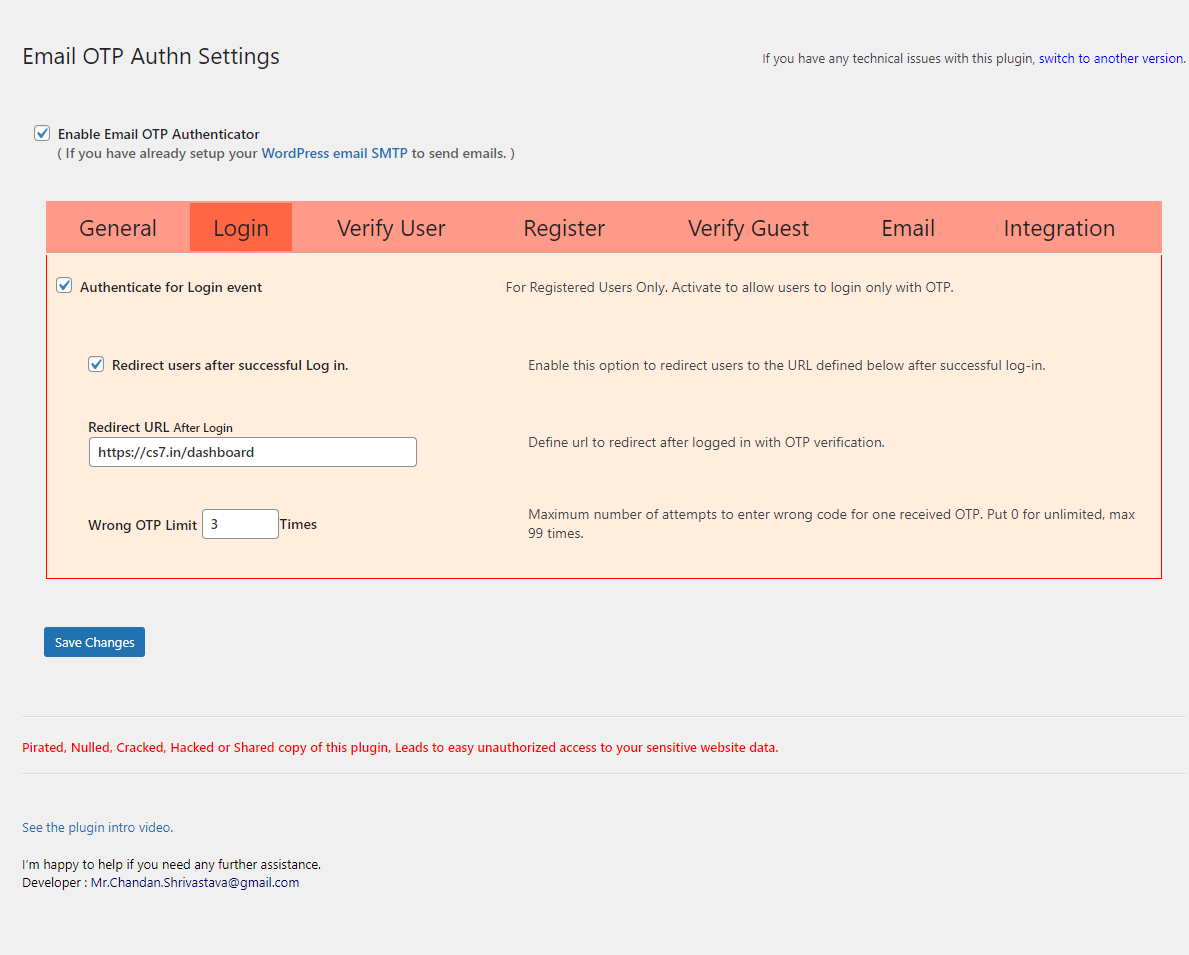
常见问题:
Will this slow down my website?
No. Only required components are loaded. Most package size comes from templates, images and supporting resources, while actual runtime execution remains compact.
Does it support SMS or WhatsApp OTP?
Currently, only Email OTP authentication is supported. Multi-channel OTP verification (Email/SMS/API) is planned for future releases.
Can guest users verify or register using OTP?
Yes. Guests can register and verify their email using OTP without requiring a password.
Can administrators log in using OTP?
Yes. Administrators can securely log in to the WordPress dashboard using Email OTP authentication.
Can I use multiple inline or popup forms on the same page?
Yes. You can place multiple inline or popup authentication forms on a single page using shortcodes.
Can I enable Two-Factor Authentication (2FA) for login or registration?
Yes. 2FA can be enabled for login, registration, or both to add an additional layer of protection.
What happens if 2FA verification fails?
If verification fails, the user will be redirected to the configured failure redirect URL or verification page based on plugin settings.
Where does the user go after successful 2FA verification?
After successful verification, users are automatically redirected back to their original source or intended destination page to ensure a smooth authentication flow.
Can I enforce verification when a new device is detected?
Yes. The Dynamic Session Shield security engine can enforce verification when a new device or browser session is detected.
What happens if a session becomes inactive?
The session will be locked after the configured inactivity period or unusual activity is detected and verification will be required to continue access.
Can the plugin log out active sessions on suspicious activity?
Yes. Dynamic Session Shield can automatically terminate sessions if verification fails.
Does session protection affect all logged-in devices?
No. Session protection applies only to the current session unless global logout is triggered by security rules.
Can I customize the 2FA verification page?
Yes. You can define a custom page containing the verification shortcode to control the verification workflow.
Can I disable the session inactivity timeout?
Yes. The inactivity timeout can be disabled or adjusted from plugin settings.
Is Dynamic Session Shield enabled by default?
No. Dynamic Session Shield is optional and can be enabled or configured from the plugin settings.
Can developers integrate authentication responses into custom workflows?
Yes. Developers can process verification responses using JavaScript, PHP hooks and integration logic for advanced customization.
Does this plugin require any third-party services?
No. The plugin works completely independently without requiring any external authentication services or APIs.
更新日志:
- Released on: 11 Oct 2026
- Fixed
- Corrected the user identification process during digital fingerprint updates.
- Corrected the administrator session expiration behavior after an idle timeout.
- Resolved style and layout conflicts for number-type inputs on the settings page.
- Added
- Integrated the OTP Expiry validity feature into the Lite edition.
- Introduced the Form Approval feature requiring OTP verification before form submission.
- Rectified
- Protected all secure internal functions from being accessed by external PHP files.
- Corrected settings to properly enable the enterprise demo within the Business edition.
- Capped the validity limit at 2880 minutes and the retry limit at a maximum of 25 attempts.
- Modified
- Renamed the main top toggle labels with clear and supportive details.
- Reorganized admin menus and replaced the term "Ratify" with "Approved" for clarity.
- Improved
- Extended AJAX handling to manage HTML responses from conflicting plugins.
- Enhanced the Demo Preset handling process and layout in the settings file.
- Added clear explanations inside the disable notes under Presets for beginners.
- Extended existing frontend functionality to the WordPress admin and login pages.
- Optimized the plugin update check system using active and rollback version caching.
- Enhanced internal text in multilingual for custom OTP emails across all class files.
- Upgraded the rollback version from 6.3.4 to 6.5.0 to toggle smoothly between versions.
- Optimized garbage cleaner execution to run once every 24 hours to prevent frequent runs.
- Added a prefix to all PHP and JS function names to avoid conflicts with third-party assets.
- Integrated 9 new response codes inside the core class file for better logging and monitoring.
- Released on: 07 Sept 2026
- Fixed
- Warnings related to 3 undefined PHP variables in the settings file.
- Undefined variable errors in Lite and Business edition class files.
- Added
- New major feature, Presets, to the settings for beginners.
- Improved
- All messages and prompts in the settings file to use the new modal system.
- Wipe data and garbage cleanup limited to once every 24 hours.
- Released on: 05 Jun 2026
- Fixed
- Fixed an issue in email submission error handling.
- Corrected 2FA label font colors to match the selected template.
- Modified
- Documentation links updated and aligned with help pages.
- Improved
- Optimized compatibility for WooCommerce HPOS.
- Enhanced the session expiration message in OTP forms.
- Inline OTP forms now auto-scroll to the center of the screen.
- Handling of server downtime conditions in the demo class file.
- Released on: 29-Apr-2026
- Fixed
- Logout trap issue in 2FA enforcement corrected.
- Auto-loading issue in 2FA enforcement resolved.
- Critical page reload issues in 2FA enforcement resolved.
- Global admin_notices removal issue resolved across core files.
- Minor issue in importing settings from older versions resolved.
- Missing capability checks corrected using manage_options permission.
- Added
- New common class file introduced to optimize shared functions.
- New advanced feature 'Login Links' added for automated OTP login.
- Rectified
- Session lock redirection corrected for POST request scenarios.
- Modified
- Removed the "JS Support Code" snippet as it is no longer required.
- Improved
- Logbook display improved with pagination support.
- Back and logout links UI refined on the 2FA form.
- Nonce protection implemented and switch process secured.
- Handling of repeated page reloads during 2FA enforcement.
- Handling of empty, invalid, and damaged responses enhanced.
- Existing settings preserved during licensed version upgrades.
- OTP generation replaced with cryptographically secure method.
- Some menus, labels, setup texts, Prompts and messages refined.
- Developer email error notice removed and update errors improved.
- Unnecessary processes prevented during AJAX, API, and Cron calls.
- Restricted and managed all known 2FA enforcement bypass scenarios.
- Plugin update request validation strengthened in auto-update module.
- Dynamic JavaScript loading optimized into modular settings-based files.
- Prevented OTP form interaction after the verification process is completed.
- Released on: 26-Mar-2026
- Fixed
- Duplicate element ID errors in OTP form resolved in browser.
- Added
- OTP form engaged status displayed via SVG animation.
- New option 'Enable the Advance Admin' added in settings.
- Option to remove all data of this plugin on deactivation.
- Logout option from the 2FA and DSS form added in settings.
- New option 'Checkout Form Templates' added in Layout panel.
- New feature 'Dynamic Session Shield' added in 2FA & DSS panel.
- Advanced settings and pages hidden from general admin dashboard.
- Legacy version POT file included in plugin for version switching.
- Rectified
- Login process corrected in class files.
- Admin identifier corrected in class files.
- Corrected the import and restore settings process.
- Cursor position in 6 OTP boxes corrected after OTP paste.
- Modified
- Beta option for Vanilla JavaScript removed from settings.
- Previous license types discontinued; new ones introduced.
- All locked features are marked with lock icons in settings.
- Reserved option 'useupgrdfiture' removed from all references.
- jQuery removed and Vanilla JavaScript implemented permanently.
- Improved
- 2FA features redesigned and moved to a new panel.
- Settings Min–Max validation optimized and shortened.
- The old plugin website has been replaced with a new website.
- Extreme version lock with P.A. managed separately in settings.
- Paid note moved under license key section in integration page.
- Legacy version supporting file upgraded to plugin version 6.3.4.
- Merging saved settings with default settings improved in class files.
- Released on: 11-Nov-2025
- Fixed
- Several Unicode-related bugs in settings and class files.
- Rectified
- Line background color for better appearance in support code.
- Modified
- Template title HTML code to resolve conflict with admin notice.
- Improved
- Some setting descriptions for better clarity and understanding.
- 2FA box type set to auto-popup for a faster and smoother process.
- Released on: 20-Oct-2025
- Added
- Template notes for successful actions, including cache-clear instructions.
- Import and export functionality for plugin settings on the Integration page.
- Rectified
- "P.A.*" mark issue corrected in the Ratify Guest tab in QuickServ page.
- Test page generated by the setup wizard optimized for smoother display.
- Modified
- Function name License_Allowed updated for standardization.
- Video text and link modified and redirected to the self-hosted page.
- "The Exalter Option" renamed to "Exalter Options" in the Integration page.
- Improved
- Added extra protection against direct access on all pages.
- Suppressed unnecessary admin notices for cleaner backend pages.
- PHP encryption replaced with obfuscation; eval() removed for safety.
- Template images, thumbnails, and default data within setup packages.
- All submit inputs converted into button tags in client-side scripts.
- Setup wizard now auto-installs the demo page instead of runtime loading.
- Multiple UI components enhanced to deliver a smoother front-end experience.
- Released on: 07-Oct-2025
- Fixed
- 2FA verification initialized from UI before OTP class trigger.
- Load_textdomain_just_in_time notice resolved successfully.
- Added
- Background images with adjustable opacity in both form and backdrop.
- New facility to choose and apply templates from settings panel.
- 27 ready-to-use templates for inline and popup display.
- Client-side developer tools protection for improved security.
- Option to hide scrollbars in popup templates for clean design.
- Quickserv submenu introduced for faster access to key options.
- New control to set notice font color and size in form display.
- Auto-migration feature from old settings to new configuration.
- Option to preserve premium settings from false overwriting.
- Rectified
- Internal process in setup wizard rectified in settings module.
- Code to retrieve options optimized for smoother performance.
- OTP validation Ajax nonce and security parameters refined.
- Backdrop alignment and opacity handling corrected in popup.
- Modified
- Simple MD5 password encryption upgraded with hash security.
- Dynamic demo file download moved to installation process.
- Improved
- Settings storage combined for faster save and load process.
- Default values adjusted to enhance user interface behavior.
- 2FA description updated with warning on service downtime.
- Popup border aligned with input and button border styling.
- Settings panel made lighter and more secure for performance.
- Notes section in setup wizard simplified for better clarity.
- Contact for feedback and support modified in dashboard area.
- Released on: 29-Jul-2025
- Fixed
- An effective bug in the class file for globals has been fixed.
- An user interface bug in Addon service details has been fixed.
- Added
- A major feature as setup wizard has been added in the plugin.
- Improved
- Settings storage feature is replaced with universal storage.
- Separate admin url function is replaced with common admin url.
- Complete admin panel template has been improved for better look.
- Rectified
- Addon service notes has been rectified in the settings.
- Load demo class file with the same version plugin has been added.
- Released on: 17-Jul-2025
- Fixed
- Some bugs in form notes and messages has been fixed.
- Added
- Display Short Width Buttons has been added in Layout.
- Hide Autofill Email Checkbox has been added in Layout.
- Ability to put customized fonts has been added in Layout.
- Combine options value has been created to speedup the process.
- Multilingual phrases has been added in form notes and messages.
- Improved
- Form CSS script has been improved for better look.
- 'Remember my email' has been improved to 'Autofill my email'.
- Modified
- Alignment of the 'Remember my email' has been modified.
- Rectified
- Upgrade notes has been rectified in settings.
- Addon service notes has been rectified in settings.
- Sub menu text has been rectified in dashboard menus.
- Clients bottom notes has been removed from settings.
- Some phrases in form notes and messages have been rectified.
- Released on: 07-Jul-2025
- Added
- Editable form text and notes have been added to the template.
- Popup box and backdrop blur effect added to the template.
- OTP form border and color added to the template.
- Rectified
- Popup box z-index supremacy has been rectified in CSS.
- The OTP form checkbox text color has been rectified in CSS.
- Released on: 29-Jun-2025
- Fixed
- The mobile menu popup bug has been fixed.
- Added
- Autopopup type for popup box has been added.
- Show/Hide option for popup box close button has been added.
- Opecity for all colors has been added in the template.
- Backdrop color and opacity has been added in the template.
- Improved
- The Protected Roles in the class files has been improved.
- Released on: 20-May-2025
- Fixed
- The size bug in extreme demo file has been fixed.
- Two code bugs in class file have been fixed.
- A bug in a folder path has been fixed.
- Rectified
- Some integration notes have been rectified.
- Title of the Snippets has been rectified.
- Improved
- The language library file has been improved.
- Released on: 11-May-2025
- Fixed
- An update bug in wp_autoupdate.php has been fixed.
- The placement bug in extreme demo file has been fixed.
- Added
- The 2FA features have baeen added.
- The inline form for OTP has been added.
- Reset all settings feature has been added.
- A common external class file has been added.
- New tab for Layout has been added to Settings.
- Sharp corner theme has been added to the template.
- A new Dashboard menu has been created with submenus.
- Separate pages for integration and shippents have been added.
- Multiple inline forms, popup links and menus ability has been added.
- Rectified
- The process Log has been rectified.
- The Activity Log page has been rectified.
- The ajax failed response has been rectified.
- Improved
- The switch page has been improved.
- Template options have been improved.
- The plugin logo and icons have been upgraded.
- Wrong attempt limit option has been centralized.
- Shortcodes for inline forms and 2FA have been improved.
- Verify_User to RWL, Verify_Guest to RWA, Verify_All to RWP.
- Released on: 11-April-2025
- Added
- Tutorials videos are added.
- Rectified
- Addon class file connector rectified.
- Released on: 20-March-2025
- Fixed
- Font color bug fixed in popup template.
- Popup headers unusual border bug fixed.
- Popup on back headers toggle bug fixed.
- Plugin twice events trigger bug fixed.
- Added
- Internal process diagnostics system added.
- Modified
- Customize email switch definition modified.
- Popup header commands colour modified.
- Plugin JS support code modified.
- Plugin EventLog design modified.
- Improved
- Send from email address verification improved.
- Encrypted variables progress log improved.
- Released on: 17-January-2025
- Fixed
- Cookies expiring error fixed in Addon+ class file.
- Log record reset error fixed in settings file.
- Default value of get option errors fixed in class file.
- Improved
- Login service response improved in Lite class file.
- Released on: 08-January-2025
- Fixed
- Many path key errors fixed in settings and class files.
- Many get option errors fixed in settings and class files.
- Auto update details check error fixed in Lite version.
- Released on: 31-December-2024
- Fixed
- A crucial bug fixed in Addon+Prime server class file.
- Addon+Prime file loading bug fixed in Lite version.
- Addon+Prime file reloading bug fixed in upgraded version.
- A bug fixed to show response messages in Lite version.
- Modified
- Addon+Prime feature selection removed from Extreme version.
- Addon+Prime class file unloaded from Extreme version.
- Improved
- Checkbox design rectified in plugin settings.
- API file is improved to serve Addon+Prime features.
- Released on: 22-December-2024
- Added
- Append option added in External CSS.
- Improved
- CSS improved for terms of use and remember email options.
- Use external CSS option text and explanation are improved.
- Released on: 20-December-2024
- Fixed
- Bugs fixed in the back support system upgrade.
- Bugs fixed for status codes in Lite version.
- A bug fixed in emailotpauthn_nav_menu_link operation.
- Added
- Addon+Prime features added to Lite version.
- Addon+Prime API files created to serve in Lite version.
- OTP attempts log and log file added to review.
- External CSS script added to manage the complete CSS.
- An offer added to participate in plugin improvements.
- Improved
- External functions are extended to operate the response messages.
- Settings page revised and rearranged for better look.
- Modified
- Modified the response code in the lite version.
- Released on: 22-November-2024
- Fixed
- A bug in the default colors has been fixed.
- Recurring message bug in JavaScript has been fixed.
- Exclude login text from wildcards in token key lock.
- Delayed messaging has been fixed in JavaScript in the Lite version.
- Added
- Added template with some new options.
- Added new tab as Snippets for support code.
- Modified
- New category created as Automate.
- General settings have been modified.
- Improved
- Tabs in the Settings page are separated into blocks.
- Six separate boxes have been created for OTP in the authentication popup.
- Released on: 15-November-2024
- Fixed
- Admin unlocked from token key lock.
- Guest and User verification panel activity check.
- Added
- Multi URLs/Pages token key lock with redirected URL.
- Wildcards in multi URLs entry to lock by token key.
- Runtime Log and path of process to diagnose issues.
- Modified
- Back support system upgraded to the version 4.7.5
- Released on: 07-November-2024
- Fixed
- Activate/Deactivate sender email notification.
- Added
- Generate username while new user registration.
- Support code to change the UI content/language.
- Improved
- Instruction message to use the key to upgrade.
- Released on: 04-November-2024
- Fixed
- Bug fixed for sending the Registration email.
- Released on: 19-October-2024
- Fixed
- Sender email address validation error fixed.
- Released on: 11-October-2024
- Added
- Instructional messages for settings.
- From email id setup to send OTP mails.
- From email id validate/invalidate feature.
- Fixed
- Update and error notification from self hosted server.
- Released on: 05-October-2024
- Added
- Help notes in Settings page.
- Warning message on wrong installation.
- Improved
- Notification about extra use of the plugin.
- Released on: 24-September-2024
- Fixed
- User verification without login.
- Guest verification without registration.
- Added
- Redirection after verification.
- Redirected URL Lock with token key.
- Token key validation and validity period.
- Divert URL with invalid/expired token key.
- Improved
- Multiple popup with different actions on a page.
- Panel activation/deactivation features.
- Token key security and features.
- Update feature with hosting server.
- Released on: 19-August-2024
- Modified
- Settings and enryption process.
- Improved
- Update feature with hosting server.
- Released on: 12-August-2024
- Fixed
- Some text in captions and details.
- Update bugs with hosting server.
- Improved
- Addon related facilities.
- Released on: 05-August-2024
- Added
- Registration with Email and OTP only.
- Email verification of guest users without registration.
- Verification of registered users without login.
- Custom body color option for popup box.
- Re-verification of email for logged in users.
- Option to block specific email addresses.
- New email features with blocked and allowed email provider domains.
- Modified
- New popup box design and theme.
- External functions with more features.
- Settings have been organized into tabs.
- Improved
- Encrypted OTP for server side security.
- Minimal processing to optimize performance.
- Cleaner for garbage left in incomplete process.
- Option to switch the preferred version between previous or latest.
- Released on: 10-May-2024
- Modified
- Plugin auto upgradation system is modified.
- Improved
- Plugin auto upgradation system is improved.
- Included
- Self hosted plugin server included.
- Fixed
- Damaged css is re-rectified.
- Jquery file is included.
- Fixed
- Damaged css is rectified.
- Pop-up code is rectified.
- Modified
- Pop-up timing is modified.
- Added
- Help desk for rating request is added.
- Fixed
- All unnecessary admin notices are removed from settings page.
- Fixed
- The verification title issue in a pop up is rectified.
- Modified
- Plugin extensions are modified.
- Fixed
- Extra whitespace problem with UPDRAFT backup.
- Fixed
- Inbuilt js script to display the popups.
- Login/verify popups title rectified.
- Fixed
- WP email and SMTP setup.
- Improved
- Wording of some insturctions in plugin setup is improved.
- Released on: 02-July-2023
- Initial Release.