Email to Download
| 开发者 |
duogeek
voboghure |
|---|---|
| 更新时间 | 2020年6月17日 04:59 |
| 捐献地址: | 去捐款 |
| PHP版本: | 3.5 及以上 |
| WordPress版本: | 4.5.2 |
| 版权: | GPLv2 or later |
| 版权网址: | 版权信息 |
详情介绍:
IMPORTANT!!!
You must flush permalink after activating. Please go to Settings => Permalink => Select anything other than default => Save
Addon:
- Mailchimp Integration: Add the emails to your mailchimp list. Download Now
- Mailpoet Integration: Add the emails to your mailpoet list. Download Now You provide free items to users to download? Like you may provide free plugins, themes, UI kits, html templates or any other digital product. so, why don’t you make a email building list? This plugin will help you to collect email address from your users. When you users will want to download, they will need to provide an email address and the downlaod link will be sent to that user’s email. This way, that user can’t provide a wrong email address. The download link will be expired on 24 hours, though this is totally configurable. This plugin is under further development. So, if you find any bug or you need any feature, please let us know: https://duogeek.com/support/forum/duogeek-products/
- We provide insane 24 X 7 support worldwide. Try emailing us on Christmas eve or on Saint Patrick's Day
- Subscribe to Plugin Website and you will get discount on all premium plugins
- Rich Blog with lots of solutions of different WordPress related problems on Plugin Website
- More awesome themes
- More awesome designs
安装:
Way 1:
- Download the plugin file
- Unzip the file into a folder on your hard drive
- Upload via FTP into your plugins (/wp-content/plugins/) folder
- Activate the plugin from your dashboard Way 2:
- From Dashboard > Plugins > Add New > Upload the plugin
- Activate the plugin How to use
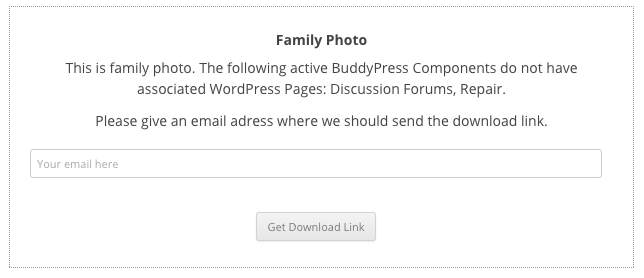
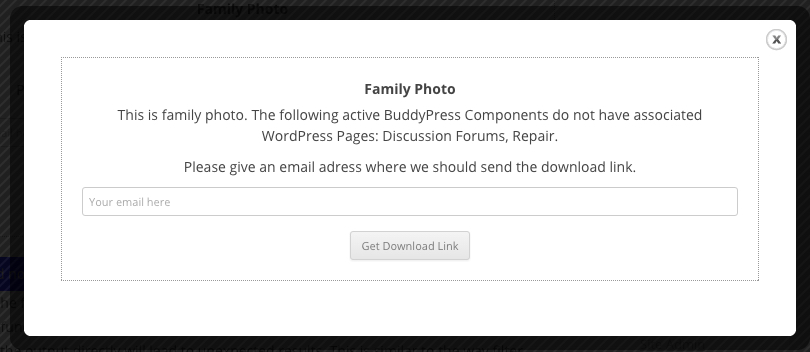
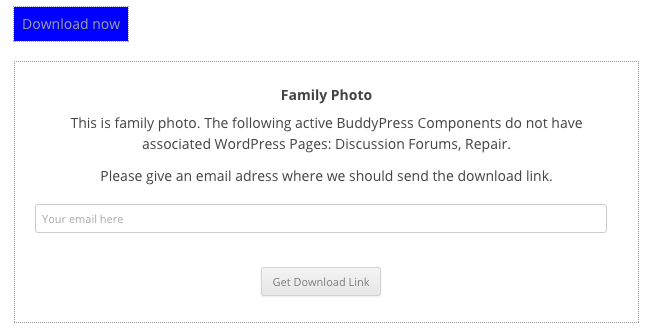
- Use ShortCode builder in the editor to put a shortcode for download.
- Add your downloadable product in Dashboard > ETD Download section.
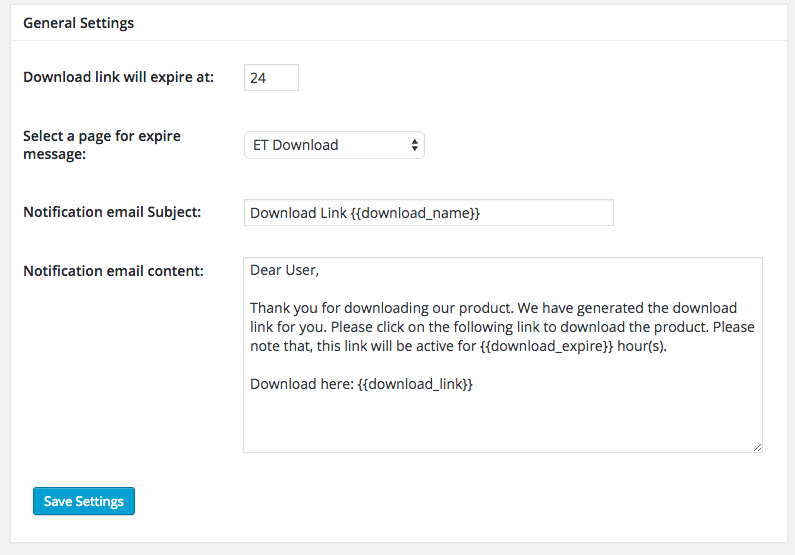
- Check ETD Download > Settings for email templates and other settings.
- Check ETD Download > Subscribers to see a list of all email addresses.
- If you have EDD installed too, add the following code in your wp-config.php: define( 'ED_DOWNLOAD_PAGE_SLUG', 'ANY SLUG HERE' );
- If you want to change the slug later, use the above code, deactivate the plugin, activate again. Then flush permalink again. You must flush permalink after activating. Please go to Settings => Permalink => Select anything other than default => Save
屏幕截图:
更新日志:
3.0.5
- Added: Custom email error message
- Added: Custom download form success message
- Added: Send email to admin when someone downloads a product
- Added: Added "DISABLE_ETD_ADMIN_NOTIFICATION" define to disable the above notification
- Enhancement: Some design improvement
- Fixed: Subscribers can't be deleted
- Fixed: Some minor fix
- Added: Notices can be hidden
- Fixed: From email address and name was not appearing
- Fixed: Broken downlaod URL
- Fixed: Notice of undefined variable _SESSION
- Fixed: ShortCode output was thrown at the beginning of the post, not where the shortcode is inserted
- Added: ShortCode builder in post editor
- Added: Placeholder for default text in shortcode
- Improved: Performance
- Fixed: Fatal error - Class 'Builder_Controller' not found (Important)
- Improved: Complete code refactor
- Improved: Introduced mailpoet integration
- Fixed: Compatible to 4.5.1
- Fixed: Minor fixes
- Added: Steps on adding new features in future releases
- Prepare for refactor
- Enhancement
- Fixed: Type in Download box
- Fixed: Conflict with WooCommerce, shows "yes" when post/page/product is created/saved/updated.
- Added: Delete subscriber option
- Minor bug fix
- Instructions Updated
- Junk code removed
- Code Rafctor
- Fixed: Sometimes Download link on e-mail not working, the field limit was limited in databae
- Fixed: Multiple download embed on the same page
- Fixed: Translation doesn't work sometimes
- Added: Mailchimp addon compatibility
- Addon Compatibility
- Code Refactor
- Enhancement
- Fixed: Translation issue
- Fixed: Title and Content couldn't be hidden in shortcode
- Fixed: Download link was not working in some server
- Modified: Download Algorithm
- Added: Enhancement
- Initial release