WP Access Control Center
| 开发者 | mitfi |
|---|---|
| 更新时间 | 2026年8月17日 18:28 |
| PHP版本: | 7.4 及以上 |
| WordPress版本: | 7.1 |
| 版权: | GPLv2 or later |
| 版权网址: | 版权信息 |
标签
下载
详情介绍:
- General indicator about the current site security status
- Status overview about the most important security settings
- Live view of main session KPIs (refresh: 5s)
- Next step recommendations to get your site more secure
- Can be made sticky to stay visible when scrolling down
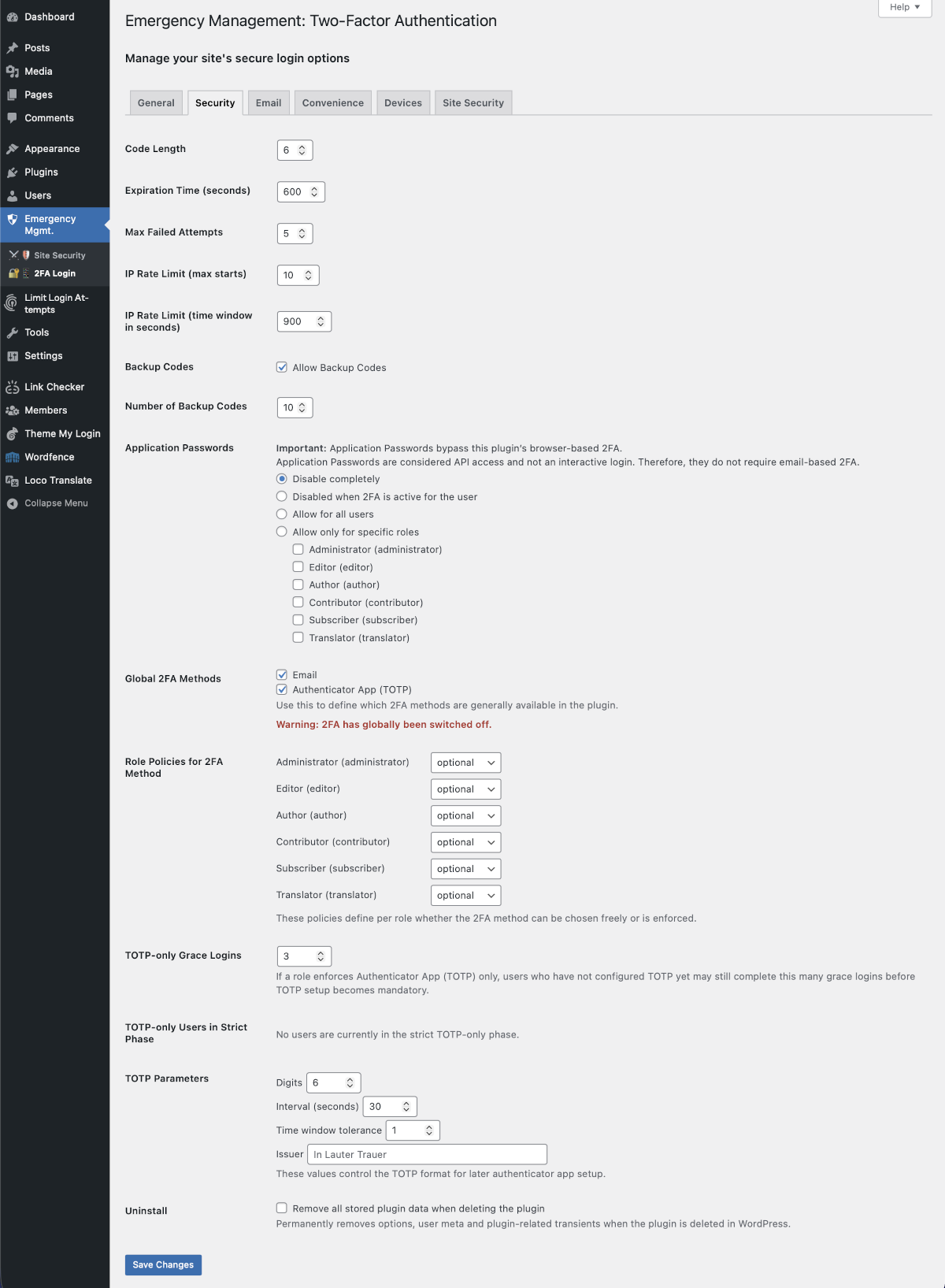
- Email-based verification codes
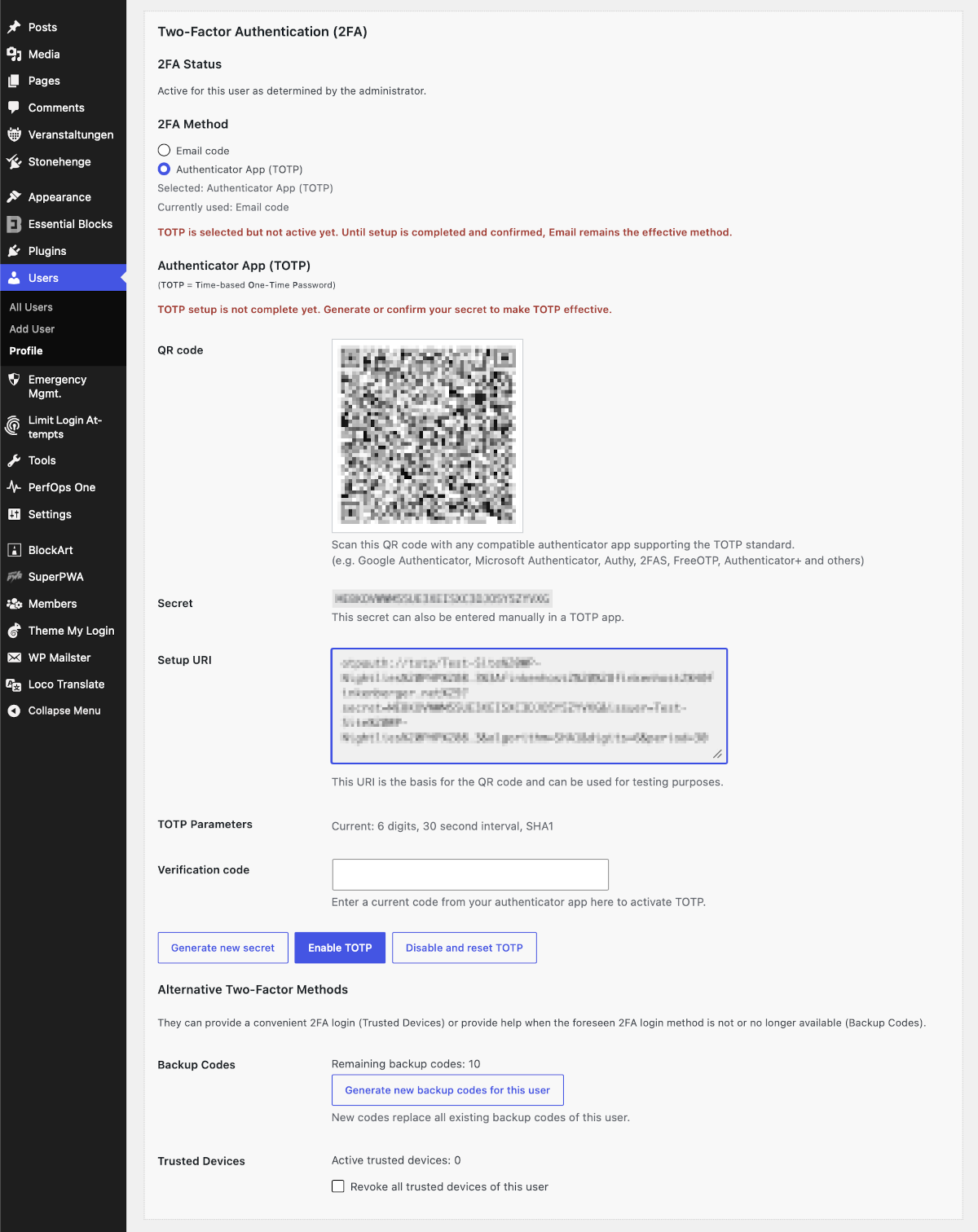
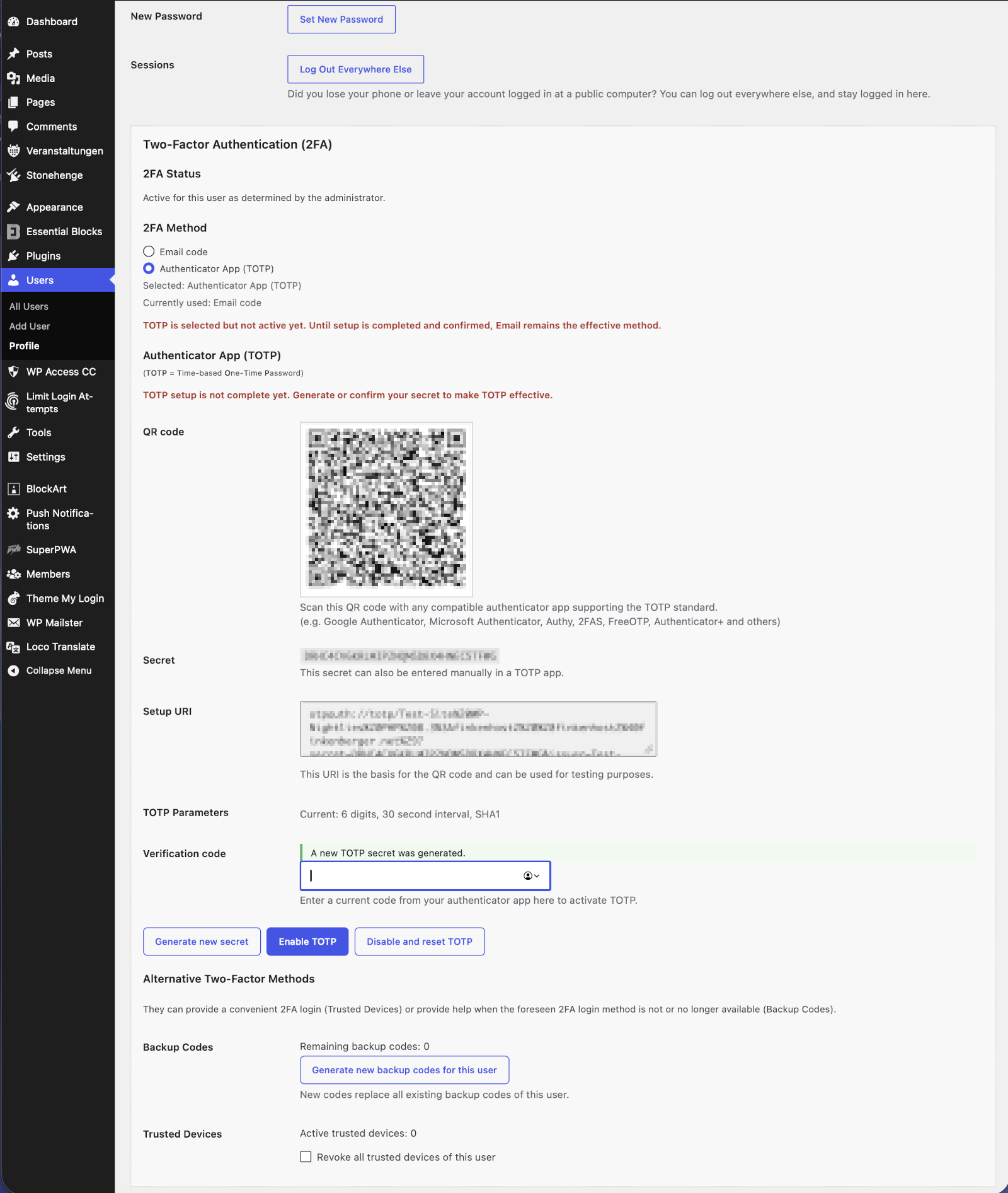
- TOTP support (Google Authenticator, Microsoft Authenticator, Authy, etc.)
- Role-based enforcement
- Grace periods for smooth rollout
- Backup codes for account recovery
- Trusted devices to reduce login friction
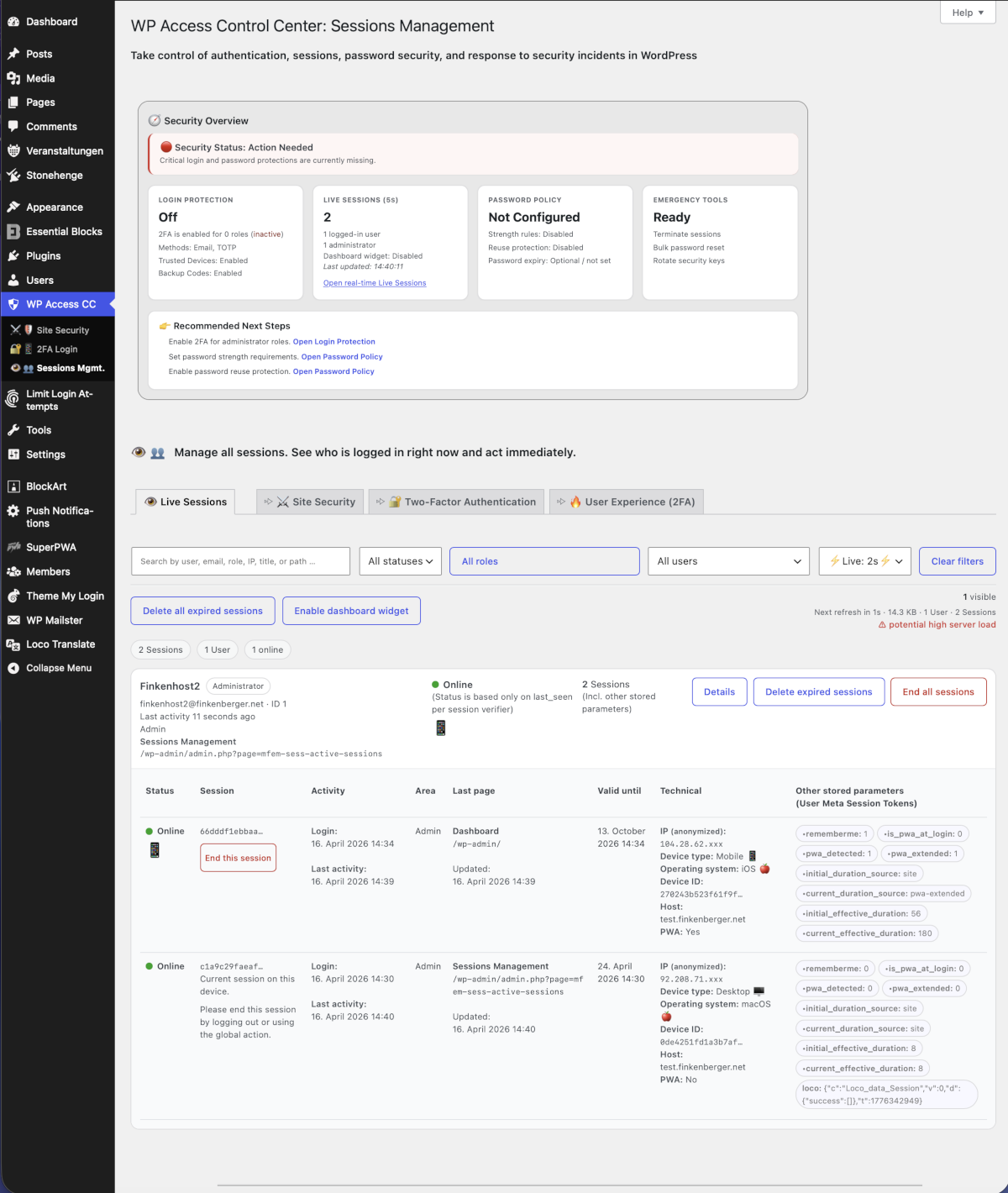
- Real-time overview of all active sessions (AJAX-powered)
- Inspect session details and parameters
- Instantly terminate individual or all sessions
- Monitor user activity as it happens
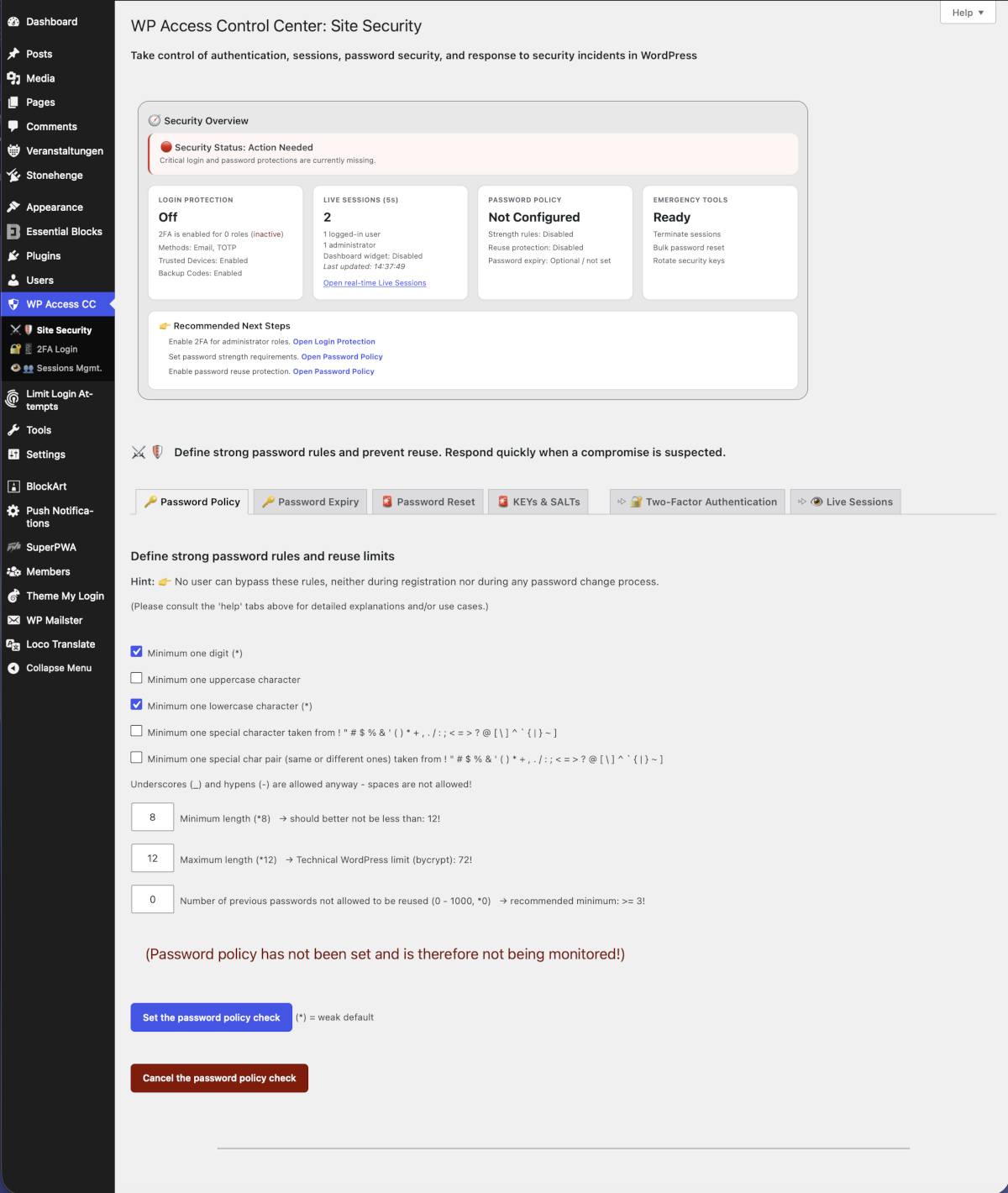
- Enforce password strength requirements
- Prevent password reuse
- Define role-based password expiration
- Real-time feedback during password creation
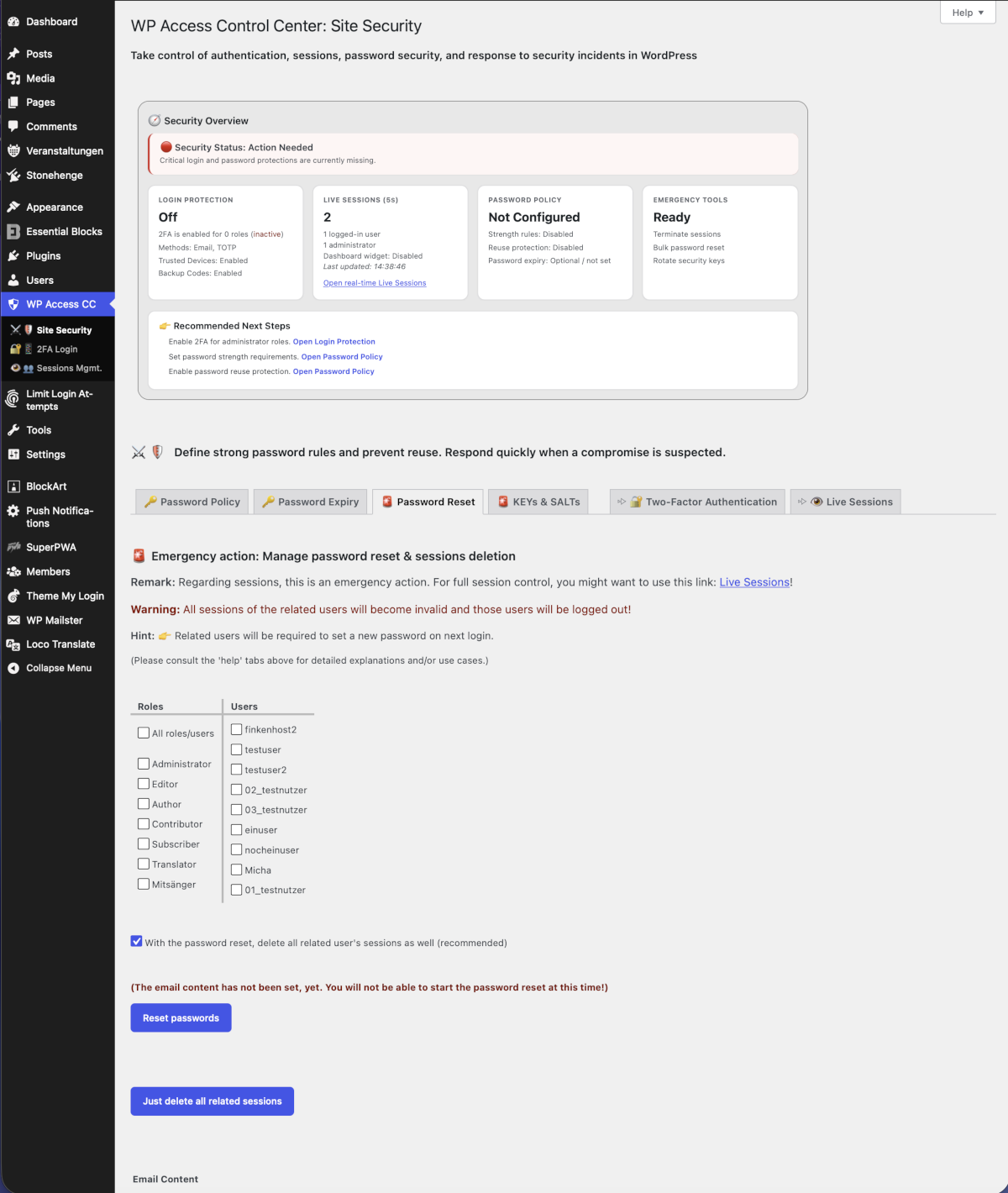
- Reset passwords for roles or selected users
- Optionally terminate related sessions
- Automatic email notifications (fully customizable)
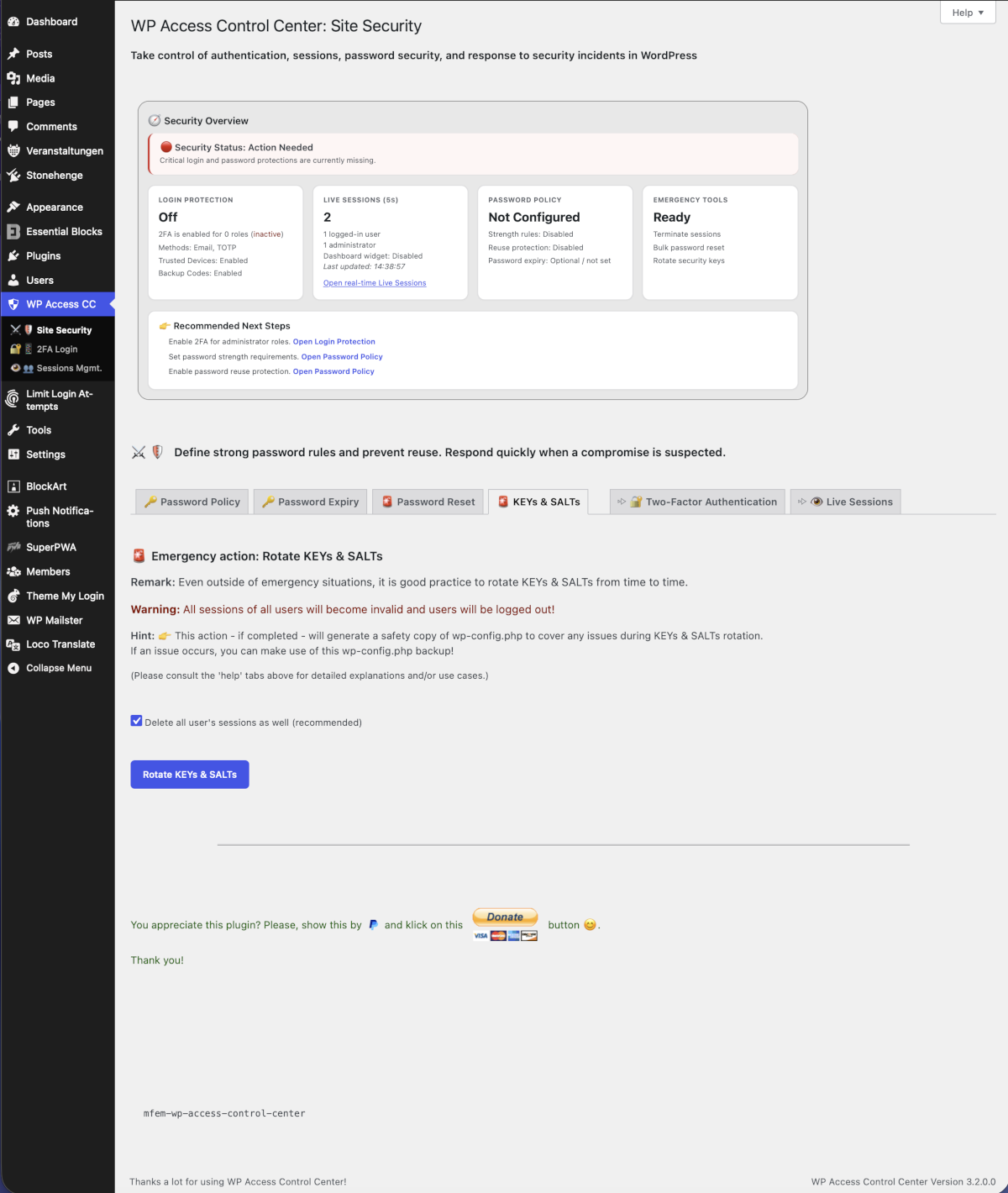
- One-click regeneration of WordPress KEYs & SALTs
- Immediately invalidates all active sessions
- Essential for incident response
- Configure session lifetime per role
- Separate rules for "Remember Me"
- Automatic cleanup of expired sessions
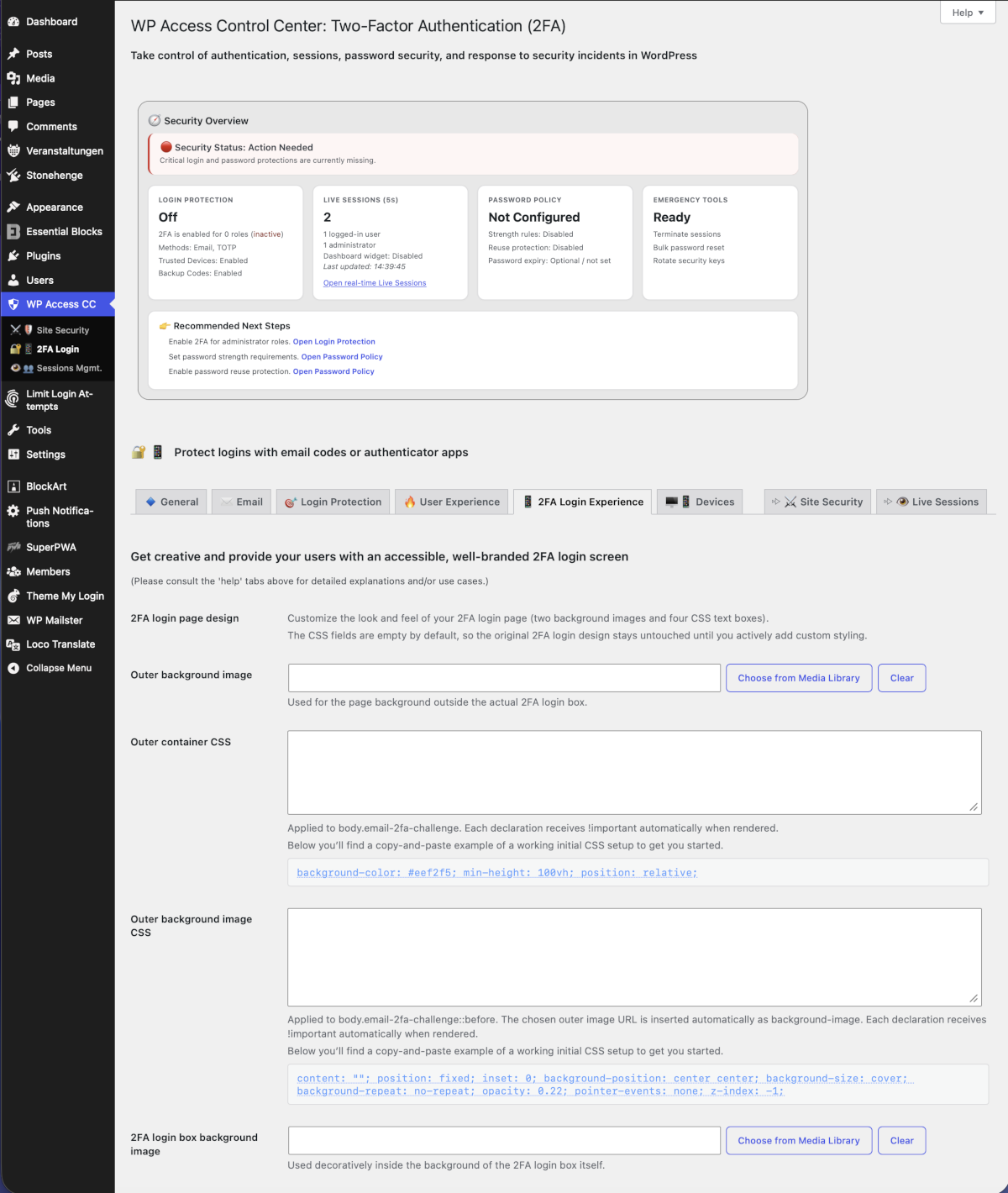
- Customize the 2FA login page
- Background images (outer & inner)
- Flexible CSS customization
- Safe defaults – no changes unless configured
安装:
- Upload the plugin to '/wp-content/plugins/wp-access-control-center'
- Activate it via the Plugins screen
- Go to the WP Access Control Center menu
屏幕截图:
常见问题:
Does this plugin require external services?
No. All features run entirely within your WordPress installation.
Which authenticator apps are supported?
Any TOTP-compatible app such as Google Authenticator, Microsoft Authenticator, Authy, and others.
Can I enforce 2FA for specific roles only?
Yes, you can enforce 2FA per role and define optional grace periods.
Are different 2FA methods available?
Yes, the available 2FA methods include email codes, authenticator apps (TOTP), trusted devices and backup codes.
Can I customize the appearance of the 2FA login screen?
Yes, there is one admin page specifically dedicated to control the appearance and branding of the 2FA login screen.
What happens when passwords expire?
Users are required to set a new password upon login.
Can I make sure that users won't reuse their previous passwords?
Yes, you will be able to control the number of previous passwords forbidden to be reused.
Does the plugin provide a live overview about all existing sessions?
Yes, this plugin provides a fully flexible live monitoring of sessions und the related user activity.
Can I terminate sessions manually?
Yes, you can terminate individual sessions or all sessions at any time.
Will rotating KEYs and SALTs log out users?
Yes. All sessions will be invalidated immediately.
更新日志:
- (New) Two buttons added above the sessions view: 'Open all Detais' and 'Close all Details'.
- (Fix) Added index.php (WordPress dashboard) as a target for the important plugin messages.
- (Tweak) Security overview dashboard session messages refined.
- (New) Additional session data (related to admins) in the security overview dashboard.
- (New) Additional data pills above the session view for a comprehensive overview.
- (Fix) A few messages updated for better clarity.
- (Fix) Added update.php as a target for the important plugin messages.
- (Fix) Session KPIs in security overview dashboard corrected.
- (Fix) Naming of view pills above the session live view changed for clarity.
- (Fix) Added update-core.php as a target for the important plugin messages.
- (New) Additional session data in the security overview dashboard.
- (Tweak) The 'recommended next step' logic was further enhanced.
- (Tweak) Code optimizations.
- (Fix) A few minor fixes.
- (Fix) CSS feature corrected.
- (New) Emergency Management is now 'WP Access Control Center' (name slug remains unchanged).
- (New) Introduced a 'Security Overview Dashboard' with live sessions, valuable security status information and recommendations to act.
- (Tweak) UI/UX appearance was rebuilt and internal structures were refactured for future growth.
- (Tweak) Logic for debug session tokens (column 'User Meta Session Tokens' in Live Sessions) was refurbished.
- (New) New messaging system introduced for enhanced admin info upon plugin installation and update.
- (New) 'Challenge Appearance' tab added with CSS styling options, including images, for corporate branding.
- (Tweak) More email placeholders were added.
- (Tweak) 2FA help tab expanded.
- (Tweak) 'Security' tab renamed to '2FA Security'.
- (Tweak) In the '2FA Security' tab, the two columns of the roles policy for 2FA method display were switched for better alignment in case of long role names.
- (Tweak) A few other UI/UX improvements.
- (Tweak) Moved the default WordPress session duration override to a more appropriate place on the related admin page.
- (New) Online debug feature for visible session token data (in column other stored parameters) added in related user meta session tokens.
- (New) Optional global WordPress session duration override added.
- (New) Delayed PWA recognition added with post-login influence to session duration as defined by the admin.
- (Tweak) 2FA help tabs improved with more information.
- (Tweak) Messages added and some messages corrected for clarity.
- (Tweak) 2FA tabs partially renamed.
- (Tweak) A few improvements for stability.
- (Fix) A few minor corrections.
- (New) Added a separate session duration option for PWA logins.
- (Tweak) Added backward compatibility for older password reset email contents.
- (New) Help tabs for session management added.
- (Tweak) All help tabs optimized.
- (Tweak) Messaging and related strings optimized.
- (Fix) Last missing nonces, sanitizing and escaping completed.
- (New) 2s session view refresh added incl. potential high server load warning.
- (New) Introduced a smart session management with smooth live view (AJAX) and anonymized data for privacy adherence.
- (Tweak) CSS improvements.
- (Tweak) Flexible plugin data deletion upon plugin being deleted.
- (New) For convenience, in the user profile, backup code generation was as well tranferred to AJAX.
- (Tweak) Minimum password expiry days moved from 10 days to 1 day as per user request.
- (New) For a smoother UI/UX, AJAX is now being used for secret generation and TOTP activation.
- (New) Handling of multiple roles with different 2FA requirements added (strictest rule wins).
- (New) Introduction TOTP enforcement in case of TOTP only.
- (Tweak) 'Remember Me' warning fires only if the related tab is being saved. Authenticator App 'otpauth://totp/' data updated. Placeholder for issuer input added.
- (Fix) Input type for Backup Codes corrected.
- (Tweak) Also serving AJAX/JSON during login redirect.
- (New) Rendering a custom 2FA challenge form to achieve full independence from wp_login and other login-related plugins (e.g. Theme My Login), while also preventing potential conflicts.
- (Tweak) Convenient bidirectional navigation between Site Security and Two-Factor Authentication settings.
- (Fix) Avoid conflict with agressive plugins during menu registration.
- (New) Introduced Two-Factor Authentication (2FA), featuring: Email Codes, Authenticator Apps (TOTP), Backup Codes and Trusted Devices.
- (New) Introduced role related control of session duration (with and without 'Remember Me').
- (Tweak) Adjusted a few strings for better clarity.
- (Fix) Ensure in all cases that a password cannot be reused upon password expiry, even if password strength monitoring has been switched off.
- (Fix) Ensure that the password reuse limit is 0 if the password strength monitoring is switched off.
- (Tweak) Reorganized the use of hooks for stabile performance.
- (Tweak) Updated some messages and some minor fixes.
- (New) Added functionality to define the number of previous passwords not allowed to be reused.
- (Tweak) Re-engineered a few functions for better performance.
- (Tweak) Optimized names of functions, variables/constants, slugs and classes for robustness
- (New) Placeholders for email text may now be copied by a mouseclick or by <TAB> and <ENTER>.
- (New) {user-profile-url} added as placeholder for email text.
- Thorough test with WordPress 7.0 version.
- (Tweak) Adjusted the password maximum length limit.
- (Tweak) The role names will now be translated (as far as available).
- Tested successfully with WordPress 6.4.
- Minor language corrections
- Correction of version indication in help screen
- Minor language corrections
- Minor adjustments for wp-config.php
- Thorough test with Wordpress 6.1.1 version.
- Corrected erroneous password-strength-reset behaviour (introduced previously by error).
- Corrected password reset behaviour for roles under certain conditions.
- Added timestamp for KEYs & SALTs in config.php.
- Compatibility improvement #1 for PHP 8.0.
- Global strings translation optimized.
- Improved settings for email editing and added editor class 'mfem-email-editor' for CSS control.
- A few smaller improvements.
- Tested successfully with WordPress 5.7.2.
- Password changes by user profile are now fully covered as well
- Bug in password reset corrected: timestamp during user registration and password reset was not properly stored before
- Tooltips added
- Password expiry messages adapted (colors and content)
- Table format optimized for small screens (horizontal movability)
- Updated some text
- Added password expiry function by roles (password reuse is then prohibited as well)
- Compatibility with the plugin "Theme My Login" has been secured
- Optimized forms when using the key
- Removed unnecessary (direct) links to KEYs & SALTs renewal
- Tested ok with Wordpress 5.7
- Fixed issue with saving eMail text under certain conditions
- Changed German translation to default (informal)
- Tested ok with Wordpress 5.6.2
- Minor bug fix for correct version display in help tab area
- Minor bug fix to stay in selected admin tab upon action
- Admin Tabs added for a more structured administration
- Missing translation string added
- Admin submenu and plugin action link selection for SALTs renewal will delete all sessions as well (as recommended)
- Missing translation string added
- Added admin help sidebar
- Corrected behavior: in some cases, password wasn't reset (and eMail wasn't sent) when sessions were to be deleted in parallel.
- Tested successfully with WordPress Version 5.6.
- Prevent password lengths < 8 (security) and > 20 (WordPress database limit).
- Prevent inadvertent form submits by the RETURN key.
- Error in password check corrected!!
- Increasing the size of the special character subset for the password check.
- The detailed explanations and hints were moved to the standard admin 'help' tabs at the screen top.
- The 'help' tabs include the Q&As (to be extended regularly as they will be growing).
- Make sure that the local plugin translations are loaded, if they are provided with the plugin for the selected language. Otherwise, load the ones provided through the WordPress translations, if any. This is (was) due to my experience that the proper SVN version synchronization with the WordPress languages directory has been found failing... (--> Has been removed in 1.2.0.0)
- Minor code and translation improvements.
- Minor code improvements.
- Corrected the relative path to the translations.
- Added the ability to just delete selected roles' or user's sessions as a separate function.
- Minor code improvements.
- Improved checking and feedbacks regarding the email content.
- Prevent the password reset button from being pressed as long as the email text has not yet been set.
- Re-arranged the structure for the success, warning and error messages.
- Minor corrections in textual explanations and German translation.
- Improvements in the code to comply with WordPress coding standards.
- First stable version with all initial features.