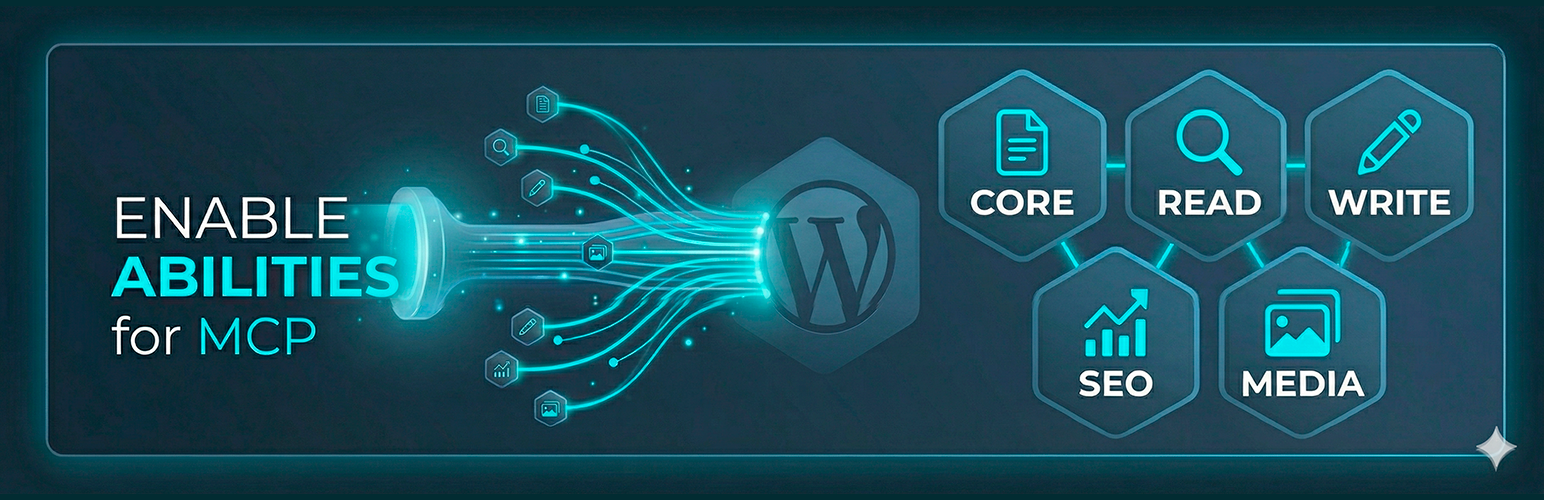
Enable Abilities for MCP
| 开发者 | fabiomontenegro1987 |
|---|---|
| 更新时间 | 2026年10月16日 13:22 |
| 捐献地址: | 去捐款 |
| PHP版本: | 8.0 及以上 |
| WordPress版本: | 7.1 |
| 版权: | GPLv2 or later |
| 版权网址: | 版权信息 |
标签
下载
详情介绍:
- Works from the claude.ai web app, mobile apps, and Claude Desktop
- Each team member authenticates with their own WordPress account and role — a subscriber can never do what only an editor should
- Every ability execution lands in the activity log under the real user's name
- Works on single sites, subdirectory installs, and multisite networks (network-activate so the main site serves the OAuth discovery documents for every subsite)
- Opt-in and off by default — with the toggle off the discovery document drops
registration_endpoint,/oauth/registerrefuses every request, and the claude.ai connector behaves exactly as before - A connector may only ever return a user to a callback URL you listed, re-checked on every authorization request — remove one and clients that registered while it was allowed are blocked immediately
- Wildcards are allowed inside the path, never in the host; registration is capped and rate-limited per IP
- Connectors that ask you to paste a Client ID and Secret instead are covered too — the panel can issue one (the secret is shown once and stored only as a hash)
- Same as the claude.ai connector downstream: each user logs in with their own WordPress account and role, approves a consent screen, and every execution lands in the activity log under their name
- 112 abilities organized in 21 categories: Core, Read, Write, SEO (Rank Math), SEO (SEOPress), SEO (Yoast), Navigation Menus, Utility, Multilanguage, Custom Post Types, WooCommerce, The Events Calendar, Code Snippets, JetEngine Options Pages, JetEngine Query Builder, Elementor, LearnDash, Tutor LMS, AI Agent Readiness (llms.txt), FSE Block Templates, and Accessibility (WCAG)
- WooCommerce integration — dedicated abilities to manage products, orders, and customers using the native WooCommerce API (HPOS-compatible, formally declared)
- The Events Calendar integration — list, get, create, and update events with venue, organizer, and date filters
- claude.ai OAuth custom connector — connect from claude.ai (web, mobile, or desktop) with zero local setup: an embedded OAuth 2.1 server with Client ID Metadata Document (CIMD) support lets each user log in with their own WordPress account and role
- ChatGPT & other OAuth connectors (beta) — separately opt-in: RFC 7591 dynamic client registration at
/oauth/register, gated by an administrator-managed callback allowlist, so clients that register themselves can connect through the same consent flow - Admin dashboard with toggle switches for each ability
- Per-ability control — expose only what you need
- Third-party ability control — abilities registered by other MCP-ready plugins (e.g. Fluent Forms) appear in the same dashboard, grouped by plugin, with the same per-ability toggles; disabling one removes it from every MCP server on the site
- Secure by design — proper capability checks, input sanitization, and per-post permission validation
- WPCS compliant — fully passes WordPress Coding Standards (phpcs)
- MCP-ready — all abilities include
show_in_restandmcp.publicmetadata
- Get posts with filters (status, category, tag, search)
- Get single post details (content, SEO meta, featured image)
- Get categories, tags, pages, comments, media, and users
- Create, update, and delete posts
- Create categories and tags
- Create pages
- Moderate comments
- Reply to comments as the authenticated user
- Upload images from external URLs to the media library (with optional auto-assign as featured image)
- Duplicate any post, page, or custom post type item — including all post meta (ACF, SEO, featured image) and taxonomy terms; saved as a draft by default
- Assign a custom taxonomy's terms to a post or page (e.g. a taxonomy registered by a companion plugin)
- Get full Rank Math metadata for any post/page (title, description, keywords, robots, Open Graph, SEO score)
- Update Rank Math metadata: SEO title, description, focus keyword, canonical URL, robots, Open Graph, primary category, pillar content
- Get full SEOPress metadata for any post/page (title, description, focus keyword, robots, canonical, Open Graph, Twitter Card)
- Update SEOPress metadata: SEO title, description, focus keyword, canonical URL, robots directives, Open Graph, Twitter Card
- Get full Yoast SEO metadata for any post/page (title, description, focus keyphrase, canonical, robots, Open Graph, Twitter Card)
- Update Yoast SEO metadata: SEO title, description, focus keyphrase, canonical URL, robots (noindex, nofollow, advanced), Open Graph, Twitter Card
- Get Yoast sitemap index — fetch and parse the sitemap index, returning all registered sitemap URLs with last modification date
- List all registered custom post types with configuration and taxonomies
- Get items from any CPT with filtering, search, and taxonomy queries
- Get full details of a CPT item including all meta fields (WooCommerce, ACF, JetEngine, etc.)
- Create, update, and delete CPT items with taxonomy and meta field support
- Get CPT taxonomies with their terms
- Assign taxonomy terms to CPT items
- Read term meta by exact key, or all meta for a term
- Write a term meta field by exact key
- Update a term's core fields: name, slug, description, or parent
- List products with price, SKU, stock status, categories, and type
- Get full product detail including gallery, attributes, and variations
- Update product price, sale price, stock quantity, and status
- List orders with customer, total, status, and date (HPOS-compatible)
- Get full order detail: line items, billing/shipping, totals, and notes
- Update order status with optional note
- List customers with email, name, total spent, and order count
- List events with start/end date, venue, organizer, and date range filter
- Get full event detail with resolved venue address and organizer contact
- Create new events with title, description, dates, venue, and organizer
- Update existing events
- List menus with item counts and theme locations, and get one menu's full item hierarchy
- Create a new menu, and add pages, posts, categories, tags, or custom URLs as items (with parent and position)
- Update an item's title, URL, parent, or position
- Remove an item, assign a menu to a theme location, or delete a menu entirely (opt-in — destructive)
- Read a lesson's video source configuration (type, value, and runtime)
- Set a lesson's video source (external URL, YouTube, Vimeo, HTML5, or a third-party source such as Bunny.net) using Tutor's own storage function — avoids the string-only limitation of the generic Update Post Meta ability, which Tutor cannot read back
- List courses, and get a single course's full detail with its topics/lessons hierarchy
- Get a user's enrollment status and completion progress for a course
- Get a user's quiz attempt results, optionally filtered to a single quiz
- Enroll a user in a course, and unenroll them (both opt-in,
manage_optionsonly)
- List the languages configured on the site
- Create the translation of a post or page in a target language, linked to the source: the AI supplies the translated title, content, and excerpt; taxonomies, custom fields, and the featured image are copied over, and an existing translation is updated instead of duplicated
- Create the translation of a category, tag, or custom taxonomy term: translated name and description, term meta copied, parent remapped to its target-language counterpart
- Assign a language to an existing post or taxonomy term
- Link two posts, or two terms, as translations of each other in the same translation group
- Get the full translation map for a post or a term
- List courses with enrollment count, and get a single course's full detail (lessons, topics, quizzes)
- Get a user's enrollment status/progress and quiz results for a course
- Enroll or unenroll a user in a course (opt-in — write,
manage_options)
- List all registered Options Pages with their field schema
- Get all fields and current values for an Options Page by slug
- Update a single Options Page field, including repeater rows (opt-in — write)
- List all Query Builder queries with id, name, and query type
- Get the full settings of one query by id
- Update an existing query's name, type, or arguments — the missing counterpart to JetEngine's own native "Add Query" MCP tool, which has no edit/get/list equivalent (opt-in — write)
- Get a compact, read-only tree of an Elementor page/template (element ids, types, text preview)
- Update an Elementor element's settings by id — single or batch edits (opt-in — write)
- Bind a widget setting to a dynamic tag: post title, or a JetEngine/meta field (opt-in — write)
- Create a PHP code snippet via the Code Snippets plugin — always saved as inactive. Validates PHP syntax and blocks dangerous functions (
eval,exec,shell_exec, and more) - List snippets (without their code) and read one snippet by ID, including its code
- Update a PHP snippet's name, description, code, scope, or tags (opt-in); new code is validated, and an active snippet whose code changes is deactivated
- Deactivate a snippet, or request its activation (opt-in). Activation is never automatic: the request returns a wp-admin link where an administrator reviews the code and confirms it. The confirmation is bound to the exact code and expires after 24 hours
- Fetch and validate the site's llms.txt against the llmstxt.org spec, with actionable issues
- Write llms.txt content — routes automatically to SEOPress Pro's option when active, or serves it directly (opt-in — write)
- List all
wp_templateandwp_template_partentries for the active theme, merging theme-file defaults with database overrides - Get the full block markup for one template or template part by slug
- Write new block markup to a template or template part — creates a database override automatically when the target is still a theme default; rejects content with unbalanced block-comment delimiters (opt-in — write,
edit_theme_options)
- Scan the media library for images missing alt text (WCAG 1.1.1 Non-text Content), paginated
- Search and replace text in post content
- Site statistics overview (includes custom post type counts)
- Update any post meta field by exact key (with protected internal key blocklist)
- WordPress 6.9 or later (Abilities API)
- MCP Adapter plugin installed and configured
- PHP 8.0 or later
安装:
- In your WordPress dashboard, go to Plugins > Add New and search for Enable Abilities for MCP.
- Click Install Now, then Activate.
- Go to Settings > WP Abilities to manage which abilities are active.
- Install and configure the MCP Adapter plugin to connect with AI assistants.
常见问题:
Do I need anything else for this plugin to work?
Yes. This plugin requires WordPress 6.9+ (which includes the Abilities API) and the MCP Adapter plugin to connect abilities with AI assistants like Claude.
Are all abilities enabled by default?
Yes. On first activation, all abilities are enabled. You can disable any of them from Settings > WP Abilities.
Is it safe to enable write abilities?
Write abilities respect WordPress capabilities. For example, creating a post requires the publish_posts capability, and editing checks per-post permissions. The MCP user must have the appropriate WordPress role.
Does it work on Multisite?
Yes. The plugin can be network-activated. Each site in the network has its own ability configuration, its own OAuth toggle, and its own connector URL — enabling MCP on one subsite never exposes the others. For subdirectory networks (site.com/blog-a, site.com/blog-b) the claude.ai OAuth connector needs the plugin network-activated (or active on the main site): OAuth clients resolve discovery documents against the domain root, which belongs to the main site, so the plugin bridges those requests to the owning subsite automatically.
Does it work with WooCommerce?
Yes. The Custom Post Types section automatically detects WooCommerce products, orders, coupons, and any other registered post type. You can list, create, update, and delete items with full access to WooCommerce meta fields like _price, _sku, _stock_status, _regular_price, and more.
Can I add custom abilities?
This plugin registers abilities using the standard wp_register_ability() API. You can register additional abilities in your own plugin using the wp_abilities_api_init hook.
Another plugin (Fluent Forms, etc.) registers its own MCP abilities — can I control those too?
Yes. Since 2.2, abilities registered by other plugins appear in the Abilities tab under their own "Third-party" section, grouped by plugin namespace, with the same toggles as this plugin's abilities. New third-party abilities start enabled; disabling one unregisters it before any MCP server can expose it — including this plugin's claude.ai OAuth connector and the other plugin's own MCP endpoint. Disabled abilities stay listed so you can re-enable them at any time.
The claude.ai custom connector fails with "Couldn't register with the sign-in service" — why?
In almost every reported case the OAuth flow is fine and the request never reaches WordPress: a security layer in front of your site is blocking Anthropic's backend, which connects with a non-browser User-Agent (python-httpx). Common culprits are hosting WAFs (cPGuard, Imunify360, ModSecurity rules like "generic HTTP client User-Agent") and Cloudflare's Bot Fight Mode or AI-crawler blocking. To diagnose, run curl -A "python-httpx/0.28.1" https://your-site.com/.well-known/oauth-authorization-server from an external machine — a 403 confirms the block. Ask your host to allow that User-Agent (or Anthropic's IP range 160.79.104.0/23) for /.well-known/oauth-*, /oauth/*, and /wp-json/mcp/*, or disable the relevant bot protection for the site.
How do I connect ChatGPT?
Turn on the OAuth server on the Connection tab, then turn on ChatGPT & Other OAuth Connectors below it. Check the Allowed callback URLs box — it is prefilled with the callbacks ChatGPT is commonly seen to use, so confirm the exact one your connector screen shows and delete the rest. Save, then in ChatGPT turn on Developer mode (available on paid plans) and create a connector with the same MCP server URL. ChatGPT reads the discovery document, finds registration_endpoint, registers itself, and runs the normal login-and-consent flow. The callback allowlist is the security boundary: a self-registered client can only ever return a user to a URL you listed.
The ChatGPT connector fails with "metadata must advertise PKCE support with code_challenge_methods_supported containing S256" — why?
The discovery documents do advertise S256, and checking them in a browser proves nothing: ChatGPT reads them server-side with the same non-browser User-Agent Claude uses (python-httpx). When a WAF or bot protection answers that request with a 403 or an HTML challenge page, ChatGPT never gets the authorization-server document and falls back to the protected-resource document, which has no PKCE field — hence this error. Diagnose it like the claude.ai case above, with curl -A "python-httpx/0.28.1" https://your-site.com/.well-known/oauth-authorization-server from an external machine, and ask your host to allow that User-Agent for /.well-known/oauth-*, /oauth/*, and /wp-json/mcp/*. With WP_DEBUG_LOG on, [DISCOVERY] request received lines in wp-content/debug.log tell you whether the request reached WordPress at all.
The OAuth discovery documents return a 301 redirect or 404 — is that a problem?
Yes — strict OAuth clients require a direct 200 on /.well-known/oauth-authorization-server and /.well-known/oauth-protected-resource. This plugin already prevents WordPress's trailing-slash canonical redirect on those paths and serves the RFC 9728 path-suffixed variants. If they still return 404, your web server is intercepting .well-known/ before WordPress runs (common with Let's Encrypt auto-SSL configs) — see Tools → Site Health for the "MCP OAuth discovery documents" check and ask your host to route those two paths to WordPress.
更新日志:
- Security: the Bearer token could be used against the whole WordPress REST API, not only this plugin's MCP routes. The check that limited it read the request URL, but WordPress decides which route to run from the
rest_routequery variable, and that variable wins over the URL. A request could therefore carry the allowed text in the URL while WordPress served a completely different route. Because the token is only ever issued to an administrator, anything the REST API exposes to an administrator was reachable, regardless of which abilities the site owner had enabled. The check now reads the route WordPress is actually serving, and matches it on a namespace boundary. Found in-house while testing an unrelated change; no reports of it being used. If you use the Bearer token, update. Application Passwords and the OAuth connector were never affected. - Fixed: the Bearer token now works on sites that do not use pretty permalinks. The old check looked for
/wp-json/in the URL, which those sites never send, so the token was always refused there. - New: the
ewpa_bearer_route_prefixesfilter adds REST route prefixes the Bearer token is accepted on, for sites that run a second MCP server — JetEngine 3.9 ships its own. It is a filter and not a setting on purpose: the token carries administrator rights, so every prefix added is driven as an administrator, and that belongs in reviewed code.
- Fixed: ten abilities were switched back on by themselves on every page load, so turning any of them off never lasted beyond the next request. Seven of the migrations that add abilities to existing installs never recorded that they had run, unlike every other migration in the plugin, so they ran again on every request and added their abilities back. The ten:
ewpa/duplicate-post,ewpa/fse-list-templates,ewpa/fse-get-template,ewpa/get-term-meta,ewpa/update-term-meta,ewpa/update-term,ewpa/je-list-queries,ewpa/je-get-query,ewpa/get-accessibility-snapshotandewpa/assign-post-terms. Your current selection is kept as it is: on an install that already passed those releases the migrations are recorded as done instead of running one final time, so an ability you had turned off stays off. An install upgrading from an older release still receives the abilities it never got. Reported by @peterbrej.
- Updated: the bundled
wp-media/mcp-oauthlibrary goes from 1.0.3 to 2.0. Other plugins ship their own copy of the same library — Imagify carries a newer one — and since every Composer autoloader involved registers itself first, whichever plugin loads last wins for the whole site. Shipping the oldest copy meant we could win that race and leave another plugin running against a library older than it expects. This release also drops thereplaceworkaround that keptwordpress/mcp-adapterout of the packaged files: version 2.0 no longer requires it and relies on the standalone MCP Adapter plugin, as this plugin already did. - Updated:
composer.lockis now part of the repository, so the packaged library versions are reproducible instead of depending on the machine that builds the release.
- Fixed: the "requires the MCP Adapter plugin to work" notice appeared on sites where MCP Adapter was installed and active. Since its 0.7.0 release the adapter refuses to start when another plugin has already registered its own bundled copy of
WP\MCP\Core\McpAdapter, and it then never definesWP_MCP_VERSION, which is what this plugin checked. The notice now tells three situations apart: the adapter working, the adapter present but stopped, and the adapter missing. When it is present but stopped the notice names the folder the conflicting copy was loaded from, so the plugin shipping it can be found instead of reinstalling one that is already there. Reported by @joshbour.
- Security: object-level authorization across every ability that reads or writes a post. A capability was checked site-wide (
edit_posts,read,edit_products) but never against the specific post, so a Contributor could duplicate another author's draft and publish it keeping the original author, publish their own posts without review, and a Subscriber could list every draft on the site. Every per-post ability now checksread_postoredit_poston the target, anauthor_idfrom the input requiresedit_others_posts, and apost_parentfrom the input requires permission on the parent. - Security: student records (
ewpa/tutor-get-user-progress,ewpa/tutor-get-quiz-results) requireedit_users, matching their LearnDash equivalents, instead ofedit_posts. The SEO readers (Rank Math, SEOPress, Yoast),ewpa/tec-get-event,ewpa/ld-get-courseandewpa/get-accessibility-snapshotnow check the object or a capability that matches what they return. - Security:
ewpa/upload-imagechecksedit_poston the parent before attaching an image or setting a featured image. - Security: protected meta keys (leading underscore) require
edit_poston the target plus eithermanage_optionsor an explicitregister_post_meta()/auth_post_meta_{key}authorization. Writing SEO keys such as_genesis_titlekeeps working for administrators;ewpa/get-cpt-itemno longer returns protected meta to a user who cannot edit the item. - Security: creating a term by name requires the taxonomy's
edit_termscapability, inewpa/assign-post-terms,ewpa/assign-cpt-termsand thetaxonomiesfield of the CPT abilities. - Fixed:
ewpa/get-postsandewpa/get-pagesno longer emit "Undefined array key" notices forstatus,orderbyandorder, which disclosed the server path on any site rendering PHP notices. - Fixed: a disabled third-party ability could silently re-enable itself when its plugin happened to be inactive while the settings page rendered, because the denylist was recalculated from whatever that page offered.
- Behavior change: asking for
publish,futureorprivatewithout the publish capability of that post type now returns aforbiddenerror, which is what the WordPress REST API does, instead of silently saving a draft. An agent flow that relied on that silent fallback will receive an error from now on. - Behavior change: the listing abilities validate
statusagainst the statuses actually registered on the site and returninvalid_statusfor anything else. Custom statuses such as WooCommerce'swc-processingnow work, and a typo no longer falls back todate/publishwithout saying so. - Credit: the authorization issues in this release were reported privately by stilwel, who reproduced them on their own test installation and withheld disclosure until a fix was available.
- New: FAQ entry for the ChatGPT connector failing with "metadata must advertise PKCE support with code_challenge_methods_supported containing S256". Both Claude and ChatGPT fetch the discovery documents server-side with a
python-httpxUser-Agent, so a WAF blocking it breaks the connector while every browser check keeps passing. Reported by @slavaliutkevich. - Updated: the MCP Adapter links now point to its WordPress.org page instead of its GitHub releases. The plugin was published to the directory on 2026-10-02, so it can be installed from the dashboard like any other plugin.
- Security fix: turning the "claude.ai OAuth Custom Connector" switch off now ends every existing OAuth connector session on that site. Before, the sessions were only unreachable while the switch was off, so turning it back on let an old connector reconnect on its own for up to 30 days without a new approval.
- Security fix: the OAuth server now stays off while the switch is off even when another plugin boots the same OAuth library. On some multisite networks the MCP endpoint kept answering, and accepting existing tokens, with the switch off.
- Security fix: changing a user's password, or using "Log Out Everywhere" on their profile, now also ends that user's OAuth connector sessions. Application Passwords the user created by hand are never touched.
- Fix: deactivating the plugin ends its OAuth connector sessions, so they cannot come back when it is activated again.
- Improvement: the Application Password behind each OAuth session is now named "MCP OAuth – – " instead of just the client name, and its "Last Used" and "Last IP" columns are filled in, so you can see what you are revoking under Users › Profile › Application Passwords.
- New: Regression suite for session revocation (
tests/oauth-sessions-test.php). Runs without WordPress:php tests/oauth-sessions-test.php.
- New: the CPT abilities can manage post types that are not public, when they are on an explicit allowlist. Tutor LMS
topicsis on it by default when Tutor LMS is active, so an assistant can finally build a course tree: course, topic, lesson. Every other non-public type is still rejected, WordPress built-ins remain unreachable, and all capability checks are unchanged. Site owners can add their own structural types with the newewpa_manageable_private_post_typesfilter. Reported from a Tutor LMS site. - New:
ewpa/update-cpt-itemacceptspost_parentandmenu_order, mirroringewpa/create-cpt-item. A hierarchical item created in the wrong place, or a duplicate, can now be re-parented and reordered instead of being stuck. An item cannot be made its own parent, and a missing parent is refused. - New: Regression suite for the post type guard and the update path (
tests/cpt-abilities-test.php, 21 checks). Runs without WordPress:php tests/cpt-abilities-test.php.
- New: ability sections in Settings › WP Abilities collapse like an accordion. Click a section header to open or close it; the "All" checkbox keeps working without toggling the section. Sections start collapsed, and the ones you open stay open in that browser.
- New: each ability section shows how many of its abilities are enabled (for example, 2/3), updated as you change the toggles.
- Fix: the plugin no longer ships its own copy of MCP Adapter. The OAuth library pulled MCP Adapter 0.5.0 into
vendor/as a dependency. Development builds of MCP Adapter check for a copy loaded before them; because this plugin loads first, they found that copy, showed "Another version of MCP Adapter is already loaded", and ran the bundled 0.5.0 instead of themselves. The MCP Adapter plugin you install is now the only copy this plugin provides. Reported by @donbowman. - Fix: the "requires the MCP Adapter plugin" notice now detects the MCP Adapter plugin itself, so it no longer appears when the plugin is active but installed in a folder with a different name.
- New:
ewpa/get-code-snippetsandewpa/get-code-snippet(Code Snippets section, enabled by default) list the snippets stored by the Code Snippets plugin (without their code) and read one snippet by ID, including its code. Requires manage_options. - New:
ewpa/update-code-snippet(opt-in) changes a PHP snippet's name, description, code, scope, or tags, leaving every other field untouched. New code goes through the same syntax check and blocked-function list asewpa/create-code-snippet; an active snippet whose code changes is deactivated so the new code is reviewed before it runs. - New:
ewpa/set-code-snippet-active(opt-in) deactivates a snippet immediately, but never activates one directly. Asking for activation files a request and returns a wp-admin link where an administrator reads the code and approves or rejects it. The approval form needs a WordPress login nonce, which MCP credentials cannot produce; the request is bound to a hash of the code, expires after 24 hours, and every check runs again at approval time. Pending requests are announced with an admin notice. Suggested by @torontotoph. - Fix:
ewpa/create-code-snippetstored snippets created withscope: frontendas global, because Code Snippets names that scopefront-endand silently falls back toglobalfor values it does not know, so a snippet meant for the front end also ran in wp-admin. Both spellings are now accepted and stored asfront-end. - Fix: abilities marked opt-in (disabled by default) were enabled on fresh installs, because the first activation enabled every ability. New installs now leave them off; existing installs keep their current settings.
ewpa/remove-menu-item,ewpa/assign-menu-location, andewpa/delete-menuare now flagged opt-in too, matching their descriptions. - Fix: the Code Snippets section showed "plugin is not active" with Code Snippets 3.10 or later, whose API moved into a namespace.
- New: Regression suite for the Code Snippets helpers and the confirmation flow (
tests/code-snippets-test.php, 33 checks). Runs without WordPress:php tests/code-snippets-test.php. - Updated: Total abilities: 112 in 21 categories.
- Fix:
ewpa/duplicate-postcopied the internal translation-group taxonomies of Polylang and Linguator AI along with regular terms, so on a multilingual site the duplicate joined the original's translation group and its language switcher and translation links pointed at the original's translations. The duplicate now keeps the source language but gets its own group. - Fix:
ewpa/link-post-translationandewpa/link-term-translationreported success on Polylang even when Polylang discarded the link because the translated post or term did not already carry the target language. They now assign that language first, as the WPML and Linguator AI backends already did, and return atranslation_not_linkederror if the link still does not persist. - Fix:
ewpa/list-languagesreturnedterm_id0 for every Polylang language; it now returns each language's term ID.
- New: Linguator AI support in the Multilanguage section, alongside Polylang and WPML: detection, languages, post and term languages, and translation groups through Linguator's public API. Contributed by @drbelt27.
- New:
ewpa/create-post-translation(Multilanguage, enabled by default) creates the translation of a post or page in a target language and links it to the source. The AI supplies the translated title, content, and excerpt; the ability never calls a translation service. Taxonomies, custom fields, and the featured image are copied, with backslashes preserved so JSON meta such as Elementor's_elementor_datasurvives intact; on Linguator AI the plugin's own duplication engine is used. If a translation already exists in that language it is updated instead of duplicated. Contributed by @drbelt27. - New:
ewpa/create-term-translation(enabled by default) does the same for categories, tags, and custom taxonomy terms: translated name and description, term meta copied, and the parent remapped to its target-language counterpart. Updating an existing translation changes only the supplied fields. Contributed by @drbelt27. - New:
ewpa/list-languages,ewpa/set-term-language,ewpa/link-term-translation, andewpa/get-term-translations(enabled by default) list the configured languages and manage term languages and translation groups. Contributed by @drbelt27. - New: Regression suite for the multilanguage backend (
tests/multilanguage-backend-test.php, 42 cases), with test doubles that unslash like WordPress core and validate languages like Polylang. Runs without WordPress:php tests/multilanguage-backend-test.php. - Updated: Total abilities: 108 in 21 categories.
- New: ChatGPT & Other OAuth Connectors (beta, opt-in, off by default) — RFC 7591 dynamic client registration at
/oauth/register, so ChatGPT and other self-registering clients connect through the same login-and-consent flow as the claude.ai connector. The security boundary is an administrator-managed callback allowlist, enforced at registration and re-checked on every authorization request, so removing a URL immediately blocks clients that registered while it was allowed. The same list gates which client metadata documents are fetched (wp_safe_remote_get, no redirects). Consent, code issuance, PKCE, token signing and refresh rotation stay in the bundled wp-media/mcp-oauth library; with the toggle off, the claude.ai connector is unchanged. Contributed by @keyvansolha. - New: Regression suite for the connector callback allowlist (
tests/oauth-connectors-test.php, 42 checks) covering redirect-URI smuggling — userinfo and backslash authorities, subdomain confusion, port and path-prefix mismatches, query strings and fragments through wildcards, protocol-relative and non-HTTP schemes — plus RFC 8252 loopback handling. Runs without WordPress:php tests/oauth-connectors-test.php. - Fix: IPv6 loopback redirect URIs (
http://[::1]:port/…) were rejected, because PHP'sparse_url()keeps the brackets around an IPv6 literal and the loopback check only knew::1. It failed closed, so nothing was ever allowed that should not have been; native clients on IPv6 loopback can now connect. Found by the new regression suite.
- New:
ewpa/assign-post-terms(Write section, enabled by default) — assigns a custom taxonomy's terms to a post or page.ewpa/assign-cpt-termsexplicitly rejects built-in post types (post, page, attachment, and others) by design, since native categories/tags on posts are already covered byewpa/update-post— but that left a real gap for a custom taxonomy registered onpost/pageby a companion plugin, with no assignment path through MCP at all. Mirrorsewpa/assign-cpt-terms's security checks exactly (edit_post,taxonomy_exists, taxonomy-post_type association, and the taxonomy's ownassign_termscapability), so an admin-only taxonomy stays admin-only regardless of post type. - Updated: Total abilities: 102 in 21 categories.
- New: Accessibility (WCAG) section —
ewpa/get-accessibility-snapshot(read, enabled by default) scans the media library for images missing alt text (WCAG 1.1.1 Non-text Content) and returns a paginated list, so they can be fixed viaewpa/update-post-meta(_wp_attachment_image_alt). Deliberately narrow scope: full WCAG scanning (color contrast, ARIA, keyboard navigation) is a rendered-page/browser concern already covered by browser-based tools such as Lighthouse, not duplicated here. - Updated: Total abilities: 101 in 21 categories.
- New: JetEngine Query Builder section (3 abilities) —
ewpa/je-list-queriesandewpa/je-get-query(read, enabled by default) list and read Query Builder queries via JetEngine's own internal data layer (Jet_Engine\Query_Builder\Manager);ewpa/je-update-query(write, opt-in) updates an existing query's name, type, or arguments, convertingquery_argsthe same way JetEngine's own tools do. This is the missing counterpart to JetEngine's own native "Add Query" MCP tool — JetEngine ships its own separate, bundled MCP server with a tool to create a query but none to list, read, or edit one; these abilities close that gap through the standard WordPress Abilities API instead of JetEngine's internal tool registry. Requires JetEngine with the Query Builder module. Validated end-to-end on a live production site, including a real write to an in-use query with a non-trivial tax_query/post_type configuration that was confirmed intact after the update. - Updated: Total abilities: 100 in 20 categories.
- New:
ewpa/update-term(Custom Post Types section, enabled by default) — updates a taxonomy term's core fields (name, slug, description, parent term). Only the provided fields are modified. Complementsewpa/get-term-meta/ewpa/update-term-meta(v2.7.0), which only cover custom meta, not these core fields. Requested from a live JetEngine + Polylang site that needed to rename a mistranslated term. - Updated: Total abilities: 97 in 19 categories.
- New:
ewpa/get-term-metaandewpa/update-term-meta(Custom Post Types section, enabled by default) — read and write taxonomy term meta by exact key, the term-level equivalent ofewpa/get-post-meta/ewpa/update-post-meta.get-term-metareturns every meta field for the term whenmeta_keyis omitted. Both require theedit_termcapability on the target term. - Fix:
ewpa/get-cpt-taxonomiesthrew an output-schema validation error ("not of type string") for taxonomies registered with'label' => false— a pattern used by internal taxonomies some multilingual plugins (e.g. Polylang) attach to custom post types. The taxonomy slug is now used as a fallback label instead of the rawfalsevalue. Reported from a live JetEngine + Polylang site. - Updated: Total abilities: 96 in 19 categories.
- New: FSE Block Templates section (3 abilities) —
ewpa/fse-list-templatesandewpa/fse-get-template(read, enabled by default) list and readwp_template/wp_template_partentries for the active theme viaget_block_templates()/get_block_template(), merging theme-file defaults with database overrides;ewpa/fse-update-template(write, opt-in) writes new block markup, creating a database override when the target is still a theme default, and rejects content with unbalanced block-comment delimiters before saving. Guarded behindcurrent_theme_supports('block-templates'). Requested by redsoulwarrior in a WordPress.org review. - Fix:
ewpa/create-code-snippetfailed on every call with "Cannot instantiate Snippet class" on Code Snippets 3.10.0+ — its PSR-4 refactor moved theSnippetclass fromCode_Snippets\SnippettoCode_Snippets\Model\Snippet. Now checks both locations (plus the legacy globalSnippetfor 2.x), so it works across Code Snippets 2.x through 3.10+. Reported by redsoulwarrior with a confirmed version-downgrade repro. - Docs: "Available Abilities" section now documents the Multilanguage, LearnDash, JetEngine Options Pages, Elementor, Code Snippets, and AI Agent Readiness (llms.txt) sections — previously listed only in the Features summary, not broken out in detail.
- Compatibility: Tested up to WordPress 7.1.
- Updated: Total abilities: 94 in 19 categories.
- Fix:
ewpa/search-replacematched against asanitize_text_field()-cleaned copy of the search term instead of the raw text — a search containing HTML tags, line breaks, or repeated whitespace would silently never matchpost_content(which stores that raw). The search and replacement values are now used as-is. - Fix:
ewpa/search-replacerejected a search term of"0"as empty, because PHP'sempty()treats the string"0"as falsy. Now uses a strict empty-string check. - Fix:
Stable tagin this readme was left at 2.5.0 after the 2.5.1 release, so WordPress.org never picked up 2.5.1 as current. Corrected to 2.5.2.
- Fix:
ewpa/tutor-get-user-progressalways returnedenrollment_status: null— Tutor'sEnrollmentModel::is_enrolled()doesn't selectpost_statusin its query, so the field silently read as null. Now resolved viaget_post(). - Docs: v2.5.0 also shipped 6 Tutor LMS parity abilities (list courses, get course detail with topics/lessons hierarchy, get user progress, get quiz results, enroll user, unenroll user) that were left undocumented in that release — now reflected here and in the Available Abilities list.
- Updated: Total abilities: 91 in 18 categories (corrected from the 85 mistakenly listed in 2.5.0).
- New:
ewpa/duplicate-post— duplicates any post, page, or CPT item, copying all post meta (ACF fields, SEO data, featured image) and taxonomy terms. The copy is saved as a draft by default. Opt-in write ability. - Fix: meta values are now re-slashed before
add_post_meta()to match WordPress's internalwp_unslash()contract — prevents backslash loss in serialized or JSON meta fields (e.g._elementor_data) when duplicating. - Fix: self-healing migration automatically adds
ewpa/duplicate-postto the enabled-abilities list on existing installs upgrading from earlier versions. - Updated: Total abilities: 85 in 18 categories.
- i18n: POT and Spanish (es_ES) translation updated.
- New: Tutor LMS section — 2 abilities to read and set a lesson's video source:
ewpa/tutor-get-lesson-videoandewpa/tutor-update-lesson-video, both enabled by default. Requires Tutor LMS (tutor_utils()). - Fix: writing a lesson's video through the generic
ewpa/update-post-metaability silently broke video playback — Tutor stores_videoas a native PHP array, butupdate-post-metaalways writes strings, and WordPress's own serialization safeguards (is_serialized()) prevent a plain or hand-serialized string from ever being reinterpreted as that array.ewpa/tutor-update-lesson-videocallstutor_utils()->update_video()directly — the same function Tutor's own editor uses — so the value is always stored correctly, including third-party sources registered via thetutor_preferred_video_sourcesfilter (e.g. Bunny.net). Validated on a live Tutor LMS site with a Bunny.net-hosted lesson video. - Updated: Total abilities: 84 in 18 categories.
- i18n: POT and Spanish (es_ES) translation updated.
- New: Navigation Menus section — 8 new abilities to create and manage a site's navigation menus entirely through MCP:
create-menu,list-menus,get-menu,add-menu-item(pages, posts, categories, tags, or custom URLs, with parent/position), andupdate-menu-itemare enabled by default;remove-menu-item,assign-menu-location, anddelete-menuare opt-in (destructive). All requireedit_theme_options, the same capability WordPress demands for Appearance → Menus. - Updated: Total abilities: 82 in 17 categories.
- i18n: POT and Spanish (es_ES) translation updated.
- Fix:
ewpa/get-cpt-itemsignored the requestedpost_typewhen thes(search) parameter was set, silently returning items from a different post type. Caused bysuppress_filters => falseon the internalget_posts()call, which left third-partypre_get_postshooks free to rewrite the query once a search term was present (observed on a Tutor LMS site, wherelessonis excluded from search and a search-integration plugin fell back tocourses). Removed the override so the ability usesget_posts()'s own safe default (suppress_filters => true), matching every other CPT-listing ability in the plugin. Reported by a user testing the MCP connector against a live Tutor LMS site.
- New: third-party ability management — abilities registered by other MCP-ready plugins (e.g. Fluent Forms 6.2.12+) now appear in the Abilities tab under a "Third-party" section per plugin namespace, with the same per-ability toggles. Disabling one unregisters it at the end of
wp_abilities_api_init, removing it from every MCP server on the site (this plugin's claude.ai OAuth connector, the default adapter server, and the third-party plugin's own MCP endpoint). New third-party abilities start enabled, and disabled ones stay listed for re-enabling — validated end-to-end against Fluent Forms' MCP tools. - New: plugin homepage at https://mcp.fabiomontenegro.com/ (Plugin URI); donations moved to Ko-fi.
- i18n: POT and Spanish (es_ES) translation updated.
- Fix: OAuth discovery-document handling (canonical-redirect prevention and RFC 9728 path-suffixed URLs) now works for sites installed in a subdirectory — the matchers derive the site's base path from
home_url()instead of assuming a root install. - New: multisite discovery bridge — on subdirectory networks, OAuth clients resolve
/.well-known/oauth-*against the domain root, which belongs to the main site. With the plugin network-activated, the main site now resolves those requests to the owning subsite and relays its discovery document, making the claude.ai connector work for every subsite (validated against claude.ai on a production-style subdirectory multisite). - Docs: Multisite FAQ updated with the subdirectory-network requirements.
- New: claude.ai OAuth Custom Connector — embedded OAuth 2.1 server (wp-media/mcp-oauth) with Client ID Metadata Document (CIMD) support. Add your site as a custom connector in claude.ai (web, mobile, or desktop) with just a URL — no Client ID, no Application Password: each user logs in with their own WordPress account and approves a consent screen. Opt-in from Settings > WP Abilities > Connection.
- New: Connection tab redesigned — authentication methods now read top-down as options (claude.ai OAuth, Application Passwords, Single Admin Bearer Token) and the client configuration examples (Claude Desktop / Claude Code, OpenAI Codex CLI, Google Antigravity) moved to a shared, highlighted "Connect your AI client" section with the MCP endpoint URL, since they apply to both token methods.
- New: generating Application Password credentials now auto-fills every client example with your real
Basicauthorization header — copy-paste ready, no manual editing. - Fix: OAuth discovery documents (
/.well-known/oauth-*) and/oauth/*endpoints no longer receive WordPress's trailing-slash 301 canonical redirect, which strict OAuth clients (claude.ai) reject as a failed metadata fetch. - Fix: RFC 9728 path-suffixed discovery URLs (
/.well-known/oauth-protected-resource/<mcp-path>) are now served, matching the lookup order of Anthropic's OAuth client. - Docs: FAQ entries on diagnosing hosting WAFs (cPGuard/Imunify/ModSecurity) and Cloudflare bot protections that block Anthropic's
python-httpxclient. - i18n: POT and Spanish (es_ES) translation updated with the new strings.
- See changelog.txt for the full history of older versions.