
Ensoras – AI Customer Support & Live Chat Helpdesk for WooCommerce
| 开发者 | ensoras |
|---|---|
| 更新时间 | 2026年4月10日 02:42 |
| PHP版本: | 8.0 及以上 |
| WordPress版本: | 6.9.4 |
| 版权: | GPLv2 or later |
| 版权网址: | 版权信息 |
详情介绍:
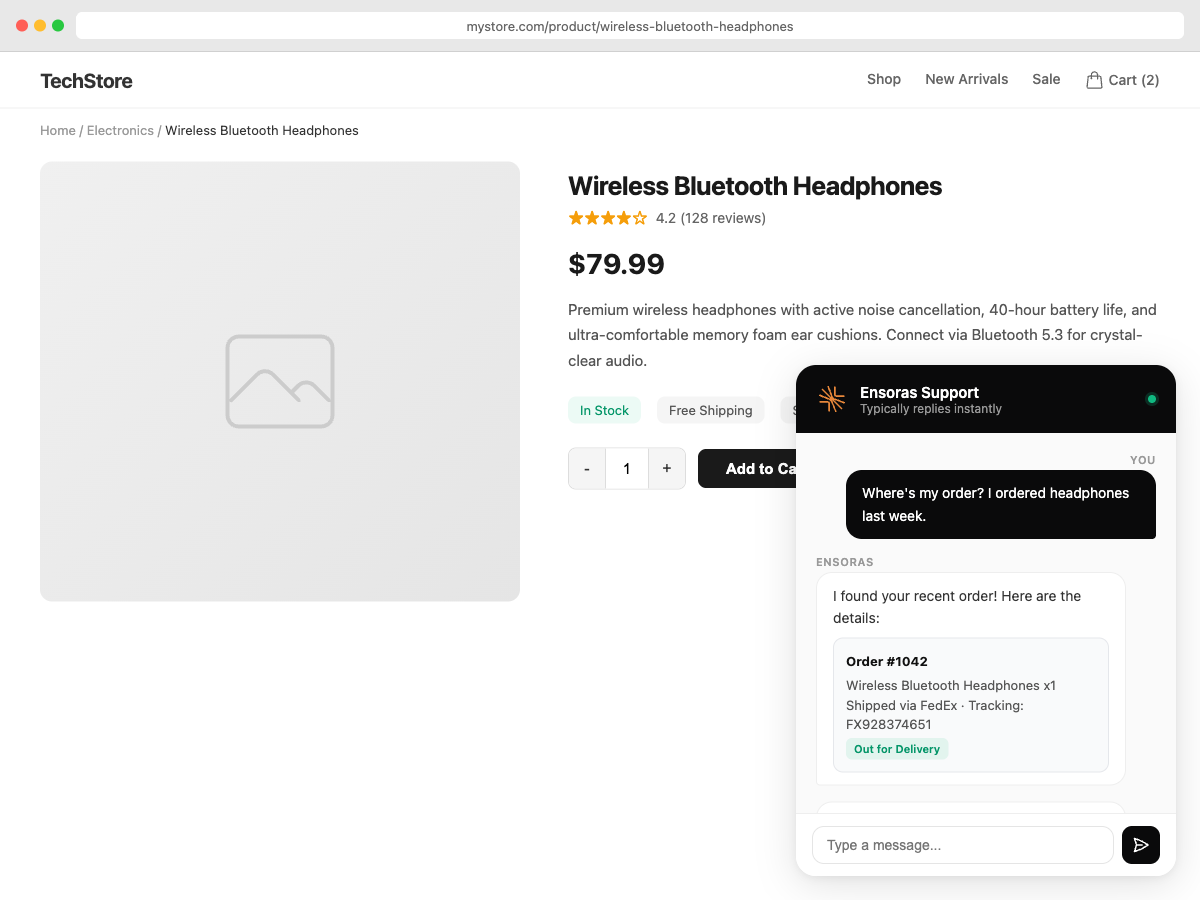
"1,100 customer questions a month, handled automatically. We don't have a support team anymore." Head of Operations, mid-size fashion e-commerce (EU)What Ensoras Actually Does For You Answers order questions instantly "Where's my order?" — Ensoras looks up their order, checks tracking, gives them the answer. While you sleep. Handles returns and refunds "I want to return this" — Ensoras checks your policy, verifies the purchase date, processes the return or escalates to you if needed. Converts browsers to buyers "Do you ship to Canada?" — Ensoras answers immediately while they're still on your product page, ready to buy. Solves billing issues "I was charged twice" — Ensoras pulls the data, sees the duplicate charge, fixes it. No back-and-forth emails. Works 24/7 Black Friday at 2 AM? Ensoras is answering. Holiday weekend? Ensoras is answering. You? You're sleeping. Why Store Owners Choose Ensoras
- It actually does things — doesn't just say "check your email for tracking." It looks up the order and gives them the tracking link.
- Under 2-minute responses — day or night, customers get instant answers
- No coding, no training — write what you want in plain English: "If someone asks about sizing, check the product page and tell them"
- Plays nice with your tools — Stripe, Shopify, Klaviyo, Zendesk, Salesforce, Slack, and 25+ more
- Orders and tracking numbers
- Products and inventory
- Customers and purchase history
- Refunds and returns
- Dark or light theme, your logo, your colors
- Quick-reply buttons for common questions
- Works on mobile, tablet, and desktop
- Show it everywhere or only on specific pages
- Collects emails before chat starts so you can follow up
- "When someone asks about a refund, look up their order. If it's under $100 and within 30 days, process it. Otherwise, send it to me."
- "If a customer seems frustrated, mark it urgent and notify the team on Slack."
- See how many questions Ensoras handled vs. your team
- Track customer satisfaction scores, response times, and resolution times
- Invite unlimited team members with custom roles and permissions
- Route questions to the right person — built-in collision detection so two people never reply to the same customer
- Set rules Ensoras cannot break — like "Never share account info without verification"
- Require approval for sensitive topics before anything goes out
- Full audit trail of every decision Ensoras made and why
- Set up in minutes, not hours — install the plugin, connect your store, and you're live
- Real answers from real data — not templates, not "we'll get back to you"
- Your rules, your language — tell Ensoras what to do in plain English and it follows
- Works with what you already use — Zendesk, Intercom, Freshdesk, Slack, Stripe, and more
- Free forever — 30 conversations a month with every feature included
- Speaks your customer's language — auto-detects and replies in 20+ languages
安装:
- Install the plugin through WordPress (search "Ensoras") or upload to
/wp-content/plugins/. - Activate and go to the Ensoras menu in your WordPress admin.
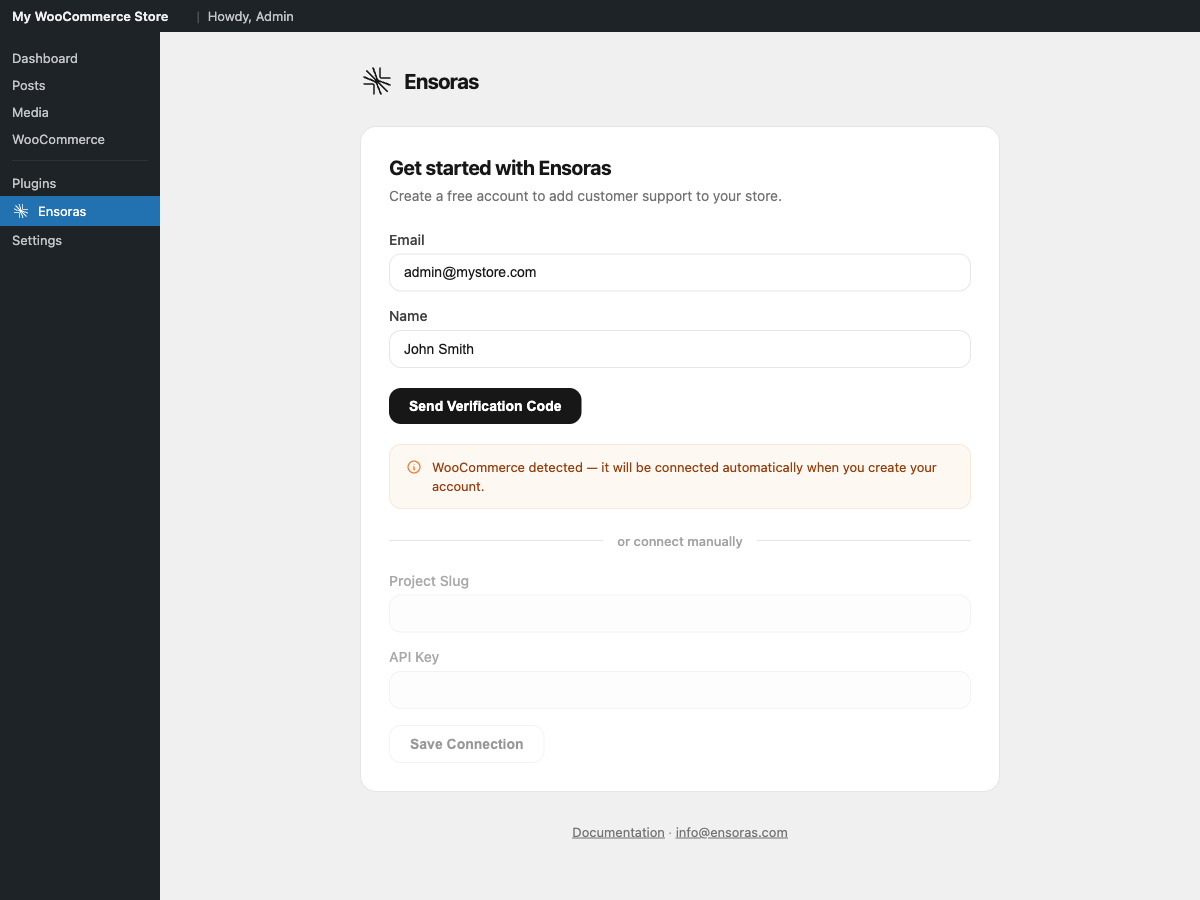
- Create your free account (30 seconds) — no credit card required.
- If WooCommerce is active, click "Connect WooCommerce" to enable order lookups.
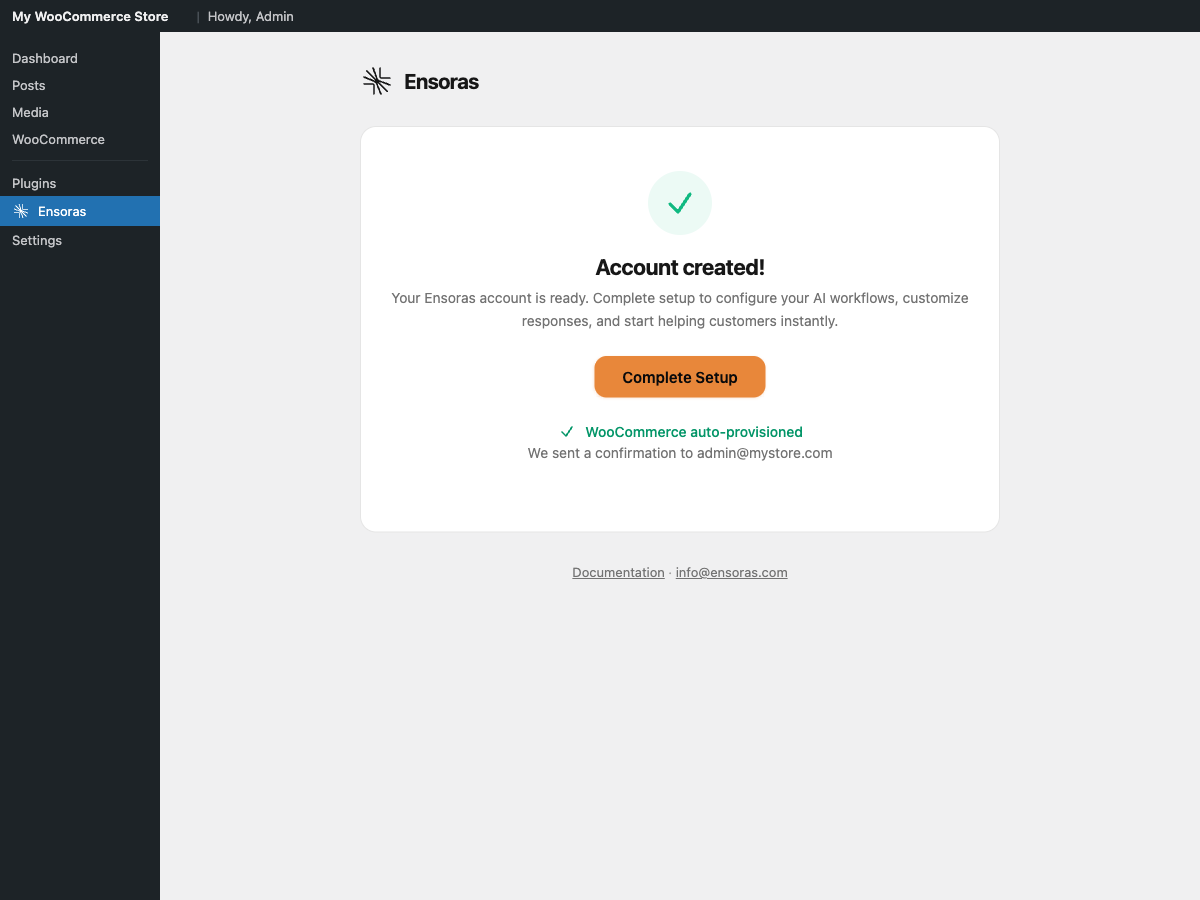
- That's it. Your helpdesk is live and answering customer questions.
屏幕截图:
常见问题:
What is the best AI chatbot for WooCommerce?
Ensoras is purpose-built for WooCommerce. Unlike generic chatbots that match keywords to templates, Ensoras looks up real order data, checks refund eligibility, shares tracking links, and follows your business rules — all automatically during the conversation. It's not just a chatbot, it's a full helpdesk with email, ticketing, and team collaboration built in.
Is Ensoras really free?
The free plan gives you 30 customer conversations every month with every feature unlocked — workflows, knowledge base, analytics, team collaboration, and all integrations. No credit card, no time limit. It's free forever. When you need more volume, paid plans start at Starter (100 conversations/month), then Pro (400/month) and Enterprise (2,000+/month).
How do I add live chat to WordPress?
Install the Ensoras plugin, create a free account, and your helpdesk is live in under 10 minutes. If you have WooCommerce, click "Connect WooCommerce" for instant order lookup. No training data needed, no code to write, no credit card required.
Is Ensoras GDPR compliant?
Absolutely. Ensoras processes data in accordance with GDPR. The chat widget includes privacy notice support, and the plugin only sends data that's necessary for customer support functionality. Full details are in our Privacy Policy.
Does Ensoras slow down my website?
Not at all. The chat widget loads asynchronously from Ensoras servers and doesn't affect your page load time or Core Web Vitals. Nothing heavy gets added to your WordPress installation.
Does Ensoras work without WooCommerce?
It does. The chat widget, email channel, and full helpdesk work on any WordPress site. WooCommerce integration is optional — if you add it later, just click "Connect WooCommerce" and you're set.
Does Ensoras work with Elementor, Divi, or other page builders?
Works with all of them. The chat widget injects via standard WordPress hooks so it doesn't depend on any specific theme or page builder. If it runs WordPress, Ensoras works on it.
Can Ensoras actually handle customer questions on its own?
That's the whole point. Ensoras looks up real order data, checks refund eligibility, shares tracking links, processes returns, and answers product questions — all automatically during the conversation. When it's not confident about something, it escalates to your team with full context instead of guessing.
What WooCommerce data can Ensoras access?
Ensoras can look up customers, orders, products, and refunds in real-time. It only has read-only access — it can never modify anything in your store. Logged-in customers are recognized automatically through secure identity verification, so they don't have to re-enter their details.
How does Ensoras know what to do?
You write instructions in plain English. For example: "When a customer asks about a refund, look up their order. If it's under $100 and within 30 days, process it. Otherwise, escalate to billing." Ensoras reasons through your instructions using real data from your store and connected tools.
Can I review responses before they go out?
Of course. Turn on Manual Mode and every response gets held as a draft for your approval. You can edit it, regenerate with different instructions, or send as-is. Most teams start in manual mode and switch to auto after the first week once they see how Ensoras handles things.
What's the difference between Manual and Auto mode?
In Manual Mode, Ensoras drafts every reply and waits for you to review and approve it before sending. In Auto Mode, Ensoras sends responses automatically based on your workflow rules — but when it's unsure about something, it escalates to your team rather than guessing. You can switch between modes anytime.
Can Ensoras replace my current help desk?
It can, but it doesn't have to. Ensoras includes its own unified inbox for chat and email with full ticketing, team routing, and collision detection. But if you're already using Zendesk, Intercom, or Freshdesk and don't want to switch everything at once, Ensoras works alongside them. Start with chat, add email later, move ticketing when you're ready.
Does it support multiple languages?
Ensoras automatically detects what language a customer is writing in and replies in the same language. Your knowledge base and workflows can stay in English — Ensoras handles the translation in real-time. Over 20 languages are supported including Spanish, French, German, Italian, Portuguese, and Dutch.
What integrations are available?
Over 25 integrations across e-commerce, payments, marketing, fulfillment, support, and CRM — including Shopify, Stripe, Klaviyo, Zendesk, Salesforce, Slack, and many more. Check the description for highlights, or visit our website for the full list.
What happens when I hit my conversation limit?
You'll get a heads-up before you run out. Ensoras keeps working and you can upgrade in one click — no downtime, no missed conversations. Or just stay on the free plan and your conversations reset the following month.
Is my data secure?
All data is encrypted in transit and at rest. Ensoras never stores payment details and only accesses your WooCommerce data through a read-only API. See our Privacy Policy for the full details on how your data is handled.
Can multiple team members use Ensoras?
Invite as many team members as you need — there's no limit. Set custom roles across 15 permission groups, route conversations to specific teams, and let collision detection make sure two people never reply to the same customer at the same time.
Can I use Ensoras on multiple websites?
Each website gets its own Ensoras project with separate settings, workflows, and knowledge base. You manage everything from a single Ensoras account, so switching between sites is easy.
更新日志:
- Fixed telemetry opt-in not being saved during account registration
- Improved plugin listing copy and formatting
- Improved plugin listing copy and fixed formatting for WordPress.org
- Expanded FAQ with additional questions
- Rewritten plugin listing with improved descriptions and expanded FAQ
- Optimized search tags for better discoverability
- Updated plugin title and description for better discoverability
- Redesigned plugin settings page with improved onboarding experience
- Added optional usage analytics to help us improve the product
- Added deactivation feedback so we can keep improving
- Rewritten plugin description for clarity
- Improved security and performance
- Added telemetry and deactivation feedback endpoints
- Improved plugin listing and search discoverability
- Reorganized feature descriptions for clarity
- Updated plugin listing with full feature showcase
- Expanded FAQ
- Stability improvements
- Initial release
- AI support widget embedding
- Optional WooCommerce integration with auto-provisioning
- Customer email pre-fill for logged-in users
- Identity verification for secure customer data access
- Page display controls