
EntryFoundry - PDF Builder for Formidable Forms
| 开发者 | entryfoundry |
|---|---|
| 更新时间 | 2026年7月26日 06:45 |
| PHP版本: | 7.4 及以上 |
| WordPress版本: | 7.0 |
| 版权: | GPLv2 or later |
| 版权网址: | 版权信息 |
详情介绍:
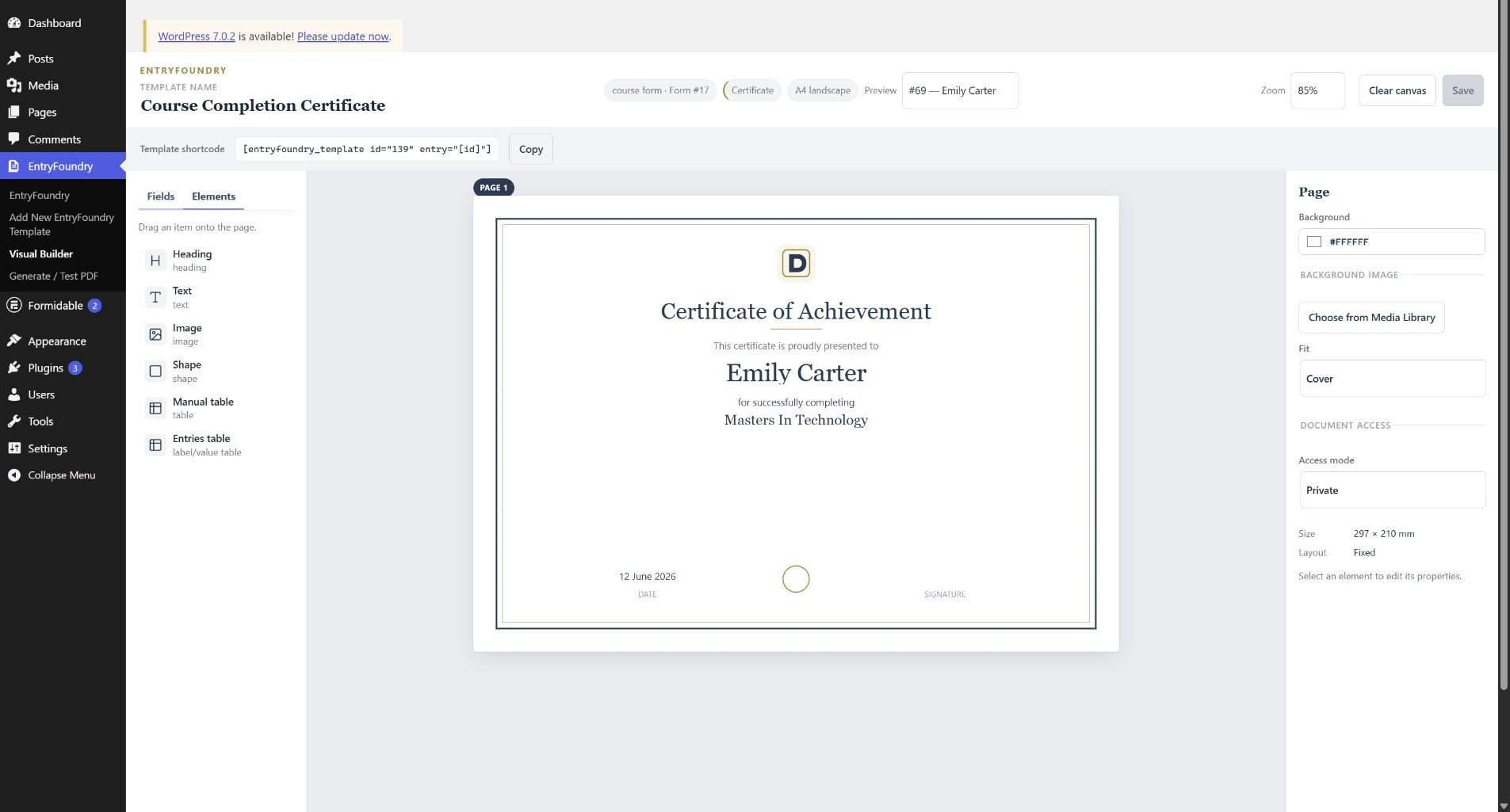
- Visual drag-and-drop PDF builder inside WordPress.
- Live previews using an entry from the selected Formidable form.
- Formidable field values placed directly onto the document canvas.
- Heading, text, image, shape, manual-table, and entries-table elements.
- Three starter designs: Certificate, Document / Report, and Receipt / Simple Invoice.
- Fixed-page designs and flowing reports that continue onto additional pages.
- A4 portrait and landscape layouts with background colors and Media Library images.
- Typography, positioning, sizing, alignment, table styling, and image-fit controls.
- Private, capability-gated, and signed-token document access modes.
- Shortcodes for PDF downloads, embedded PDF viewing, and inline HTML output.
- Shortcodes that can be placed on pages or inside Formidable Views.
- Automatic PDF generation after a new entry is created, with support for email attachments.
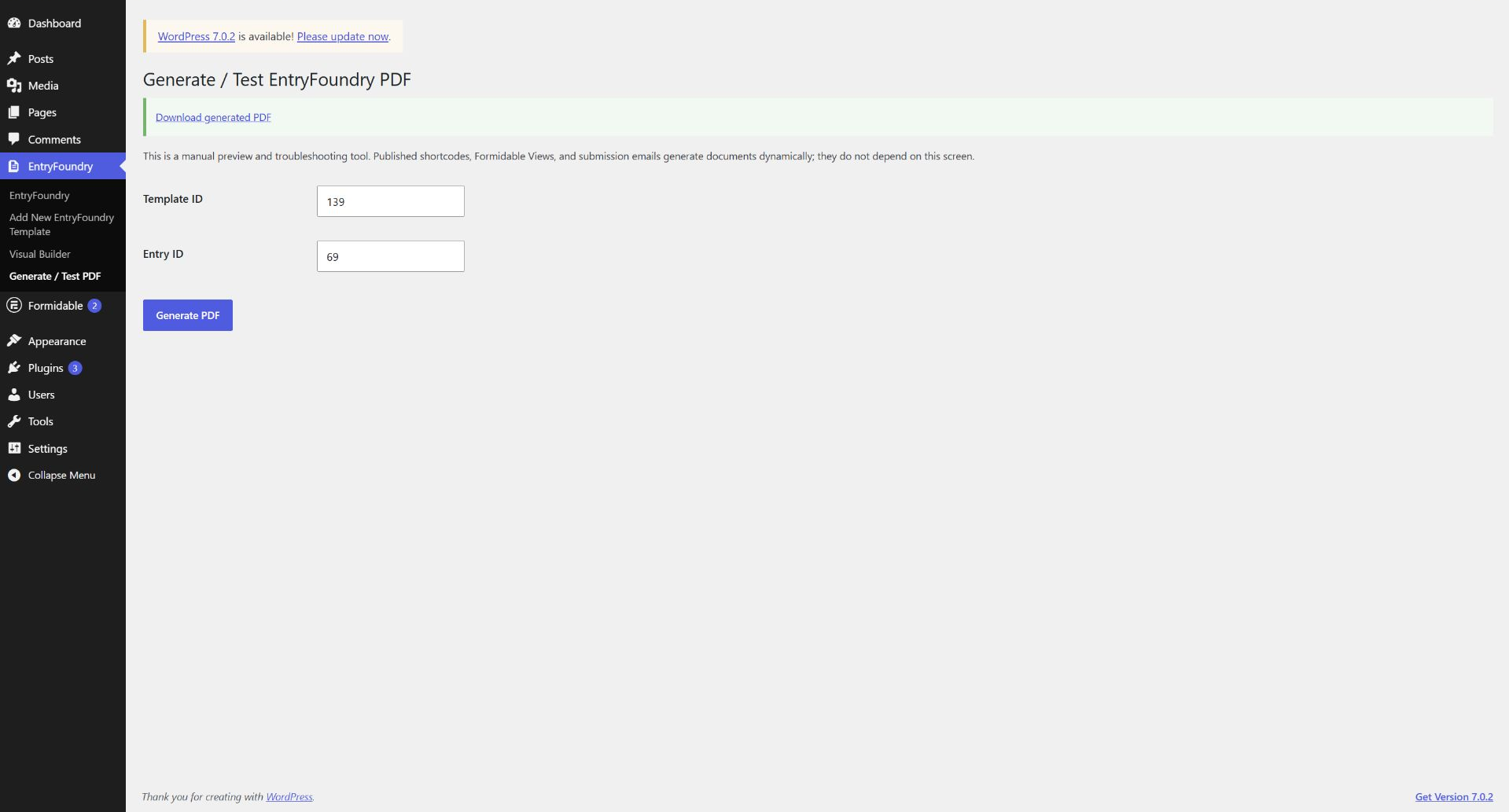
- A Generate / Test PDF screen for checking a template and entry before publishing.
- QR code and barcode elements with entry-aware values.
- Embedded shortcode elements with Formidable entry-token resolution.
- Conditional element visibility.
- Advanced date formatting.
- Repeater fields rendered as tables or lists, including multi-page flow and totals.
- Advanced entries-table controls, row visibility, and value-column calculations.
- Invoice, ID Card, and Ticket / Pass document profiles.
- Eleven additional premade designs for certificates, reports, invoices, ID cards, and event tickets.
- Flow trailers that keep totals, signatures, QR codes, and footers after variable-length content.
- A PDF download link.
- An embedded PDF viewer.
- Inline HTML document output.
- A document inside a Formidable View.
- A PDF generated after form submission and attached to the request-time email workflow.
安装:
- Install and activate Formidable Forms.
- Install EntryFoundry from the WordPress plugin directory and activate it.
- Create a Formidable form and submit at least one test entry.
- Go to EntryFoundry > Add New EntryFoundry Template.
- Choose a starter design or blank profile, then select the Formidable form and a preview entry.
- Map suggested fields when using a starter design.
- Drag fields and elements onto the canvas and adjust their properties.
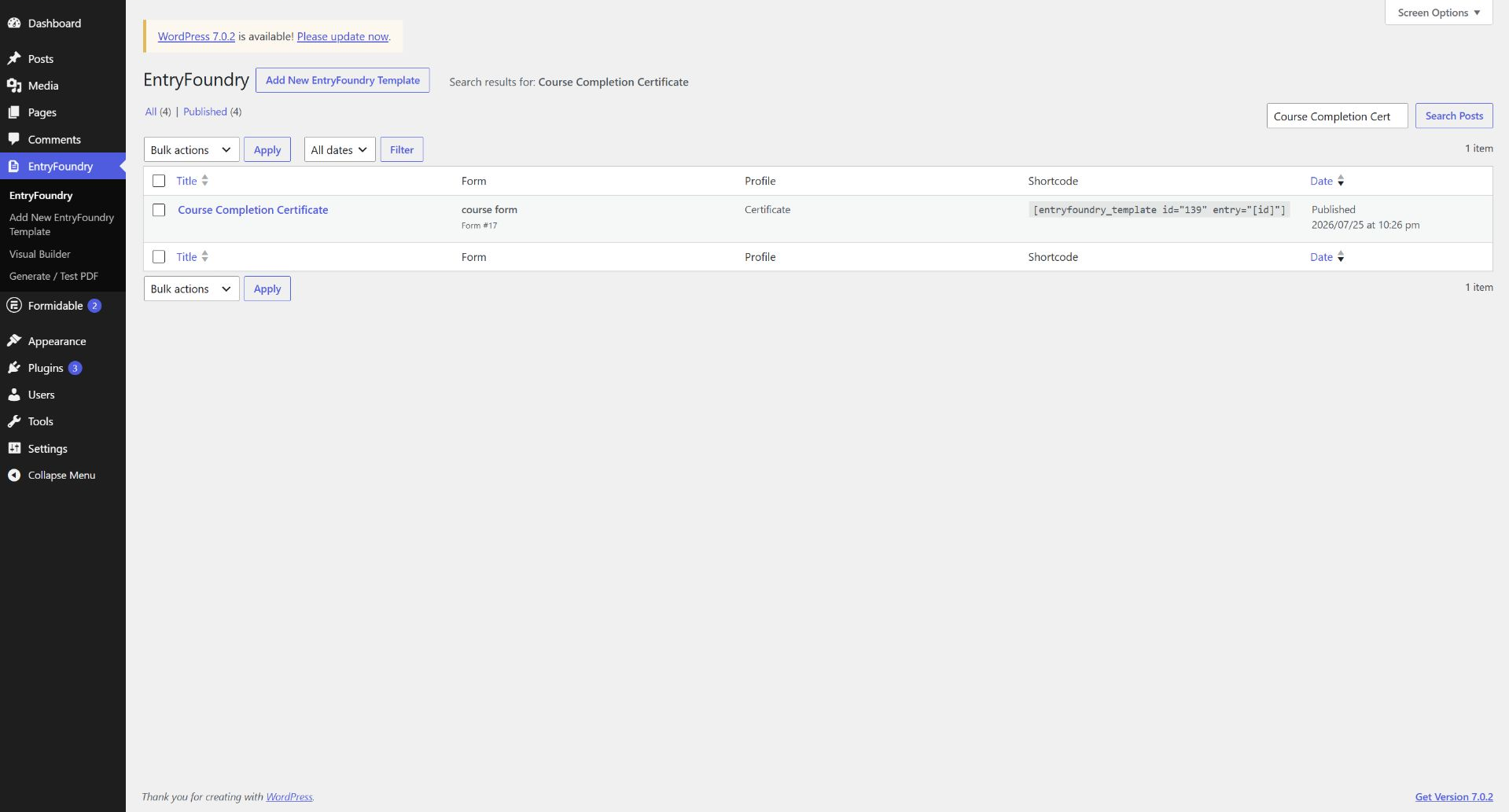
- Save the template and copy its shortcode from the builder or EntryFoundry template list.
屏幕截图:
常见问题:
Does EntryFoundry require Formidable Forms?
Yes. EntryFoundry is specifically built to turn Formidable Forms entries into documents.
Do I need EntryFoundry Pro to build PDFs?
No. EntryFoundry Free includes the visual builder, three starter designs, standard fields and elements, flowing reports, shortcodes, secure document links, PDF generation, and email-attachment support.
Which Formidable fields work in the Free version?
Fields made available by the base Formidable Forms field registry can be placed in Free documents. Fields identified by Formidable as Pro-only are clearly marked Pro in the EntryFoundry builder and are reserved for the planned EntryFoundry Pro integration.
Can I show a PDF instead of only providing a download?
Yes. Use output="view" to embed a PDF viewer or output="html" to render the hydrated document as HTML.
Can I use EntryFoundry inside a Formidable View?
Yes. Add the generated EntryFoundry shortcode to a Formidable View and use entry="[id]" so each row uses its current entry.
Can a PDF be generated after form submission?
Yes. When a published EntryFoundry template is active for the submitted form, EntryFoundry generates the PDF after entry creation and makes it available to the request-time WordPress email workflow.
Where do I find the template ID?
Go to EntryFoundry in WordPress. The template list includes a complete shortcode containing the template ID.
Is EntryFoundry Pro available now?
Not yet. The Pro roadmap describes features currently being prepared and does not represent a purchasable WordPress.org add-on at this time.
更新日志:
- Added WordPress.org listing screenshots.
- Expanded installation, usage, shortcode, and FAQ documentation.
- Clarified the features included in EntryFoundry Free and the planned EntryFoundry Pro roadmap.
- Initial EntryFoundry Free release.