EntryStage
| 开发者 | thierryx_22 |
|---|---|
| 更新时间 | 2026年11月2日 02:01 |
| PHP版本: | 7.4 及以上 |
| WordPress版本: | 7.1 |
| 版权: | GPLv2 or later |
| 版权网址: | 版权信息 |
详情介绍:
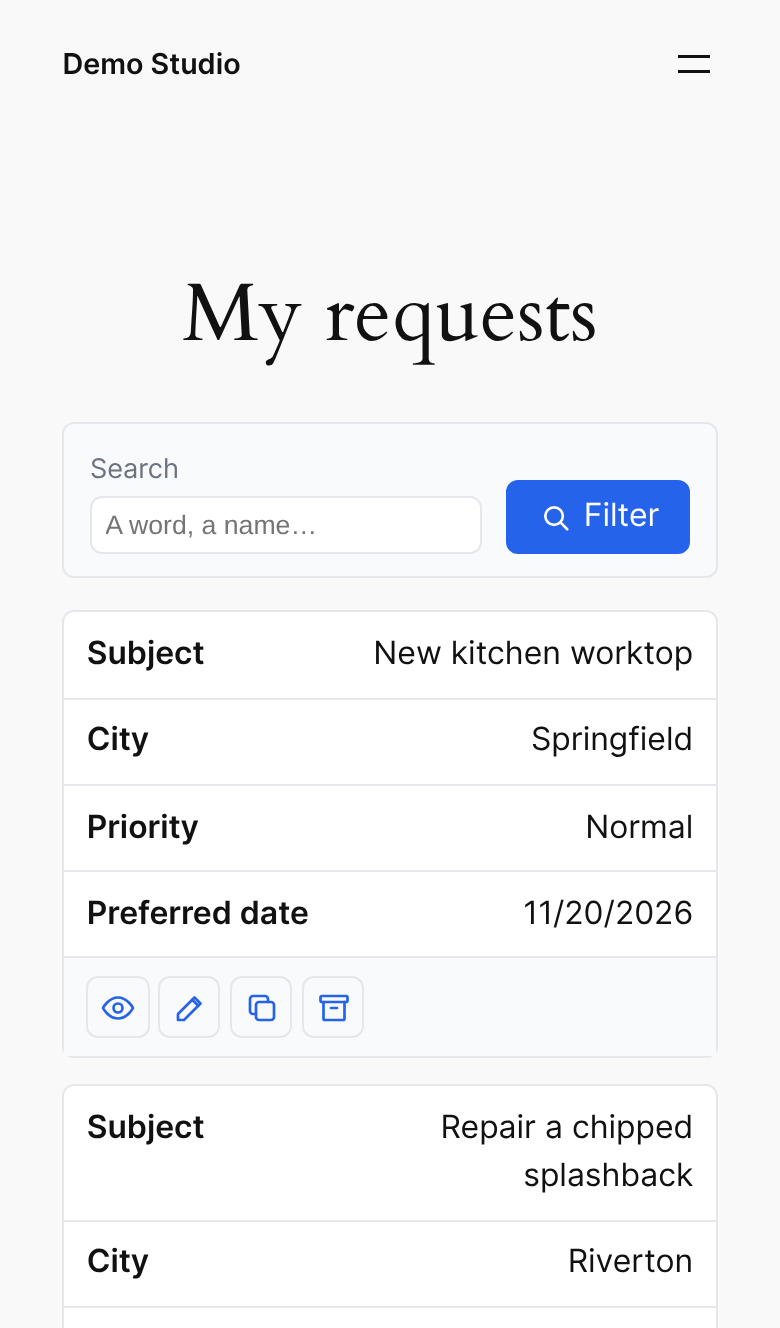
- See the entries they submitted, sorted and split into pages, with picture thumbnails and file links.
- Open an entry to read it.
- Edit an entry in the original form: the form opens already filled in, and the changes are saved into the same entry.
- Duplicate an entry: the form opens filled in, and a new entry is created.
- Archive an entry (moved to the Gravity Forms trash, or deleted permanently if you prefer).
- Search the list, sort it and change pages without reloading the page.
- Choose the columns, their order, width and display, and who sees the list (everyone, logged-in users or some roles; their own entries or all).
- A "My entries" page with the shortcode
[entrystage form="12" user="current"]. - An "EntryStage list" block with a live preview, or the shortcode.
- A personal space: several forms on one page, one tab per form, with
[entrystage forms="12,15" user="current"]. - A Print button: a clean page of the entries matching the filters.
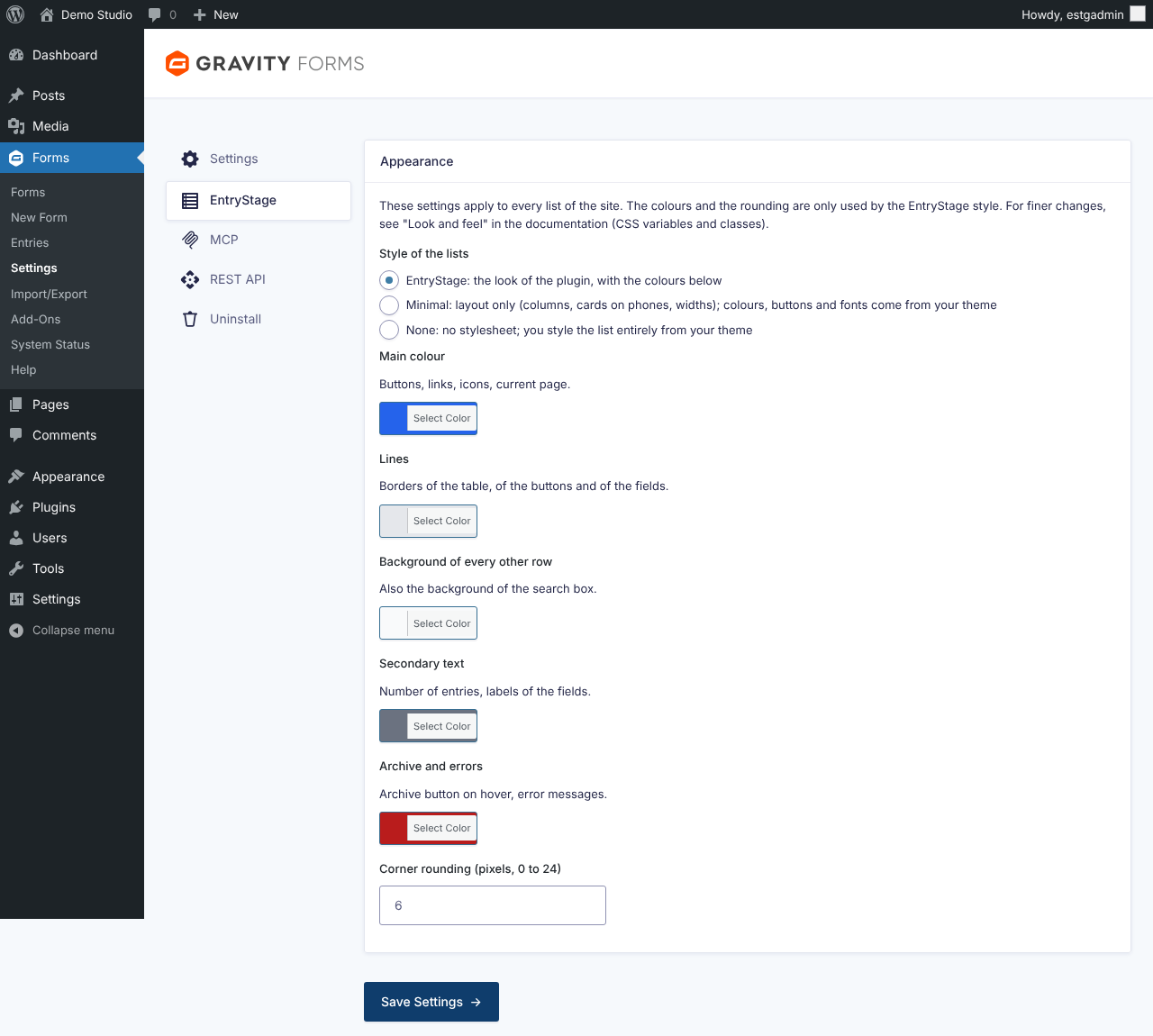
- Three looks: the Editorial style with your colours and font, a minimal style that takes the look of your theme, or no style at all.
- Optional protection of file links: only people who may see the entry download its files.
- WordPress 6.2 or later, PHP 7.4 or later.
- Gravity Forms 2.5 or later (sold separately by Rocketgenius).
安装:
- In WordPress, go to Plugins > Add New, search for EntryStage, then click Install Now and Activate. Gravity Forms must be installed and active.
- Open the form, then Settings > EntryStage.
- Tick "Enable the entry list for this form".
- Access: choose who can see the list, which entries they see, the list managers and the page where the form is displayed. The Edit and Duplicate buttons open the entry on that page. Left on "Automatic", the first page displaying the form (Gravity Forms shortcode or block) is used; if none is found, Edit and Duplicate are hidden and list managers see a message saying so.
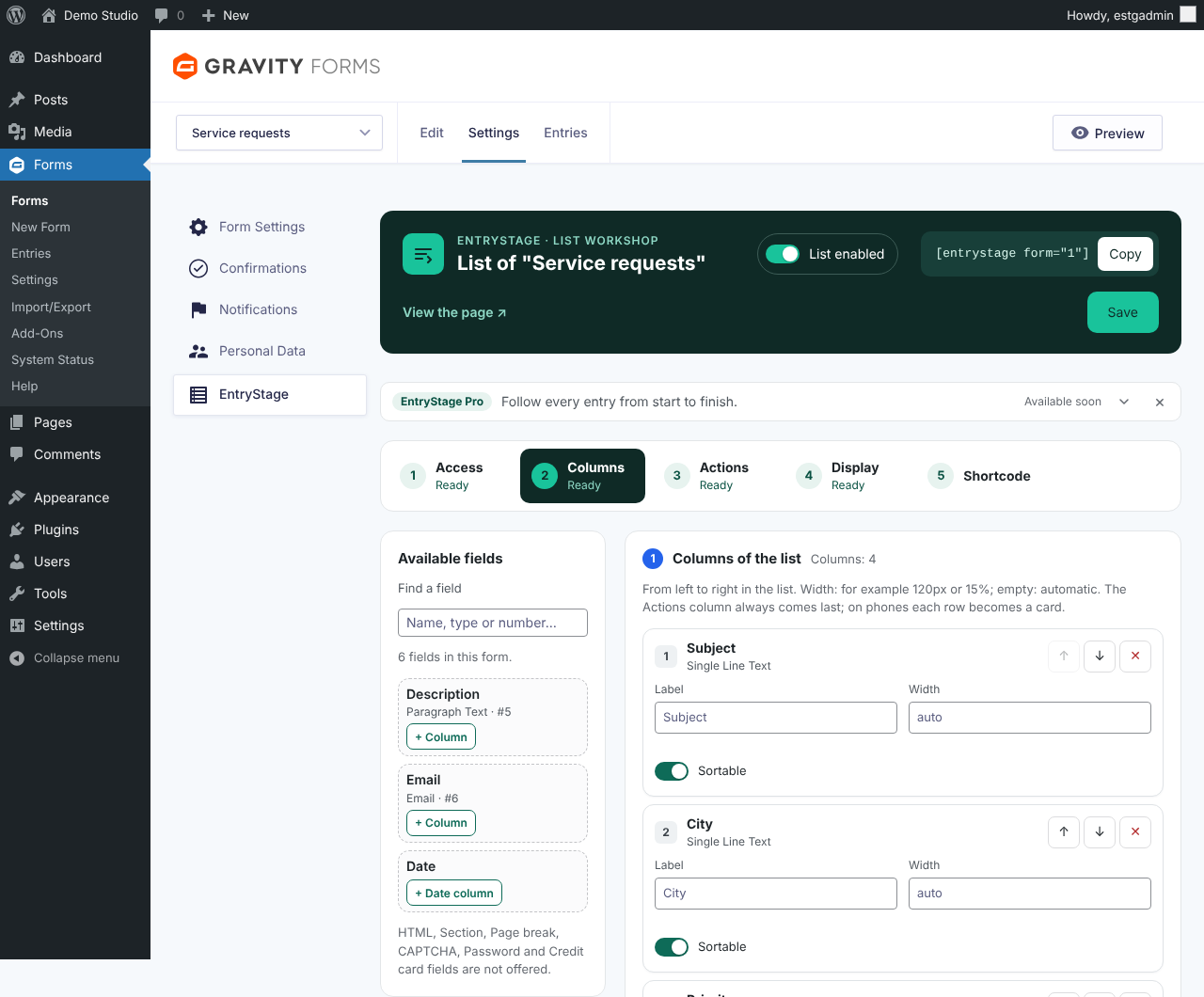
- Columns: add fields as columns, put them in order, and choose how each one is shown.
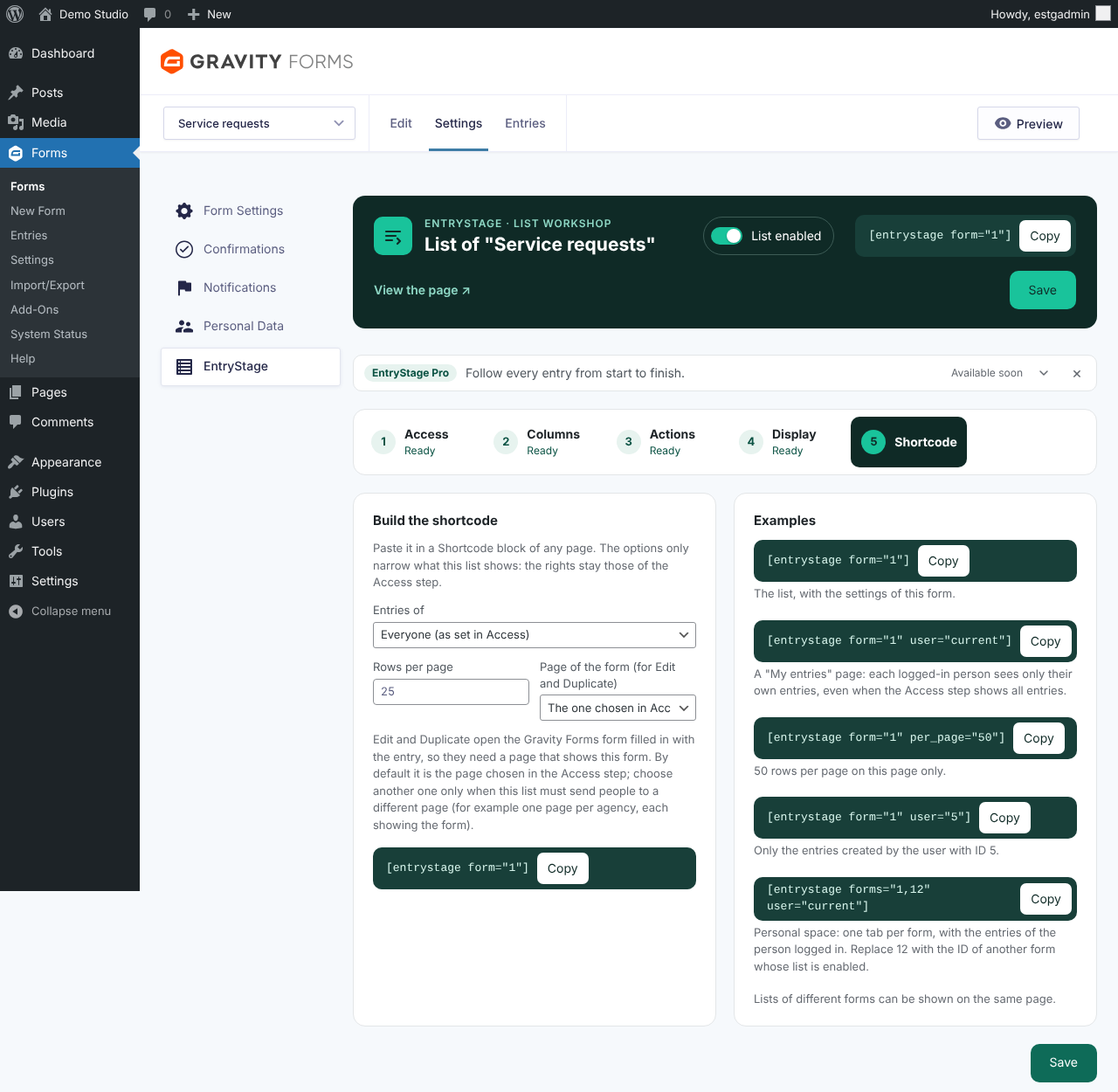
- Actions and Display: the other settings, step by step. The Shortcode step builds the shortcode with its options and gives examples taken from the form. Each step shows "Ready", "To check" or "Optional".
- Save, then open the page of the list ("View the page" link at the top of the tab) to see it with your theme.
- Add the "EntryStage list" block to any page and choose the form in the block settings, or add the shortcode
[entrystage form="12"](replace 12 with the ID of your form). The shortcode is shown at the top of the settings tab.
屏幕截图:
常见问题:
Where is the full documentation?
In the plugin folder: DOCUMENTATION.txt (English) and LISEZMOI.txt (French). It covers columns, pictures and files, shortcode options, rights, editing, look and feel (CSS variables and classes) and the hooks for developers. Each settings step of a form also explains its options.
What does EntryStage Pro add?
Above all, follow-up of the entries step by step: statuses of your own with coloured labels, a next-step button, one tab per status with its counter, and the history of the changes in the notes of each entry. Also More details, bulk actions, CSV export, drop-down and date filters, PDF links, custom icons, shortcode conditions and priority support. EntryStage Pro will be available soon. It will replace this plugin: when it is activated, this plugin will be deactivated and every setting kept.
Can several lists be shown on the same page?
Yes, lists of different forms. Sorting, pages and filters apply only to the list you are using.
Can users edit entries of other users?
No, unless they are list managers.
Are payments recalculated when an entry is edited?
No. Editing an entry updates the field values only. Payments, subscriptions and feeds of payment add-ons are not run again.
Is my data sent anywhere?
No. EntryStage does not contact any external server: no data, no statistics and no entry ever leaves your site. Its scripts and styles are all included in the plugin.
更新日志:
- New: search, sorting, pages, rows per page and tabs update the list without reloading the page (on by default, can be switched off per form).
- First public release.