
Epic Tracking – Click & Event Tracking for WordPress
| 开发者 | epicwpsolutions |
|---|---|
| 更新时间 | 2026年5月5日 16:37 |
| PHP版本: | 7.4 及以上 |
| WordPress版本: | 6.9 |
| 版权: | GPL-2.0-or-later |
| 版权网址: | 版权信息 |
详情介绍:
- Track button clicks, form submissions, link clicks, and CTA conversions
- Set up events in seconds with a point-and-click interface
- Organize events with custom tags for easy filtering
- No coding or tag manager knowledge required
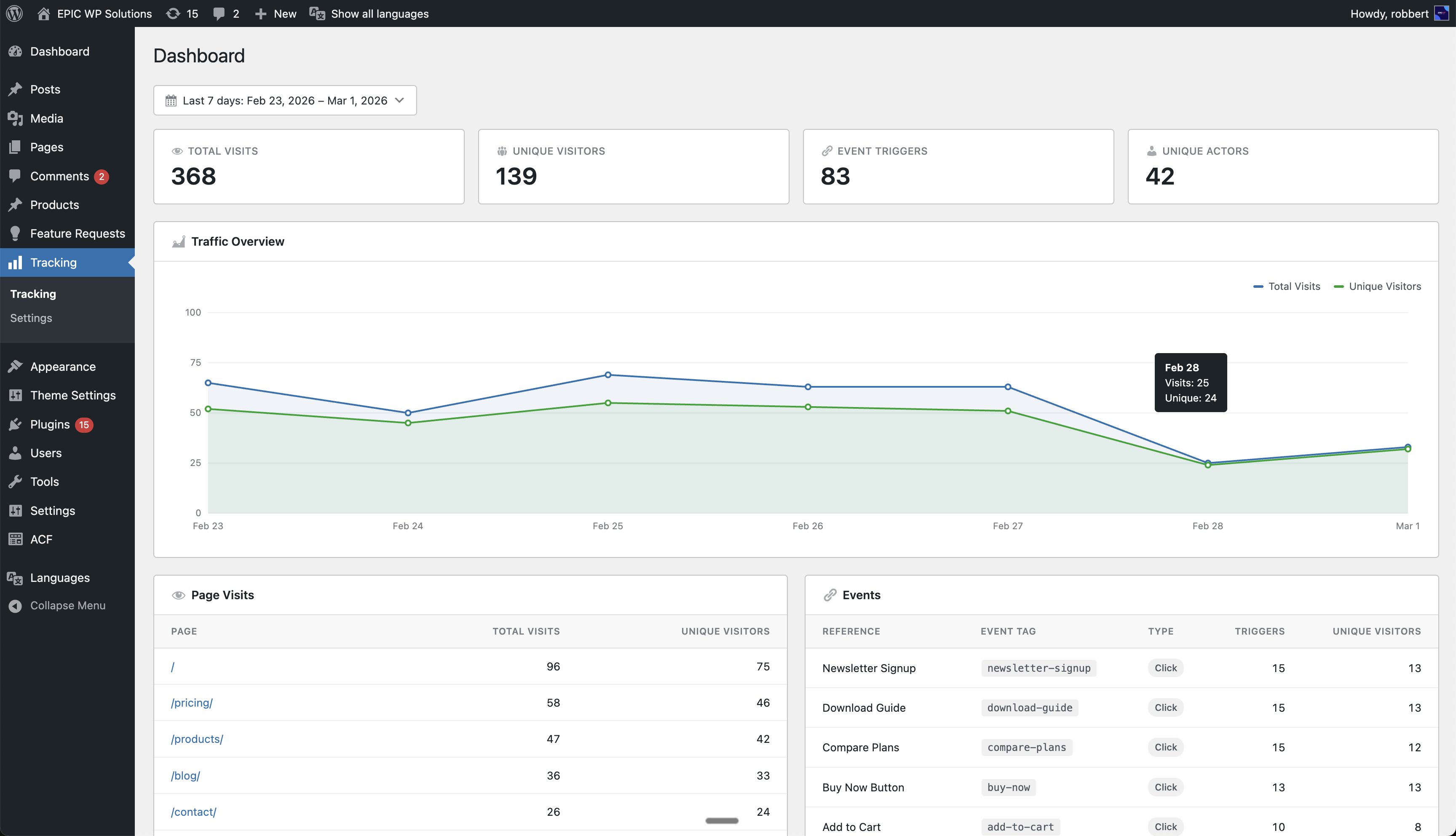
- Event trigger counts with unique visitor breakdowns
- Page view statistics with date range filtering
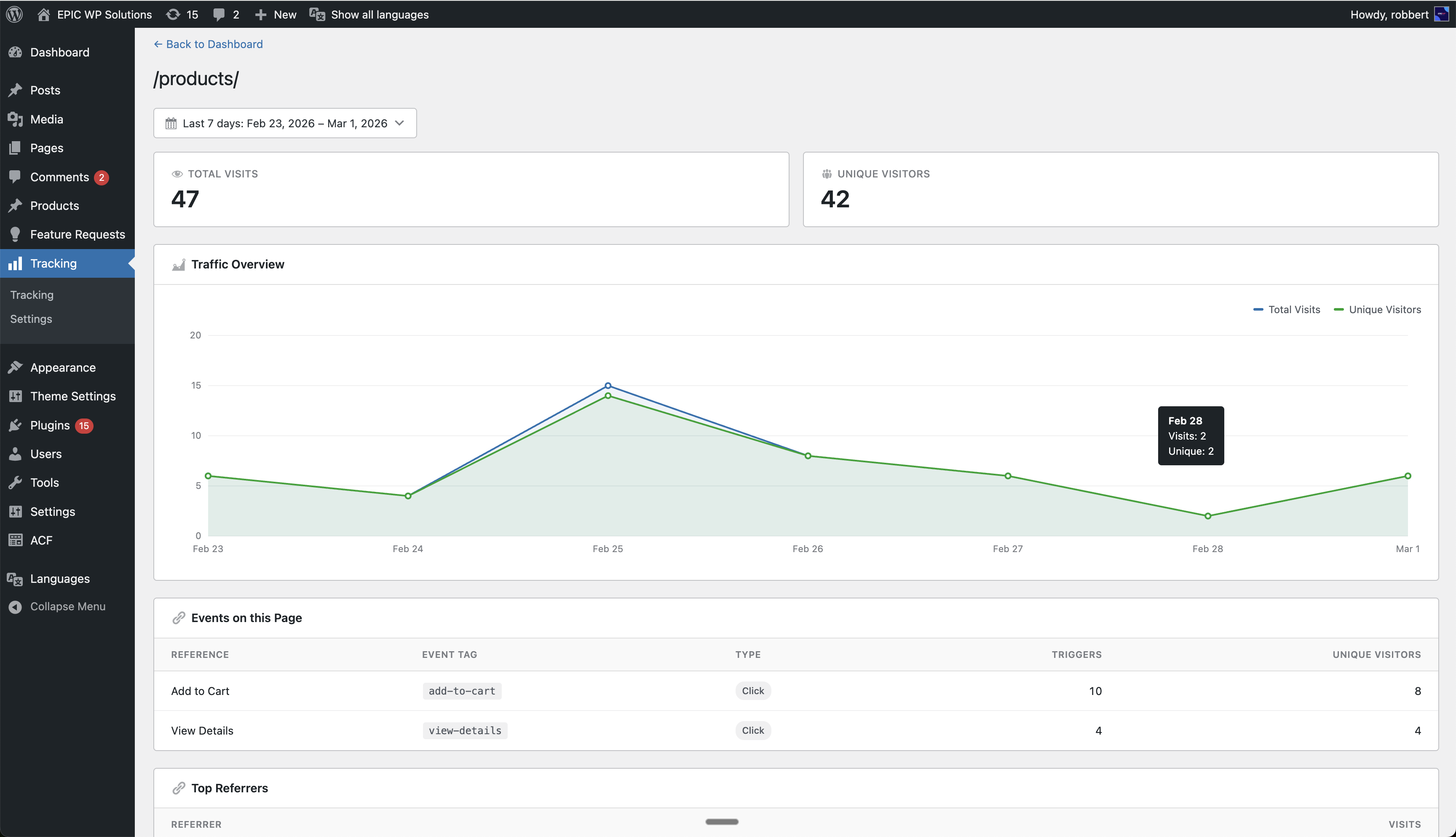
- Per-page detail views with referrer, device, browser, OS, and country data
- Daily traffic charts and trend visualization
- Sortable tables with pagination
- Visual event editor — Point-and-click setup for tracking clicks on any element
- Custom event tags — Organize events with tags for easy filtering and reporting
- Event analytics — See which events fire most, with trigger counts and unique visitors
- Page view tracking — Automatic visit logging with full referrer and device data
- Country geolocation — Automatic IP-based country detection for visitor locations
- Bot filtering — Known bots and crawlers are automatically excluded
- Role exclusion — Exclude administrators or any user role from being tracked
- Date range filtering — Quick presets (today, last 7 days, last 30 days) and custom ranges
- Lightweight — No impact on page load speed; tracking runs asynchronously after render
- Self-hosted — All data stored in your WordPress database, no external dependencies
- Clean uninstall — All tables and options are removed when you delete the plugin
- Track which CTAs and buttons get the most clicks on your landing pages
- Measure form submission rates and conversion events without tag managers
- Monitor page views and traffic trends without Google Analytics
- See which referrers drive the most traffic to specific pages
- Understand visitor demographics: device type, browser, OS, and country
安装:
- Upload the
epic-trackingfolder to/wp-content/plugins/. - Activate the plugin through the Plugins menu in WordPress.
- Navigate to Tracking in the admin sidebar to view your dashboard.
- To set up event tracking, visit any page on your site and click Edit Tracking in the admin bar.
屏幕截图:
常见问题:
Does this plugin use cookies?
Epic Tracking sets a single first-party cookie (epictr_visitor_id) to identify returning visitors across page views. No personal data is stored in this cookie — it contains only a randomly generated anonymous identifier.
Does this plugin send data to external services?
All tracking data is stored in your WordPress database. The only external request is an optional IP geolocation lookup to ip-api.com to determine visitor country. No personal data is shared with this service.
Is this plugin GDPR compliant?
Epic Tracking is designed with privacy in mind. It stores no personal data and keeps all data on your own server. The only cookie used contains a random anonymous identifier — no personal information. No data is shared with third parties.
Will this slow down my site?
No. Visit logging happens via an asynchronous AJAX request after the page has fully loaded, so it does not affect page render time or Core Web Vitals.
How do I track button clicks or form submissions?
Visit any page on your site and click Edit Tracking in the WordPress admin bar. This opens the visual editor where you can click on any element to set up tracking — no code required.
Can I see which pages get the most traffic?
Yes. The dashboard shows a sortable table of all pages with total visits and unique visitors. Click any page to see a detailed breakdown including referrers, devices, browsers, OS, and countries.
How are visitors identified?
Visitors are assigned a randomly generated anonymous identifier stored in a first-party cookie. No personal data is stored.
What happens when I uninstall the plugin?
All plugin database tables and options are removed when you delete the plugin through the WordPress admin. Deactivating the plugin does not remove data.
Can I exclude certain user roles from tracking?
Yes. Go to Tracking > Settings and select which roles should be excluded from visit and event tracking.
How does bot filtering work?
The plugin maintains a list of known bot and crawler user-agent patterns. Requests matching these patterns are automatically excluded from tracking data.
更新日志:
- Initial release.