
EquaSign
| 开发者 | equadev |
|---|---|
| 更新时间 | 2026年9月9日 00:17 |
| PHP版本: | 7.4 及以上 |
| WordPress版本: | 7.1 |
| 版权: | GPLv2 or later |
| 版权网址: | 版权信息 |
详情介绍:
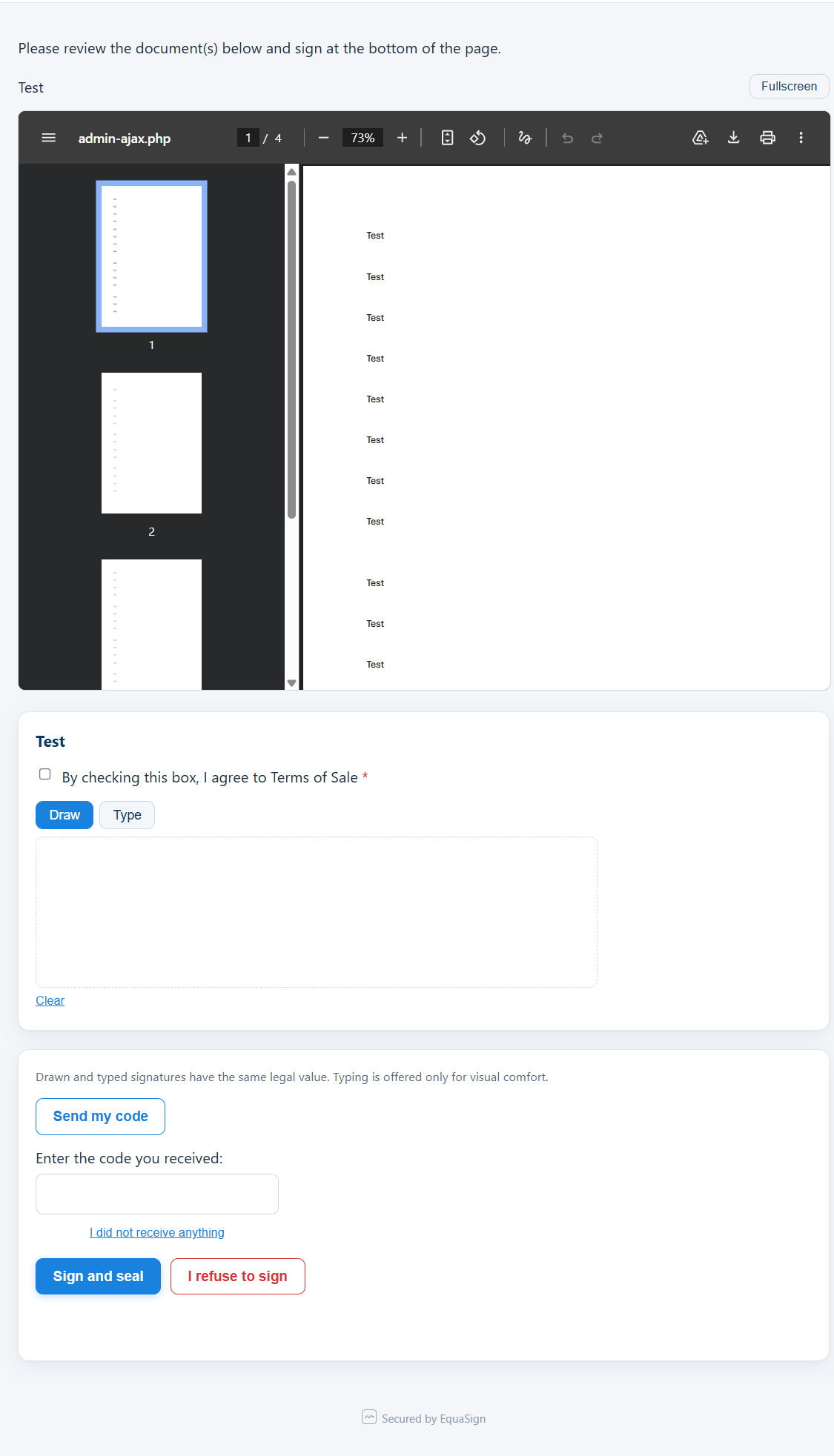
- Send a document (PDF) to a signer by email for signature.
- Verify the signer's access with a one-time code (OTP) sent over your site's email system.
- Let the signer review the document and apply a signature (typed signature rendered on the document).
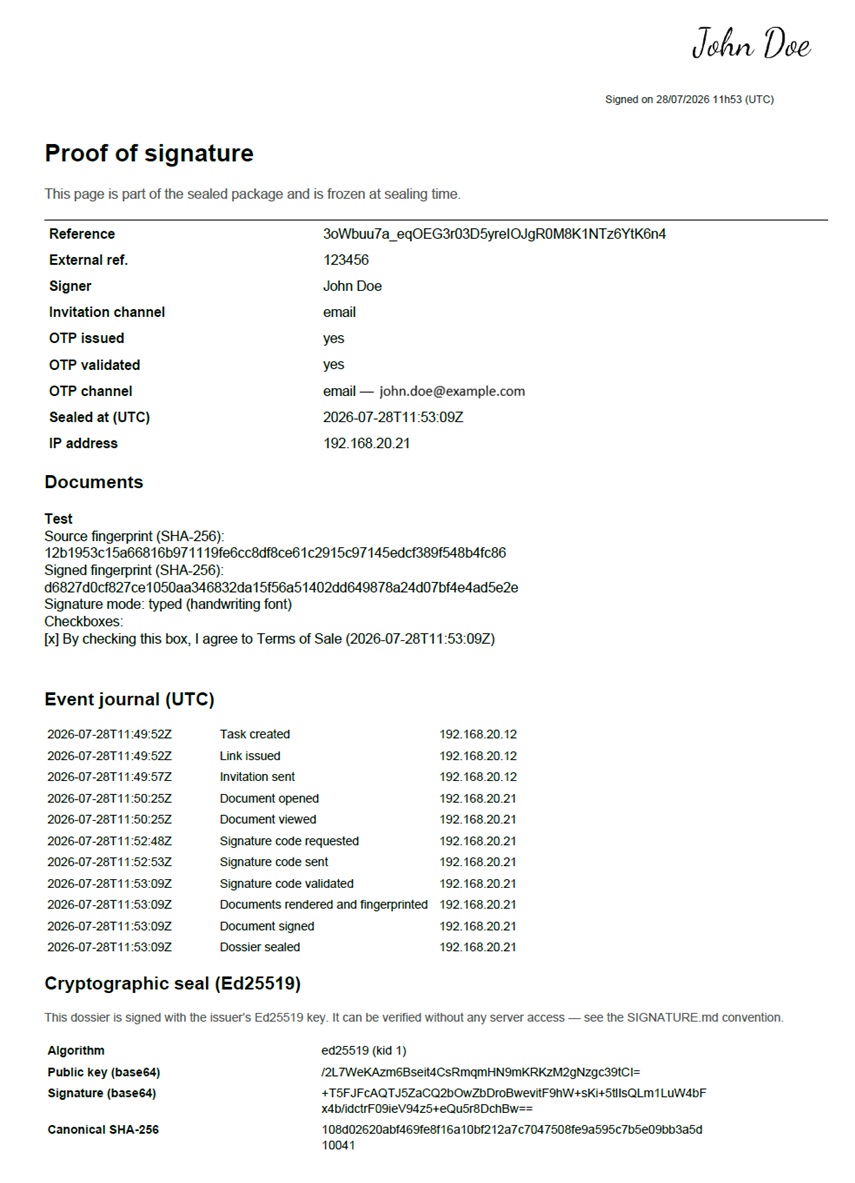
- Seal the signed result and generate a proof file for the transaction.
- Keep a tamper-evident record: the proof is sealed with an Ed25519 cryptographic signature so any later modification is detectable.
安装:
- Upload the plugin to
/wp-content/plugins/equasign, or install it from the WordPress plugin directory. - Activate the plugin through the Plugins screen in WordPress.
- On first activation, review and accept the End User License Agreement when prompted.
- Configure an email transport so EquaSign can deliver access codes and invitations (see the FAQ — "Do I need anything else to send emails?").
- Open the EquaSign menu to create your first document type and model, then send your first document for signature.
- WordPress 6.0 or later.
- PHP 7.4 or later.
- The PHP
sodiumextension is recommended (WordPress ships a pure-PHP fallback, so EquaSign also works without it; enabling the native extension is recommended for optimal security). - A working email transport on your site (see the FAQ).
屏幕截图:

常见问题:
Do I need anything else to send emails?
Yes. EquaSign sends access codes (OTP) and invitations by email, and — like every WordPress plugin that sends email — it needs a working email transport on your site. WordPress does not deliver email reliably on its own.
We recommend installing and configuring a transactional email provider (for example the Brevo plugin) with your own sending domain (SPF/DKIM) for good deliverability. EquaSign does not include or require any email credentials of its own: it hands the message to whatever transport your site is configured to use. If no dedicated transport is configured, an optional wp_mail() fallback can be enabled, but without a properly configured SMTP transport messages may be rejected or land in the recipient's spam folder.
Is this a qualified electronic signature?
No. EquaSign implements a Simple Electronic Signature (SES) as defined by eIDAS. It is not an Advanced (AdES) or Qualified (QES) electronic signature. It is intended for everyday agreements where a clear, auditable record is what you need.
Can the proof be verified without your servers?
Yes. Each proof bundle is sealed with an Ed25519 signature and is designed to be verified independently and offline. The validity of your evidence does not depend on our infrastructure.
Does EquaSign send my documents or my signers' data anywhere?
No. Your documents, your signers' personal data and your proof files stay in your own WordPress site. EquaSign does not transmit them to us or to any third party. See "External services" below for the full list of the (few, optional) external calls the plugin can make.
Where is my data stored?
In your own WordPress database and uploads directory. You remain the sole owner of your data.
更新日志:
- Security hardening and WordPress.org coding-standards compliance: stricter input validation and output escaping, safer file-upload handling, and internal naming cleanup. No change to the signing, sealing, or proof workflow, or to your data.
- Build-derivation hardening: the free build no longer ships any code, flag, or wording for features it does not include. No change to the signing, sealing, or proof workflow, or to your data.
- WordPress.org review compliance: removed the Pro-feature upsell teasers, replaced the in-admin Pro installer with an outbound link, moved inline scripts and styles to the native enqueue functions, dropped the bundled translations (served by translate.wordpress.org), and added direct-access guards to the vendored files.
- First public release.
- Simple Electronic Signature (SES, eIDAS) workflow: send, verify by one-time code, sign, seal.
- Self-contained, offline-verifiable proof file sealed with an Ed25519 signature.
- Works without the native PHP sodium extension (WordPress pure-PHP fallback supported).
- Compatible with WordPress 6.0+ and PHP 7.4+.