
Erdo Draft Links – Share Drafts, Client Preview, Secure Link
| 开发者 | erdincbulat |
|---|---|
| 更新时间 | 2026年8月27日 19:04 |
| PHP版本: | 7.4 及以上 |
| WordPress版本: | 7.1 |
| 版权: | GPLv2 or later |
| 版权网址: | 版权信息 |
详情介绍:
- Open any post or page in the editor (Block Editor or Classic Editor).
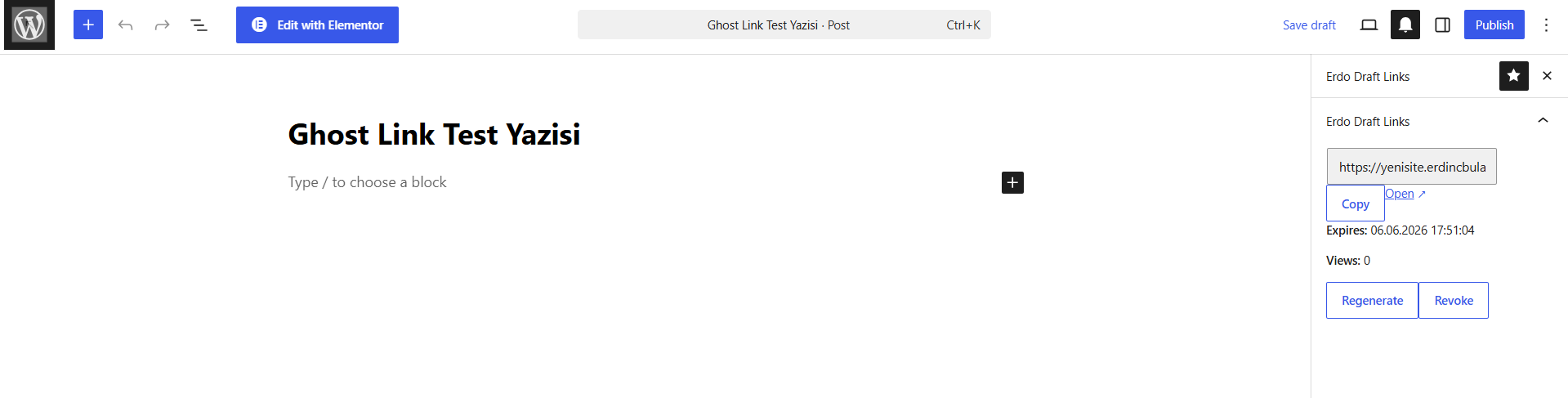
- Click "Generate Draft Link" in the sidebar panel or meta box.
- Choose an expiry: 24 hours, 48 hours, 7 days, never, or a custom date & time.
- Share the link. Recipients can view the content — no login needed.
- Works with both the Block Editor (Gutenberg) and the Classic Editor
- Supports posts, pages, and any custom post type — toggle them on in Tools → Erdo Draft Links → Settings, or via a filter for developers
- Multiple labeled links per post — e.g. "Client A" and "Designer", each with its own expiry, revocable independently
- WP-CLI support —
wp erdo-draft-links generate|revoke|listfor scripting and automation - Secure 32-character cryptographic tokens — brute-force resistant
- Configurable expiry: 24 hours, 48 hours, 7 days, no expiry, or a custom date & time
- View count tracking per link, with an email notification the first time a link is opened
- Visitors can leave name + feedback on the preview — collected in a "Feedback" tab in the admin and emailed to you
- Reply to feedback directly from the admin — visitors see your reply the next time they open the preview
- Revoke any link at any time
- Tokens are stored hashed in the database — raw tokens are never stored after the redirect
- Two-step flow: token URL → cookie → clean permalink (token never appears in browser history)
- No external API calls, no phone-home, no subscriptions
- Translation-ready (English default, Turkish included)
erdo_draft_links_supported_post_types filter:
add_filter( 'erdo_draft_links_supported_post_types', function( $types ) { $types[] = 'product'; return $types; } );
Source Code
The full source code including build tools is included in the plugin's assets/js/src/ directory.
安装:
- Upload the
erdo-draft-linksfolder to the/wp-content/plugins/directory. - Activate the plugin through the Plugins menu in WordPress.
- Open any post or page and find the Erdo Draft Links panel in the editor sidebar or meta box.
屏幕截图:
常见问题:
Does this work with custom post types?
Yes. By default Erdo Draft Links supports posts and pages. Administrators can enable other public post types under Tools → Erdo Draft Links → Settings — no code required. Developers can also use the erdo_draft_links_supported_post_types filter, which takes precedence over the Settings tab.
Can I generate or manage links from the command line?
Yes, via WP-CLI: wp erdo-draft-links generate <post_id> [--label=<label>] [--expiry=<24h|48h|7d|never>], wp erdo-draft-links revoke <link_id>, and wp erdo-draft-links list [--post_id=<id>] [--status=<all|active|expired|revoked>] [--format=<table|csv|json|yaml|count>].
Is the shared link secure?
Yes. Tokens are 32 characters of cryptographic randomness generated by WordPress's built-in wp_generate_password. The raw token appears in the URL only once — subsequent visits use a signed HttpOnly cookie. Tokens are stored as SHA-256 HMAC hashes in the database.
What happens when a link expires?
The recipient sees a clear message: "This draft link has expired and is no longer accessible." The post remains a draft — nothing is published.
Can I have multiple active links for the same post?
Yes. Give each link an optional label (e.g. "Client A", "Designer") when you generate it, and each link gets its own expiry, view count, and can be revoked independently of the others.
Can I set a custom expiry date and time?
Yes. Choose "Custom Date & Time…" from the expiry dropdown when generating a link and pick any future date and time, in addition to the 24 hour / 48 hour / 7 day / never presets.
Will I be notified when someone opens the link?
Yes. The site admin email receives a notification the first time each link is opened. Repeat visits to an already-opened link don't send another email.
Does this work with password-protected posts?
No. Erdo Draft Links is designed for draft and private posts. Password-protected posts use WordPress's own mechanism.
Does this plugin affect site performance?
Erdo Draft Links only runs on requests that include a ?erdo_token= parameter or a valid session cookie. Normal site traffic is not affected.
更新日志:
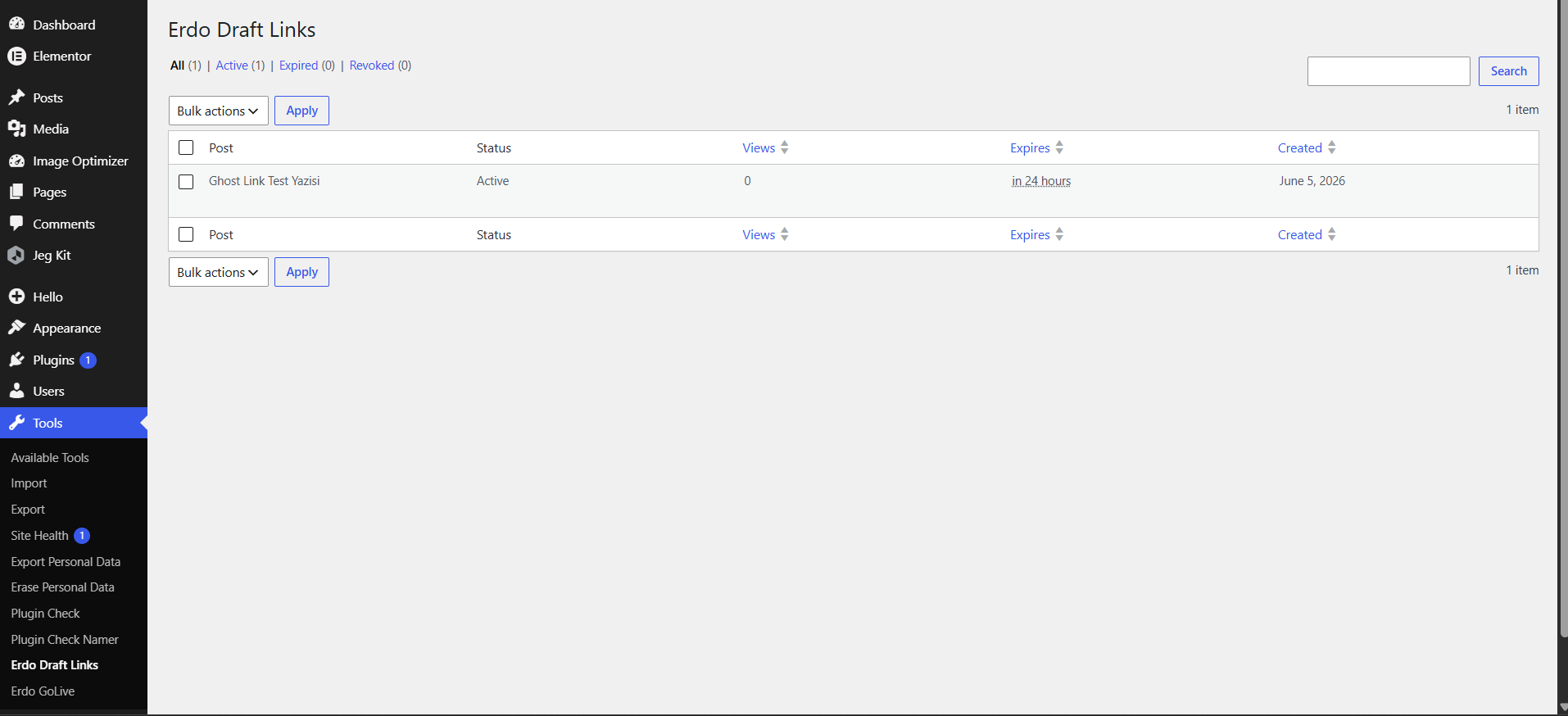
- New: Generate multiple labeled links per post (e.g. "Client A", "Designer") — each with its own expiry, view count, and independent revoke.
- New: Reply to visitor feedback directly from the Feedback tab; the visitor sees your reply the next time they open the preview on that page.
- New: Custom date & time expiry option, in addition to the 24 hour / 48 hour / 7 day / never presets.
- New: The site admin gets an email the first time a draft link is opened.
- New: A Settings tab (Tools → Erdo Draft Links → Settings) lets administrators enable other public post types without code.
- New: WP-CLI support —
wp erdo-draft-links generate|revoke|list. - Tested up to WordPress 7.1.
- New: Visitors can leave name + feedback on a shared draft preview; submissions appear under the new "Feedback" tab in the Erdo Draft Links admin page and are emailed to the site admin.
- New: The Links Manager table now has a "Link" column with a hidden-by-default reveal button and one-click copy for the generated draft link.
- Fix: Page builder content (Elementor and others) now renders correctly on shared draft preview links for non-logged-in visitors.
- Fix: The "View Link" row action was renamed to "View Page" (it opens the post, not the draft link) to avoid confusion with the new "Link" column.
- Fix: The Block Editor sidebar no longer shows a stale draft link after it has been revoked or regenerated elsewhere.
- Fix: Caching plugins (e.g. LiteSpeed Cache) no longer serve stale draft previews or feedback status to visitors after a link is revoked or feedback status changes.
- Fix: The feedback widget's appearance (colors, sizes, fonts, spacing) is now fully isolated from the active theme so it looks the same on every site.
- Fix: Replace deprecated
current_time('timestamp')withtime()for correct UTC handling.
- Initial release.