
EU Order Withdrawal Button for WooCommerce
| 开发者 |
vendidero
vdwoocommercesupport |
|---|---|
| 更新时间 | 2026年9月14日 18:23 |
| PHP版本: | 7.4 及以上 |
| WordPress版本: | 7.1 |
| 版权: | GPLv3 |
| 版权网址: | 版权信息 |
详情介绍:
- Withdrawal request form - Use a shortcode to embed a withdrawal request form which works both for guest orders and registered customers.
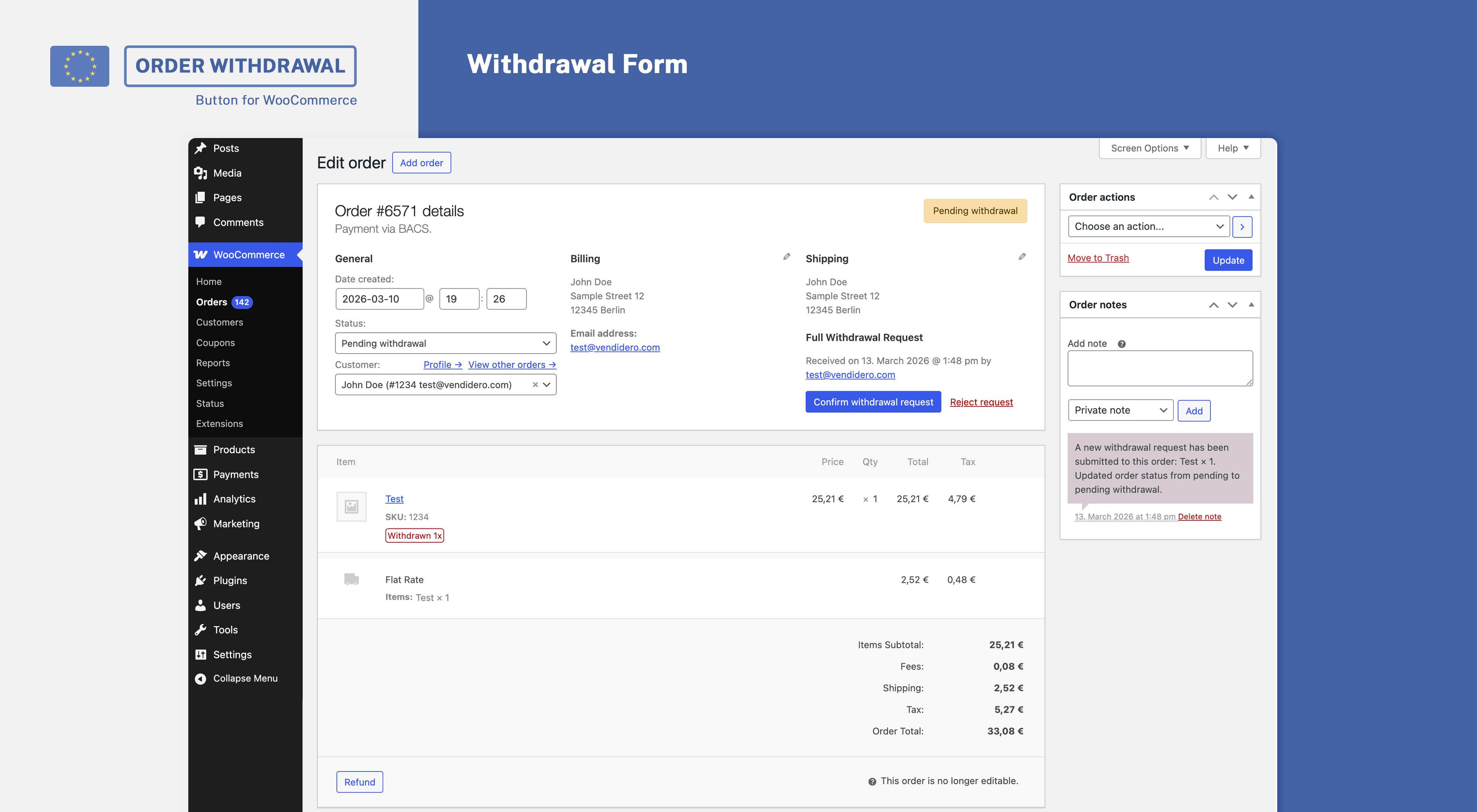
- Manage withdrawals - Easily manage withdrawals from your WooCommerce order page by either confirming or rejecting requests.
- Send confirmation emails - Automatically confirm receipt of the withdrawal by email including all required information.
- Partial withdrawals - Optionally allow customers to submit partial withdrawal requests.
- Guest order validation - Select the level of validation for guest withdrawal requests, e.g. none, order existence, order email match etc.
- Additional Spam protection - Prevent spam via a built-in honeypot field and IP limits.
- GDPR ready - Comes with privacy policy proposal, support for personal data export and erasure.
- WPML compatibility - Comes with built-in compatibility for multilingual shops using WPML.
- Review the page created and your settings under WooCommerce > Settings > Advanced > Withdrawals (In case you are using our plugin Germanized for WooCommerce find your settings under WooCommerce > Settings > Germanized > General)
- Publish the page containing the withdrawal form shortcode
- Make sure that the withdrawal button is shown in your footer on shop-related pages
- Review the email templates provided to confirm the receipt, confirmation and rejection of withdrawals under WooCommerce > Settings > Emails
- Test the withdrawal procedure both as a guest and as a customer
安装:
- WordPress 4.9 or newer
- WooCommerce 3.9 (newest version recommended)
- PHP Version 7.0 or newer
屏幕截图:

常见问题:
How to render the withdrawal form?
Place the shortcode [eu_owb_order_withdrawal_request_form] anywhere on a page to render the form.
How to embed the button within my shop?
Use the option to embed the button directly within your footer or your theme's options, e.g. a footer menu, to link the withdrawal page. You may furthermore use the shortcode [eu_owb_order_withdrawal_button] to place the button wherever you want.
The embedded button does not show
Make sure that you've published your withdrawal page (which by default is created as a draft during installation). The embedded button does only show on shop-related pages.
Need help?
You may ask your questions within our free WordPress support forum.
Want to file a bug or improve the plugin?
Bug reports may be filed via our GitHub repository.
Where do I report security bugs found in this plugin?
Please report security bugs found in the source code of the EU Order Withdrawal Button for WooCommerce plugin through the Patchstack Vulnerability Disclosure Program. The Patchstack team will assist you with verification, CVE assignment, and notify the developers of this plugin.
更新日志:
- Improvement: Try to find the order by a custom order number field first as the parsed order number can be numeric too
- Improvement: Introduce guest order validation setting (set to none after update)
- Improvement: Prefer searching for custom order number first to prevent finding wrong ids
- Improvement: Restock order items on withdrawal confirmation in case no payment has been made yet
- Improvement: Edit withdrawal flow
- Improvement: Bulk spam protection
- Security: Remove the partial withdrawal availability check to prevent information leakage (e.g. to check whether a specific email + order exists)
- Fix: Fix a template typo show_imag vs. show_image
- New: Introduce setting to place a withdrawal link (in case available) within customer account order actions
- Improvement: Override additional abstract order method to prevent compatibility issues
- Improvement: Add a generic error message in case no valid XHR response is received
- Improvement: Show withdrawn/requested labels for order items within view order endpoint
- Improvement: Introduce eu_order_woocommerce_withdrawal_email_show_verification_code filter which allows to hide the verification code from emails
- New: Withdrawal preview modal
- Improvement: Link withdrawal items with refunds to prevent reducing withdrawable quantity twice
- Fix: Edge-case where edit withdrawal guest links where missing the current order
- New: WPML compatibility
- New: Privacy additions (export, erase, policy suggestions)
- New: Setting to select which fields to be mandatory
- New: Setting to add an "additional information" textarea
- New: Added sha256 verification code which reflects the data contained within the withdrawal request
- Improvement: Allow setting days to withdraw to 0 to keep order withdrawable indefinitely
- Improvement: Renamed order number field to "Contract identification" and make it mandatory by default
- Improvement: Explicitly exclude checkout-draft status
- Improvement: Add order notes to withdrawals, e.g. on status updates
- Fix: Woo < 10.X backwards compatibility
- Improvement: Show withdrawal page valid/invalid status in settings
- Improvement: Use a more consistent HTML markup for checkboxes
- Improvement: Do not pass (parent) order object in case existent to emails for consistency
- Improvement: Use additional content within withdrawal confirmation email to allow for a more customized message
- Improvement: Backwards compatibility with Woo < 8.7
- Improvement: Use woocommerce_form_field to output form fields within withdrawal form
- Improvement: Prevent rejected unverified withdrawal requests from reducing the quantity available to withdraw
- Improvement: Introduce sane first name, order number and last name maxlength
- Improvement: Check whether a new withdrawal request actually has any updates
- Fix: Allow (guest) withdrawal requests to be overridden (in case verified) - thanks to Ilyess Ghalem from fraudless.tech
- Fix: Plaintext email template usage
- Improvement: Basic spam protection via honeypot field + direct post check
- Improvement: Prevent guests from submitting
- Fix: Performance improvement for legacy withdrawal imports by using direct queries
- New: Accept withdrawal requests without matching order
- New: Withdrawal admin UI
- New: Store withdrawals as custom order type
- New: Allow choosing a different support email via setting
- Improvement: List all orders for logged-in users and show non-withdrawable notices on request
- Fix: Prevent calling customer in admin context
- Improvement: Allow withdrawal requests without order number and differing email address
- Improvement: Mark withdrawal requests as verified/unverified based on email address
- Improvement: Separately list unverified withdrawal requests by default
- Improvement: Allow verified guests to choose another order in case multiple orders are withdrawable
- Improvement: Allow choosing first + last name
- Improvement: Inform guest customers about partial withdrawals within original form
- Fix: HPOS order number search
- Fix: Partial withdrawal request check
- Improvement: Fallback to customer_id in case billing_email differs
- Initial commit