
Everybooking – Instant Quote & Booking for Rentals, Venues & Service Businesses
| 开发者 | everybooking |
|---|---|
| 更新时间 | 2026年10月10日 13:07 |
| PHP版本: | 7.4 及以上 |
| WordPress版本: | 7.1 |
| 版权: | GPLv2 or later |
| 版权网址: | 版权信息 |
详情介绍:
- Wedding and event venues: the venue by date, dinner by guest, rooms by night, with your packages, minimums and deposits.
- Retreat centers and lodging: rooms, meals and meeting space priced by night and by head, with seasonal rates.
- Equipment and vehicle rentals: by the day or week, by quantity, with each unit tracked so nothing goes out twice.
- Tour and activity operators: by time slot and party size.
- Service businesses: caterers, builders, plumbers, removal firms and anyone else who quotes by the hour, the guest or the job.
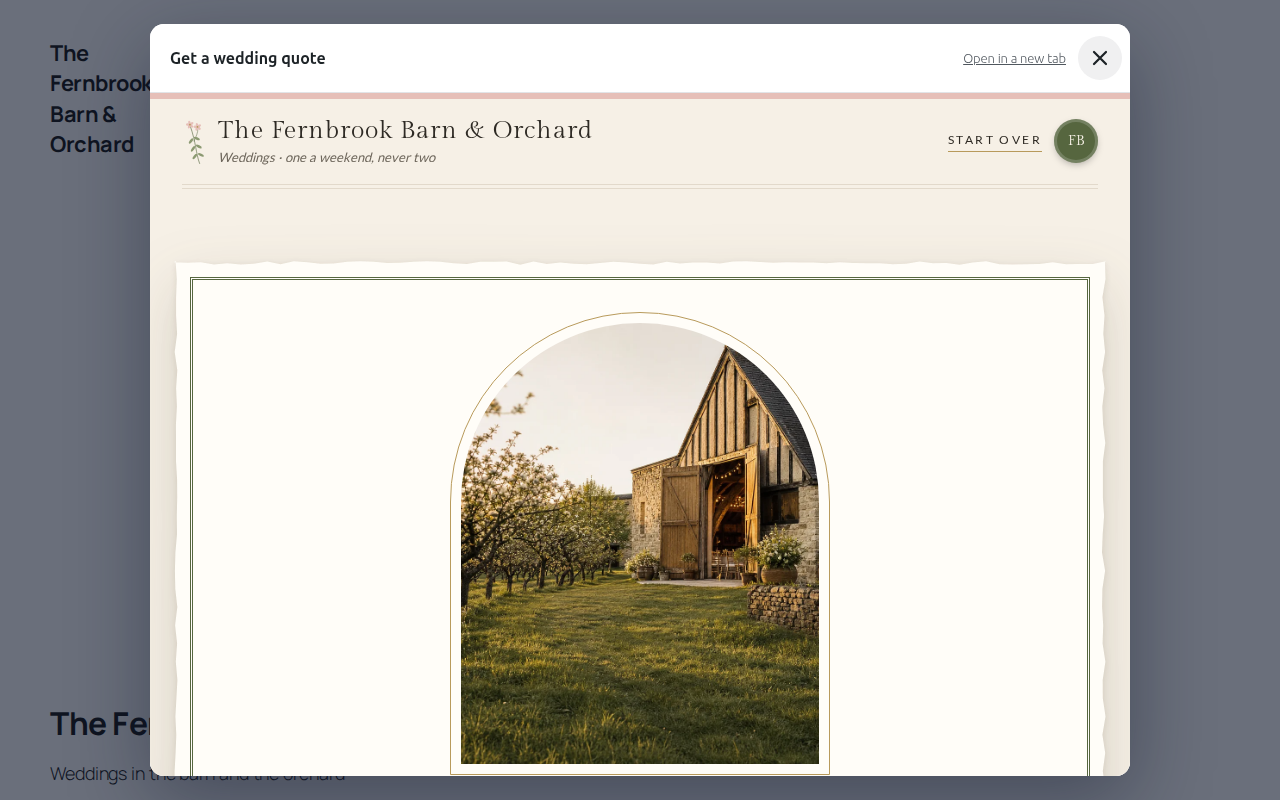
- A wedding venue: the barn and orchard, priced by date and guest numbers.
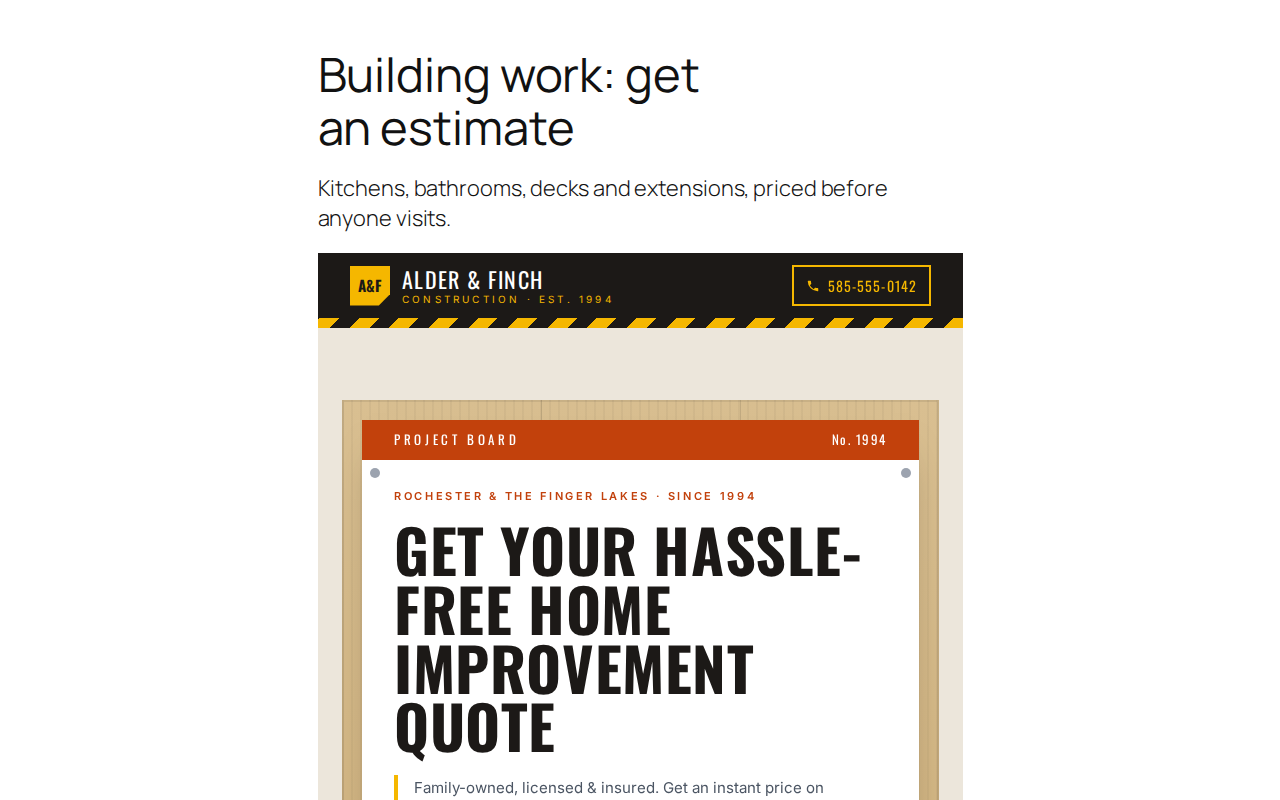
- A builder: kitchens, bathrooms and extensions estimated before anyone visits.
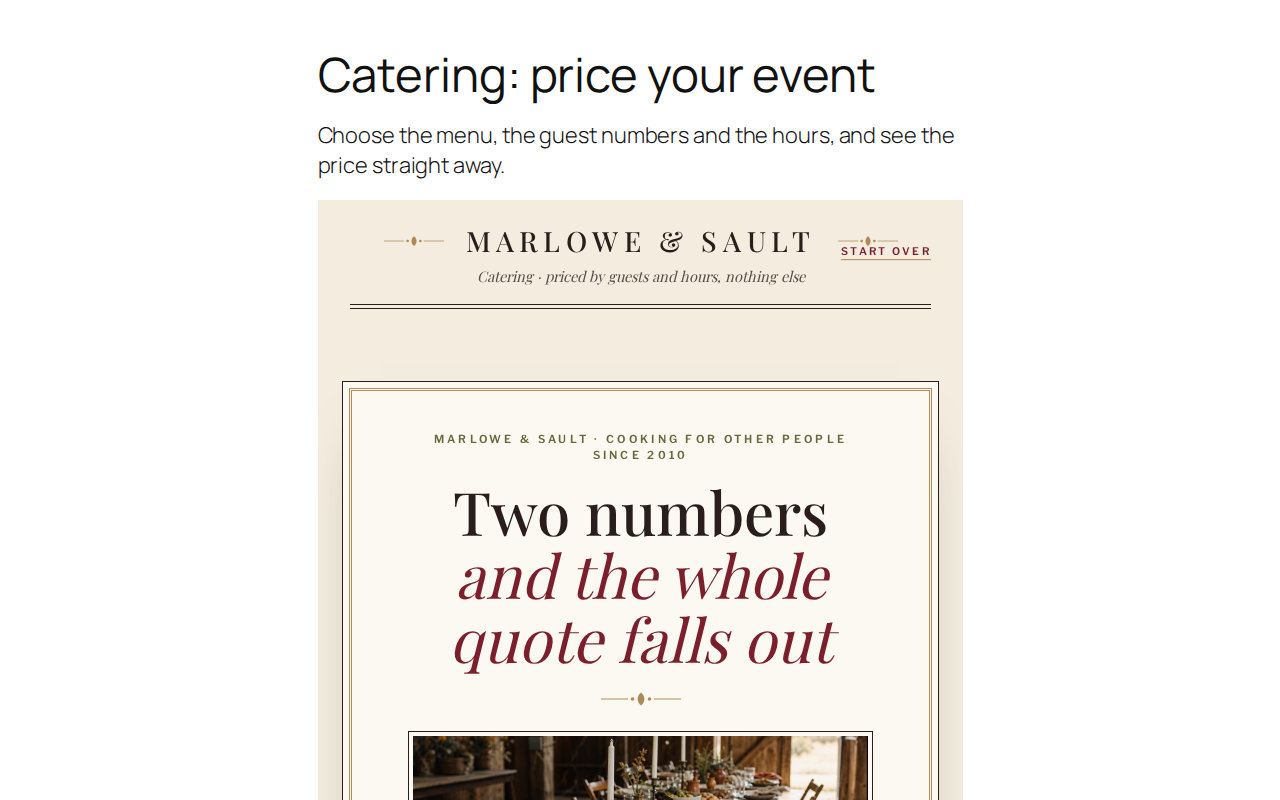
- A caterer: the menu, guest numbers and hours, priced straight away.
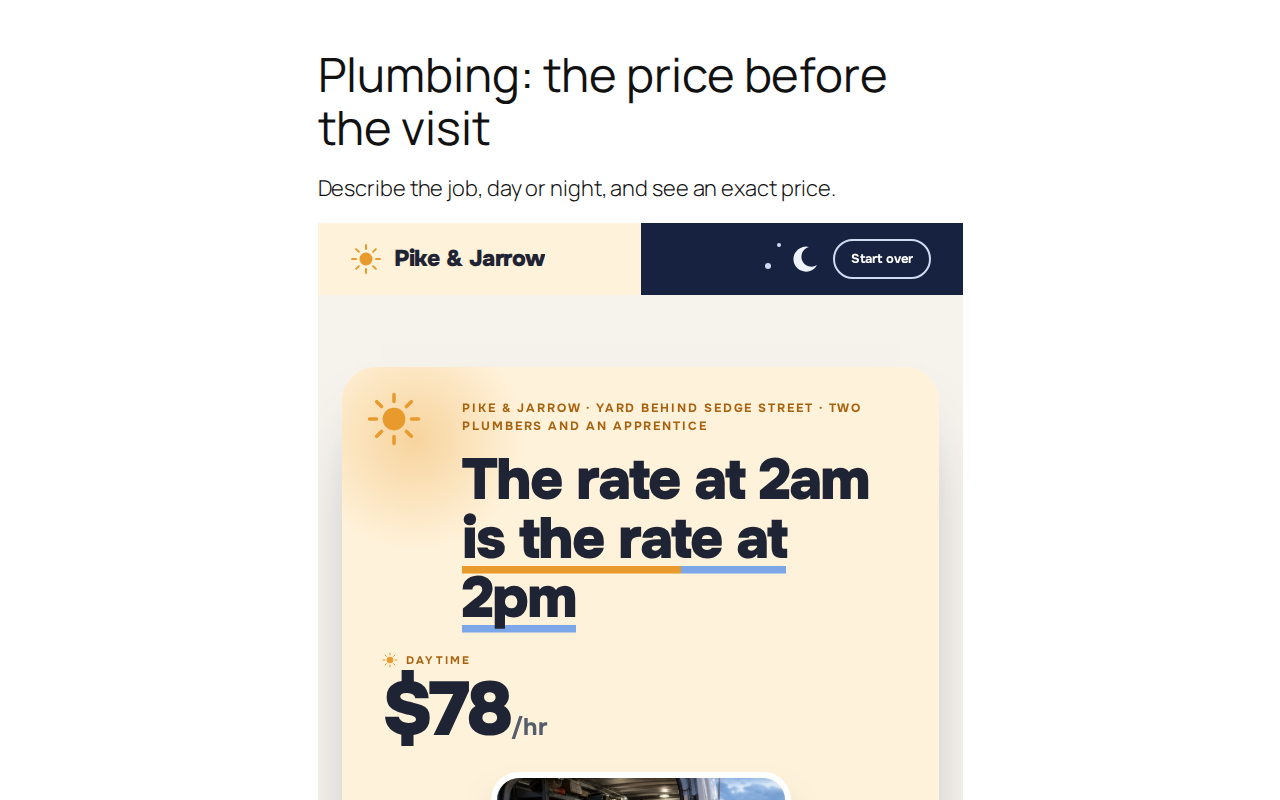
- A plumber: describe the job and see the price before the visit.
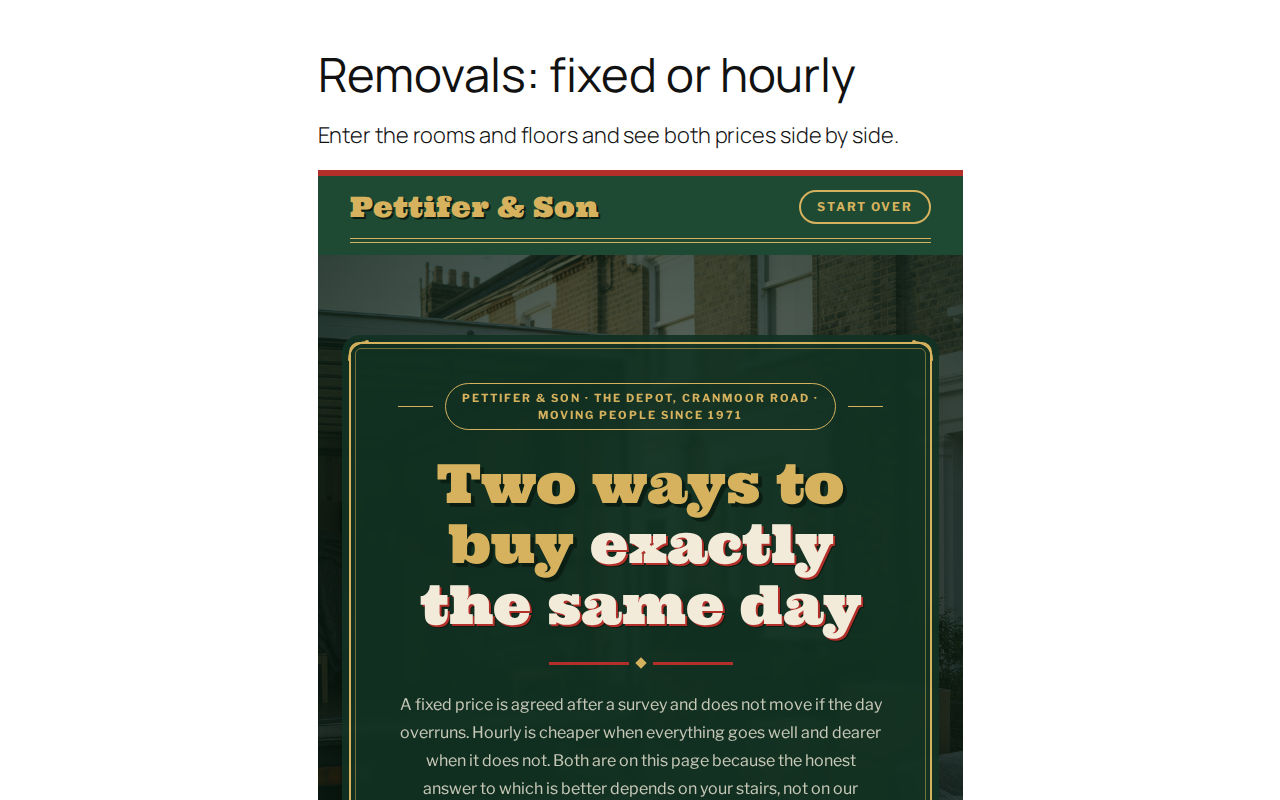
- A removal firm: fixed price or hourly, side by side.
- A theatre box office: pick a show and choose your seats.
- Your own buttons. Set the link of any button or menu item to
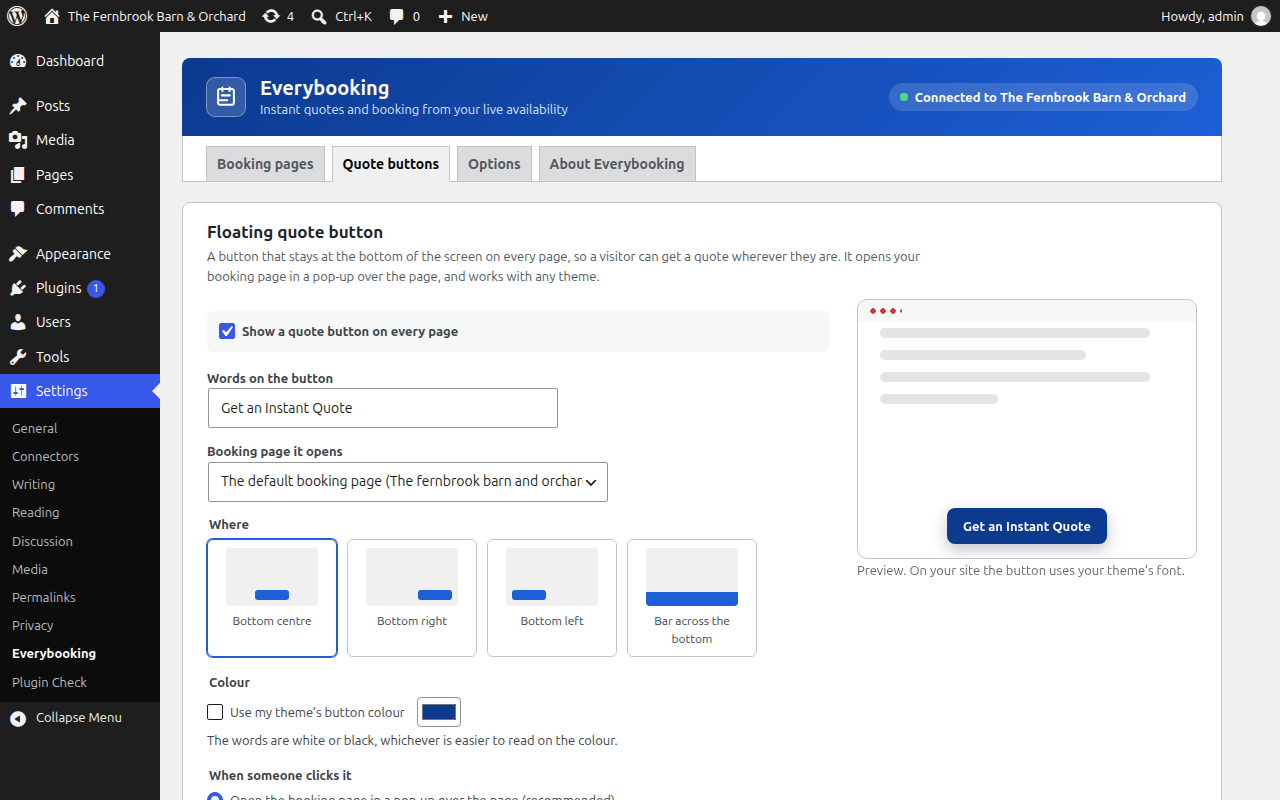
#instant-quote(or#everybooking-your-page). Works in Elementor, Divi, Beaver Builder, Astra, the block editor and menus, with no code. - A floating button on every page, at the bottom of the screen or as a bar across it, in your theme's button colour or one you choose. One switch. On a page about one service it opens that service's booking page.
- The Everybooking Quote Button block and the
[everybooking_button]shortcode, each opening the booking page you pick.
- A real price, not an estimate. Rates by the hour, time slot, day, night and quantity, with your fees, discounts and deposits, added up on the spot.
- Live availability. Every quote checks your actual inventory, down to the individual room, vehicle or piece of equipment.
- Quote, book and pay in one visit. The quote continues into booking and the deposit or payment options you have set up.
- Built for you by AI. Give Everybooking your website address and it drafts your quote page. On Growth plans you can change it by talking to Claude, ChatGPT or Grok through MCP (the Model Context Protocol), with no WordPress access needed.
- One source of truth. Prices, inventory, quotes and bookings live in your Everybooking account. Change a rate there and your WordPress page shows it. There is nothing to sync and no second calendar.
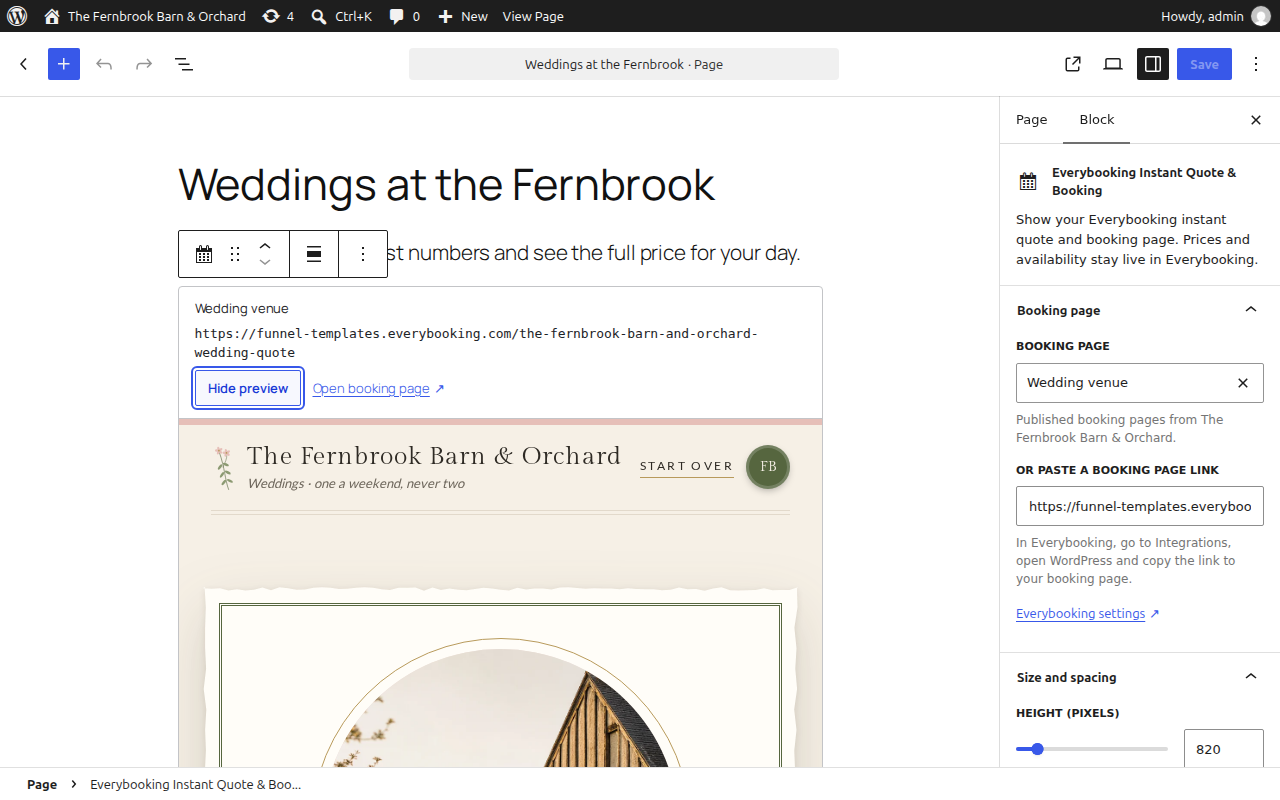
- An Everybooking Instant Quote & Booking block for the block editor, with a view-only preview.
- An Everybooking Quote Button block that opens a booking page in a pop-up.
[everybooking]and[everybooking_button]shortcodes for the Classic Editor, Elementor's Shortcode widget and other page builders.- A floating quote button for every page, and
#instant-quotelinks that turn any button into a quote button. - As many booking pages as you like, on as many pages as you like, including the same one more than once.
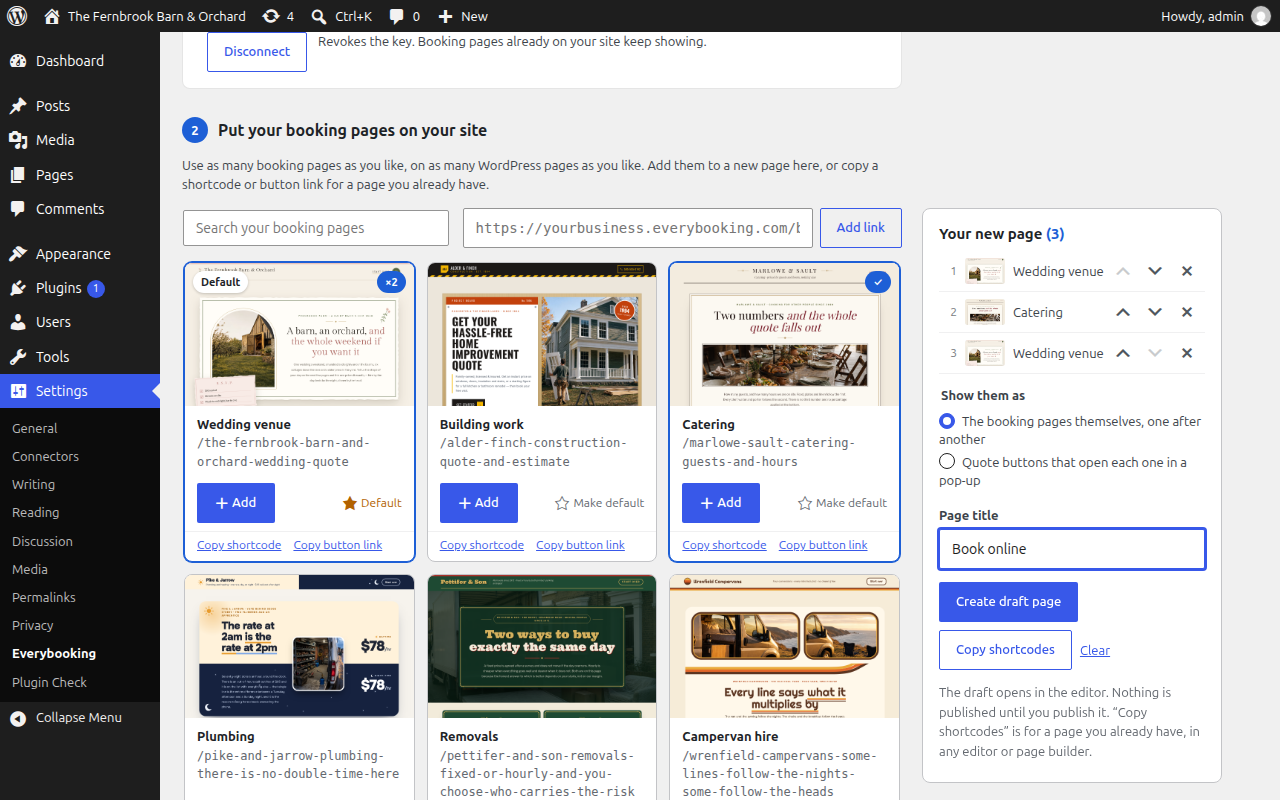
- Your booking pages listed with pictures, to add to a new page in one click, or copy as a shortcode or button link.
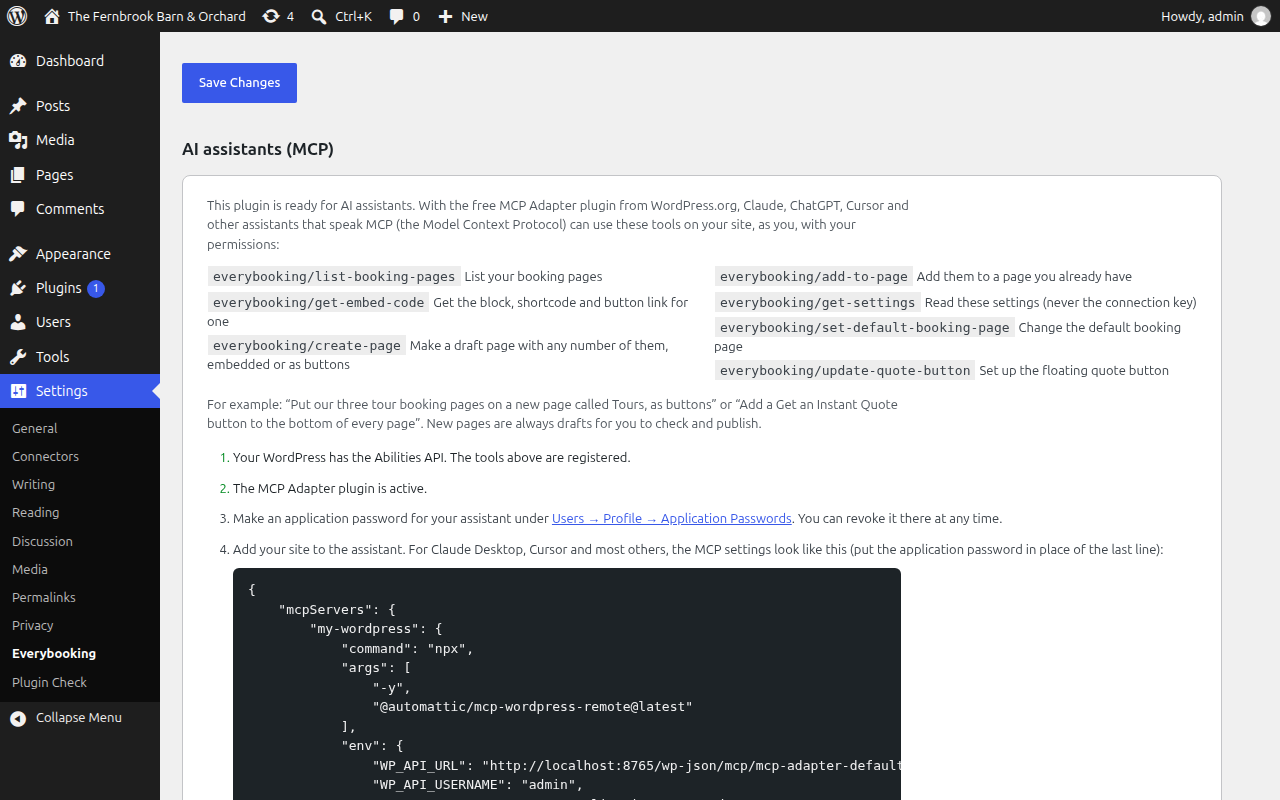
- Seven tools for AI assistants through the WordPress MCP Adapter.
- Height, maximum width and spacing controls. Your booking page keeps its own Everybooking branding.
- An "Open booking page" link for visitors whose browser cannot show the embedded page.
- It never asks for your Everybooking password. Connecting is optional and uses a connection key that can do one thing: list your published booking pages. The key cannot see bookings, customers or prices, is never shown on your website, and can be revoked in Everybooking at any time. Without a key, you paste the public link to your booking page.
- It is not a WooCommerce integration. It does not create WooCommerce orders, carts or payments.
- It does not include a pricing engine, an inventory database or a payment processor. Everybooking does that work.
安装:
- Install and activate the plugin.
- In Everybooking, go to Integrations, open WordPress, choose Create connection key and copy it.
- In WordPress, go to Settings → Everybooking, paste the key and choose Connect.
- Your booking pages appear with a preview picture of each. Star the one most visitors need as the default.
- Choose Add on each booking page you want on a page (the same one twice if you like), then Create draft page. Or edit a page you already have and add the Everybooking Instant Quote & Booking block or the Everybooking Quote Button block. Publish.
- For a quote button on every page, open the Quote buttons tab and switch on the floating button, or set the link of your theme's own button to
#instant-quote.
https://yourbusiness.everybooking.com/book) and paste it into the block, or save it as the default booking page under Settings → Everybooking, on the Booking pages tab.
Booking page shortcode:
[everybooking] uses the default booking page.
[everybooking url="https://yourbusiness.everybooking.com/book" height="800" max_width="900" spacing="24"]
Options: url, height (pixels, 300–4000, default 800), max_width (pixels, 280–2400, default full width), spacing (pixels above and below, 0–200), title (the name screen readers announce), link="no" (hide the "Open booking page" link).
Quote button shortcode:
[everybooking_button] opens the default booking page in a pop-up.
[everybooking_button url="https://yourbusiness.everybooking.com/rooms" text="Book a room" align="center" color="#0b3a8f"]
Options: url, text, align (left, center, right or stretch), color and text_color (like #0b3a8f), open="tab" (open the booking page in a new tab) or open="page" (go to it in the same tab) instead of the pop-up, class.
To use the plugin with an AI assistant: install the MCP Adapter plugin, make an application password under Users → Profile, and add your site to the assistant. Settings → Everybooking → Options shows the exact settings to copy.
If your booking pages are on your own domain (for example book.yourbusiness.com), add that domain under Settings → Everybooking → Options → Other booking addresses first.
Once you connect or save a default link, people who edit your site can only show booking pages from that address and any others you list under Other booking addresses. Until then, any Everybooking booking page link is accepted. If your site already shows booking pages from a different Everybooking address, add that address to the list before you connect, or those pages will stop showing.屏幕截图:
常见问题:
Can I put a "Get an Instant Quote" button on my home page?
Yes. Keep the button your theme or page builder already has and set its link to #instant-quote: clicking it opens your default booking page in a pop-up. #everybooking-your-page opens a particular booking page instead; Settings → Everybooking → Quote buttons lists the link for each of yours. Or add the Everybooking Quote Button block, or switch on the floating button.
Can I show more than one booking page?
As many as you like, on as many pages as you like, and the same one more than once. Add a block or shortcode for each, or choose Add on several booking pages in Settings → Everybooking and create a page holding them all, as booking pages or as quote buttons.
Does the pop-up work on phones?
Yes. On a phone it fills the screen, with a large close button, and the phone's Back button closes it rather than leaving your site. If you prefer, a button can open the booking page in a new tab, or go to it in the same tab, instead of opening the pop-up.
Does it work with AI assistants like Claude or ChatGPT?
Yes, through MCP (the Model Context Protocol). Install the free MCP Adapter plugin and connect your assistant with an application password; Settings → Everybooking → Options shows how. The assistant can then list your booking pages, make pages holding any number of them, add them to existing pages, change the default and set up the quote button. It acts as the WordPress user whose password it has, so it can do only what that user can. New pages are always drafts. It needs WordPress 6.9 or newer, for the Abilities API.
Is Everybooking free?
An account is free with no credit card and no time limit, and includes 50 quotes. When you need more quotes, more users or features such as AI through MCP, there are paid plans. This plugin itself is free and has no locked features.
I have never used Everybooking. Where do I start?
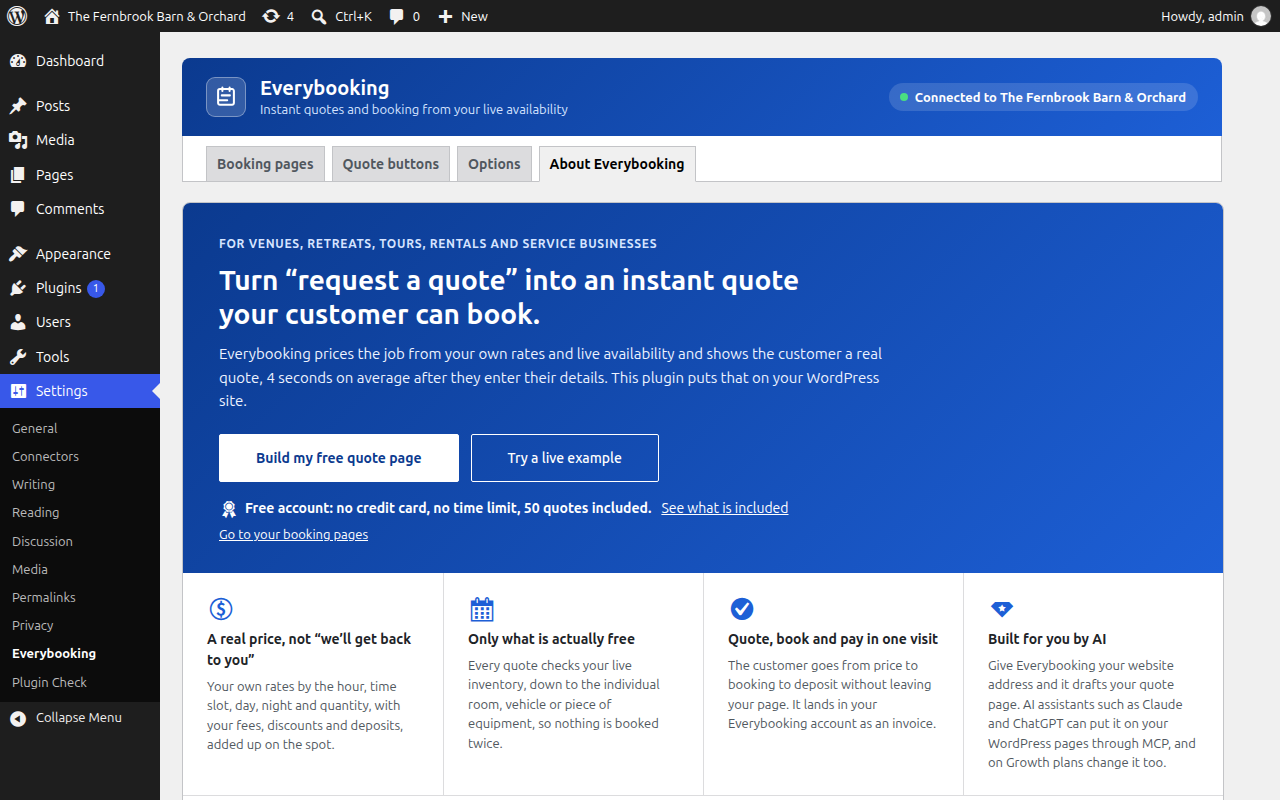
After activating, open Settings → Everybooking. The page explains what Everybooking does, shows a gallery of working examples for different kinds of business that you can try, and has a button to build your free quote page. You can start from your website address or from a template for your kind of business, then come back and connect it.
What is MCP, and do I need it?
MCP (the Model Context Protocol) lets AI apps such as Claude, ChatGPT and Grok use other software for you. It is optional, and there are two separate uses. In WordPress, this plugin's tools let an assistant place your booking pages on your site (see above). In Everybooking, on Growth plans, an assistant can build and change the booking pages themselves. Either works without the other.
Do prices and availability update automatically?
Yes. The page shown is your live Everybooking booking page, and it checks pricing and availability with Everybooking as the customer goes. This plugin caches nothing. Changes to the design or steps of a booking page appear after you publish that page again in Everybooking; this plugin never publishes or republishes anything.
Why is there a scroll bar inside the booking page?
The booking page cannot yet tell WordPress how tall it is, so it scrolls inside a frame of the height you choose. Increase the height in the block settings if you want less scrolling. On phones the frame is never taller than the screen.
Can customers come back and finish later?
Usually. Everybooking remembers a customer's progress in their browser, so reloading the page continues where they left off. Browsers keep that memory separate for an embedded page and for the same page opened directly, and some privacy settings clear it, so a quote started on your WordPress page may not carry over to the "Open booking page" link, or the other way round.
Do personal or pre-filled links work?
Links that Everybooking sends to one customer, including pre-filled links, open on Everybooking's own page, not inside your WordPress page. That is deliberate: a personal link must not be placed on a public page. This plugin refuses the personal link formats it can recognise, but it cannot recognise every one, so always paste the general link to your booking page, the one listed under Integrations → WordPress in Everybooking.
Does previewing in the editor create bookings?
No. The editor preview is view-only: it can be looked at but not clicked or typed into. Loading the preview does count as one visit to the booking page in Everybooking, the same as opening the page.
Who can add a booking page to my site?
Anyone who can edit pages. Changing the default link and the list of allowed addresses needs an administrator. After an administrator connects the site or saves a default link, editors can only show booking pages from your own Everybooking address.
Does it work with Elementor?
Yes, through Elementor's Shortcode widget. There is no dedicated Elementor widget.
I use LiteSpeed Cache, WP Rocket or another speed plugin.
That is fine. The quote button's script and styles carry the markers those plugins look for, so they are left out of "delay JavaScript", combining and "unused CSS" removal, and the first click on a quote button always opens it. The script is small and loads deferred, so your page stays fast.
The booking page is blank or will not load.
Open the link directly in a new tab to confirm the page is published in Everybooking. Check that the link is the general link to the booking page, not a link sent to one customer. If a security plugin or header on your site sets a Content-Security-Policy, allow frames from your Everybooking address.
What happens if I remove the plugin?
The embedded booking pages disappear from your WordPress pages and the plugin's settings, including any connection key, are deleted from WordPress. If you connected, use Disconnect first (or revoke the key in Everybooking) so the key stops working. Nothing in your Everybooking account changes: bookings, quotes and customer records are untouched.
更新日志:
- The plugin's description now starts with wedding venues and links to live example pages for six kinds of business. Nothing changes in how the plugin works.
- The floating quote button now opens the booking page each page is about. On a page that shows one booking page, or whose quote buttons all open the same one, it opens that page; elsewhere it opens your default booking page. A site with a page per service no longer sends every visitor to the same one.
- The floating quote button now starts in the bottom centre of the screen, listed first under Where. Sites that already chose a place keep it.
- The pop-up is now shared with Everybooking's quote button for Wix and other website builders. Nothing changes on WordPress: theme click handlers and analytics tags still see quote button clicks.
- Quote buttons can now open the booking page in a new tab, as well as in a pop-up or in the same tab. The floating button, the button block and the shortcode (
open="tab") all have the choice.
- Renamed to "Everybooking – Instant Quote & Booking for Rentals, Venues & Service Businesses", which says better who it is for.
- First release on WordPress.org. The same plugin as 0.6.1, numbered 1.x now that it is complete and in use.
- Quote buttons now open on the first click on sites that use LiteSpeed Cache, WP Rocket or Cloudflare Rocket Loader to delay scripts. Before, the first click only woke the page up.
- Quote buttons: a floating "Get an Instant Quote" button for every page, an Everybooking Quote Button block, an
[everybooking_button]shortcode, and#instant-quotelinks that turn any existing button or menu item into one. Each opens the booking page in a full-screen pop-up that works on phones and closes with Escape, the close button or Back. - As many booking pages as you like: the Booking pages tab now lists them all with Add (any number of times, in any order), a Default star, and copy buttons for each one's shortcode and button link. Create a draft page holding them all, as booking pages or as buttons.
- Ready for AI assistants: seven tools for the WordPress Abilities API, so Claude, ChatGPT and other MCP clients can list booking pages, build pages with them and set up the quote button through the MCP Adapter. The Options tab shows how to connect one.
- A gallery of working example booking pages on the opening tab, with search and categories: try one, or start your own from it.
- Notices from other plugins now appear above the Everybooking header, not inside it.
- After connecting, pick your default booking page from a list with preview pictures, right on the settings page.
- "Add it to a new page" starts a draft page with the block already in place.
- The settings page has tabs (Booking page, Options, About Everybooking), so the introduction stays available after you connect.
- Preview pictures in the block's list of booking pages, which now shows the newest first.
- A welcome panel on the settings page for people new to Everybooking: what it does, that an account is free, and how to start. It disappears once the site is set up.
- The empty block now points new users to the same place.
- Connect with a connection key from Everybooking, then pick your booking page from a searchable list in the block.
- After connecting, only your own Everybooking address can be shown on the site.
- First version: block, shortcode, default link and custom-domain settings.