Everyone Accessibility Suite – Free WCAG Accessibility Widget & Toolkit
| 开发者 |
wpaifactory
alexkovalevv |
|---|---|
| 更新时间 | 2026年8月29日 08:30 |
| PHP版本: | 7.4 及以上 |
| WordPress版本: | 7.1 |
| 版权: | GPLv2 or later |
| 版权网址: | 版权信息 |
详情介绍:
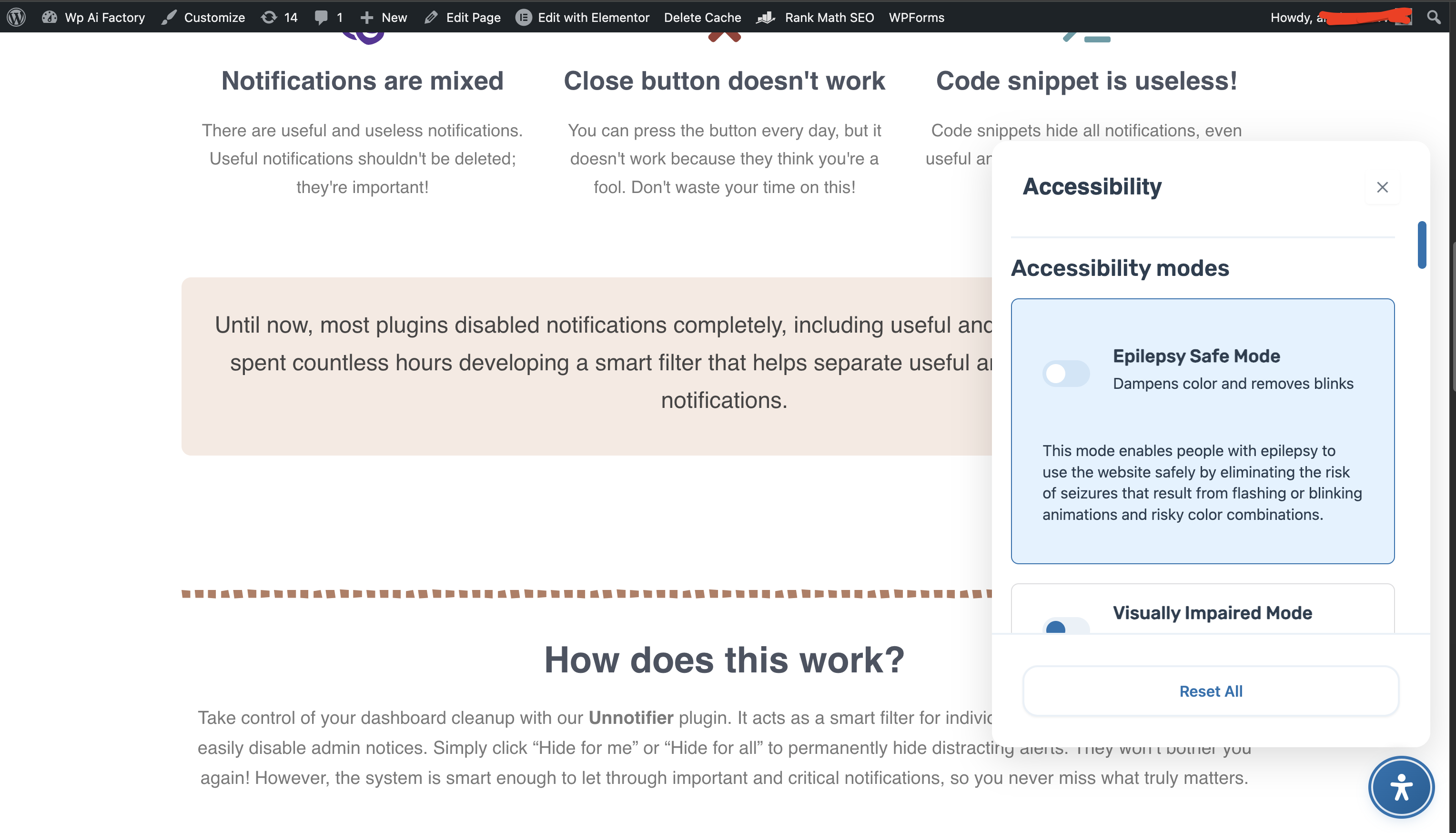
- Epilepsy Safe Mode: reduces flashing, blinking, motion, and risky color combinations
- Visually Impaired Mode: improves readability for users with low vision or other visual impairments
- Cognitive Disability Mode: helps users focus on essential page content
- ADHD Friendly Mode: reduces distractions and improves reading focus
- Blindness Mode: improves compatibility with screen readers such as JAWS, NVDA, VoiceOver, and TalkBack
- Typography (6): content scaling, readable font, dyslexia-friendly font, font size, line height, letter spacing
- Visual adjustments (8): highlight titles, highlight links, highlight hover, highlight focus, text magnifier, and text alignment left, center, or right
- Color adjustments (9): dark contrast, light contrast, high contrast, monochrome, high saturation, low saturation, plus color palettes for text, titles, and backgrounds
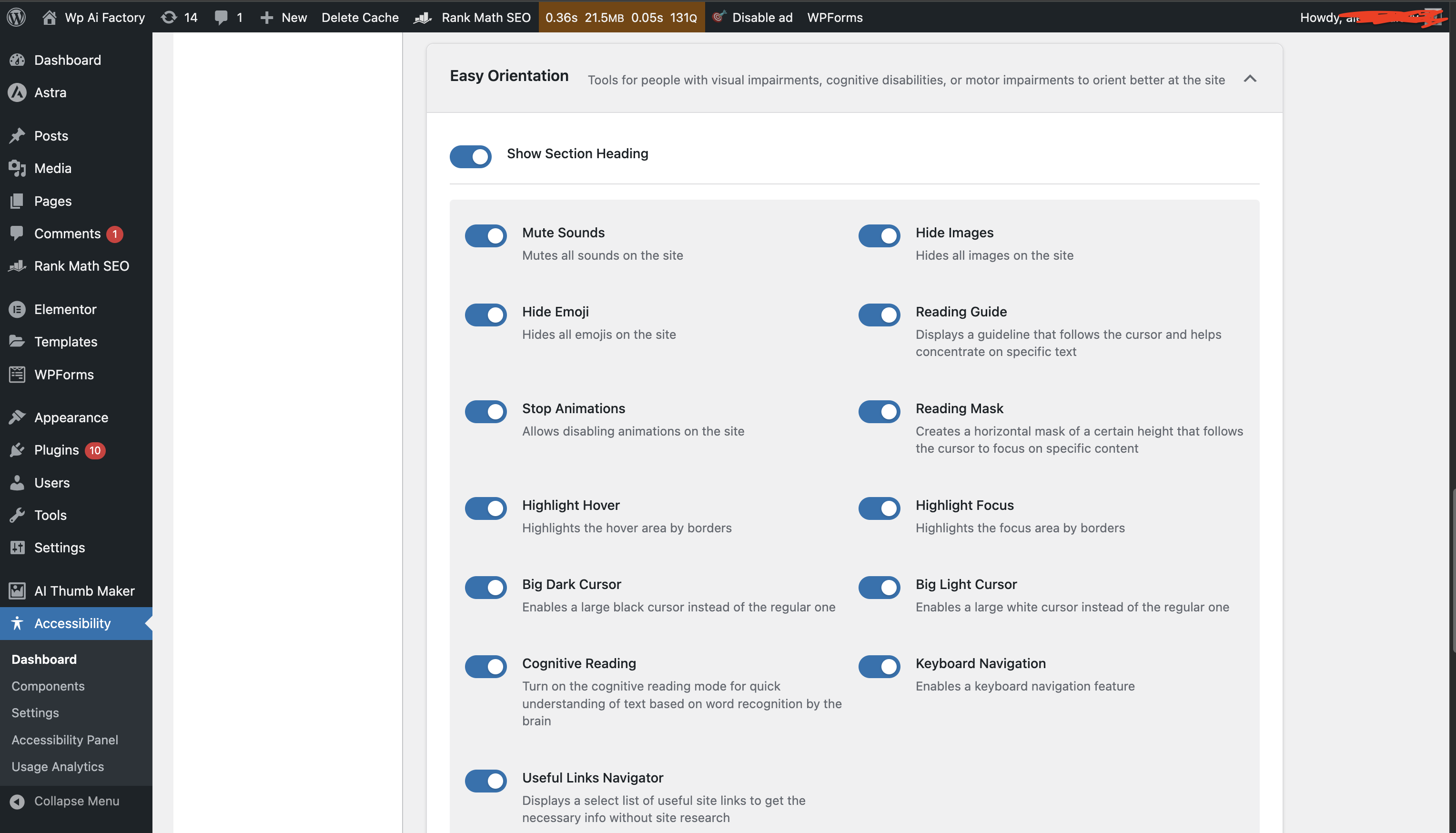
- Media control (4): mute sounds, hide images, hide emoji, stop animations
- Helpful tools (7): reading guide, reading mask, cognitive reading, useful links, large dark cursor, large light cursor, keyboard navigation
- A counter in the WordPress admin bar shows how many accessibility issues the page you are looking at contains
- Every frontend page you open as an administrator is scanned automatically in the background, so the report builds itself as you browse your own site
- The Accessibility Analyzer screen lists the scanned pages with a score, error and warning counts, and the time of the last scan, with search, filtering, and sorting
- Opening a page shows its issues grouped by axe rule, with a severity label, the number of occurrences, the affected selector, the WCAG success criterion, and a link to the detailed explanation
- A dashboard card keeps the home page result in view, and automatic scanning can be turned off with a single toggle
[evas-accessibility-statement] shortcode.
- A built-in template follows the site language automatically, and you can replace it with your own wording at any time
- Eight placeholders keep the statement in sync with your settings: organization name, site domain, site URL, contact email, contact phone, standards, conformance level, and the current date
- A live preview shows the rendered statement while you edit
- An empty contact field removes its line from the published statement instead of leaving a blank
- Usage Analytics: see which accessibility features your visitors actually use, with charts, reports, date filtering, and a configurable retention period
- Customizer: change the appearance and behavior of the accessibility panel and its floating button, including position, colors, icon, size, and animation
- Text-to-Speech: read selected text aloud through the Google Cloud Text-to-Speech API, with 60+ languages, voice selection, audio caching, and shortcodes for fine-grained control. Requires a Google Cloud API key
- Voice Navigation: control the site by voice through the browser Web Speech API, with 21 built-in commands for scrolling, navigation, clicking, zooming, reading the page aloud, and opening the accessibility panel. Requires a browser that supports speech recognition and a site served over HTTPS
- Virtual Keyboard: an on-screen keyboard with six layouts (QWERTY, QWERTZ, AZERTY, Russian, Spanish, numeric) and adjustable theme, key size, and interaction settings
- Accessibility Analyzer: the WCAG scanner and per-page issue reports described above
- Accessibility Statement: the statement editor, template, and shortcode described above
- Google Cloud Text-to-Speech API (https://cloud.google.com/text-to-speech) may be used by the Text-to-Speech module to generate audio from selected text. It requires a Google Cloud API key and sends text content, language, and voice preferences to Google Cloud. Terms: https://cloud.google.com/terms/ — Privacy: https://policies.google.com/privacy
- Wikipedia API (https://www.wikipedia.org/) is queried by the Online Dictionary feature of the accessibility panel when a visitor searches for a word. Only the search term entered by the visitor is sent, to the Wikipedia edition matching the page language. Terms: https://foundation.wikimedia.org/wiki/Policy:Terms_of_Use — Privacy: https://foundation.wikimedia.org/wiki/Policy:Privacy_policy
- Web Speech API is a browser API used by Voice Navigation for speech recognition and commands. Processing happens in the visitor's browser according to browser support.
安装:
- Log in to your WordPress admin panel
- Navigate to Plugins > Add New
- Search for "Everyone Accessibility Suite"
- Click "Install Now" and then "Activate"
- Download the plugin zip file
- Log in to your WordPress admin panel
- Navigate to Plugins > Add New > Upload Plugin
- Choose the downloaded zip file and click "Install Now"
- Activate the plugin
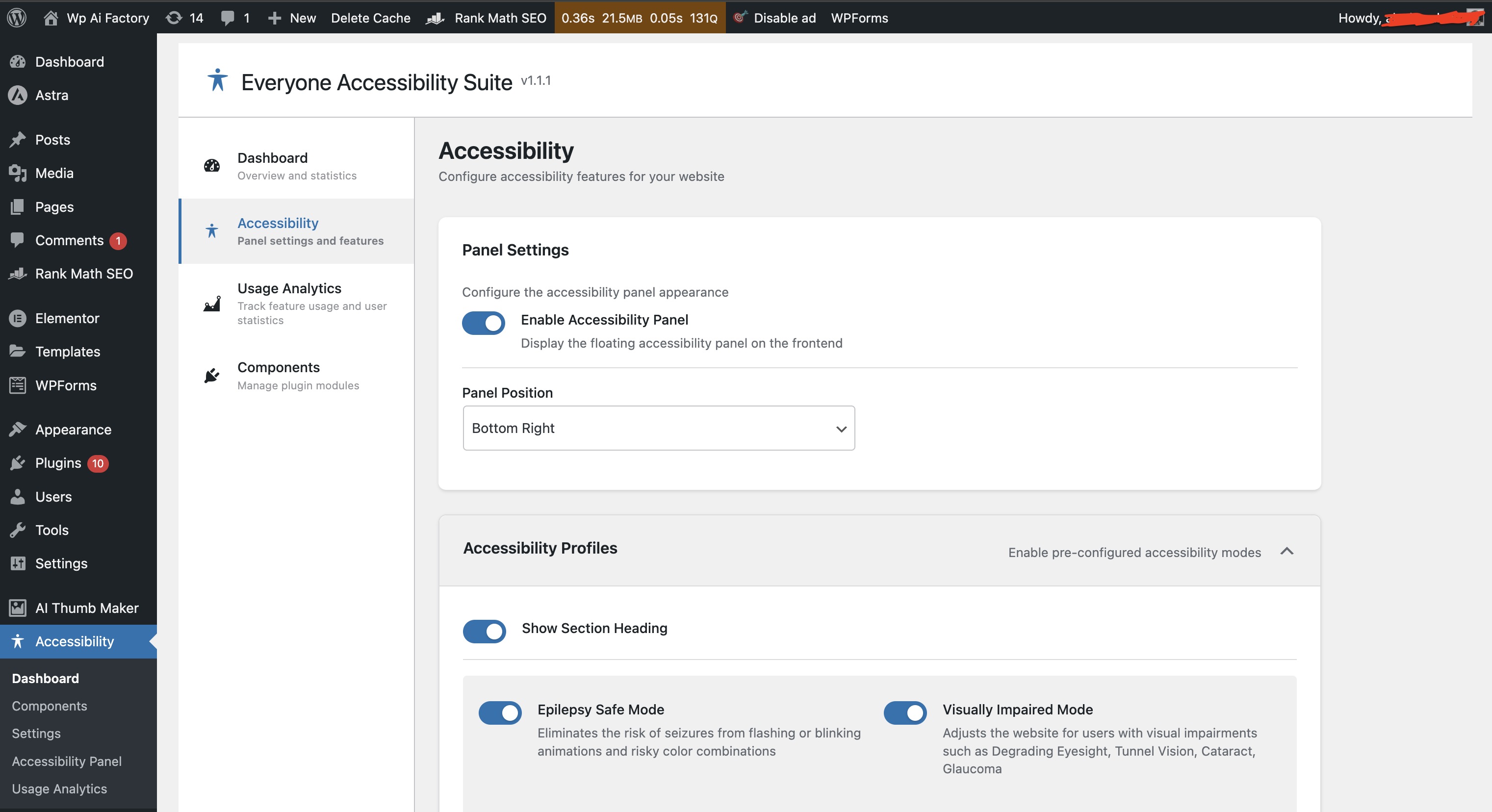
- After activation, open the Accessibility menu in the WordPress admin sidebar
- Use Components to enable or disable modules, and Settings and Accessibility Panel to configure the widget and its controls
- Save the settings
- Visit your website frontend to see the accessibility panel
屏幕截图:


常见问题:
Is the plugin really free?
Yes. Every feature listed on this page is included, including the WCAG scanner, the page analyzer, and the accessibility statement generator. There is no paid tier and no locked module.
Does this plugin require any other plugins?
No, Everyone Accessibility Suite is a standalone plugin and does not require any dependencies.
Does the WCAG analyzer send my pages anywhere?
No. Scanning uses axe-core running inside your own browser. Your page content is never uploaded, and the resulting issue list is stored in your own WordPress database.
Does the plugin make my site WCAG compliant automatically?
No plugin can do that. Everyone Accessibility Suite gives visitors tools to adapt your site, and it finds and reports issues against WCAG 2.1 so you know what to fix. Real conformance still requires changes in your theme, templates, and content.
How do I publish an accessibility statement?
Open Accessibility > Accessibility Statement, fill in your contact details and conformance level, then add the [evas-accessibility-statement] shortcode to any page. The statement is rendered from a template that follows your site language, and you can replace the text with your own.
Will this work with my theme?
Yes, the plugin is designed to work with any properly coded WordPress theme.
Do the settings persist after page refresh?
Yes, visitor preferences are saved in the browser's localStorage and persist across sessions.
Is the plugin compatible with caching plugins?
Yes, the plugin works with all major caching plugins.
Can I customize the panel colors?
Yes. Enable the Customizer module to set the background, text, and accent colors of the panel, with separate values for light and dark surroundings, plus the position, icon, size, padding, corner radius, and animation of the floating button.
Does this affect SEO?
No, the plugin only affects the visual presentation for users and does not modify your content or markup.
更新日志:
- Fixed: the arrow pointing from the accessibility panel to its button was clipped away and never rendered, for any of the six button positions.
- Fixed: the panel wrapper no longer sits below the card it wraps; a stray rule from the Customizer module returned the card to the layout flow.
- Updated: refreshed WordPress.org screenshots, including the Accessibility Analyzer and the Accessibility Statement editor.
- Added: WCAG scanner built on axe-core with an issue counter in the WordPress admin bar.
- Added: automatic background scanning of every frontend page an administrator opens, with an on/off toggle.
- Added: rebuilt Accessibility Analyzer screen listing scanned pages with scores, search, filtering, and sorting.
- Added: per-page issue report grouping findings by axe rule with severity, occurrence count, selector, WCAG criterion, and help links.
- Added: Accessibility Statement editor with a built-in template, eight placeholders, live preview, and the [evas-accessibility-statement] shortcode.
- Added: Online Dictionary in the accessibility panel with a search preloader and a results dropdown for desktop and mobile.
- Improved: all seven modules are now available to every install; the previous build gate marked them "Coming Soon" and refused to enable them.
- Improved: accessibility panel button sits higher above the bottom edge on mobile devices.
- Improved: admin interface - consistent control heights, aligned toolbars, a two-tone accessibility score ring, and corrected table and toggle markup.
- Fixed: bundled translations were never loaded when a WordPress.org language pack was installed, leaving newer strings untranslated.
- Fixed: missing icon on the Virtual Keyboard component card.
- Removed: the server-side page fetcher of the old analyzer, replaced by in-browser scanning.
- Updated: Verified compatibility with WordPress 7.0 and refreshed release metadata.
- Improved: Shortened the readme Description section to stay within WordPress.org import limits.
- Improved: Updated filesystem handling for Text-to-Speech cache files for better WordPress compatibility.
- Major update with comprehensive accessibility features
- Added 5 Accessibility Profiles: Epilepsy Safe, Visually Impaired, Cognitive Disability, ADHD Friendly, and Blindness Mode
- Added accessibility features organized in categories:
- Typography Adjustments: Content Scaling, Readable Font, Dyslexia Font, Font Sizing, Line Height, Letter Spacing
- Visual Adjustments: Highlight Titles/Links/Hover/Focus, Text Magnifier, Alignment controls (Left/Center/Right)
- Color Adjustments: Dark/Light/High Contrast modes, Monochrome, High/Low Saturation, Color Palettes (Text/Title/Background)
- Media Control: Mute Sounds, Hide Images/Emoji, Stop Animations
- Helpful Tools: Reading Guide/Mask, Cognitive Reading, Useful Links, Big Cursor (Dark/Light), Keyboard Navigation
- Added Usage Analytics module with detailed statistics, charts, and reports
- Enhanced admin interface with modern React-based dashboard
- Improved accessibility panel with draggable settings window
- Added 6 customizable button positions (Top Left, Top Right, Bottom Left, Bottom Right, Left Center, Right Center)
- Enhanced keyboard navigation support
- Improved screen-reader compatibility
- Added comprehensive admin settings page
- Updated documentation with full feature descriptions
- Performance optimizations and code improvements
- Enhanced cross-browser compatibility
- Improved mobile responsiveness
- Initial release
- Font size adjustment (80-200%)
- Three theme options: Light, Dark, High Contrast
- Persistent settings via localStorage
- WordPress admin settings page
- Internationalization support (English, Russian)