
Event - Add to Calendar
| 开发者 | melonwebstudio |
|---|---|
| 更新时间 | 2026年1月19日 02:19 |
| 捐献地址: | 去捐款 |
| PHP版本: | 7.4 及以上 |
| WordPress版本: | 6.9 |
| 版权: | GPLv2 or later |
| 版权网址: | 版权信息 |
详情介绍:
- Multiple Calendar Services - Supports Google Calendar, Outlook, Office 365, Yahoo Calendar, and Apple Calendar (.ics)
- Easy Implementation - Simple shortcode that can be added to any post, page, or widget
- Fully Customizable - Configure event title, description, location, date/time, and timezone
- Customizable Button Colors - Match your site's design with custom button colors
- Responsive Design - Beautiful dropdown menu that works perfectly on desktop and mobile devices
- Accessible - Built with WCAG 2.1 accessibility standards (ARIA labels, keyboard navigation)
- Secure - Includes nonce verification and proper input sanitization
- Fast & Lightweight - No external dependencies or API calls
- Translation Ready - Fully internationalized and ready for translations
- Developer Friendly - Clean, well-documented code following WordPress coding standards
- Admin Dashboard - Easy-to-use settings page with color picker and service toggles
- Google Calendar - Direct integration with Google Calendar
- Office 365 - Microsoft Office 365 Calendar integration
- Outlook.com - Outlook web calendar integration
- Yahoo Calendar - Yahoo Calendar integration
- Apple Calendar & Outlook Desktop - Universal .ics file download compatible with:
- Apple Calendar (macOS/iOS)
- Microsoft Outlook (Desktop application)
- Mozilla Thunderbird
- Any calendar application that supports .ics files
- Event promotion and registration
- Workshop and webinar scheduling
- Business appointments and consultations
- Community events and meetups
- Educational sessions and classes
- Conference and seminar scheduling
- Online and in-person events
- Product launches and sales events
- Nonprofit fundraisers and galas
- Sports events and tournaments
- No tracking or analytics
- No personal data collection
- No cookies used
- No external API calls
- All processing happens on your server
安装:
- Log in to your WordPress admin panel
- Navigate to Plugins > Add New
- Search for "Event - Add to Calendar"
- Click "Install Now" button
- Click "Activate" to enable the plugin
- Download the plugin ZIP file
- Log in to your WordPress admin panel
- Navigate to Plugins > Add New > Upload Plugin
- Choose the downloaded ZIP file
- Click "Install Now" and then "Activate"
- Download and extract the plugin ZIP file
- Upload the
event-add-to-calendarfolder to/wp-content/plugins/ - Activate the plugin through the 'Plugins' menu in WordPress
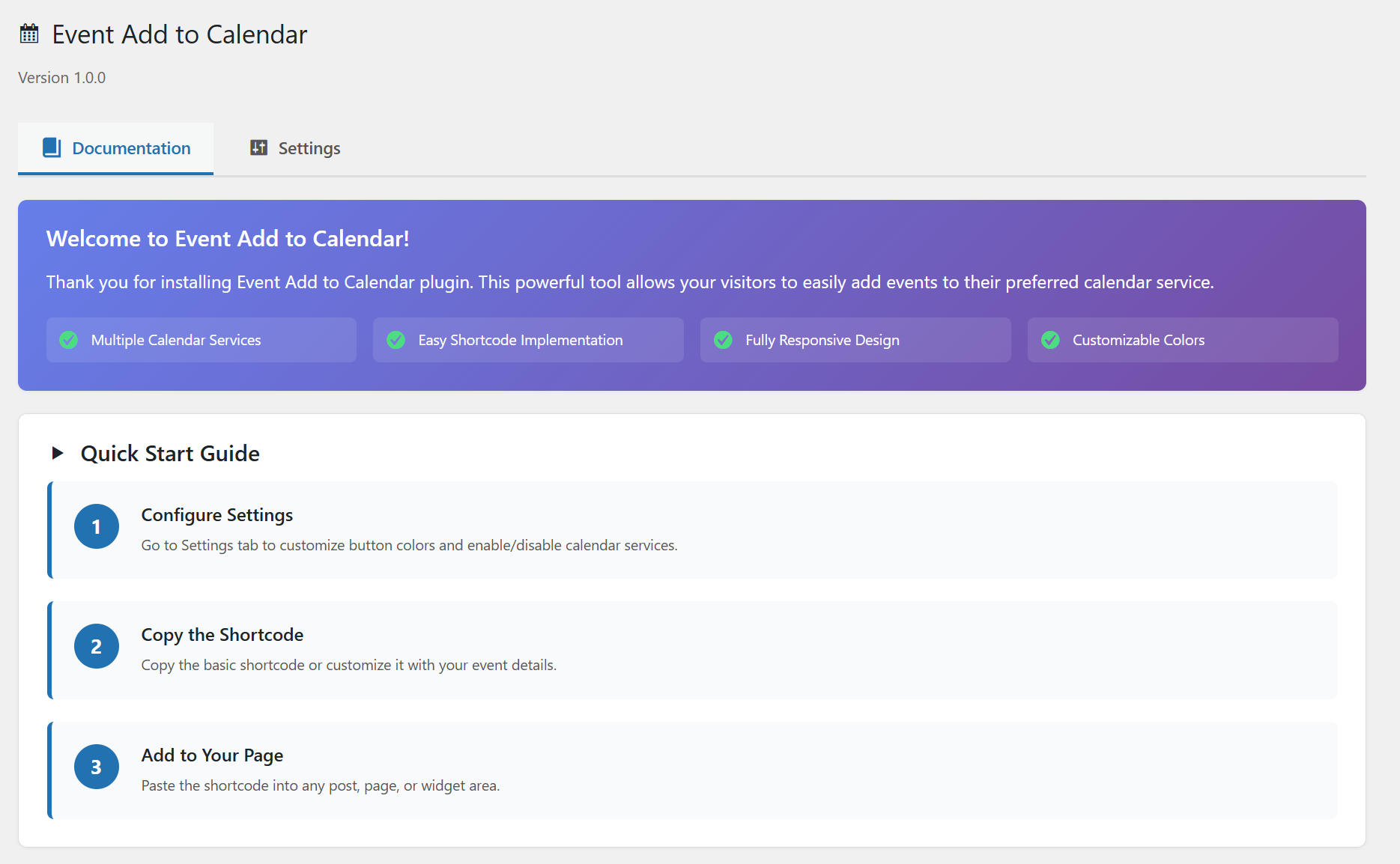
- Navigate to "Add to Calendar" in your WordPress admin menu
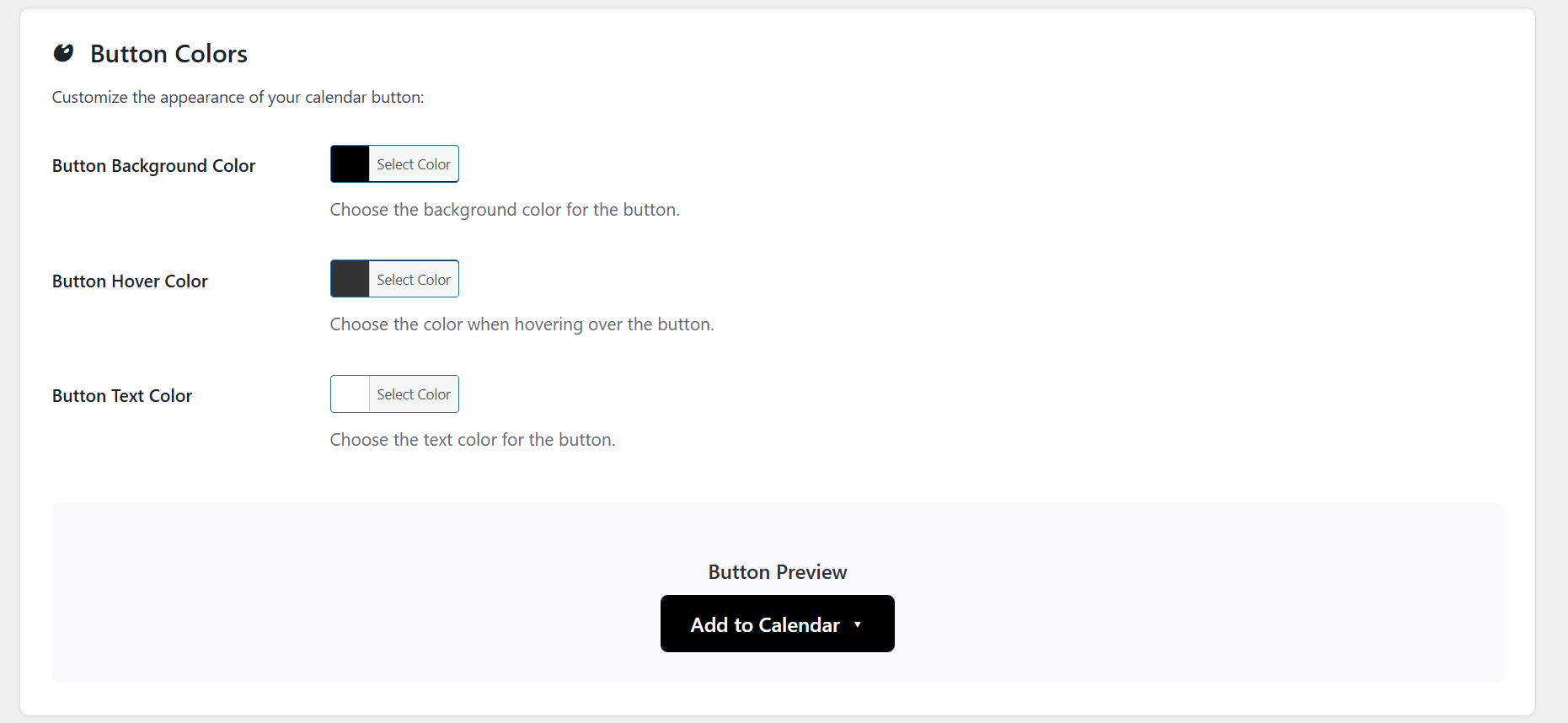
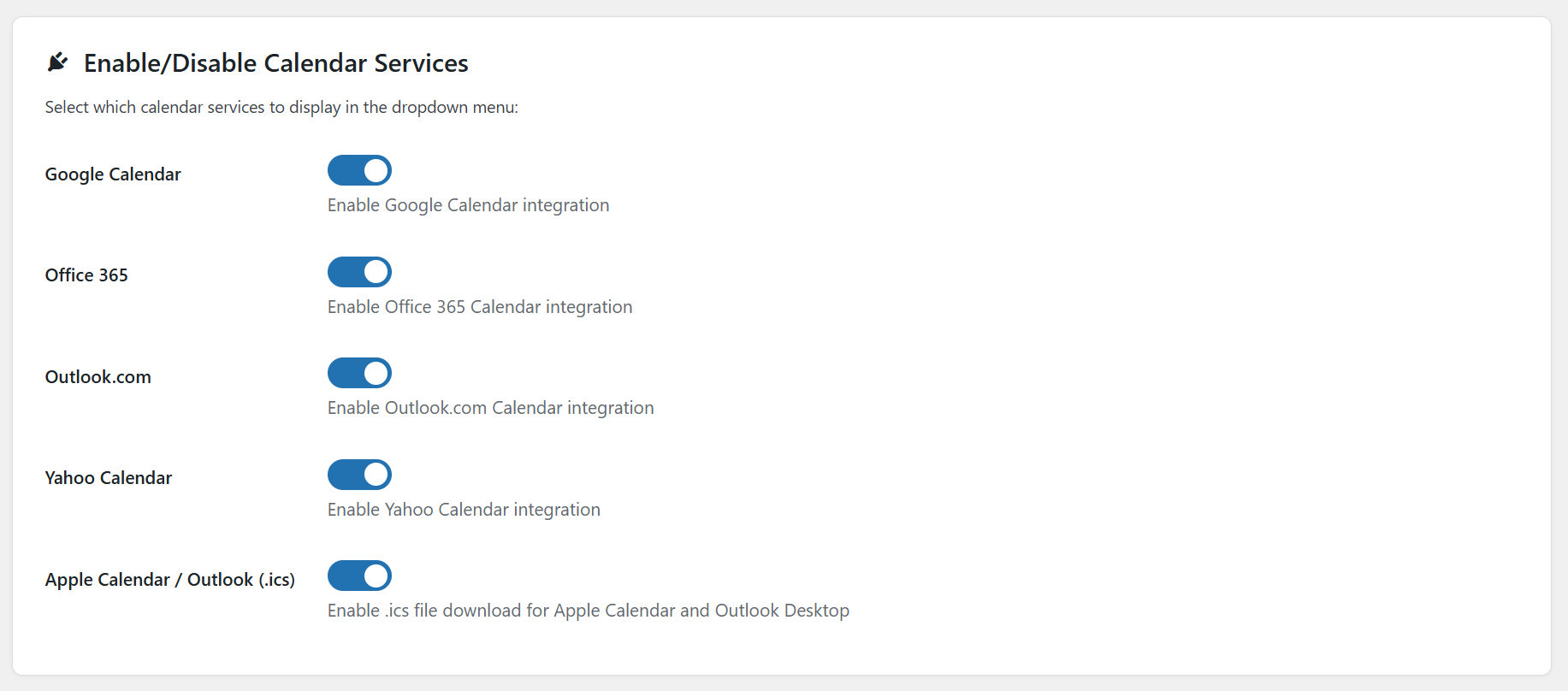
- Configure button colors and enable/disable calendar services
- Copy the shortcode and add it to your posts or pages
屏幕截图:
常见问题:
How do I add a calendar button to my page?
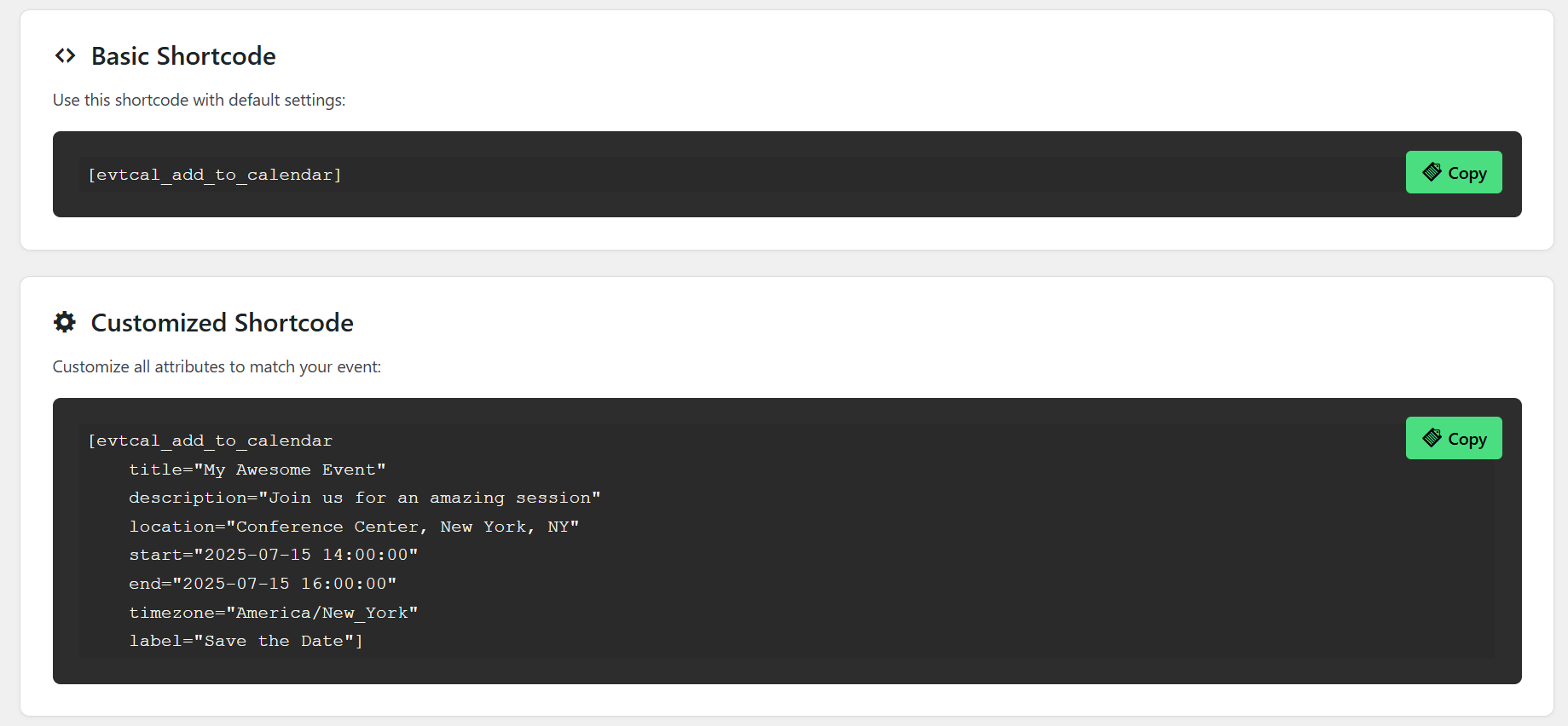
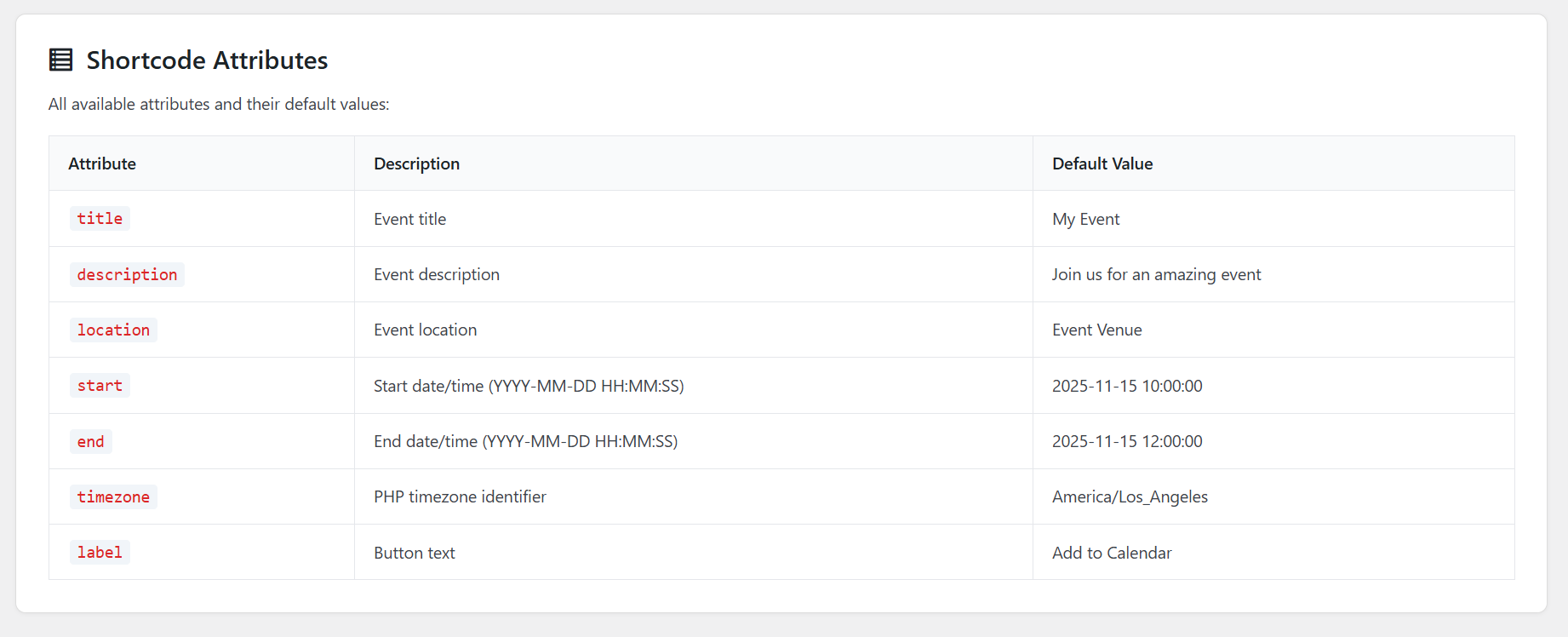
Simply add the shortcode [evtcal_add_to_calendar] to any post, page, or widget area. You can customize the event details using shortcode attributes.
How do I customize button colors?
Go to WordPress Admin → Add to Calendar → Settings tab. Use the color pickers to choose your preferred button background, hover, and text colors. Click "Save Settings" to apply changes.
How do I enable or disable calendar services?
Go to WordPress Admin → Add to Calendar → Settings tab. Use the toggle switches to enable or disable individual calendar services (Google, Office 365, Outlook, Yahoo, Apple Calendar).
What date and time format should I use?
Use the format YYYY-MM-DD HH:MM:SS (24-hour format). For example: 2025-12-25 14:30:00 represents December 25, 2025 at 2:30 PM.
Can I customize the button appearance?
Yes! You can customize colors through the admin settings page, or override CSS in your theme's stylesheet using these classes:
.evtcal- Main container.evtcal-btn- Button element.evtcal-dropdown- Dropdown menu.evtcal-arrow- Arrow icon
Does this work with page builders?
Yes, the plugin works with all major page builders including Elementor, Divi, Beaver Builder, WPBakery, and others. Simply add the shortcode using the page builder's shortcode widget.
Can I use multiple buttons on the same page?
Absolutely! You can add as many calendar buttons as you need on a single page, each with different event details.
Is this plugin GDPR compliant?
Yes, the plugin does not collect, store, or process any personal data, making it fully GDPR compliant.
Does this plugin require any external services?
No, all calendar generation and processing happens on your WordPress server. No external APIs or services are used. The plugin only creates links to calendar services when users choose to add events.
Will this slow down my website?
No, the plugin is extremely lightweight with minimal CSS and JavaScript. Assets only load on pages where the shortcode is used.
Can I translate this plugin?
Yes, the plugin is fully translation-ready with the text domain evtcal-add-to-calendar. Translation files can be placed in the /languages folder or use WordPress translation tools.
What if the .ics file doesn't download?
Make sure your server allows file downloads and check that there are no PHP errors. The plugin generates .ics files dynamically with proper headers.
How do I get support?
For support, please visit our website at https://www.melonwebstudio.com or contact us at support@melonwebstudio.com. You can also use the WordPress.org support forum.
更新日志:
- Initial release
- Support for Google Calendar, Outlook, Office 365, Yahoo, and Apple Calendar
- Shortcode implementation with customizable attributes
- Admin settings page with color customization
- Toggle switches to enable/disable calendar services
- Responsive dropdown design
- Full accessibility support (ARIA labels, keyboard navigation)
- Security enhancements with nonce verification
- Translation ready with proper text domain
- Clean, well-documented code following WordPress coding standards
- Mobile-friendly and touch-optimized interface