Expire User Passwords
| 开发者 |
fjarrett
millermedianow millermediadev |
|---|---|
| 更新时间 | 2026年3月12日 08:37 |
| PHP版本: | 8.1 及以上 |
| WordPress版本: | 6.9 |
| 版权: | GPL-2.0-or-later |
| 版权网址: | 版权信息 |
详情介绍:
- Albanian (Shqip)
- Arabic (العربية)
- Armenian (Հայերեն)
- Basque (Euskara)
- Bengali (বাংলা)
- Bulgarian (Български)
- Catalan (Català)
- Chinese Simplified (简体中文)
- Croatian (Hrvatski)
- Czech (Čeština)
- Danish (Dansk)
- Dutch (Nederlands)
- Estonian (Eesti)
- Finnish (Suomi)
- French (Français)
- Galician (Galego)
- Georgian (ქართული)
- German (Deutsch)
- Greek (Ελληνικά)
- Hebrew (עברית)
- Hindi (हिन्दी)
- Hungarian (Magyar)
- Indonesian (Bahasa Indonesia)
- Irish (Gaeilge)
- Italian (Italiano)
- Japanese (日本語)
- Korean (한국어)
- Latvian (Latviešu)
- Lithuanian (Lietuvių)
- Macedonian (Македонски)
- Norwegian (Norsk)
- Persian (فارسی)
- Persian - Afghanistan (دری)
- Polish (Polski)
- Portuguese - Brazil (Português do Brasil)
- Portuguese - Portugal (Português)
- Romanian (Română)
- Russian (Русский)
- Serbian (Српски)
- Slovak (Slovenčina)
- Slovenian (Slovenščina)
- Spanish (Español)
- Swedish (Svenska)
- Tamil (தமிழ்)
- Thai (ไทย)
- Turkish (Türkçe)
- Ukrainian (Українська)
- Urdu (اردو)
- Vietnamese (Tiếng Việt)
- Welsh (Cymraeg)
屏幕截图:
常见问题:
What happens to existing users when I first install the plugin?
Existing users are not immediately expired. The plugin tracks each user's last password reset date. Users who have never reset their password have no recorded date, so they are treated as not expired. The expiration clock only starts once a user registers or resets their password after the plugin is active.
How can I hide the settings page from certain roles?
The plugin provides a eup_submenu_access filter to control which capability is required to see the settings page. By default it requires manage_options. To restrict it to only administrators, add this to your theme's functions.php:
add_filter( 'eup_submenu_access', function() { return 'manage_network'; } );
Or use any capability that only your desired role has. This is useful when custom roles have manage_options for other purposes but should not access the Expire User Passwords settings.
What is the default password expiration period?
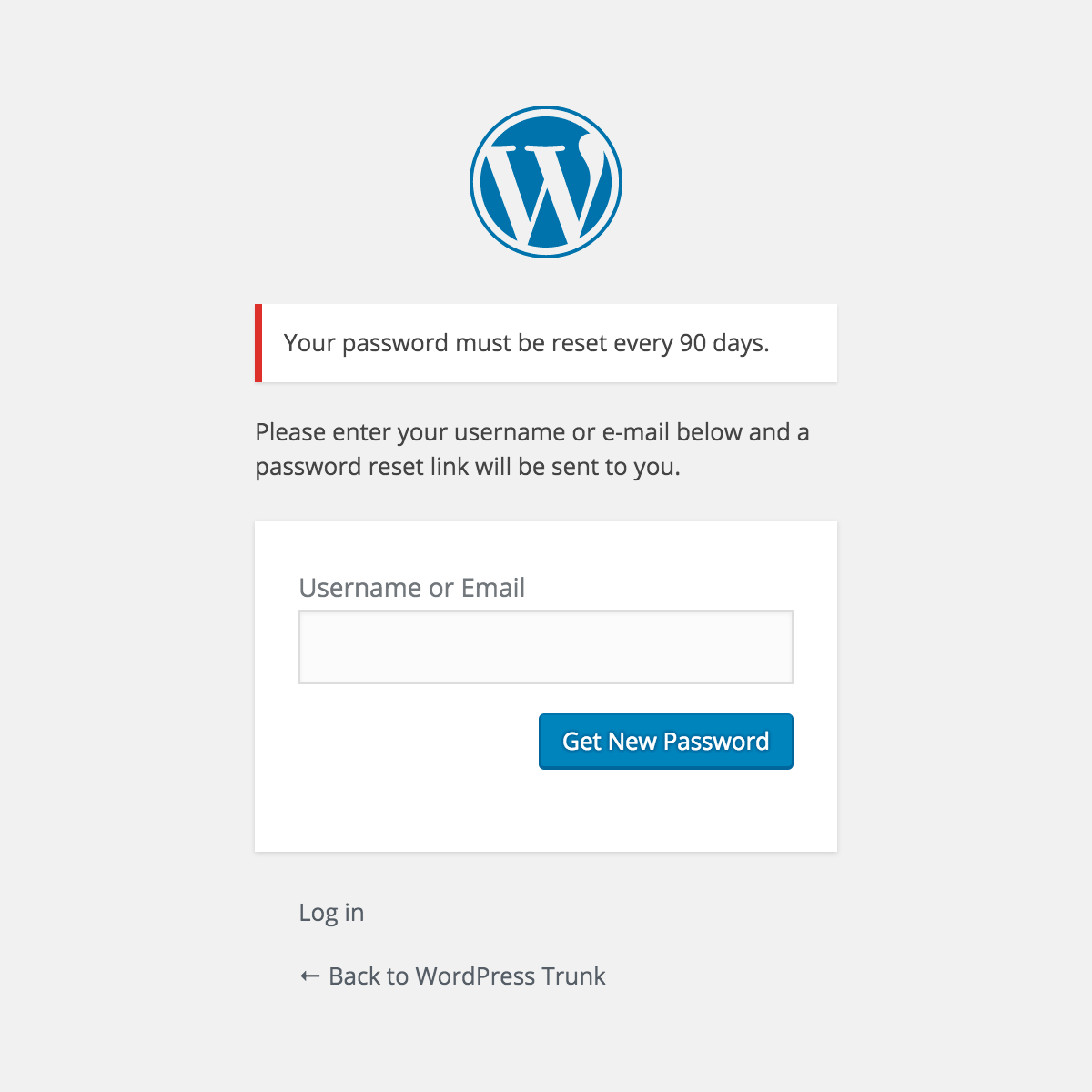
The default is 90 days. You can change this in Settings > Expire Passwords to any value between 1 and 365 days.
Which user roles are affected by default?
By default, all non-Administrator roles are required to reset their passwords. You can customize which roles are affected in the plugin settings.
Can users reuse their old password?
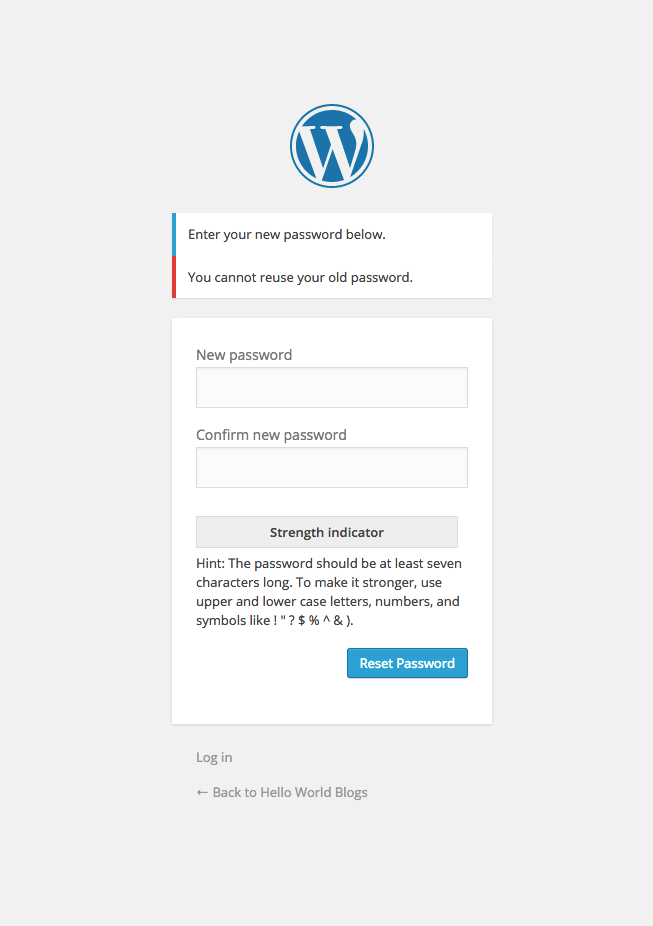
No. When a user's password expires and they are prompted to reset it, they cannot use the same password they had before.
What PHP and WordPress versions are supported?
The plugin requires PHP 8.1 or higher and has been tested up to WordPress 6.9.1. It requires WordPress 4.0 at minimum.
What languages are supported?
The plugin is available in 50 languages!
更新日志:
- Added sanitization callback to register_setting()
- Added translators comment and fixed singular placeholder in _n() call
- Removed .gitmodules and .travis.yml from plugin directory
- Updated "Tested up to" to 6.9
- Added GPL license declaration to plugin header
- Updated Author URI
- Added direct file access protection to all PHP files
- Improved output escaping and input sanitization
- Removed non-production files from plugin directory
- Added translations for 50 languages
- Added POT translation template file
- Added opt-in data cleanup on plugin deletion
- Updated FAQ section
- Updated readme with complete language list
- Added translations for Russian, Polish, Dutch, Turkish, and Swedish
- Updated localization section in readme
- Added Chinese Simplified (zh_CN) translation
- Added Japanese (ja) translation
- Tested up to WordPress 6.9.1
- Added dismissible review prompt notice after 14 days of usage
- Removed non-dismissible footer review prompt from settings page
- Added translations for Spanish, French, German, Portuguese (Brazilian), and Italian
- Added FAQ section documenting first-install behavior and settings page access control
- Compatibility updates for WordPress 6.9 and PHP 8.1+
- Replaced deprecated FILTER_SANITIZE_STRING usage
- Support for PHP 7.2 and older
- Added ability for users to reset their expired password from the login screen
- Added Dutch translation
- Added 'eup_submenu_access' filter for greater control to access of plugin settings
- Fix: Updated namespace issues that caused critical errors when installing
- Tweak: Tested support for WordPress 5.3.2
- New: Indicate support for WordPress 5.3
- Fix: Expiration not updating when resetting a password via email confirmation link.
- Tweak: Indicate support for WordPress 4.7 and require at least 4.0.
- Fix: Selected user roles in plugin settings not always being honored.
- Fix: Destroy all sessions after login with an expired password.
- New: Indicate support for WordPress 4.5.
- Tweak: Bring back PHP 5.2 compatibility.
- New: Language support for Czech
- Tweak: Optimizations requiring PHP 5.3 or higher
- Fix: User role array error before options exist
- New: Language support for Español
- Fix: Fatal undefined function error occuring in some cases (#3)
- New: Disallow using the same password as before on reset (#1)
- Tweak: Use default if limit is set to greater than 365 days
- Initial release