
Export Media URLs
| 开发者 |
Atlas_Gondal
waqasgondal |
|---|---|
| 更新时间 | 2026年3月9日 19:56 |
| 捐献地址: | 去捐款 |
| PHP版本: | 5.4 及以上 |
| WordPress版本: | 6.9.1 |
| 版权: | GPLv2 or later |
| 版权网址: | 版权信息 |
详情介绍:
- ID
- Title
- File Name
- File Size
- Caption
- Alt Text
- Description
- URL
- Date Uploaded
- And its Type
安装:
- Visit 'Plugins > Add New'
- Search for 'Export Media URLs'
- Activate Export Media URLs from your Plugins page.
- Download Export Media URLs.
- Unzip plugin.
- Upload the 'Export All URLs' directory to your '/wp-content/plugins/' directory, using your favorite method (ftp, sftp, scp, etc...)
- Activate Export Media URLs from your Plugins page.
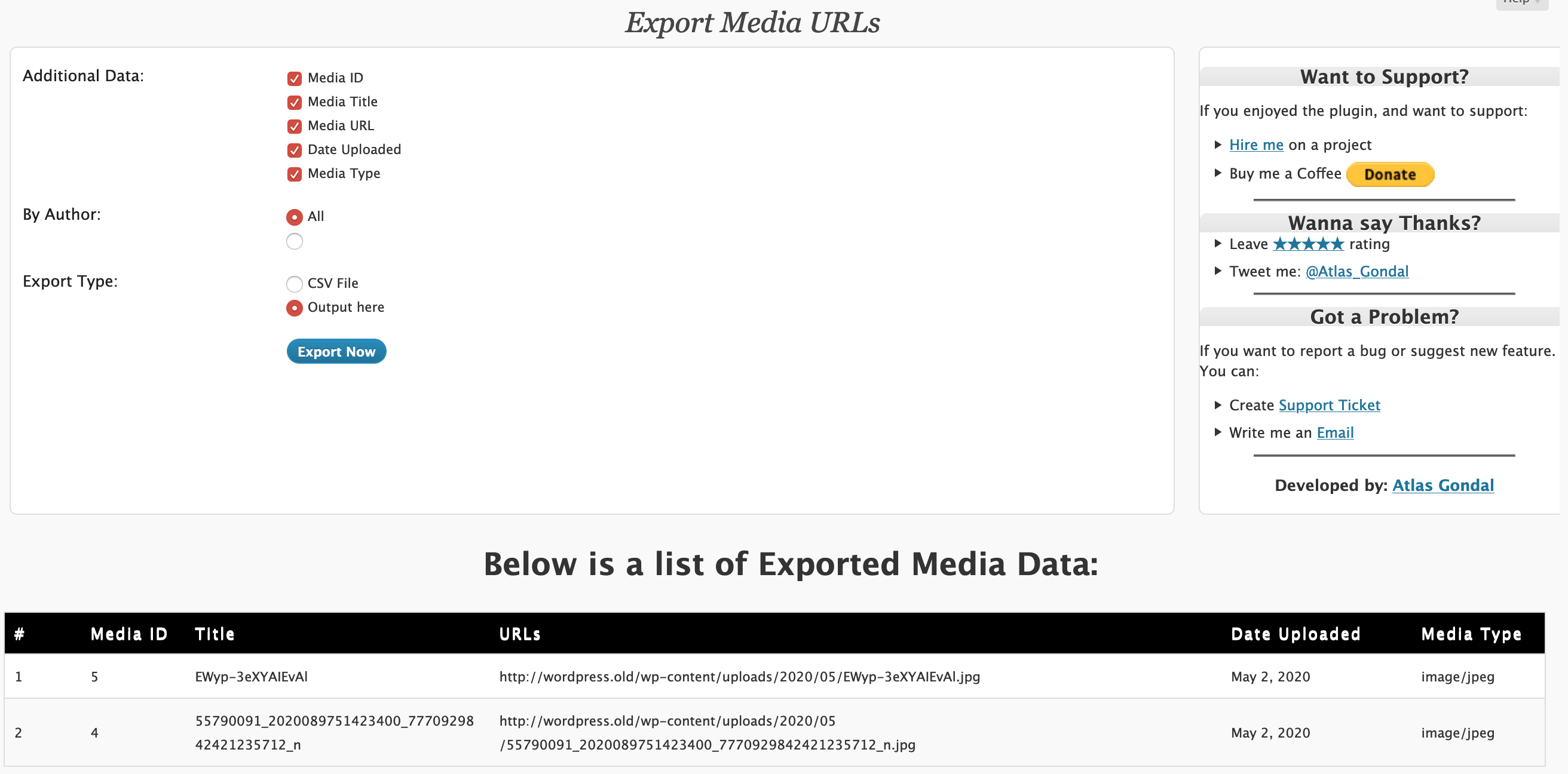
- Go to Tools > Export Media URLs to export media URLs of your website.
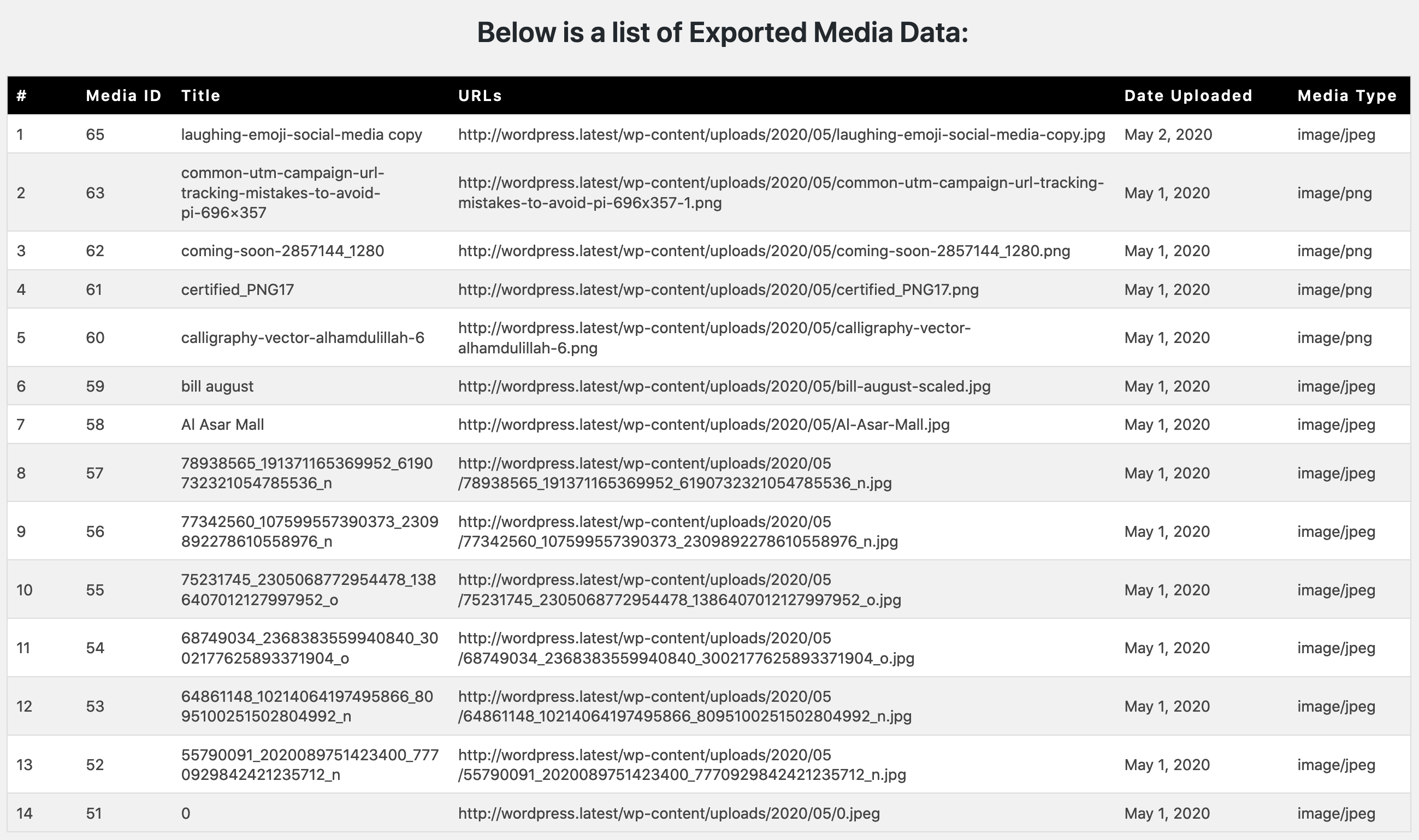
- Choose Data (e.g Media ID, Title, URLs, Date, Type)
- Filter by Author, if needs to
- Select Export type (dashboard or csv)
- Finally, Click on Export Now.
- In the Admin Panel, go to "Plugins" and deactivate the plugin.
- Go to the "plugins" folder of your WordPress directory and delete the files/folder for this plugin.
屏幕截图:
常见问题:
About Plugin Support?
Post your question on support forum and we will try to answer your question as quick as possible.
Why did you make this plugin?
We couldn't find a plugin that would export media URLs, along with additional data such as name, date and type. So, we make this utility, and it works just like that.
In what scenarios can this plugin be beneficial?
The plugin proves to be extremely useful during tasks such as website migration, SEO analysis, and security audits. It simplifies the process of managing and understanding your media assets, providing valuable insights.
Can I export the extracted data in a specific format?
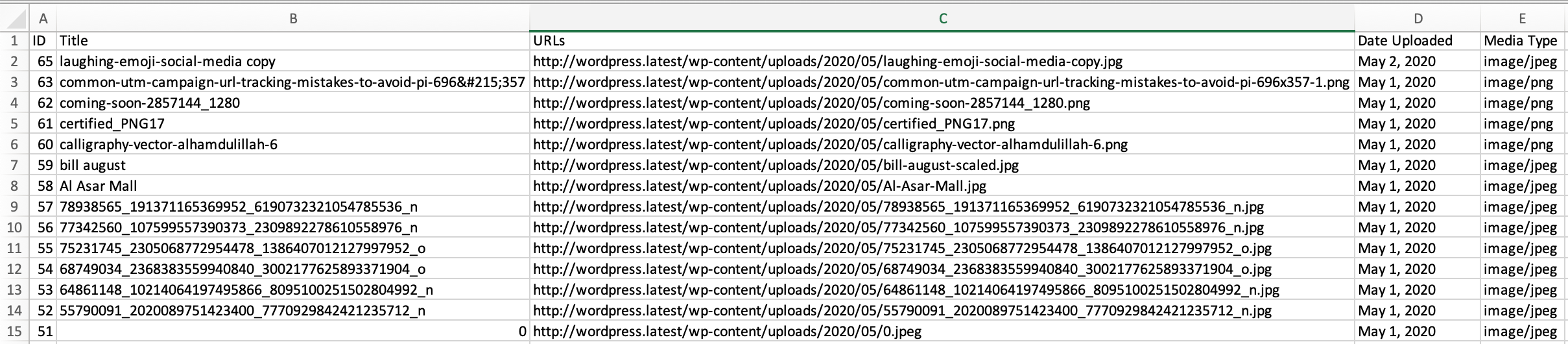
Yes, the plugin supports exporting data in CSV format, offering a structured and easily readable output that can be utilized for further analysis or documentation.
Why the file name is randomly generated?
Exporting the file with static name can be easily found by malicious attacker, and may result in sensitive information leakage. So we decided to generate random name, which are harder to guess.
Can I view and manage URLs directly within the WordPress dashboard?
Yes, the plugin allows you to conveniently view and manage extracted URLs directly within the WordPress dashboard, providing a seamless and centralized experience.
Is it user-friendly for individuals with minimal technical knowledge?
Absolutely! This plugin is designed with user-friendliness in mind. Its intuitive interface ensures that users, regardless of their technical expertise, can efficiently navigate and utilize its features.
Is there a limit to the number of URLs that can be processed by the plugin?
The plugin's capacity to handle URLs depends on your server configuration and resources. For average website, this is not a big concern. And if you ran into any issue, try increasing server resource or reach out to support and we'll be happy to help.
Does Export Media URLs make changes to the database?
No. It has no settings / configurations to store so it does not touch the database.
Is this plugin compatible with the latest version of WordPress?
The plugin is designed to be compatible with the latest WordPress versions. Regular updates ensure that it remains functional and aligned with the evolving WordPress environment.
Which PHP version do I need?
This plugin has been tested and works with PHP versions 5.4 and greater. WordPress itself recommends using PHP version 7.4 or greater. If you're using a PHP version lower than 5.4 please upgrade your PHP version or contact your Server administrator.
Are there any server requirements?
Yes. The plugin requires a PHP version 5.4 or higher and Wordpress version 3.1.0 or higher.
更新日志:
- Improvement – strengthened csv file name to prevent unauthorized discovery
- Compatibility – tested with WordPress 6.9.1
- Fixed - patched a security vulnerability
- Added - additional file size data field
- Improvement - preserves the previously selected values
- Compatibility - tested with wordpress 6.7.1
- Improvement - author filtering is simplified
- Compatibility - tested with wordpress 6.4.3
- Added - additional data fields (file name, caption, alt-text, description)
- Added - enables user to delete the file once downloaded
- Added - support for the translation
- Fixed - patched a security vulnerability
- Improvement - a few code refinements and validation checks
- Compatibility - tested with wordpress 6.4.1 & PHP 8.2.0
- initial release