
Exportly for Gravity
| 开发者 | spinxdigitaldev |
|---|---|
| 更新时间 | 2026年10月26日 18:30 |
| PHP版本: | 8.1 及以上 |
| WordPress版本: | 7.1 |
| 版权: | GPLv2 or later |
| 版权网址: | 版权信息 |
详情介绍:
安装:
- In your WordPress admin, go to
Plugins > Add New. - Search for
Exportly for Gravity. - Click
Install Now, thenActivate.
- In your WordPress admin, go to
Plugins > Add New > Upload Plugin. - Choose the plugin file and click
Install Now. - Click
Activate.
- Upload the
exportly-for-gravityfolder to the/wp-content/plugins/directory. - Activate Exportly for Gravity from the WordPress
Pluginsscreen.
- Make sure Gravity Forms is installed and activated.
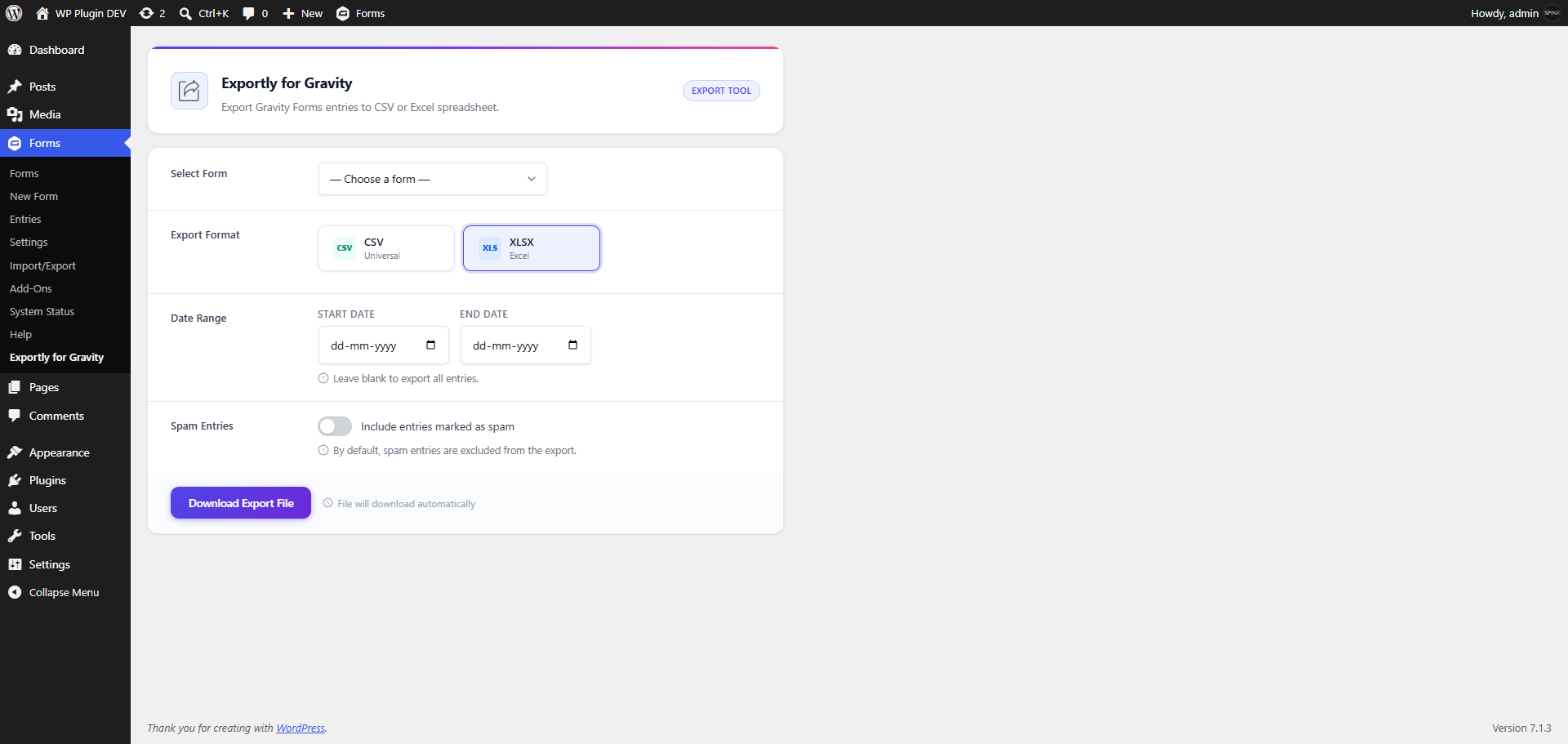
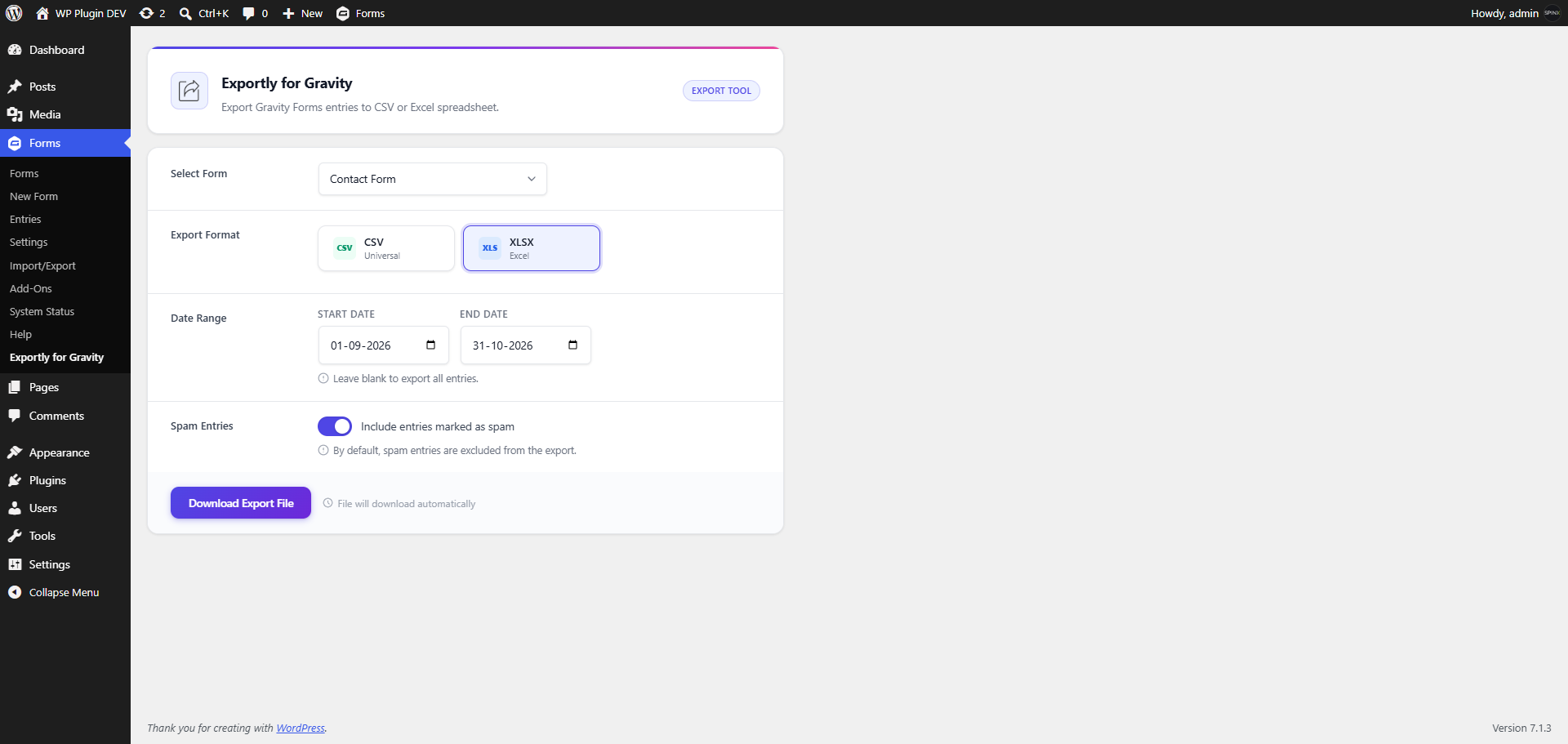
- Go to
Forms > Exportly for Gravity. - Select a form, choose CSV or XLSX, and set a date range if needed.
- Optionally turn on "Include entries marked as spam".
- Click
Download Export File. The file downloads automatically to your computer. If Gravity Forms is not active, the export screen shows a notice asking you to activate it. Activate Gravity Forms and reload the page.
屏幕截图:
常见问题:
Does this plugin require Gravity Forms?
Yes. Exportly for Gravity depends on Gravity Forms. If Gravity Forms is not active, the export screen shows the admin notice "Gravity Forms must be installed and activated to use Exportly for Gravity" instead of the export options.
What file formats are supported?
CSV and XLSX. If you are unsure which to choose, pick CSV: it is the most widely compatible option.
Can I export all entries?
Yes. Leave the start date and end date fields empty to export all available non-trashed entries for the selected form.
Can I export entries for a date range?
Yes. Use the start date and end date fields on the export screen.
Can I export more than one form at once?
No. You export one form per download. To export several forms, run the export once for each.
Are trashed entries exported?
No. Entries with a trash status are excluded.
Are spam entries exported?
Not by default. Spam entries are excluded unless you turn on the "Include entries marked as spam" toggle on the export screen before downloading.
Will exporting delete or change my entries?
No. Exporting only reads your data and creates a download. Your original entries are untouched.
Which columns are included in the export?
Every export starts with Entry Date, User Agent, User IP, Source Url, Is Starred, and Is Read, followed by one column for each of your form's fields, using the field label as the column header.
How are multi-part fields such as Name or Address exported?
They are split into one clearly labelled column per input, for example "Name (First)" and "Name (Last)". After you add or change multi-part fields on a form, run a fresh export so the column layout is up to date.
Why are some fields missing from my export?
Display-only fields — HTML, section, page break, and CAPTCHA — store no entry data, so they are not included as columns.
How is the file named, and where does it go?
The file is named from the form's title and the current date, for example contact-form-2026-07-20.csv. It downloads automatically to your computer, usually into your Downloads folder.
Who can use the export screen?
Administrators, and any role that has been granted the Gravity Forms "export entries" permission. Other roles cannot see or use the export screen.
Can website visitors see or use this tool?
No. It is available only to authorised users inside the WordPress admin area, and it makes no changes to the public-facing website.
Are my export choices saved?
No. There is no separate settings page and nothing is saved between sessions. You make your choices each time you export.
Can I bring the data back into Gravity Forms later?
Yes. Use the companion plugin, EntryPort for Gravity Forms, to import an Exportly file back in. Keep the file exactly as downloaded and do not rename, remove, or reorder the columns.
Nothing downloads, or the file is empty. What should I check?
If nothing downloads, check your browser's download settings and whether a form is selected. If the file is empty or contains only headers, no entries match your filters: widen or clear the date range, or turn on the spam toggle if appropriate, then export again.
I see "The export file could not be generated." What should I do?
This can appear when there is a temporary issue creating the XLSX file. Try again, or export as CSV instead.
A long number looks odd when I open a CSV in Excel. How do I fix it?
Format that column as Text in Excel.
Can developers customize the exported columns or rows?
Yes. Developers can use the exportly_headers and exportly_entries filters.
What happens if I deactivate the plugin?
Already-downloaded files are yours to keep. You simply lose the export screen until the plugin is reactivated.
How do I get support?
When opening a support request, please include:
- What you were doing when the issue occurred
- The form involved
- The export format you chose
- Any on-screen message you saw
更新日志:
- Updated the bundled PhpSpreadsheet library to 5.10.0.
- Removed a bundled library file whose name contained spaces, for compatibility with all server filesystems.
- CSV exports now stream in batches, so large forms export reliably without exhausting memory.
- CSV output now follows strict RFC 4180, so values containing backslashes export and re-import unchanged.
- Fixed a round-trip issue affecting values that begin with a quote and a formula character, such as
'=total. - Fixed a PHP 8.4 deprecation notice.
- Added reduced-motion support and a visible focus indicator in Windows High Contrast Mode.
- Added full multi-input field support (Name, Address, Checkboxes, and similar) with one column per input.
- Field values are now rendered with Gravity Forms' own export logic so no field type is missed.
- Note: the exported column layout changes for forms with multi-input fields.
- Added an Include SPAM entries toggle to optionally include spam entries in exports.
- Spam entries remain excluded by default.
- Initial release.
- Added Gravity Forms admin submenu.
- Added CSV export.
- Added XLSX export using PhpSpreadsheet.
- Added optional date range filtering.
- Added developer filters for headers and row values.