
Extnify Discount Rules for WooCommerce
| 开发者 | extnify |
|---|---|
| 更新时间 | 2026年11月22日 05:43 |
| PHP版本: | 7.4 及以上 |
| WordPress版本: | 7.1 |
| 版权: | GPLv2 or later |
| 版权网址: | 版权信息 |
详情介绍:
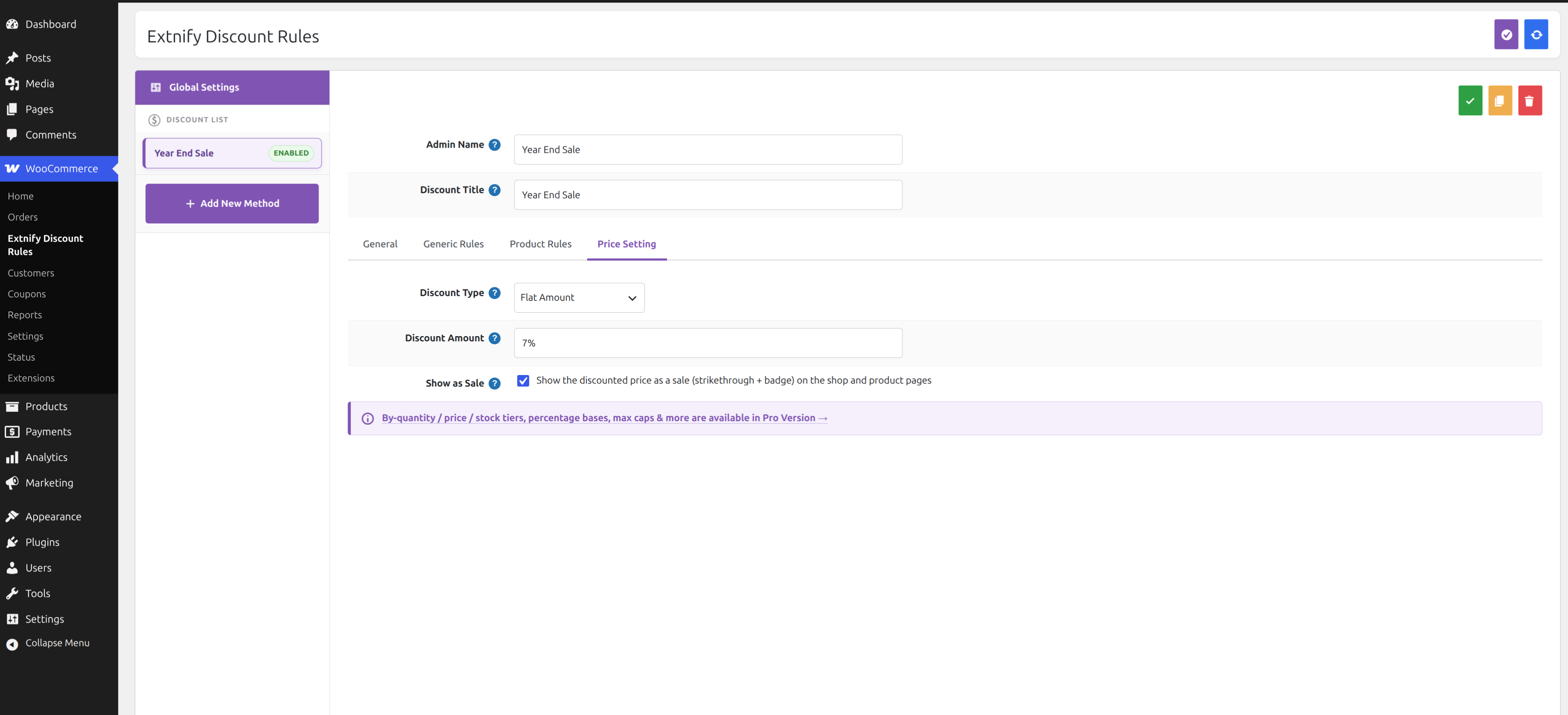
- Reduce every product's price by a flat amount or a percentage.
- Show the discount as a real sale — original price struck through, with WooCommerce's sale badge.
- Limit a rule by customer group, day of the week, date range and time of day.
- Show an "Offer ends in…" countdown on time-limited offers.
- Ignore WooCommerce's own sale prices so your rules are the single source of truth.
- Create as many rules as you need and enable, disable, copy or bulk-save them from one screen.
- Create a rule and enter the amount — a plain number for a fixed value off (e.g.
5), or a trailing%for a percentage (e.g.10%). - (Optional) Choose when it applies — customer group, days, a date range, a time window.
- The reduced price appears on the shop, category and product pages and carries through to the cart.
% for a percentage. Tick Show as sale to display the reduced price as a WooCommerce sale, so it looks consistent with your theme.
Conditional eligibility
Each rule only applies when the cart matches the conditions you set. The free version gates discounts by:
- Customer group — guests, logged-in customers, or specific roles.
- Day of the week — e.g. weekends only.
- Date range — a start/end date for a seasonal sale.
- Time of day — a start/end time window.
- No external requests and no tracking — every rule and calculation runs on your own store.
- Lightweight — no bloat, no third-party libraries pulled in on your storefront.
- Translation-ready — ships with a
.potfile and a cleanextnify-discounttext domain. - Clean uninstall — deleting the plugin removes its table, option and log; nothing is left behind.
- Target discounts by product, category, brand or attribute (any / only / except modes).
- Tiered "buy more, save more" pricing — by quantity, product price, line total or stock level.
- Cart-total (Order) discounts — a single discount line on the cart, with percentage bases and caps.
- Maximum cap and price rounding.
- Import / Export your rules between stores.
- Extnify Offer Rules — selectable discounts and optional add-ons for the cart and checkout. Free · Pro
- Extnify Fee Rules — add conditional fees or discounts to the WooCommerce cart and checkout. Free · Pro
- Extnify Shipping Rules — build your own conditional WooCommerce shipping methods and rates. Free · Pro
安装:
- Make sure WooCommerce is installed and active.
- Upload the plugin to
/wp-content/plugins/, or install it from Plugins → Add New → Upload Plugin. - Activate the plugin through the Plugins menu in WordPress.
- Go to WooCommerce → Extnify Discount Rules and set Module Status = Enabled in Global Settings.
- Click Add New Method, enter the discount amount, and (optionally) restrict it by customer, day, date or time. Save, and the reduced price appears across your catalog and cart.
屏幕截图:


常见问题:
Does this change the product price, or add a separate line?
In the free version it changes the product price — the reduced price shows on the catalog and in the cart. (A single cart-total discount line is a Pro feature.)
Will the discounted price show on the shop and product pages?
Yes. Flat and percentage discounts are applied to the price, so they show on the shop, category and product pages with a strikethrough and sale badge.
Can I discount only certain products or categories?
Not in the free version — a free rule applies to all products. Per-product, category, brand and attribute targeting is in Extnify Discount Rules Pro.
Can I give a quantity / bulk discount?
Bulk ("buy more, save more") and other tiered discounts are a Pro feature. The free version offers flat and percentage discounts.
Does it work with the WooCommerce block checkout?
Yes. Prices are reduced server-side, so totals are correct on both the classic and block (Store API) cart and checkout.
Does this send any data anywhere?
No. Extnify Discount Rules makes no external requests and collects no data — everything runs on your store.
Can I upgrade to Pro without losing my settings?
Yes. Extnify Discount Rules and Extnify Discount Rules Pro share the same data, so your configured rules carry over automatically.
更新日志:
- Initial release.