ExtraSpace
| 开发者 | michaelgrover |
|---|---|
| 更新时间 | 2025年12月24日 11:20 |
| PHP版本: | 7.4 及以上 |
| WordPress版本: | 6.9 |
| 版权: | GPLv2 or later |
| 版权网址: | 版权信息 |
详情介绍:
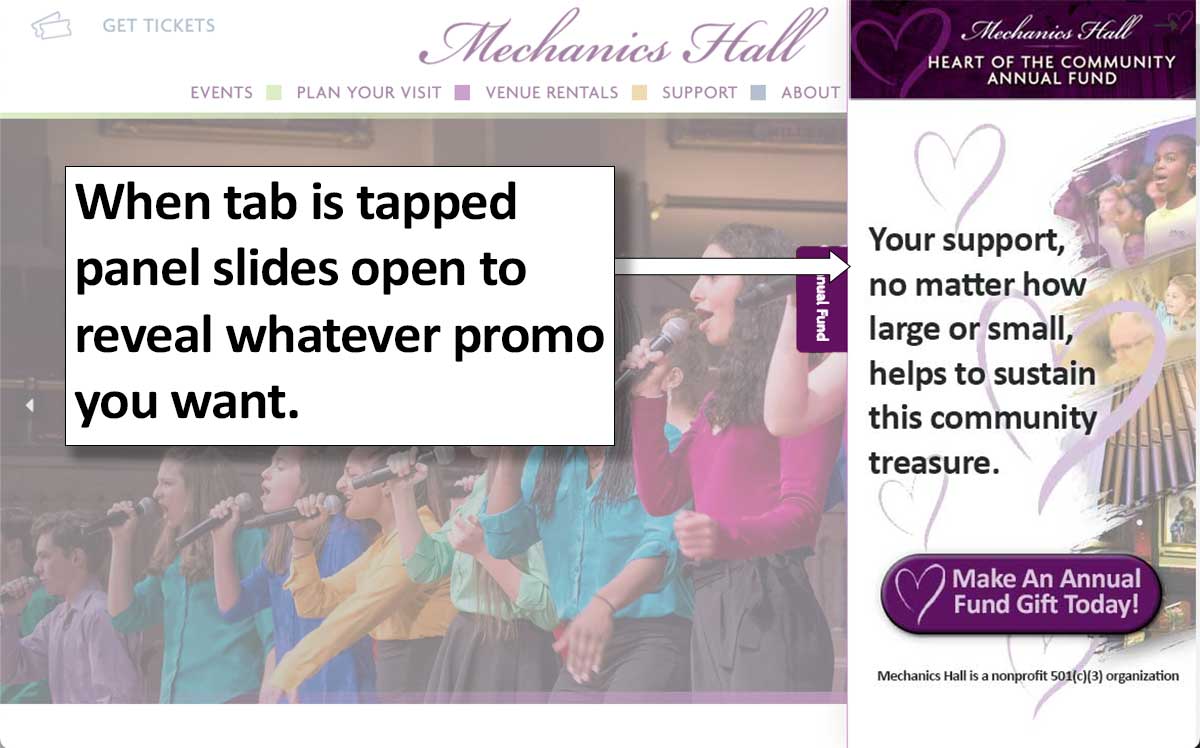
ExtraSpace adds a clean, minimal tab to the edge of your website. When clicked, it reveals a smooth slide-in panel that can contain:
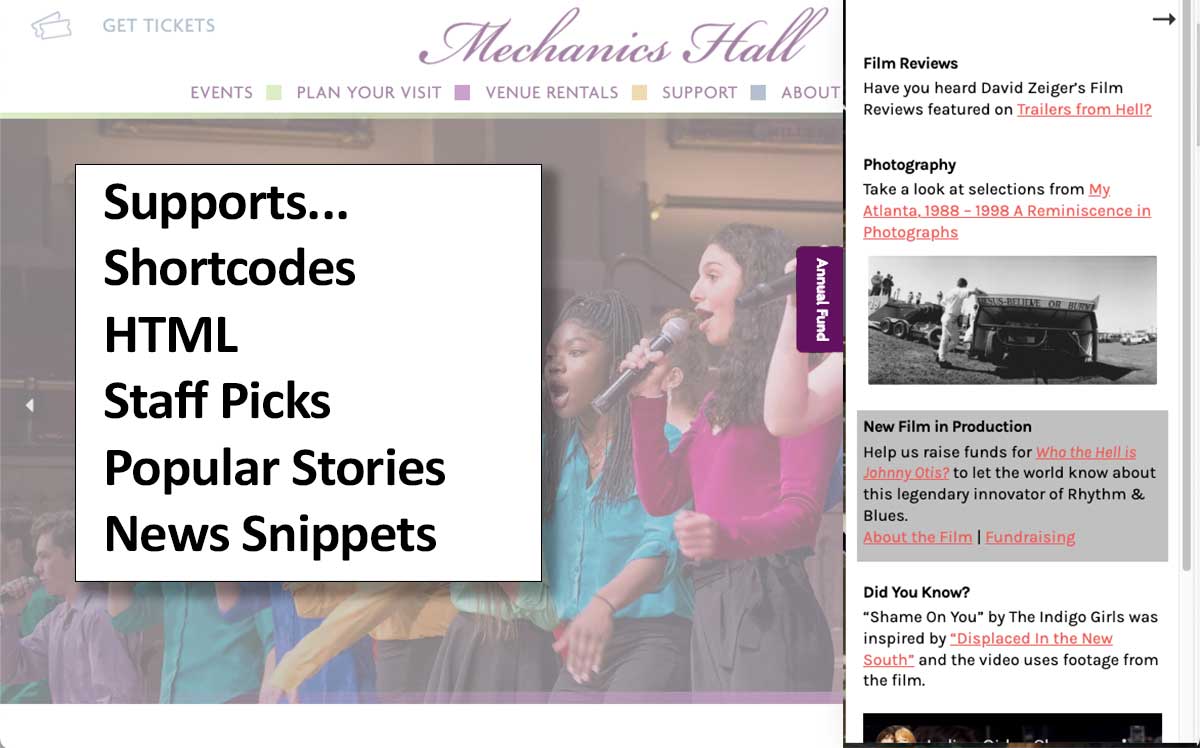
- Text, headings, buttons
- Images and simple layouts
- Forms and newsletter signups
- Event listings or other shortcodes
- Any standard WordPress HTML content
- Product Launches
- Fundraising and annual-appeal banners
- Featured events or program highlights
- Seasonal promotions
- Newsletter opt-ins
- Calls-to-action that don’t disrupt reading flow
- Mini “landing panels” built with HTML and shortcodes
- Arts organizations
- Nonprofits during campaign season
- Membership sites
- e-commerce sites
- Publishers and editorial teams
- Sites needing tailored behavioral logic
- Custom tab placed on the edge of your site
- Slide-in panel with fully custom HTML
- Full shortcode support (forms, event lists, etc.)
- Optional auto-slide on page load
- Optional “wiggle tease” effect
- Show/hide on the homepage
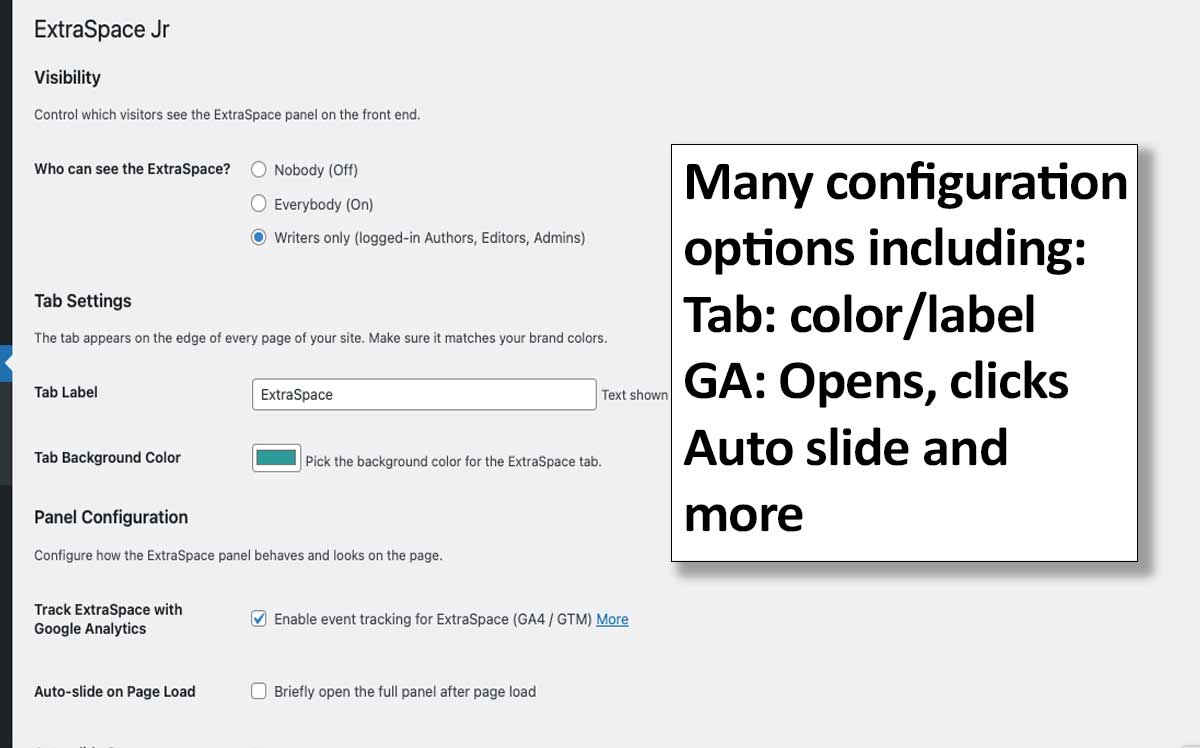
- Visibility modes: Nobody (Off), Everybody (On), Editors+ only
- Tab label and background color controls
- Keyboard accessible (Escape closes the panel)
- Respects “prefers-reduced-motion”
- Lightweight: minimal CSS + a small inline JS bundle
- GA4 / GTM integration for tracking panel opens and link clicks
- Additional panel widths (Narrow + Wide)
- Stories — a mini content system for showcasing multiple blurbs
- Advanced Rule-based Visibility
- Example: “Show when URL contains
/events/and visitor is logged out.” - Example: “Don’t show on blog pages.”
- Network Visibility
- Multi-panel
- Multiple Creatives
- Geo/Time-based (Campaign windows)
安装:
- Upload the
extraspacefolder to/wp-content/plugins/,\ OR install through Plugins → Add New → “ExtraSpace”. - Activate the plugin.
- A new ExtraSpace menu will appear in your WordPress dashboard.
- ExtraSpace → ExtraSpace HTML\ Build the content for your panel using standard HTML, media, and shortcodes.
- ExtraSpace → Settings\ Configure visibility, behavior, tab styling, GA tracking, auto-open options, and more.
屏幕截图:

常见问题:
Where does the tab appear?
On the right-hand edge of your site by default.
Does it work with any block, classic, or page-builder theme?
Yes. ExtraSpace overlays on top of your existing layout and does not modify templates.\ Compatible with all themes and builders (Elementor, Beaver Builder, Divi, etc.).
Can I restrict who sees the panel?
Yes — choose from:
- Nobody
- Everybody
- Writers only (Authors, Editors, Admins)
Can I use shortcodes inside the panel?
Absolutely. Shortcodes render normally, making this ideal for forms, event lists, or dynamic content.
Can I show different content on different pages?
ExtraSpace (free) shows one panel site-wide.\
Advanced Visibility Rules — such as “Show when URL contains /events/” — will be available in ExtraSpace Pro.
Is ExtraSpace accessible?
Yes. ExtraSpace supports ARIA roles, keyboard navigation, focus management, Escape-to-close, and reduced-motion compatibility.
Will this slow down my site?
No. ExtraSpace is intentionally lightweight:
- One small CSS file
- A few kilobytes of inline JavaScript
- No jQuery
- No external library dependencies
更新日志:
1.1.1
- Fix: “Show on Home Page” and GA tracking checkboxes now save correctly when unchecked.
- Fix: Add wp_footer() fallback so the panel renders on themes that don’t call wp_body_open().
- Change: New installs default “Who can see the ExtraSpace?” to Writers only.
- First public release
- Custom HTML panel with shortcode support
- Visibility controls
- Tab label + background color
- Auto-slide + wiggle tease
- GA4/GTM event tracking
- Intro page in admin