Ezycreate
| 开发者 | ezycreate |
|---|---|
| 更新时间 | 2026年6月6日 14:31 |
| PHP版本: | 7.4 及以上 |
| WordPress版本: | 6.9 |
| 版权: | GPLv2 or later |
| 版权网址: | 版权信息 |
详情介绍:
- Product Synchronization: Automatically sync customizable products from Ezycreate to your WooCommerce store
- Customer Designer Tool: Let customers personalize products with text, images, and design elements
- Real-time Preview: Customers see exactly what they're creating before they buy
- Automated Fulfillment: Orders are automatically sent to Ezycreate for production and shipping
- Multi-language Support: Offer the designer tool in your customer's preferred language
- Variable Products: Support for multiple sizes, colors, and product variations
- Order Management: Track customized orders directly from your WooCommerce dashboard
- Install and activate the plugin
- Contact support@ezycreate.com to get an account created and receive your credentials to connect your wordpress store.
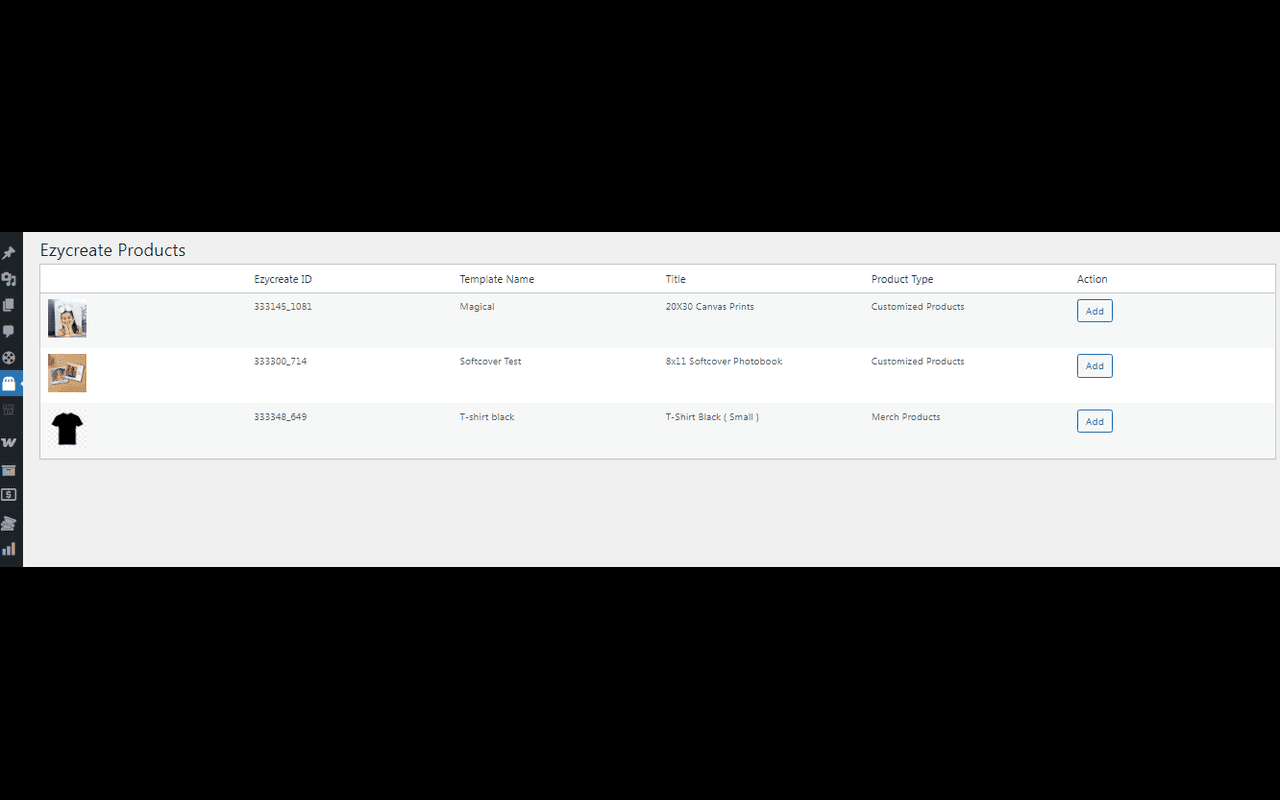
- Sync products from your Ezycreate account to WooCommerce.
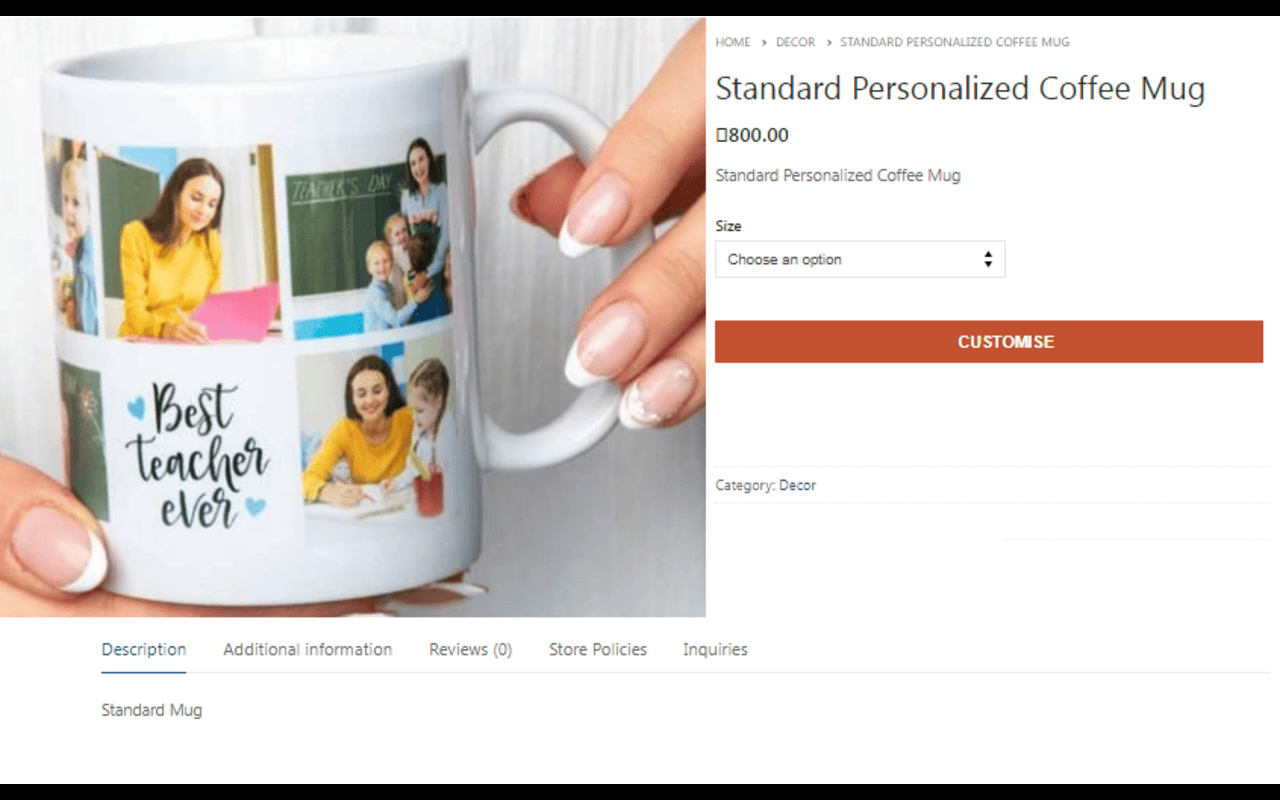
- Customers browse products and click "Customize" to personalize them
- Orders are automatically sent to Ezycreate for fulfillment
- WooCommerce 5.0 or higher
- Ezycreate account with API access
- PHP 7.4 or higher
- WordPress 5.8 or higher
安装:
- Log in to your WordPress dashboard
- Navigate to Plugins > Add New
- Search for "Ezycreate"
- Click "Install Now" and then "Activate"
- Download the plugin zip file
- Log in to your WordPress dashboard
- Navigate to Plugins > Add New > Upload Plugin
- Choose the downloaded zip file and click "Install Now"
- Activate the plugin
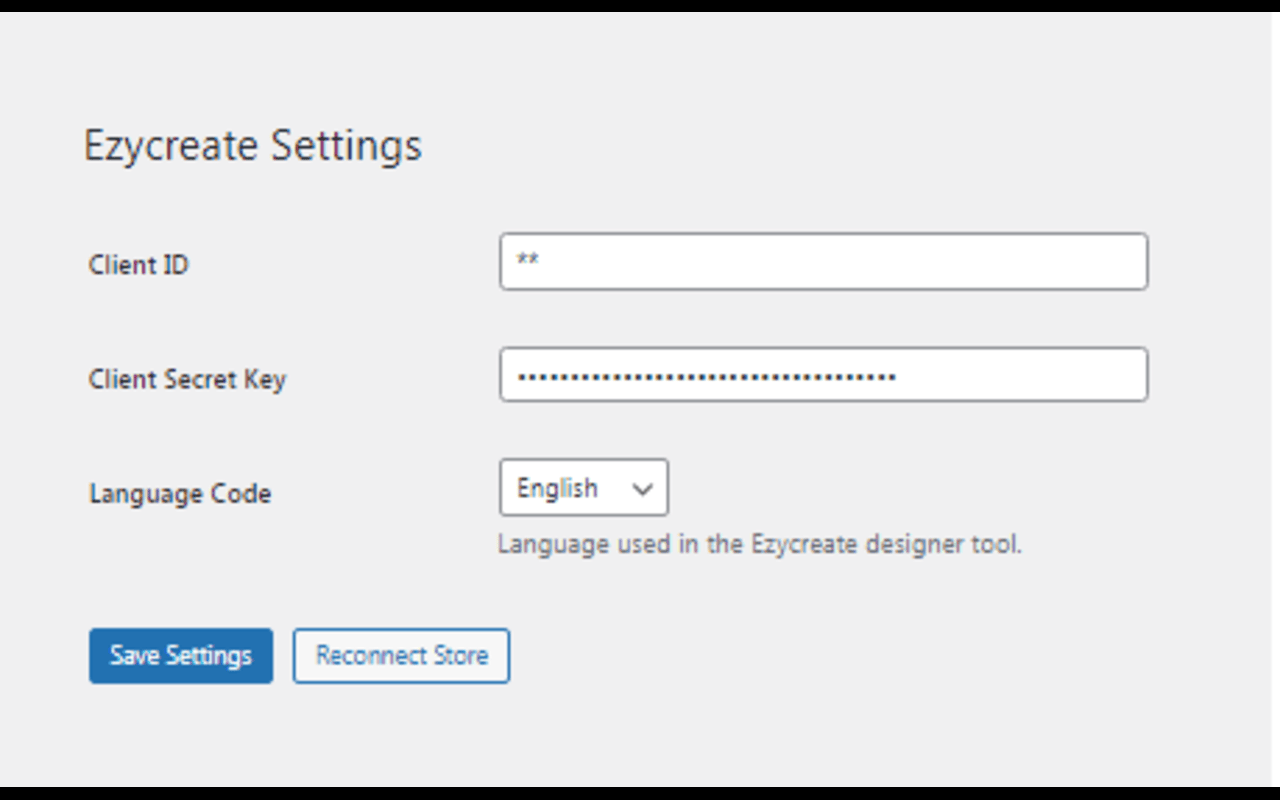
- After activation, navigate to Ezycreate > Settings
- Enter your Ezycreate Client ID (provided by Ezycreate)
- Enter your Ezycreate Secret Key
- Set your preferred language code (e.g., 'en' for English)
- Click "Save Settings"
- Navigate to Ezycreate > Ezycreate Products to sync products
屏幕截图:

常见问题:
Do I need an Ezycreate account to use this plugin?
Yes, you need an active Ezycreate account with credentials. Visit ezycreate.com and fill in the details.
Where do I find my credentials?
Log in to your Ezycreate dashboard and navigate to Stores credentials > To find your Client ID and Secret Key.
Can customers save their designs?
Yes, customers can save their designs and return to edit them later through the My Projects page.
What types of products can be customized?
You can offer any product type available in your Ezycreate account, including photobooks,photo prints,calendars,home decor and more.
How are orders fulfilled?
When a customer places an order, it's automatically sent to Ezycreate's production system. You can track order status through your WooCommerce dashboard.
Is the designer tool mobile-friendly?
Yes, the Ezycreate designer tool is fully responsive and works on all devices.
What languages are supported?
The designer tool supports multiple languages. You can set your preferred language in the plugin settings.
Can I customize the appearance of the "Customize" button?
Yes, you can add custom CSS to style the button to match your theme. Use the class .ezy_customise_button for targeting.
更新日志:
- Initial public release
- Product synchronization from Ezycreate
- Customer designer tool integration
- Automated order fulfillment
- Variable product support
- Multi-language support
- Order tracking and management