
FacetRoute
| 开发者 | jennygseo |
|---|---|
| 更新时间 | 2026年9月18日 22:38 |
| PHP版本: | 8.0 及以上 |
| WordPress版本: | 7.1 |
| 版权: | GPLv2 or later |
| 版权网址: | 版权信息 |
详情介绍:
noindex, follow and a canonical URL pointing to the clean base catalogue or archive. Invalid, unavailable, or inactive filter parameters do not activate this handling.
Two clear ways to apply filters
Use Quick apply to work within one filter at a time, or Apply filters to stage changes across several filters and commit them together.
Responsive storefront UI
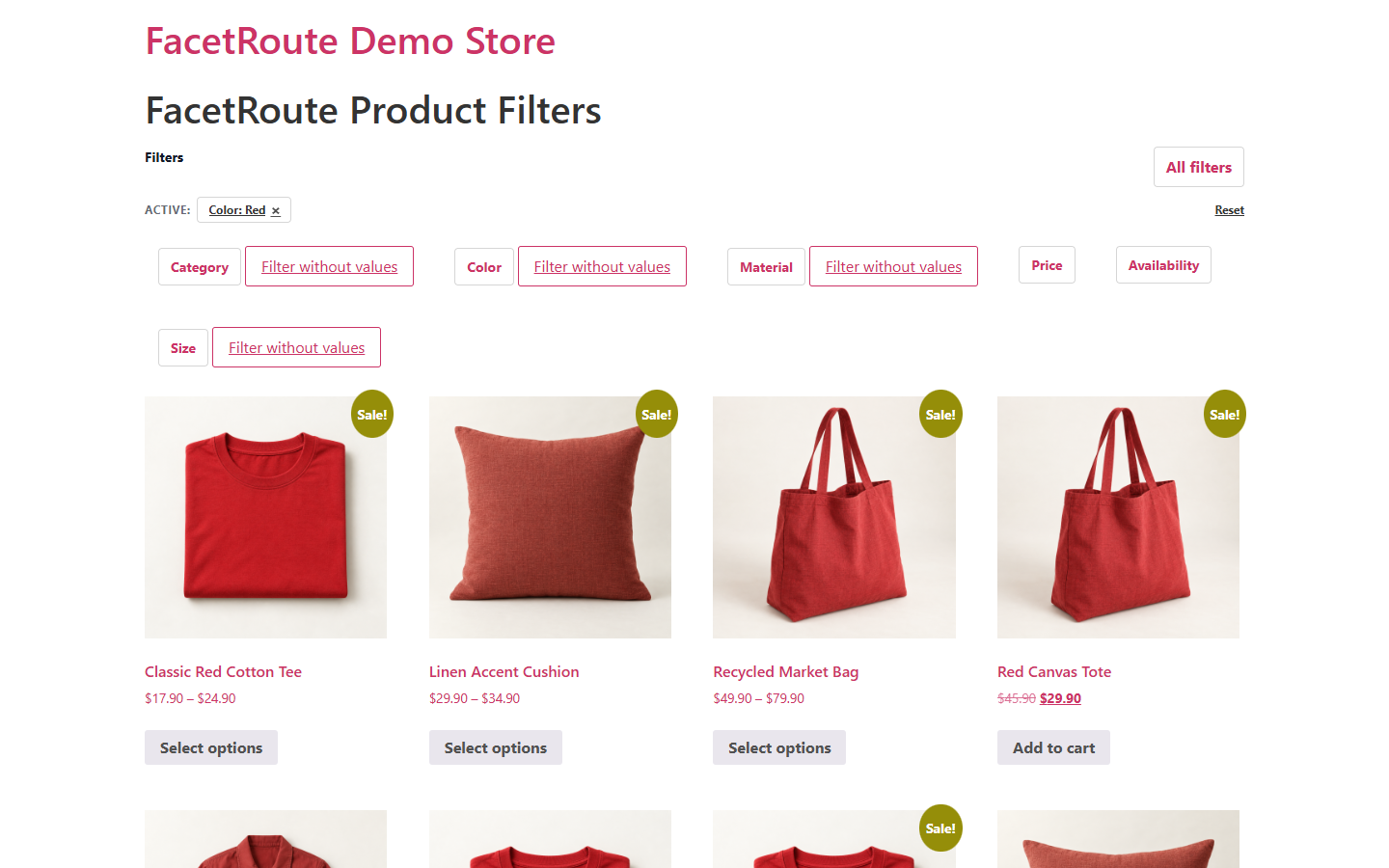
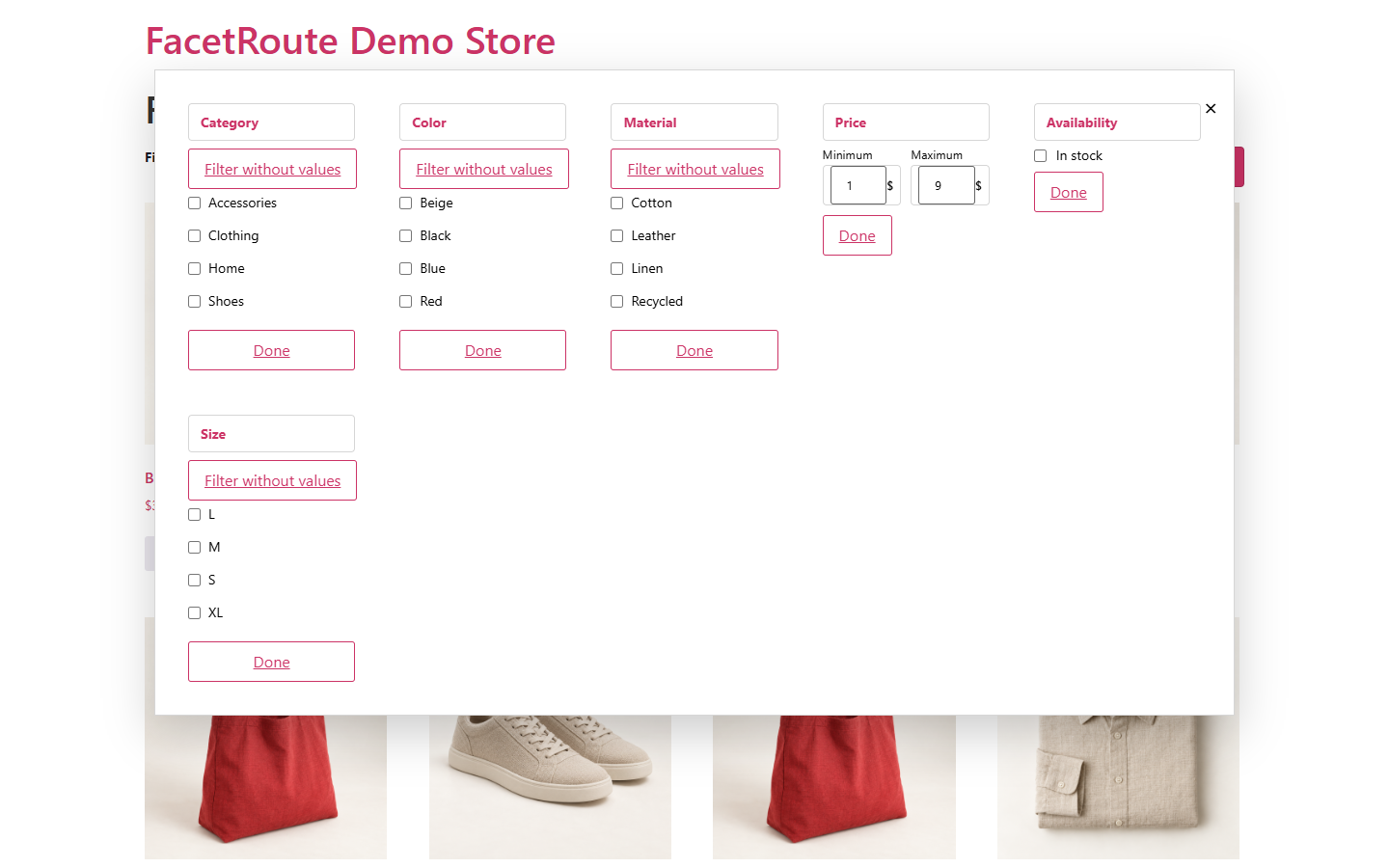
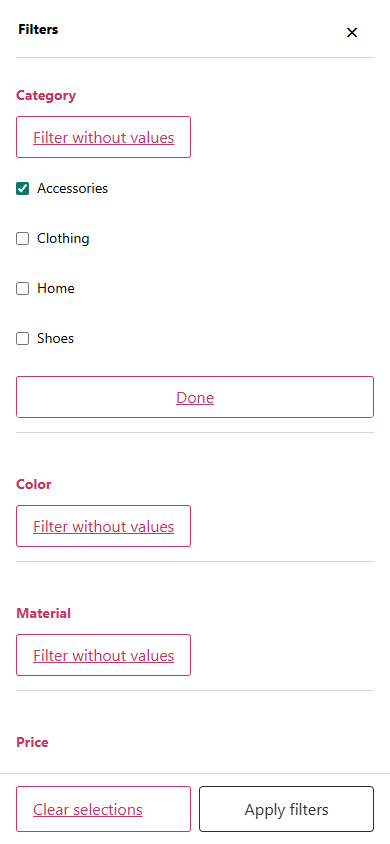
FacetRoute includes desktop controls, an All Filters view, and a mobile filter drawer. Theme / Native mode is designed to inherit the visual language of the active store theme.
Flexible placement
Use automatic placement, the [facetroute] shortcode, the facetroute/filters dynamic block, or the FacetRoute widget on supported WooCommerce product listings.
Useful admin diagnostics
The Diagnostics screen helps identify common setup and compatibility conditions without requiring remote telemetry.
What can shoppers filter?
- Product categories
- Product tags
- Global WooCommerce attributes such as colour, size, material, or brand attributes
- Minimum and maximum price
- Stock status
- Include / Exclude filtering modes
- Quick apply and Apply filters workflows
- Active-filter chips
- Reset controls
- Responsive desktop and mobile layouts
- Theme / Native visual mode
- Explicit loading state and accessible live-region feedback
安装:
- Install and activate WooCommerce.
- Install and activate FacetRoute.
- Open FacetRoute > Filters and review the filters enabled for your store.
- Keep automatic placement, or add
[facetroute], thefacetroute/filtersblock, or the FacetRoute widget to a supported product listing. - Open your shop or product archive and test the filters. If something is not displayed as expected, check FacetRoute > Diagnostics.
屏幕截图:


常见问题:
What can I filter?
FacetRoute supports product categories, product tags, global WooCommerce attributes, minimum/maximum price, and stock status.
What makes FacetRoute different?
FacetRoute focuses on predictable URL-based filtering, shareable filtered states, Include/Exclude logic, clear Quick and batch apply workflows, and conservative SEO handling for genuine configured filter states.
What is the difference between Include and Exclude?
Include keeps products matching the selected values. Exclude removes products matching the selected values from the results.
How do Quick apply and Apply filters work?
On desktop, Quick apply lets shoppers choose values inside one filter and commit that filter with Apply filter. All Filters and mobile use a batch workflow where shoppers can stage changes across filters and apply them together. Apply filters mode also supports multi-filter staging before one commit.
Does FacetRoute use AJAX?
No in version 1.0.21. Applying filters uses native URL navigation so filtered states remain ordinary shareable URLs.
How are filtered URLs handled for SEO?
When FacetRoute recognizes a genuine configured filtered state, it outputs noindex, follow and a canonical URL pointing to the clean base catalogue or archive. Invalid, unavailable, or inactive filter parameters remain inert and do not activate this filtered-state SEO handling.
How can I display FacetRoute?
Use automatic placement, the [facetroute] shortcode, the facetroute/filters dynamic block, or the FacetRoute widget on supported WooCommerce product listings.
Does FacetRoute collect usage data?
No. FacetRoute does not include telemetry or remote usage tracking.
Where can I get support?
Use the FacetRoute support forum on WordPress.org. Include your WordPress and WooCommerce versions, theme, FacetRoute placement mode, Apply mode, and the relevant result from FacetRoute > Diagnostics.
更新日志:
- Improved onboarding and admin guidance with clearer setup actions and diagnostics.
- Refined Quick apply, Apply button, All Filters, and mobile filter transactions for more predictable navigation.
- Improved accessibility with focus states, reduced-motion support, live status messaging, and larger mobile targets.
- Hardened filtered navigation so action/security query parameters are not replayed while safe shopper context is preserved.
- Corrected public block title metadata while retaining both block identifiers.
- Improved translation readiness for filter counts, price chips, placement labels, and localized interface text.
- Reworded two SEO labels without changing filtered-URL behavior.
- Initial public release of FacetRoute.
- Added filters for product categories, tags, global attributes, price, and stock.
- Added Include/Exclude filtering, Auto/Manual Apply, active-filter chips, Reset, and zero-results recovery.
- Added automatic placement, shortcode, dynamic block, and widget integrations.
- Added shareable filtered URLs with conservative
noindexand canonical handling for genuine configured filter states. - Added Theme / Native styling, responsive filter UI, and admin diagnostics.