Linux 软件免费装
Banner图

ReadJoy - Progress Bar with Celebrations

开发者 farjanaplugin
更新时间 2026年2月20日 06:07
PHP版本: 7.0 及以上
WordPress版本: 6.9
版权: GPLv2 or later
版权网址: 版权信息

标签

engagement tracker progress bar reading time reading progress confetti scroll indicator celebrations reader analytics mood detection

下载

1.4.0 1.5.0 1.2.0 1.3.0

详情介绍:

ReadJoy brings joy to every reading experience! 🎉 Make your readers feel special with a beautiful progress bar, accurate reading time estimation, and when they finish reading - celebrate them with confetti and heartfelt messages! Unlike other progress bar plugins, ReadJoy doesn't just track progress - it celebrates your readers, making them feel valued and encouraging them to come back for more. Perfect for bloggers, news websites, magazines, and any content site that wants to boost engagement and create memorable reading experiences! 🎉 What Makes ReadJoy Special? ReadJoy is the only WordPress plugin that celebrates your readers when they finish an article! Celebration System: ✨ Key Features Reading Progress Bar: 🎯 Perfect For 💡 How It Works
  1. Install and activate the plugin
  2. Go to Settings → ReadJoy
  3. Customize colors, position, and style
  4. Enable celebration popup (or disable if you prefer)
  5. Adjust WPM for your audience
  6. Done! Your readers will love it!
🌟 What Makes ReadJoy Unique? 📊 Improve Your Metrics ✨ All Features FREE Forever! Unlike other plugins, we provide ALL features completely FREE: No premium version. No hidden fees. 100% FREE forever! We created ReadJoy to help the WordPress community, not to make money from it. All features that were planned for "Pro" are now FREE for everyone! ❤️ 🔒 Privacy This plugin does not collect, store, or transmit any personal data. It's 100% privacy-friendly and GDPR compliant!

安装:

Automatic Installation (Recommended)
  1. Go to Plugins → Add New in WordPress
  2. Search for "ReadJoy" or "Reading Progress"
  3. Click "Install Now"
  4. Click "Activate"
  5. You'll see a welcome screen - follow the 3 easy steps!
Manual Installation
  1. Download the plugin ZIP file
  2. Go to Plugins → Add New → Upload Plugin
  3. Choose the downloaded file and click "Install Now"
  4. Activate the plugin
  5. Visit the welcome screen or go to Settings → ReadJoy
After Activation
  1. Quick Start (3 Steps):
  2. Choose your favorite color
  3. Select position (top or bottom)
  4. You're done!
  5. Advanced Customization:
  6. Visit Settings → ReadJoy
  7. Adjust WPM, text labels, and display options
  8. Customize colors, styles, and effects
  9. Enable/disable celebration popup
  10. Configure post types
  11. View Your Work:
  12. Create or edit a post
  13. See the beautiful progress bar in action!
  14. Scroll to the end to see the celebration! 🎉

屏幕截图:

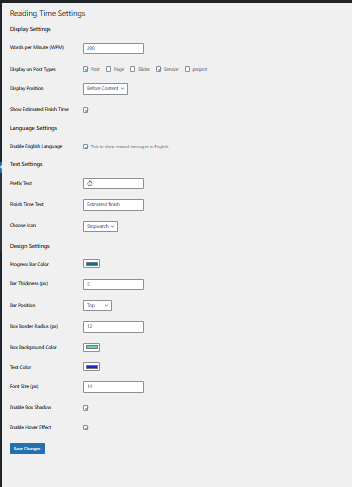
  • **Comprehensive Settings Page** - Full control over WPM (200), display positions, post types (Post/Page/Custom), text labels, celebration popup toggle, and multi-language options with Bengali support
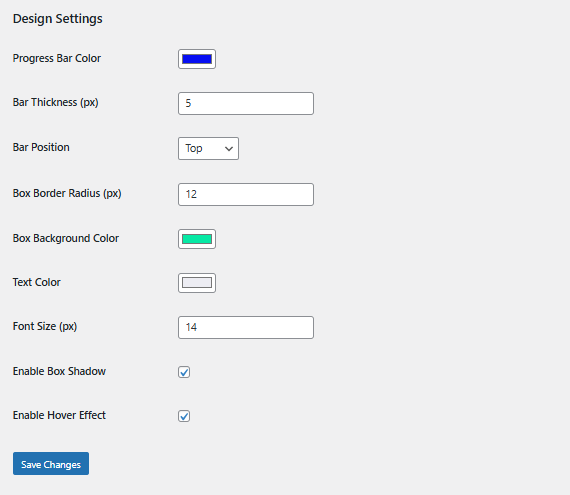
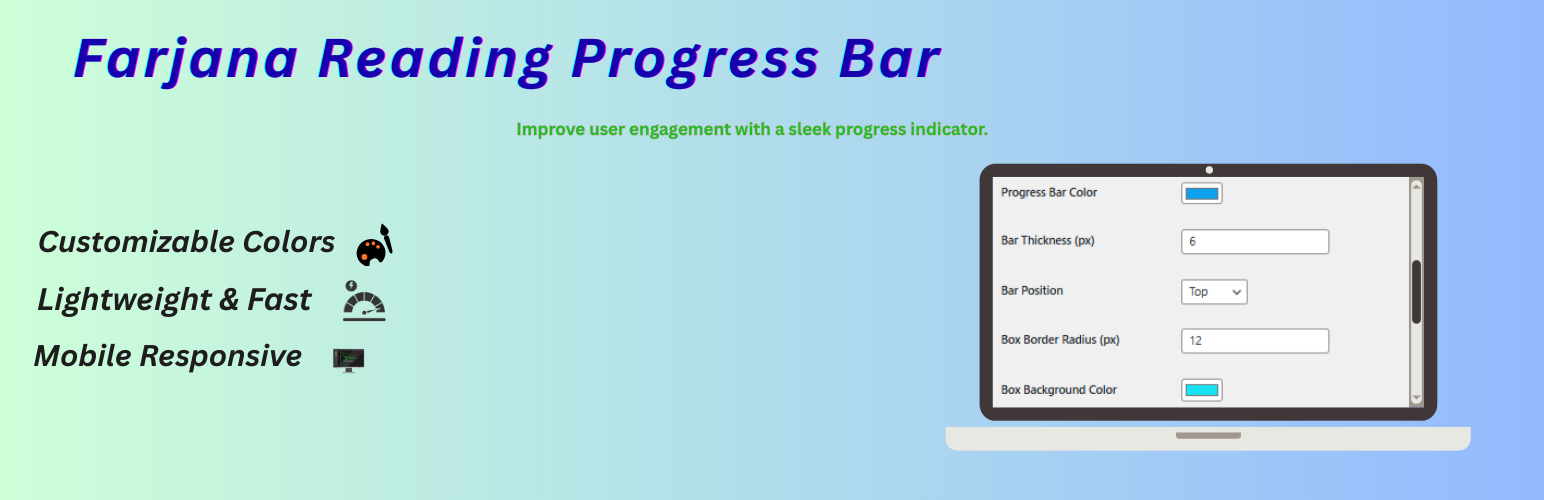
  • **Advanced Design Settings** - Color pickers for progress bar, reading time box styling, text colors, background colors, plus size controls (bar thickness, font size, border radius) and effect toggles (box shadow, hover effects)
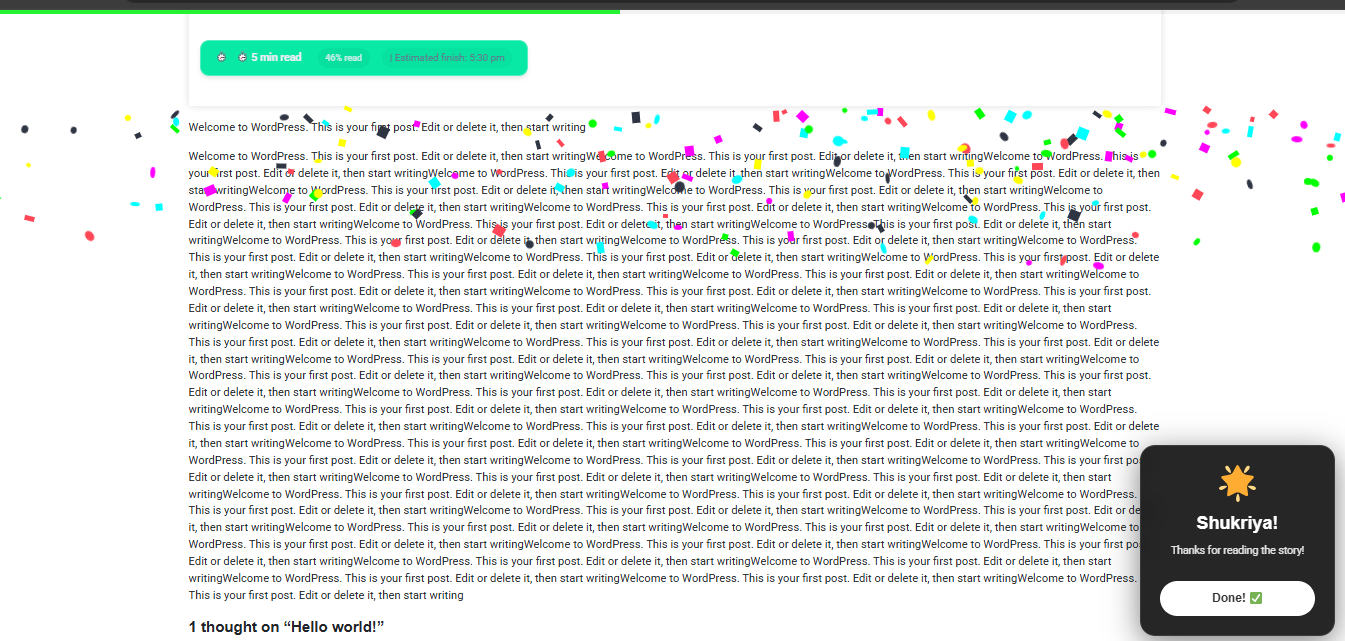
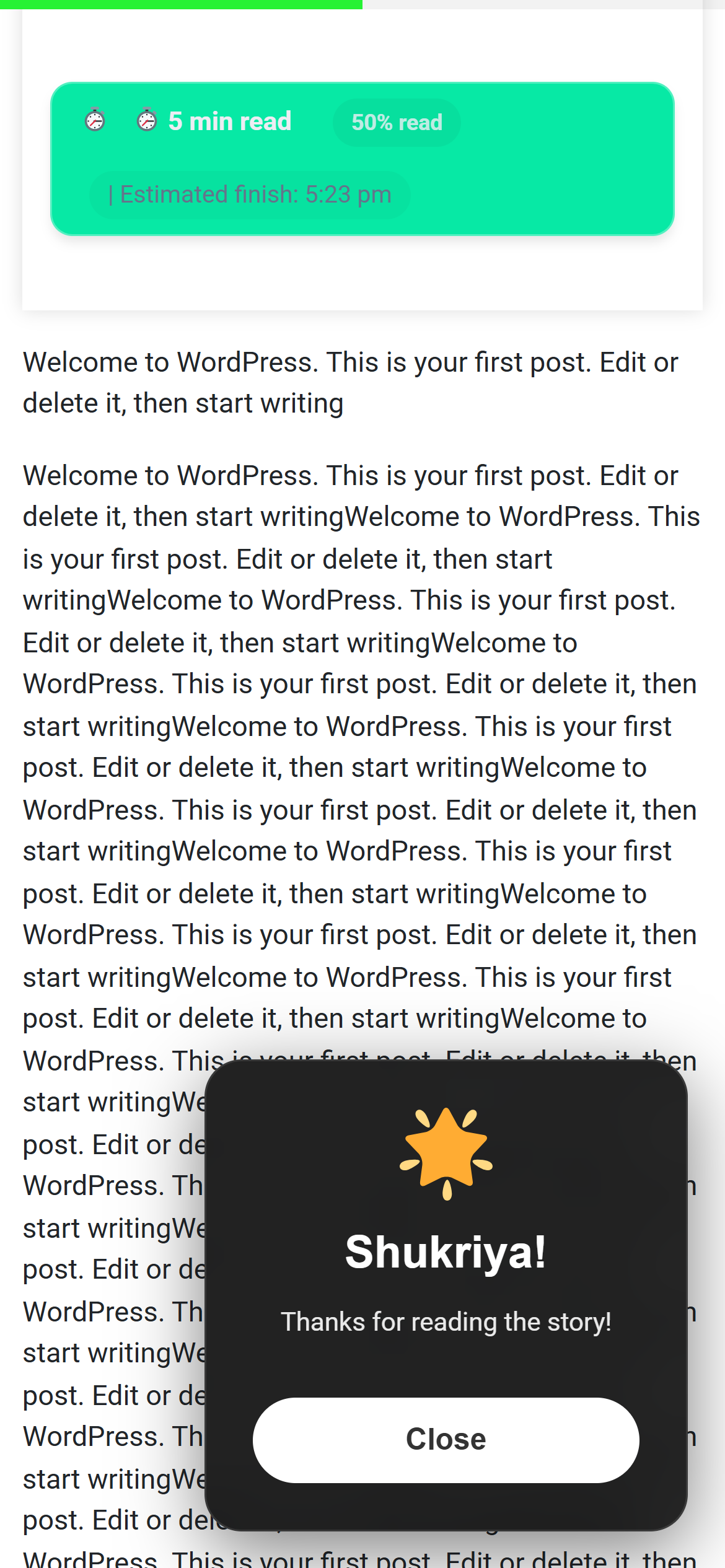
  • **Engaging Celebration Popup** - Beautiful "Shukriya!" glassmorphism popup with confetti animation, mood-based messages, and optional review request appears when readers finish the article
  • **5 Progress Bar Styles** - Showcase of all available styles (Solid, Gradient, Striped, Animated, Glow) with dynamic color support - all styles adapt to your chosen brand color
  • **Welcome Screen** - Clean, professional onboarding experience with 3 easy setup steps, feature highlights, and quick links to get started immediately

常见问题:

Does it work with all WordPress themes?

Yes! ReadJoy is designed to work with any WordPress theme that follows WordPress coding standards. It's been tested with popular themes like Astra, GeneratePress, OceanWP, and many more.

Can I customize the colors?

Absolutely! You can customize:

  • Progress bar color
  • Reading time box background
  • Text colors
  • Border colors
  • And much more! All 5 bar styles (Solid, Gradient, Striped, Animated, Glow) automatically adapt to your chosen color.

Will it slow down my website?

No! ReadJoy is extremely lightweight and optimized. It adds minimal CSS and JavaScript, with zero impact on your site's performance. The plugin uses best practices and is optimized for speed.

Does it work on mobile devices?

Yes! The plugin is fully responsive and works perfectly on all screen sizes - smartphones, tablets, and desktops. The design adapts beautifully to any screen.

Can I disable it on certain post types?

Yes! You can choose exactly which post types to display the reading progress on from the settings page. Enable it for posts, pages, custom post types, or any combination you prefer.

Can I disable the celebration popup?

Yes! There's a checkbox in settings to enable/disable the celebration popup. All other features will continue to work normally even if the popup is disabled.

How is reading time calculated?

Reading time is calculated based on Words Per Minute (WPM). The default is 200 WPM (average adult reading speed), but you can adjust it in settings to match your audience. The plugin also accounts for images (approximately 10 seconds per image).

What is the "Shukriya" celebration popup?

"Shukriya" (শুকরিয়া) means "Thank You" in Bengali/Urdu. It's a beautiful reward popup that appears when readers finish your article, thanking them with personalized messages and delightful confetti animation! It makes readers feel valued and encourages them to return.

How does mood detection work?

ReadJoy analyzes your content for emotional keywords and context. It then displays appropriate celebration messages:

  • Happy/positive content → Cheerful celebration
  • Sad/touching content → Empathetic message
  • Neutral content → Appreciative thank you This creates a more personalized and meaningful experience for your readers.

Can I translate the plugin?

Yes! The plugin is translation-ready and fully internationalized. It currently has built-in support for English and Bengali, with more languages coming soon. You can also create your own translation using standard WordPress translation tools.

Does it track user data?

No! ReadJoy is 100% privacy-friendly. It doesn't collect, store, or transmit any personal data. It doesn't use cookies, connect to external services, or track users. Your readers' privacy is completely protected.

Can I hide the reading time but keep the progress bar?

Yes! All features can be controlled independently. You can enable/disable:

  • Progress bar
  • Reading time display
  • Progress percentage
  • Estimated finish time
  • Celebration popup Mix and match to create your perfect setup!

Is there a pro version?

No! All features are 100% FREE forever. We want to support the WordPress community with all premium features at no cost. There will never be a paid version - this is our commitment! ❤️

How do I get support?

We're here to help!

  • Visit the plugin's support forum on WordPress.org
  • Check the documentation on our website
  • Contact us through GitHub (TanjinaAkte) We typically respond within 24 hours!

更新日志:

1.5.0 - 2026-02-20 1.4.0 - 2026-02-18 1.3.0 - 2026-02-10 1.2.0 - 2026-02-04 1.1.0 - 2026-01-15 1.0.1 - 2026-01-05 1.0.0 - 2026-01-01