
Faultwright – Error Monitor, Cron & Email Failure Alerts
| 开发者 | emtiazzahid |
|---|---|
| 更新时间 | 2026年10月26日 19:06 |
| PHP版本: | 7.4 及以上 |
| WordPress版本: | 7.1 |
| 版权: | GPLv2 or later |
| 版权网址: | 版权信息 |
详情介绍:
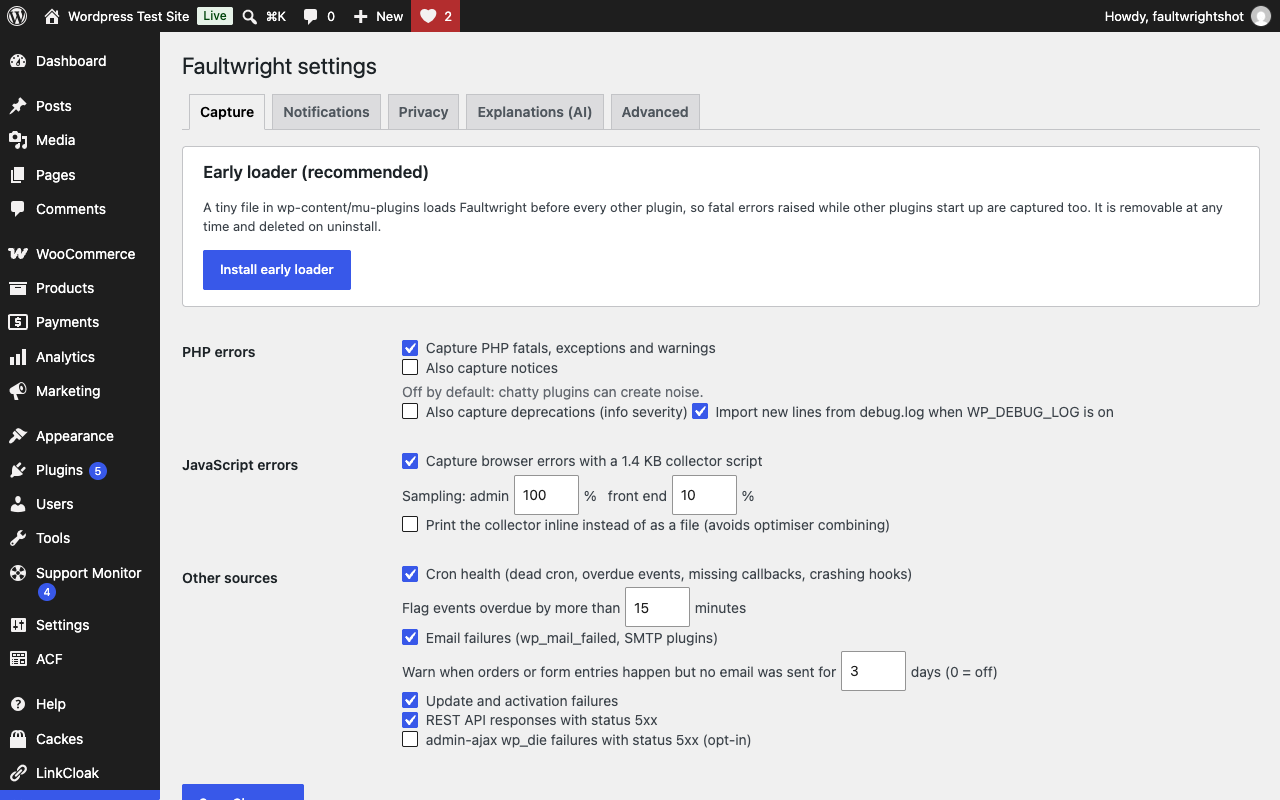
- PHP errors – fatals, uncaught exceptions and warnings, with the file, line and a trimmed stack trace. An optional one-file early loader captures fatals raised while other plugins start up. New lines in debug.log are imported too.
- JavaScript errors – a 1.5 KB collector (no cookies, no dependencies; sampling uses sessionStorage) reports browser errors, attributed to the plugin or theme that shipped the script. Browser-extension noise is filtered out.
- Cron health – detects a dead WP-Cron, overdue events, events whose plugin was removed, and scheduled jobs that crash.
- Email failures – every wp_mail failure plus SMTP-plugin errors, and a warning when orders or form entries happen but no email goes out.
- Update failures – plugin, theme and core updates that could not be installed, auto-update failures and plugins that crash on activation.
- REST / AJAX 5xx – API routes and admin-ajax actions that return server errors.
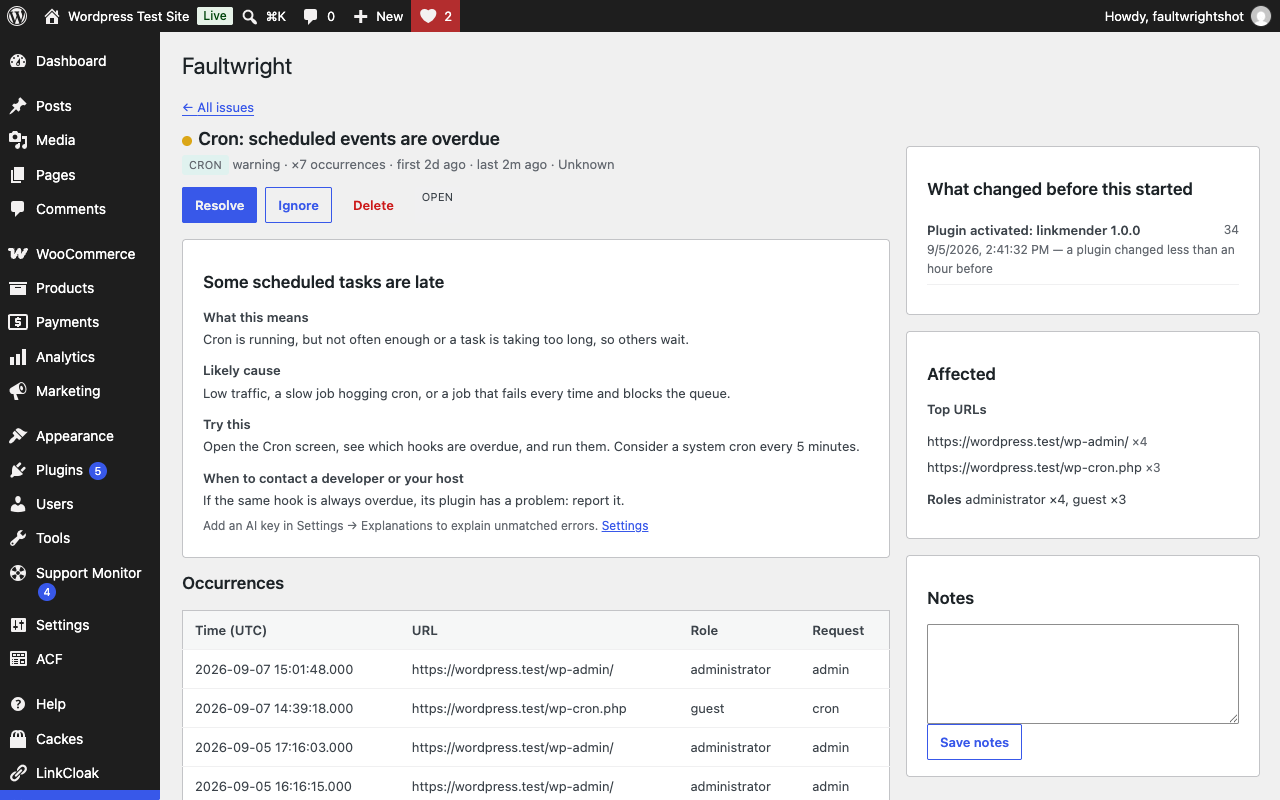
- Issues grouped by fingerprint with count, first/last seen, affected URLs and roles, Open / Resolved / Ignored status and notes. Resolved issues reopen automatically if the error comes back.
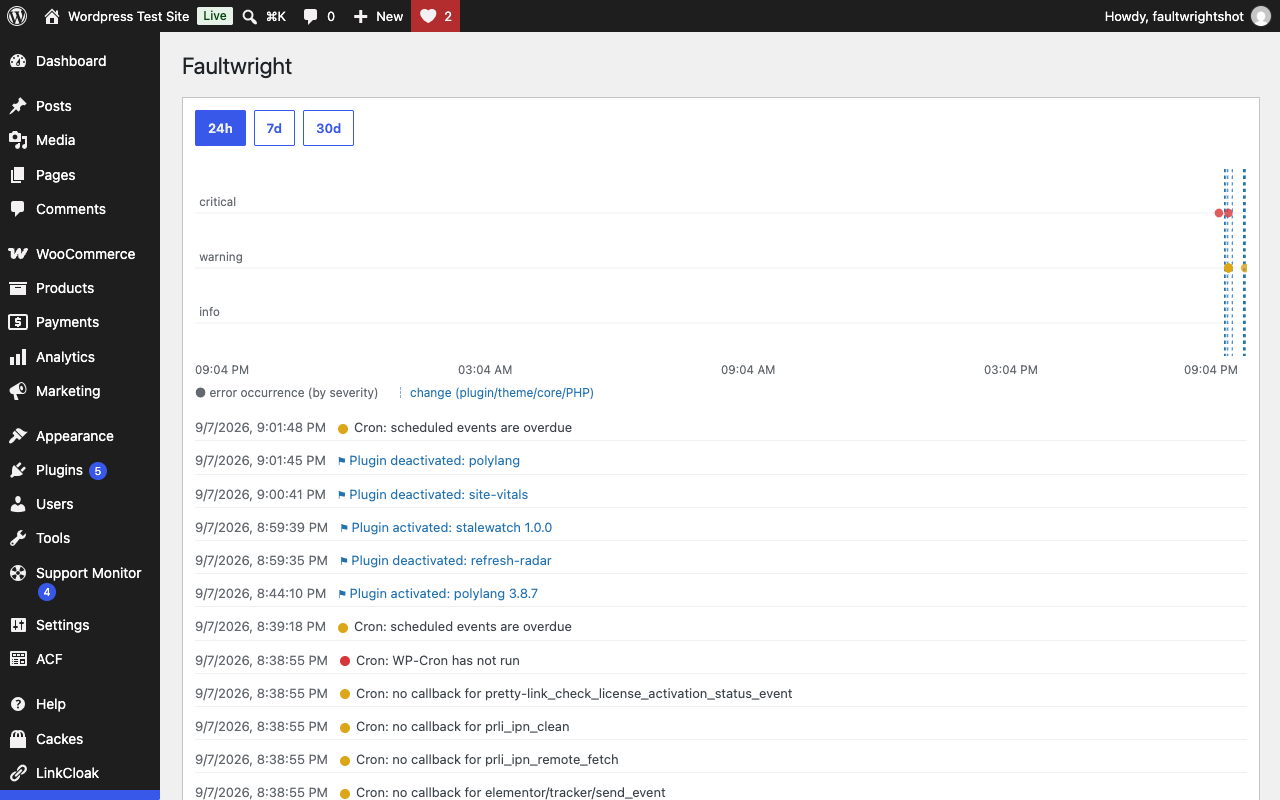
- Timeline of errors and changes on one axis (24h / 7d / 30d).
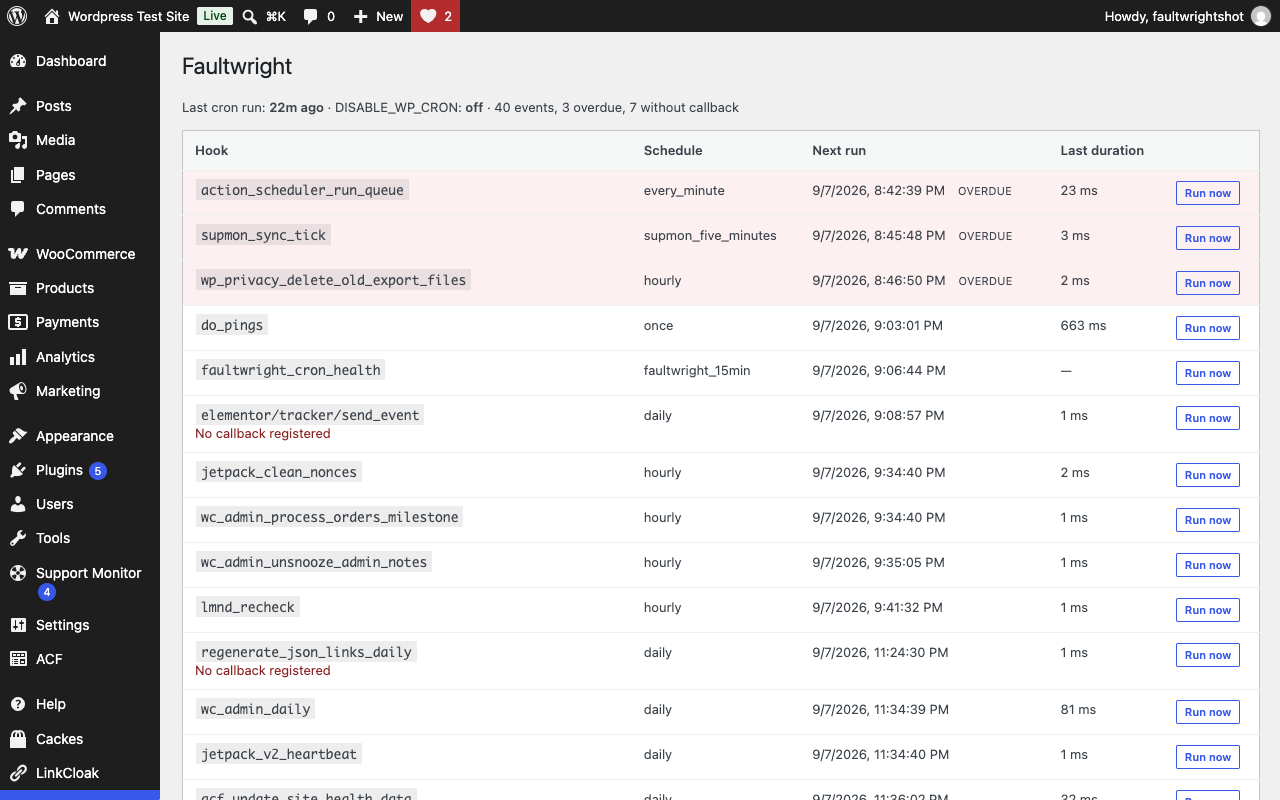
- Cron screen with next run, overdue flags, last duration and Run now (defers to WP Crontrol when installed).
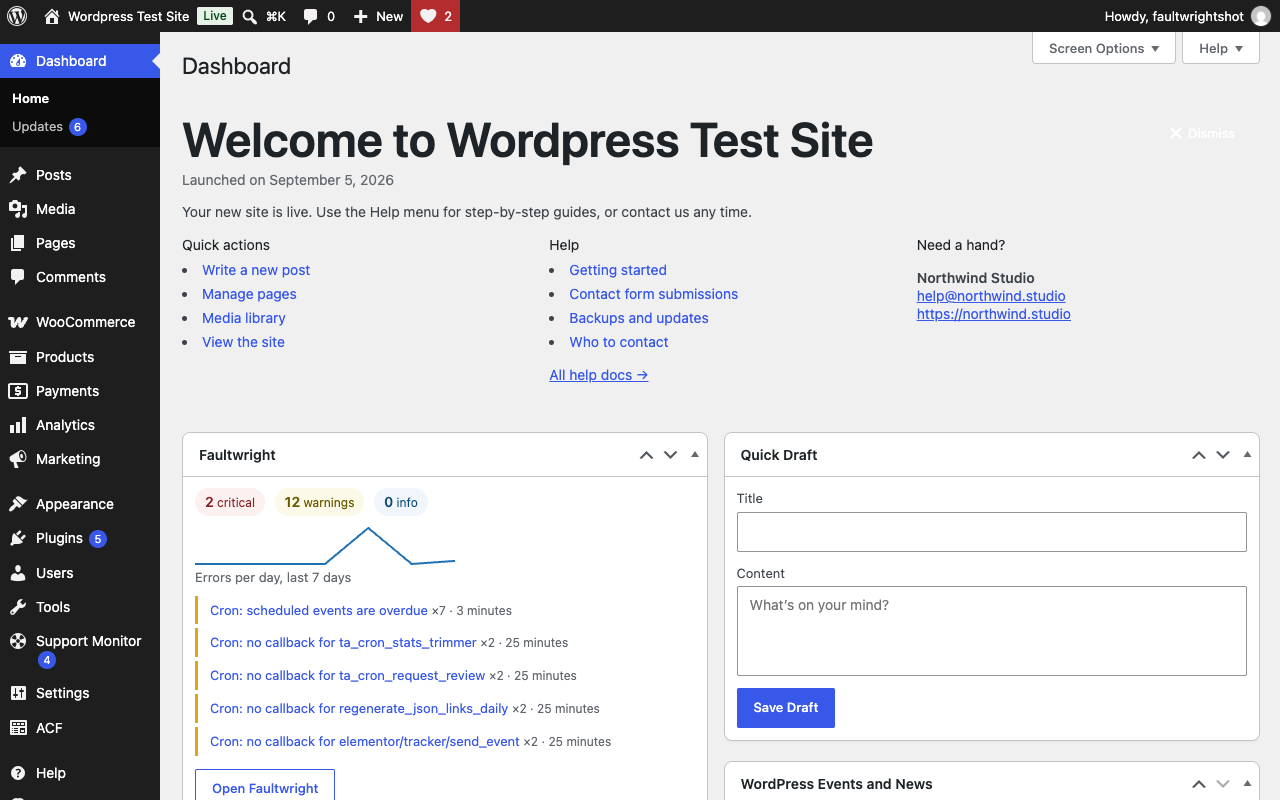
- Dashboard widget with a 7-day sparkline and an admin-bar badge with the open critical count.
- Daily or weekly digest email and an immediate email for the first occurrence of a new critical issue (throttled). Both are on by default, go to the site admin email until you enter recipients, and can be switched off under Settings → Notifications.
- Site Health tests: cron running, no fatals in 7 days, emails sending.
- WP-CLI:
wp faultwright issues list,wp faultwright issues show <id>,wp faultwright cron check,wp faultwright changes list,wp faultwright prune,wp faultwright test-error,wp faultwright digest. - Privacy by default: error records hold no user IDs, email addresses, IP addresses or request bodies, and query strings are stripped from URLs. The change log records which logged-in user made a change. Retention is 30 days for events and 90 days for changes.
- Flood protection: per-request and per-minute caps, a file fallback if the database is unavailable, and a kill-switch constant.
faultwright_ignore_error, faultwright_js_noise_patterns, faultwright_explanations, faultwright_severity, faultwright_event_recorded, faultwright_notification_channels, faultwright_capability, faultwright_ai_prompt, faultwright_retention_days, faultwright_mail_activity_count.
More plugins by Emtiaz Zahid
- Launchmender: 44 pre-launch checks with one-click fixes, a manual checklist and a client handoff report
- Stalemender: content audit that gives every post a Freshness Score (0–100) and tells you why
- Waymender: finds broken links without hammering your server, logs 404s and fixes both in one click
- Anchormender: internal link suggestions while you write, an orphan post report and bulk internal linking
- Repeatwright: RFM customer segments, repeat rate, LTV and cohort retention from your own WooCommerce orders
- Hoverbuy: sticky add to cart bar with image, price and quantity once the real button scrolls away, variable products included
- Dynafield: ACF, Pods, Meta Box and post meta as dynamic tags in free Elementor: text, link, image, number, colour and date
- Shipeach: shipping cost per product and per variation, by country, state or postcode, as its own method or added to other rates
安装:
- Upload the
faultwrightfolder to/wp-content/plugins/or install it from the Plugins screen. - Activate the plugin.
- Open Faultwright in the admin menu. Click Install early loader (recommended) and Send test error to confirm capture works.
- Optional: set digest recipients under Settings → Notifications, and turn on AI explanations under Settings → Explanations (with the provider connected under Settings → Connectors on WordPress 7.0 and later, or with your own API key).
屏幕截图:
常见问题:
Does it record warnings that were silenced with the @ operator?
Yes. Faultwright never reads or changes PHP's error-reporting level, so it cannot tell whether a call was wrapped in @. Warnings are grouped and counted, so a silenced call that fails repeatedly shows up as one group. Notices and deprecations are off by default and can be enabled in Settings.
Does it slow my site down?
No. When nothing goes wrong, the PHP handler costs well under a millisecond and no database queries run on the front end. The JavaScript collector is 1.5 KB and only talks to the server when an error happens. Sampling lets you record a fraction of front-end visitors.
Do I need WP_DEBUG on?
No. Faultwright captures errors directly. If WP_DEBUG_LOG is on, new lines in debug.log are imported as well and de-duplicated.
Does it send data anywhere?
No. Nothing leaves your site unless you turn on "Explain with AI", with a provider connected under Settings → Connectors or your own API key, and use it on an issue. There is no telemetry.
What is the early loader file?
A tiny file copied into wp-content/mu-plugins that loads Faultwright before every other plugin, so a fatal error raised while another plugin starts up is still captured. You can remove it from Settings → Capture at any time; uninstalling deletes it.
Can it fix errors?
It explains them and points at the most likely culprit with the change history. Rolling a plugin back or contacting the author remains a manual step.
Is it GDPR friendly?
Error records store the visitor's role, never a user ID, email address or IP address. IP addresses are hashed (/24) for rate limiting only and expire after one minute. Query strings are stripped from recorded URLs by default. Failed-email records keep the subject line and, optionally, the recipient domain, never the full address. The change log records which logged-in user activated, updated or changed something, so you can see who did what. The plugin adds a suggested paragraph to Settings → Privacy → Policy Guide.
Does the plugin send anything to its author?
No. Faultwright has no server of its own and sends no usage statistics or telemetry. Errors are stored in your own database; the browser collector posts to your own site's REST API. The only outbound requests are the optional AI explanations described under "External services", off until you turn them on and connect a provider under Settings → Connectors or enter your own API key.
Does Explain with AI use the WordPress AI Client?
Yes, on WordPress 7.0 and later. Choose "WordPress AI (Settings → Connectors)" under Faultwright → Settings → Explanations (it is the default for new installs there), and requests go through WordPress's built-in AI Client to the provider you connected, with the key WordPress keeps. On older WordPress versions, or if you prefer, you can enter your own API key for OpenAI, Anthropic, Google Gemini or an OpenAI-compatible endpoint instead.
Where is the JavaScript source?
The admin app and the browser collector ship un-minified in assets/src/; the files in assets/build/ are produced from them with npm install && npm run build (the package.json is included). Nothing else is compiled or obfuscated.
Is this a developer tool like Query Monitor?
No. Query Monitor inspects a single request while you look at it. Faultwright is a persistent history for site owners and the people who maintain sites for them.
How do I disable capture without deactivating?
Add define( 'FAULTWRIGHT_DISABLE', true ); to wp-config.php.
更新日志:
- New: Explain with AI can use the WordPress AI Client and the provider connected under Settings → Connectors (WordPress 7.0 and later). Your own API key still works.
- Initial release.